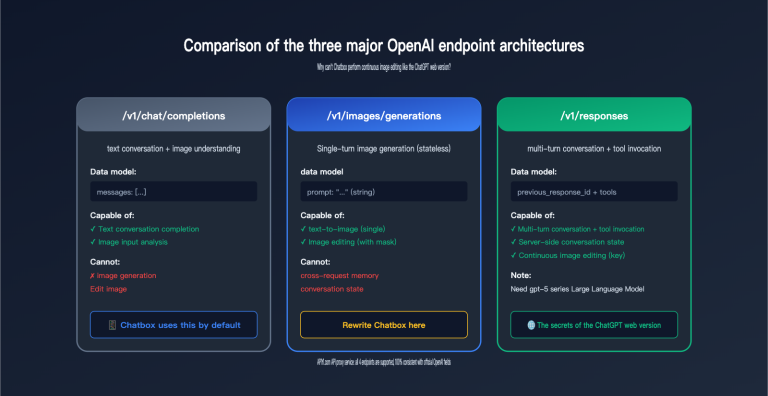
Many people have a misconception when they first use the ChatGPT web interface: they input a PDF or a single sentence, and "pop"—it spits out five images with a consistent style. However, once you switch to the API and set the n parameter to 5, you end up with five variations that look largely the same, like drawing cards from a deck. Why is there such a big difference for the same model?
This article isn't meant to provide a "standard answer." Instead, we’re going to break down this issue that we encounter repeatedly in customer support. We’ll clarify the two completely different technical paths behind GPT Image group generation, explain why the n parameter can't actually create a "set" of images, and share some practical ways to achieve multi-image consistency if you're building it yourself via API.
1. Two Technical Paths for GPT Image Group Generation
To understand this, we first have to acknowledge a premise that's easy to overlook: "Generating multiple images at once" and "generating a set of images with a logical relationship" are two different things. The former is just batching in terms of quantity, while the latter is what people actually mean by a "group."
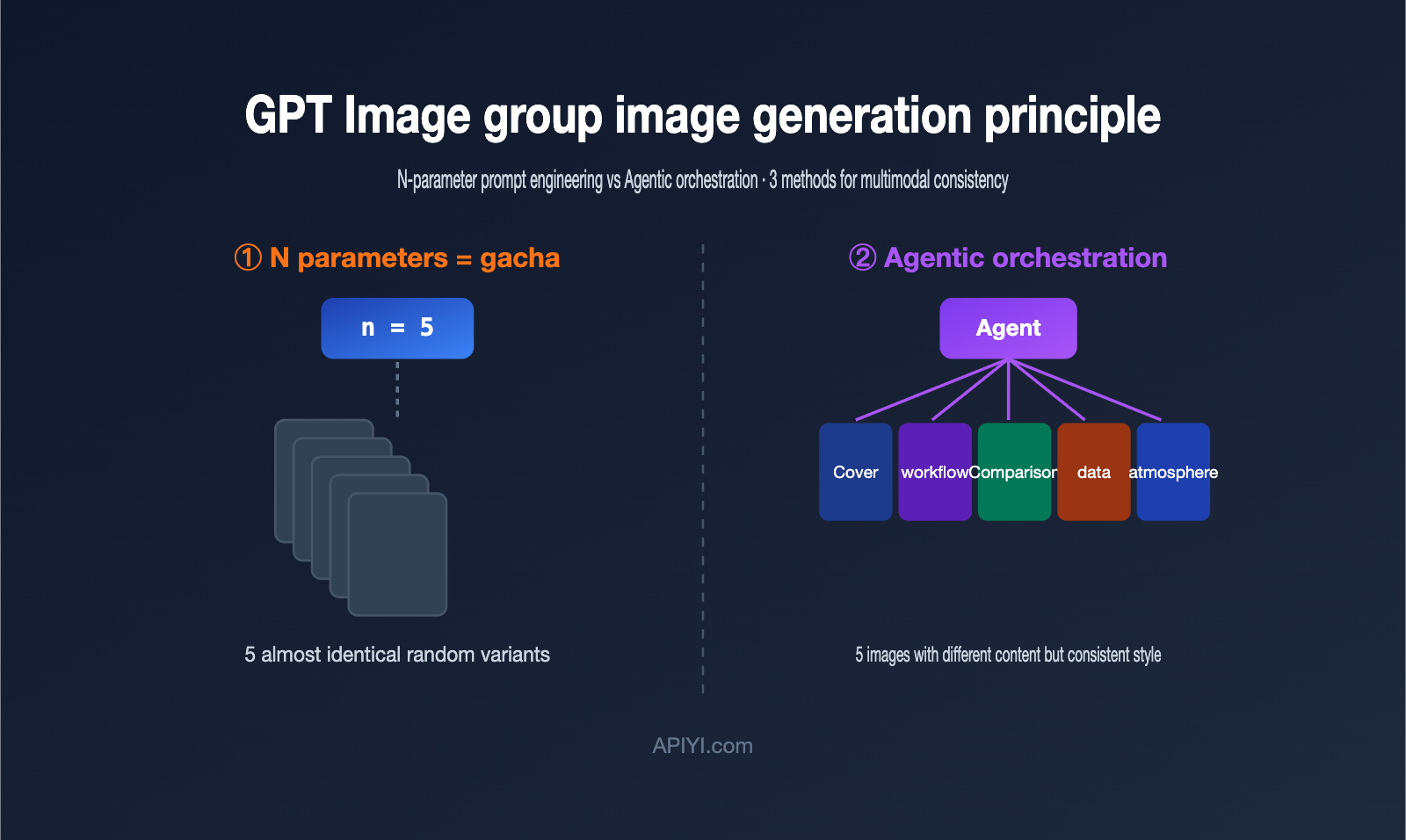
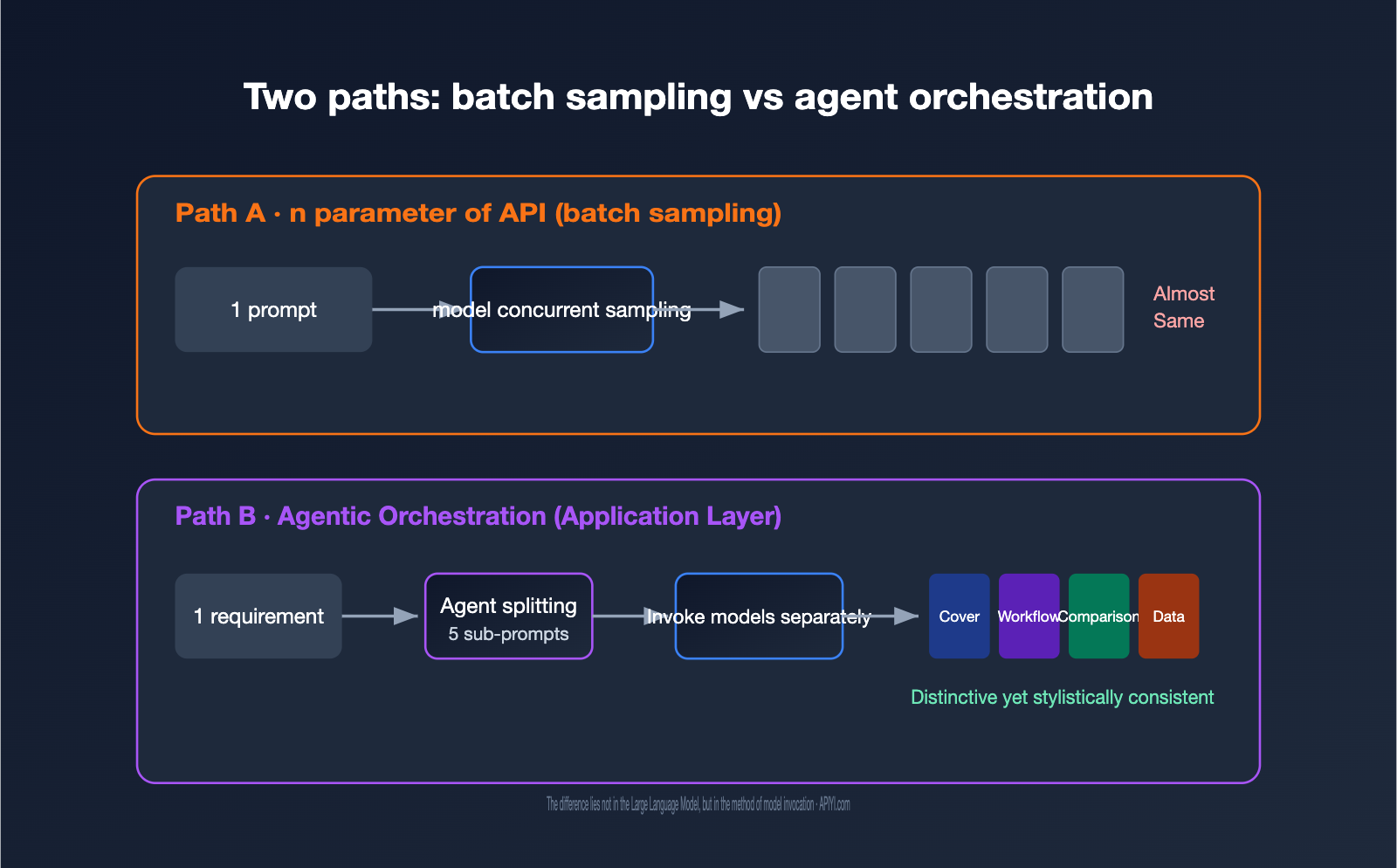
In terms of engineering, GPT Image corresponds to two paths. The first is model-level batch sampling, which is the n parameter in the API: using the same prompt and input to let the model sample multiple results in parallel. The second is application-level Agentic orchestration, where an Agent first understands the requirements, breaks them down into several sub-tasks, calls the image generation capability separately for each, and finally assembles them into a set.
The table below clarifies the core differences between these two paths, which we'll expand on in the following sections.
| Dimension | API n Parameter (Batch Sampling) |
Agentic Orchestration (App Layer) |
|---|---|---|
| Essence | Repeated random sampling with the same prompt | Independent generation after breaking down requirements |
| Image Content | Nearly identical, only random variations | Distinct, but thematically linked |
| "Group" Awareness | None, purely concurrent | Yes, has planning logic |
| Cost | Single image price × N | Cumulative cost of multiple calls |
| Consistency Source | Prompt and random seed | Reference image + unified prompt constraints |
| Typical Use Case | Picking one satisfactory image | Series illustrations, PPT slides, storybooks |
Simply put, the n parameter is for "give me a few options to choose from," while a group requires "give me a series of content based on a theme." This is why you feel something is missing when you try to replicate the web experience directly via API. If you want to verify the performance of both paths, you can test them using the same API key on APIYI (apiyi.com) to save the hassle of switching between platforms.
2. Why the API's n parameter can't create a real set of images
The first reaction for many developers is: "If I need 5 images, why not just set n to 5?" If you actually run it, you'll quickly find that the 5 images you get are usually "5 minor variations of the same thing," rather than a "set of images that work together."
The reason lies in how the n parameter works. It doesn't change your prompt; instead, it runs the same prompt several times, relying on random sampling during the model's generation process to create differences. There's a perfect description for this in the OpenAI developer community: these images are "random sampling variations" of the same input. In other words, it's like a gacha game—you pull from the same pool 5 times, and you get cards that look similar with randomized rarity.
This leads to two direct consequences. First, you cannot express structured requirements like "the first image is the cover, the second is the process, and the third is the comparison" in a single call, because there's only one prompt. Second, costs are linearly additive: n=5 is billed as 5 individual images, not a discounted bundle.
The table below illustrates this difference using a specific scenario: imagine you want to generate 5 images for an article, each with a different purpose.
| Requirement | Result with n=5 | What you actually want |
|---|---|---|
| Cover image | 5 cover candidates | 1 cover image |
| Process chart | Not possible | 1 process chart |
| Comparison chart | Not possible | 1 comparison chart |
| Data chart | Not possible | 1 data chart |
| Atmosphere image | Not possible | 1 atmosphere image |
The conclusion is clear: the n parameter is great for "I want one good image, give me a few candidates to choose from," but it's not suitable for "I want a set of images with different content." Once you understand this, you won't be frustrated by "why the API can't produce the same results as the web version"—it's simply because you're using the wrong tool. If you want to verify the gacha-like nature of the n parameter at a low cost, APIYI (apiyi.com) supports pay-per-call billing, so you can run a few comparative experiments without breaking the bank.
3. The Agentic orchestration behind web-based image sets
So, how does the ChatGPT web version manage to "generate 5 images from one PDF"? The answer is the second path mentioned above: Agentic orchestration, which happens to be the key upgrade brought by GPT Image 2 / ChatGPT Images 2.0, released in April 2026.
According to OpenAI's official positioning, GPT Image 2 is the first version to integrate "reasoning capabilities" into an image model: it proactively researches, plans, and reasons about the image structure before it even starts drawing. This mechanism is known as "Thinking mode" on the web. So, when you drop in a PDF, the model doesn't just "read the image"; it first understands what the document is about, how many images are needed, and what role each image should play, before generating them one by one.
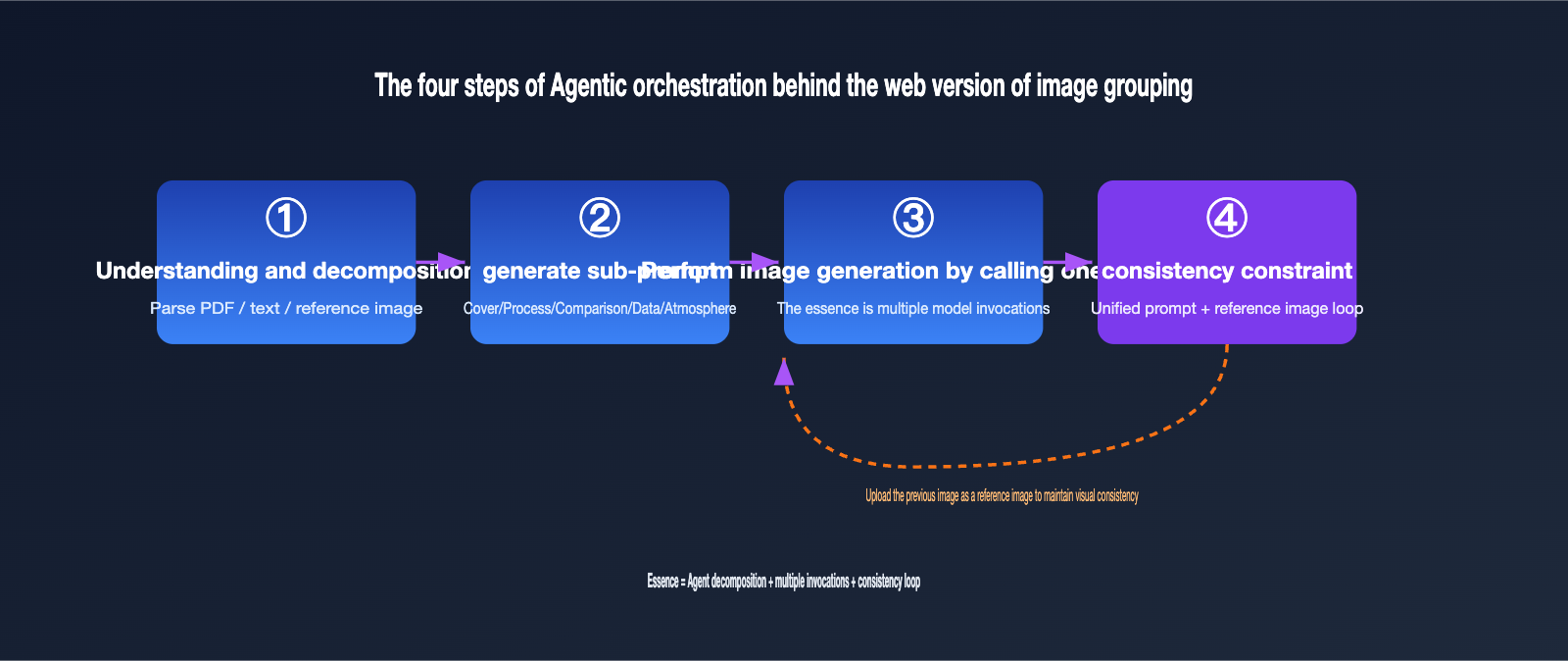
Translating this process into engineering terms, it's roughly four steps:
- Understanding and Decomposition: The Agent parses the input (text, PDF, reference image) and determines how many images are needed and the theme for each.
- Generating Sub-prompts: It writes an independent prompt for each image, such as "overall architecture diagram," "key process chart," or "data comparison chart."
- Sequential Image Generation: It calls the underlying image generation capability for each sub-prompt, which is essentially multiple API calls.
- Consistency Constraints: It injects a unified style description into every prompt and passes the previously generated images as reference images to the subsequent ones to ensure visual consistency across the set.
The academic world is using similar ideas. Multi-agent frameworks (like ViMax for video generation or Maestro for text-to-image) break a large requirement into multiple fine-grained visual sub-problems, generate them in parallel, select the best ones, and then use the previous frame or image as a reference for subsequent generations to maintain character and scene continuity. The brilliance of GPT Image 2 is that it has integrated this orchestration—which engineers used to have to build manually—directly into the model's own reasoning loop.
This is also where the real challenge lies: multiple independent calls naturally lead to drift. Every image is a new random sample, and character appearance, color schemes, and art styles can all go off-track. This is the core issue we've discussed with clients—"how to maintain visual consistency"—which is much harder than "how to generate multiple images." The next section will focus specifically on how to handle that.
IV. Replicating Image Sets with API: 3 Ways to Achieve Multi-Image Consistency
If you'd rather not rely on the web interface and want to implement GPT Image set generation directly into your own product, you'll need to build your own orchestration logic. The core challenge is using engineering techniques to "fill in" the missing visual consistency. Based on practical experience, we've summarized three methods, ranging from simple to advanced, which can also be used in combination.
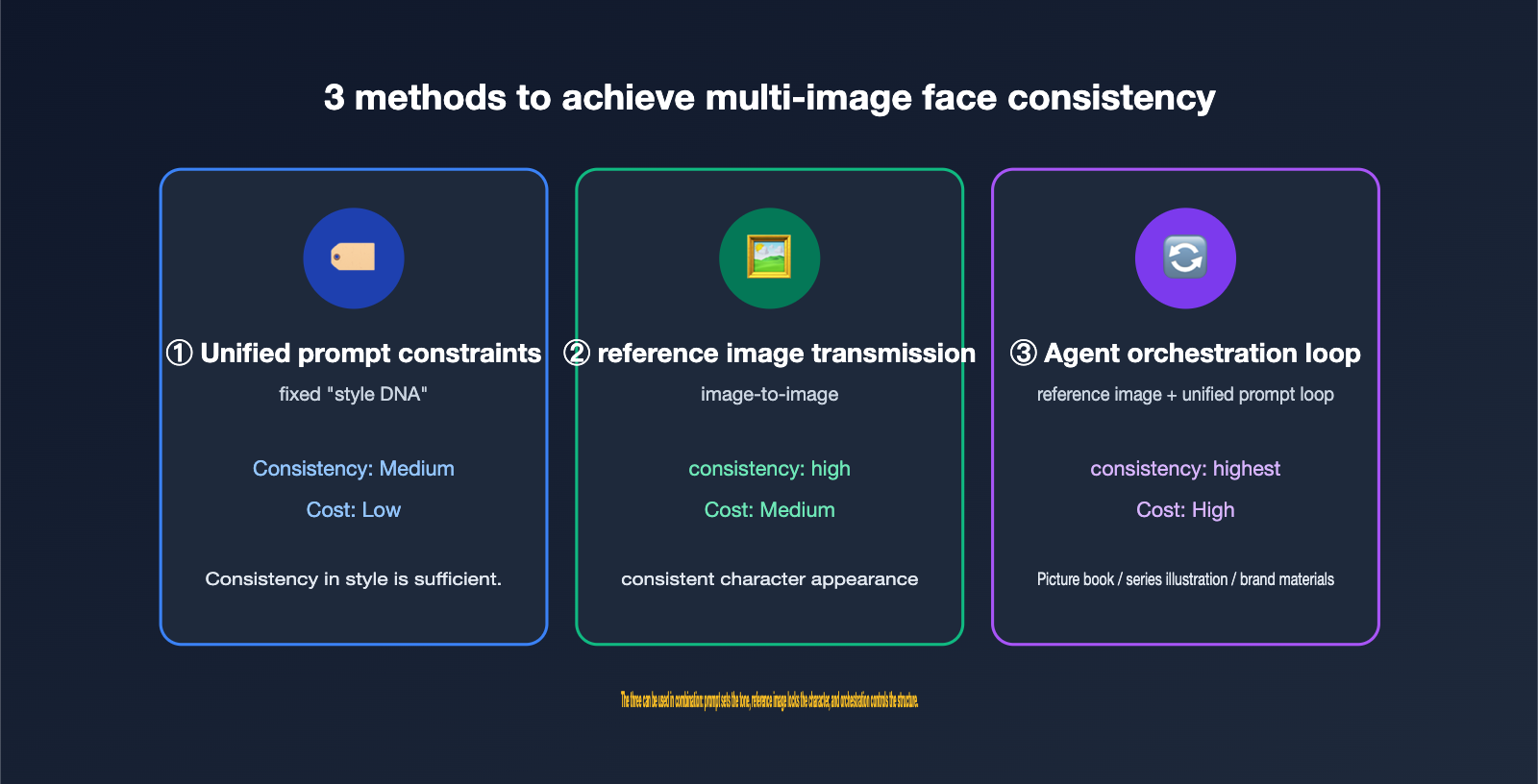
Method 1: Unified Prompt Constraints (Character Bible). The lowest-cost approach is to write a fixed "style DNA" for the entire set and include it in every prompt. For example: "Use a flat illustration style, primary colors are dark blue and amber, character is a female engineer with short hair." In the community, this fixed description is called a "character bible"—the more specific the description, the higher the consistency across images.
Method 2: Reference Image Passing (image-to-image). Take the first image you're happy with and pass it as a reference image for every subsequent call. GPT Image 2 can accept multiple reference images in editing/reference scenarios (official documentation notes up to 16, though you should verify this on the platform). This makes "setting the tone with images" a primary tool for consistency. It’s usually more stable than text descriptions alone, especially for details like character appearance.
Method 3: Agent Orchestration + Reference Image Loop. Combine the first two methods into a loop: generate the first image as a baseline, then generate every subsequent image using the baseline + the unified prompt, and if necessary, include the previous image as a reference as well. This is essentially what the web-based Thinking mode does; you're just writing it explicitly into your code.
Below is a simplified orchestration example demonstrating the skeleton logic of "generating a baseline image first, then generating a series using reference images."
from openai import OpenAI

# base_url points to APIYI, managing keys for multiple models
client = OpenAI(base_url="https://api.apiyi.com/v1", api_key="YOUR_KEY")

STYLE = "Flat illustration style, primary colors dark blue and amber, character is a female engineer with short hair"  # Character bible
shots = ["Cover: Character standing in front of a data center", "Process: Character drawing architecture on a whiteboard", "Summary: Character giving a thumbs up"]

# 1. Generate the baseline image first to lock in the style for the set
base = client.images.generate(model="gpt-image-2", prompt=f"{shots[0]},{STYLE}")

# 2. Subsequent images include unified style constraints (advanced: overlay base as a reference image in the edits interface)
for shot in shots[1:]:
    img = client.images.generate(model="gpt-image-2", prompt=f"{shot},{STYLE}")
    # save(img) ...
To help you choose quickly, the table below compares the features and use cases of these three methods.
| Method | Consistency Strength | Implementation Cost | Use Case |
|---|---|---|---|
| Unified Prompt Constraints | Medium | Low | Style consistency is enough; character doesn't need to be strict |
| Reference Image Passing | High | Medium | Same character/product appearing repeatedly |
| Agent Orchestration Loop | Highest | High | Picture books, series illustrations, brand assets |
These three methods can be stacked: use prompts to set the tone, reference images to lock the character, and orchestration to control the structure. We recommend starting with "Unified Prompt + Reference Image" and moving to full orchestration once you've got that working. At APIYI (apiyi.com), models like gpt-image-2 and gpt-image-1.5 share the same base_url and API key, making it easy to switch models for consistency comparison tests without changing your code.
V. Costs and Model Selection for GPT Image Set Generation
Generating sets of images means multiple invocations, which scales up costs, so choosing the right model is crucial. Currently, there are a few tiers of the GPT Image series commonly used in production, each with a different focus.
| Model | Positioning | Supports Inference Orchestration | Suitable Set Generation Scenario |
|---|---|---|---|
| gpt-image-2 | Flagship, built-in reasoning | Yes (Thinking) | High-quality series assets, posters with text |
| gpt-image-1.5 | Previous flagship | Partial | Balancing quality and cost for batch generation |
| gpt-image-1 | Classic & stable | No | Regular illustrations with simple styles |
| gpt-image-1-mini | Lightweight & low-cost | No | Large-scale generation, lower quality requirements |
You need to be realistic about the costs: Set generation is billed "per image." Taking 1024×1024 as an example, the price per image across different quality tiers ranges from a few tenths of a cent to over two cents (check official and platform real-time quotes). A set of 5 images costs the price of 5 images. If you're producing thousands, the costs add up quickly, so estimating in advance is essential.
Our recommendation: Use the mini or lower-quality tiers during the drafting phase to quickly verify composition and consistency, then use gpt-image-2 for the final high-quality output. This "low-cost trial + high-quality finalization" combination keeps your bill down while ensuring great results. APIYI (apiyi.com) provides a unified usage dashboard where you can clearly see how much you've spent on set generation and which models were used, making it perfect for teams that need to keep costs under control.
VI. FAQ
Q1: Can the API actually generate a set of different images at once?
No, the n parameter won't do it. n is just for random sampling (like pulling a card) with the same prompt, so the content will be nearly identical. True image sets require application-layer orchestration: breaking down the requirements, making multiple model invocations, and applying consistency constraints.
Q2: What "black magic" does the web version of ChatGPT use to generate image sets?
It's not black magic; it's just that GPT Image 2 has built-in Agentic reasoning. Before generating, it plans out "how many images are needed and what each should depict," then generates them one by one. It's still essentially multiple model invocations, but the planning process is transparent to the user.
Q3: What is the most effective way to ensure multi-image consistency?
In practice, passing a reference image is the most reliable method: take the first satisfactory image and pass it as a reference for every subsequent call. The fidelity of characters and color schemes will be significantly higher than with text descriptions alone. Adding a fixed style description block on top of that works even better. You can verify this directly using the GPT-Image-2 reference image API on APIYI (apiyi.com).
Q4: Is generating image sets expensive?
It depends on the number of images, resolution, and quality settings, as costs accumulate per image. I recommend using lightweight models for drafts and flagship models for final versions, and keeping an eye on your spending via the platform's usage dashboard.
Q5: Which model is the most cost-effective for generating image sets?
If you're looking for quality and text rendering, go with GPT-Image-2; for a balance of cost and performance, choose GPT-Image-1.5; for large batches with lower requirements, GPT-Image-1-mini works well. Since they share the same interface, switching models is virtually cost-free.
VII. Conclusion
Returning to the initial question: with the same model, why does the API feel like a random draw while the web version can generate cohesive sets? The difference isn't in the model, but in the invocation method. The n parameter is a batch sampling at the model layer, meant for "giving a few candidates"; true GPT Image set generation is an Agentic orchestration at the application layer, built by breaking down requirements, making multiple model invocations, and applying consistency constraints.
Among these, maintaining multi-image consistency remains the toughest challenge. Fortunately, we have three handy tools: a unified character description block to set the tone, reference image passing to lock in characters, and Agent orchestration loops to control structure. Combining these three gets you very close to the web version's experience. The real value of GPT-Image-2 is that it integrates this orchestration capability directly into the model's inference loop, making it accessible to everyone.
There may not be a single "standard" answer to this, so this is more of a shared experience—I hope it helps you avoid some common pitfalls. If you want to test these methods yourself, APIYI (apiyi.com) provides a unified interface and usage dashboard for models like GPT-Image-2 and GPT-Image-1.5, making it a convenient starting point for your image set experiments and cost comparisons. For more integration details, check out the help center at help.apiyi.com.
This article is a technical discussion compiled by the APIYI team based on customer support practices. Please refer to official and platform sources for the most up-to-date model specifications and pricing.