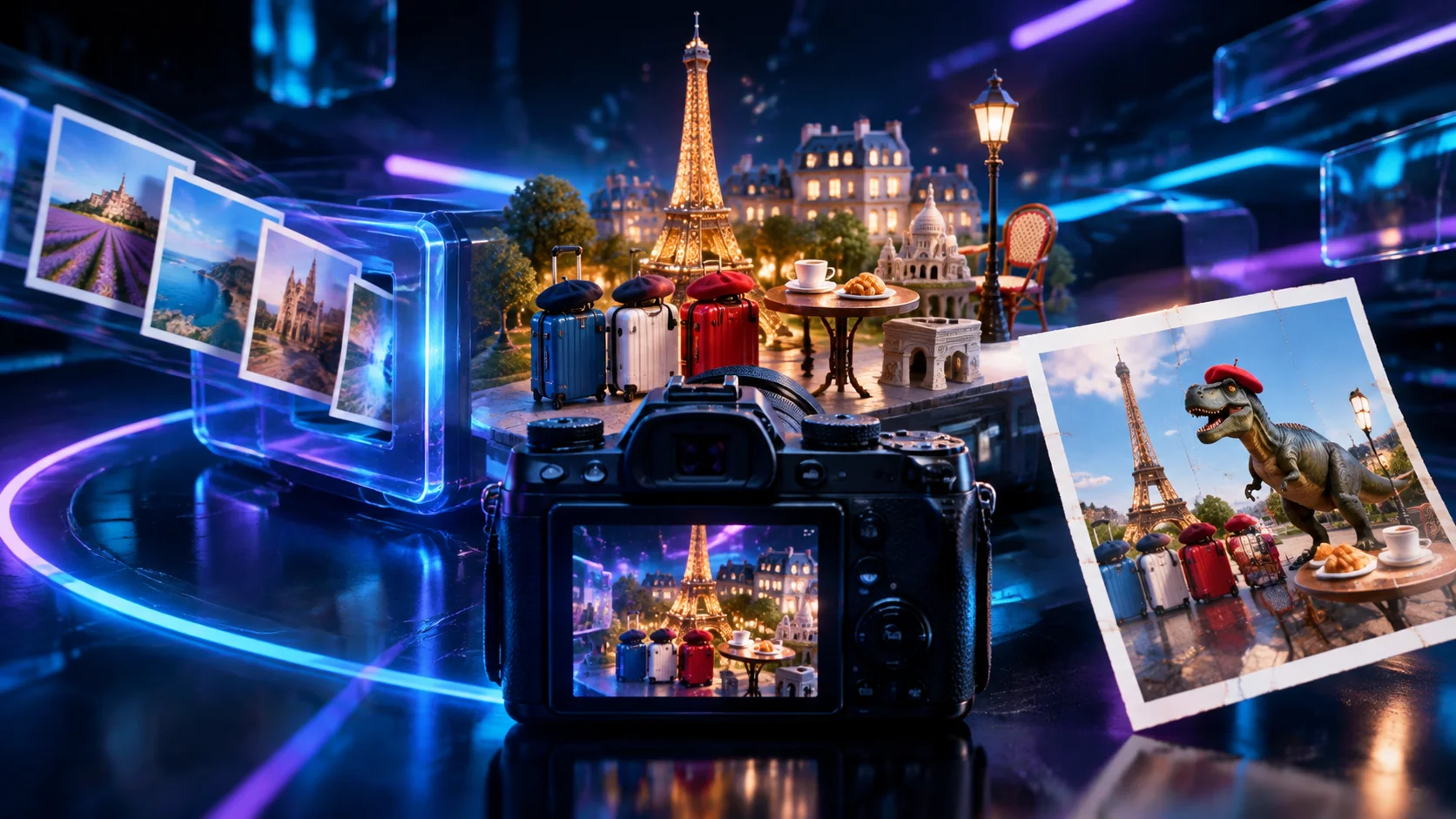
This article breaks down a viral AI-generated satirical travel video and shows you how to create similar pseudo-documentary stills in two steps, using the voice of a “fake travel ad.”
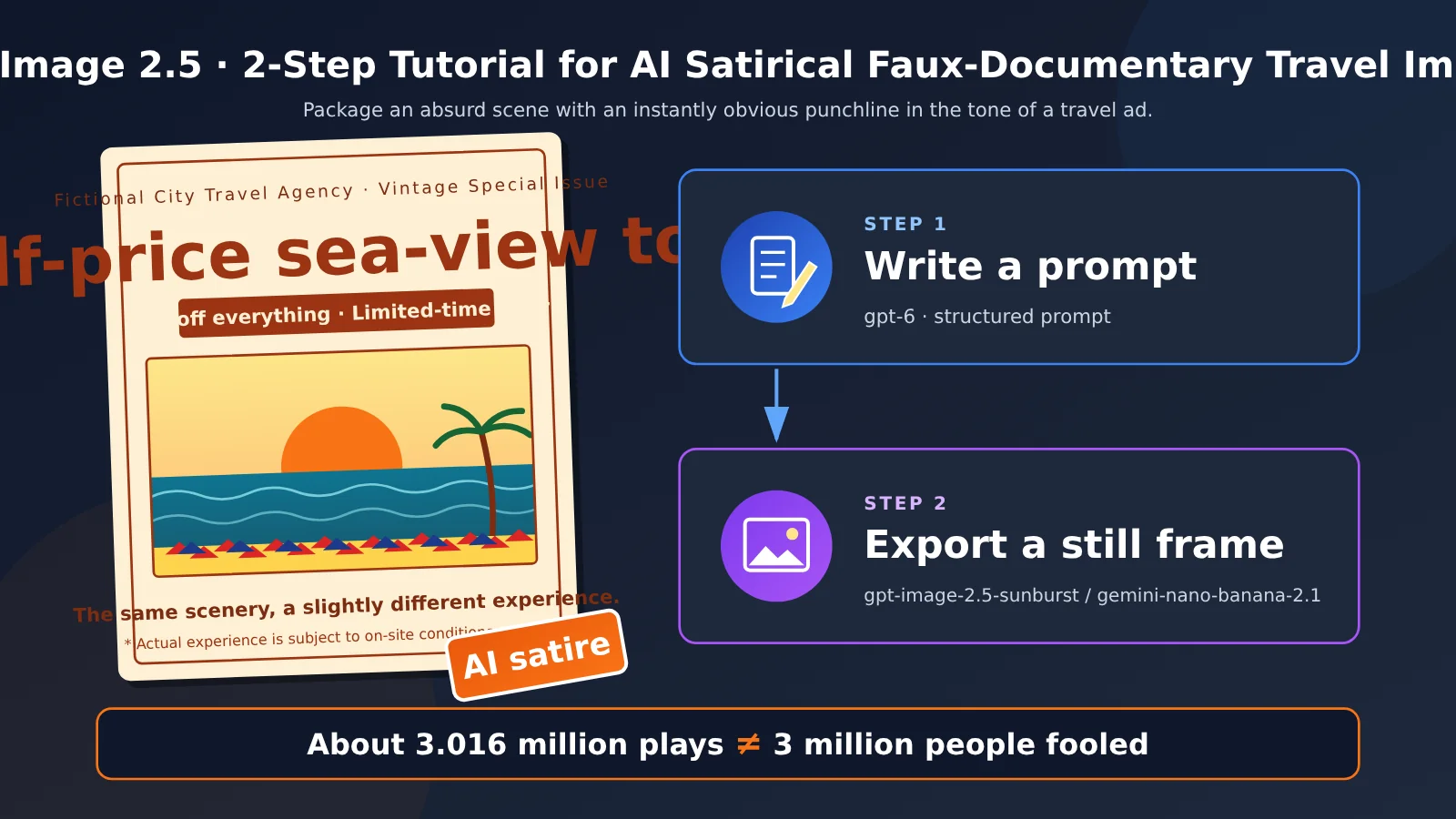
Package an absurd scene in the voice of a travel ad, then give it a pseudo-documentary look that makes viewers take a second glance. This article focuses on the two essential steps: first, use gpt-6 to write a structured prompt; then, use gpt-image-2.5-sunburst or gemini-nano-banana-2.1 to generate stills in batches.
- Goal: Create a set of 1024-pixel test images and one final still on the theme of a “half-price travel ad” for a fictional city.
- Estimated time: About 30 minutes for the first round. Most of that time goes into refining the prompt. See the test results table below for image generation times.
- Before you start: You’ll need an APIYI account and an API key.
One Image Fooled 3 Million People? Let’s First Examine the Original Post Behind the GPT Image 2.5 Faux-Documentary Travel Photos
The original post was created by Dutch filmmaker Wytse Koetse, whose X handle is @Wytsekoetse. His bio reads “Filmmaker / AI Creative.” The post went live on 2026-10-19 at 15:58 UTC, or 23:58 Beijing time. In the voice of a “Paris City Tours: 50% off” travel ad, he filmed Paris and wrote, “Same iconic sights. Slightly different experience.” He also clearly labeled it “My latest AI satire.”
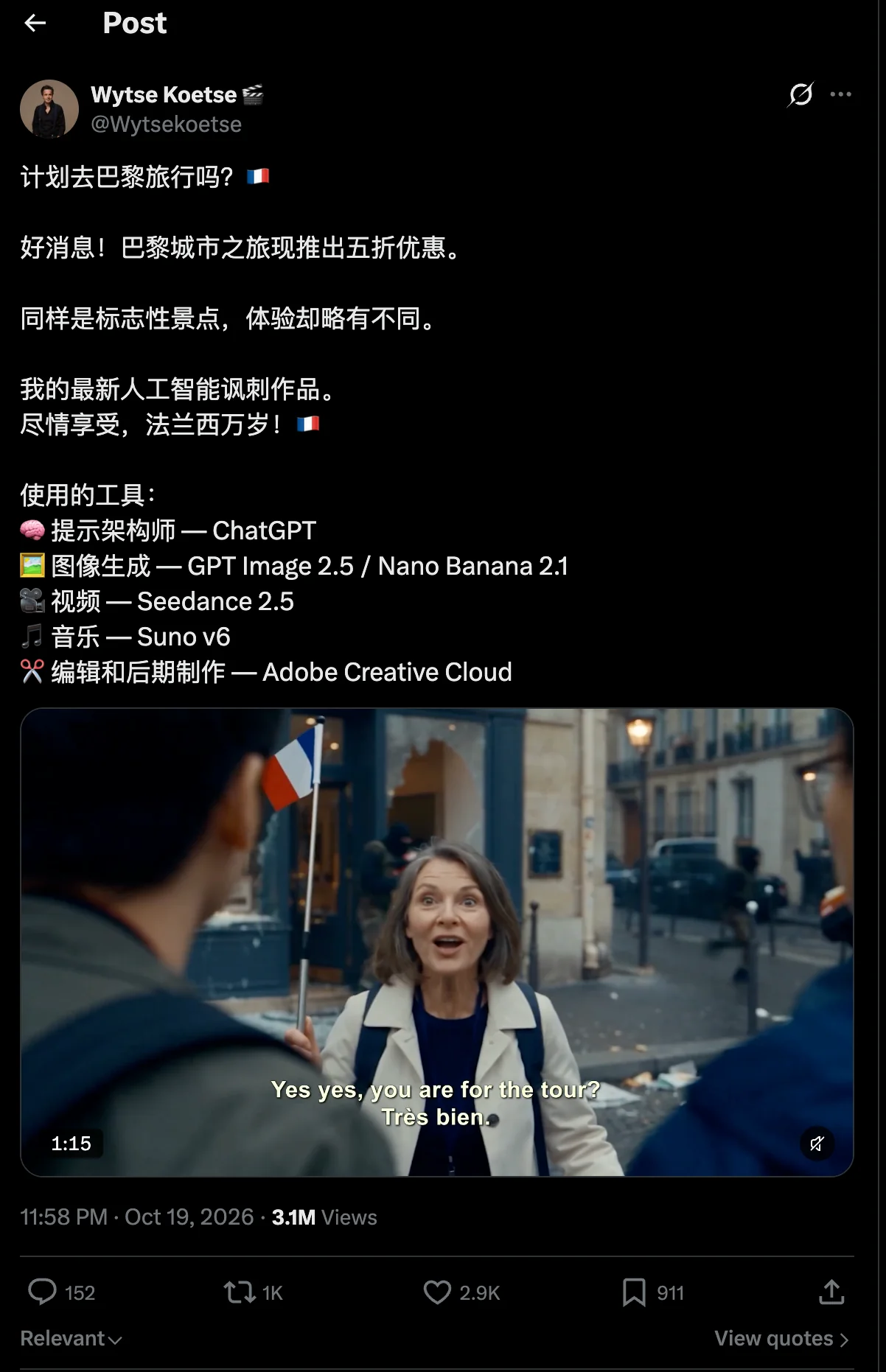
The creator has shared his toolchain. The table below lists the tools and shows which two steps this article recreates:
| Step | Tools disclosed in the original post | Recreated here? | What we use |
|---|---|---|---|
| AI product | ChatGPT | Yes, step 1 | gpt-6 |
| Image generation | GPT Image 2.5 / Nano Banana 2.1 (doesn’t specify flare or sunburst) | Yes, step 2 | gpt-image-2.5-sunburst or gemini-nano-banana-2.1 |
| Video | Seedance 2.5 | No | — |
| Music | Suno v6 | No | — |
| Editing | Adobe Creative Cloud | No | — |
Creative Boundaries for AI Satirical, Faux-Documentary Travel Photos
The original shows tourists sightseeing at a protest in Paris. We won’t recreate that scene. The reason is simple: a realistic-looking protest scene could easily be screenshotted and shared as real news. Instead, we’ll use a fictional city and get the laughs from the contrast between “what the ad promises” and “what’s actually happening.”
GPT Image 2.5 or Nano Banana 2.1: Choosing a Model for Faux-Documentary Travel Photos
You only need to consider three things when choosing a model. If image quality is your priority and you want to keep the API consistent with OpenAI’s image-generation API, use gpt-image-2.5-sunburst. Start by generating four images at low to explore different directions, then use medium or high for the final. If you want to generate images in bulk at a low cost, especially at 4K, use gemini-nano-banana-2.1 with per-image pricing: $0.045 per image.
| Your needs | Which to choose | Why | When not to switch |
|---|---|---|---|
| Image quality comes first; keep OpenAI-style fields | gpt-image-2.5-sunburst | APIYI’s documentation positions it as quality-first, with more precise editing | If you’re only exploring compositions, don’t jump straight to max |
| Low-cost generation at scale, especially at 4K | gemini-nano-banana-2.1 (per image) | Same price at 1K / 2K / 4K: $0.045 per image | Don’t switch if you need 512px images; 2.1 doesn’t support 512 |
| Need a transparent background or want to keep OpenAI’s fields exactly | gpt-image-2.5-sunburst | The two models use different field schemas | Don’t switch to Nano Banana |
| Just want to prototype quickly | gpt-image-2.5-flare from the same family also works | The documentation positions it as speed-first | This article’s main workflow still uses sunburst |
One more note about flare: APIYI’s documentation recommends flare by default for text-to-image and sunburst for image editing. We’re using sunburst throughout this article for consistency. If you just want faster prototyping, you can temporarily swap the model name for flare. Nano Banana 2.1 became generally available on 2026-10-06. It scored 1328 on the Arena text-to-image leaderboard on its first day, with 5312 votes. The documentation also notes that it still ranks below the gpt-image-2.5 tier. This is a third-party leaderboard, and the vote count is relatively low, so take the results with a grain of salt.
Be sure to distinguish between “single-run measurements from the documentation” and “estimates” when comparing costs. The sunburst figures in the table below come from a single-run test in APIYI’s documentation dated 2026-09-09: the same prompt, 1024×1024 resolution, and one run at each tier.
| Model and tier | Token count | Cost per image | Time | Data type |
|---|---|---|---|---|
| sunburst low | 196 | About $0.006 | 14 seconds | Single-run measurement from the documentation |
| sunburst medium | 439 | About $0.013 | 19 seconds | Single-run measurement from the documentation |
| sunburst high | 1756 | About $0.053 | 42 seconds | Single-run measurement from the documentation |
| sunburst xhigh | 3122 | About $0.094 | 60 seconds | Single-run measurement from the documentation |
| sunburst max | 7024 | About $0.211 | 142 seconds | Single-run measurement from the documentation |
| Nano Banana 2.1, per image | — | $0.045 | — | Documented pricing; same price at 1K / 2K / 4K |
| Nano Banana 2.1, usage-based | — | Median of about $0.029 at 1K, $0.063 at 4K | — | Production sample in the documentation |
Based on the table, generating four images at sunburst low costs about $0.024, followed by about $0.053 for one final image at high. Both figures are estimates based on single-run measurements, not official list prices. There’s no official fixed price for sunburst at 2K / 4K, so online estimates based on pixel count should also be treated as estimates. Also, the tier names for 2.5 don’t map directly to those of the previous-generation gpt-image-2: 2.5 high is roughly equivalent to the previous generation’s medium. Don’t swap tiers one-to-one; you’ll need to move up one tier with 2.5.
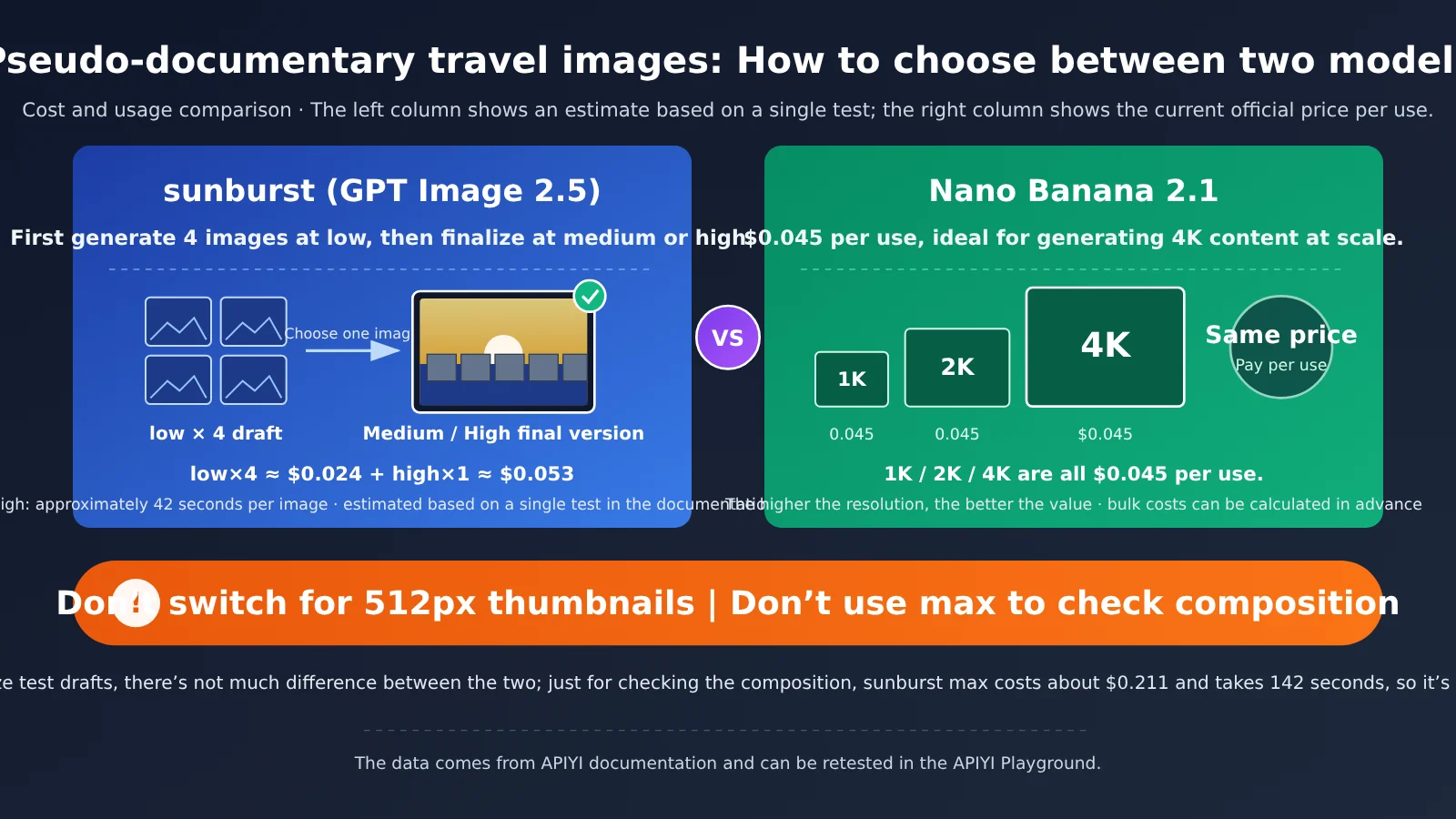
💡 Recommendation: Both models are available through APIYI, with a consistent API interface. Try the same prompt on each to generate a sample, then compare which one better matches the faux-documentary look you’re after before deciding which to use for larger batches.
Step 1: Use gpt-6 to Write a Structured Prompt for GPT Image 2.5
The process is straightforward: send the model the instruction below, asking it to output the result by field. This makes it easy to change just one variable in the next step, rather than rewriting the whole prompt.
You’re a storyboard assistant for satirical ads. Turn the idea below into an English prompt for an image generation model, and output it using these fields:
1. Scene: Describe what’s happening in the image in one sentence.
2. Camera: Specify the angle, lens feel, and whether it’s handheld or on a tripod.
3. Lighting and color: Specify the time of day, weather, and film or phone-camera look.
4. Ad copy: No more than 2 lines, with no more than 6 English words per line.
5. The joke: What’s the obvious contrast that viewers will spot at a glance?
6. Must avoid: News logos, real protests or conflict scenes, recognizable real people’s faces, and real brand logos.
Then combine fields 1–5 into a complete prompt of no more than 120 English words, and add one sentence of exclusions based on field 6.
Finally, provide 4 variations, each changing only one element: either the camera or the joke.

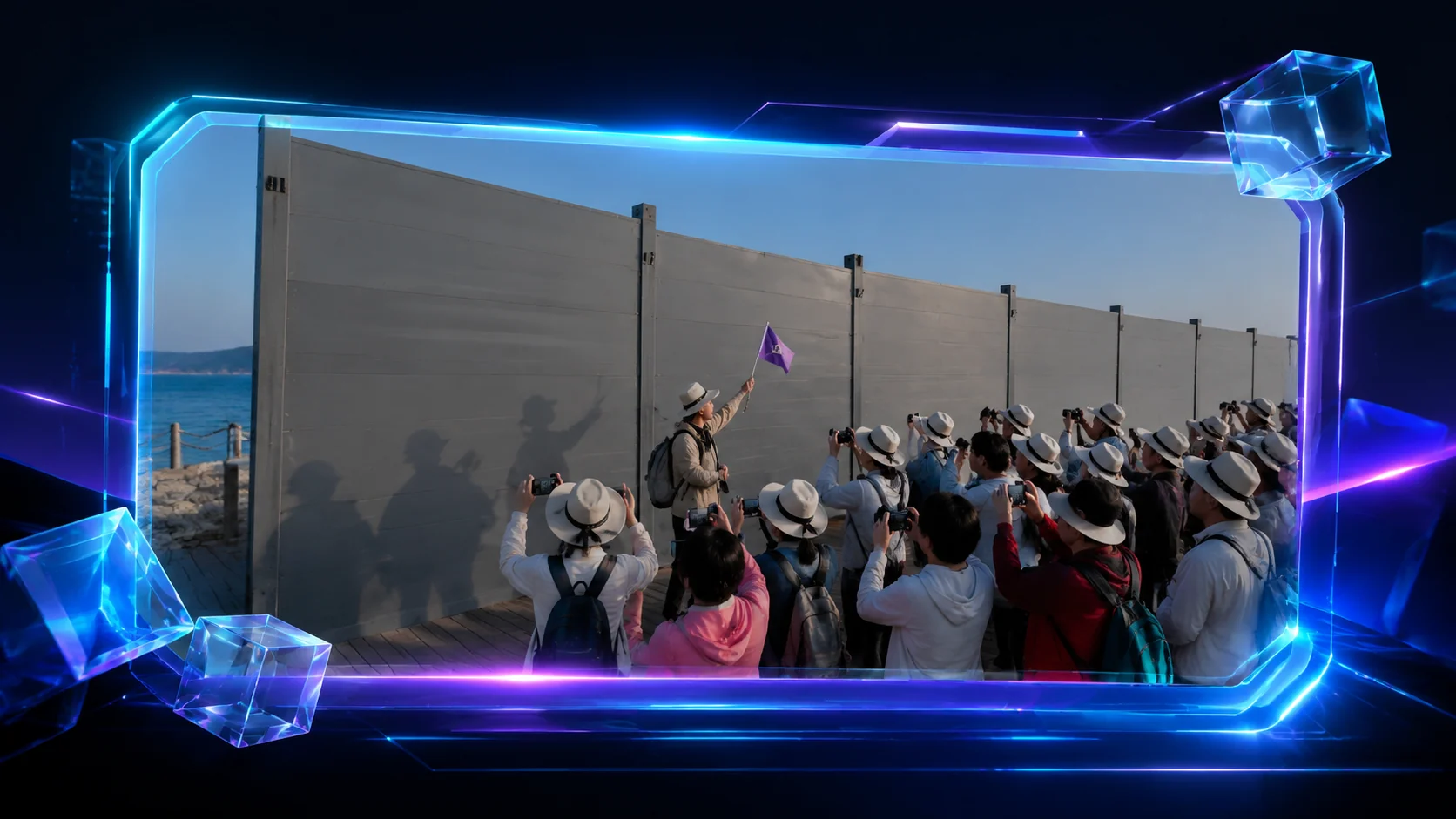
Concept: An ad for a “half-price sea view tour” in the fictional seaside town of Port Bellamare. A row of construction hoardings blocks the sea, but the tourists still earnestly take photos.
Pseudo-documentary travel ad photo, handheld 35mm look, overcast seaside morning
in the fictional town of Port Bellamare. A tidy tour group in matching yellow caps
lines up on a boardwalk, cheerfully photographing a long row of grey construction
hoardings that completely block the sea. A tour guide raises a small flag.
Bold retro ad headline at the top: "HALF-PRICE SEA VIEW".
Small footnote at the bottom: "*sea view not included".
Muted film colors, natural light, slight grain. Faces small, turned away or blurred.
No recognizable people, no news logos, no real brands. Small corner label "AI SATIRE".
Step 2: Generate Pseudo-Documentary Still Images in Bulk with GPT Image 2.5 in Playground
You don’t need to write any code for this step. Do everything in the model’s Playground in the APIYI documentation. sunburst generates just one image per request, so “in bulk” means submitting different prompt variations several times.
Take GPT Image 2.5 sunburst from First Drafts to Final
- Open the Playground for
gpt-image-2.5-sunburstin the APIYI documentation. - Enter
gpt-image-2.5-sunburstas the model name, then paste Variation 1 from Step 1 into the prompt field. - Set the size to
1024x1024and quality tolow, then generate the image. Once it appears, that image is done. - Repeat the previous step with Variations 2, 3, and 4 to get four low-quality drafts. In a single test, each image took about 14 seconds.
- Pick the image with the funniest composition, then generate it again using the same prompt with quality set to
mediumto make sure the direction still works. - Once you’ve confirmed the direction, set quality to
highto generate the final image.
Be sure to set the quality explicitly. If you leave it blank, the default is auto, not medium, and the cost of auto can vary. And don’t start with max: a single test took about 142 seconds and cost $0.211, which is overkill if you’re only checking the composition. When you’re ready for full-scale production, it’s a good idea to switch the model name to the snapshot recommended in the documentation, gpt-image-2.5-sunburst-2026-09-08, to avoid style drift caused by changes behind the alias.
Use Nano Banana 2.1 to Produce 4K Pseudo-Documentary Still Images at Scale
If you’ve already settled on a final direction and just need lots of 4K images, open the Playground for gemini-nano-banana-2.1 and generate them using the same prompt. Select 4K from the size options in the documentation. The per-image price is $0.045, the same for 1K, 2K, and 4K. Production sampling in the documentation shows a median cost of about $0.063 per 4K image with usage-based billing, so per-image billing is a better deal for 4K. Also, 2.1 enables thinking by default, and the tokens used for thinking count toward output costs. That’s one reason usage-based billing costs more for large images.
| Progress | What You Should See | What to Do Next |
|---|---|---|
| Preparation | You have an API key and can open the Playground | Start writing prompts |
| Step 1 | A prompt with field-by-field output and 4 variants | Copy Variant 1 |
| Low: Initial Drafts | Four 1024px drafts with roughly readable ad text | Pick the one with the clearest punchline |
| Medium: Set the Direction | Stable composition and lighting; people aren’t identifiable | Once confirmed, move up to high |
| High: Finalize | Details and texture are polished, and corner labels are clear | Switch to Nano Banana 4K when you need to produce images at scale |
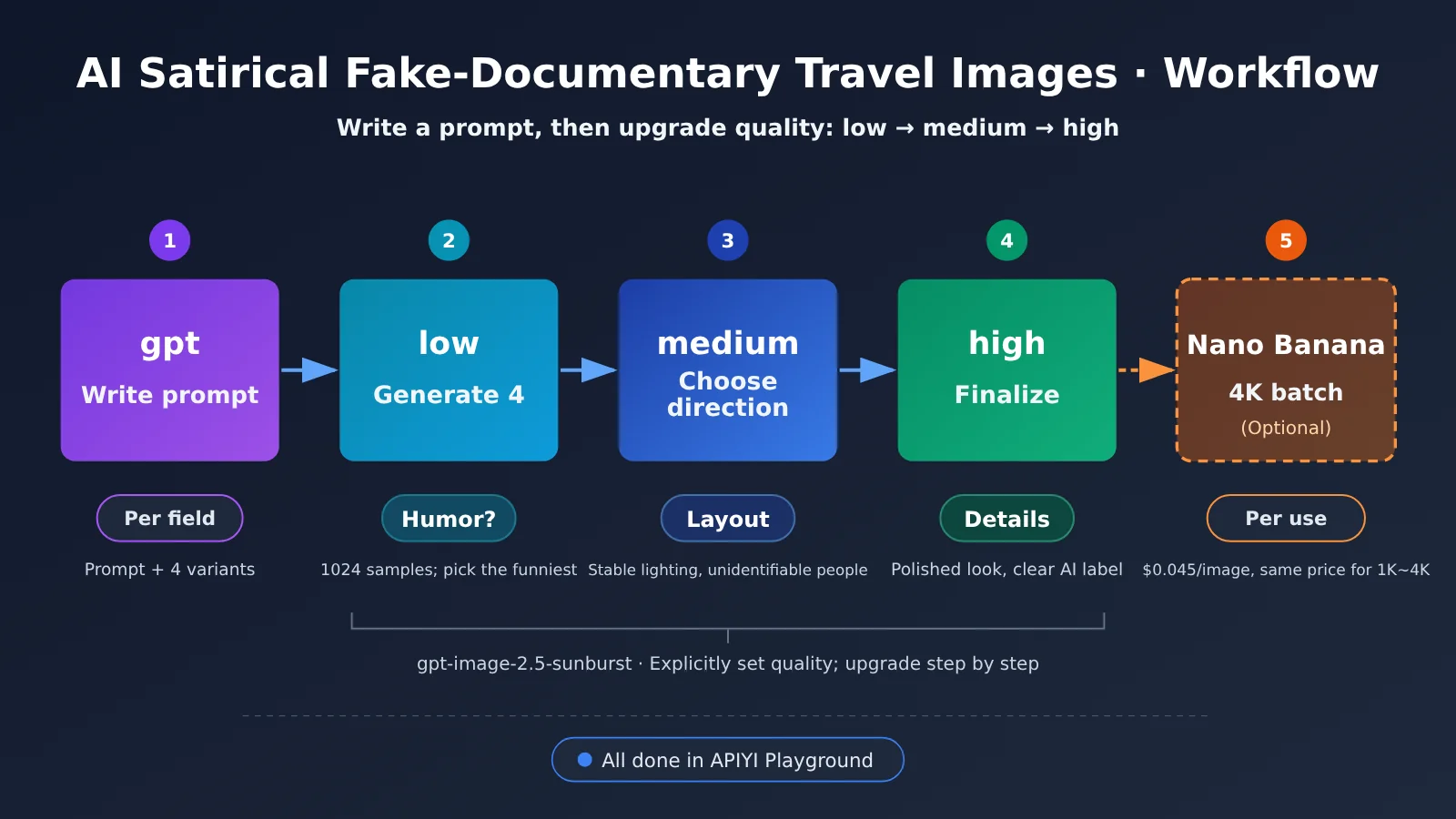
🚀 Quick start: If this is your first time, start with the sunburst workflow. Generate four low-quality drafts in APIYI Playground first. Once you’re comfortable with the process, consider using Nano Banana to produce 4K images at scale.
GPT Image 2.5 Faux-Documentary Still Image Troubleshooting and API Reproduction
GPT Image 2.5 Image Generation Troubleshooting Checklist
| Symptom | Possible cause | What to do |
|---|---|---|
| The image has color bars or noise | A known issue with sunburst | Troubleshoot each type using the color-bar diagnosis article in Further Reading |
| The output has almost nothing to do with the prompt | The prompt exceeds 8192 tokens and is ignored entirely | Ask GPT to condense it to around 120 words |
| The cost is higher than expected | quality wasn’t specified, so auto was used |
Explicitly choose low, medium, or high |
| The request times out, but you’re still charged | The API is synchronous, so disconnecting the client doesn’t stop billing | Set the timeout to around 360 seconds; allow more time for high or max |
| You get a parameter error | You passed response_format or input_fidelity |
Remove both fields; the result defaults to b64_json |
| You want several images at once but only get one | Each request generates only one image | Make multiple requests |
| The image looks too much like real news | The advertising elements are too subtle | Make the ad text more prominent, add a disclaimer and an AI label, and remove any station logos |
Nano Banana 2.1 uses different API fields from the OpenAI image generation API. Refer to the model’s page in the APIYI documentation rather than reusing the parameters above.
Frequently Asked Questions
Q1: What is an AI satirical faux-documentary travel image?
It’s a still image that packages an absurd scene in the voice of a travel ad, with the look of documentary photography. The humor comes from the contrast between the “advertising promise” and the “on-the-ground reality.” Both the image and any text in it should make it clear that it’s a joke.
Q2: What’s the difference between sunburst, flare, and Nano Banana 2.1?
According to the APIYI documentation, sunburst prioritizes quality and more accurate editing, while flare prioritizes speed. At the same tier, they use the same number of tokens and differ only in processing time. Nano Banana 2.1’s advantages are per-image pricing and the same price for 4K, making it suitable for generating images at scale. However, it doesn’t support 512-pixel images.
Q3: When was the original post published, and what were its stats?
The original post was published at 23:58 Beijing time on October 19, 2026. When it was retrieved at 11:12 on October 21, 2026, it had 3,016,039 views and 2,882 likes. These are view and engagement metrics; there’s no data on how many people were “fooled.”
Q4: Can I use real cities or real events?
We don’t recommend it. This article uses fictional cities and avoids imitating real protest scenes or news station logos, or depicting identifiable real people. The satirical effect comes from contrast, so there’s no need to make it look like real news.
Q5: How can I quickly call GPT Image 2.5 through the API?
First, register an account with APIYI and get an API key. Then point the `base_url` in the API example in this article to APIYI and set the model name to `gpt-image-2.5-sunburst`. The fields follow the OpenAI image generation API, so you can usually use your existing code by changing only the endpoint.
Q6: What are the known limitations of this approach?
sunburst generates only one image per request. The API is synchronous, and you’ll still be charged if you disconnect. Prompts over 8,192 tokens may be ignored in their entirety. There’s no official fixed price for 2K / 4K. Nano Banana 2.1’s benchmark score comes from a third party and is based on relatively few votes. If you encounter color bars, see the dedicated troubleshooting article. Retesting with different quality settings in the APIYI Playground is the fastest way to pinpoint the issue.
Key Takeaways: AI-Generated Satirical Faux-Documentary Travel Images
- Break down the hook: The original was a single 4K video with about 3.016 million plays. That doesn’t mean 3 million people were fooled.
- Keep it to two steps: Use AI to write structured prompts, then use Sunburst or Nano Banana to generate still images.
- Set the quality tier explicitly: Generate four images on low, choose a direction on medium, and finalize on high. Don’t jump straight to max.
- Check costs before scaling up: For 4K, choose Nano Banana 2.1 with per-image pricing at $0.045 per image.
- Keep the satire within bounds: Use a fictional city, avoid station logos and identifiable real people, and add an AI label to the image.
- How to get started: Run through the workflow in the Playground in the APIYI docs, then switch to the API if needed.
Summary
The key technique behind this viral satirical Paris video comes down to two steps:
- Write structured prompts: Use gpt-6 to generate prompts with six fields: scene, camera, lighting, ad copy, punchline, and restrictions. Change just one variable per variation.
- Generate in stages: Start with low on sunburst, then move up to high for the final image. For large volumes of 4K images, switch to Nano Banana 2.1’s per-image pricing.
- Keep the satire within bounds: Let the humor come from contrast, not from making the image look real.
Start with the sample prompts in this article, swap in your own fictional city and punchline, and generate four low-quality drafts in the APIYI Playground. Once you’ve done that, you’ll have the workflow down.
References
- Wytse Koetse’s original post: The satirical Paris tourism video and its publicly disclosed toolchain
- Link:
x.com/Wytsekoetse/status/2112211697008075021 -
Note: All view and engagement figures in this article are snapshot readings captured at 11:12 a.m. Beijing time on October 21, 2026.
-
APIYI documentation pages for the gpt-image-2.5 and gemini-nano-banana-2.1 models: Pricing, single-run tests, and API constraints
-
Note: The sunburst tier tests were conducted on September 9, 2026. Nano Banana 2.1 pricing was checked on October 7, 2026.
-
Al Jazeera video report (October 20, 2026): Coverage of the AI satirical video
- Note: This is a news report, not a model evaluation.
Author: APIYI Technical Team
Technical discussion: Feel free to share stills from your fake travel ads in the comments. You can find more model parameters in the APIYI documentation center.
One last reminder: when you post satirical stills like these, clearly label them “AI-generated” in the image or the accompanying text.