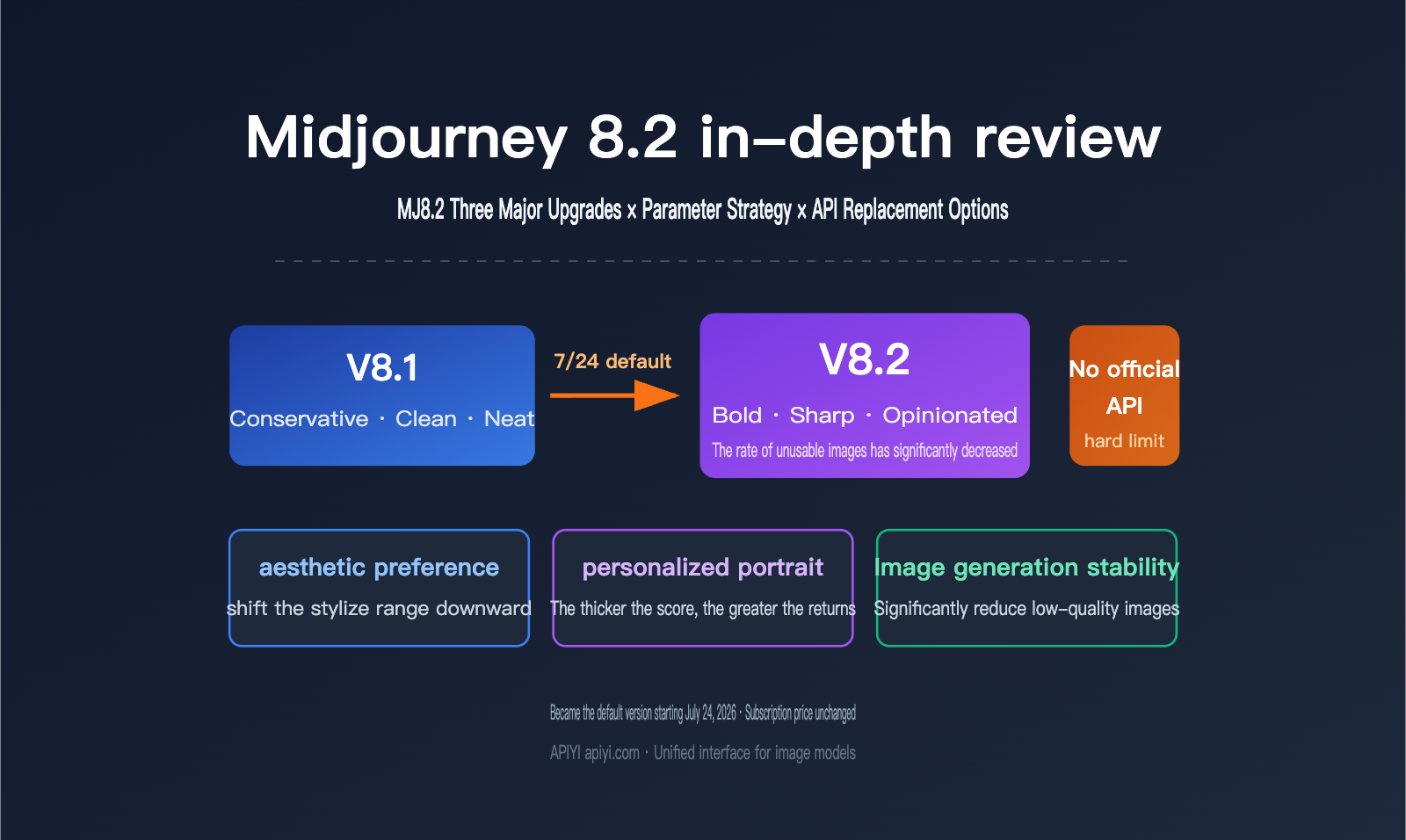
Midjourney set V8.2 as the default version on July 24, 2026. The official description was only a few short lines: images would be more creative, bolder, more refined, sharper, and fresher, while “the chance of randomly getting low-quality images will be greatly reduced.” For people who actually rely on it to deliver images, this kind of vague release note just isn’t enough.
This article takes a practical, hands-on look at MJ8.2’s core capabilities, parameter tuning strategy, and best-fit scenarios. It also tackles a question you won’t find in the official docs, but every engineering team will run into: Midjourney still doesn’t expose a public API, so what do you do when you need to plug image generation into a product?
Core takeaway: By the end of this article, you’ll know whether MJ8.2 is worth moving your workflow to, how to tune the parameters to get the aesthetic benefits of 8.2, and how to think clearly about separating creative exploration from batch production.
What MJ8.2 is: A quick overview of Midjourney 8.2
Let’s pin down the key facts about MJ8.2 in a table first. Everything else in this article builds on these basics.
| Item | Details |
|---|---|
| Official default date | July 24, 2026; takes effect automatically without any extra parameter |
| Preview period | Available early starting June 25, 2026, via the --preview flag |
| Nature of the upgrade | Aesthetic and personalization tuning, not a full architectural retrain |
| Three main improvements | Bolder aesthetic direction, more accurate personalization, and fewer low-quality images |
| Access channels | Discord bot, Web interface at midjourney.com |
| Version rollback | Use --v 8.1 to force the older version for A/B comparisons |
| Subscription price | Unchanged, still four tiers from $10 to $120/month |
| Official API | None. No public API has been released so far |
| Public benchmark tests | None. The official team hasn’t published any quantitative benchmark |
The two rows that are easiest to overlook, and the most important ones, are at the end: all of MJ8.2’s quality improvements are described in subjective terms, with no verifiable quantitative metrics; and the fact that it has no official API means it was never really positioned as a production tool in an engineering workflow.
One thing to note: 8.2 is a classic “style version,” not a “capability version.” It doesn’t add image editing features, doesn’t increase the resolution ceiling, and doesn’t introduce any new reference mechanism. The --sref, --profile, and --stylize options you already know from 8.1 all stay exactly the same. That means migration is very low-friction—you don’t need to rewrite your prompt library—but it also means you shouldn’t expect it to solve the structural limitations that were already there in the 8.1 era.
Three Core Upgrades in Midjourney 8.2
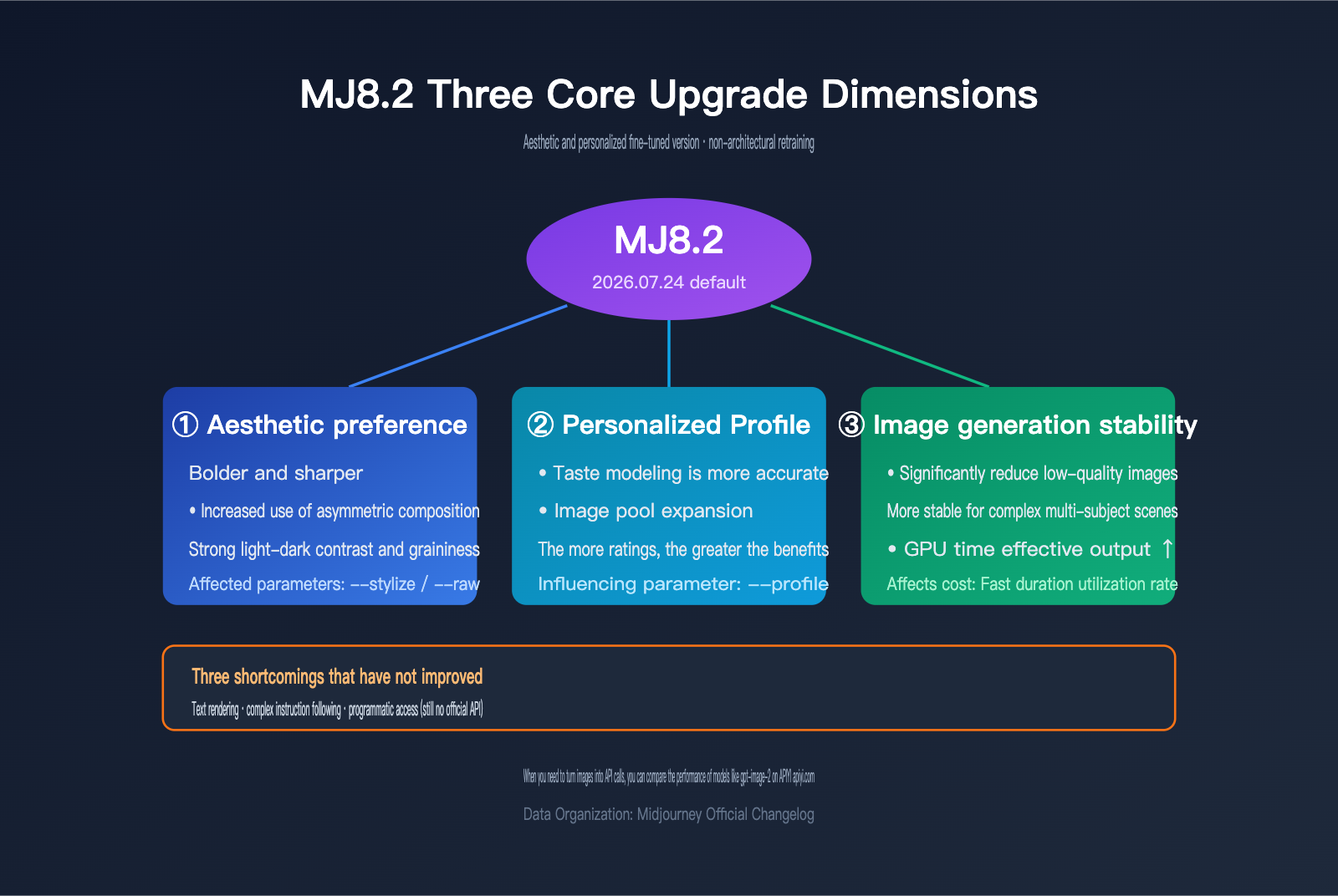
8.2’s aesthetic direction: moving from “safe and polished” to “opinionated”
V8.1’s default outputs had a very clear sense of “safety”: centered composition, even lighting, pleasing colors. They almost never went wrong, but they also weren’t especially memorable. 8.2 clearly pushes the default aesthetic forward, and with the same prompt it’s more likely to choose unusual camera angles, stronger light-and-shadow contrast, and more saturated color relationships.
The official word here was edgy, which in Chinese is basically “angular” or “aggressive.” In practice, that description is spot on: 8.2 is more willing to leave strong contrast, asymmetrical composition, and coarse texture in the image instead of smoothing everything out. That’s great news for editorial illustrations, concept art, and album covers, but for people who need clean product shots, it actually adds one more step of “pulling it back.”
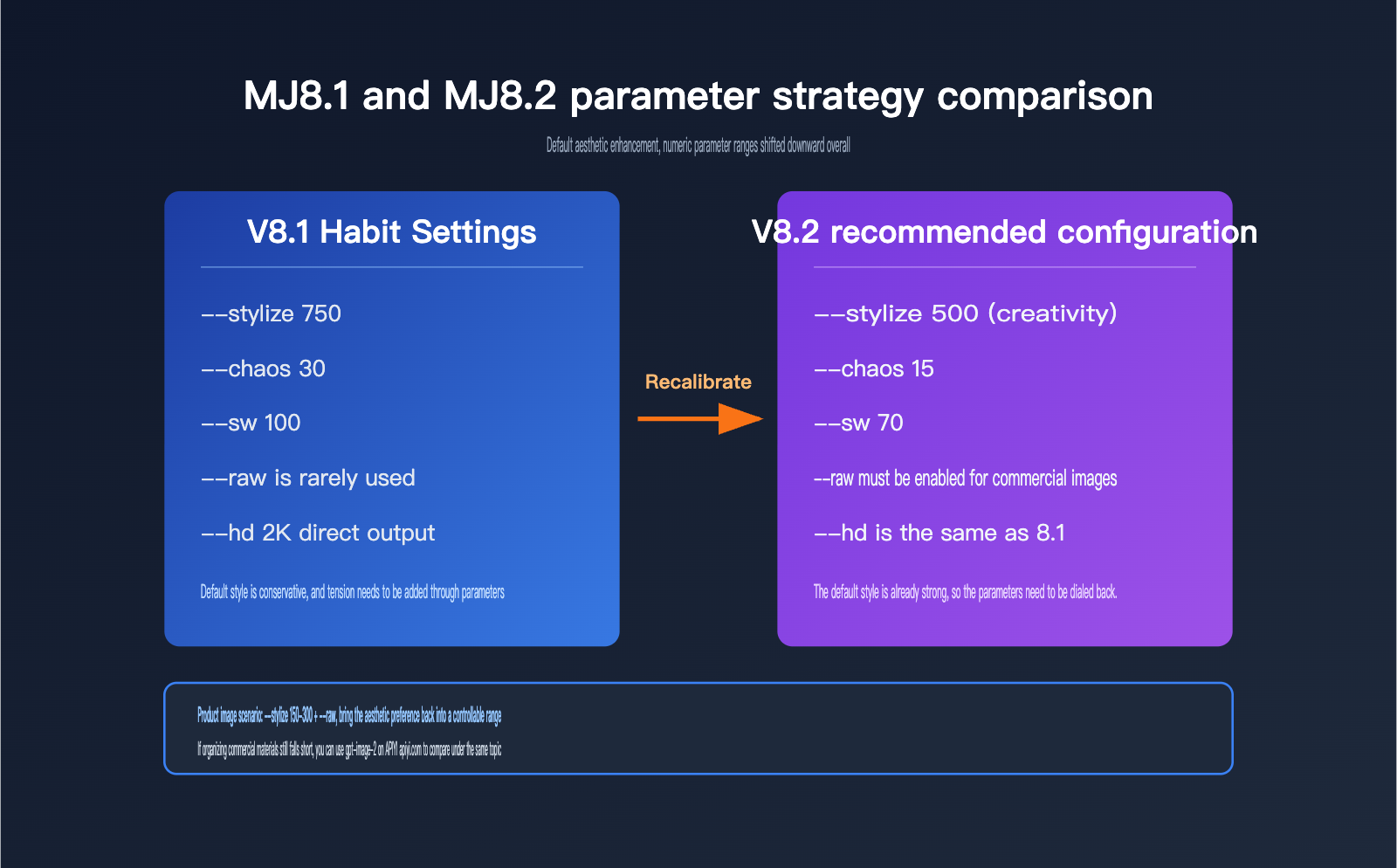
This matters because it directly affects your parameter strategy: 8.2 has a stronger default style, so the best working range for --stylize has shifted downward overall. Prompt setups that needed 750 or higher in the 8.1 era may already feel punchy enough at 500 in 8.2, and pushing beyond that can make things harder to control.
8.2’s personalization profile: the more rating history you have, the bigger the gain
Personalization is the most technically sophisticated part of this upgrade. It works by using the paired-image ratings you’ve submitted on the Midjourney website to build a personal aesthetic preference model, then nudging results toward your taste through the --profile parameter.
8.2 improves this in two ways. First, the taste modeling itself is more accurate; the official note is that “profiles with more rating points see more noticeable improvements.” Second, the image pool available when creating a profile has expanded a lot and the quality is higher, which means the starting point for new profiles is better than it was in 8.1.
There’s an important caveat here: the payoff from personalization is strictly proportional to your rating investment. If your account has only rated a few dozen images, you probably won’t feel much difference from the 8.2 personalization upgrade. If you’ve already accumulated thousands of ratings, 8.2 will feel like it understands what you want much better. It’s a design that rewards long-term users, and new accounts can’t skip the buildup phase by any shortcut.
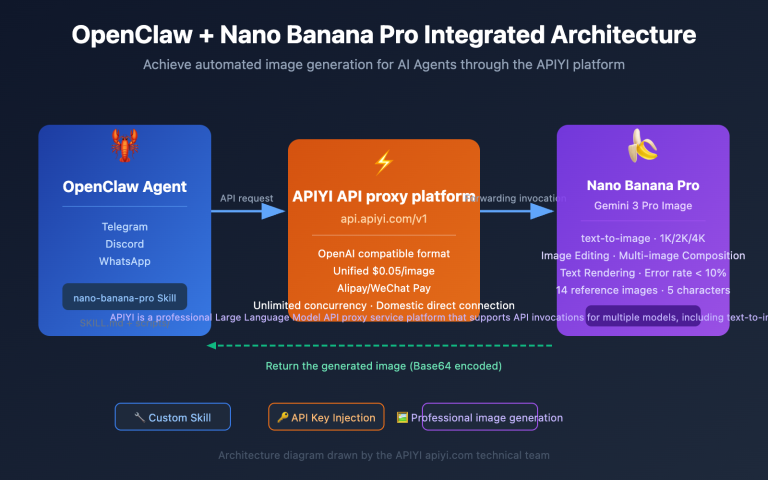
🎯 Technical suggestion: If your team needs both “creative exploration driven by personal taste” and “standardized batch generation,” it’s better to evaluate those as two separate workflows. The first depends on Midjourney subscriptions and rating history, while the second is usually a better fit for API-based model integration. APIYI apiyi.com provides a unified interface for mainstream image models like gpt-image-2 and Nano Banana Pro, making it easier to compare how different models actually perform in your business scenario under the same account.
8.2’s output stability: fewer bad images is the most practical improvement
The official phrasing was that “the chance of randomly getting low-quality images should be greatly reduced.” That sounds modest, but for users paying by GPU time, it may be the most valuable upgrade in 8.2.
Midjourney’s billing model is based on Fast GPU time. One Imagine run gives you four images, and if two of them break due to randomness—misshapen limbs, structural glitches, weird blur—you’ve effectively paid for 50% garbage. Reducing the bad-image rate means you’re directly increasing the useful output per minute of GPU time.
In real-world testing, 8.2’s improvements are most obvious on complex multi-subject scenes and large dynamic poses, which are exactly the kinds of prompts where 8.1 was most likely to fail. In simpler single-subject, static compositions, where things were already pretty stable, the difference is barely noticeable.
8.2 companion update: --sref random and large-scale draft mode
Alongside 8.2, Big Batch Draft Mode also added support for --sref random. In draft mode, a single prompt generates 24 low-resolution 512×512 images and uses about 0.4 minutes of GPU time; with --sref random, each of those 24 images gets a different randomly assigned style reference code.
The official claim is that this makes style-space exploration 24 times faster. The math is straightforward: instead of running 24 separate prompts to test 24 styles, you only need one. This isn’t a model capability upgrade so much as a very smart workflow design, and it’s extremely useful in the early exploration phase when you’re basically asking, “I don’t know what style I want yet—just show me the options.”
MJ8.2 Parameter Tuning in Practice: How to Adjust Six Key Parameters
Parameter strategy is the key to whether 8.2 can really deliver. The table below summarizes the core parameters that need to be recalibrated for 8.2.
| Parameter | What it does | Recommended setting for 8.2 |
|---|---|---|
--v 8.2 / --v 8.1 |
Version switch | 8.2 is now the default; use --v 8.1 for rollback comparisons |
--stylize (0-1000) |
Artistic strength | Overall range should be shifted down: 150-300 for product images, 500-800 for creative images |
--sref + --sw |
Style reference and weight | 8.2 matches styles better than 8.1, so --sw can be lowered a bit |
--profile |
Personalized profile | You need to build up ratings first; the more ratings you have, the stronger the effect |
--chaos (0-100) |
Output diversity | 8.2 already has more variation by default, so --chaos should be 10-20 lower than in 8.1 |
--hd / --sd |
High-res output | Keep using the 2K native output capability from 8.1, no need for a second upscale |
--raw |
Removes default stylization | Turn it on when you need strict prompt following; it can offset 8.2’s stronger aesthetic bias |
The one worth calling out separately here is --raw. 8.2 pushes default aesthetics much further forward. The upside is that casual image generation looks better right away; the downside is that prompt accuracy gets “diluted” by stylization. When your requirement is “I want exactly what I asked for,” not “give me something nice-looking,” --raw is almost always a must.
The same logic applies to --chaos. 8.2 already produces bigger differences across the four-panel output than 8.1, so if you keep using old settings and also crank chaos up, the four images may drift so far apart that they barely relate to each other, which just makes selection harder.
MJ8.2 vs. MJ8.1: A Point-by-Point Comparison
To turn the feeling into concrete dimensions, here’s a practical summary of how 8.2 differs from 8.1.
| Comparison dimension | MJ8.1 | MJ8.2 | Magnitude of change |
|---|---|---|---|
| Default aesthetics | Conservative, clean, neatly composed | Bolder, sharper, stronger contrast | Obvious |
| Personalization accuracy | Baseline level | Better taste modeling, expanded profile pool | Obvious (depends on rating volume) |
| Bad-image rate | Occasional failures in complex scenes | Officially says it’s reduced significantly | Moderate |
--sref matching |
Baseline level | Community feedback says style matching is better | Moderate |
| Prompt-following precision | Baseline level | No real improvement, slightly more style interference | No improvement |
| Text rendering | Long phrases are error-prone | No targeted improvement | No change |
| Resolution ceiling | Native 2K output | Same as 8.1 | No change |
| API availability | No official API | No official API | No change |
The lower half of this table is the key to understanding what 8.2 is really about: it improves “how good it looks,” not “how accurate it is” or “whether it’s usable.” Text rendering, strict instruction following, and programmatic integration — Midjourney’s traditional weak spots — haven’t been touched at all.
💡 Selection tip: If your main pain point is readable text in the image, or strict execution of composition requirements, 8.2 won’t change the situation much. A better approach is to bring in a complementary model. You can compare results with gpt-image-2 through the APIYI apiyi.com platform. It supports unified API access to multiple mainstream image models, which makes it easy to quickly verify which path fits your delivery standards better.
MJ8.2 Pros and Cons: Who Should Upgrade, and Who Should Wait
Pros
- Aesthetic improvement with zero migration cost: Prompt library, parameter system, and style codes all carry over; upgrading means doing nothing
- Lower bad-image rate cuts real costs: For heavy users paying by Fast GPU time, effective output goes up directly
- Compound effect of personalization: The more ratings you accumulate, the bigger the payoff, which further increases the value of long-term accounts
--sref randomfor large-scale drafts: Exchange 0.4 minutes of GPU time for 24 style directions; exploration efficiency jumps early on- Better style consistency: For series images and character setups that need consistent tone across outputs,
--srefmatching is more reliable
Limitations
- Improvements can’t really be quantified: The official team hasn’t released any benchmark, so all claims of “better” are subjective, making it hard for teams to convince decision-makers with data
- Aesthetic enhancement is a double-edged sword: Stronger default styling means prompt-following precision gets diluted, so for clean commercial images you’ll need
--rawto pull it back - The personalization barrier is still there: New accounts can’t skip the rating accumulation phase, so the upgrade benefits are close to zero for light users
- The same weaknesses remain: Text rendering, complex multi-step instruction following, and structured editing haven’t improved at all
- No official API: This is the hardest limitation, and it directly means it can’t fit into any automated production pipeline
That last point needs a bit more explanation, because it’s the wall most teams will actually run into.
How do you implement programmatic image generation when MJ8.2 has no official API?
Midjourney still hasn’t opened up a public API. All of the third-party services that claim to offer a “Midjourney API” are really unofficial interfaces built on automated Discord bot interactions. That approach comes with three unavoidable risks: it violates Midjourney’s Terms of Service, accounts can get banned at any time, and the service can stop without warning. Some aggregation platforms have already shut down or heavily restricted their Midjourney API offerings, and apps that depend on them have had to scramble to rebuild.
So for engineering teams, the sensible approach isn’t to look for an “MJ8.2 API,” but to split the workflow into two parts: use a Midjourney subscription for creative exploration, and use models with official APIs for batch production.
| Option | Integration method | Stability | Best for |
|---|---|---|---|
| Midjourney 8.2 subscription | Manual via Discord / Web | High (official channel) | Style exploration, concept design, single-image refinement |
| Third-party MJ API | Unofficial reverse engineering | Low (ban risk) | Not recommended for production |
| gpt-image-2 | Official REST API | High | Batch production, text-heavy assets, automated pipelines |
| Nano Banana Pro | Official REST API | High | Multi-image consistency, rapid iteration |
At the code level, the basic idea is to take the style direction you explored in Midjourney and turn it into something you can run at scale, like this:
from openai import OpenAI

client = OpenAI(
    api_key="YOUR_API_KEY",
    base_url="https://api.apiyi.com/v1"  # Use APIYI unified endpoint
)

# Convert the style direction explored in Midjourney into a prompt that can be executed in batches
result = client.images.generate(
    model="gpt-image-2",
    prompt="High-contrast cinematic product still life, dark background, rim lighting, clear readable front-label text: MORNING BREW",
    size="2048x1152",
    quality="high",
    n=1
)
print(result.data[0].url)
View the full batch production implementation
import os
import time
from concurrent.futures import ThreadPoolExecutor
from openai import OpenAI

client = OpenAI(
    api_key=os.getenv("APIYI_API_KEY"),
    base_url="https://api.apiyi.com/v1"  # APIYI unified endpoint, compatible with the official SDK
)

# Rewrite the style direction selected from Midjourney draft mode into a structured prompt template
STYLE_PREFIX = "High-contrast cinematic look, dark background, rim lighting, subtle film grain"

PRODUCTS = [
    {"name": "MORNING BREW", "desc": "dark brown coffee pouch, kraft paper texture"},
    {"name": "CITRUS TONIC", "desc": "light gold sparkling water glass bottle, condensed droplets"},
    {"name": "NIGHT ROAST", "desc": "matte black coffee can, metal pull-tab close-up"},
]

def generate(item, retry=3):
    prompt = (
        f"{STYLE_PREFIX};{item['desc']};"
        f"clear readable front-label text:{item['name']};commercial product photography composition"
    )
    for attempt in range(retry):
        try:
            resp = client.images.generate(
                model="gpt-image-2",
                prompt=prompt,
                size="2048x1152",
                quality="high",
                n=1,
            )
            return {"name": item["name"], "url": resp.data[0].url}
        except Exception as exc:
            if attempt == retry - 1:
                return {"name": item["name"], "error": str(exc)}
            time.sleep(2 ** attempt)

# Run batch generation in parallel, replacing the parts Midjourney can't automate
with ThreadPoolExecutor(max_workers=3) as pool:
    for r in pool.map(generate, PRODUCTS):
        print(r)
The logic here is pretty simple: Midjourney 8.2 is great for helping you find what you want, and once you’ve figured that out, the scalable execution should go to a model that you can reliably call from code.
🚀 Deployment tip: A good approach is to use MJ8.2’s
--sref randomdraft mode for a few rounds of style exploration, lock in the direction, then rewrite that style description into structured prompts for batch image generation. For this step, I recommend using the APIYI apiyi.com platform, which provides plug-and-play official direct-routing access and is fully compatible with the OpenAI SDK. You only need to swap outbase_urlin your existing code to switch models and validate results.
MJ8.2 subscription cost and ROI analysis
Version 8.2 didn’t change pricing, so the subscription structure is the same as before.
| Plan | Monthly fee | Fast GPU time | Relax mode | Best for |
|---|---|---|---|---|
| Basic | $10 | About 3.3 hours | Not supported | Casual tryout, personal practice |
| Standard | $30 | 15 hours | Unlimited | Solo creators, freelance designers |
| Pro | $60 | 30 hours | Unlimited + stealth mode | Small studios, commercial projects |
| Mega | $120 | 60 hours | Unlimited + stealth mode | High-volume creative teams |
There are three cost details worth paying attention to: yearly billing saves 20%; once Fast time runs out, you can buy more at $4/hour; and unused Fast time resets at the end of each billing cycle and does not roll over. Midjourney also ended free trials back in March 2023, so the lowest entry point is the $10 Basic plan.
From an ROI perspective, the lower reject-rate in 8.2 is most valuable for users on Standard and above: with the same 15 hours of Fast time, even a 10% boost in effective output is roughly like saving a few dollars’ worth of capacity each month. But if most of your usage is already in Relax mode, you probably won’t feel much of that gain.
💰 Cost structure note: Midjourney uses a subscription model with GPU time consumption, while mainstream image APIs charge by usage, so you only pay when you actually call them. For projects with spiky usage or ones still in validation, the latter gives you better cost control. You can use the APIYI apiyi.com platform for usage-based calls, run a small proof-of-concept first, and then decide how much to invest.
FAQ
Q1: Do I need to manually enable MJ 8.2?
No. Starting on July 24, 2026, 8.2 became the default version, so any image you generate will be 8.2 by default. If you want to compare it with older versions, just add --v 8.1 at the end of your prompt to force a rollback.
Q2: If I upgrade from 8.1 to 8.2, can I still use my old prompts and style codes?
Yes. 8.2 fully preserves the --sref style code, --profile personalized profile, and the entire parameter system, so there’s no need to rewrite your prompt library. The only thing that needs recalibration is numeric parameters. It’s a good idea to lower --stylize and --chaos by one notch compared with your usual 8.1 values.
Q3: Has MJ 8.2 improved text rendering?
No. 8.2 is an aesthetics and personalization tuning release, and it doesn’t optimize text rendering. Long sentences and multilingual text can still go wrong. If your asset must include accurate text, it’s better to switch to a model like gpt-image-2 that’s known for stronger text rendering. Through APIYI apiyi.com, you can call and test it directly and compare how readable the same copy is across the two models.
Q4: Is there an official MJ 8.2 API that can be integrated into your own product?
No. Midjourney still hasn’t opened a public API. All third-party “Midjourney APIs” are unofficial reverse-engineered implementations based on Discord bots, and they carry risks of violating the terms of service and getting accounts banned, so they’re not recommended for production use. If you need programmatic image generation, it’s better to choose models that provide an official REST API and connect through a platform like APIYI apiyi.com to avoid stability risks from reverse-engineered interfaces.
Q5: How many images do you need to rate before the personalized profile starts to matter?
Officially, there’s no exact threshold. Midjourney only says that “the more rating points a profile has, the more obvious the improvements become.” In practice, a few dozen ratings are barely noticeable, several hundred start to show a directional preference, and accounts with thousands of ratings get the most significant personalization gains in 8.2. It’s a capability that takes long-term effort, with no shortcut.
Q6: What’s the most cost-effective way to use `–sref random` in Draft mode?
In Draft mode, send a prompt with --sref random. You’ll get 24 low-resolution 512×512 images in one go, each with a random style code, and it only uses about 0.4 minutes of GPU time in total. Pick the style you like, note down the corresponding --sref code, and then use it for full-resolution production output. That’s the most cost-effective way to explore styles right now.
Conclusion: Is MJ 8.2 Worth Using?
Back to the original question: how is Midjourney 8.2?
The answer is that it’s an honest but limited upgrade. It pushes the default aesthetic in a more opinionated direction, makes the personalization system friendlier to long-term users, and genuinely reduces the amount of wasted output. For creators already using Midjourney, the upgrade costs nothing and brings net positive value, so there’s no real reason to turn it down.
But it still doesn’t change Midjourney’s core positioning. Text rendering is still unreliable, complex instructions still get diluted by aesthetic preferences, and most importantly, there’s still no official API. That means no matter how good the 8.2 images look, they still stay stuck in the manual creative workflow and can’t enter an automated production pipeline.
So the more practical approach is to split the work in two: use MJ 8.2 for style exploration and concept direction, where its aesthetic strengths shine; and use models with official APIs for batch execution and text-heavy assets, where they make up for Midjourney’s structural weaknesses. This division of labor preserves Midjourney’s creative value while giving the production side a technical foundation that’s controllable, orchestratable, and monitorable.
If you’re building that pipeline, I’d recommend using APIYI apiyi.com to quickly validate your production-model choices. The platform provides unified access to mainstream image models like gpt-image-2 and Nano Banana Pro through official direct routing, with online testing support, making it easy to turn the style direction you found in Midjourney into results you can deliver at scale.
References:
- Midjourney official changelog: updates.midjourney.com
- Midjourney official documentation: docs.midjourney.com
- APIYI image model documentation: docs.apiyi.com
Author bio: APIYI technical team, focused on AI model integration and engineering deployment practices. Feel free to connect through APIYI apiyi.com to discuss technical solutions and selection strategies for image generation.