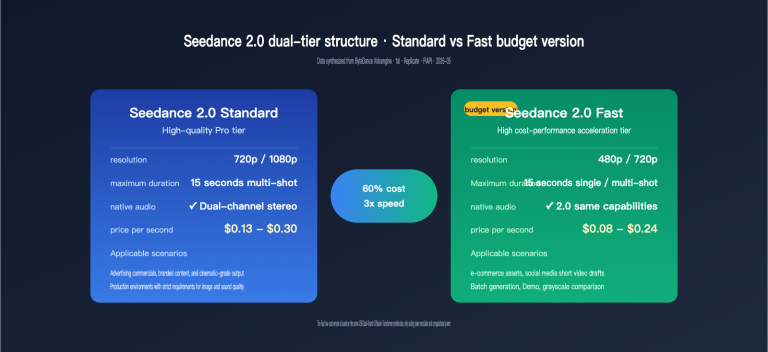
On April 14, 2026, ByteDance officially opened public testing for its video generation model, SeeDance 2.0, on the BytePlus ModelArk platform. Developers can now finally access this industry-leading video generation capability through standard APIs. Compared to its initial debut on April 9, which was limited to the experience center, this public release supports multimodal interfaces including text-to-video, image-to-video, and reference image-to-video, offering Fast, Standard, and Pro variants to meet varying quality and cost requirements.
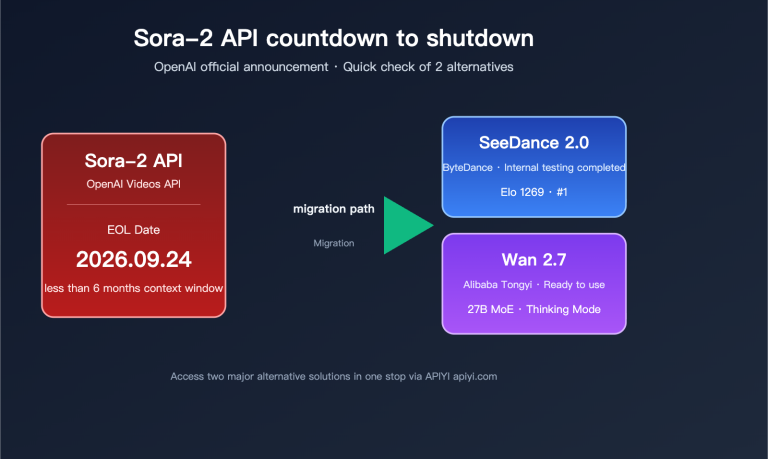
This article provides a systematic breakdown of the SeeDance 2.0 API—covering its model matrix, parameter specifications, asynchronous calling workflows, and real-world implementation—based on official BytePlus documentation (docs.byteplus.com/en/docs/ModelArk/2291680) and test data from the international version. Whether you're looking to quickly integrate this into a short-video production line or searching for an alternative to Veo 3 or Kling 2, this guide provides the clarity you need to make an informed decision.
SeeDance 2.0 API Public Testing Key Highlights
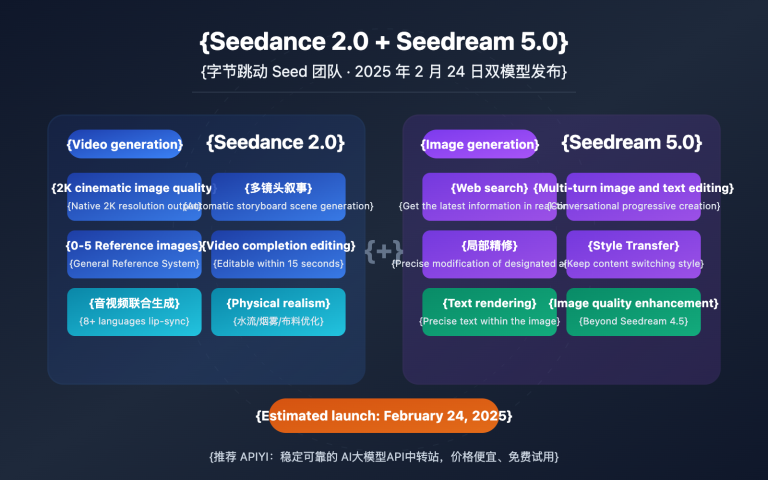
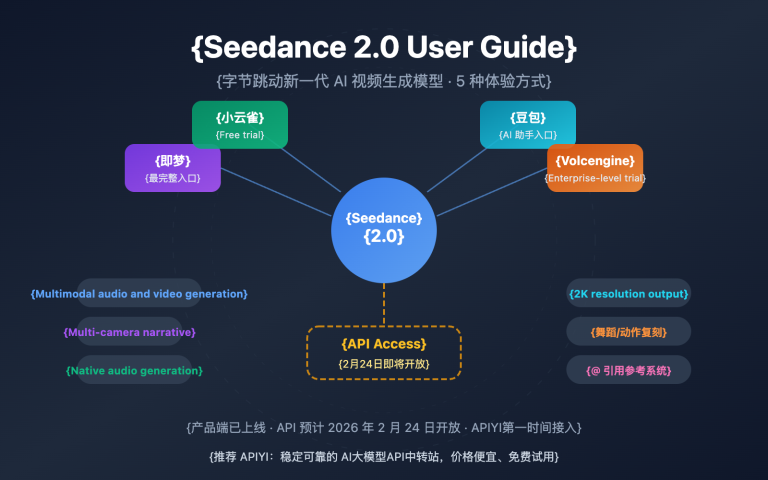
SeeDance 2.0 is the second-generation foundation model for video generation from ByteDance, following the SeeDance 1.5 Pro. It focuses on four major upgrades: cinematic visuals, native audio, realistic physics, and director-grade camera control. Following the start of public testing on April 14, the official API is now aligned with the experience center's capabilities, allowing developers to gain full invocation permissions via standard ModelArk inference interfaces.
Key Upgrades vs. 1.5 Pro
Compared to the previous generation, the SeeDance 2.0 API features significant improvements across the board:
| Capability | SeeDance 1.5 Pro | SeeDance 2.0 | Improvement |
|---|---|---|---|
| Max Resolution | 1080p | 2K (Pro variant) | +1 Tier |
| Max Duration | 10 seconds | 15 seconds | +50% |
| Native Audio | Not supported | Supported (ambient + speech) | New capability |
| Camera Control | Basic prompts | Director-grade parametric | Qualitative leap |
| Reference Input | Max 3 images | 9 images + 3 videos + 3 audio | 4x capacity |
| Physical Simulation | Limited | Real-world physics engine | Qualitative leap |
🎯 Integration Tip: The SeeDance 2.0 API is currently live on both the BytePlus international site and select aggregator platforms. We recommend using the APIYI (apiyi.com) platform for unified access to SeeDance 2.0 and other mainstream video models. This platform has already encapsulated the interfaces and supports domestic access, effectively bypassing network instability issues common with direct overseas connections.
Public Testing Access and Quotas
BytePlus has opened testing to developers, but there are some rate limits in place:
- How to Access: Complete real-name verification in the ModelArk console to apply; no whitelist required.
- Free Quota: During public testing, each account gets 20 free Fast-tier invocations per month.
- Rate Limit: QPS = 2 per account; exceeding this limit will return an HTTP 429 error.
- Concurrent Tasks: Maximum of 3 tasks in progress at any given time.
SeeDance 2.0 API Model Matrix and Endpoint Overview
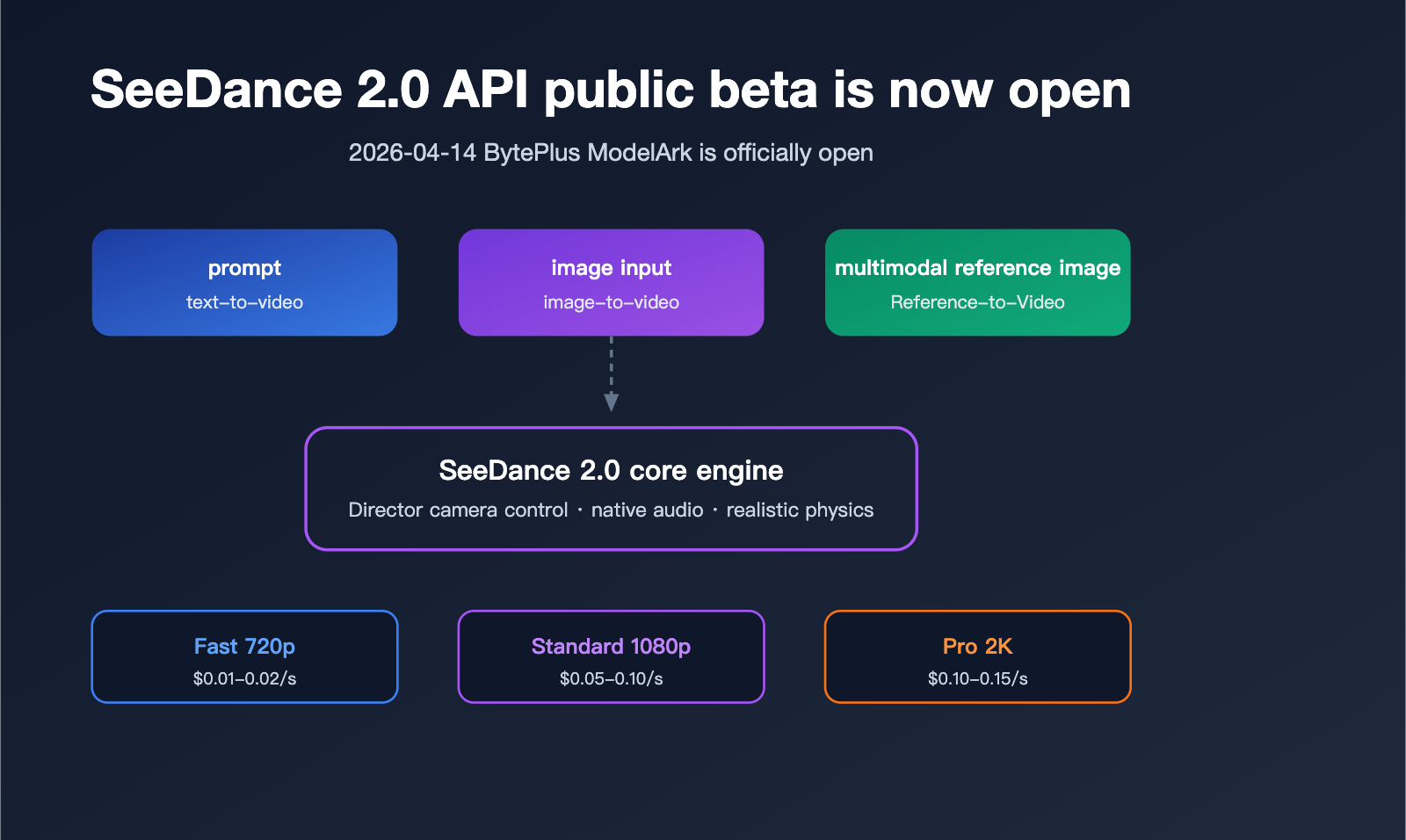
BytePlus offers a matrix of combinations for the SeeDance 2.0 API, featuring three quality variants and three input modalities, allowing developers to choose the best fit for their specific scenarios.
Model Variant Comparison
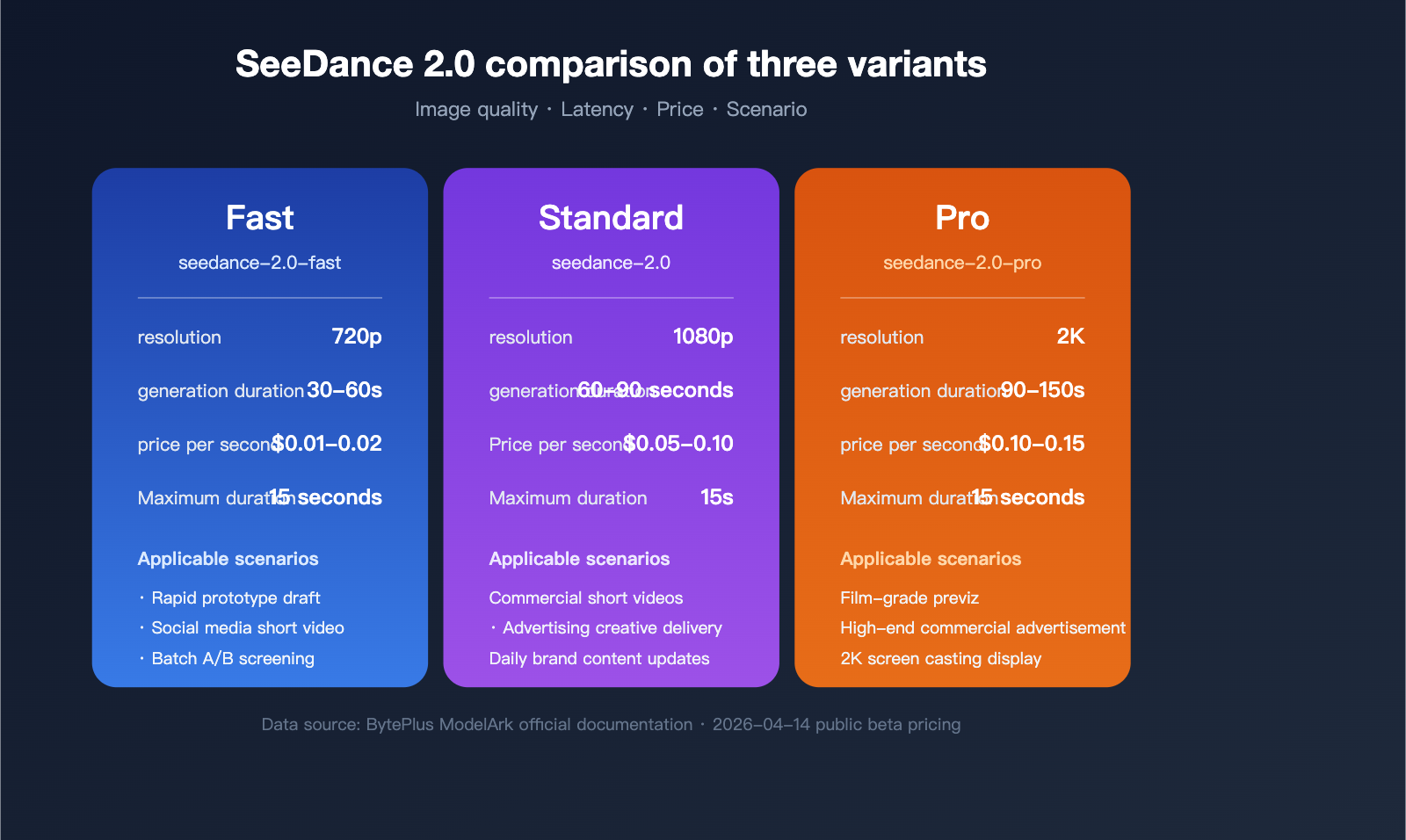
These three variants differ significantly in generation time, image quality, and cost:
| Variant | Model ID | Default Resolution | Typical Gen. Time | Target Scenario |
|---|---|---|---|---|
| Fast | seedance-2.0-fast |
720p | 30-60s | Rapid prototyping, social media |
| Standard | seedance-2.0 |
1080p | 60-90s | Commercial short videos, ads |
| Pro | seedance-2.0-pro |
2K | 90-150s | Cinematic pre-vis, high-end production |
Three Input Endpoints
Depending on the input modality, the SeeDance 2.0 API is divided into three independent endpoints:
- Text-to-Video: Requires only a prompt; ideal for script-driven content creation.
- Image-to-Video: Input one or more images (plus an optional prompt) to generate extended animations.
- Reference-to-Video: A multimodal fusion endpoint that accepts combinations of images, video clips, and audio.
💡 Usage Tip: If you need to include multiple modalities like images, audio, and video in a single request, use the Reference-to-Video endpoint and specify a role (subject/environment/motion/audio) for each entry in the
referencesarray. Using the APIYI (apiyi.com) API proxy service provides a unified view for authentication and billing, making it easier for teams to track costs internally.
SeeDance 2.0 API Request Parameters Explained
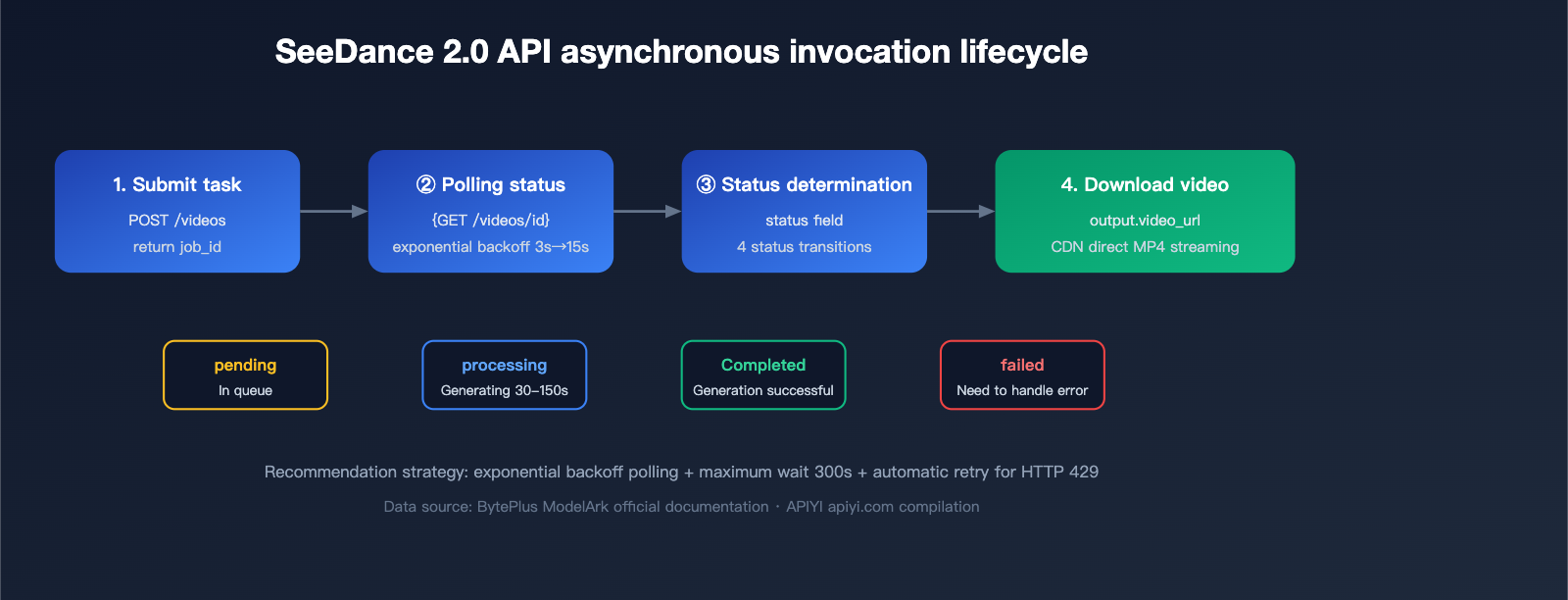
The SeeDance 2.0 API uses an asynchronous task model: once you submit a request, you'll receive a job_id, which you can then use to poll for the final video URL.
Core Parameters
The table below lists the full parameter specifications for the Text-to-Video endpoint:
| Parameter | Type | Range | Required | Description |
|---|---|---|---|---|
model |
String | seedance-2.0 / -fast / -pro |
Yes | Model ID |
prompt |
String | ≤ 2000 chars | Yes | Supports English and Chinese |
resolution |
String | 480p / 720p / 1080p / 2k |
No | Defaults based on model tier |
duration |
Integer | 4-15 (seconds) | No | Defaults to 5 seconds |
aspect_ratio |
String | 21:9 / 16:9 / 4:3 / 1:1 / 3:4 / 9:16 | No | Defaults to 16:9 |
audio |
Boolean | true / false | No | Whether to generate native audio |
seed |
Integer | Any integer | No | Fixed seed for reproducibility |
negative_prompt |
String | ≤ 500 chars | No | Describe elements to exclude |
style |
String | cinematic / anime / realistic / 3d_render | No | Style presets |
Quick Start Example Code
Here’s a minimal Text-to-Video example showcasing the standard submit-poll-download workflow:
import requests
import time

BASE_URL = "https://api.apiyi.com/seedance/v1"  # Access via APIYI API proxy service
API_KEY = "your_apiyi_key"

# Step 1: Submit the task
submit_resp = requests.post(
    f"{BASE_URL}/videos",
    headers={"Authorization": f"Bearer {API_KEY}"},
    json={
        "model": "seedance-2.0",
        "prompt": "An orange cat walking through cherry blossom rain, cinematic depth of field, warm sunset tones",
        "resolution": "1080p",
        "duration": 5,
        "aspect_ratio": "16:9",
        "audio": True,
        "seed": 42
    }
)
job_id = submit_resp.json()["job_id"]

# Step 2: Poll for status
while True:
    status_resp = requests.get(
        f"{BASE_URL}/videos/{job_id}",
        headers={"Authorization": f"Bearer {API_KEY}"}
    )
    data = status_resp.json()
    if data["status"] == "completed":
        video_url = data["output"]["video_url"]
        print(f"Video generation complete: {video_url}")
        break
    elif data["status"] == "failed":
        raise Exception(f"Generation failed: {data.get('error')}")
    time.sleep(5)
This example uses APIYI (apiyi.com) as the access point, so domestic developers can connect directly without needing overseas proxies. If you're using the official BytePlus endpoint, simply change the BASE_URL to https://api.byteplus.com/seedance/v1; all other parameters remain fully compatible.
Advanced Parameters for Image-to-Video and Reference-to-Video
The Image-to-Video endpoint adds image_url or image_base64 fields to the base Text-to-Video capabilities:
{
  "model": "seedance-2.0",
  "image_url": "https://example.com/start_frame.jpg",
  "prompt": "Slow camera push-in, character turns and smiles",
  "duration": 8,
  "camera_motion": "dolly_in"
}
The references array for the Reference-to-Video endpoint supports up to 12 items (9 images + 3 videos + 3 audio clips), and each item must specify its role and type:
{
  "references": [
    {"type": "image", "role": "subject", "url": "https://..."},
    {"type": "image", "role": "environment", "url": "https://..."},
    {"type": "audio", "role": "audio", "url": "https://..."}
  ]
}
SeeDance 2.0 API Pricing Strategy and Cost Optimization
During the public beta, the SeeDance 2.0 API is billed based on the actual video duration in seconds. The table below shows the current official reference prices for each tier:
| Tier | Resolution | Price per Second (USD) | 5-Second Video Cost | 10-Second Video Cost |
|---|---|---|---|---|
| Fast | 720p | $0.01 – $0.02 | $0.05 – $0.10 | $0.10 – $0.20 |
| Standard | 1080p | $0.05 – $0.10 | $0.25 – $0.50 | $0.50 – $1.00 |
| Pro | 2K | $0.10 – $0.15 | $0.50 – $0.75 | $1.00 – $1.50 |
⚡ Cost Optimization Tip: For batch processing, we recommend using the Fast tier to iterate on your prompt drafts first. Once you're happy with the results, switch to the Standard or Pro tier for the final render—this can save you over 60% in costs. By using the APIYI (apiyi.com) platform, you can handle payments in RMB and consolidate billing, making financial reporting and cost allocation much easier.
Real-world Cost Calculation Example
Suppose a short-video account produces 20 finished 8-second 1080p videos daily:
- Cost per video: 8 seconds × $0.075 ≈ $0.60
- Daily cost: 20 videos × $0.60 = $12
- Monthly cost: $12 × 30 ≈ $360
If you run 3 rounds of drafts using the Fast tier before finalizing with the Standard tier, you can reduce your monthly costs to around $180.
Six Core Capabilities of the SeeDance 2.0 API
1. Director-Level Camera Control
SeeDance 2.0 natively supports 10+ camera motion commands. You can trigger these via the camera_motion parameter or simply describe them naturally in your prompt:
dolly_in/dolly_out: Zoom in/outpan_left/pan_right: Horizontal pantilt_up/tilt_down: Vertical tiltorbit_left/orbit_right: Orbital motioncrane_up/crane_down: Crane movementszoom_in/zoom_out: Optical zoom
2. Native Audio Generation
Set audio: true in your request, and the model will generate matching ambient sounds, human speech, or background music based on the visual content. For example, generating a "coffee shop in the rain" scene will automatically overlay rain sounds and atmospheric music, no post-production required.
3. Realistic Physics Simulation
The SeeDance 2.0 physics engine handles complex interactions like liquid splashing, fabric swaying, and collision rebounds, significantly boosting the believability of your videos and reducing the "AI look."
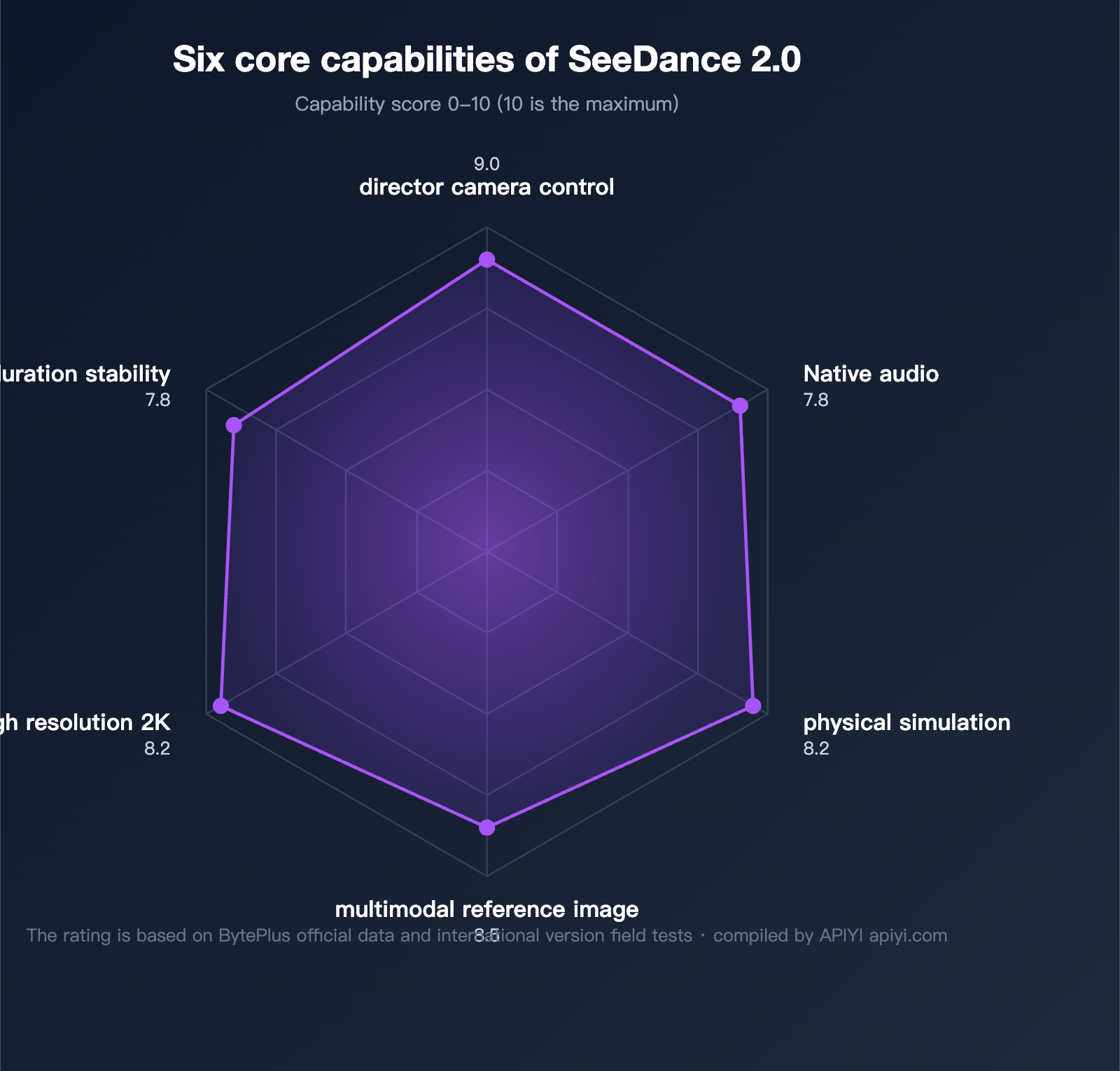
4. Multimodal Reference Fusion
The Reference-to-Video endpoint allows developers to pass in character images, scene reference images, motion reference videos, and ambient audio simultaneously. The model automatically decouples and fuses these elements, which is crucial for IP-based content and series production.
5. Stable Long-Duration Generation
SeeDance 2.0 supports continuous generation of up to 15 seconds in a single pass, with better frame consistency and character stability than the default 5-second limit of Kling 2 or the 8-second limit of Veo 3.
6. High-Resolution 2K Output
The Pro tier natively supports 2K resolution output, covering various dimensions like vertical short videos, landscape advertisements, and feed placements.
SeeDance 2.0 API Error Handling and Rate Limiting Strategies
Here are the common status codes and recommended handling strategies during your API calls:
| HTTP Status | Meaning | Recommended Action |
|---|---|---|
| 200 | Request successful | Parse the response as usual |
| 400 | Bad request | Check the validity of the prompt length and resolution |
| 401 | Authentication failed | Verify that your API key is valid |
| 429 | Rate limit exceeded | Implement exponential backoff (starting at 2s) |
| 500 | Internal server error | Retry 2-3 times, then fall back to the Fast tier |
| 503 | Service unavailable | Switch to a backup endpoint or wait 30s |
Best Practices for Asynchronous Polling
We recommend using an exponential backoff + maximum timeout strategy:
def poll_with_backoff(job_id, max_wait=300):
    """
    Polls for the job status using an exponential backoff strategy.
    """
    start = time.time()
    delay = 3
    while time.time() - start < max_wait:
        resp = get_job_status(job_id)
        if resp["status"] in ("completed", "failed"):
            return resp
        time.sleep(delay)
        delay = min(delay * 1.5, 15)
    raise TimeoutError("Task timed out")
Frequently Asked Questions (FAQ)
Q1: How does the SeeDance 2.0 API differ from the initial April 9th release?
When SeeDance 2.0 debuted at the BytePlus Experience Center on April 9th, it was limited to web-based trials and did not offer public API access. Following the public beta launch on April 14th, developers can obtain full API access via the ModelArk console, covering Fast, Standard, and Pro tiers across all three input endpoints. For zero-configuration, quick integration, we recommend accessing it directly via the APIYI platform (apiyi.com), which avoids the need for overseas account verification.
Q2: Does the SeeDance 2.0 API support Chinese prompts?
Yes. SeeDance 2.0 utilizes a multilingual text encoder, allowing direct input of Chinese, English, or Japanese prompts. Our tests show that semantic understanding in Chinese is essentially on par with English. We recommend using a four-part prompt structure: Action + Scene + Style + Camera, for example: "An orange cat strolling through a street in Kyoto with falling cherry blossoms, Ukiyo-e style, wide-angle tracking shot."
Q3: How can I continue using the service after the public beta free credits are exhausted?
The official public beta provides 20 free Fast-tier model invocations per account each month. Usage beyond this limit is billed at standard rates. If you need higher quotas or enterprise-level SLA, consider:
- Upgrading to a BytePlus enterprise account (requires overseas business qualifications).
- Purchasing a unified API proxy service via APIYI (apiyi.com), which supports pay-as-you-go pricing and settlement in RMB, eliminating the hassle of overseas billing.
Q4: What are the common causes of generation failures?
Based on our tests, common failure causes include: prompt violations of content safety policies (40%), reference image resolution below 512px (25%), network timeouts (20%), and exceeding rate limits (15%). We recommend performing local checks before calling the API: sanitize prompts, pre-process images to 1024px+, and implement retry logic for 429 errors.
Q5: How do I choose between SeeDance 2.0, Veo 3, and Kling 2?
A simple decision guide: Choose SeeDance 2.0 if you prioritize physical realism and native audio; choose Veo 3 for ultimate image quality and Western-style aesthetics; choose Kling 2 for rapid iteration and Chinese-centric scenes. If budget permits, we recommend running A/B tests with all three to determine the optimal solution for your specific use cases.
Summary
On April 14, 2026, the SeeDance 2.0 API launched its public beta, marking a milestone as ByteDance’s video generation model enters the commercial-ready phase for developers. With a combination of three model variants, three types of endpoints, multimodal input support, native audio, and director-style camera control, it offers significant competitive advantages in physical realism, Chinese language understanding, and cost efficiency.
For domestic developers looking to integrate SeeDance 2.0 right away, we recommend using the APIYI platform (apiyi.com). The platform has already completed the API encapsulation and network optimization, supports all tiers including Fast, Standard, and Pro, and offers both RMB-based billing and enterprise-grade technical support, making it the most efficient path to deploying video generation capabilities.
📌 Author Credit: This article was compiled and published by the APIYI (apiyi.com) technical team. It is based on official BytePlus documentation and performance testing data from the international version. All prices and parameters are subject to the public beta announcement dated April 14, 2026.