Author's Note: A deep dive into the differences between OpenClaw cloud and local deployment across security, cost, performance, and ease of use to help technical users pick the right path.
Choosing how to deploy OpenClaw is always a core concern for technical users. In this article, we'll compare Cloud Deployment and Local Deployment across dimensions like security, cost, performance, ease of use, and scalability to give you clear recommendations.
Core Value: By the end of this post, you'll know exactly which OpenClaw deployment plan fits your specific needs, helping you avoid common pitfalls.
OpenClaw Deployment Essentials
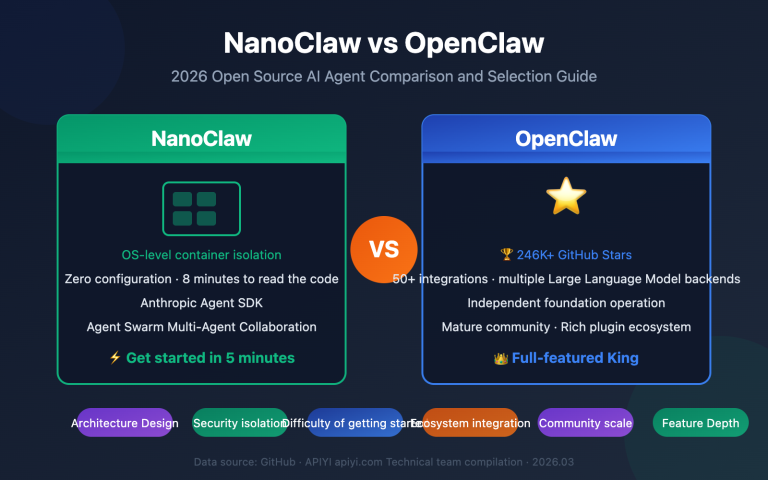
OpenClaw is the hottest open-source AI Agent project of 2026, boasting over 100,000 GitHub stars and supporting major messaging platforms like WhatsApp, Telegram, and Discord. Picking the right deployment method is crucial for both security and your overall experience.
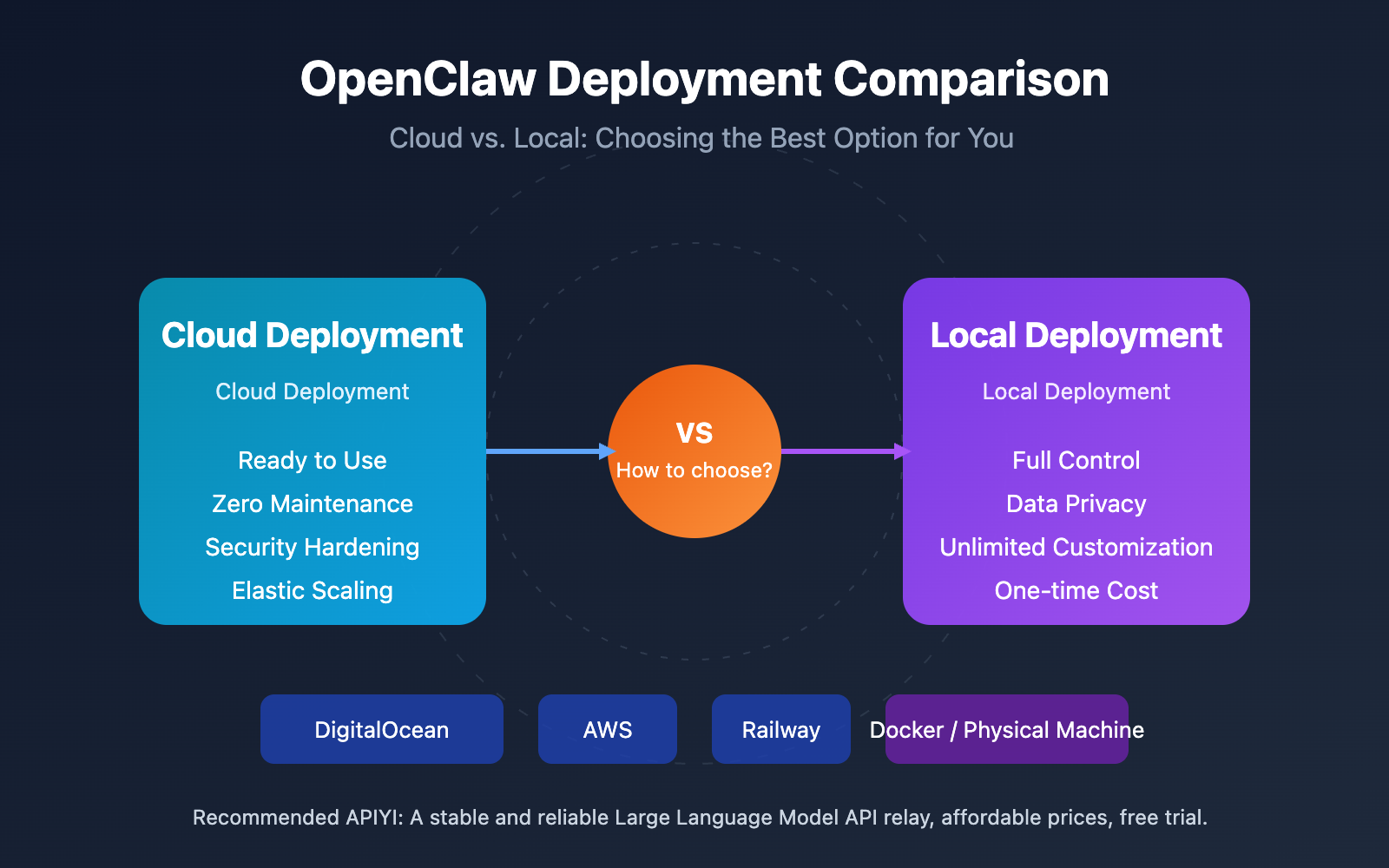
| Key Points | Cloud Deployment | Local Deployment |
|---|---|---|
| Startup Speed | One-click, live in 5 mins | Environment setup, 30+ mins |
| Security Isolation | Naturally isolated from personal data | Requires extra container config |
| Maintenance Burden | Platform managed, zero effort | Self-maintained, requires tech skills |
| Cost Model | Monthly subscription, recurring | One-time hardware investment |
| Customization | Limited by platform | Full autonomous control |
OpenClaw Deployment Methods Explained
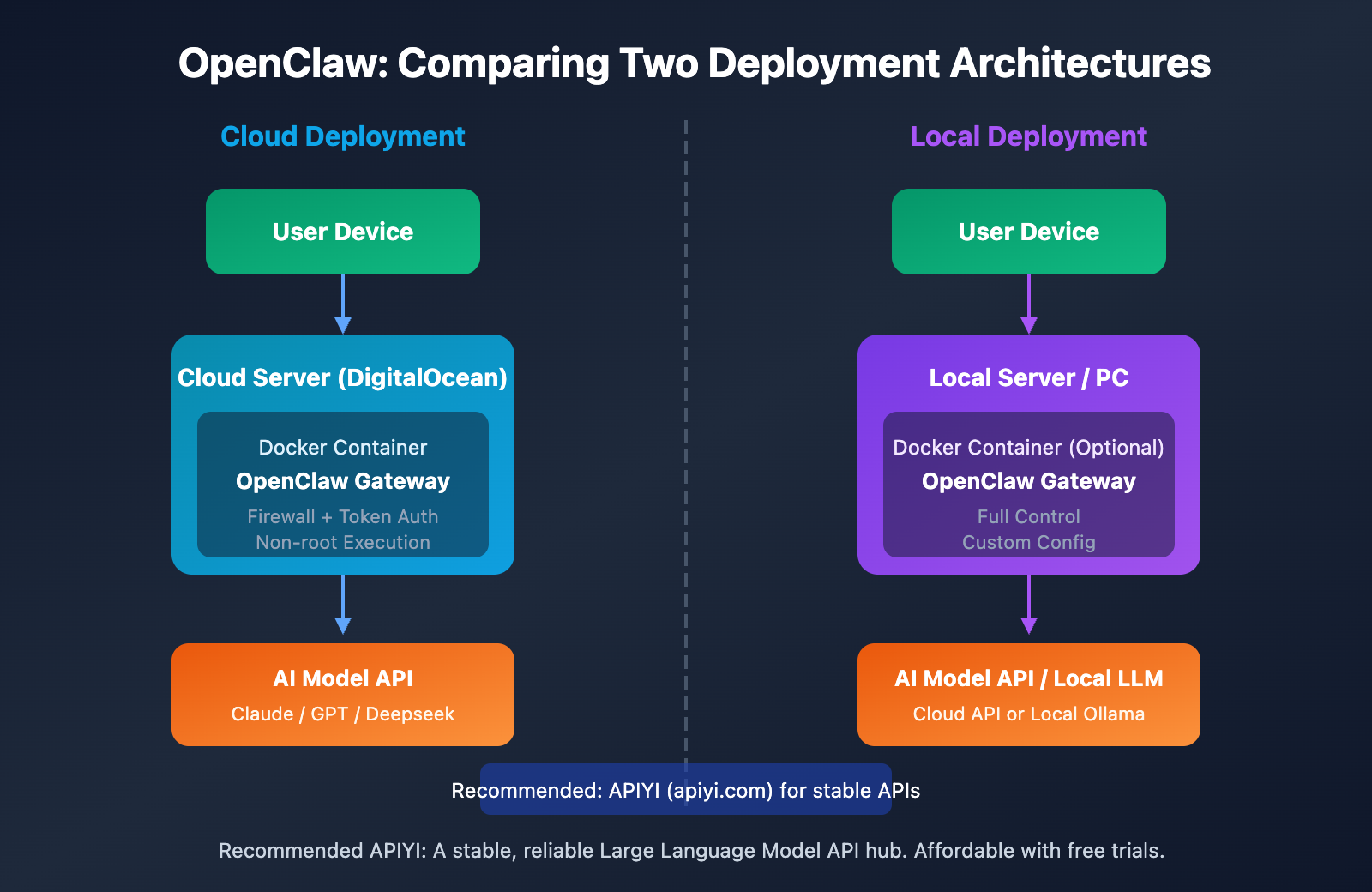
Cloud Deployment means running OpenClaw on servers provided by cloud service providers like DigitalOcean, AWS, Railway, or Alibaba Cloud. Major cloud platforms now offer one-click deployment templates, allowing users to launch services quickly without needing a deep dive into low-level configurations. DigitalOcean's 1-Click Deploy is particularly popular, as it includes best practices like security hardening, firewall rules, and running as a non-root user.
Local Deployment involves running OpenClaw on your own physical hardware, such as a home server, Mac Mini, Raspberry Pi, or a Windows/Linux workstation. This method gives you total control and keeps your data strictly local, but it also means you're responsible for all the configuration and maintenance.
🎯 Recommendation: Both deployment methods have their own pros and cons; the key is matching them to your specific use case. If you need to connect to Large Language Models like Claude or GPT, we recommend using APIYI (apiyi.com) to get stable API access. It supports unified calls across multiple models.
Pros and Cons of Local OpenClaw Deployment
Core Advantages of Local Deployment
1. Data Privacy and Control
The biggest win for local deployment is that your data stays entirely on your own device. Since OpenClaw acts as an AI Agent, it handles a lot of sensitive info—message logs, file operations, API keys, and more. Deploying locally ensures this data never touches a third-party server.
2. Unlimited Customization
In a local environment, you're free to tweak OpenClaw's source code, install custom Skills, and set up specific network rules. For power users and developers, this level of flexibility is a massive plus.
3. One-Time Cost
Unlike cloud services with recurring subscriptions, local deployment only requires a one-time hardware investment. If you've already got a spare server or a high-performance PC lying around, your marginal cost is basically zero.
4. Offline Capabilities
By pairing OpenClaw with Ollama to run local Large Language Models (like Llama 4 or Mixtral), you can create a completely offline AI Agent experience that doesn't rely on an external internet connection.
Main Disadvantages of Local Deployment
1. Higher Security Risks
Security experts give a clear warning: don't run OpenClaw on your primary computer. AI Agents have the power to execute shell commands and read/write files. If misconfigured or hit by a prompt injection attack, it could lead to serious security breaches. Cisco's security blog even went as far as calling it a "security nightmare."
2. Configuration Complexity
Setting things up locally means you'll need to manage a Node.js environment, configure daemons (like launchd or systemd), set up Docker container isolation, and handle ports and firewalls. It's a bit of a steep learning curve for non-technical users.
3. Ongoing Maintenance Burden
You're on the hook for software updates, security patches, log monitoring, and troubleshooting. Without a professional ops team backing you up, you might run into some pretty strange bugs.
| Local Deployment Scenarios | Description |
|---|---|
| Developers and Tech Enthusiasts | Those who need deep customization, want to study the source code, or develop new Skills. |
| Privacy-Conscious Users | Users who don't want their data passing through any third-party servers. |
| Users with Spare Servers | Making the most of existing hardware to keep costs down. |
| Offline Requirements | Combining with local Large Language Models for an offline AI Agent. |
Pros and Cons of Cloud OpenClaw Deployment
Core Advantages of Cloud Deployment
1. Ready to Use, Fast Deployment
Platforms like DigitalOcean and Railway offer one-click templates that can get you up and running in under 5 minutes. You don't have to mess with complex environment configs because the platform has already pre-configured the best practices for you.
2. Built-in Security Hardening
Most mainstream cloud images for OpenClaw come with multiple layers of protection:
- Authenticated Communication: Protected by Gateway Tokens to prevent unauthorized access.
- Firewall Rules: Port rate limiting to help fend off DDoS attacks.
- Non-root Execution: Limiting the Agent's system permissions.
- Docker Isolation: Container sandboxing to prevent command escapes.
3. Natural Data Isolation
Running OpenClaw on a cloud server naturally keeps it isolated from your personal computer. Even if the Agent is compromised, the impact is limited to the cloud server and won't touch your personal files.
4. Elastic Scaling
You can upgrade your cloud server's specs whenever you need to, and multi-region deployment allows for low-latency access. This is especially great for team collaboration.
Main Disadvantages of Cloud Deployment
1. Recurring Costs
Cloud servers are billed monthly. DigitalOcean starts at around $24/month, and those costs add up over time. If you're using a Serverless setup like Cloudflare Workers, you'll also need an extra $5/month subscription.
2. Platform Dependency
You're at the mercy of the cloud provider's stability and policies. If the platform goes down or changes its terms, your service availability could be affected.
3. Limited Customization
Some pre-built cloud images might restrict certain advanced features, so you won't have quite as much freedom as you would with a local setup.
| Cloud Deployment Scenarios | Description |
|---|---|
| Users Wanting a Quick Start | People who want to try OpenClaw fast without wrestling with configurations. |
| Security-First Users | Those who want their AI Agent completely isolated from their personal data. |
| Team Collaboration | Scenarios requiring multi-user access and a stable, "always-on" service. |
| Users Without Ops Skills | People who don't want to deal with server maintenance and troubleshooting. |
💡 Cost Optimization Tip: When deploying OpenClaw in the cloud, you can connect to Claude or GPT model APIs via APIYI (apiyi.com). It's often more affordable than official API pricing and offers a free trial.
OpenClaw Deployment Comparison
Comparison Across Key Dimensions
| Dimension | Cloud Deployment | Local Deployment | Winner |
|---|---|---|---|
| Security | Platform hardening + data isolation | Manual config needed; higher risk | Cloud |
| Startup Cost | $24+/month | Zero cost with existing hardware | Local |
| Long-term Cost | Recurring subscription fees | One-time investment; no extra fees | Local |
| Ease of Use | One-click deployment; zero config | Requires technical background | Cloud |
| Customizability | Limited by platform | Total freedom | Local |
| Stability | Cloud platform SLA guarantee | Depends on local network and hardware | Cloud |
| Privacy | Data resides in the cloud | Data stays completely local | Local |
| Offline Capability | None | Possible when paired with local LLMs | Local |
Note: The data above is compiled from official documentation and community feedback from platforms like DigitalOcean, Vultr, and Railway. Actual experience may vary depending on your specific use case. We recommend testing your setup with APIs from APIYI (apiyi.com).
Recommended OpenClaw Deployment Scenarios
When to Choose Cloud Deployment
- First-time OpenClaw users: If you want to skip the environment setup and just see what it can do.
- Security-conscious scenarios: If you'd rather not run an AI Agent directly on your personal computer.
- Team collaboration: When you need a stable, always-on service that multiple people can access.
- No spare servers: If you don't want to invest in extra hardware right now.
- No O&M experience: If you'd rather not deal with the headaches of server maintenance.
When to Choose Local Deployment
- Developers & Techies: For those who need deep customization or want to poke around the source code.
- Extreme privacy needs: When your data absolutely cannot leave your local network.
- Existing spare hardware: To make the most of resources you already have lying around.
- Budget-conscious: If you want to avoid recurring monthly cloud service bills.
- Offline requirements: When paired with Ollama to run a fully offline AI Agent.
Hybrid Deployment Strategy
For advanced users, a hybrid approach often works best:
- Use a Cloud instance for daily message processing and external integrations.
- Use a Local instance for sensitive data processing and development testing.
- Manage your Large Language Model APIs centrally via APIYI (apiyi.com) to share configurations across both environments.
OpenClaw Deployment Quick Start
Cloud Deployment Tutorial (DigitalOcean One-Click)
Step 1: Visit the DigitalOcean Marketplace and search for "OpenClaw."
Step 2: Choose your Droplet configuration (we recommend the $24/month plan or higher).
Step 3: Create the instance and wait 2-3 minutes for initialization to finish.
Step 4: Visit http://your_IP:18789/ to open the control panel.
Step 5: Configure your API Key in the Settings (we recommend getting one from APIYI at apiyi.com).
# Get the Gateway Token (execute this on your server)
cat ~/.openclaw/gateway-token

# Paste the Token into the control panel Settings to complete authentication
Local Deployment Tutorial (Docker Method)
Prerequisites: Install Docker Desktop or Docker Engine + Docker Compose v2.
Step 1: One-click installation script
# Linux/macOS
bash <(curl -fsSL https://raw.githubusercontent.com/phioranex/openclaw-docker/main/install.sh)

# Windows (PowerShell)
irm https://raw.githubusercontent.com/phioranex/openclaw-docker/main/install.ps1 | iex
Step 2: Configure your API Key
# Edit the configuration file
nano ~/.openclaw/.env

# Add the following (we recommend using APIYI to get your API Key)
ANTHROPIC_API_KEY=your_api_key_here
OPENAI_API_KEY=your_api_key_here
OPENAI_BASE_URL=https://vip.apiyi.com/v1
Step 3: Start the service
cd ~/.openclaw
docker compose up -d openclaw-gateway
Step 4: Access the control panel
Open your browser and go to http://127.0.0.1:18789/
View manual installation method (No Docker)
# Clone the repository
git clone https://github.com/openclaw/openclaw.git
cd openclaw

# Install dependencies (pnpm is recommended)
pnpm install
pnpm ui:build
pnpm build

# Install the daemon process
openclaw onboard --install-daemon

# Configure API Key
openclaw config set anthropic.apiKey YOUR_API_KEY
openclaw config set openai.baseUrl https://vip.apiyi.com/v1

# Start the service
openclaw start
Pro Tip: No matter which deployment method you choose, we recommend getting your AI model API keys through APIYI (apiyi.com). The platform supports various models like Claude, GPT, and DeepSeek, and even offers free trial credits.
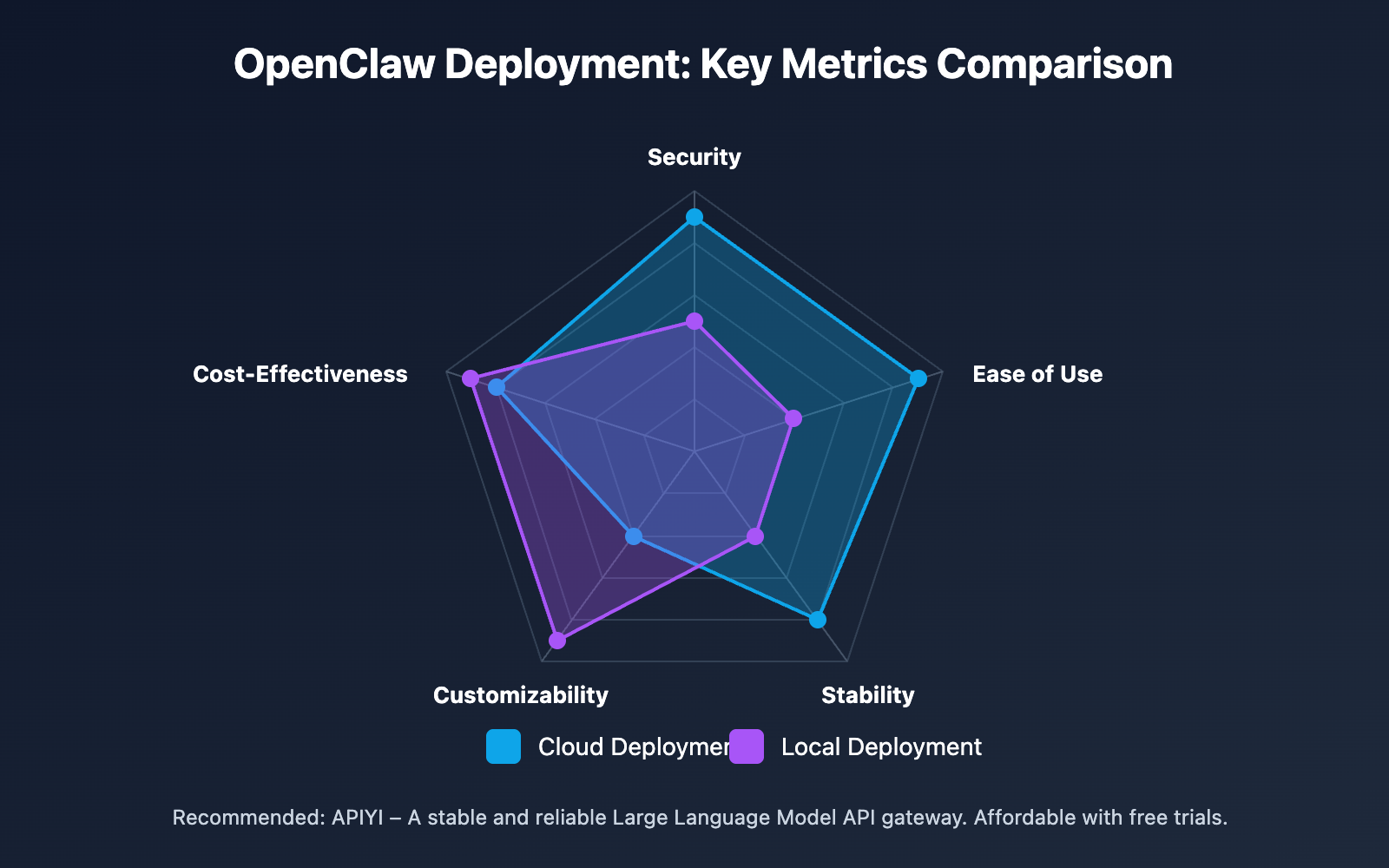
OpenClaw Deployment: Key Metrics Comparison
Detailed Metric Scores
| Metric | Cloud Deployment | Local Deployment | Scoring Description |
|---|---|---|---|
| Security | 9/10 | 5/10 | Cloud has built-in security hardening; local requires manual configuration. |
| Ease of Use | 9/10 | 4/10 | Cloud offers one-click deployment; local requires a technical background. |
| Stability | 8/10 | 5/10 | Cloud comes with SLA guarantees; local depends on your hardware and network. |
| Customizability | 4/10 | 9/10 | Local offers total freedom; cloud is limited by the platform. |
| Cost-Effectiveness | 5/10 | 8/10 | Local is a one-time investment; cloud requires ongoing payments. |
FAQ
Q1: Which is safer for OpenClaw: cloud or local deployment?
Cloud deployment is safer. OpenClaw images on mainstream cloud platforms come with multi-layer security built-in, including Token authentication, firewall rules, Docker isolation, and non-root execution. More importantly, cloud deployment is naturally isolated from your personal data—even if the Agent is compromised, your personal computer remains untouched. Security experts explicitly suggest: Don't run OpenClaw on your primary computer.
Q2: What hardware specs do I need for a local OpenClaw deployment?
Basic specs: 4GB RAM, a dual-core CPU, and 10GB of storage space are enough to run OpenClaw. If you plan to run local Large Language Models (like Llama 4), we recommend at least 16GB of RAM and a CUDA-supported graphics card. A Mac Mini, Raspberry Pi 4, or even an old laptop can serve as an OpenClaw server.
Q3: How do I configure the AI model API for OpenClaw?
We recommend using APIYI (apiyi.com) to get your API Key:
- Visit APIYI (apiyi.com) and register an account.
- Get your API Key and free trial credits.
- In your OpenClaw configuration, set the
base_urltohttps://vip.apiyi.com/v1. - Enter your API Key, and you're ready to use Claude, GPT, Deepseek, and other models.
Q4: How do cloud deployment costs break down?
DigitalOcean security-hardened images start at $24/month, Railway is usage-based (typically $5-20/month), and Cloudflare Workers requires a $5/month subscription plus storage fees. For long-term use, a monthly-paid VPS is usually the way to go since the costs are more predictable.
Summary
Here are the core takeaways for choosing an OpenClaw deployment plan:
- Cloud for Security: Built-in security hardening and isolation from personal data to minimize risk.
- Local for Cost: A one-time hardware investment that's more economical for long-term use.
- Local for Customization: Gives you full control for deep customization and development.
- Cloud for Speed: One-click deployment that gets you online in 5 minutes with zero configuration.
Choose the plan that best fits your use case and technical skills. Regardless of how you deploy, we recommend getting a stable AI model API through APIYI (apiyi.com). They offer free trial credits and a unified interface for all major models.
It's a great idea to use APIYI (apiyi.com) to quickly verify your setup. The platform provides free credits and a single interface for mainstream models like Claude, GPT, and Deepseek.
References
The following links use the
Resource Name: domain.comformat for easy copying while avoiding SEO weight loss.
-
OpenClaw Official Documentation: Complete installation and configuration guide
- Link:
docs.openclaw.ai/start/getting-started - Description: Official getting started guide, covering installation methods for various platforms.
- Link:
-
DigitalOcean OpenClaw Deployment Guide: One-click deployment tutorial
- Link:
digitalocean.com/community/tutorials/how-to-run-openclaw - Description: Detailed steps for secure cloud deployment.
- Link:
-
OpenClaw Docker Installation Documentation: Containerized deployment guide
- Link:
docs.openclaw.ai/install/docker - Description: Complete configuration instructions for Docker deployment.
- Link:
-
Vultr OpenClaw Deployment Tutorial: Self-hosted cloud server deployment
- Link:
docs.vultr.com/how-to-deploy-openclaw-autonomous-ai-agent-platform - Description: Deployment options for another cloud platform.
- Link:
-
OpenClaw Security Analysis: Security risks and best practices
- Link:
venturebeat.com/security/openclaw-agentic-ai-security-risk-ciso-guide - Description: Understand the security challenges and protection measures for AI Agents.
- Link:
Author: Tech Team
Technical Discussion: Feel free to join the discussion in the comments section. For more resources, visit the APIYI (apiyi.com) tech community.