Many users encounter the same issue when generating images via the gpt-image-2 API or the ChatGPT website: while the model is excellent at text recognition, the fonts are always that "engineer-aesthetic" plain sans-serif, lacking any brand identity or design flair. This "plain aesthetic" is especially noticeable when creating posters, social media covers, or product marketing images, making even a well-composed shot look cheap.
<rect x="200" y="335" width="130" height="36" rx="18" fill="rgba(59,130,246,0.18)" stroke="#3b82f6" stroke-width="1"/>
<text x="265" y="358" text-anchor="middle">Style and emotion method</text>

<rect x="340" y="335" width="130" height="36" rx="18" fill="rgba(16,185,129,0.18)" stroke="#10b981" stroke-width="1"/>
<text x="405" y="358" text-anchor="middle">Era Scenario Method</text>

<rect x="60" y="385" width="130" height="36" rx="18" fill="rgba(249,115,22,0.18)" stroke="#f97316" stroke-width="1"/>
<text x="125" y="408" text-anchor="middle">Brand atmosphere method</text>

<rect x="200" y="385" width="130" height="36" rx="18" fill="rgba(168,85,247,0.18)" stroke="#a855f7" stroke-width="1"/>
<text x="265" y="408" text-anchor="middle">Physical material method</text>

<rect x="340" y="385" width="130" height="36" rx="18" fill="rgba(59,130,246,0.18)" stroke="#3b82f6" stroke-width="1"/>
<text x="405" y="408" text-anchor="middle">Reference font name method</text>
The root of the problem isn't a lack of model capability, but rather that most users' prompts only describe "what to draw" without telling the model "what the font should look like." This article, based on the official OpenAI Cookbook and real-world testing experience from various API providers, systematically breaks down the mechanics of gpt-image-2 font prompts. We provide six reusable font description templates and, combined with usage examples from the APIYI (apiyi.com) platform, help you learn how to write prompts that produce truly aesthetic typography in under 5 minutes.
1. The Core Mechanism of gpt-image-2 Font Prompts
1.1 Why are default fonts always plain sans-serif?
When there's no explicit font description, gpt-image-2 relies on the "safest" visual priors from its training data, which usually results in neutral geometric sans-serif fonts (similar to Inter or Helvetica styles). This ensures readability but sacrifices stylistic expression.
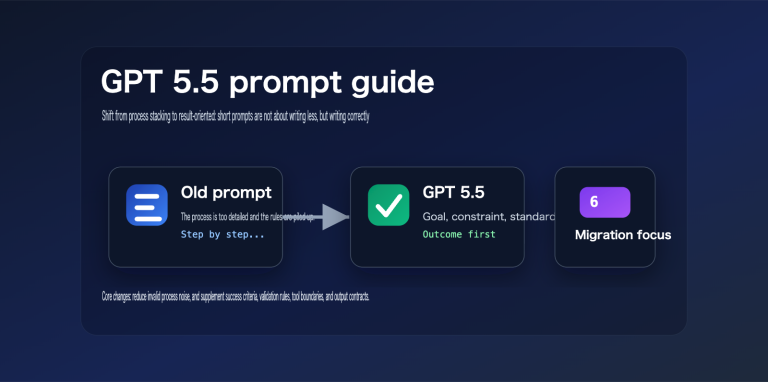
The official OpenAI prompt guide clearly states: the model only renders the visual attributes you actively constrain; anything left unconstrained defaults to the standard value. In other words, if you just write "a poster about coffee," the model will automatically choose the most generic font. Only when you specify details like "hand-lettered display serif with thick brushstrokes" will the model trigger the corresponding font priors.
This is why, for the same subject and prompt length, the quality of the output can differ by a whole level depending on whether you've included font descriptions. Once you understand this, "plain fonts" are no longer a model flaw, but a case of the user not treating typography as core image information.
Another factor often overlooked is the model version. The biggest upgrade in gpt-image-2 compared to the 1.5 generation is in the text rendering layer. It natively supports near-4K output and has significantly improved capabilities for small text, dense layouts, and mixed-font compositions. This means the return on investment for your effort in crafting font prompts is much higher on gpt-image-2, making it well worth the time to refine.
1.2 The Four Core Elements of gpt-image-2 Font Prompts
When you break down "font description," gpt-image-2 is actually responding to four independent dimensions of instructions, all of which are essential:
| Element | Function | Example Description |
|---|---|---|
| Style | Determines glyph structure and visual personality | bold sans-serif, condensed serif, hand-lettered display |
| Hierarchy | Controls the contrast between headlines, subheads, and body text | large headline, small body copy |
| Contrast | Determines readability against the background | high contrast white on navy |
| Placement | Locks in text position and alignment | centered at top, clean kerning |
🎯 Pro Tip: A high-quality font prompt should cover all four elements; missing any one of them can lead to font drift in your output. We recommend testing versions with and without these four elements on APIYI (apiyi.com) to see the difference for yourself.
1.3 How to Use Strong Constraints for Literal Text
The OpenAI Cookbook's image-gen-models-prompting-guide offers a key technique: enclose the string you want to appear in the image in quotes or all-caps. The model will interpret this as a hard constraint: "render this literally, no extra words, no typos."
In our tests, comparing the word coffee on a sign with a sign with the EXACT text "COFFEE" showed a significant difference in the probability of spelling errors, with the latter almost guaranteeing character-level consistency. For difficult brand names (like Schønne or APIYI), we recommend spelling them out character by character with spaces, e.g., "A P I Y I", to further reduce the risk of character misalignment.
2. 6 Practical Prompting Strategies for gpt-image-2 Typography
Different scenarios call for different font description strategies. The following 6 methods are summarized from official OpenAI examples, real-world tests on fal.ai, and open-source prompt libraries.
2.1 Functional Description: The Most Reliable Foundation
Using typographic terminology to describe font characteristics is the most recommended approach by OpenAI and yields the highest success rate:
bold geometric sans-serif(for tech brands)condensed sans-serif with tight tracking(for magazine headlines)classic transitional serif with fine hairlines(for luxury goods/publications)rounded humanist sans-serif(for children's/friendly brands)
2.2 Stylistic Mood: Giving Fonts "Personality"
Replace specific font names with art movements or design styles to trigger the model's prior knowledge of an entire aesthetic system:
minimalist Bauhaus sans-serifArt Deco display typography with metallic strokesbrutalist concrete typographyMemphis-style 80s display font with bold geometric shapes
The advantage here is that the font won't exist in isolation; the model will automatically match it with appropriate colors, layouts, and decorative elements, resulting in a more cohesive design language.
2.3 Era & Context: Precisely Replicating Nostalgic Aesthetics
By combining a time period with a medium, you can make the font look like it was scanned from authentic printed materials of that era:
1970s vinyl record cover psychedelic display font90s grunge zine handwritten typography with photocopy textureearly 2000s Y2K chrome bubble font1950s diner neon sign script lettering
This method is exceptionally effective for generating nostalgic, retro, or underground culture-themed covers, offering an order of magnitude more precision than just writing retro font.
2.4 Brand Atmosphere: The Top Choice for Commercial Work
Describe the visual temperament of your target industry directly, allowing the model to gravitate toward mature commercial font standards:
editorial fashion magazine serif typography, Vogue styletech startup landing page typography, clean and confidentluxury skincare branding typography, refined and minimalcraft brewery label typography, hand-drawn rustic feel
🎯 CTA Tip: Commercial projects require high consistency. We recommend using APIYI (apiyi.com) to chain multiple images of the same brand together using the same brand atmosphere description, ensuring a unified font language across your entire visual identity.
2.5 Physical Material: Making Fonts "Exist in 3D"
Treat the font as a physical object in the real world rather than just a digital layer. This is an advanced technique emphasized in fal.ai tutorials:
plastic letter board with uneven letter spacing, one missing slotglowing neon tube letters with visible glass tubing and cablescut paper letters with soft drop shadows, layered cardboardchiseled marble inscription with deep shadow inside the cuts
Fonts generated using this method come with built-in lighting, shadows, and wear-and-tear details, offering a texture far superior to flat overlays.
2.6 Reference Font Names: Replicating Specific Typefaces
While OpenAI doesn't officially support a whitelist of fonts, real-world testing shows that major, well-known font names are recognized. They work best as auxiliary modifiers added after a functional description:
clean sans-serif typography, Inter styleeditorial serif similar to Playfair Displaygeometric sans-serif inspired by Futurahumanist serif in the vein of Garamond
Note that this approach is a stylistic hint rather than a character-level replication. The model won't actually load the font file, but the visual result will be remarkably close.
| Description Method | Use Case | Hit Rate | Style Richness |
|---|---|---|---|
| Functional Description | General, UI, Corporate | ⭐⭐⭐⭐⭐ | ⭐⭐⭐ |
| Stylistic Mood | Posters, Art, Personal Brands | ⭐⭐⭐⭐ | ⭐⭐⭐⭐⭐ |
| Era & Context | Retro, Nostalgic, Cultural | ⭐⭐⭐⭐ | ⭐⭐⭐⭐⭐ |
| Brand Atmosphere | Commercial, E-commerce, Ads | ⭐⭐⭐⭐ | ⭐⭐⭐⭐ |
| Physical Material | 3D Scenes, Product Photography | ⭐⭐⭐ | ⭐⭐⭐⭐⭐ |
| Reference Font Name | Precise Replication, Designer Scenes | ⭐⭐⭐ | ⭐⭐⭐⭐ |
3. Practical API Implementation for gpt-image-2 Typography Prompts
Now that you understand the description method, the next step is learning how to pass these prompts to the gpt-image-2 API. This section provides the simplest implementation code and key parameter explanations.
3.1 Minimalist Example: Making Typography Prompts Work
The following Python code uses the OpenAI SDK to call gpt-image-2. You can simply include your typography prompt within the main prompt body to make it effective:
from openai import OpenAI

client = OpenAI(
    api_key="your_api_key",
    base_url="https://vip.apiyi.com/v1"  # APIYI API proxy service
)

response = client.images.generate(
    model="gpt-image-2",
    prompt='Coffee shop poster with EXACT text "MORNING BREW" '
           'in 1950s diner neon sign script lettering, '
           'centered at top, high contrast warm orange on deep teal',
    quality="high",
    size="1024x1536",
)
Note that the prompt includes five dimensions: "what to draw + literal text + font description + color contrast + position." This is the minimum complete structure for high-quality output.
3.2 Key Parameter: How quality Affects Font Clarity
The quality parameter in gpt-image-2 has a much greater impact on small text, dense layouts, and mixed-font compositions than it does on the overall visual impression:
| Quality Level | Use Case | Font Clarity | Rendering Speed |
|---|---|---|---|
| low | Sketches/Quick previews | Only large titles are clear | Fastest |
| medium | Standard posters, social media covers | Titles + subtitles are clear | Medium |
| high | Mixed fonts, long body text, infographics | Body text is readable | Slower |
🎯 API Invocation Tip: When dealing with mixed fonts or body text exceeding 50 characters, we strongly recommend setting
qualitytohigh. Our real-world testing on APIYI (apiyi.com) shows a significant difference in small-text readability betweenmediumandhigh.
3.3 Using Reference Images to Enhance Font Replication Accuracy
gpt-image-2 supports uploading up to 16 reference images (JPEG/PNG/WebP, under 30MB each). An advanced technique is: use a reference image containing the target font, combined with the prompt "match the typography style of the reference image" to significantly improve font replication accuracy.
This "reference image + style description" combination is almost mandatory when generating product series or maintaining brand font consistency.
<!-- before label -->
<rect x="60" y="110" width="80" height="24" rx="12" fill="#dc2626"/>
<text x="100" y="127" text-anchor="middle" font-family="-apple-system, system-ui, sans-serif" font-size="12" fill="#ffffff" font-weight="600">Before optimization</text>

<!-- plain coffee poster mockup -->
<rect x="80" y="160" width="240" height="220" rx="6" fill="#f8fafc"/>

<!-- plain text -->
<text x="200" y="240" text-anchor="middle" font-family="-apple-system, system-ui, sans-serif" font-size="28" fill="#0f172a" font-weight="600">MORNING BREW</text>
<text x="200" y="270" text-anchor="middle" font-family="-apple-system, system-ui, sans-serif" font-size="13" fill="#64748b">Fresh coffee daily</text>

<!-- plain coffee cup icon -->
<g transform="translate(170, 300)">
  <rect x="0" y="0" width="60" height="50" rx="6" fill="none" stroke="#475569" stroke-width="2"/>
  <path d="M60 12 Q72 12 72 25 Q72 38 60 38" fill="none" stroke="#475569" stroke-width="2"/>
</g>

<!-- description -->
<text x="200" y="405" text-anchor="middle" font-family="-apple-system, system-ui, sans-serif" font-size="12" fill="#cbd5e1">prompt: "coffee shop poster"</text>
<!-- after label -->
<rect x="460" y="110" width="80" height="24" rx="12" fill="#10b981"/>
<text x="500" y="127" text-anchor="middle" font-family="-apple-system, system-ui, sans-serif" font-size="12" fill="#ffffff" font-weight="600">Optimized</text>

<!-- neon poster mockup -->
<rect x="480" y="160" width="240" height="220" rx="6" fill="#0a0a1a"/>

<!-- neon glow text -->
<text x="600" y="245" text-anchor="middle" font-family="Georgia, 'Times New Roman', serif" font-style="italic" font-size="32" fill="#fb7185" font-weight="400" filter="url(#neonGlow)">Morning</text>
<text x="600" y="285" text-anchor="middle" font-family="Georgia, 'Times New Roman', serif" font-style="italic" font-size="32" fill="#fbbf24" font-weight="400" filter="url(#neonGlow)">Brew</text>

<!-- neon underline -->
<line x1="540" y1="305" x2="660" y2="305" stroke="#fb7185" stroke-width="2" filter="url(#neonGlow)"/>

<!-- 1950s diner small text -->
<text x="600" y="340" text-anchor="middle" font-family="'Courier New', monospace" font-size="11" fill="#fbbf24" letter-spacing="3">— SINCE 1952 —</text>

<!-- description -->
<text x="600" y="405" text-anchor="middle" font-family="-apple-system, system-ui, sans-serif" font-size="11" fill="#cbd5e1">1950s diner neon sign script</text>
4. Five Advanced Tips for Improving gpt-image-2 Typography Aesthetics
Once you've mastered the basics, these five tips will elevate your generated typography from "passable" to "professional-grade."
4.1 Establish Clear Visual Hierarchy with Font Size Keywords
Don't just write a single font description to cover the entire image. Posters and infographics usually contain 2-3 levels of text that need to be constrained separately:
large headline in bold condensed sans-serif, small body copy in light sans-serif, tiny disclaimer text in monospace at bottom
Explicitly splitting the hierarchy prevents the model from rendering all text at the same size, which is one of the most common sources of an "amateur" look.
4.2 Typography Details Like Kerning and Alignment Matter
Adding details like clean kerning, tight tracking, generous letter spacing, flush left, or justified will trigger higher-quality layout priors in the model.
For example, upgrading bold sans-serif headline to bold condensed sans-serif headline with tight tracking and clean kerning, flush left aligned immediately gives it a professional layout feel.
4.3 Color Contrast Directly Determines Readability
No matter how good the font looks, if the color is wrong, it's all for nothing. We recommend explicitly defining the font color and background color as a contrast relationship:
white sans-serif on deep navy background, maximum contrastcream serif on dark olive background, high contrastneon yellow display font on charcoal background, electric contrast
🎯 Color Tip: Small text will blur into a mess when color contrast is below 4.5:1; this is a physical limitation of gpt-image-2. Testing different color combinations on APIYI (apiyi.com) is much more efficient than repeatedly tweaking a single image.
4.4 The Iterative Method: Change One Variable at a Time
The official OpenAI Cookbook repeatedly emphasizes: One revision per turn. When changing fonts, only modify the font description; don't change the background color, composition, or subject matter at the same time, or you won't be able to tell which change had an effect.
The correct process is to lock in a "base prompt" and iterate 5-10 times with the font as the only variable, changing only 1-2 font adjectives per version.
4.5 Use Structured "Typography Specification Blocks" Instead of Scattered Descriptions
The model responds much better to structured information than to adjectives scattered throughout the prompt. We recommend this template:
Typography:
- Headline: EXACT text "MORNING BREW", bold condensed sans-serif,
  large size, high contrast warm white on deep teal, centered top.
- Body: small humanist sans-serif, regular weight, two-line subtitle,
  centered below headline with generous letter spacing.
- Tagline: tiny monospace text at bottom, light grey on teal.
This "typography specification block" style appears in both fal.ai and official OpenAI examples and is the de facto standard for commercial-grade output.
| Advanced Tip | Problem Solved | Difficulty | Improvement |
|---|---|---|---|
| Font size hierarchy keywords | Amateurish uniform sizing | ⭐⭐ | High |
| Kerning and alignment details | Rough layout | ⭐⭐⭐ | High |
| Color contrast | Unreadable text | ⭐⭐ | Very High |
| Single-variable iteration | Confusing adjustment direction | ⭐⭐⭐ | Medium |
| Typography specification block | Scattered descriptions | ⭐⭐⭐⭐ | Very High |
V. FAQ: Common Questions About gpt-image-2 Font Prompts
5.1 Why does gpt-image-2 always produce plain fonts?
99% of the time, it's because your prompt lacks specific font descriptions. The model defaults to the safest geometric sans-serif font. You must actively constrain it using one of the six description methods mentioned in Section 2. We recommend starting with a combination of functional description and brand atmosphere.
5.2 Can I specify exact font names like Helvetica or Inter?
You can use them as style hints, but they won't trigger precise rendering at the font-file level. OpenAI recommends using functional descriptions (e.g., clean sans-serif typography, Inter style) rather than just the font name. If you need high precision, we suggest using the reference image mode on APIYI (apiyi.com) to upload a sample containing your target font.
5.3 How do I write prompts for Chinese fonts?
Chinese font descriptions aren't as sensitive as English ones yet, but these work well: Chinese black-bold typography (heiti), traditional Chinese seal script style, or modern Chinese sans-serif similar to Source Han Sans. Always wrap your Chinese text in quotes, like "Morning Coffee", to prevent character errors.
5.4 What should I do if the font drifts during iterative refinement?
OpenAI recommends repeating the full font specification section in every iteration rather than just saying "adjust it a bit." Save the font specification template from Section 4 and paste it in every time; this can reduce font drift to under 5%.
5.5 Where can I reliably call the gpt-image-2 API?
Domestic developers can use API proxy services like APIYI (apiyi.com) to call gpt-image-2. Simply replace the base_url with https://vip.apiyi.com/v1—no proxy required. The platform supports a unified interface for gpt-image-2 and other mainstream image models, making it easy to compare font rendering capabilities across different models in the same project.
5.6 Can I edit the font after generation without redrawing the whole image?
Yes. gpt-image-2 supports image editing mode. Use the original image as input and only describe the font-related changes in your prompt (e.g., change the headline font to bold condensed serif, keep everything else identical). The model will preserve the main structure while updating only the text layer. This "partial font editing" is highly efficient for brand design iterations.
5.7 If my font prompt is very long, will the model "stop reading" it?
gpt-image-2 has a much higher tolerance for long prompts than the previous generation. Structured font specification sections (like the Typography: template in Section 4) usually won't trigger truncation. What actually affects the result isn't length, but noise—avoid stacking aesthetic adjectives (like "beautiful," "stunning," or "high-end"). Replacing them with measurable font attributes is much more effective.
5.8 Why do the same font prompts sometimes produce different results?
gpt-image-2 has inherent randomness during generation, so a single output shouldn't be the sole judge of a prompt's quality. The professional workflow is to run 4–8 images with the same prompt and pick the best one. If 5 out of 8 images show stable font performance, your prompt is robust enough. This is why we recommend using APIYI (apiyi.com) for batch calls; the debugging efficiency is an order of magnitude higher than the ChatGPT web interface.
VI. Conclusion: The Key to Aesthetic Fonts in gpt-image-2
Back to the original question: why do gpt-image-2 fonts often look plain? The answer is that the model only renders the attributes you actively constrain. A professional-grade font prompt must cover four elements: font style, size hierarchy, color contrast, and spatial layout. Combine these with quoted text, a quality parameter set to high, and a reference image when necessary.
The 6 description methods provided in this article (functional, emotional, historical, brand atmosphere, physical material, and reference font) cover most commercial use cases. Start with functional descriptions, layer in emotional and brand elements, and finally, solidify your work into a reusable team template using the structured font specification section.
🎯 Next Step: Test the 6 description methods on APIYI (apiyi.com) using the same subject. You'll see the improvement in font aesthetics within 10 minutes. The platform supports unified calls for gpt-image-2 and various other image models, making it easy to iterate on your prompts quickly.
Fonts aren't just decoration; they are the soul of an image. Mastering gpt-image-2 font prompts is essentially extending "prompt engineering" from image composition to typography—a critical leap in taking AI image generation from "decent" to "professional-grade."
Author: APIYI Technical Team
Supported Platform: APIYI (apiyi.com) gpt-image-2 API