On October 27, 2026, Google DeepMind unveiled its next-generation world model, Genie 4. The biggest change is that its generated worlds produce their own sound, the people in them can speak, and you can type to change a scene as you watch. By the morning of October 28, the official launch post on X had about 1.7 million views and 15,300 likes. But you can’t try it yet: access is currently limited to a small group of trusted testers.
The takeaway: In 3 minutes, you’ll learn what’s new in Genie 4, whether you can use it now, and what you can do next.
Genie 4’s First Big Change: Worlds Can Speak for Themselves
The short version: Genie 4 no longer generates silent scenes you can only watch. It creates live environments that make sounds, respond, and can be changed on the fly.
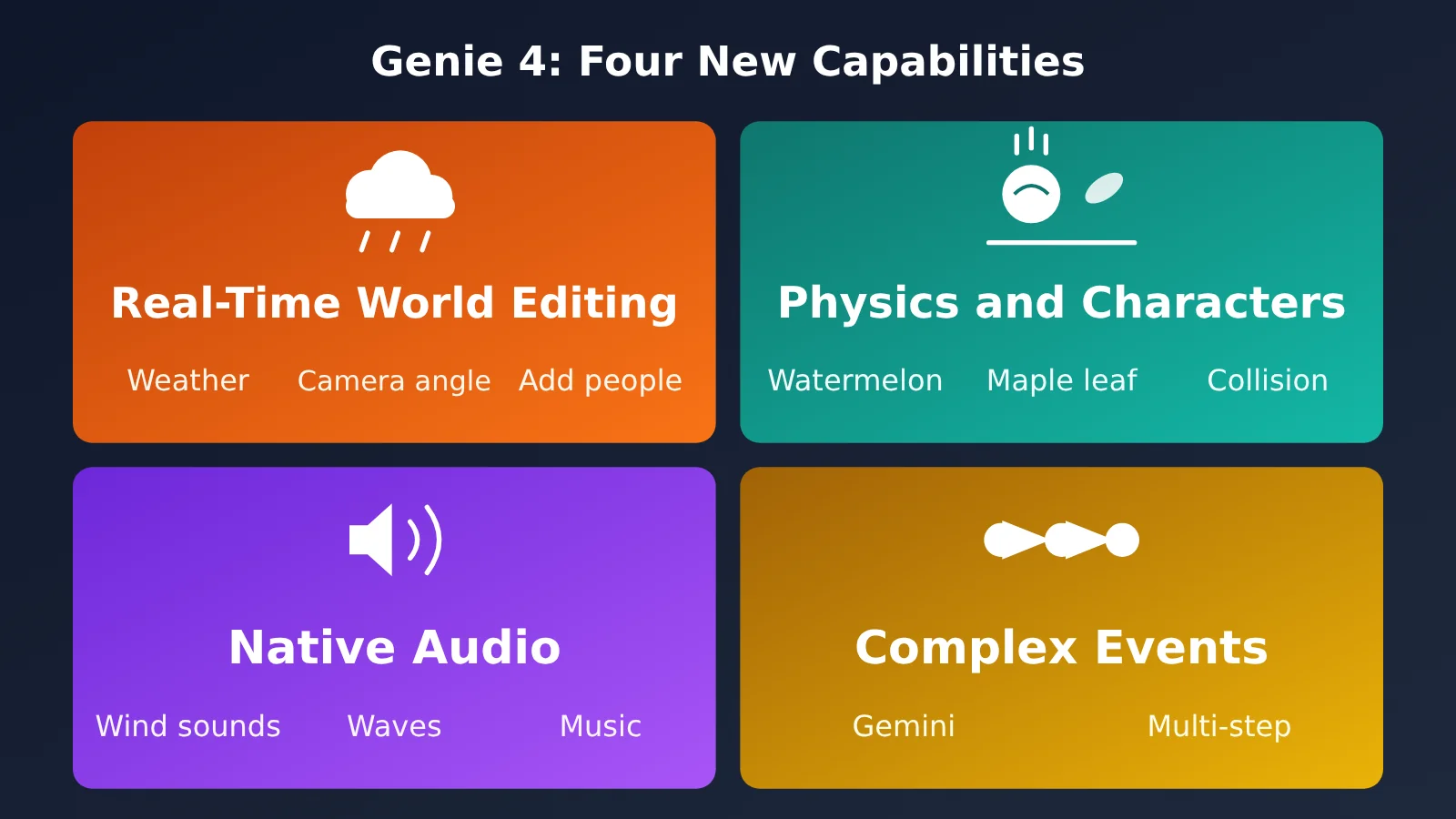
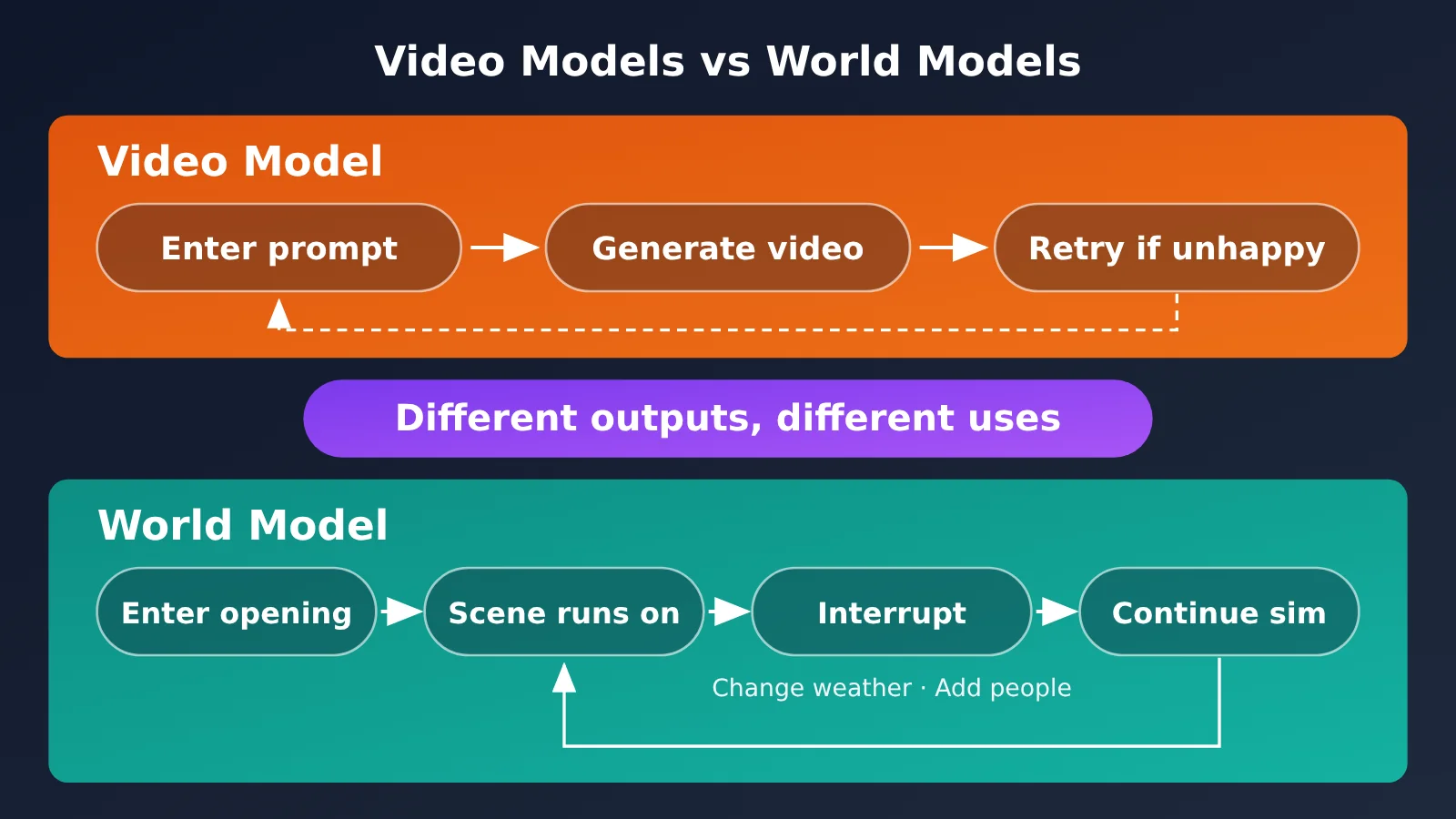
First, let’s explain what a “world model” is. A video model is like being given an address: what you get is a finished recording. A world model is more like a live performance. The actors stay onstage, and if you call out “rain,” it starts raining—and the story changes along with it. The official blog groups Genie 4’s advances into four capabilities, which we’ll explore below.

Caption: In the official launch video, a character steps into the world depicted in Van Gogh’s The Starry Night. Source: Google DeepMind’s official launch post (2026-10-27), official demo clip.
Genie 4 Capability 1: Changing the World in Real Time
According to the official blog, you can use natural language to modify a running simulation in real time—for example, changing the weather, moving the camera, or adding a new person or object. In the official demo, a single instruction changes the weather, moves the camera, or adds a person to the scene while it’s still playing.
One important detail: Google says Gemini uses the surrounding scene to rewrite your prompt into an instruction that better fits what’s on screen. Between your inputs, Gemini also keeps observing and guiding the scene, so the world doesn’t “freeze” when you stop typing.
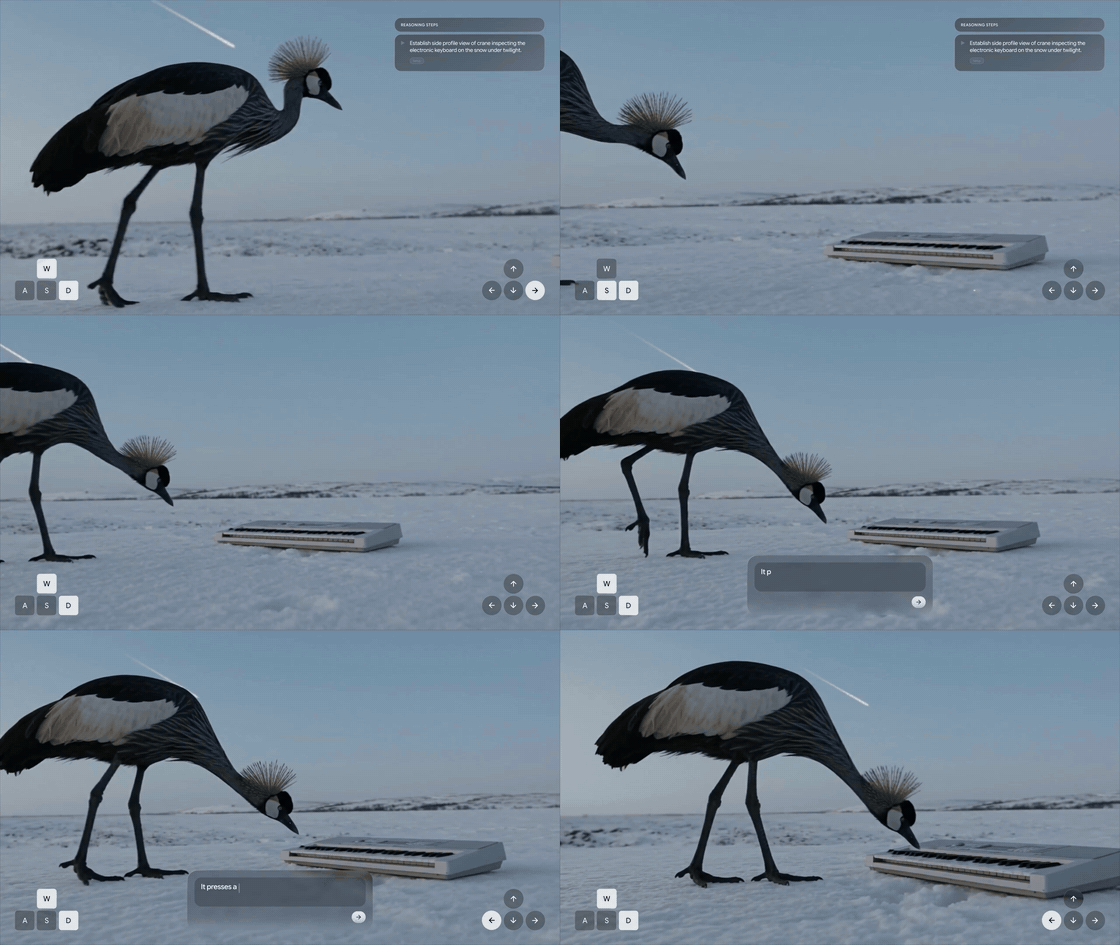
Caption: A prompt is entered while the scene is still running, and a piano appears in the snow. A crane walks over and settles on the keys. Source: Same as above.
Genie 4 Capability 2: More Realistic Physics and Characters
The official blog says Genie 4 can simulate real-world physics, including aerodynamics and collisions. The demos show watermelons hitting the ground, maple leaves falling, and objects colliding. It’s worth noting that these are all demos released by Google itself.
Google says the biggest improvement is in its characters: Their movements are more natural, they can react to their surroundings, and you can control them in real time. Characters in the previous generation, Genie 3, were relatively stiff, and Google has highlighted this as a major area of improvement.

Caption: With just one instruction—“smash a marble bust onto the watermelon”—a bust appears in the scene and breaks the watermelon, sending flesh flying. Source: Same as above.
Genie 4 Capability 3: Native Audio Generation
Google describes Genie 4 as its “first real-time world model to natively generate audio.” Each world comes with its own ambient sounds, from wind in the woods to ocean waves, and can also include background music. The sounds are generated in sync with the visuals, not added afterward.
It goes a step further with dialogue. According to the official blog, characters can respond to your input or events in the world and speak in real time. Early tester @venturetwins called it “a big step” on X, specifically noting the inclusion of “native audio.” That’s one person’s impression, though, not independent verification of how well it works.
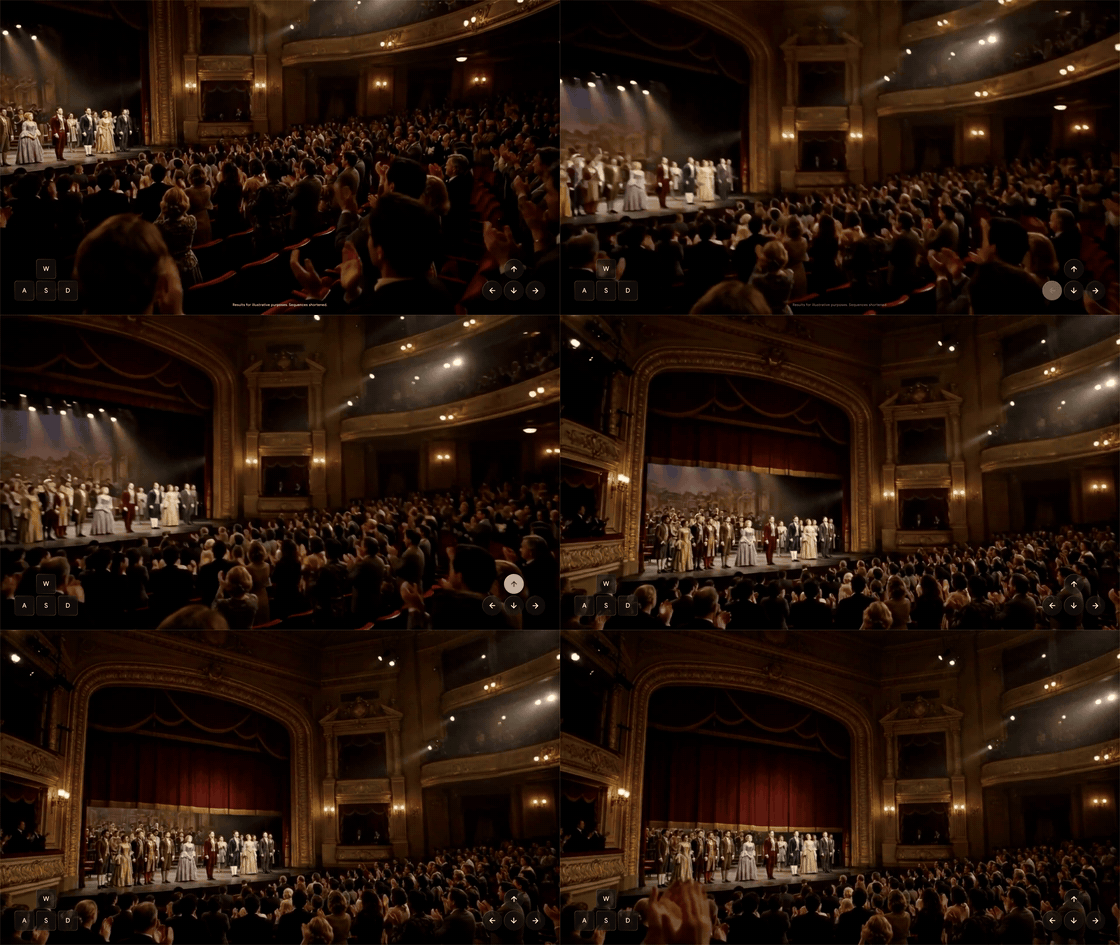
Caption: In the opera house world, the camera tilts up on its own to reveal the dome. The original clip includes ambient sound and character dialogue, but the GIF can’t capture audio. Source: same as above.
Genie 4 Capability 4: Simulating Complex Events With Gemini
According to the official blog, Genie 4 can simulate multistep events when combined with Gemini. This lets AI systems test how they respond in simulated environments before entering the real world. The capability is primarily aimed at research areas such as robotics, so everyday users aren’t likely to have access to it anytime soon.
Genie 4’s Second Transformation: Three Models Working Together Behind the Scenes
In short: Genie 4 generates the pixels, while different Gemini models handle appearance, coordination, and task breakdown.
According to the official blog, Gemini Omni anchors the simulation in real-world appearance and behavior—in other words, it makes the things on screen look real. For more background on Omni, see Gemini Omni Video Model Intelligence: 8 Signals Point to an I/O 2026 Launch.
The second model named by Google is Gemini 3.8 Flash, which it calls an “in-the-loop guiding agent.” It doesn’t draw. It’s more like a director and script supervisor on a film set: it continuously watches the scene, breaks goals into steps, then checks the generated footage to see whether each step has been completed. If the world changes or a user chimes in, it adjusts the plan on the spot.
The third is Gemini 4 Argon, which appears in experiments involving Gemini Robotics. In one official example, Argon breaks down the task of playing checkers into steps and delivers them to Genie 4 in real time as text captions. Genie 4 then renders Apptronik’s Apollo humanoid robot playing the game.
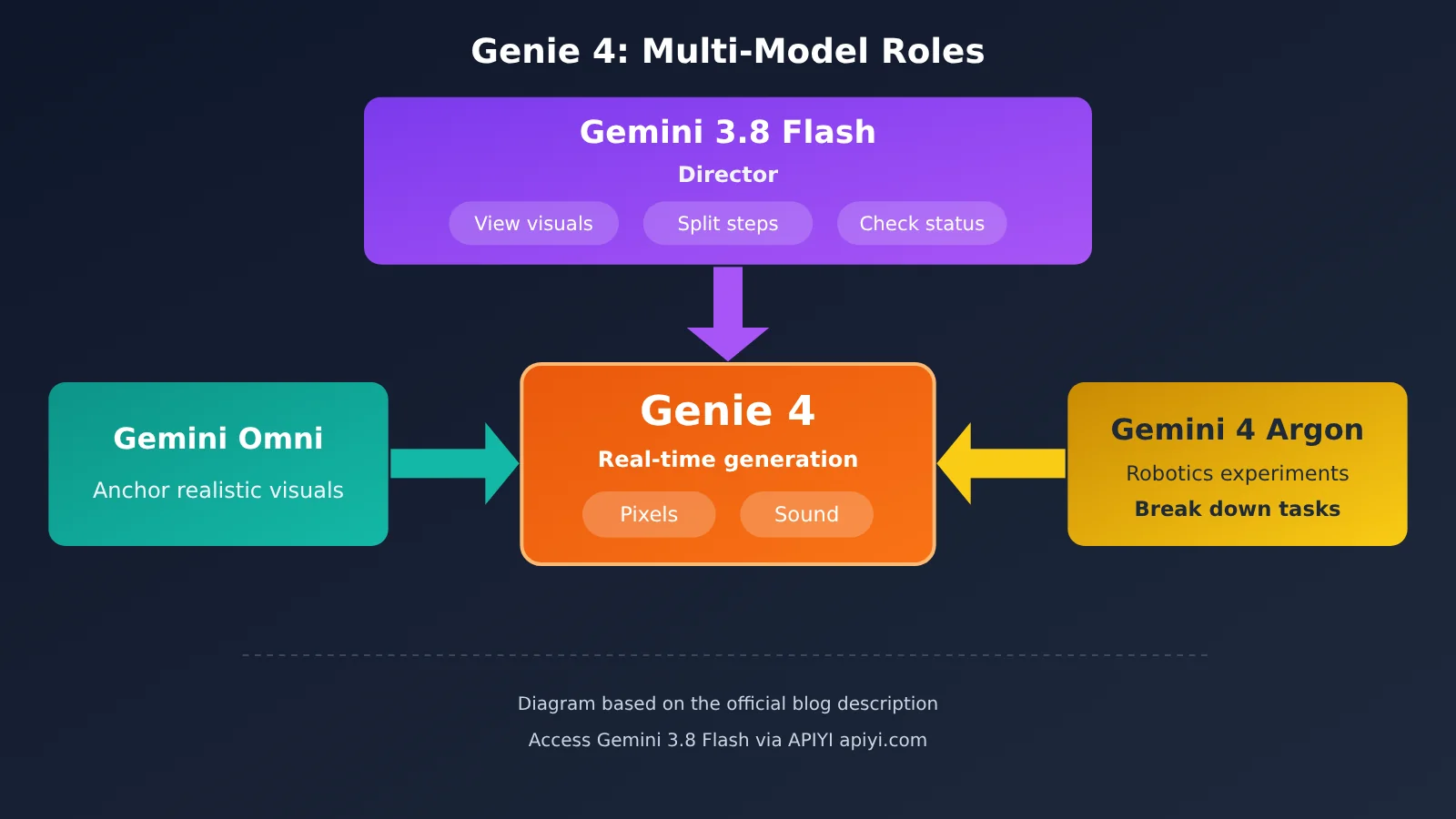
In a briefing cited by TechCrunch, Google research director Tejas Kulkarni said that “hybrid world models” could emerge in the future: Gemini would write code and text, while Genie would receive them and simulate reality in real time. The official blog points in the same direction, with Gemini handling structure and narrative timelines and Genie handling physics at the pixel level.
Genie 4’s Third Shift: It’s Not the Same as Video Models Like Veo
The bottom line: A video model delivers a finished clip. A world model delivers a live scene that keeps running and lets you step in at any time.
They solve different problems, so neither replaces the other. Video models like Veo are suited to producing fixed clips you can edit straight into a finished work. Genie 4 is better suited to ideation, previsualization, and interactive prototyping. Google hasn’t positioned it as a tool for making finished videos, nor has it said it can replace a game engine.

Caption: A first-person walk along the platform of a rural Japanese train station in the 1980s, with the crowd moving on its own. That’s the part a video model can’t provide. Source: Same as above.
| Comparison | Video model (e.g., Veo) | World model (Genie 4) |
|---|---|---|
| Output | A fixed video clip | An interactive scene that keeps running |
| Can you change it midway? | Not during generation | Yes, at any time, using text or controls |
| Do you need to regenerate to change the result? | Yes | No, the scene continues to unfold |
| Best suited for | Finished video footage, ads, short videos | Previsualization, storyboard ideation, interactive prototypes, simulation research |
When Can You Use Genie 4?
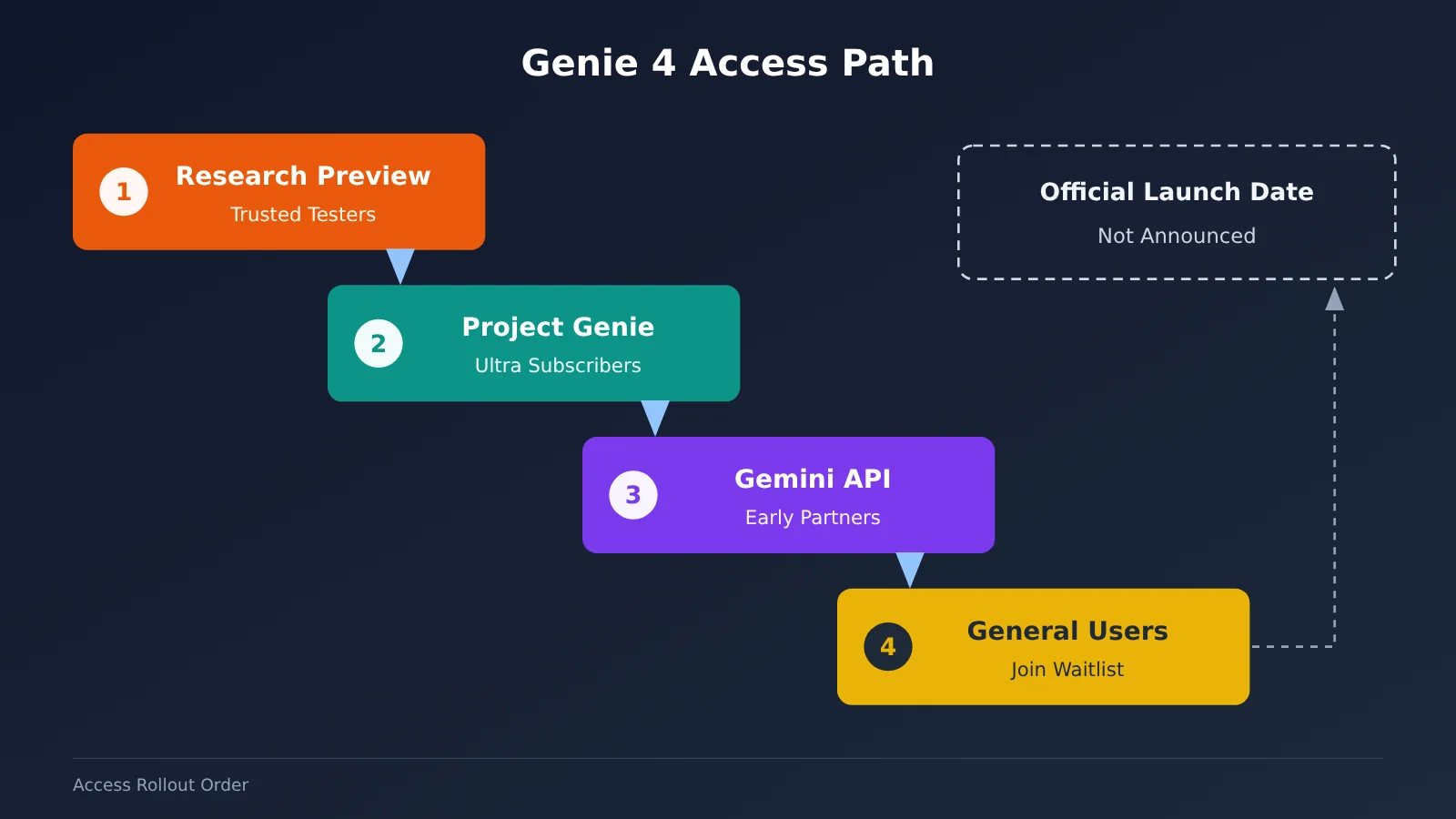
The short answer: For now, only trusted testers can use it. Everyone else will have to join the waitlist.
According to the official blog, Genie 4 is available as a research preview to trusted testers. After collecting feedback, Google plans to make it available first in Project Genie through the Google AI Ultra subscription, as well as to early access partners through the Gemini API and Google AI Studio.
Two things are worth clarifying here. Project Genie is an experimental web app from Google Labs—a kind of “showroom” where you can try out world models. It’s been included in the Google AI Ultra subscription since January this year. Early access partners are organizations that get access ahead of everyone else, typically businesses or development teams. It’s not something you can get by signing up publicly.
To get in line, look for Join the Genie 4 waitlist at the top of the official page. It leads to a Google form at forms.gle/WQnSNEM3omF7Uruu7; just fill it out as instructed. One other detail: as of October 28, the Project Genie listing on the Gemini subscription page still said Genie 3. Genie 4 hadn’t yet appeared among the subscription benefits. Google hasn’t announced an official public release date.
Six Things Genie 4 Still Can’t Do
The bottom line: Google acknowledges that Genie 4 is still early-stage research. It performs well over short periods, but problems can emerge over longer runs.
- Visual drift (official blog): Scenes can stay coherent for short stretches, but details and objects may shift during longer runs, after repeated prompt changes, or as you move around the environment. Long-term consistency is still a research challenge.
- Complex physical interactions (official blog): These are still listed as an area of ongoing research.
- Accurate real-time audio (official blog): Genie 4 can generate sound, but its accuracy is still being improved.
- Clear, readable text (official blog): Signs and other text in a scene may not render clearly.
- Spatial precision (official blog): Positions and distances aren’t yet precise enough.
- How long a single run can last: The official blog doesn’t say. Based on a briefing, TechCrunch reported that Genie 4 can maintain a consistent scene for up to about two minutes, twice as long as its predecessor. Google says Genie 3 in Project Genie had a 60-second limit per generation, which lines up with that comparison. But the “two minutes” figure remains a media report, not an official figure.
Google also hasn’t announced the resolution, frame rate, pricing, usage limits, parameter count, or API launch date.
There are differing views in the community, too. X user @dummerspast39 argued that Genie 4 “isn’t a new model,” claiming it’s essentially a real-time version of Omni with 3.8 Flash as an assistant. That’s one user’s assessment, offered without evidence, and Google hasn’t responded. The official blog says Genie 4 “integrates and builds on capabilities from the Gemini family.”
What Readers in China Can Do Now
The bottom line: You’ll still have to wait for the world model, but you can make a usable video today.
If you’re just curious, join the waitlist and keep an eye on the official blog and SynthID documentation. SynthID is Google’s invisible watermarking technology: you can’t see it, but it can be detected. Google says videos and audio generated by Genie 4 will include SynthID, which could help you verify content suspected of being Genie-generated.
If you want to get started right away, try the parts of the Genie 4 ecosystem that are already available. gemini-3.8-flash, which Google identifies as the “director,” is currently available through APIYI at apiyi.com. You can use it to break a scene description into shots, actions, and dialogue and work out your storyboard first. For video, the platform already offers models such as Seedance 2.5 that can turn those storyboards into clips. Check the model list on apiyi.com for current availability and pricing.
There’s another benefit: you can use one API key to access multiple models without registering for each one separately. The interface is compatible with the OpenAI format, so you can connect it to your existing code by setting base_url to https://api.apiyi.com/v1. By the time Genie 4 opens up, you’ll already have experience with a “director model plus video model” workflow.
Genie 4 FAQ
Q1: What is Genie 4?
Genie 4 is a world model released by Google DeepMind on October 27, 2026. It can generate interactive environments in real time, with native audio and character dialogue.
Q2: How is Genie 4 different from Genie 3?
The official blog lists native audio, character dialogue, more realistic human movement, and real-time guidance from Gemini as new features. As for duration, the only figure available is TechCrunch’s “two minutes,” compared with Genie 3’s 60-second limit in Project Genie.
Q3: Can I use Genie 4 now?
Not yet, if you’re a regular user. It’s currently in research preview and available only to trusted testers. Google plans to open it to Project Genie users on AI Ultra and early API partners, but hasn’t announced a date.
Q4: Does Genie 4 have a public API and pricing?
No. Google hasn’t published an API, model name, or pricing details, and Genie 4 isn’t currently available for purchase. If you’d like to try related capabilities, you can access available models such as Gemini 3.8 Flash through APIYI at apiyi.com.
Q5: Can Genie 4 replace video generation tools?
Not exactly. They produce different outputs: video models deliver finished clips, while Genie 4 is better suited to previsualization and prototyping. If you need finished video assets, you’ll still need a video model. You can access multiple video models with one API key through APIYI at apiyi.com.
Q6: Can we trust the official demos?
The demos were released by Google itself, and early testers’ reviews are personal impressions. Google acknowledges that visuals can drift and that text rendering and spatial accuracy still have shortcomings. It’s best to wait for more public test results before drawing conclusions.
Summary
Genie 4’s biggest change is that the world model can now combine sound, dialogue, and real-time control for the first time, with models like Gemini Omni and Gemini 3.8 Flash working together behind the scenes. For now, though, it’s still a research preview. There are no official numbers for its release date, pricing, or duration, and the “two-minute” figure comes only from media reports.
The takeaway: Genie 4 is worth watching, but you can’t use it yet. If you want to create content now, you can use existing models to build your storyboards and videos. You can try Gemini 3.8 Flash and video models with a single key at APIYI apiyi.com.
References
- Google DeepMind official blog: Genie 4: A new generation of world simulation
- Link:
deepmind.google/blog/genie-4-a-new-generation-of-world-simulation - Google official blog: Introducing Genie 4
- Link:
blog.google/innovation-and-ai/models-and-research/google-deepmind/introducing-genie-4 - TechCrunch article: Google’s Genie 4 world model adds audio, more realistic worlds, and real-time steering
- Link:
techcrunch.com
Author: APIYI Technical Team
Technical discussions: Contact us through the APIYI apiyi.com homepage. For more information, visit the documentation center at docs.apiyi.com.