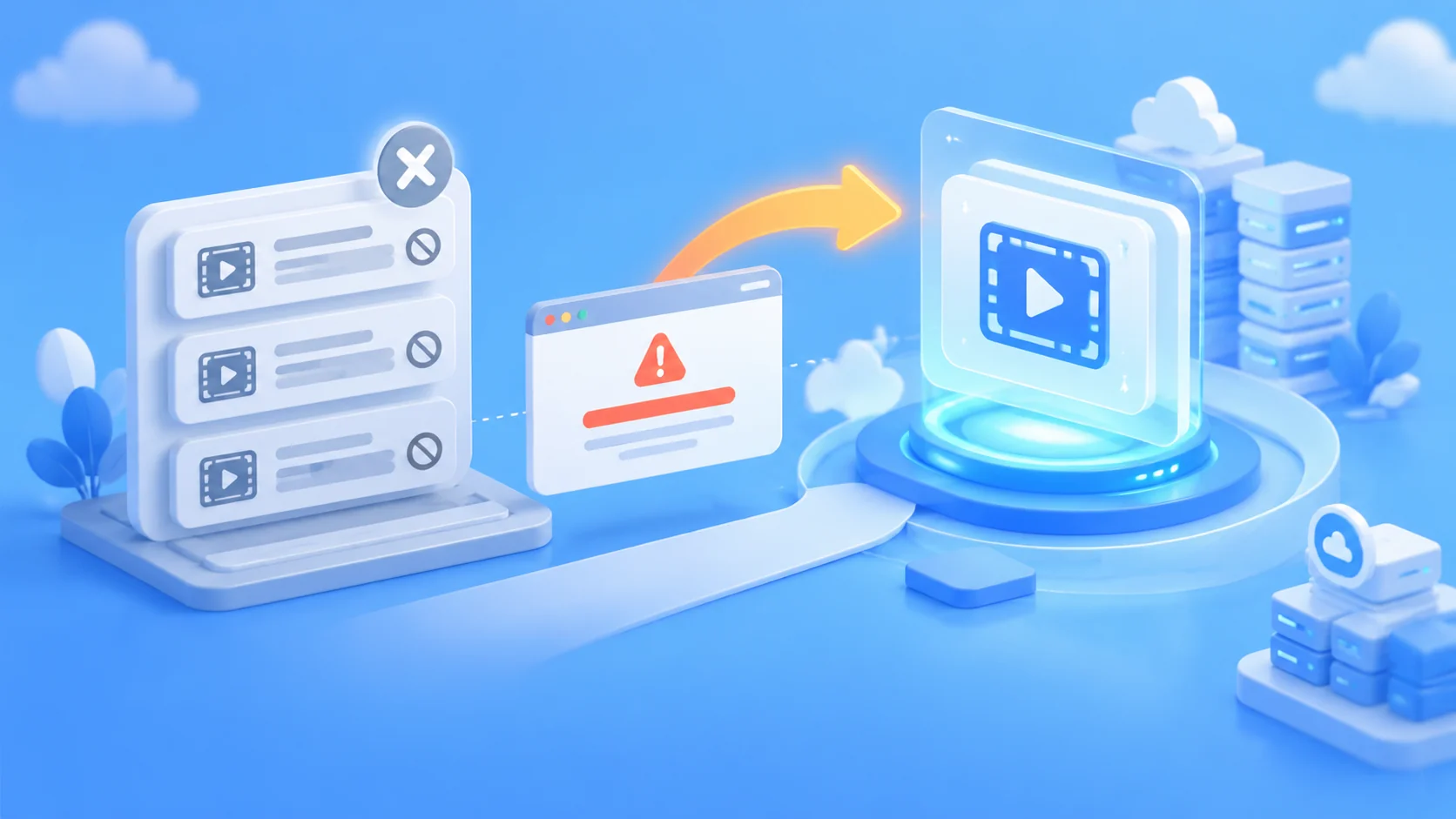
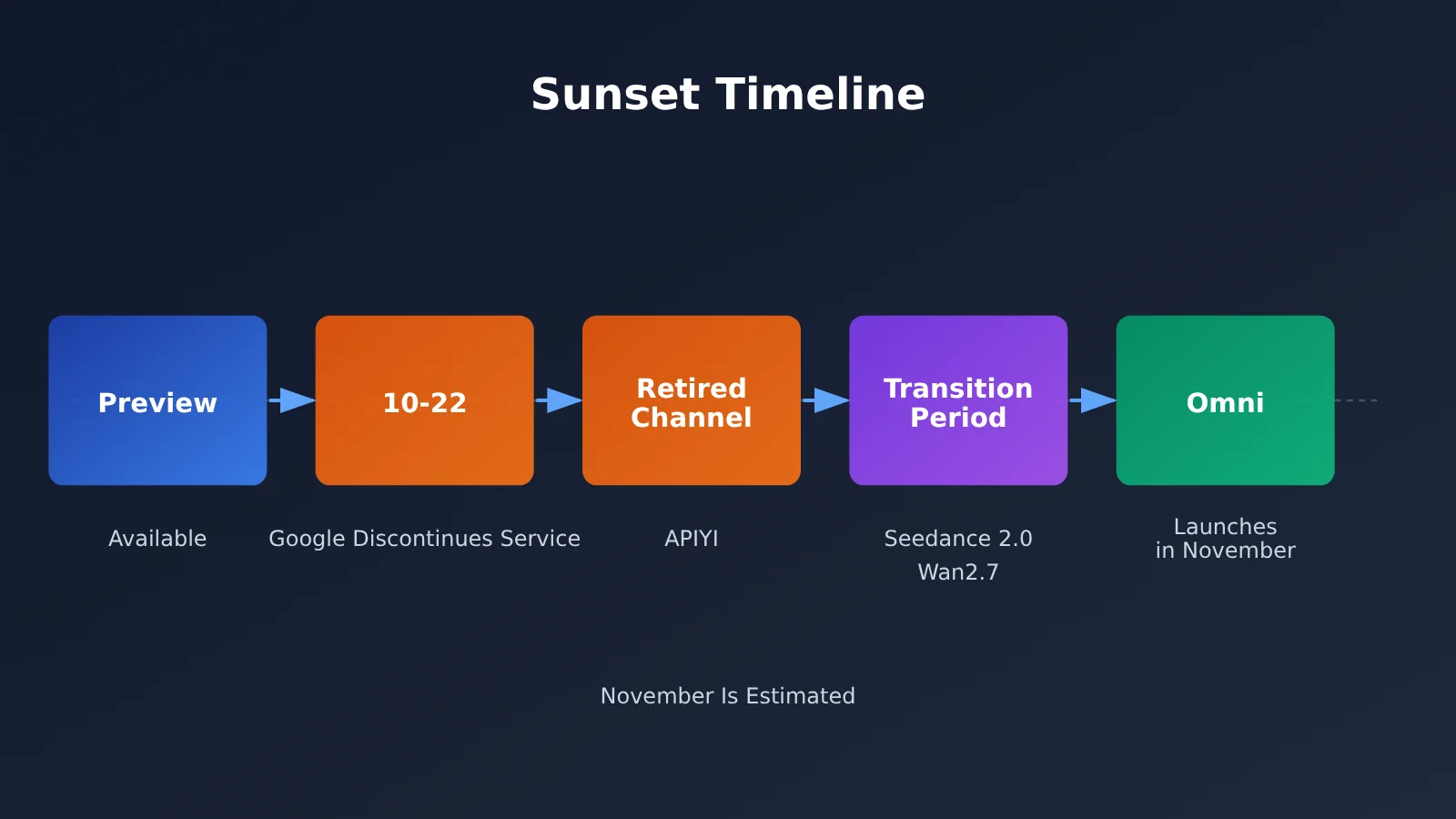
Author’s note: Google discontinued all three models in the Veo 3.1 Preview series on October 22, 2026. This article summarizes the discontinued models, how to identify related errors, Omni integration progress, and migration options for the transition period.
If your video generation tasks have suddenly started failing across the board and returning fail_to_fetch_task, the likely reason is that Veo 3.1 Preview has been discontinued. Google stopped offering all three models in the Veo 3.1 Preview series on October 22, 2026, and APIYI has also deactivated the corresponding channels.
This isn’t a problem with your code or a temporary platform outage. Google’s official deprecation notice confirms that these models have been officially discontinued upstream. This article explains which models are affected, how to quickly confirm the cause of the error, and how to make a smooth transition before the official replacement models become available.
Key takeaway: Get up to speed on the Veo 3.1 Preview discontinuation in 3 minutes, and get a migration checklist you can put into action right away.
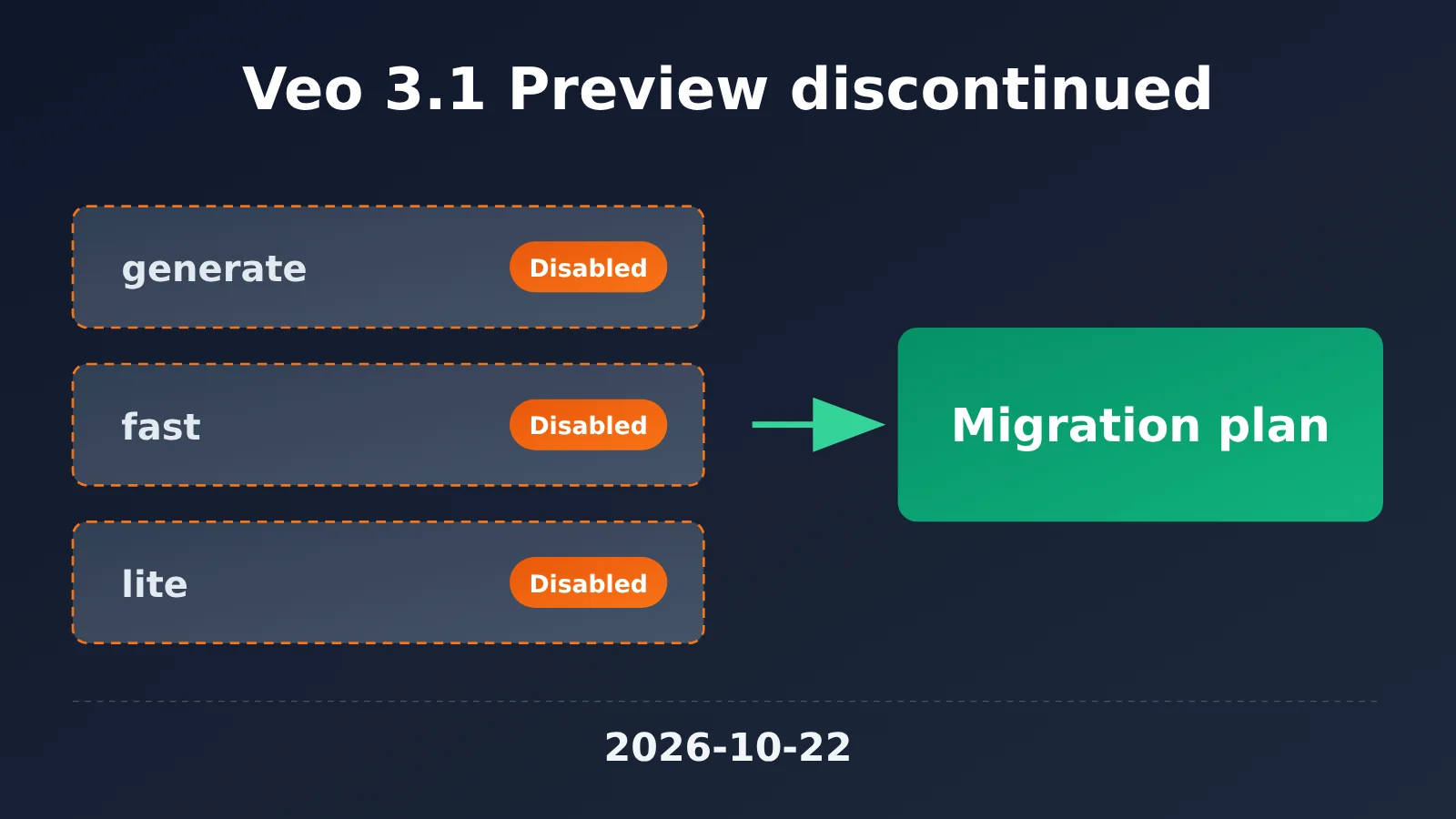
Key Takeaways: Veo 3.1 Preview Is Being Discontinued
Here’s the bottom line. The table below summarizes the key details of the Veo 3.1 Preview discontinuation, based on Google’s official announcement and APIYI’s service notice.
| Item | Details |
|---|---|
| Discontinuation date | October 22, 2026 (Google will stop providing access) |
| Announced by | Google (Gemini API deprecation notice) |
| Discontinued models | veo-3.1-generate-preview, veo-3.1-fast-generate-preview, veo-3.1-lite-generate-preview |
| Official replacement | gemini-omni-1.1-flash |
| APIYI channel status | The channels for Veo 3.1 Preview have been discontinued |
| Omni integration status | Still planned; expected to launch in November. Check the announcement for the exact date. |
| Typical error | The task returns fail_to_fetch_task; the internal 404 message includes is no longer available |
About the Three Discontinued Veo 3.1 Preview Models
Three models are being discontinued, covering virtually all Veo 3.1 Preview variants. veo-3.1-generate-preview is the standard version, veo-3.1-fast-generate-preview is optimized for speed, and veo-3.1-lite-generate-preview is the lightweight version. All three belong to the same batch of Preview models, so they’re being discontinued together.
Preview models are experimental releases designed to gather feedback and validate capabilities. They generally have shorter lifecycles than production models. Google publishes discontinuation plans in advance on its official deprecation page, then disables access when the deadline arrives. After that, video generation will fail on any channel if requests still target one of these three model names.
| Model | Purpose | Current status | Official replacement |
|---|---|---|---|
veo-3.1-generate-preview |
Standard video generation | Discontinued | gemini-omni-1.1-flash |
veo-3.1-fast-generate-preview |
Fast video generation | Discontinued | gemini-omni-1.1-flash |
veo-3.1-lite-generate-preview |
Lightweight video generation | Discontinued | gemini-omni-1.1-flash |
📌 Official recommendation: Discontinued models and recommended replacements are updated regularly on the “Deprecated Models” page in the APIYI documentation center. Bookmark docs.apiyi.com and check it regularly so you can prepare for migrations in advance.
How to Identify Errors Caused by Veo 3.1 Preview Being Discontinued
When something goes wrong, many developers first check their code, API key, or network. But failures of this kind have clear indicators. Use the checks below to quickly identify the cause.
Signs of a Veo 3.1 Preview Error
If a video task query returns fail_to_fetch_task, and the internal 404 in the error details contains is no longer available, you can confirm that the failure is caused by the model being discontinued. This is different from errors caused by invalid parameters, insufficient quota, or content moderation—and retries won’t help.
| Error symptom | Possible cause | How to handle it |
|---|---|---|
fail_to_fetch_task + internal 404 contains is no longer available |
Veo 3.1 Preview has been discontinued | Switch models and follow the migration plan |
| Parameter validation error | Request parameters don’t meet the model’s requirements | Check the documentation and correct the parameters |
| Authentication error | Invalid API key or insufficient permissions | Check your key configuration |
| Balance or quota error | Insufficient account balance | Add funds and try again |
Save Veo 3.1 Preview Error Details Before Troubleshooting
One thing to keep in mind: errors like fail_to_fetch_task are usually returned in the response body only once. If your program logs only the status code and doesn’t save the full response body, it can be difficult to determine the cause later. The APIYI documentation center’s “Guide to Retaining API Error Details” covers this issue. We recommend saving the complete error response in your logs.
The example below shows how to identify a discontinued-model error when querying a task and save the original response to the logs:
import json
import logging

# Unified endpoint: use the APIYI OpenAI-compatible interface
BASE_URL = "https://api.apiyi.com/v1"

DEPRECATED_VEO_MODELS = {
    "veo-3.1-generate-preview",
    "veo-3.1-fast-generate-preview",
    "veo-3.1-lite-generate-preview",
}

def check_task_result(model: str, resp_json: dict) -> str:
    """Identify task failures caused by Veo 3.1 Preview being discontinued and retain the full error details"""
    raw = json.dumps(resp_json, ensure_ascii=False)
    logging.warning("task response: %s", raw)  # Errors are returned only once, so save the full response

    if "fail_to_fetch_task" in raw and "is no longer available" in raw:
        if model in DEPRECATED_VEO_MODELS:
            return "MODEL_DEPRECATED"  # The model has been discontinued and must be replaced
    return "OTHER_ERROR"
Once MODEL_DEPRECATED is detected, your program should stop retrying the original model and switch to a fallback or alerting process. Otherwise, the task queue can fill up with requests that are guaranteed to fail, making it harder to troubleshoot other issues.
Migration Options After Veo 3.1 Preview Is Discontinued
The official replacement, gemini-omni-1.1-flash, hasn’t launched on APIYI yet and is still being integrated. It’s expected to launch in November; check the official announcement for the exact date. In the meantime, we recommend switching to another video model already available on the platform to keep your business running without interruption.
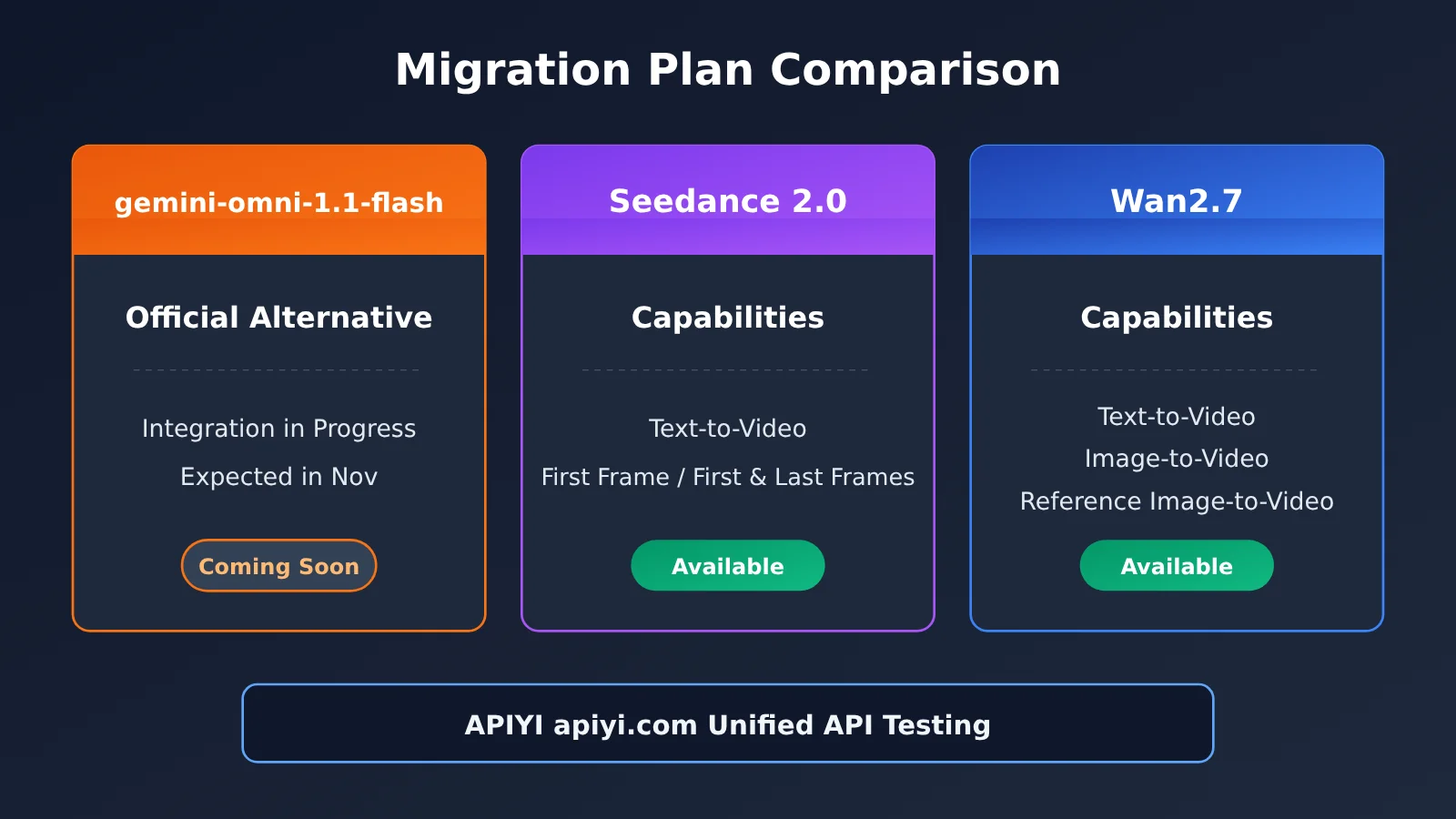
| Migration option | Key capabilities | Availability on APIYI | Best suited for |
|---|---|---|---|
| gemini-omni-1.1-flash | Google’s official replacement | Being integrated; expected to launch in November | Those who want to stay in the Google ecosystem long term |
| Seedance 2.0 | Text-to-video, first-frame/first-and-last-frame generation | Available | Text-to-video generation with first-frame or first-and-last-frame control |
| Wan2.7 (Tongyi Wanxiang) | Text-to-video, image-to-video, reference-image-to-video | Available | Image-to-video generation or workflows that require reference-image guidance |
| Available platform | — | Unified API through APIYI apiyi.com | Switch between multiple models with a single API key |
Veo 3.1 Preview Migration Options: A Comparative Analysis
Seedance 2.0: Seedance 2.0 supports text-to-video and video generation from a first frame or from both the first and last frames. If your existing workflow uses Veo 3.1 Preview for text-to-video or first-frame-guided generation, the migration should be relatively straightforward. Since it’s a third-party model, its prompt style and output characteristics differ from Veo’s, so it’s best to run a comparison using real assets before launch.
Wan2.7: Wan2.7 supports text-to-video, image-to-video, and video generation from reference images, giving you more options for use cases that need to keep a subject consistent with a reference image. If your workflow relies heavily on input images to guide the visuals, Wan2.7 may be a better transitional option. Its parameter system differs from Veo’s, so you’ll need to adapt the request structure separately.
Omni: gemini-omni-1.1-flash is Google’s officially designated replacement model and is likely to feel most familiar to existing Veo users over the long term. However, it isn’t available on APIYI yet, so it’s not suitable for production right now. We recommend planning a migration once an official announcement is made.
🎯 Migration recommendation: During the transition, test Seedance 2.0 and Wan2.7 side by side through APIYI apiyi.com. Compare the results using the same prompts and reference images, then choose your primary model. You can use the same API key to call multiple video models, making it easy to switch.
What to Update When Migrating from Veo 3.1 Preview
Migration involves more than changing the model name. Video models can differ in their parameters and task workflows, so work through this checklist:
- Model names: Replace all three Veo 3.1 Preview model names in your code and configuration, including environment variables, database settings, and frontend dropdown options.
- Request parameters: Check the target model’s documentation for the names and accepted values of fields such as duration, resolution, aspect ratio, first frame/first and last frames, and reference images.
- Task polling logic: The status and result fields for asynchronous tasks may differ. Review your polling logic and callback parsing.
- Error handling: Keep the earlier model deprecation detection logic, and add handling for the new model’s error codes.
- Output validation: Compare outputs from the old and new models using a fixed test set. Make sure the new model meets your requirements for style, clarity, and stability.
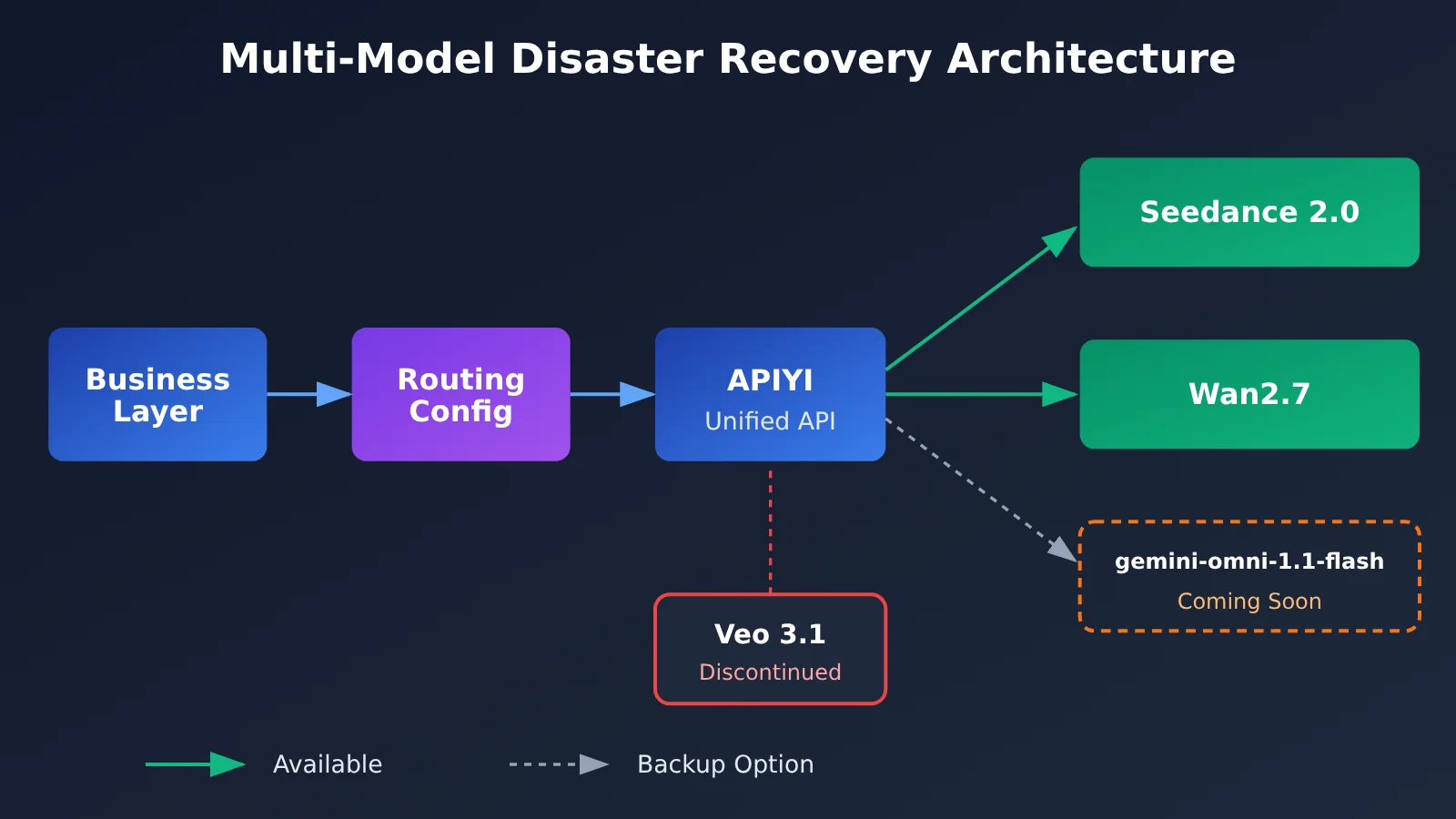
To make future migrations faster when a model is deprecated, we recommend making model selection configurable rather than hard-coding it in your business logic:
# Video model routing configuration: update the config, not the business logic, when a model is deprecated
BASE_URL = "https://api.apiyi.com/v1"  # APIYI unified endpoint

VIDEO_MODEL_ROUTES = {
    "text_to_video": "seedance-2.0",   # Primary option during the transition; check APIYI docs for the exact model name
    "image_to_video": "wan2.7",        # For image-to-video and reference image workflows; check the docs for the exact model name
    # "default": "gemini-omni-1.1-flash",  # Enable Omni once it’s available on APIYI
}

def pick_model(task_type: str) -> str:
    return VIDEO_MODEL_ROUTES.get(task_type, VIDEO_MODEL_ROUTES["text_to_video"])
The model names in this code are examples. For actual usage, refer to the model identifiers and parameter details published in the APIYI documentation center.
Impact Analysis of the Veo 3.1 Preview Shutdown
Impact on Developers
- Existing tasks will fail immediately: Requests that still use any of these three model names will fail. You’ll need to replace them right away—retries won’t help.
- The VEO 3.1 Official channel is affected: This channel forwards requests to Google’s official endpoints, so the corresponding models will stop working when the Preview models are retired. For details on which models are still available through the existing VEO channels, see “VEO 3.1 Official vs. Reverse-Engineered Proxy: A Comparison” in the documentation center.
- New parameters may require integration work: Switching to Seedance 2.0 or Wan2.7 means adapting both the request structure and task-status polling logic. Be sure to leave time for testing.
- Logging needs improvement: This incident revealed that many projects don’t fully record error responses. It’s a good opportunity to improve your logging and make future troubleshooting much faster.
Impact on the Industry
- Preview models aren’t suitable for core business workloads: Preview models can have short lifecycles. For production, either have a backup model ready or prioritize stable releases.
- Multi-model architectures are becoming more important: Changes to a single provider’s models can directly affect your business. Using an aggregation platform to keep multiple video models available for switching is a more resilient approach.
- Video models continue to evolve: The shift from Veo 3.1 Preview to Omni shows that Google is adjusting its video generation product line. Further version changes may follow, so it’s worth keeping an eye on developments.
Frequently Asked Questions
Q1: What does it mean that Veo 3.1 Preview has been discontinued?
Google stopped offering the `veo-3.1-generate-preview`, `veo-3.1-fast-generate-preview`, and `veo-3.1-lite-generate-preview` models on October 22, 2026. These model names can no longer be used to generate videos, and all calling channels are affected.
Q2: My task returns fail_to_fetch_task. Is there a problem with my code?
If the internal 404 response includes `is no longer available` and the request uses one of the three models listed above, the issue isn’t with your code—the model has been discontinued. Retrying won’t help; you’ll need to switch models. Before troubleshooting, save the full response body, since this error message is returned only once.
Q3: When will the official replacement, gemini-omni-1.1-flash, be available on APIYI?
APIYI hasn’t launched Omni yet; it’s still on the integration roadmap and is expected to launch in November. Check platform announcements for the exact date. The documentation center will be updated after launch, so keep an eye on service notices at apiyi.com.
Q4: Which video model is the safest choice during the transition?
It depends on your use case:
– **Text-to-video, first-frame control, or first-and-last-frame control**: Consider Seedance 2.0 first.
– **Image-to-video, with subject consistency from a reference image**: Consider Wan2.7 first.
– **Want to stay in the Google ecosystem long term**: Use one of the two models above during the transition, then switch when Omni launches.
Q5: How can I quickly test the alternatives?
We recommend using an API aggregation platform that supports multiple models so you can compare them:
1. Visit APIYI at apiyi.com and create an account.
2. Get an API key. New users can claim free testing credits.
3. Set `base_url` to `https://api.apiyi.com/v1`, then call Seedance 2.0 and Wan2.7 separately according to the documentation.
One API key lets you call multiple video models, making it easy to compare them using the same set of assets.
Q6: How can I find out in advance if a model is going to be discontinued?
Keep an eye on two sources: Google’s official Gemini API deprecations page and the “Deprecated Models” list in the APIYI documentation center. The latter collects discontinued models and recommended replacements, saving you the time of checking official announcements one by one. For production projects, check monthly and make sure your code lets you configure the model.
Veo 3.1 Preview Shutdown: Key Takeaways
- Shutdown: Google discontinued all three Veo 3.1 Preview models on October 22, 2026.
- How to recognize the error:
fail_to_fetch_taskwith an internal 404 containingis no longer availableindicates the model has been discontinued. - Official replacement: The replacement model is
gemini-omni-1.1-flash, which APIYI expects to add in November. - Interim alternatives: Use Seedance 2.0 for text-to-video and first/last-frame workflows, and Wan2.7 for image-to-video and reference-image workflows.
- Logging best practice: The error details are returned only once, so make sure to save the full response body in your logs.
- Getting started: Use APIYI at apiyi.com to compare multiple video models with a single API key.
Summary
Here are the key points about the Veo 3.1 Preview shutdown:
- All three models have been discontinued: The standard, fast, and lightweight versions are all offline, and the corresponding APIYI channels have been shut down as well.
- The error is easy to recognize: If you see
fail_to_fetch_taskalong withis no longer available, start the migration process instead of repeatedly troubleshooting your code. - Alternatives are available in the meantime: Until Omni launches, Seedance 2.0 and Wan2.7 can cover most video generation use cases.
We recommend replacing the old model names in your code as soon as possible, making model selection configurable, and improving your error logging to prepare for the switch to Omni. You can quickly evaluate the alternatives through APIYI at apiyi.com. The platform offers an OpenAI-compatible API and free testing credits for new users, and you’ll be able to switch to Omni seamlessly through the same interface once it launches.
📚 References
- Google Gemini API Deprecation Notice: Official announcement about the Veo 3.1 Preview series being discontinued
- Link:
ai.google.dev/gemini-api/docs/deprecations -
Details: Check the list of discontinued models, deactivation dates, and officially recommended replacements.
-
APIYI Documentation Center: Deprecated model list, guide to retaining API error messages, and video model invocation documentation
- Link:
docs.apiyi.com - Details: Regularly updated information on discontinued models and recommended alternatives, plus parameter guides for Seedance 2.0 and Wan2.7.
Author: APIYI Technical Team
Technical Support: If you run into any issues during migration, contact us on the APIYI homepage at apiyi.com. For more resources, visit the docs.apiyi.com Documentation Center.