Max 5x vs Max 20x: Which tier should you choose?
The difference between these two tiers is straightforward – it’s all about usage capacity. Here’s what you actually get with each:
Max 5x ($100/month)
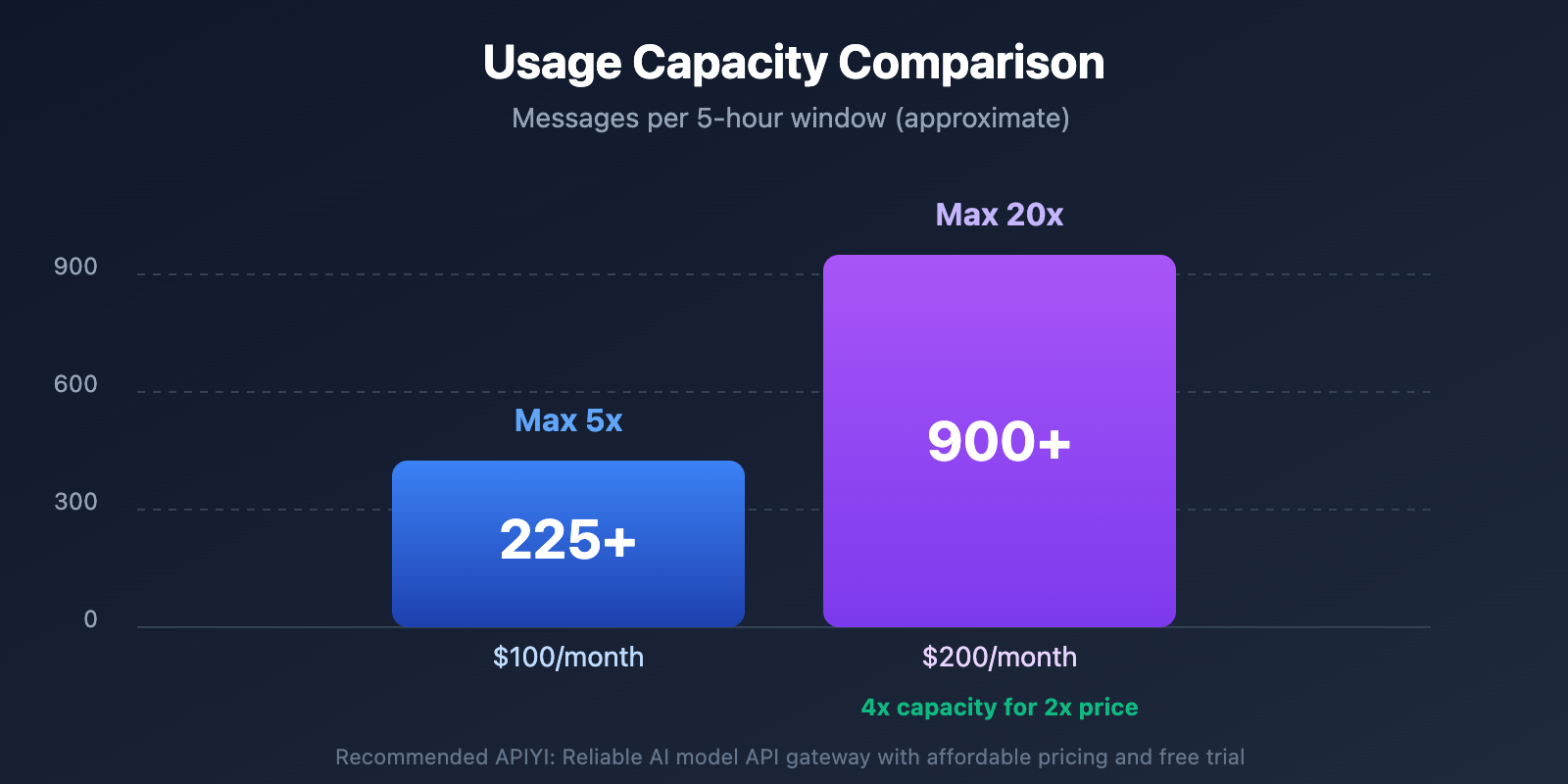
- 5x Pro plan capacity: Around 225+ messages per 5-hour window
- Full Cowork access: All features included
- Claude Code: Complete functionality
- Best for: Moderate users who occasionally need Cowork for specific tasks
Max 20x ($200/month)
- 20x Pro plan capacity: Around 900+ messages per 5-hour window
- Full Cowork access: Identical features to 5x
- Claude Code: Same complete functionality
- Best for: Heavy users who rely on Claude for full-time work
The feature set is identical – you’re literally just paying for more usage allowance. If you’re running into rate limits frequently on Max 5x, upgrading to Max 20x gives you 4x more capacity for 2x the price.
Real-world usage scenarios
Let me break down who should pick which tier:
Go with Max 5x if you:
- Use Cowork for specific projects a few times per week
- Primarily use regular Claude chat with occasional Cowork sessions
- Work on smaller codebases or simpler automation tasks
- Can work around rate limits by spacing out your work
Go with Max 20x if you:
- Rely on Cowork as your primary development tool
- Run complex, multi-file projects regularly
- Hit rate limits frequently on lower tiers
- Need to work intensively for extended periods without interruption
- Use Claude for full-time professional work
Understanding usage limits and reset cycles
This is where things get interesting – and where many users get confused. Claude’s usage limits don’t work like traditional “messages per day” caps.
The 5-hour reset window
Instead of daily limits, Claude Max uses rolling 5-hour windows. Here’s what that means:
- Your usage allowance resets every 5 hours
- The timer starts when you begin a session
- It’s measured per conversation, not across your entire account
- Different conversations can have different reset times
This system is actually more flexible than daily limits. If you hit your cap at 2 PM, you don’t have to wait until midnight – you’ll get a fresh allowance around 7 PM.
How Cowork affects your limits
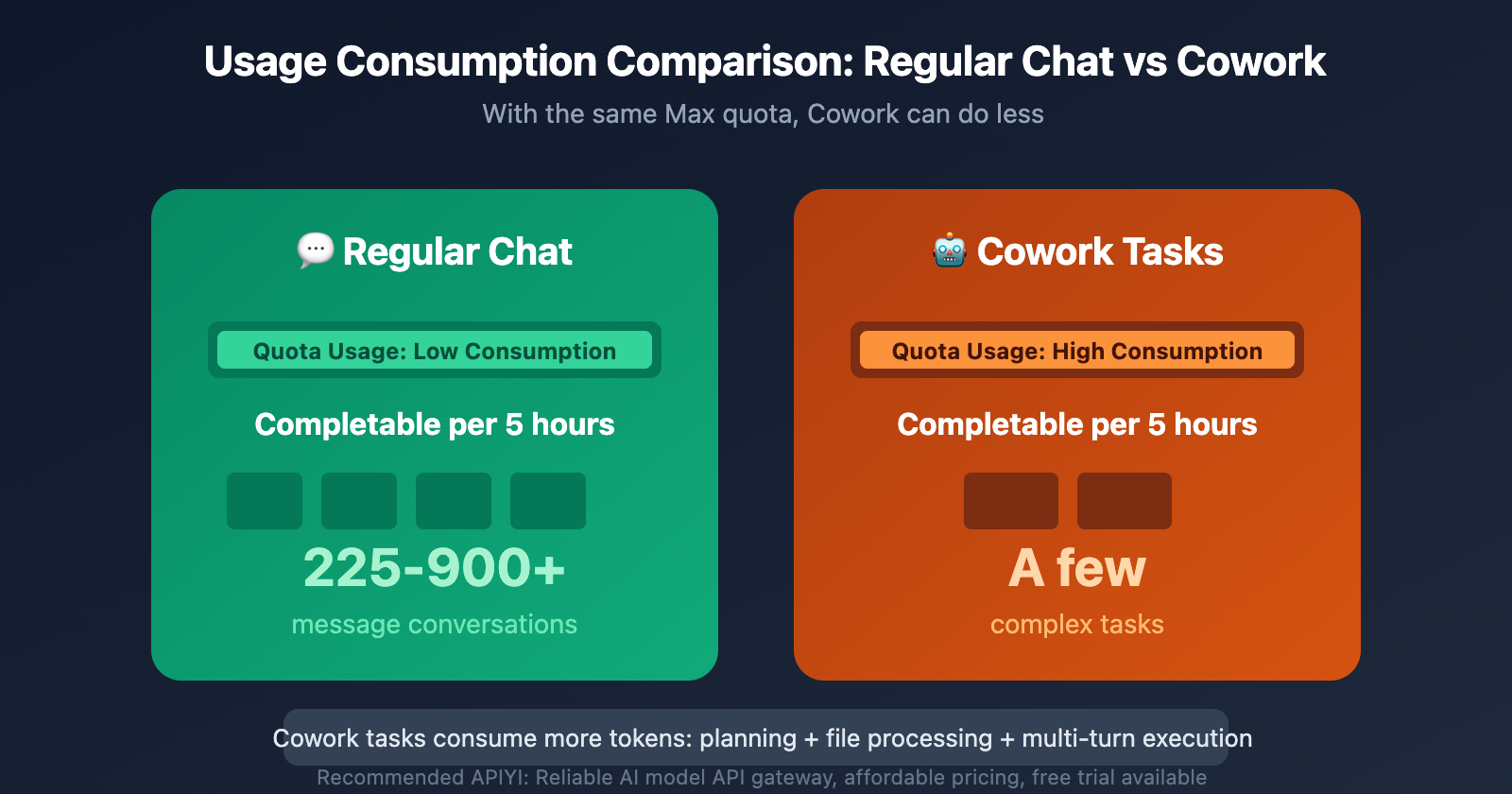
Remember: Cowork tasks consume significantly more of your allowance than regular chat messages. A single Cowork session doing complex file operations might use as much quota as dozens of regular messages.
Why? Because Cowork:
- Reads and processes entire files
- Makes multiple AI reasoning calls
- Runs extended multi-step workflows
- Maintains context across many operations
This means the “225+ messages” on Max 5x translates to far fewer Cowork sessions. If you’re running intensive Cowork tasks, you might only get 10-20 substantial operations before hitting the limit.
Monitoring your usage
Unfortunately, Claude doesn’t currently show a real-time usage meter. You’ll know you’ve hit your limit when:
- You see a rate limit notification
- Claude prompts you to upgrade or wait
- Cowork operations start failing to initiate
Pro tip: If you’re doing critical work, start your intensive Cowork sessions right after a reset window to maximize your available capacity.
Is Claude Cowork worth the price?
Let’s be honest – $100-200/month is a significant investment. Whether it’s worth it depends entirely on your specific use case.
When Cowork is absolutely worth it
You should subscribe if:
- You’re a professional developer who can bill clients for the time saved
- Cowork replaces paid tools – if it consolidates several subscriptions, the math works out
- Time is your biggest constraint – if waiting for manual tasks costs you more than $100-200/month in opportunity cost
- You work with large, complex codebases that benefit from AI assistance
- You’re building AI-powered workflows and need reliable automation
Example ROI calculation: If Cowork saves you 5 hours/month and your time is worth $50/hour, that’s $250 in value for a $100-200 investment.
When you should skip it
Don’t subscribe if:
- You’re a hobbyist or student – unless you have specific professional needs, it’s overkill
- You rarely hit Pro limits – if 45 messages per 5 hours is enough, stick with Pro
- You mainly need chat, not automation – regular Claude Pro is sufficient
- You can use API alternatives – if you’re technical, Claude API with your own tools might be cheaper
- You’re price-sensitive – there’s no shame in using free or lower-tier options
Alternative approaches
Before committing to Max, consider:
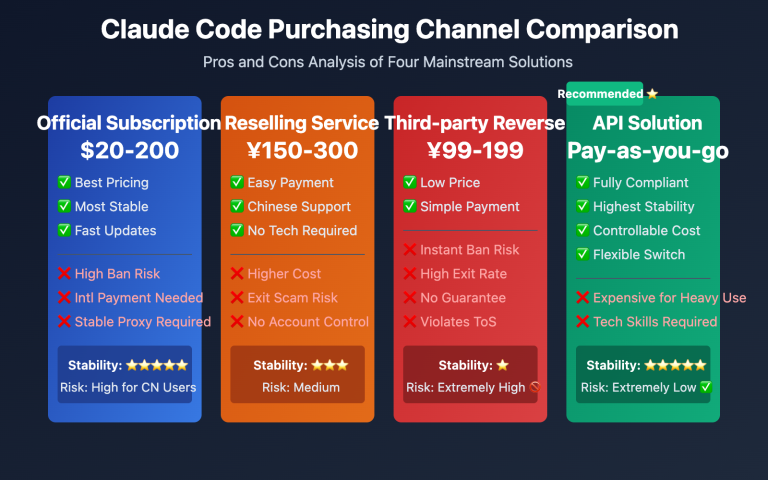
- Claude API: Pay-as-you-go pricing, potentially cheaper for variable usage
- Cursor/Cline with API: Build your own Cowork-like setup with more control
- APIYI (API-Easy): Reliable AI model API gateway with affordable pricing – great for developers who want flexibility without the subscription lock-in
Key restrictions and limitations
Before you subscribe, be aware of these important constraints:
Platform availability
Currently available:
- macOS desktop app only
Coming soon:
- Windows version (timeline TBD)
Not available:
- Web browser version
- Mobile apps (iOS/Android)
- Linux
This macOS-only limitation is a dealbreaker for many users. If you work across multiple platforms, you’ll only be able to use Cowork on your Mac.
No free trial
Unlike many SaaS products, Claude Max offers zero free trial period. You can’t test Cowork before committing to the $100 or $200 monthly fee.
This makes the decision harder – you’re essentially buying blind unless you:
- Have friends who can demo it for you
- Watch detailed video reviews
- Are willing to eat the cost of one month to test it out
Subscription model only
There’s no:
- Pay-per-use option for Cowork
- One-time purchase
- Standalone Cowork subscription without Max
- Discounted annual pricing (yet)
You’re locked into monthly billing at the full rate.
Usage caps are real
Even on Max 20x, you can still hit rate limits if you’re running extremely intensive workloads. The 900+ messages per 5 hours sounds like a lot, but remember:
- Complex Cowork sessions burn through this quickly
- Multiple simultaneous projects compound usage
- Peak work periods might exceed even Max 20x capacity
Some power users report still hitting limits on Max 20x during crunch periods.
Making your decision: A practical framework
Here’s a simple decision tree to help you choose:
Step 1: Can you afford it?
- If $100-200/month would strain your budget → Skip it
- If it’s a reasonable professional expense → Continue
Step 2: Do you actually need Cowork?
- If regular Claude Pro meets your needs → Stick with Pro
- If you need automation/file operations → Continue
Step 3: How much will you use it?
- Occasional use (few times per week) → Max 5x might work
- Daily intensive use → Max 20x is more appropriate
- Irregular, unpredictable usage → Consider API alternatives
Step 4: What’s your platform?
- macOS user → Good to go
- Windows/Linux user → Wait for platform support
- Multi-platform workflow → Serious limitation
Step 5: Calculate your ROI
- Time saved × your hourly rate > subscription cost → Worth it
- Replacing other paid tools → Factor in those savings
- Can’t quantify the value → Probably not worth it yet
My recommendation
For most people, I’d suggest:
- Start with Claude Pro ($20/month) and push it to its limits
- Only upgrade when you’re consistently hitting rate limits and can clearly articulate the value
- Choose Max 5x first – you can always upgrade to 20x if needed
- Track your usage carefully in the first month to see if you’re getting value
If you’re a professional developer billing clients or working on production systems where time is money, Max 20x is probably worth it from day one.
FAQ: Common questions about Cowork pricing
Q: Can I downgrade from Max 20x to Max 5x?
A: Yes, you can change tiers at any time, but changes take effect at your next billing cycle.
Q: What happens if I cancel Max mid-month?
A: You lose access to Cowork immediately, but keep regular Claude access until your billing period ends. No prorated refunds.
Q: Can I share my Max subscription with team members?
A: No, subscriptions are per-user only. Each person needs their own Max subscription.
Q: Do unused messages roll over to the next period?
A: No, usage allowances reset completely every 5 hours. Unused capacity doesn’t accumulate.
Q: Can I buy Max just for one month to try Cowork?
A: Yes, there’s no minimum commitment. You can subscribe for one month and cancel, but there’s no refund if you’re not satisfied.
Q: Is there educational or nonprofit pricing?
A: Not currently announced. Anthropic hasn’t released discounted pricing tiers yet.
Final thoughts
Claude Cowork’s pricing is straightforward once you understand it – you’re paying for capacity, not features. The $100-200/month price point positions it clearly as a professional tool, not a consumer product.
Whether it’s worth it comes down to a simple question: Will this save or make me more than it costs? If you’re a developer, writer, or knowledge worker whose time is valuable, the answer might well be yes. If you’re using Claude casually or for learning, stick with the free or Pro tiers.
The lack of a free trial is frustrating, but if you’re serious about AI-assisted work and regularly hit usage limits on lower tiers, Max is probably a good investment. Just start with 5x and scale up only if you need to.
And remember – the AI tooling landscape moves fast. In six months, we might have completely different options. Don’t feel pressured to commit long-term; month-to-month flexibility is actually an advantage here.
Need a more flexible alternative? Check out APIYI (API-Easy) – a reliable AI model API gateway offering affordable pay-as-you-go pricing with free trial credits. Perfect for developers who want Claude’s power without subscription lock-in.
Claude Max Plan Comparison
| Feature | Max 5x ($100/month) | Max 20x ($200/month) |
|---|---|---|
| Monthly Fee | $100 | $200 |
| Usage Multiplier | 5x Pro | 20x Pro |
| Messages per 5 hours | ~225+ messages | ~900+ messages |
| Best For | Moderate users | Heavy users/full-time reliance |
| Cowork Support | ✅ Full support | ✅ Full support |
| Claude Code | ✅ Full support | ✅ Full support |
| Context Window | 200K tokens | 200K tokens |
How to Choose the Right Tier
Choose Max 5x ($100/month) if you:
- Occasionally use Cowork for file tasks
- Primarily use regular chat, with Cowork as a supplement
- Have budget constraints and want to try out Max features first
Choose Max 20x ($200/month) if you:
- Rely on Claude full-time for daily work
- Frequently use Cowork to process large volumes of files
- Extensively use Claude Code for development
- Don’t want work interruptions due to usage limits
Tip: If you’re unsure how much usage you need, we’d recommend starting with Max 5x. Anthropic supports mid-cycle upgrades with prorated pricing. If 5x isn’t enough, you can upgrade to 20x anytime.
Claude Cowork Usage Limits Explained
Are there usage limits?
Yes, but it’s not a simple “message count limit.”
Claude Max usage is calculated based on token consumption rather than just message count. Factors affecting usage include:
- Message length (how long your input is)
- Attachment size (how large your uploaded files are)
- Conversation length (how long the current session has been)
- Models and features used
Official reference data:
- Max 5x: At least 225 messages per 5 hours
- Max 20x: At least 900 messages per 5 hours
Note: This refers to “short messages, low computational intensity conversations.” When using Cowork, actual available uses will be significantly reduced due to task complexity.
Usage Reset Rules
Claude Max usage resets every 5 hours, not daily.
This means:
- If you exhaust your quota at 9 AM, it’ll reset at 2 PM
- You don’t need to wait until the next day—you can continue after 5 hours
- However, intense usage in a short period might require waiting for the reset
Other Hidden Limits
Besides token-based usage limits, Anthropic reserves the right to enforce the following:
| Limit Type | Description |
|---|---|
| Weekly/Monthly Caps | Possible weekly or monthly total limits |
| Model Restrictions | Specific models may have additional usage limits |
| Feature Limits | New features might have separate usage quotas |
| Context Window | Maximum 200K tokens per conversation (same across all plans) |
These limits are enforced at Anthropic’s “discretion,” with no publicly disclosed specific values. In practice, most users primarily encounter the standard 5-hour reset limit.
Claude Cowork Subscription Requirements
Must-Have Requirements
| Requirement | Details |
|---|---|
| Subscription Plan | Claude Max (5x or 20x) |
| Device OS | macOS (Windows support coming soon) |
| App Version | Latest version of Claude Desktop |
| Network Connection | Stable internet connection required |
Unsupported Subscription Types
- ❌ Claude Free: Not available for free users
- ❌ Claude Pro: $20/month Pro users can’t access it either
- ❌ Claude Team: Team plan not supported yet
- ❌ Claude Enterprise: Enterprise plan not supported yet
- ❌ Standalone Subscription: No option to purchase Cowork separately
- ❌ Free Trial: No trial period available
Pro, Team, and Enterprise users can join the waitlist and wait for Anthropic to open up more subscription tiers.
How to Optimize Your Claude Cowork Usage
If you’re already on the Max plan, these strategies will help you use your quota more efficiently:
Batch Related Tasks
Don’t start a separate Cowork session for every little task. Bundle related file processing tasks into one session to avoid the overhead of repeatedly establishing context.
Inefficient approach:
- First session: Organize folder A
- Second session: Organize folder B
- Third session: Organize folder C
Efficient approach:
- One session: Organize folders A, B, and C all at once
Use Regular Chat for Simple Tasks
Not everything needs Cowork. If you’re just doing simple text processing or Q&A, stick with regular Claude chat—it’ll save you a ton of quota.
Use Cowork for: Tasks that need to work with local files, generate Excel/PPT files, or run for extended periods
Use regular chat for: Text Q&A, code explanations, simple content generation
Monitor Your Usage
You can check your current usage in Claude Desktop under Settings > Usage. Here’s what I’d recommend:
- Check your usage regularly
- Plan important tasks before you run out of quota
- Understand your usage patterns to pick the right tier
Use the Extra Usage Option
If you’ve burned through your subscription quota but have urgent tasks, Max users can enable the Extra Usage feature:
- You’ll be billed at standard API rates once you exceed your quota
- No need to wait for the 5-hour reset
- Perfect for temporary high-intensity use
Comparison tip: If your main need is calling AI model APIs rather than Cowork’s local file processing capabilities, you might want to consider directly calling various models through APIYI apiyi.com—it could be cheaper and more flexible.
Is Claude Cowork Worth Subscribing To?
Worth Subscribing If You:
- Process lots of local files daily: Expense reports, document organization, data analysis
- Need to generate professional documents: Excel reports, PowerPoint presentations, formatted documents
- Also need Claude Code: Developers can solve both coding and file processing needs with one subscription
- Rely on AI productivity tools: You’re willing to pay for efficiency gains
Might Not Be Worth It If You:
- Only use it occasionally: If you’ll only use it a few times a month, $100+ might be too steep
- Mainly need chat Q&A: The $20/month Pro plan might be sufficient
- Have a tight budget: You could wait for Anthropic to offer lower-priced subscription tiers
- Use Windows: Currently only supports macOS
Alternative Options
If you’re not ready to subscribe to Claude Max yet, consider:
- Claude Pro ($20/month): Covers basic chat and light usage needs
- API calls: Pay-as-you-go access to various AI models through platforms like APIYI apiyi.com
- Wait it out: Wait for Anthropic to make Cowork available to more subscription tiers
Common Questions
Q1: Is Claude Cowork only available with the $200/month Max 20x plan?
Nope. The $100/month Max 5x plan also includes Cowork with identical functionality. The difference between the two tiers is just the usage quota—5x gives you 5 times Pro’s usage, while 20x gives you 20 times. If you don’t use it heavily, Max 5x should be plenty.
Q2: Is there a limit on how often I can use Cowork?
There’s a limit, but it’s not a simple “number of times” thing. Claude Max usage is based on token consumption and resets every 5 hours. Max 5x gets you about 225+ messages per 5-hour window, while Max 20x gets about 900+. But using Cowork burns through more quota than regular chat, so you’ll be able to complete fewer tasks in practice.
Q3: If I mainly need AI API calls, is there a more economical option?
If your needs are mainly API calls rather than Cowork’s local file processing capabilities, consider:
- Using Anthropic’s API directly with pay-as-you-go pricing
- Accessing multiple AI models through APIYI apiyi.com to get free credits for testing
- Choosing the most economical option based on your actual usage
Summary
Key points about Claude Cowork’s pricing structure:
- Max Plan subscription required: $100/month (5x) or $200/month (20x), no standalone subscription option
- Same features across tiers: The only difference is usage quota – 5x suits moderate use, 20x is for heavy reliance
- Usage limits apply: Resets every 5 hours, Cowork consumes more quota than regular chat
- Currently macOS only: Windows version coming soon
If you genuinely need AI assistance for handling local files and generating professional documents with high frequency, Claude Max + Cowork is one of the most powerful solutions available. For lighter use or if your main need is API calls, it’s worth evaluating more economical alternatives first.
We recommend exploring various AI model capabilities through APIYI apiyi.com, which offers free credits and a unified interface – perfect for thorough testing before making your decision.
References
⚠️ Link format note: All external links use
Resource name: domain.comformat for easy copying but aren’t clickable, preventing SEO weight loss.
- Claude Max Plan official documentation: Pricing and feature details
- Link:
support.claude.com/en/articles/11049741-what-is-the-max-plan - Description: Anthropic’s complete introduction to the Max plan
- Link:
- Claude Max usage guidelines: Usage calculation and limit rules
- Link:
support.claude.com/en/articles/11014257-about-claude-s-max-plan-usage - Description: Official detailed explanation of usage calculation methods and reset rules
- Link:
- Cowork getting started guide: Usage requirements and limitations
- Link:
support.claude.com/en/articles/13345190-getting-started-with-cowork - Description: Official tutorial and precautions for using Cowork
- Link:
- Claude pricing page: All plan comparisons
- Link:
claude.com/pricing - Description: Anthropic’s official pricing page with latest prices
- Link:
Author: Technical Team
Technical Discussion: Feel free to join the conversation in the comments, more resources available at APIYI apiyi.com tech community