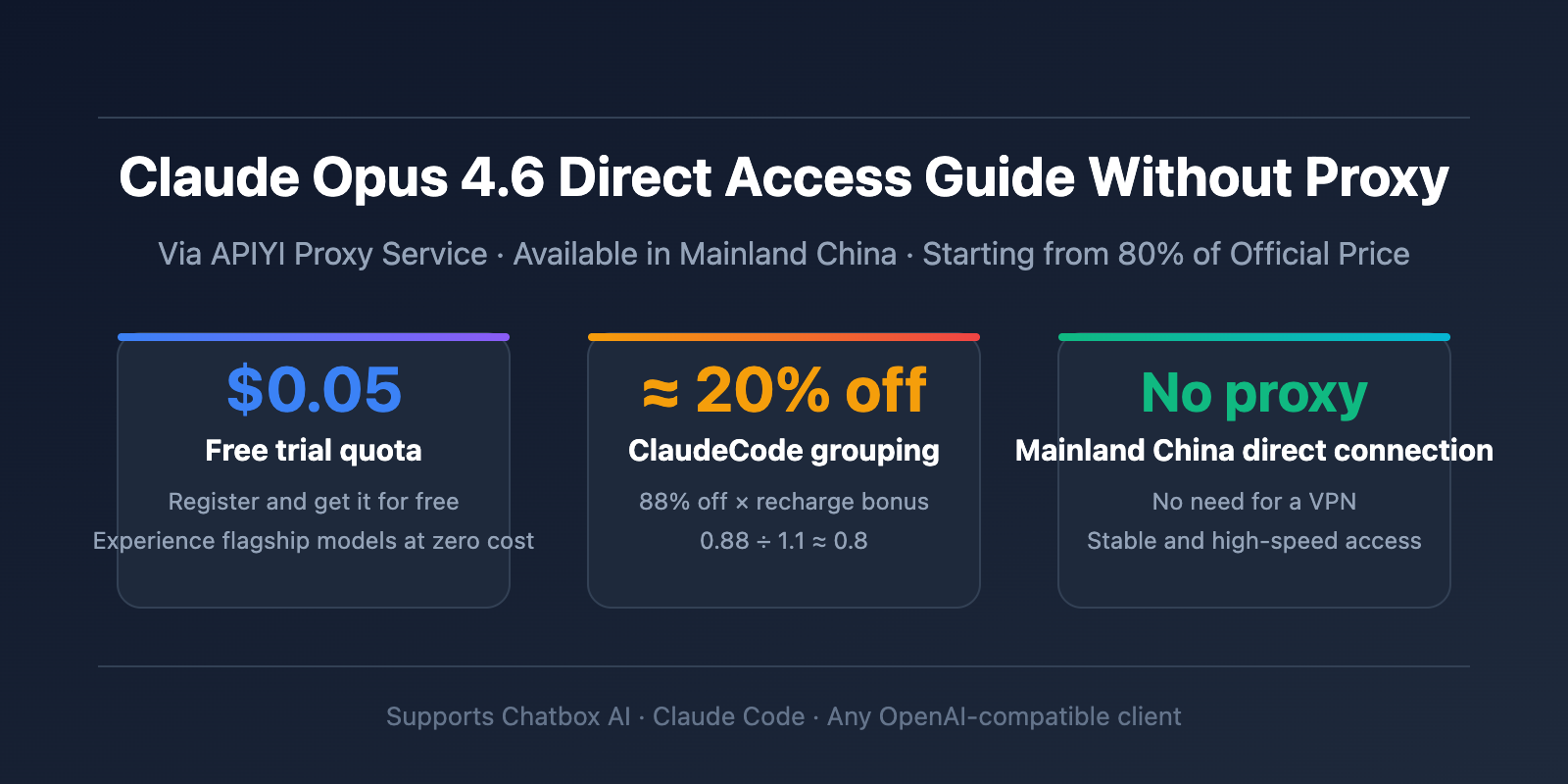
Author's Note: A detailed guide on how to use the Claude Opus 4.6 model without a proxy via the APIYI proxy service, including a $0.05 free trial, a 20% discount for the ClaudeCode group, and configuration tutorials for Chatbox AI and Claude Code.
Want to use Anthropic's latest Claude Opus 4.6 model but are put off by network restrictions and high prices? This article introduces a complete solution for accessing Claude Opus 4.6 without a proxy via the APIYI proxy service, helping you use this flagship model with zero barriers even in non-US regions like mainland China.
Core Value: After reading this article, you'll learn how to access the Claude Opus 4.6 API without a proxy, configure and use it in Chatbox AI and Claude Code, and save money with the ClaudeCode group's 20%+ discount off the official price.
Claude Opus 4.6 Model Key Points
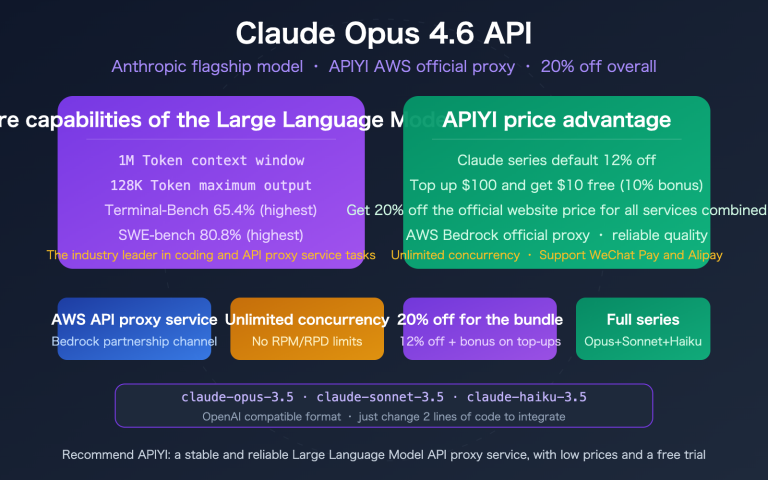
Claude Opus 4.6 is Anthropic's latest flagship model released in February 2026, setting new records in reasoning depth, programming capability, and agent task performance.
| Key Point | Description | Practical Value |
|---|---|---|
| Adaptive Thinking | Replaces Extended Thinking; the model automatically determines reasoning depth | No need for manual parameter settings; complex tasks trigger deep reasoning automatically |
| 200K Context | Standard 200K, with 1M context window available in Beta | Handles ultra-long documents and large codebases |
| 128K Output | Maximum output tokens doubled to 128K | Generates long-form content and complete code files |
| Agent Performance | Terminal-Bench 2.0 score 65.4%, OSWorld 72.7% | Autonomously completes complex programming and computer operation tasks |
| Legal Reasoning | BigLaw Bench score 90.2%, 40% perfect scores | Leading reasoning ability in professional domains |
Detailed Explanation of Claude Opus 4.6 Key Capabilities
Programming & Agent Capabilities: Claude Opus 4.6 achieves 65.4% on Terminal-Bench 2.0 (terminal programming benchmark), 72.7% on OSWorld (operating system tasks), and 84.0% on BrowseComp (search tasks). This means it can independently complete complex task chains from code writing to system operations, making it one of the strongest agent models currently available.
Reasoning & Research Capabilities: Scores 53.1% on Humanity's Last Exam (multidisciplinary ultimate test) and 68.8% on ARC AGI 2 (novel problem-solving). Achieves 76% on the 1M Token long-context retrieval test (MRCR v2), far surpassing other models. These capabilities make it particularly suitable for high-difficulty scenarios like research analysis and code review.
Claude Opus 4.6 API Pricing and Cost-Saving Strategies
The cost of using the Claude Opus 4.6 API is a core concern for developers. Here's a detailed comparison between official pricing and savings through APIYI:
| Pricing Item | Anthropic Official Price | APIYI ClaudeCode Group Price | Savings |
|---|---|---|---|
| Input Token | $5 / million tokens | ≈ $4 / million tokens | ~20% |
| Output Token | $25 / million tokens | ≈ $20 / million tokens | ~20% |
| Cache Hit | $0.5 / million tokens | ≈ $0.4 / million tokens | ~20% |
| Batch API | 50% off standard price | Additional discounts on top | More |
Detailed Claude Opus 4.6 Cost-Saving Calculation
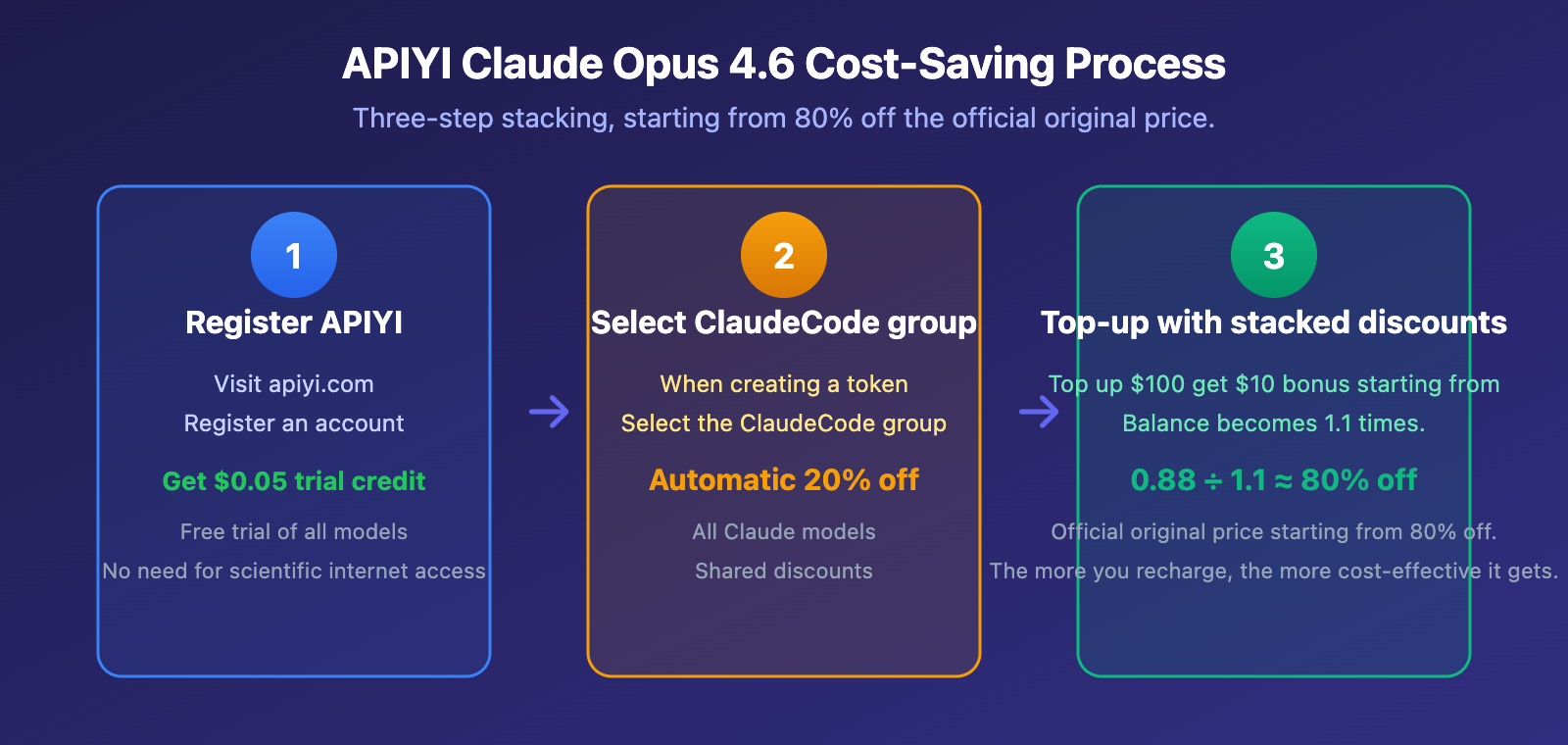
The APIYI platform offers two layers of stacked discounts, letting you use Claude Opus 4.6 starting at 80% of the official price:
Layer 1: ClaudeCode Group 12% Discount
- Select the "ClaudeCode" group when creating your API token
- Automatically enjoy a 12% discount on all Claude models
- No extra steps needed, takes effect upon token creation
Layer 2: Top-up Bonus
- Top up $100 or more and get a $10 bonus (equivalent to 1.1x balance)
- Higher top-ups yield better bonus ratios
Stacked Calculation: 0.88 ÷ 1.1 ≈ 0.8, meaning you start at 80% of the official price.
🎯 Cost-Saving Tip: After registering at APIYI apiyi.com, make sure to select the ClaudeCode group when creating your token. Combined with the top-up bonus starting at $100, your actual usage cost is just 80% of the official price. For heavy Claude Code users, this level of savings is significant.
Claude Opus 4.6 Proxy-Free Quick Start
For users in non-US regions like mainland China, accessing the official Anthropic API directly requires proxy tools. Through the APIYI proxy service, you can use Claude Opus 4.6 directly without a proxy. Here are the detailed configuration steps.
Claude Opus 4.6 Minimal Code Example
Here's the simplest way to use it—you can call Claude Opus 4.6 in just 10 lines of code:
import openai

client = openai.OpenAI(
    api_key="YOUR_APIYI_KEY",
    base_url="https://vip.apiyi.com/v1"
)

response = client.chat.completions.create(
    model="claude-opus-4-6-20250205",
    messages=[{"role": "user", "content": "Explain the basic principles of quantum computing"}]
)
print(response.choices[0].message.content)
View Complete Implementation Code (Includes Adaptive Thinking Mode)
import openai
from typing import Optional

def call_claude_opus(
    prompt: str,
    model: str = "claude-opus-4-6-20250205",
    system_prompt: Optional[str] = None,
    max_tokens: int = 8000
) -> str:
    """
    Wrapper function to call Claude Opus 4.6
    Access via APIYI proxy service without a proxy
    """
    client = openai.OpenAI(
        api_key="YOUR_APIYI_KEY",
        base_url="https://vip.apiyi.com/v1"
    )

    messages = []
    if system_prompt:
        messages.append({"role": "system", "content": system_prompt})
    messages.append({"role": "user", "content": prompt})

    try:
        response = client.chat.completions.create(
            model=model,
            messages=messages,
            max_tokens=max_tokens
        )
        return response.choices[0].message.content
    except Exception as e:
        return f"Error: {str(e)}"

# Usage example
result = call_claude_opus(
    prompt="Analyze the performance bottlenecks in this code and provide optimization suggestions",
    system_prompt="You are a senior backend engineer"
)
print(result)
Recommendation: Register at APIYI apiyi.com to get a $0.05 free trial credit and quickly experience Claude Opus 4.6. The platform is compatible with the OpenAI SDK format—just modify the base_url to connect.
Chatbox AI Configuration for Claude Opus 4.6 Tutorial
Chatbox AI is a desktop AI chat client that supports multiple models, compatible with Windows, Mac, and Linux systems. After configuring it with the APIYI proxy service, you can use Claude Opus 4.6 in Chatbox without a separate proxy.
Steps to Configure Claude Opus 4.6 in Chatbox AI
| Step | Action | What to Enter |
|---|---|---|
| Step 1 | Open Settings → Model Provider | Select "OpenAI API Compatible" |
| Step 2 | Enter API Endpoint | https://vip.apiyi.com/v1 |
| Step 3 | Enter API Key | Your APIYI token (created under the ClaudeCode group) |
| Step 4 | Add Model Name | claude-opus-4-6-20250205 |
| Step 5 | Save and Test | Send a message to verify the connection |
Key Configuration Points:
- The API endpoint must end with
/v1, don't forget it. - The model name must exactly match the model ID supported on the APIYI platform.
- Remember to select the ClaudeCode group when creating your token to enjoy an 88% discount.
- It's recommended to restart the Chatbox client after saving the configuration.
🎯 Chatbox Usage Tip: Chatbox AI's strength is that data is stored locally, ensuring good privacy. Using Claude Opus 4.6 via the APIYI proxy service lets you enjoy top-tier model capabilities without worrying about data security. Download at: chatboxai.app
Claude Code Configuration for Claude Opus 4.6 Tutorial
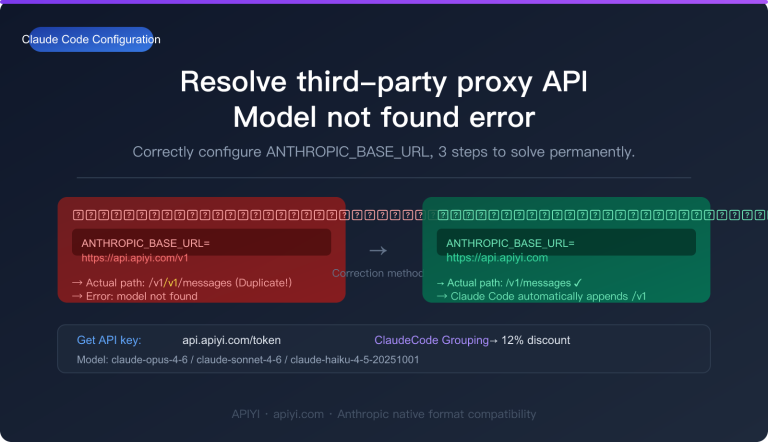
Claude Code is the official CLI programming assistant from Anthropic. By configuring it with the APIYI proxy service, you can also use it in mainland China without a proxy.
Steps to Configure Claude Opus 4.6 in Claude Code
Configure it by setting environment variables in your terminal:
# Set the APIYI proxy service address
export ANTHROPIC_BASE_URL="https://vip.apiyi.com"

# Set your APIYI API Key (ClaudeCode group token)
export ANTHROPIC_API_KEY="your-apiyi-key-here"
Persistent Configuration (Recommended): Add the above environment variables to your shell configuration file:
# macOS / Linux - Add to ~/.zshrc or ~/.bashrc
echo 'export ANTHROPIC_BASE_URL="https://vip.apiyi.com"' >> ~/.zshrc
echo 'export ANTHROPIC_API_KEY="your-apiyi-key-here"' >> ~/.zshrc
source ~/.zshrc
Once configured, simply run the claude command to start using it. Claude Code will automatically call the Claude Opus 4.6 model via the APIYI proxy service.
Claude Code Cost-Saving Reminder: Claude Code typically consumes a significant number of tokens, especially when processing large codebases. Make sure to select the ClaudeCode group (88% discount) when creating your token on APIYI. Combined with top-up bonuses, this can lead to substantial savings for long-term use.
Claude Opus 4.6 Usage Plan Comparison
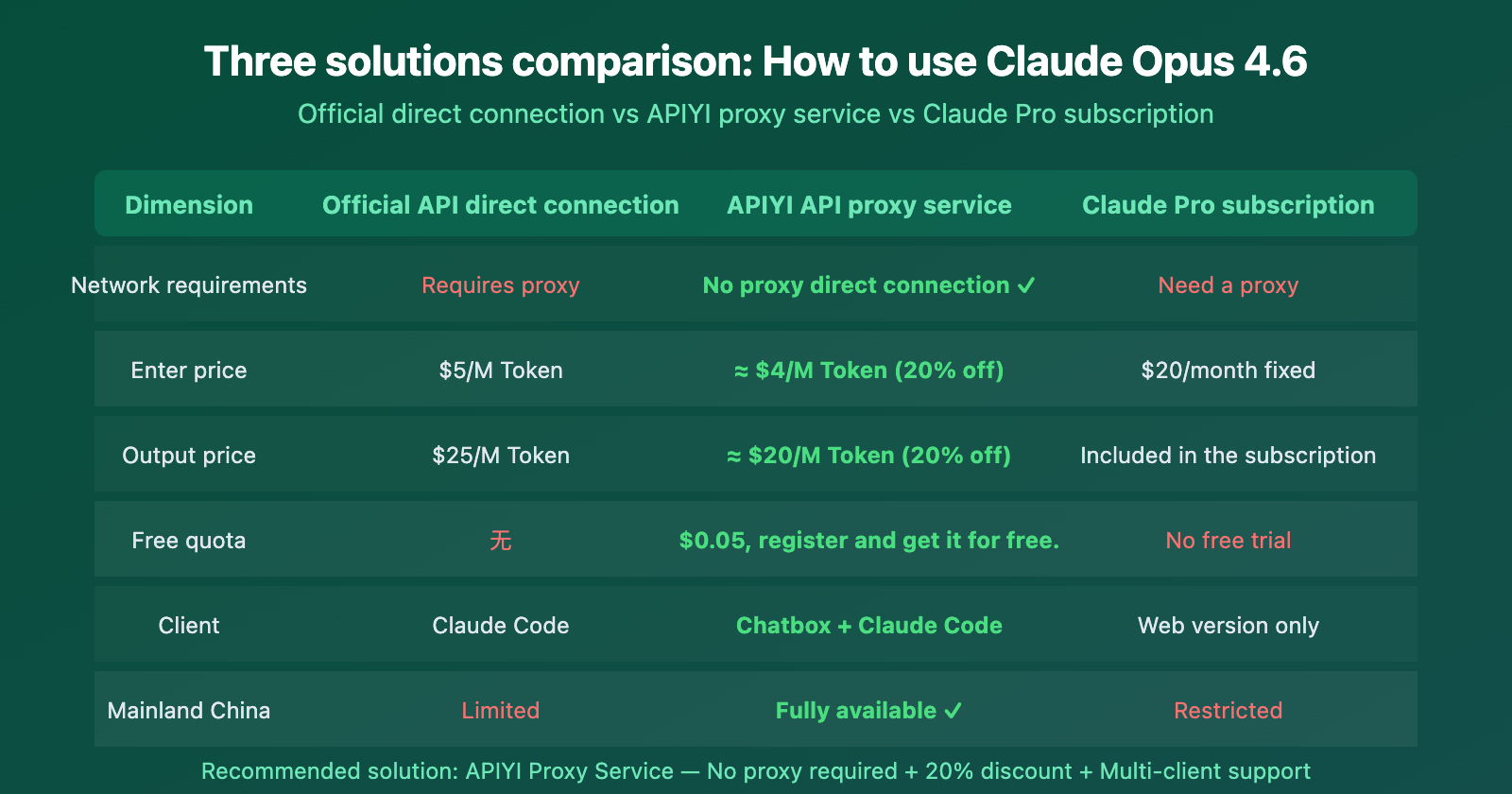
| Plan | Core Features | Best For | Recommendation |
|---|---|---|---|
| Official API Direct | Native experience, no middle layer | Developers with proxy, overseas users | Good for overseas users |
| APIYI Proxy Service | No proxy needed, 20% discount, multi-client compatible | Mainland China developers, cost-conscious users | Highly Recommended |
| Claude Pro Subscription | Fixed $20/month fee | Light users, web chat only | Good for light users |
Comparison Note: For developers in Mainland China and heavy Claude Code users, the APIYI proxy service offers the best overall value. It solves network issues with direct connections, and the ClaudeCode group's top-up bonuses provide discounts starting from 20% off.
Frequently Asked Questions
Q1: Is there any difference between APIYI’s Claude Opus 4.6 and the official one?
No difference. The APIYI proxy service only forwards requests and doesn't modify the model's input or output. The Claude Opus 4.6 you call through APIYI returns exactly the same results as the official API, including full support for all features like adaptive thinking and 128K output.
Q2: How many Claude Opus 4.6 calls can I make with the $0.05 free quota?
Based on Claude Opus 4.6's pricing of $5/M Token for input and $25/M Token for output (about $4/$20 after APIYI's 20% discount), $0.05 is enough for about 2-3 rounds of short conversation testing. While the quota isn't huge, it's sufficient to verify API connectivity and model performance. For regular use, we recommend topping up for more credits.
Q3: How do I create a token in the ClaudeCode group on APIYI?
It's really simple:
- Log into the APIYI control panel at apiyi.com
- Go to the "Token Management" page
- Click "Create Token"
- Select "ClaudeCode" from the group options
- Save the token, and you'll automatically get the 12% discount
This group works with all Claude series models, including Opus 4.6, Sonnet 4.6, and others.
Summary
The key points for accessing Claude Opus 4.6 without a proxy:
- Proxy-Free Access: Users in Mainland China and other non-US regions can directly access the Claude Opus 4.6 API via the APIYI proxy service (
vip.apiyi.com), without needing a VPN. - 20% Cost Saving: The ClaudeCode group offers a 12% discount, plus a bonus of $10 for every $100 recharged. Combined, this results in a starting price of approximately 80% of the official rate (0.88 ÷ 1.1 ≈ 0.8).
- Multi-Client Support: Compatible with the Chatbox AI chat client and the Claude Code CLI tool, as well as any application using the OpenAI SDK format.
For developers in Mainland China who need to use Claude Opus 4.6, we recommend registering an account on APIYI (apiyi.com), selecting the ClaudeCode group to create a token, and enjoying the most powerful flagship model at the best price.
📚 References
-
Anthropic Claude Opus 4.6 Announcement: Official release notes and technical specifications.
- Link:
anthropic.com/news/claude-opus-4-6 - Description: Learn about the full capabilities and benchmark scores of Claude Opus 4.6.
- Link:
-
Claude API Official Pricing: Anthropic's official API pricing documentation.
- Link:
platform.claude.com/docs/en/about-claude/pricing - Description: Check the latest token pricing and billing rules.
- Link:
-
Chatbox AI Open-Source Client: A desktop AI chat tool that supports multiple models.
- Link:
github.com/chatboxai/chatbox - Description: Download and configure the Chatbox AI client.
- Link:
-
APIYI Documentation Center: APIYI platform usage documentation and API integration guides.
- Link:
docs.apiyi.com - Description: View the complete model list, pricing, and integration tutorials.
- Link:
Author: APIYI Technical Team
Technical Discussion: Feel free to discuss in the comments. For more resources, visit the APIYI documentation center atdocs.apiyi.com.