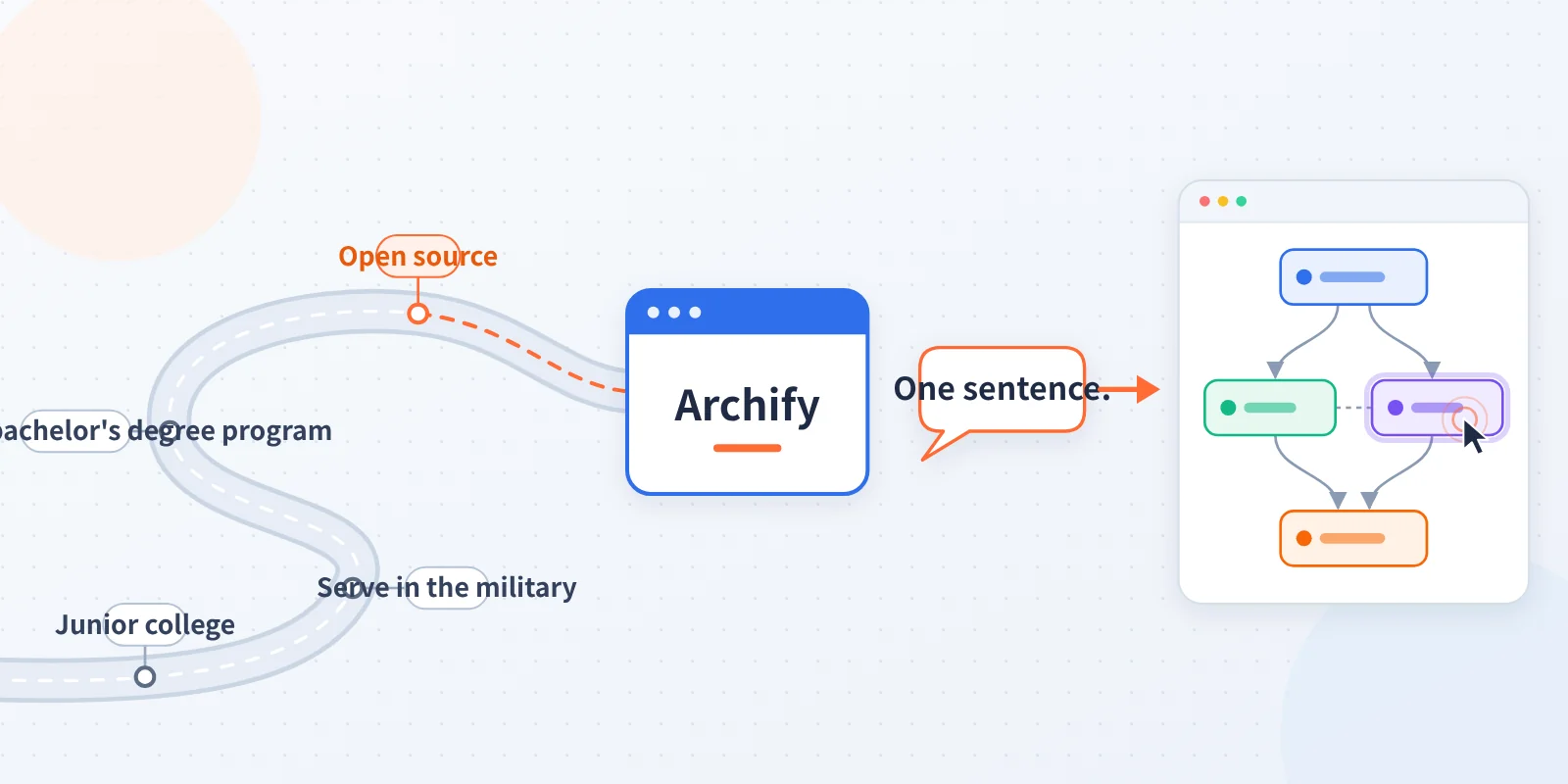
His online handle is “也无风雨也雾晴” (Ye Wu Feng Yu Ye Wu Qing), and his real name is Tu Shaokun. He earned a college diploma and served in the military for two years before transferring to Chongqing University of Posts and Telecommunications to complete his bachelor’s degree. When he was job hunting, he was turned down during a background check because of his education. He later chose to prove himself through open-source work. His project, Archify, turns a sentence into an interactive architecture diagram you can click through.
Archify is free; you pay for the model behind it. For reliable results, use claude-opus-5-5 via APIYI.
Tutorial overview:
- Goal: Install Archify in Claude Code, generate an interactive architecture diagram of a website request flow from a single Chinese sentence, then edit the diagram with another sentence.
- Estimated time: 20–30 minutes, not including registration or adding funds.
- Prerequisites: Know how to use Claude Code or Cursor, have Node.js installed on your computer (you’ll need
npx), have a browser, and have an APIYI account. - Difficulty: Beginner. No coding or manual configuration-file edits required.
Ye Wu Feng Yu Ye Wu Qing and Archify: Key Takeaways
| Key point | Details |
| Author | Tu Shaokun, known online as Ye Wu Feng Yu Ye Wu Qing; studied at a vocational college, served in the military, then transferred to a four-year university |
| What is Archify? | A free, open-source Agent Skill released under the MIT License |
| What does it cost? | You pay for the model used by the Agent running the Skill |
| Recommended model | claude-opus-5-5 on APIYI |
| What you get | A standalone HTML file you can open and interact with in a browser |
Who is Tu Shaokun? From vocational college and military service to proving himself with open source
The account below is based primarily on a long post he published on X on 2026-07-15. After taking the gaokao in 2018, he enrolled in a vocational college to study computer application technology. He wrote that he spent his first year feeling lost, then joined the military and served for two years. When he first arrived, he weighed about 53 kg and struggled with many of the physical training exercises. Later, he was assigned to communications and represented his unit in an army group communications competition, where he took first place.
After leaving the military, he returned to school and transferred to a four-year university. More than 70 people were competing for just six spots, and he ranked first among veterans in the transfer exam. He was admitted to Chongqing University of Posts and Telecommunications to study software engineering. He was three years older than his peers when he graduated. After spending just over a month learning frontend development through online courses, he started looking for internships. He later interviewed with ByteDance’s Lark team and passed both rounds, but the background check disqualified him because he’d transferred from a vocational college. During fall recruiting, he interviewed with Chongqing-based Dongchedi. He told HR upfront that he’d transferred from a vocational college, and never heard back. The interviewer later sent him a message saying, “I’m sorry.” That night, he went out and ran five kilometers.
He didn’t blame every setback on his educational background. He once wrote that it was fair to be rejected by Yuanfudao after he couldn’t solve the problems in the fourth interview round. Later, during an internship at Westlake University in Hangzhou, HR asked about his education again. He replied, “There’s no shame in coming from humble beginnings,” and passed that time. When he interviewed with Manus, someone mentioned that candidates without the strongest academic credentials could prove themselves through their work or open-source projects. He’d already been thinking along those lines. In his own words: “When I first started working on open source, my goal wasn’t particularly noble. I just wanted something more on my résumé that could prove what I could do.” The Archify repository was created on 2026-04-15.
A September 2026 interview with QbitAI also says that he dropped out of school at 16, learned auto repair, and worked in a factory. That account comes from the interview and isn’t included in his own long post. He also published a video on Bilibili titled “From Dropping Out and Working in a Factory to Topping GitHub Trending: AI Reshaped My Life!” on 2026-09-14. You can watch it here: https://www.bilibili.com/video/BV1cGe56cEHo/. We verified only the title, date, uploader, and tags; we haven’t watched the full video. The “Topping GitHub” claim in the title refers to a screenshot he posted on X on 2026-09-01, showing Archify at number one on GitHub Trending’s weekly chart across all languages. That’s a screenshot from that date, not a claim about its current ranking.
Here’s the video’s Bilibili page. It shows 123,000 views and more than 1,700 likes. With more than a hundred thousand views, the video he posted himself has clearly caught on.

There are three things we’d like to remember about his story:
- You can’t change your educational background. What he did was turn his abilities into work that other people could open and use.
- He didn’t blame every failure on his education. When he couldn’t solve a problem, he owned it.
- Popularity doesn’t mean people are actually using something. What matters to him is whether people use what he’s made.
What is Archify?
According to the official Chinese README, Archify is a free, open-source Agent Skill. Tell an AI Agent your idea, question, or plan, and it’ll generate an interactive HTML page you can click through and share. You don’t need to have a code repository first. If you ask the Agent to read a repository, it can also draw an architecture diagram grounded in the source code, with nodes labeled SRC and pinned to a specific commit. Besides diagrams, Archify can also create an explainer: a page that starts with the conclusion, then breaks things down into panels organized around questions. These can include tables, steps, and diagrams.
Archify also has a clearly defined scope. It isn’t a general-purpose diagram editor or a Mermaid theme. Automatic Mermaid parsing, general-purpose auto-layout, hosted sharing, and a WYSIWYG editor aren’t currently part of the product. Archify doesn’t sell models or issue API keys, and the official documentation states that paid plans from third parties aren’t affiliated with Archify. The current stable release is v3.2.0. The installation badge on skills.sh says 130K+, a number reported by the project that we haven’t independently verified.
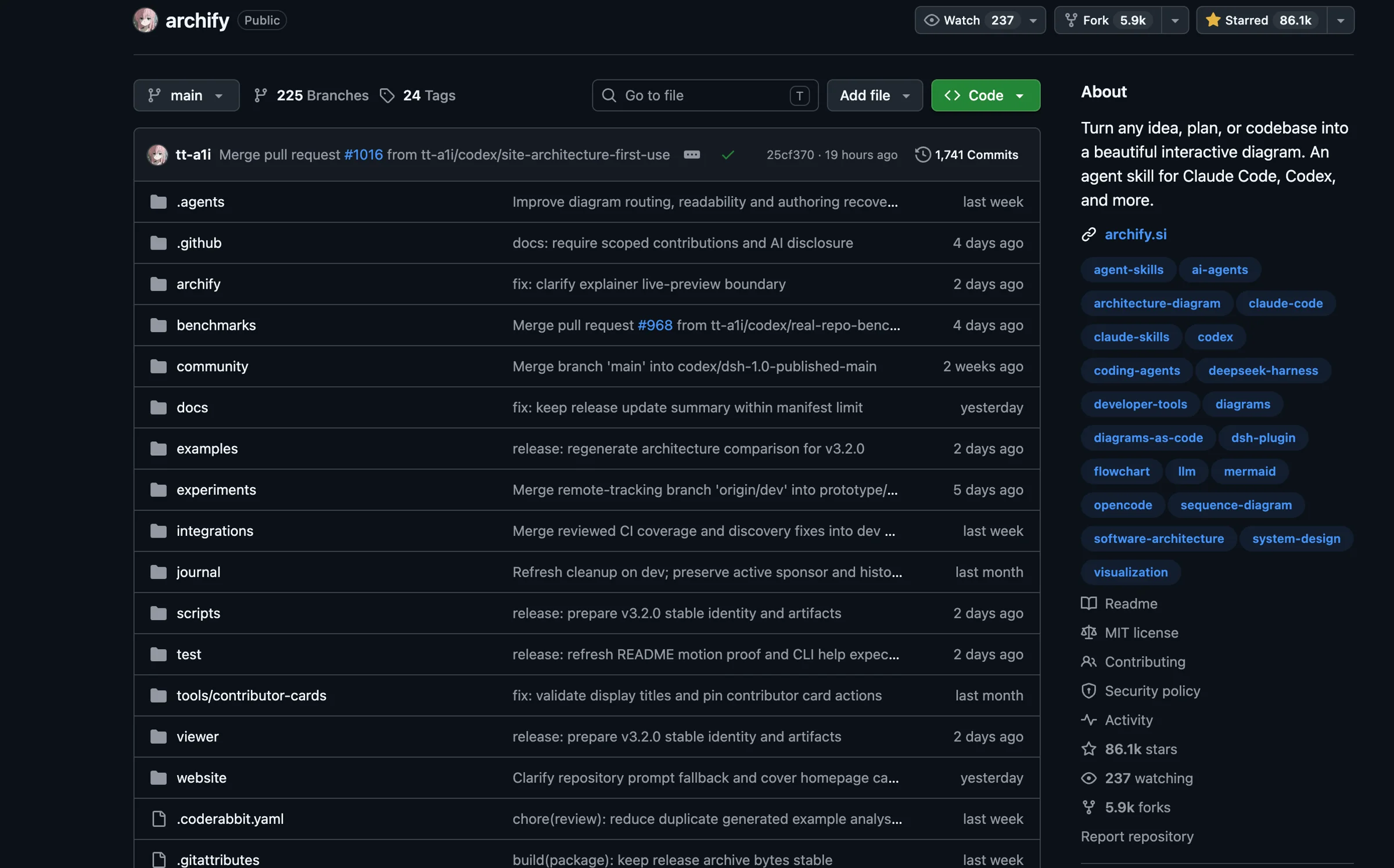
The project also created a promotional image. At the center is the tt-a1i/archify repository, with a badge claiming it was number one on GitHub Trending that week. Below it is the tagline, “Generate an interactive architecture diagram with one sentence.” The ranking and Star count shown in the image are claims made in the image itself. Treat them as promotional material from that time, not as evidence that Archify is still ranked number one.
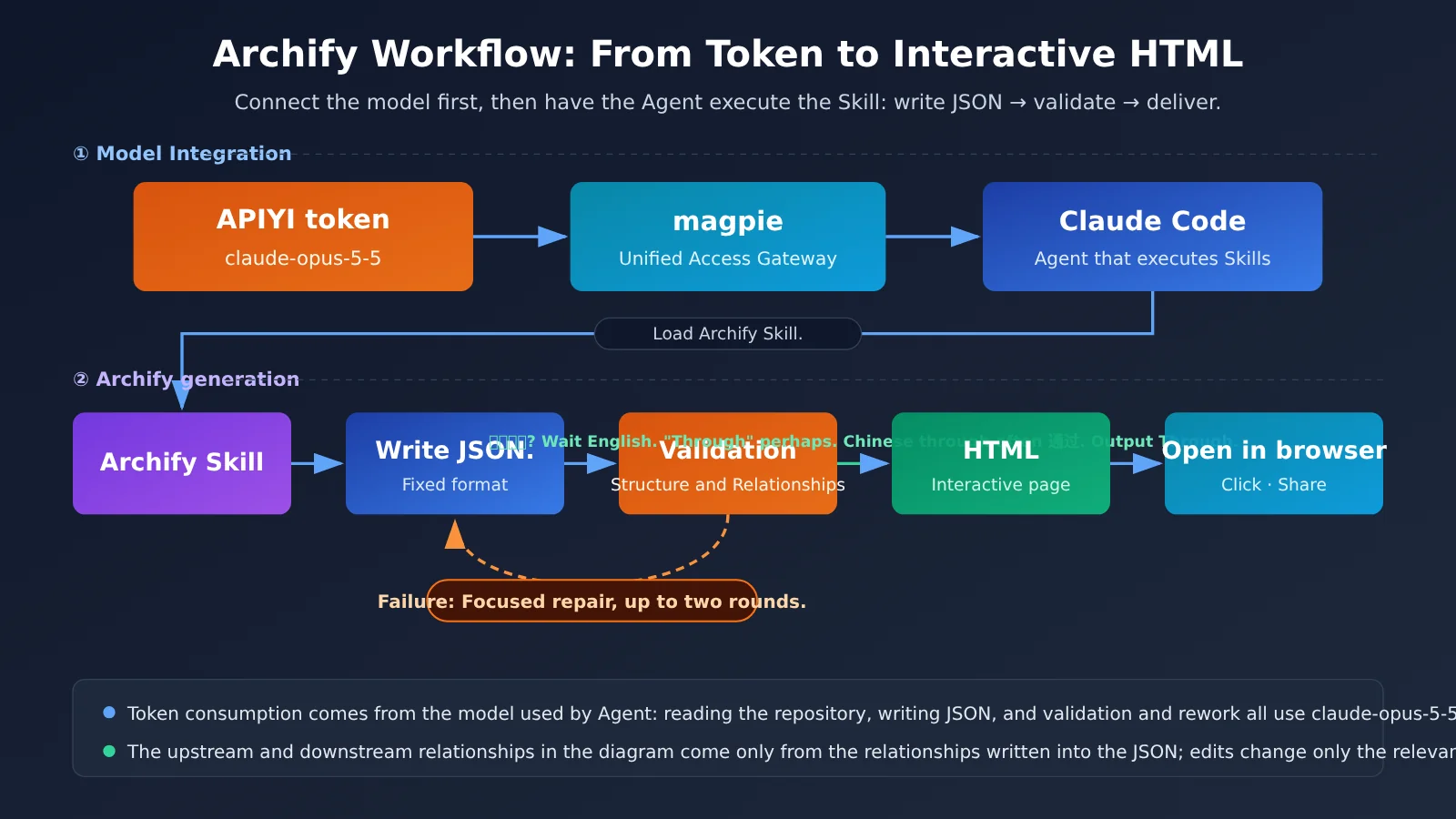
In plain English, here’s how it works: the Agent first writes a JSON file in a fixed format, then validates it. Only after it passes validation does the Agent deliver the HTML. When you edit a diagram, it updates only the relevant parts instead of redrawing the whole thing. The connections and paths in the diagram come from the relationships defined in the file, so the interactions don’t invent a topology. In other words, being able to click through a diagram doesn’t mean it accurately reflects how things run in production.
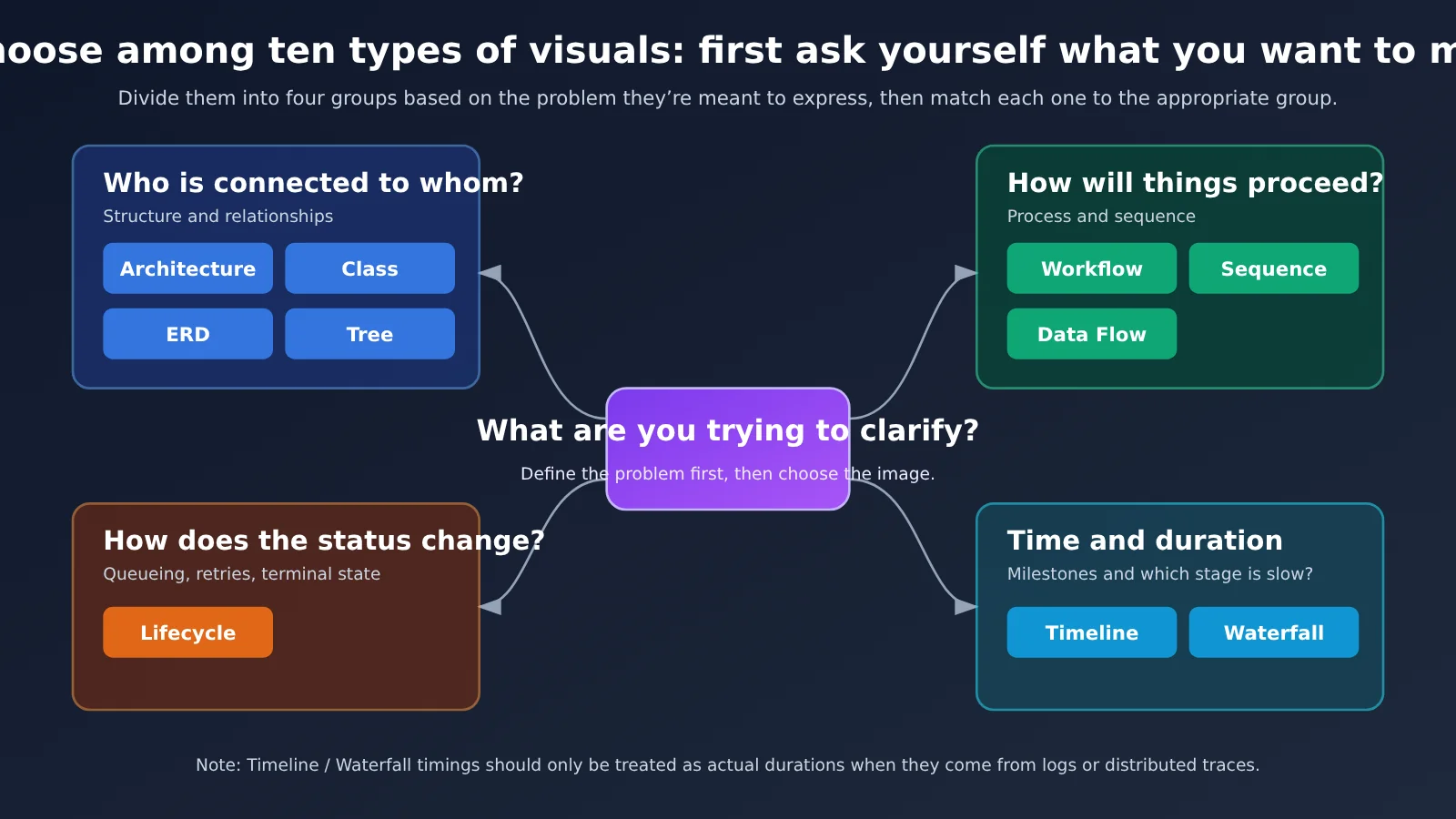
How to choose from Archify’s 10 diagram types
| Diagram type | Best for | Example |
|---|---|---|
| Architecture | Components, services, storage, and system boundaries | What services make up our website? |
| Workflow | Processes, approvals, and tool calls | How does an expense claim go from submission to payment? |
| Sequence | The order of events in a call | Which comes first during login: the frontend, backend, or database? |
| Data Flow | How data moves | How does order data flow from checkout to reporting? |
| Lifecycle | States, retries, and terminal outcomes | How does a task move from queued to success or failure? |
| ERD | Tables and fields | How are the users and orders tables related? |
| Class | Classes and interfaces | What classes are in the payment module? |
| Tree | Hierarchies with a single parent | What does the company’s organizational structure look like? |
| Timeline | Events over time | What are the milestones for a three-month project? |
| Waterfall | The duration of a single request | Which part of an API call is slow? |
The last five types were added in version 3.1. Note that some of the official Timeline and Waterfall examples use illustrative data. The times shown in these diagrams should be treated as real durations only when the data comes from logs or distributed traces.
Archify in 5 steps
- Configure a model for your Agent. This article uses claude-opus-5-5 through APIYI with Claude Code.
- Install Archify with a single command.
- Tell the Agent in plain language what you want to diagram.
- Open the generated HTML in your browser.
- Keep chatting to refine the diagram, then export it as an image or PDF.
Getting Started with Archify: Connect claude-opus-5-5 and Draw Your First Interactive Architecture Diagram
Step 1: Get an APIYI token ready for Archify
First, let’s clarify what you’re paying for. The Archify repository itself doesn’t charge for model usage. The tokens are consumed by the agent running the Skill: reading the repository, writing JSON, and fixing validation errors all use the model configured for that agent. So what you need is model credit, not an Archify membership.
Open the APIYI console and create a token. Select claude-opus-5-5 as the available model, then copy the token. If you haven’t purchased credit yet and want to try Opus first, see the trial details in the Further Reading section at the end.
When you’re done, you should see: A new token in the token list, claude-opus-5-5 among the available models, and the token string copied.
Step 2: Connect the token to Claude Code (follow the magpie tutorial)
We won’t repeat the steps for connecting your key here. Follow this published, illustrated tutorial: Step-by-step guide: Connect all your agents with one key using open-source magpie to access an API gateway (Claude Code, Codex, Pi, and Hermes examples).
As you follow the tutorial, keep two values in mind. First, the Anthropic-compatible endpoint for Claude Code is https://api.apiyi.com—don’t add /v1 to the end. Second, enter the model name as claude-opus-5-5, exactly as shown. A typo will result in a model not found error. Tools like Codex use the OpenAI-compatible endpoint https://api.apiyi.com/v1; we won’t cover that setup here. If you’re using Cursor with its own subscription, you might not need an APIYI token. You don’t have to use APIYI to use Archify.
Once you’ve followed the tutorial, come back and install Archify.
When you’re done, you should see: Ask Claude Code “Hi,” and it replies normally, without a 401 or model not found error.
Step 3: Install the Archify Skill
Open a terminal and run this one official command:
npx skills add tt-a1i/archify -g
-g means global installation, so you can use the Skill from any project directory. The supported agents are Cursor, Claude Code, Codex CLI, and OpenCode; this guide focuses on Claude Code. After installation, close your current Claude Code session and start a new one.
When you’re done, you should see: The command finishes without any red error messages. In the new session, ask “Can you use Archify?” and Claude Code should recognize the Skill.
Step 4: Draw a website request flow with Archify in one sentence
Send Claude Code the official example exactly as written:
Use Archify to draw a website request flow: the browser requests the API, the API checks Redis first, and if there’s a cache miss, queries PostgreSQL and repopulates the cache.
Claude Code will write the JSON, validate it, and then generate an HTML file. If it only posts code in the conversation without saving it as a file, follow up with “Save the HTML to the current directory.” Find the .html file and double-click it or drag it into a browser.
When you’re done, you should see: A diagram in your browser with nodes for the browser, API, Redis, and PostgreSQL, connected by lines. Click a node to see its upstream and downstream relationships.
Step 5: Update your Archify diagram with one sentence and export it
You don’t need to describe the whole diagram again. Just say:
Add authentication, highlight the cache-miss path, and switch to a light theme.
Archify updates only the relevant parts instead of starting over. You can switch between four styles, including light and dark themes, and export the diagram as a PNG, WebP, or JPG image, or print it to PDF. Send the HTML file directly to a colleague and they can interact with it too. Any external website or map links in the diagram require an internet connection to open.
When you’re done, you should see: Authentication-related nodes added to the same diagram, the cache-miss path highlighted, and the overall theme changed to light.
🎯 Tip: The first time you use Archify, try the official example to make sure everything works before switching to your own business scenario. That way, if something goes wrong, you can tell whether it’s an environment setup issue or whether your description is too complex.
How much does the model behind Archify cost?
The figures below are from the public APIYI pricing endpoint on the day this article was written. The conversion rate is 1× = $2 per million tokens. Actual prices depend on what the APIYI console’s pricing page shows that day; prices may vary between groups.
| Model | Input | Output | Cache reads | Cache writes | When to use |
|---|---|---|---|---|---|
| claude-opus-5-5 | $4 | $20 | $0.20 | $5 | Complex diagrams, repository analysis, long HTML |
| claude-sonnet-5-5 | $2 | $10 | $0.10 | $2.50 | Small diagrams, simple edits |
All prices are per million tokens. There’s also claude-opus-5-5-thinking, at the same multiplier. We haven’t measured the cost of generating a diagram, so we won’t give an estimate here. The number of tokens a generation uses depends on the diagram’s size, whether the agent needs to read the repository, and how many rounds of fixes it takes to pass validation.
When you don’t need Opus 5.5
The official documentation doesn’t say you have to use Claude Opus 5.5. We recommend Opus because Archify needs to write structured JSON and long HTML files, and sometimes read an entire repository. A flagship coding model is less likely to make formatting mistakes. In the following situations, a cheaper model like claude-sonnet-5-5 is usually enough:
- You’re drawing a small diagram with three or four boxes, simple relationships, and no repository to read.
- The JSON is already written and you just want to change the style and export it again.
Switch back to Opus when the diagram gets bigger, the agent needs to read a repository, or validation keeps failing. For more on how to combine the two models, see the dedicated comparison in Further Reading.
Archify troubleshooting
| Issue | Common cause | What to do |
|---|---|---|
| The agent doesn’t recognize Archify after installation | You’re still in an old session; you didn’t use -g; Node.js isn’t installed properly |
Restart Claude Code; reinstall with -g; run node -v in a terminal to check whether it outputs a version |
| The HTML won’t open or appears blank | The code was posted but not saved as a file; the file is incomplete; external links require an internet connection | Ask the agent to save the HTML as a file; open it directly in a browser; check your network connection |
| Validation fails | The description is too complex or the relationships contradict each other | The official tool provides repair instructions to help locate the problem. Focus on fixes for up to two rounds; if that doesn’t work, split the diagram in two or make your description more specific |
| model not found | The model name is wrong; /v1 was added to the end of the URL |
Change the model name to claude-opus-5-5; remove the trailing /v1 from the Anthropic endpoint |
| 401 error or not enough credit | The token was copied incorrectly, has been disabled, or the balance is depleted | Check the token status and balance in the APIYI console; copy the token again, then update it by following the magpie tutorial |
Frequently Asked Questions About Archify
Q1: Does Archify cost money?
Archify itself is free and open source under the MIT license. You pay for the model tokens used by the agent. You’re charged according to the model configured for Claude Code.
Q2: Do I have to use Opus or APIYI?
Neither is required. The official documentation doesn’t specify a model. We recommend claude-opus-5-5, but Sonnet works for small diagrams too. Archify’s official setup doesn’t use APIYI either; if you’re using Cursor’s built-in subscription, you might not need an APIYI token at all.
Q3: Can I use Archify without a code repository?
Yes. Just describe what you want in Chinese. If you have a repository, you can ask the agent to read it first and then draw a diagram based on the source code, with SRC labels on the nodes. This will use more tokens.
Q4: Can someone interact with the diagram if I send them the HTML file?
Yes. It’s a standalone HTML file with all the interactive features built in. Only external website and map links in the diagram require an internet connection to open.
Q5: If the diagram’s paths are clickable, does that mean they match the live system?
No. The paths in the diagram come from the relationships you specify; Archify doesn’t verify your live system. For diagrams like Waterfall charts, timings are only reliable when they come from logs or distributed traces.
Summary: What Archify—Through Wind, Rain, Fog, and Clear Skies—Leaves Us With
Tu Shaokun couldn’t change his educational background, so he turned his skills into a tool anyone could install and use. Here are the key takeaways:
- What is Archify? An open-source, free Agent Skill that generates interactive HTML charts from a single sentence.
- What does it cost? You pay for the model behind the Agent, not an Archify membership.
- How do you connect an API key? Create a token in APIYI, select the claude-opus-5-5 model, and follow the magpie tutorial to connect it to Claude Code. Don’t include
/v1in the URL. - How do you install it? Just run this one command:
npx skills add tt-a1i/archify -g - How do you use it? Describe what you want in plain language to generate a chart, then ask for changes in another sentence. Export it as a PNG or PDF when you’re done.
- How can you save money? Use Sonnet for small charts and re-exporting, and switch to Opus for complex charts.
If you want to try it now, create a token in the APIYI console at apiyi.com and use the official example prompt to generate your first chart.
The information in this article comes from several different sources, with varying levels of reliability:
| Information | Source | Notes |
|---|---|---|
| Features, versions, ten chart types, and 130K+ installs | Official README | Reported by the project |
| No. 1 in the weekly rankings | Screenshot posted by the author on X on 2026-09-01 | A screenshot from that time, not a live ranking |
| Vocational school, military service, college transfer, and job search | Author’s X post from 2026-07-15 | The author’s own account |
| Dropping out at 16, repairing cars, and working in a factory | Quantum Bit interview from September 2026 | Compiled by the media outlet |
| Model prices | Public APIYI pricing endpoint, checked on the day this article was written | Refer to the prices shown in the console on that day |
Optional: Update checks and repository commands (most readers can skip this)
Archify doesn’t automatically install new versions. To get update notifications, go to the GitHub repository page and select Watch → Custom → Releases. The installed Skill performs occasional update checks. If a check fails, it won’t show an error; it’ll just display a reminder and won’t download anything on its own. It only accesses `archify.si/skill-updates/archify/stable.json` and doesn’t upload the local version, project contents, user input, or keys. To turn it off, set the environment variable `ARCHIFY_UPDATE_CHECK_DISABLED=1`.
The repository also includes commands like `node bin/archify.mjs`, mainly for contributors to use when debugging. Most readers don’t need to run them. See the repository README for details.
References
- Archify official repository (Chinese README): Features, installation, and scope
- Link:
github.com/tt-a1i/archify - Note: This is the source for the article’s feature and version information
- Archify official website: Project homepage
- Link:
archify.si - Author’s X post (2026-07-15): The author’s account of their experiences
- Link:
x.com/t20000622yy/status/2077425261856096720 - Author’s Bilibili video: “From Dropping Out and Working in a Factory to the Top of GitHub Trending: AI Changed My Life,” published by the author
- Link:
www.bilibili.com/video/BV1cGe56cEHo/ - Author’s Bilibili project demo: “I Woke Up to Find My Open-Source Project at No. 1 on GitHub Trending Worldwide”
- Link:
www.bilibili.com/video/BV16MhA6pEMb/ - Quantum Bit report from September 2026: Coverage of the project and the developer’s story. The article quotes only one sentence and attributes it to the source.
- APIYI public pricing endpoint: Checked on the day this article was written
- Link:
api.apiyi.com/api/pricing