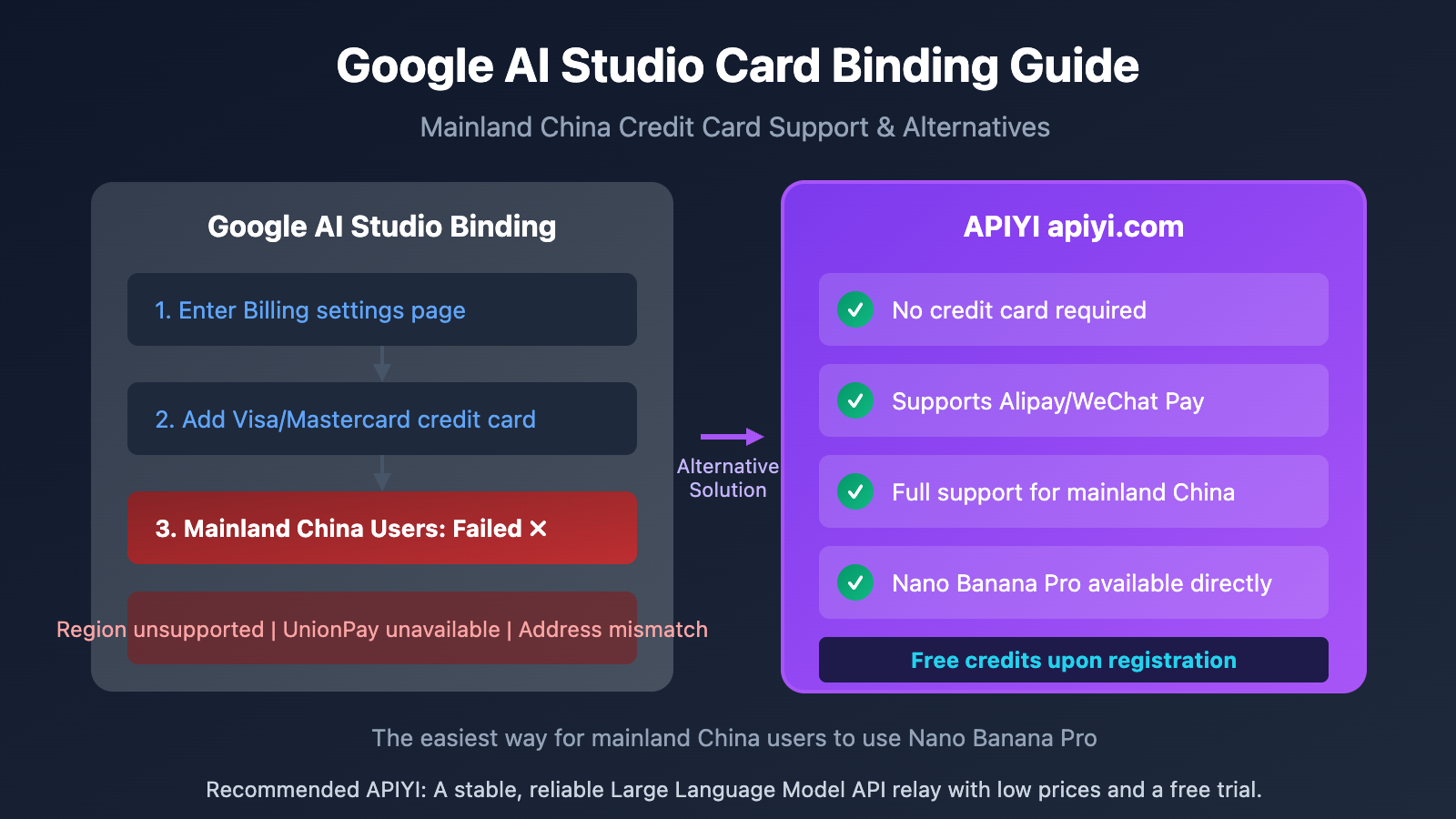
Author's Note: A detailed guide to the Google AI Studio card binding process, supported credit card types, an analysis of the restrictions faced by users in mainland China, and an alternative solution for using Nano Banana Pro directly via APIYI.
Want to use Google's latest Nano Banana Pro (Gemini 1.5 Pro Vision/Image) image generation API, but getting stuck on the card binding step? This article breaks down the full Google AI Studio card binding process and credit card requirements, analyzes the real-world challenges for users in mainland China, and provides a much simpler alternative.
Core Value: After reading this article, you'll understand Google AI Studio's card binding requirements, the status of support for Chinese credit cards, and how to skip the binding process entirely to use Nano Banana Pro via APIYI.
Key Takeaways for Google AI Studio Card Binding
The free tier of Google AI Studio doesn't require a card, but to use preview models like Nano Banana Pro or to get higher quotas, you must enable Cloud Billing and bind a credit card.
| Key Point | Explanation | Impact |
|---|---|---|
| Free Tier No Card Needed | Create API keys for basic features immediately | Nano Banana Pro requires the paid tier |
| International Card Mandatory | Supports Visa/Mastercard/AmEx/Discover only | Mainland China UnionPay cards are not supported |
| Prepayment Verification | Google may require a one-time prepayment to activate | Prepayment serves as your account balance |
| Strict Regional Restrictions | Mainland China is not on the supported regions list | Verification might fail even with an international card |
The Real Barriers to Google AI Studio Card Binding
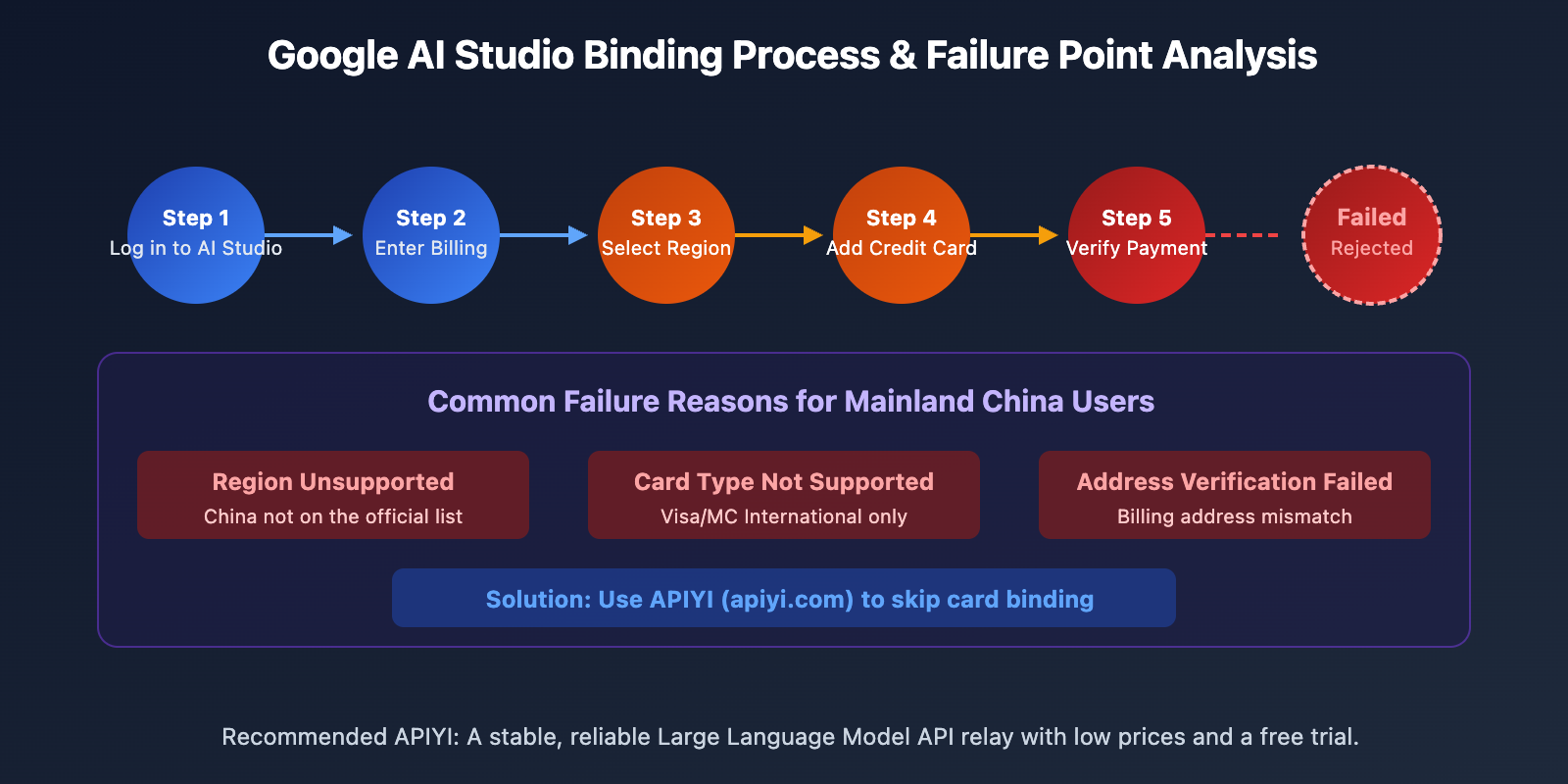
Based on official documentation and user feedback, common reasons for card binding failure include:
Credit Card Type Restrictions:
- ✅ Supported: Visa, Mastercard, American Express, Discover
- ❌ Not Supported: Prepaid cards, Virtual Credit Cards (VCC)
- ❌ Not Supported: Debit cards requiring 2FA
- ❌ Not Supported: Single-logo China UnionPay cards
Regional Restrictions:
- Mainland China is not on Google AI Studio's officially supported regions list.
- Even with a dual-currency credit card, transactions might be rejected due to regional blocks.
- The billing address must strictly match the credit card's registered address.
Detailed Billing Process for Google AI Studio
Step 1: Access Billing Settings
- Open Google AI Studio (aistudio.google.com).
- Click Dashboard at the bottom of the left sidebar.
- Select the Usage and Billing → Billing tab.
- Click Set up Billing to get started.
Step 2: Create a Cloud Billing Account
| Step | Action | Important Notes |
|---|---|---|
| 1 | Select Country/Region | You must choose a supported region. |
| 2 | Select Account Type | Personal or Business. |
| 3 | Fill in Billing Address | This must match your credit card's registered address. |
| 4 | Add Payment Method | Enter your credit card details. |
Step 3: Complete Verification
Google will perform the following checks:
- Small Charge Verification: Usually a $1 USD temporary hold (it'll be refunded).
- Address Verification: Matching your details with the billing address.
- Prepayment Requirement: Some users might need to prepay between $10 and $50 USD.
The Struggle for Mainland China Users
Even if you have a dual-currency credit card (Visa/Mastercard), you'll likely run into these issues:
| Issue | Reason | Difficulty |
|---|---|---|
| Region Unsupported | China isn't on the official support list. | ❌ Unfixable |
| Card Declined | Banks often restrict overseas payments. | ⚠️ Contact your bank |
| Address Mismatch | Chinese address formats aren't compatible. | ⚠️ Hard to resolve |
| Verification Failed | IP address detection issues. | ⚠️ High risk |
The Reality: A huge number of users in China report that even with dual-currency cards and address tweaks, linking a card still fails. Google Cloud's payment restrictions for mainland China are systemic.
Why You Need to Link a Card for Nano Banana Pro
Nano Banana Pro (gemini-3-pro-image-preview) is Google’s latest image generation model, and it's currently in a paid preview phase:
| Model | Free Tier | Paid Tier Requirement |
|---|---|---|
| Gemini 1.5 Flash | ✅ Available | Higher quotas |
| Gemini 1.5 Pro | ✅ Available | Higher quotas |
| Nano Banana Pro | ❌ Unavailable | Must link a card |
| Gemini 3 Pro | ⚠️ Restricted | Must link a card |
Core capabilities of Nano Banana Pro:
- High-Quality Image Generation: Powered by Gemini 3 Pro’s multimodal strengths.
- Precise Text Rendering: Supports long text and multi-language layouts within images.
- Identity Consistency: Supports maintaining consistency for up to 5 characters.
- 4K Output: Supports 2K/4K resolutions and flexible aspect ratios.
These advanced features are only accessible after linking a card, which creates a significant barrier for users in mainland China.
Using Nano Banana Pro via APIYI
Since linking a credit card can be such a headache, is there a simpler way? The answer is: directly access Nano Banana Pro through APIYI (apiyi.com). You won't need to link a card, use a VPN, or worry about regional restrictions.
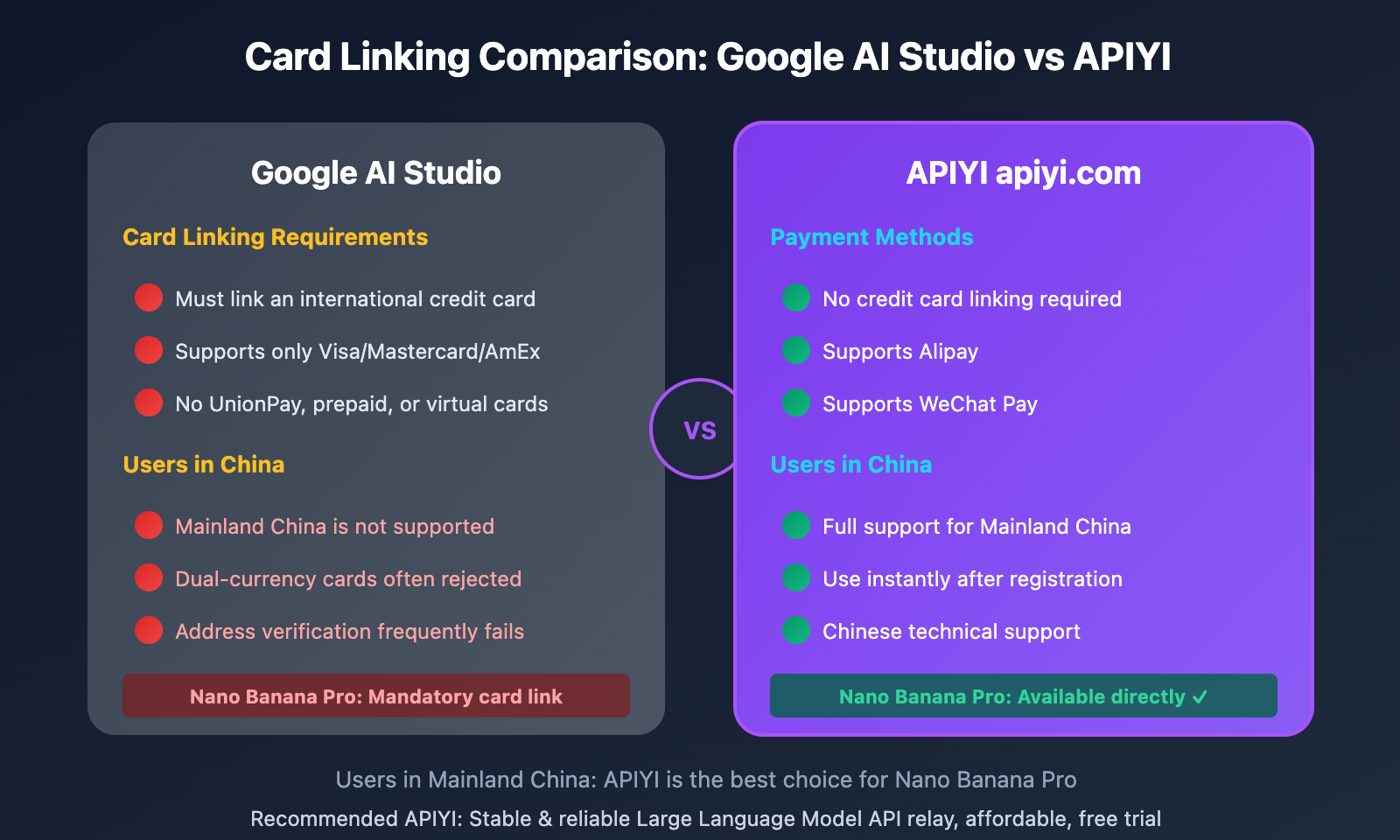
APIYI vs. Google AI Studio: Card Linking Comparison
| Feature | Google AI Studio | APIYI apiyi.com |
|---|---|---|
| Card Linking Required | ✅ Mandatory international credit card | ❌ No card required |
| Payment Methods | Visa/Mastercard | Alipay/WeChat Pay |
| Mainland China Availability | ❌ Region not supported | ✅ Available worldwide |
| Registration Complexity | High (Google + GCP accounts) | Low (Email only) |
| Nano Banana Pro | Requires card link first | ✅ Available directly |
| Technical Support | English forums | Chinese customer support |
Gemini Models Supported by APIYI
APIYI provides the full suite of Gemini models, including:
Image Generation Models:
gemini-3-pro-image-preview(Nano Banana Pro)gemini-2.0-flash-exp-image-generation
Text & Multimodal Models:
gemini-3-pro-previewgemini-2.5-pro/gemini-2.5-flashgemini-2.0-flash/gemini-2.0-flash-lite
Other Leading Models:
- OpenAI GPT-4o / GPT-4o-mini
- Claude 4 Opus / Claude 4 Sonnet
- Plus over 200 other AI models
Quick Start: Alternatives to Google AI Studio Card Linking
Option 1: Continue Trying Google AI Studio
If you have an eligible international credit card, you can try these steps:
# Preparation before linking
1. Ensure the card is Visa/Mastercard (dual-currency or multi-currency)
2. Contact the bank to enable overseas online payments
3. Ensure sufficient balance (at least $50 recommended)
4. Prepare a non-Mainland China billing address (if available)
Option 2: Use APIYI Directly (Recommended)
Skip the card linking and call Nano Banana Pro using an OpenAI-compatible interface:
import openai

client = openai.OpenAI(
    api_key="YOUR_APIYI_KEY",
    base_url="https://vip.apiyi.com/v1"
)

# Call Nano Banana Pro to generate an image
response = client.chat.completions.create(
    model="gemini-3-pro-image-preview",
    messages=[
        {
            "role": "user",
            "content": "生成一张赛博朋克风格的未来城市夜景,霓虹灯光,下雨天"
        }
    ]
)

print(response.choices[0].message.content)
View more Gemini model calling examples
import openai

client = openai.OpenAI(
    api_key="YOUR_APIYI_KEY",
    base_url="https://vip.apiyi.com/v1"
)

# Call Gemini 3 Pro text model
response = client.chat.completions.create(
    model="gemini-3-pro-preview",
    messages=[
        {"role": "system", "content": "你是一个专业的 AI 助手"},
        {"role": "user", "content": "解释一下什么是多模态 AI"}
    ],
    max_tokens=1000
)

print(response.choices[0].message.content)

# Call Gemini 2.5 Flash (Great value)
response = client.chat.completions.create(
    model="gemini-2.5-flash",
    messages=[{"role": "user", "content": "用 Python 写一个快速排序"}]
)

print(response.choices[0].message.content)
Pro Tip: Register an account at APIYI (apiyi.com) to skip the card linking process and start using Nano Banana Pro immediately. The platform supports Alipay and WeChat Pay, and you'll get a free credit upon registration.
Google AI Studio Card Binding FAQ
Q1: Can I bind a dual-currency credit card from Mainland China?
In theory, you can try using a Visa/Mastercard dual-currency card, but the actual success rate is quite low. The main reasons are:
- China isn't on the list of Google AI Studio's officially supported regions.
- Billing address verification often fails.
- Some banks restrict these types of international transactions.
We recommend using an intermediary service like APIYI instead.
Q2: What should I do if I get a “Payment method declined” error?
Here are some common fixes:
- Contact your card issuer to confirm that overseas online payments are enabled.
- Make sure you have enough balance in the account (to cover small verification holds).
- Double-check that your billing address matches your credit card's registered address exactly.
- If it fails multiple times, it's probably best to use an alternative like APIYI.
Q3: How can I use Nano Banana Pro without binding a card?
The simplest way is to use APIYI (apiyi.com):
- Visit apiyi.com and register an account.
- Top up using Alipay or WeChat.
- Once you get your API Key, you can call
gemini-3-pro-image-previewdirectly.
You won't need a Google account, there's no card binding required, and there are no regional restrictions.
Summary
Key takeaways for binding a card on Google AI Studio:
- Strict Requirements: It only supports international credit cards like Visa/Mastercard. Prepaid and virtual cards generally won't work.
- Mainland China Limitations: Since it's not an officially supported region, binding often fails even if you have a dual-currency card.
- The Alternative: You can access Nano Banana Pro directly through APIYI (apiyi.com). It supports Alipay and WeChat, completely bypassing the need for card binding.
For users in Mainland China, we recommend using the full Gemini model series via APIYI (apiyi.com). The platform supports the latest models like Nano Banana Pro and Gemini 3 Pro without any card binding hurdles. Plus, you get Chinese technical support and free testing credits just for signing up.
📚 References
-
Google AI Studio Billing Official Documentation: Billing and Payment Instructions
- Link:
ai.google.dev/gemini-api/docs/billing - Description: Official card linking process and payment method instructions
- Link:
-
Google Cloud Payment Methods Documentation: Supported credit card types
- Link:
docs.cloud.google.com/billing/docs/how-to/payment-methods - Description: Detailed payment method requirements and regional restrictions
- Link:
-
Google AI Studio Available Regions: List of supported regions
- Link:
ai.google.dev/gemini-api/docs/available-regions - Description: Check if your region is supported
- Link:
Author: Tech Team
Tech Talk: Feel free to discuss Google AI Studio card linking issues in the comments. For more resources, visit the APIYI apiyi.com tech community.