Author's Note: A detailed breakdown of the latest 2026 Google AI Studio rate limit rules, an analysis of the Tier 1 RPD 250 limit issue, and solutions to bypass these limits via APIYI.
Developers using Google AI Studio often run into a common frustration: even after upgrading to Tier 1, you're still limited to just 250 API calls per day. That's nowhere near enough for real-world development needs. In this post, we'll dive deep into the latest 2026 Google AI Studio rate limit rules and look at practical ways to break through these bottlenecks.
Core Value: By the end of this article, you'll understand the actual limits for each Google AI Studio tier and know how to use the APIYI platform to bypass RPD restrictions.
Core Points of Google AI Studio Rate Limits
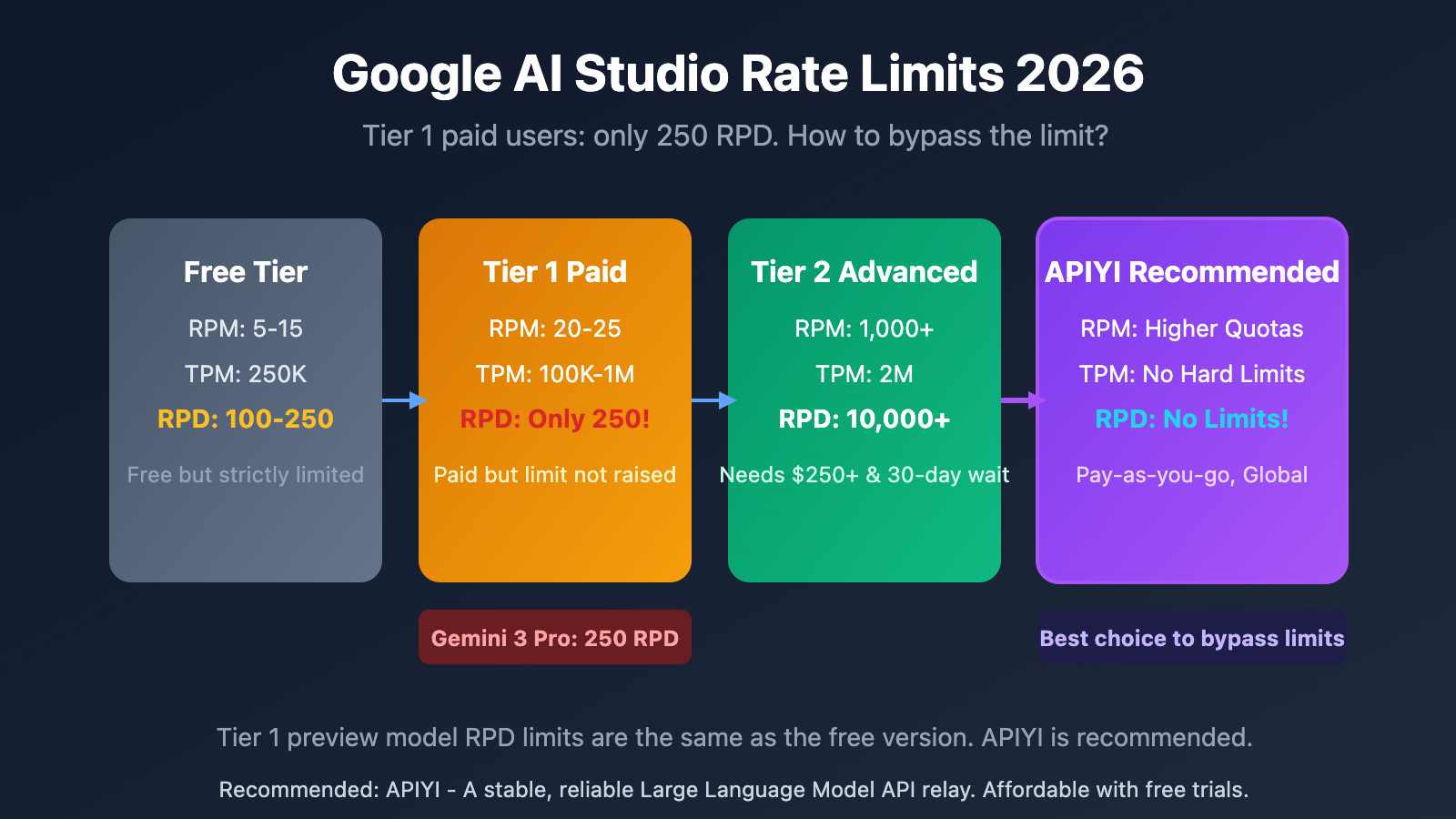
Google AI Studio's rate limits are categorized into four dimensions: RPM (Requests Per Minute), TPM (Tokens Per Minute), RPD (Requests Per Day), and IPM (Images Per Minute). On December 7, 2025, Google significantly adjusted these quotas, with some models seeing daily quota cuts of up to 80%.
| Limit Dimension | Meaning | Free Tier | Tier 1 | Tier 2 |
|---|---|---|---|---|
| RPM | Requests Per Minute | 5-15 | 20-300 | 1,000+ |
| TPM | Tokens Per Minute | 250K | 100K-1M | 2M |
| RPD | Requests Per Day | 100-250 | 250 | 10,000+ |
| IPM | Images Per Minute | 2 | 20 | 100 |
Gemini 3 Pro Series Rate Limit Deep Dive
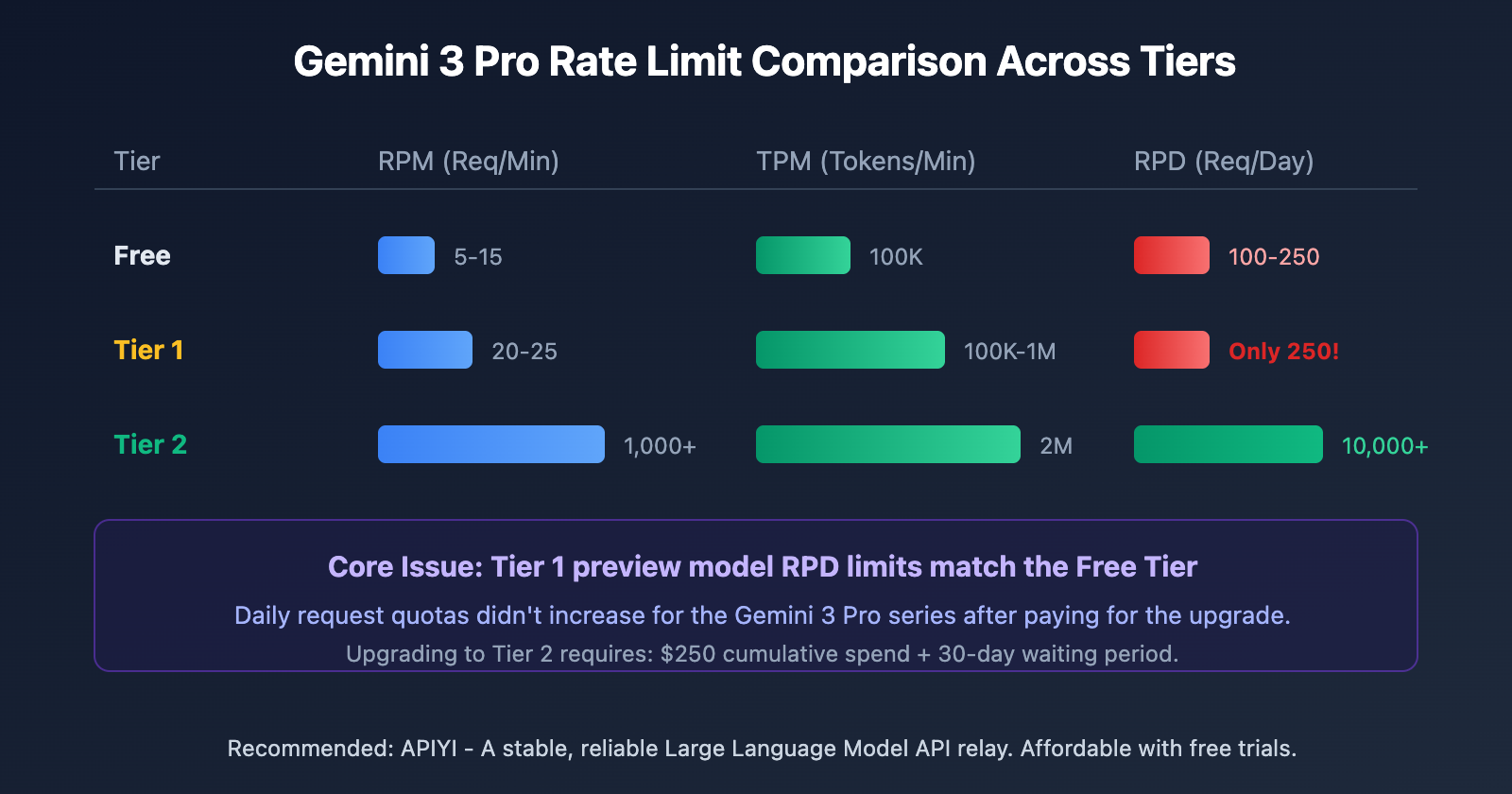
Based on real-world data, Tier 1 paid users face the following specific restrictions:
Gemini 3 Pro Image (Multimodal Generation Model):
- RPM: 6/20 (Max 20 requests per minute)
- TPM: 3.06K/100K (100,000 tokens per minute)
- RPD: 82/250 (Max 250 requests per day)
Gemini 3 Pro (Text Output Model):
- RPM: 0/25 (Max 25 requests per minute)
- TPM: 4.72K/1M (1,000,000 tokens per minute)
- RPD: 0/250 (Max 250 requests per day)
This means that even if you're paying, you're capped at generating 250 images or conducting 250 conversations per day. For development scenarios involving batch processing or frequent testing, this is simply not enough.
Google AI Studio Rate Limit Tiers Explained
Free Tier
The Free Tier is great for learning and basic testing, but the limits are pretty tight:
| Model | RPM | TPM | RPD |
|---|---|---|---|
| Gemini 2.5 Pro | 5 | 250K | 100 |
| Gemini 2.5 Flash | 10 | 250K | 250 |
| Gemini 2.5 Flash-Lite | 15 | 250K | 1,000 |
| Gemini 3 Pro Series | 5-15 | 100K | 100-250 |
Tier 1 (Paid Tier)
You're upgraded to this level as soon as you enable billing—no waiting for approval required:
- Standard Models: 300 RPM, 1M TPM, 1,000 RPD
- Preview Models (like Gemini 3 Pro): 20-25 RPM, 100K-1M TPM, only 250 RPD
The Core Problem: The RPD limit for preview models is exactly the same as the Free Tier. Paying doesn't actually give you a boost here.
Tier 2 (Advanced Tier)
Upgraded within 24-48 hours once you meet the requirements:
- Requirements: $250 cumulative spend + 30 days after your first successful payment
- 1,000+ RPM, 2M TPM, 10,000+ RPD
Tier 3 (Enterprise Tier)
Requires reaching out to the Google Cloud sales team for a chat:
- Customized limits, reaching 4,000+ RPM, 50,000+ RPD
- Dedicated SLA and technical support
Why Tier 1's 250 RPD Limit Just Isn't Enough
Real-world Development Scenarios
| Scenario | Estimated Daily Requests | Can Tier 1 Handle It? |
|---|---|---|
| Personal learning/testing | 50-100 | ✅ Yes |
| Small app development | 200-500 | ❌ Insufficient |
| Product MVP validation | 500-1,000 | ❌ Seriously lacking |
| Bulk content generation | 1,000-5,000 | ❌ Not even close |
| Production deployment | 5,000+ | ❌ Unusable |
The Hurdle to Tier 2
To jump from Tier 1 to Tier 2, you've got to hit two milestones:
- Spend a total of $250 (across all Google Cloud services)
- Wait 30 days after your first successful payment
This means even if you've got an urgent project, you're stuck waiting at least a month to get a higher quota. For dev teams iterating fast, that's just a dealbreaker.
Break through Google AI Studio Rate Limits with APIYI
APIYI (apiyi.com) provides API proxy services for the Gemini model series, including the latest Gemini 3 Pro and Nano Banana Pro (gemini-3-pro-image-preview). You don't have to worry about RPD (Requests Per Day) limits anymore.
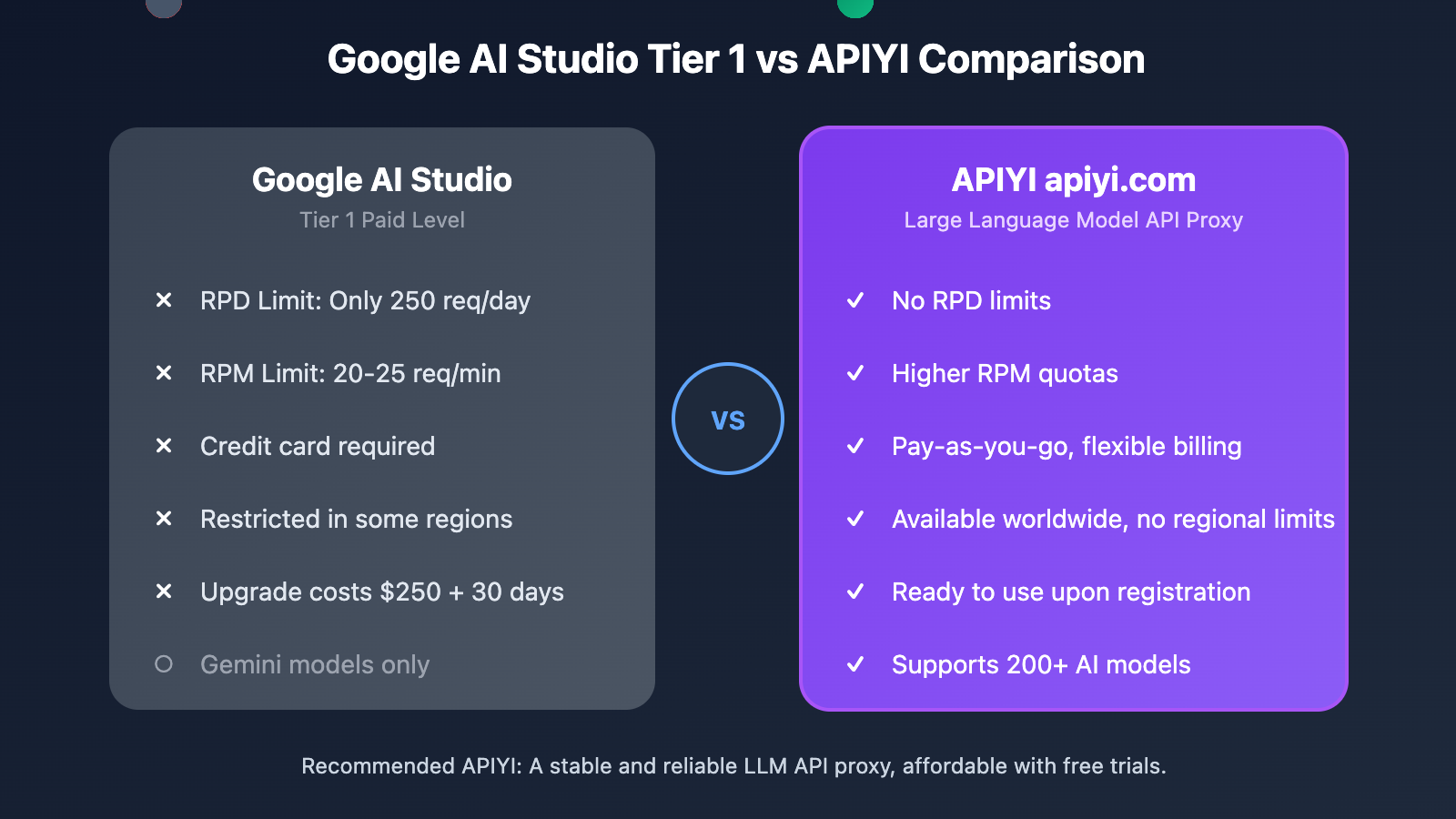
APIYI Core Advantages
| Feature | Google AI Studio Tier 1 | APIYI |
|---|---|---|
| RPD Limit | 250 requests/day | Unlimited |
| RPM Limit | 20-25 requests/min | Higher quotas |
| Billing Method | Credit card required | Pay-as-you-go |
| Region Restrictions | Limited in some regions | Available worldwide |
| Model Coverage | Gemini only | 200+ models |
| Tech Support | Forums | Chinese customer support |
Supported Gemini Models
APIYI supports all mainstream Gemini models, including:
- gemini-3-pro-preview: The latest text multimodal model
- gemini-3-pro-image-preview: Nano Banana Pro image generation model
- gemini-2.5-pro / gemini-2.5-flash
- gemini-2.0-flash / gemini-2.0-flash-lite
- And even more models from the Gemini family
Google AI Studio Rate Limit Quick Start Guide
Option 1: Use Google AI Studio Directly
If your usage requirements are low, you can keep using Google AI Studio:
import google.generativeai as genai

genai.configure(api_key="YOUR_GOOGLE_API_KEY")

model = genai.GenerativeModel('gemini-3-pro-preview')
response = model.generate_content("Hello, Gemini!")
print(response.text)
Option 2: Call Gemini via APIYI (Recommended)
Use the OpenAI-compatible interface to switch with just one line of code:
import openai

client = openai.OpenAI(
    api_key="YOUR_APIYI_KEY",
    base_url="https://vip.apiyi.com/v1"
)

# Call the Gemini 3 Pro text model
response = client.chat.completions.create(
    model="gemini-3-pro-preview",
    messages=[{"role": "user", "content": "Hello, Gemini!"}]
)
print(response.choices[0].message.content)
View Nano Banana Pro image generation example
import openai

client = openai.OpenAI(
    api_key="YOUR_APIYI_KEY",
    base_url="https://vip.apiyi.com/v1"
)

# Call Nano Banana Pro to generate an image
response = client.images.generate(
    model="gemini-3-pro-image-preview",
    prompt="A futuristic cityscape at sunset, cyberpunk style",
    n=1,
    size="1024x1024"
)

print(response.data[0].url)
Pro Tip: Get an API Key from APIYI at apiyi.com, and you'll be able to call Gemini 3 Pro series models without worrying about the RPD 250 limit.
Google AI Studio Rate Limit FAQ
Q1: What should I do if I hit a 429 error?
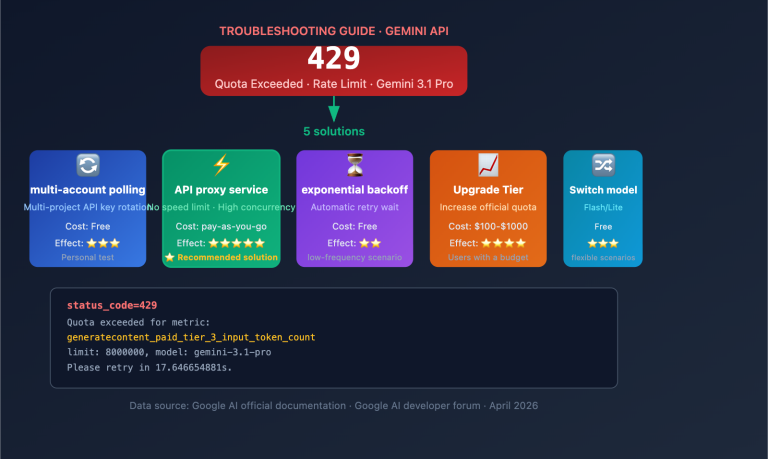
A 429 error means you've exceeded the rate limit. There are three ways to handle this:
- Implement an exponential backoff retry mechanism in your code.
- Upgrade to a higher tier (if you meet the requirements).
- Use a proxy service like APIYI to bypass these limits.
Q2: When do RPD limits reset?
RPD (Requests Per Day) resets at midnight Pacific Time (which is 4 PM Beijing Time). RPM (Requests Per Minute) and TPM (Tokens Per Minute) use a rolling 60-second window, so they don't have a fixed reset time.
Q3: How can I get a higher quota quickly?
The fastest way is to use APIYI (apiyi.com):
- Register an account to get your API Key.
- Start using it immediately after topping up—there are no strict limits.
- It supports over 200+ models, including Gemini, GPT, and Claude.
Summary
Here are the key takeaways regarding Google AI Studio rate limits:
- Tier 1 is quite restrictive: Preview models (like Gemini 3 Pro) have an RPD of only 250 requests/day, which is the same as the free tier.
- High barrier to upgrade: To reach Tier 2, you need to have a cumulative spend of $250 and wait for 30 days.
- The alternative: You can bypass RPD limits by using APIYI (apiyi.com). It's a pay-as-you-go service available globally.
For developers who need to make batch calls, we recommend using the Gemini series via APIYI (apiyi.com). The platform supports gemini-3-pro-preview and gemini-3-pro-image-preview (Nano Banana Pro) without RPD limits. They provide technical support in Chinese, and you can get free test credits just by signing up.
📚 References
-
Google AI Studio Rate Limits Official Documentation: Detailed rate limit explanations
- Link:
ai.google.dev/gemini-api/docs/rate-limits - Description: The latest official rate limit rules and quotas for each tier.
- Link:
-
Gemini 3 Developer Guide: Development guide for the Gemini 3 series
- Link:
ai.google.dev/gemini-api/docs/gemini-3 - Description: An introduction to Gemini 3's new parameters and features.
- Link:
-
Gemini API Pricing: Pricing and billing details
- Link:
ai.google.dev/gemini-api/docs/pricing - Description: Pricing for each model and requirements for tier upgrades.
- Link:
Author: Technical Team
Tech Talk: Feel free to discuss any Google AI Studio usage questions in the comments. For more resources, visit the APIYI (apiyi.com) tech community.