Author's Note: open-design is an open-source alternative to Anthropic Claude Design. From a beginner's perspective, this article provides a comprehensive guide to its architecture, installation steps, and Claude API configuration, covering its 19 Skills and 71 Design Systems.
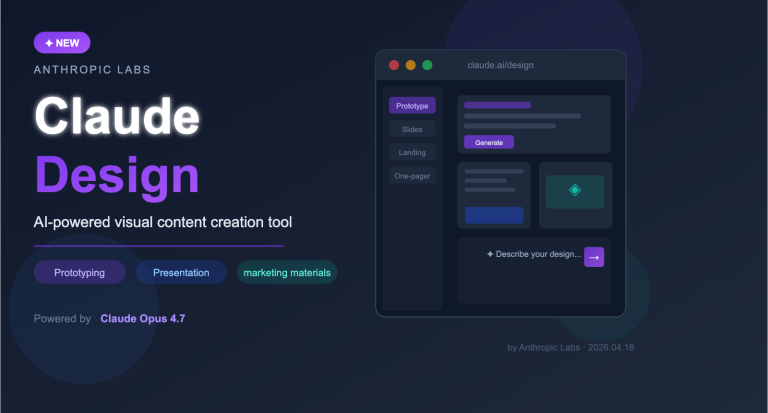
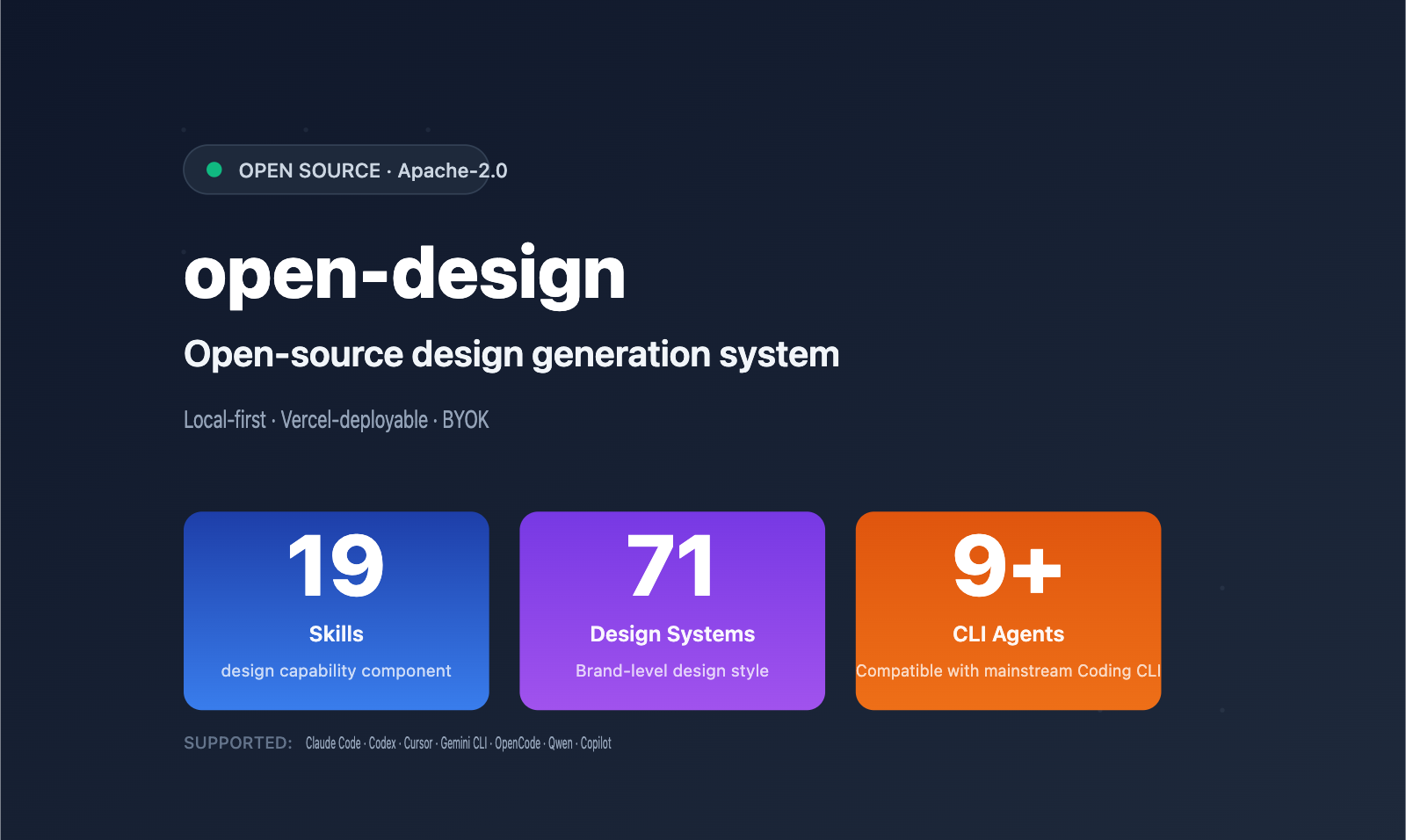
A new open-source project called open-design has recently caught the attention of the design community on GitHub. It's being hailed as an "open-source alternative" to Anthropic Claude Design, featuring local deployment, 19 built-in Skills, and 71 brand-level design systems.
This isn't just another AI wrapper. It's a complete framework designed for developers that drives design generation through the CLI tools you already have installed (such as Claude Code, Codex, Cursor, or Gemini CLI). The project is licensed under Apache-2.0 and can be run locally or deployed via Vercel.
Core Value: By the end of this article, you'll understand the core architecture of open-design, the capabilities of its 19 Skills, and how to use an API proxy service (like APIYI apiyi.com) to get the entire workflow up and running with zero friction.
1. What is open-design: 3 Core Positioning Points of this Open-Source Claude Design Alternative
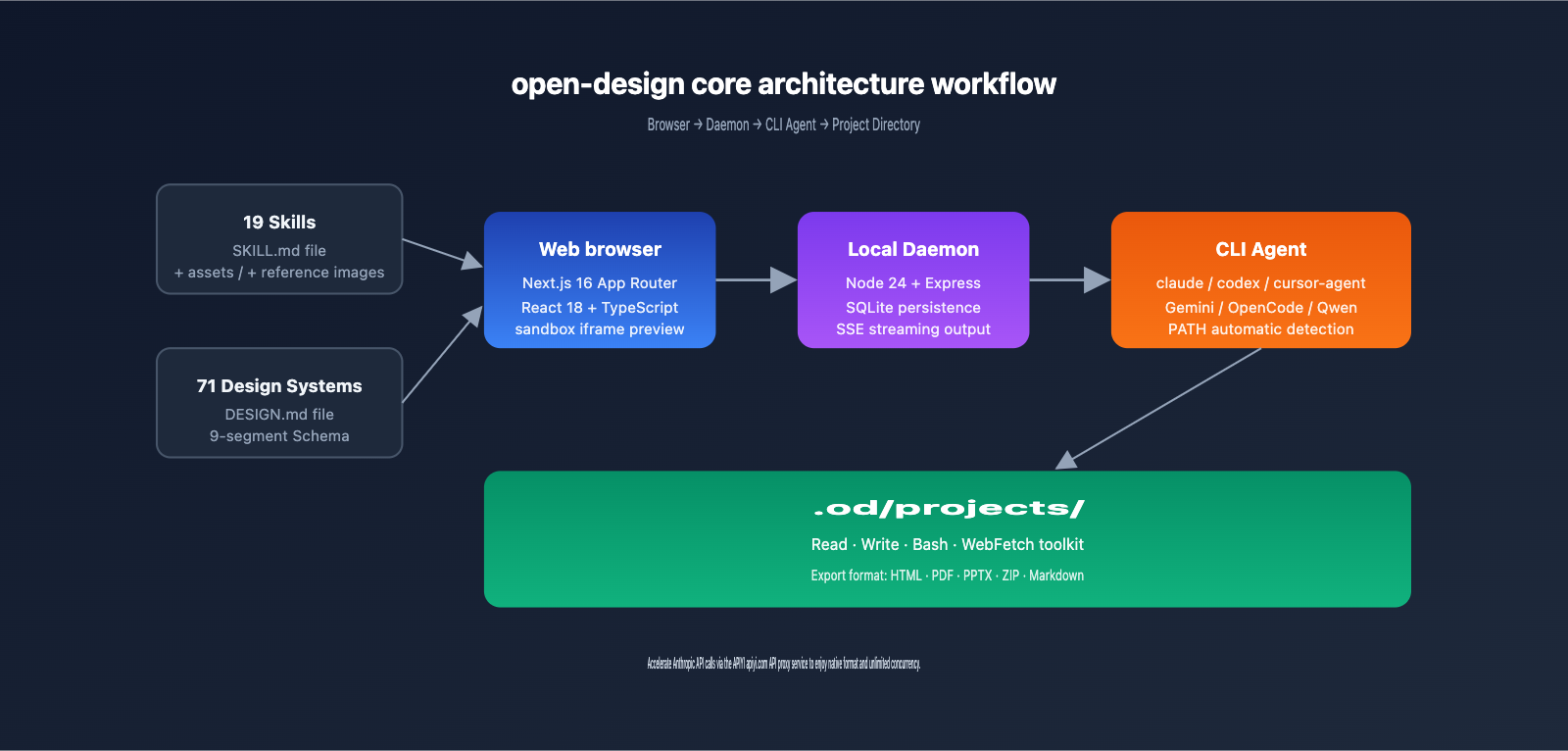
Developed by the nexu-io team, open-design is positioned as a local-first, Vercel-deployable, and Skills-driven design generation platform. Its standout feature is that it doesn't come with its own AI Agent; instead, it delegates Agent execution to the CLI tools already installed on your machine.
1.1 Core Positioning of open-design
| Dimension | open-design Features | Difference from Claude Design |
|---|---|---|
| Execution Mode | Local-first + Vercel deployable | Claude Design is online-only |
| Agent Source | Reuses local CLI (Claude Code/Codex, etc.) | Claude Design is locked to Opus |
| License | Apache-2.0 Open Source | Closed-source commercial product |
| Skills Count | 19 file-based Skills | Private Skills, non-extensible |
| Design Systems | 71 brand-level design systems | Design systems are not public |
| API Key | BYOK (Bring Your Own Key) | Official billing |
1.2 Why open-design is worth a look for newcomers
If you're new to AI-assisted design, open-design offers a more "transparent" choice than Claude Design:
- Fully Open Source: You can understand every detail of the workflow, making it easy to customize.
- Vendor Agnostic: You can swap between Anthropic, OpenAI, or Google models as you please.
- No Extra Subscription: Since you're likely already paying for Claude Code or other CLIs, there's no need to pay for a separate Claude Design subscription.
- BYOK Support: You can connect to third-party Claude API proxy services (like APIYI apiyi.com) for more flexible cost control and concurrency management.
💡 Beginner Tip: If you haven't used the Claude API before, I recommend registering at APIYI apiyi.com to get a unified API key before starting your open-design deployment. This saves you from the hassle of applying for an official Anthropic account, linking credit cards, and dealing with international payments.
1.3 Who is open-design for?
- Independent Developers: Those who want to build landing pages, dashboards, or mobile prototypes without hiring a designer.
- Product Managers: Those who need to quickly generate prototypes, PRD documents, or roadmap visualizations.
- Tech Bloggers: Those who want to generate high-quality cover images, comparison charts, and infographics.
- Designers: Those who want to use AI to accelerate repetitive tasks (like email templates, invoices, or Kanban boards).
2. open-design Core Features: A Deep Dive into 19 Skills + 71 Design Systems
The core architecture of open-design is built on two abstraction layers: Skills and Design Systems. This 19 + 71 combination theoretically allows for over 1,300 unique "Skill × Style" configurations.
2.1 Overview of the 19 Built-in Skills
The 19 Skills in open-design are categorized into three main groups:
Design Delivery (8 Skills)
| Skill Name | Purpose | Output Format |
|---|---|---|
web-prototype |
Single-page HTML landing page | HTML |
saas-landing |
SaaS marketing page | HTML |
dashboard |
Admin interface | HTML |
pricing-page |
Pricing page | HTML |
docs-page |
Three-column documentation page | HTML |
blog-post |
Long-form blog content | HTML/Markdown |
mobile-app |
Mobile app screen | HTML + Device frame |
simple-deck |
Minimalist horizontal slides | HTML |
Presentation (2 Skills)
guizang-ppt: Magazine-style Web PPT (default presentation mode)magazine-poster: Print and poster design
Office Documents (9 Skills)
Includes PM specification documents (PRD), weekly reports, meeting minutes, engineering runbooks, financial statements, HR onboarding, invoices, Kanban boards, OKR scorecards, etc.
2.2 71 Design Systems Categorized
The 71 brand-level design systems are categorized by industry as follows:
| Category | Representative Brands | Style Characteristics |
|---|---|---|
| AI / LLM | Claude, Cohere, Mistral, ElevenLabs, Ollama | Minimalist, technical, low saturation |
| Developer Tools | Cursor, Vercel, Linear, Framer, Supabase | Dark theme, monospace fonts, high contrast |
| Productivity | Notion, Figma, Miro, Airtable, Cal | Friendly, white background, rounded elements |
| Finance | Stripe, Coinbase, Binance, Wise | Trustworthy, blue tones, professional |
| E-commerce / Travel | Shopify, Airbnb, Uber, Nike, Starbucks | Visual impact, prominent brand colors |
| Media | Spotify, PlayStation, Wired, The Verge | Editorial feel, large imagery, strong contrast |
| Automotive | Tesla, BMW, Ferrari, Lamborghini | Premium feel, metallic textures, whitespace |
| Basic Styles | Default Neutral, Warm Editorial | Universal base colors |
🎯 Usage Tips: New users don't need to try every Skill at once. We recommend starting with
web-prototypeandsaas-landingpaired with the "Default Neutral" design system to get the hang of the workflow before exploring other combinations. If you run into rate limits with the Claude API, you can use the API proxy service from APIYI (apiyi.com) to bypass official restrictions.
2.3 Five Visual Directions
If you don't have existing brand assets, open-design provides 5 preset visual directions:
- Editorial: Monocle/FT style, printed magazine feel, warm color accents.
- Modern Minimal: Linear/Vercel style, cold, structured, and restrained.
- Tech Utility: High information density, monospace fonts, terminal aesthetic.
- Brutalist: Raw, oversized typography, sharp, no shadows.
- Soft Warm: Relaxed, low contrast, peach-toned neutrals.
Each direction locks in an OKLch color scheme and font stack to ensure that your AI-generated results stay consistent and professional.
III. Getting Started with open-design: 3 Steps to Local Deployment
3.1 System Requirements
Before deploying open-design, please ensure your local environment meets these requirements:
| Dependency | Version Requirement | Notes |
|---|---|---|
| Node.js | ~24 | Using nvm is recommended |
| pnpm | 10.33.x | Enabled via corepack |
| Git | Any | Used for cloning the repository |
| At least one CLI Agent | Claude Code / Codex / Cursor, etc. | See compatibility list below |
3.2 Three Steps to Installation
Step 1: Clone the repository
git clone https://github.com/nexu-io/open-design.git
cd open-design
Step 2: Enable pnpm and install dependencies
corepack enable
pnpm install
Step 3: Start the local service
pnpm tools-dev run web
Once started, the system will automatically:
- Scan your PATH environment variable to identify available Agent CLIs.
- Load all 19 Skills and 71 Design Systems.
- Create the
.od/runtime directory (containing SQLite, projects, and artifacts). - Open the web interface in your browser.
3.3 Verifying the Installation
Open your browser and visit http://localhost:3000. You should see:
- ✅ An Agent selector at the top (listing identified CLIs).
- ✅ A Skill selector on the left (19 Skill cards).
- ✅ A Design System selector on the right (71 brands).
- ✅ An initialization form (Discovery Form) in the center.
If a specific CLI isn't recognized, verify that it has been added to your system PATH.
# Check if the CLI is available
which claude
which codex
which cursor-agent
IV. Using open-design with Claude API: A Complete BYOK Configuration Guide
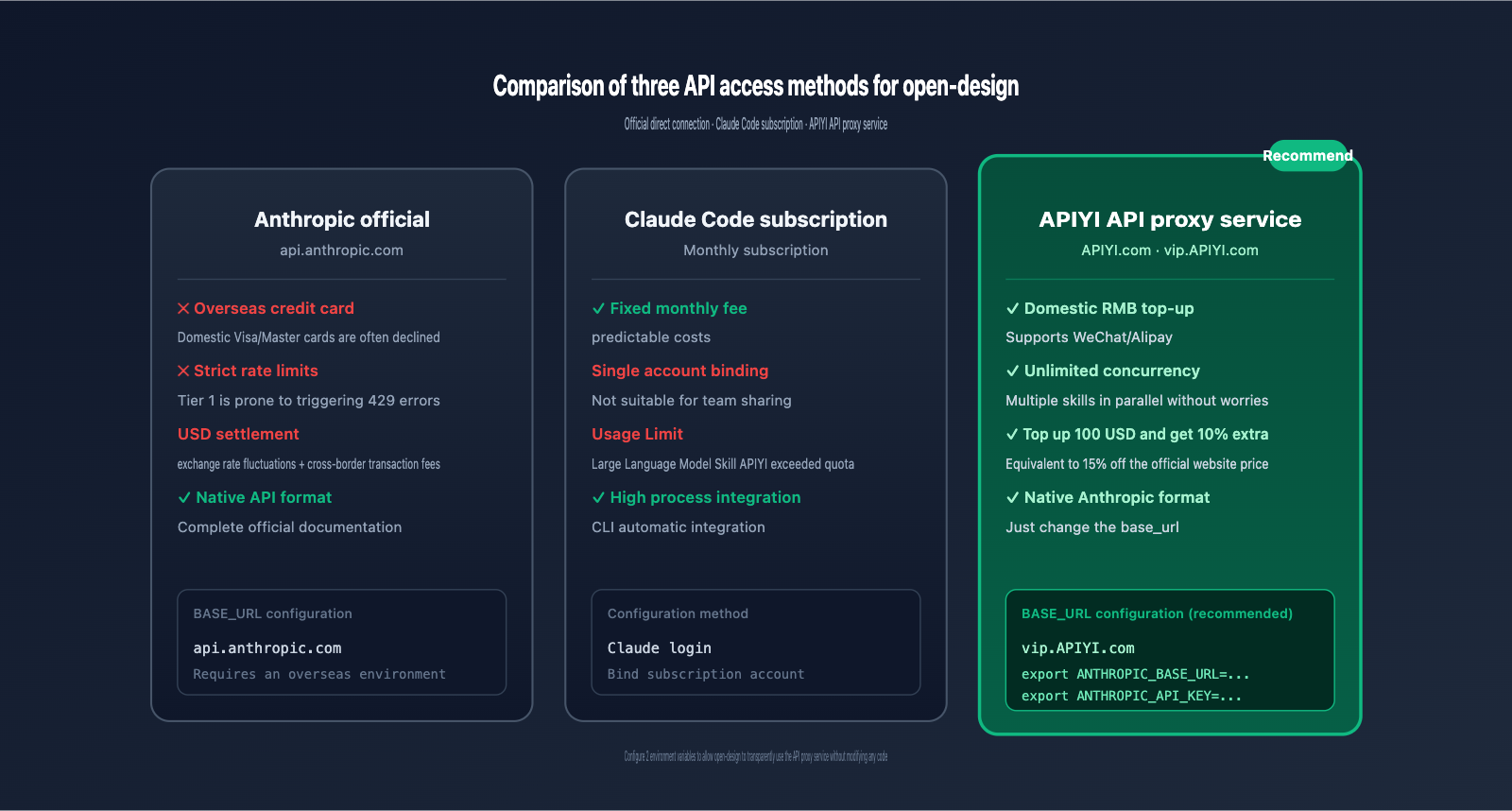
The most common hurdle for newcomers is configuring the API key. The BYOK (Bring Your Own Key) mode in open-design supports two ways to invoke Claude models: via the Claude Code CLI or directly through the Anthropic API SSE.
4.1 Why You Need a Claude API Proxy Service
When using the official Anthropic API directly, newcomers often face three issues:
- Overseas Payment Barrier: Requires a US-issued credit card; domestic Visa/Mastercards are frequently declined.
- Strict Rate Limits: New accounts (Tier 1) have extremely low tokens-per-minute limits, which are easily triggered by complex Skills.
- Limited Concurrency: When open-design handles multiple Skill tasks simultaneously, the official interface often returns 429 errors.
Using a professional Claude API proxy service (like APIYI at apiyi.com) solves these three problems at once. Here is the configuration guide.
4.2 Connecting to APIYI via Environment Variables (Recommended)
The open-design daemon reads standard Anthropic SDK environment variables when invoking the Anthropic API. Before starting, configure ANTHROPIC_BASE_URL and ANTHROPIC_API_KEY:
# macOS / Linux
export ANTHROPIC_BASE_URL="https://vip.apiyi.com"
export ANTHROPIC_API_KEY="sk-your-apiyi-key-here"

# Windows PowerShell
$env:ANTHROPIC_BASE_URL = "https://vip.apiyi.com"
$env:ANTHROPIC_API_KEY = "sk-your-apiyi-key-here"

# Start open-design
pnpm tools-dev run web
🎯 Key Note:
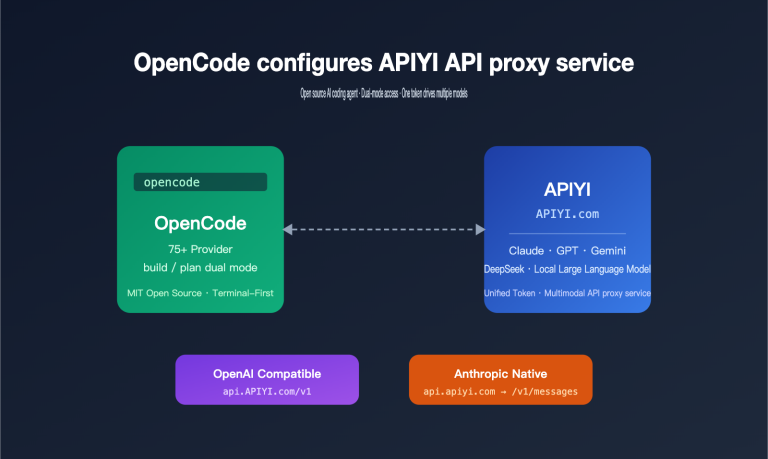
ANTHROPIC_BASE_URLis a standard variable supported by the official Anthropic SDK. APIYI (apiyi.com) is fully compatible with the native Anthropic format, so you don't need to change any code. Simply replacing thebase_urlallows open-design to transparently route through the proxy.
4.3 Using with Claude Code CLI
If you have already installed the Claude Code CLI, open-design will prioritize it by default. Before using it, point Claude Code to APIYI:
# Configure Claude Code to use the APIYI proxy
claude config set api-url https://vip.apiyi.com
claude config set api-key sk-your-apiyi-key-here

# Verify connection
claude --version
claude "Hello" --max-tokens 100
Once configured, open-design will automatically reuse these settings when calling Claude Code, with no additional setup required within open-design.
4.4 APIYI Access vs. Official Direct Connection: Full Comparison
| Comparison Dimension | Anthropic Official | APIYI Proxy (apiyi.com) |
|---|---|---|
| Payment Method | Overseas Credit Card (USD) | Domestic Top-up (CNY) |
| Pricing | Standard Price | 10% bonus on $100 top-up (≈ 15% off official) |
| Rate Limits | Strict Tier 1 Limits | Unlimited concurrency |
| API Format | Anthropic Native | Fully compatible with Anthropic Native |
| Ease of Access | Requires changing base_url | Just change base_url |
| Failover | Single Channel | Multi-server load balancing |
| Technical Support | English Tickets | Chinese Customer Service |
4.5 Verifying API Configuration
Create a test project in the open-design web interface, select the simplest web-prototype Skill, and enter the prompt: "Create a simple landing page for a coffee shop." Observe the terminal logs:
- ✅ Seeing
Connecting to https://vip.apiyi.com/v1/messagesindicates it's using the proxy. - ✅ Response time < 5 seconds (APIYI proxy is usually faster than the official one).
- ✅ No 429 / 529 errors.
If the connection fails, check that your environment variables were exported correctly (you can verify with echo $ANTHROPIC_BASE_URL).
V. open-design Practical Scenarios: 5 Typical Use Cases
5.1 Scenario 1: SaaS Landing Page for Indie Developers
Goal: Produce a production-ready SaaS landing page within 3 hours.
Workflow:
- Select the
saas-landingSkill in open-design. - Choose
LinearorVercelstyle for the Design System. - Fill in the product positioning (target audience, selling points, pricing tiers) in the Discovery Form.
- The Agent automatically generates the complete HTML (including Hero, Features, Pricing, and CTA sections).
- Export the ZIP file and deploy it to Vercel.
API Usage Estimate: A single generation consumes approximately 30-50K input + 8-15K output tokens. If you iterate 5 times, the total consumption will be around 250K tokens. We recommend using the API proxy service from APIYI (apiyi.com) to reduce the cost pressure of repeated iterations.
5.2 Scenario 2: PM Rapid PRD Generation
Goal: Automatically generate a structured PRD based on a brief requirement description.
Workflow:
- Select the office document Skill (PM standard document).
- Choose
Notionstyle for the Design System. - Input the requirement highlights and constraints.
- The Agent generates a complete PRD including background, goals, user stories, AC, and technical solutions.
- Export as Markdown or HTML.
5.3 Scenario 3: Cover Image Generation for Tech Bloggers
Goal: Generate cover images with a consistent style for blog posts.
Workflow:
- Select the
magazine-posterSkill. - Choose
WiredorThe Vergefor the Design System. - Input the article topic and keywords.
- Adjust the visual direction (Editorial / Brutalist / Soft Warm).
- Export as PNG.
5.4 Scenario 4: Rapid Mobile Prototype Validation
Goal: Produce a 5-screen mobile app prototype within 1 day.
Workflow:
- Select the
mobile-appSkill. - Choose iPhone 15 Pro for the Device Frame.
- Choose
SpotifyorAirbnbfor the Design System. - Generate screens in split sessions (Home, List, Detail, Settings, Onboarding).
- Export HTML for frontend reference.
5.5 Scenario 5: Data Dashboard Design
Goal: Generate an interactive dashboard prototype based on business data fields.
Workflow:
- Select the
dashboardSkill. - Choose
StripeorVercelfor the Design System. - Input data fields and chart type preferences.
- The Agent generates a complete Dashboard including a sidebar, KPI cards, charts, and tables.
💡 Common Advice for All Scenarios: All 5 scenarios involve iterative processes, and each iteration counts as a full Claude model invocation. We suggest connecting open-design to APIYI (apiyi.com); this not only provides a 15% cost discount but also leverages its unlimited concurrency to run multiple Skill tasks simultaneously.
VI. open-design FAQ
Q1: What is the core difference between open-design and Claude Design?
The core difference lies in how the Agent runs. Claude Design is Anthropic's closed-source SaaS product, tightly bound to the Opus model. open-design is an open-source project where the Agent is provided by your local CLI (Claude Code, Codex, Cursor, etc.). In other words, Claude Design is a "product," while open-design is a "framework."
If you have already subscribed to Claude Code or have an API key from APIYI (apiyi.com), open-design is essentially a zero-additional-cost choice.
Q2: Can I use open-design without an official Anthropic account?
Absolutely. open-design supports any CLI Agent and does not force you to use the Anthropic API. Common alternatives include:
- Using Cursor Agent (with your Cursor subscription)
- Using Gemini CLI (with Google's free tier)
- Using OpenCode or Qwen Code
- Using the Claude API proxy service provided by APIYI (apiyi.com) (recommended for beginners)
APIYI supports RMB top-ups, eliminating the hassle of applying for overseas accounts, making it very friendly for domestic developers.
Q3: Which of the 19 Skills should a beginner try first?
Ranked by "ease of use + high output value," the recommended order is:
web-prototype– The simplest, single-page HTML.saas-landing– High practicality, can be used directly for products.simple-deck– A PPT alternative; create a presentation in 5 minutes.dashboard– Great for practicing data visualization.mobile-app– Learn mobile layout design.
Office document Skills (like PRD or weekly reports) are also very useful but require more prompt tuning.
Q4: Are the 71 Design Systems fixed, or can I customize them?
They are fully extensible. Design Systems are essentially DESIGN.md files that follow a 9-segment schema. You just need to:
- Create a new folder in the
design-systems/directory (named after your brand). - Create a
DESIGN.mdfile to describe colors, fonts, spacing, and component styles. - Restart the Daemon, and the new design system will automatically appear in the selector.
This file-based extension is a core advantage of open-design over Claude Design.
Q5: Will using open-design consume a large number of API tokens?
Yes, but it is controllable. Each Skill's prompt stack is quite long (about 5-10K tokens for system prompts), and with output, it can reach 5-15K tokens. A full generation consumes about 20-40K tokens.
Ways to reduce costs:
- Use the APIYI (apiyi.com) proxy to enjoy a 10% bonus on $100 top-ups (≈ 15% discount).
- Prioritize Claude Sonnet 3.5 over Opus (it's 5x more cost-effective).
- Utilize Claude's native prompt caching feature (fully supported by APIYI).
Q6: Does open-design support Chinese prompts?
Yes, fully supported. open-design is just a prompt orchestration framework; the final Chinese comprehension capability depends on the model you choose. Claude Sonnet 3.5 and Opus 3.7 both have excellent Chinese support, including design contexts for Chinese scenarios (e.g., "Guochao style," "Cyberpunk," etc.).
Q7: Can I still access the .od directory locally after deploying to Vercel?
No. Vercel uses a Serverless architecture and does not have a persistent file system. If you need to deploy to Vercel, we recommend a hybrid mode: deploy the Web layer to Vercel, while keeping the Daemon running locally or on your own server, exposing it to the Vercel Web layer via a tunnel (such as Cloudflare Tunnel).
Q8: What exactly does the open-design Anti-AI-Slop mechanism do?
open-design embeds a 6-layer mechanism in the prompt stack to prevent "AI-flavored" designs:
- Mandatory Initialization Form: You must collect requirements in the first round; direct generation is not allowed.
- Five-Step Brand Asset Protocol: Positioning → Download → Extract colors → Write to
brand-spec→ Confirm. - Five-Dimensional Self-Assessment: Must rate itself before generation (Philosophy, Hierarchy, Execution, Specificity, Restraint).
- P0/P1/P2 Checklist: Every Skill has mandatory check items.
- AI Slop Blacklist: Explicitly prohibits gradients, generic emojis, rounded-corner left-border cards, and fake data.
- Honest Placeholders: Uses
—or gray blocks instead of fabricated data.
This mechanism is the core barrier that distinguishes open-design from ordinary AI design tools.
VII. open-design Key Takeaways
- ✅ open-design is an open-source alternative to Claude Design, released under the Apache-2.0 license, featuring a local-first approach and Vercel deployability.
- ✅ The core consists of 19 Skills and 71 Design Systems, offering over 1,300 possible combinations of "capabilities × styles."
- ✅ Agent execution leverages a local CLI, supporting Claude Code, Codex, Cursor, Gemini CLI, OpenCode, Qwen, and more.
- ✅ Local deployment in 3 steps: Clone the repository →
pnpm install→pnpm tools-dev run web. - ✅ BYOK configuration requires only 2 environment variables:
ANTHROPIC_BASE_URLandANTHROPIC_API_KEY. - ✅ Recommended for newcomers: Use an API proxy service like APIYI: apiyi.com provides native format compatibility, unlimited concurrency, and a 10% bonus on $100 deposits.
- ✅ Anti-AI-Slop mechanism: Features a 6-layer design to prevent "AI-flavored" output, ensuring high-quality results.
VIII. Conclusion
open-design is a significantly underrated open-source project. Rather than marketing itself as an "AI Designer" like Claude Design, it pragmatically positions itself as a framework combining Skills + Design Systems + Agent orchestration. This "tool-first" philosophy is exactly why it's gaining rapid traction among professional developers.
For newcomers, the biggest hurdle to getting started with open-design isn't the technology, but the API configuration. The easiest way to bypass this is by using a professional Claude API proxy service (like APIYI at apiyi.com). Native format compatibility means you don't have to change a single line of code, domestic payment options eliminate the need for an international credit card, and unlimited concurrency allows you to run multi-skill workflows with peace of mind. Plus, the 10% bonus on $100 deposits effectively gives you a 15% discount compared to official pricing.
If you're looking to systematically integrate AI-assisted design workflows, the combination of open-design and APIYI (apiyi.com) is currently the most developer-friendly setup in China. Start your deployment today—you can have your first Skill up and running in under an hour.
🎯 Next Steps: Visit APIYI at apiyi.com to register an account and get your API key. Follow the environment variable configuration in Chapter 4 to complete your BYOK setup. Start by running the
web-prototypeSkill to get the hang of the workflow, then gradually explore the capabilities of the other 18 Skills.
References
-
open-design GitHub Repository: The main project repository
- Link:
github.com/nexu-io/open-design - Description: Contains the complete source code, 19 Skills, and 71 Design Systems.
- Link:
-
Anthropic Official Documentation: Claude API user guide
- Link:
docs.anthropic.com/claude/docs - Description: API parameters, prompt structure, and model comparisons.
- Link:
-
APIYI Official Website: Claude API proxy service platform
- Link:
apiyi.com - Description: Native format compatibility, unlimited concurrency, CNY top-ups, and a 10% bonus for every $100 topped up.
- Link:
Author: Technical Team
Last Updated: 2026-04-30
About APIYI: APIYI (apiyi.com) is a professional Claude API proxy service provider. We offer stable access to the full range of models, including Claude Sonnet 4.5 and Claude Opus 4.7. We support native Anthropic format calls, provide a 10% bonus on $100 top-ups (equivalent to a 15% discount off official pricing), offer unlimited concurrency, and ensure fast technical support responses.