In June 2026, Amazon began displaying AI-generated product images directly in search results and its mobile app. This move sent a clear signal: AI-generated imagery is no longer an experimental edge case—it’s a mainstream production method that both platforms and sellers are embracing. For cross-border e-commerce, those who successfully integrate an AI image workflow first will leave their competitors behind in terms of launch speed, multi-market coverage, and conversion rates. This article explores the core logic behind why top Amazon sellers are pivoting to AI image workflows, the six most critical image generation scenarios for cross-border companies, and how to build your own in-house solution.
Core Value: After reading this, you’ll understand why top sellers are moving away from pure human photography, what the six most frequent image needs in cross-border e-commerce are, and how to use an API proxy service to build a controllable, scalable, in-house image workflow while mitigating Amazon compliance risks.
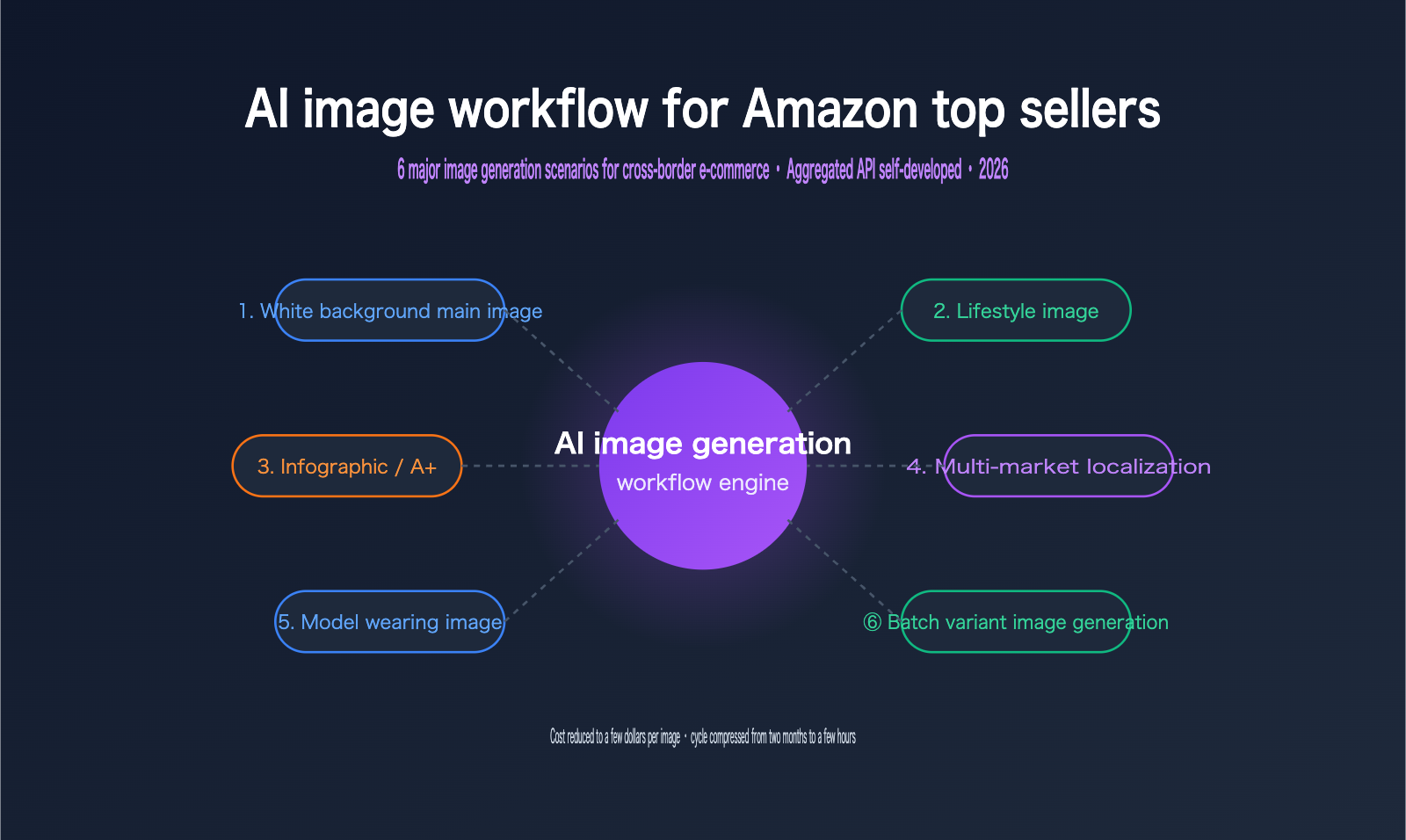
Why Top Amazon Sellers Are Switching to AI Image Workflows
Images are the first hurdle for conversion in cross-border e-commerce. Amazon's official data shows that sellers using high-quality creative assets, such as those from Creative Studio, can see click-through rates up to 40% higher than those using manual creative work. While traditional human photography for a set of product images costs between $500 and $2,000, and refreshing 50 SKUs often takes two months, an AI workflow can drive the cost per image down to $0–$10 and produce a complete image set in minutes.
| Comparison Dimension | Traditional Photography | AI Image Workflow |
|---|---|---|
| Cost per set | $500–$2,000 | $0–$10 |
| 50 SKU refresh cycle | ~2 months | Minutes to hours |
| Multi-market localization | Separate shoots per market | One base image, multiple variants |
| A/B testing iteration | Re-booking shoots, high cost | Real-time iteration via prompts |
| Angle/scene consistency | Dependent on manual control | Standardized lighting and composition |
What drives top sellers to switch isn't just cost savings—it's the change in operational tempo. AI workflows transform images from a "launch bottleneck" into a "growth engine." You can change backgrounds, test new angles, and localize content in hours based on real-time sales data, rather than waiting weeks. For large-scale sellers managing thousands of SKUs across the US, Europe, and Japan, this agility is something traditional photography simply cannot provide.
💡 Trend Tip: Amazon's display of AI images in search results indicates that the platform is open to compliant AI content. We recommend that cross-border teams integrate AI image generation into their standard workflows as soon as possible. Use an API proxy service like APIYI (apiyi.com) to unify access to mainstream image models, starting with low-risk image categories to refine your process.
It’s important to emphasize that switching to AI doesn't mean completely replacing human photography. The most stable path currently is to first migrate standardized image types like detail shots, scene shots, and infographics, while keeping some human-captured assets for main images and brand campaigns as a "ground truth benchmark."
The 6 Essential AI Image Scenarios for Cross-Border E-commerce
Understanding the needs of top sellers comes down to knowing exactly which images they require. These 6 scenarios cover the vast majority of image production workloads in cross-border e-commerce and serve as the benchmark for evaluating any AI image generation solution.
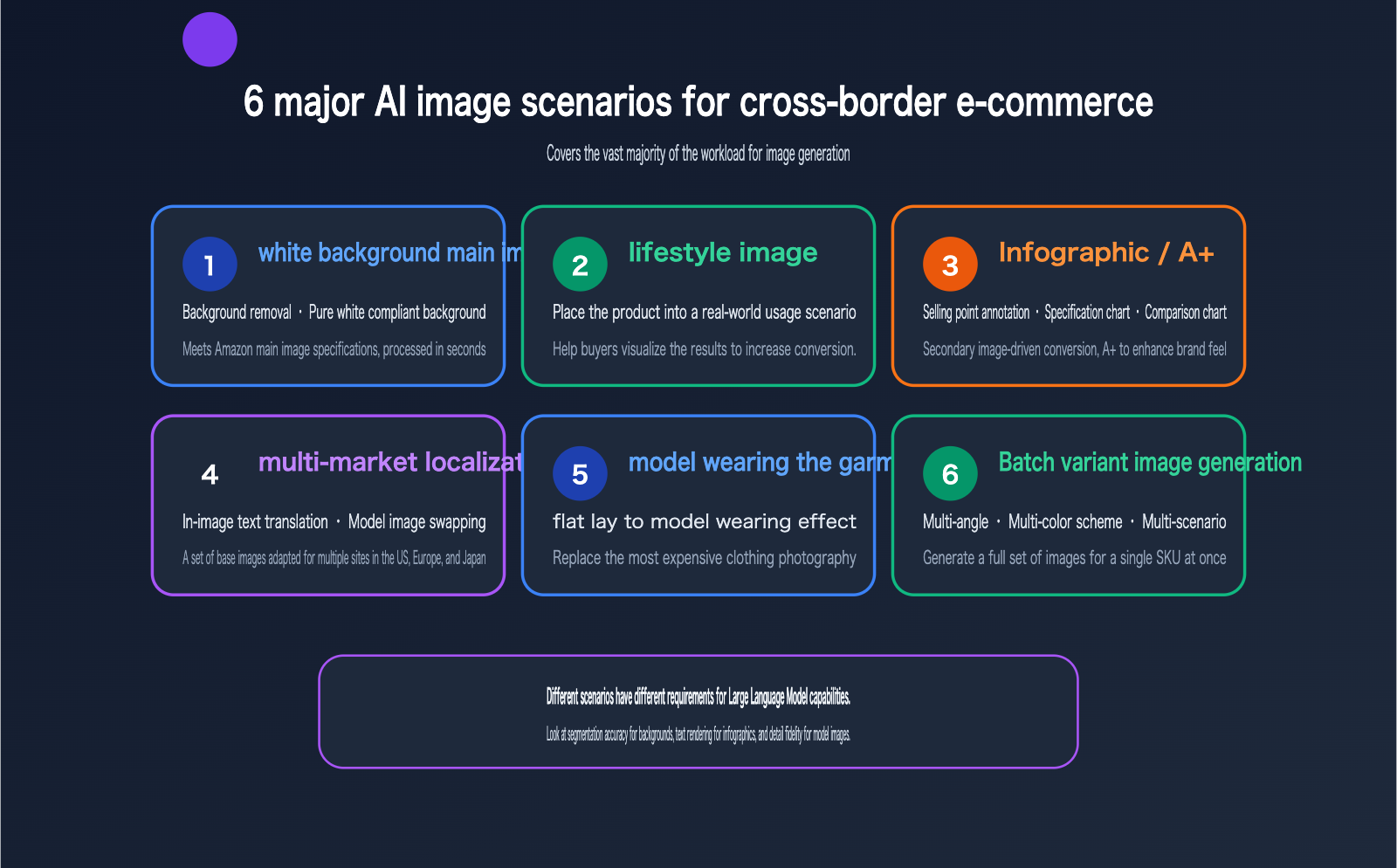
| Scenario | Typical Requirement | AI Value |
|---|---|---|
| White Background Main Image | Background removal, compliant pure white background | Meets Amazon main image standards, processed in seconds |
| Lifestyle Image | Placing products in realistic settings | Helps buyers visualize usage, boosts conversion |
| Infographic/A+ Content | Feature callouts, specs, comparison charts | Secondary images drive conversion, A+ enhances brand feel |
| Multi-market Localization | Text translation, model swapping | One base image adapted for US, EU, and JP sites |
| Apparel Model Shots | Flat-lay to model-worn effect | Replaces expensive clothing photoshoots |
| Bulk Variant Images | Multiple angles, colors, and scenes | Generate full image sets for a single SKU at once |
I want to highlight multi-market localization, as it's the most underrated scenario. An infographic with English specifications is almost useless to a Japanese buyer. Traditionally, this required collaboration between source files, translators, and designers to replace text word-by-word. Now, with generative editing, you can keep the product 100% intact while only swapping the text or the model, which is a core requirement for multi-site operations.
These 6 scenarios aren't isolated; they form a progressive value chain. White background and bulk variant images are "standardized capacity" for listing efficiency; lifestyle and infographics are "conversion boosters" that impact click-through and add-to-cart rates; while localization and model shots are "scale expansion" tools that determine how many markets a set of assets can cover. Top sellers usually implement these in stages: start with standardized scenarios to build the pipeline and compliance flow, then layer in conversion and expansion scenarios. This approach delivers quick wins while keeping initial trial-and-error costs low.
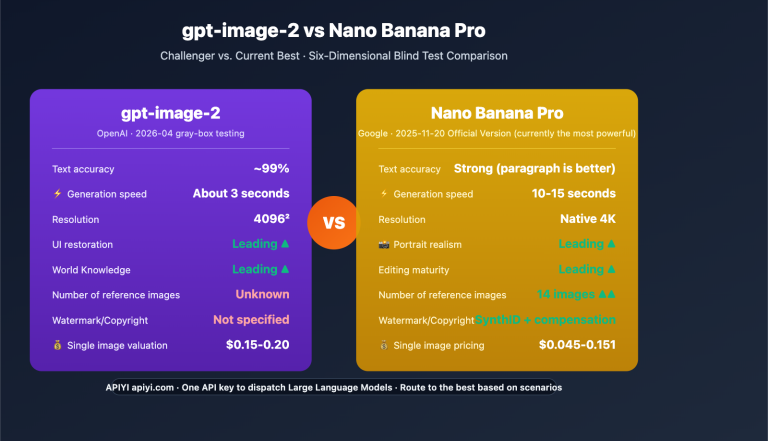
🎯 Scenario Coverage Tip: These 6 scenarios have different model requirements—background replacement relies on segmentation precision, infographics on text rendering, and model shots on detail fidelity. We recommend using an API proxy service like APIYI (apiyi.com) to access multiple models like Nano Banana Pro or gpt-image-2, selecting the best one for each scenario rather than forcing a single tool to handle everything.
Why Top Sellers Choose Self-Development + Aggregated APIs Over SaaS
Cross-border image solutions generally fall into two paths: using off-the-shelf SaaS tools or building custom workflows via APIs. SaaS is fine for small sellers, but as volume grows and integration with internal ERPs or listing systems becomes necessary, top sellers almost always pivot to self-development. We've observed that leading cross-border enterprises, including companies like Aukey, increasingly prefer aggregated API solutions when building internal image workflows.
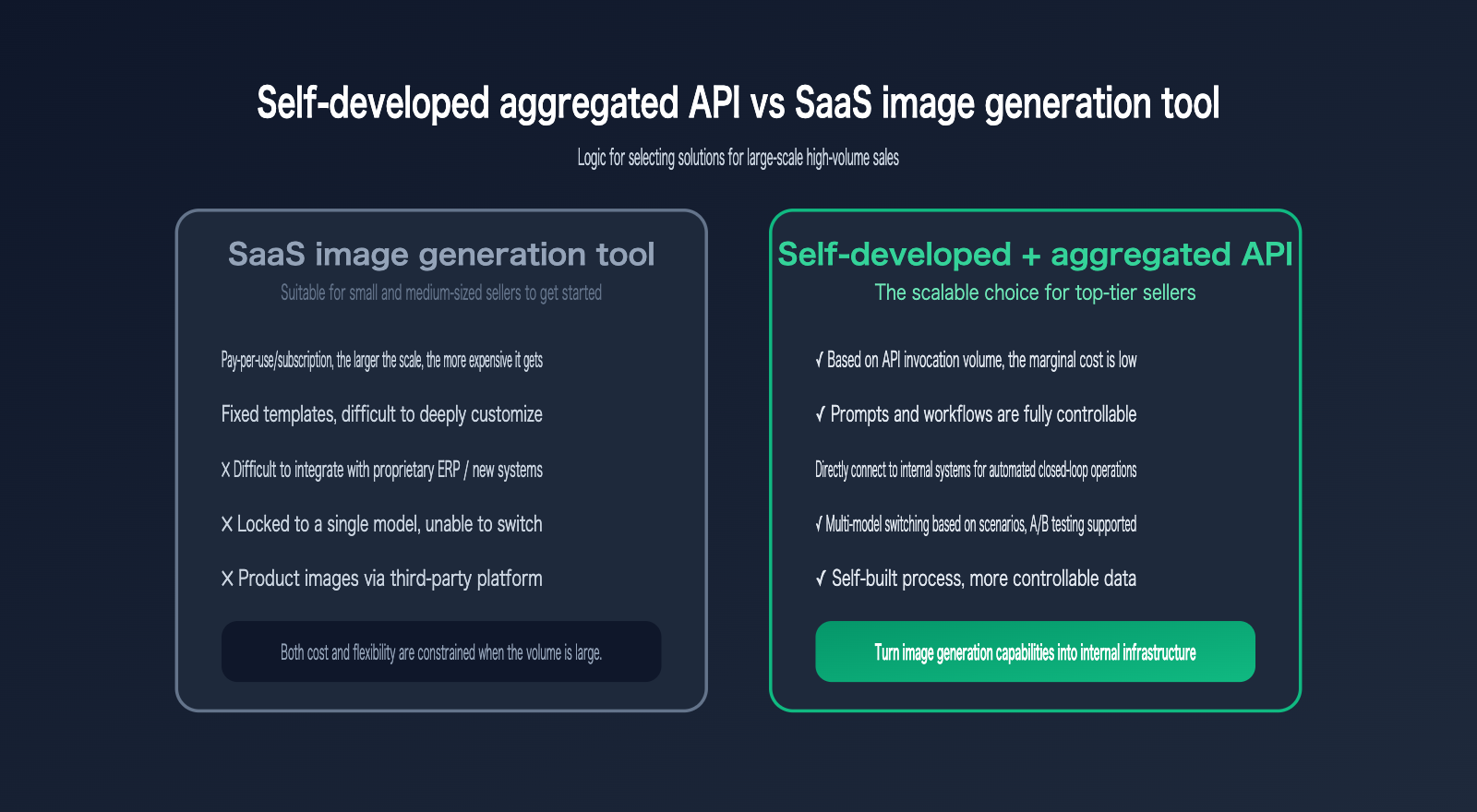
| Comparison | SaaS Tools | Self-developed + Aggregated API |
|---|---|---|
| Billing | Per image/subscription, gets expensive at scale | Per API call, lower marginal cost |
| Customization | Fixed templates, hard to customize | Full control over prompts and workflows |
| Integration | Difficult to connect to ERP/listing systems | Direct connection, automated closed loop |
| Model Choice | Locked to a single model | Switch models by scenario, A/B testing |
| Data Security | Product images on third-party platforms | Self-built flow, higher data control |
The core advantage of self-development is turning image production into an internal infrastructure. When image production is embedded directly into the listing process, new products automatically generate full image sets (main, secondary, detail) and undergo compliance checks upon upload, rather than requiring manual processing. The value of an aggregated API here is eliminating the cost of integrating with multiple model providers: one interface, one API key, and you can access multiple mainstream models.
Here is a simple example of using an aggregated API to generate a lifestyle image by submitting the product image and a prompt:
import requests, base64

# APIYI aggregated endpoint
API_URL = "https://api.apiyi.com/v1beta/models/gemini-3-pro-image-preview:generateContent"
headers = {"x-goog-api-key": "YOUR_API_KEY"}

with open("product.png", "rb") as f:
    img_b64 = base64.b64encode(f.read()).decode()

payload = {
    "contents": [{"parts": [
        {"text": "Generate an image: Place this product in a bright Scandinavian living room, soft daylight, keep the product 100% unchanged. E-commerce lifestyle style."},
        {"inline_data": {"mime_type": "image/png", "data": img_b64}}
    ]}],
    "generationConfig": {"imageConfig": {"aspectRatio": "1:1", "imageSize": "2K"}}
}

resp = requests.post(API_URL, headers=headers, json=payload, timeout=300)
print(resp.status_code)  # The returned inlineData contains the base64 of the generated image
📘 Self-Development Tip: Self-development doesn't mean reinventing the wheel. We suggest offloading the model layer to an aggregation platform like APIYI (apiyi.com) to handle stability, multi-channel redundancy, and model switching. Your team can then focus on prompt engineering, compliance pre-checks, and batch scheduling for the fastest implementation and lowest maintenance costs.
End-to-End Workflow for Self-Developed Image Pipelines
A mature cross-border AI image workflow isn't just about "calling a model to get an image"; it's a full-fledged pipeline with built-in quality control. Based on the best practices of top overseas sellers, a complete process typically consists of five stages:
- Establish a Truth Set: Use a small number of real product photos taken by professionals as a "truth set" to ensure the AI-generated images remain consistent with the actual product.
- Batch Generation: Simultaneously generate main images, lifestyle shots, and detail shots based on the truth set, ensuring consistent lighting, shadows, and composition.
- Compliance Pre-check: Automatically verify requirements like pure white backgrounds, product-to-frame ratio (Amazon recommends ≥85%), and the absence of prohibited elements.
- Localization Fission: Replace text and model imagery within the approved base images to produce variants for different markets.
- Batch Export: Export files using a standardized naming convention, ready for direct integration with your listing system.
Two stages in this pipeline are often overlooked but are critical to success. The first is the quality of the truth set: you don't need many, but they must be authentic photos that accurately reflect the material and color. This serves as the anchor point for all subsequent AI-generated images; skipping this step often leads to discrepancies between the image and the actual product. The second is the retention of human quality control: color accuracy, material representation, and the presentation of regulated categories (such as food, baby products, and electronics) still require human oversight. AI handles the volume, while humans handle quality and compliance—you need both.
The engineering keys to this pipeline are concurrency control and failure retries. Since model invocation can take anywhere from a few seconds to a minute, we recommend running a queue with a concurrency of 5-10, with automatic retries or fallback to a secondary model for failed tasks. By routing your model layer through the high-concurrency channels at APIYI (apiyi.com), you can avoid the rate-limiting issues that often plague official channels during peak hours.
Amazon AI Image Compliance Guide (2026)
While shifting to an AI-driven workflow, compliance remains the biggest red line for top sellers. The core of Amazon's 2026 policy is: substantially AI-generated or significantly enhanced images must be clearly disclosed, and any AI-generated image must accurately reflect the actual product being shipped to the buyer.
| Category | Details | Disclosure Required |
|---|---|---|
| Allowed | Background removal/replacement, color correction, lighting adjustments, AI resizing | Minor adjustments usually don't require disclosure |
| Allowed (with label) | Fully synthetic images, AI-generated digital models, artistic presentations | Must be clearly disclosed |
| Prohibited | Lifestyle images that mislead regarding product scale | —— |
| Prohibited | Fabricating product features that don't exist | —— |
| Prohibited | Faking buyer review photos or false before-and-after comparisons | —— |
It's worth noting that Amazon's official analysis indicates that the vast majority of AI image violations aren't intentional fraud, but rather sellers failing to disclose synthetic content as required. In other words, as long as you present the product accurately and disclose AI usage, compliance risks are entirely manageable. We recommend building compliance pre-checks directly into your workflow to automatically verify product ratios, background standards, and disclosure labels before batch exporting.
🎯 Compliance Tip: AI content policies can vary by region and are still evolving rapidly. We suggest reserving a "compliance rule layer" in your self-developed workflow to parameterize platform-specific rules. By leveraging the multi-model capabilities of APIYI (apiyi.com), you can also select models with the highest detail fidelity for compliance-sensitive images (like main product images).
FAQ
Q1: Is it necessary for small and medium-sized sellers to develop their own AI image workflows?
Not necessarily. For sellers with a monthly output of a few hundred images and standardized requirements, starting with SaaS tools is more cost-effective. However, when your output reaches thousands of images, or you need to integrate with your own ERP and product launch systems, or perform refined multi-market localization, a self-developed workflow combined with an API proxy service becomes more economical. You can start by using a small amount of credit on APIYI (apiyi.com) to validate your process before deciding whether to build your own.
Q2: Will AI-generated product images be flagged as violations by Amazon?
As long as they accurately reflect the actual product and are disclosed according to requirements, they won't be. Amazon allows routine processing such as background replacement and lighting adjustments, and starting in 2026, they will actively display AI images in search results. Violations mainly occur when features are fabricated, dimensions are misrepresented, or synthetic content is not disclosed. You can avoid these issues by incorporating compliance pre-checks into your workflow.
Q3: How does AI handle text within images for cross-border multi-site localization?
Using generative editing, you can replace text in infographics or swap out models while keeping the product itself unchanged. This allows you to create versions for US, European, and Japanese markets from a single base image, eliminating the traditional three-way collaboration between source files, translators, and designers. For images requiring high-quality text rendering, we recommend choosing models with strong text capabilities. You can compare different models on APIYI (apiyi.com) to find the best fit.
Q4: What are the benefits of an API proxy service compared to connecting directly to model providers?
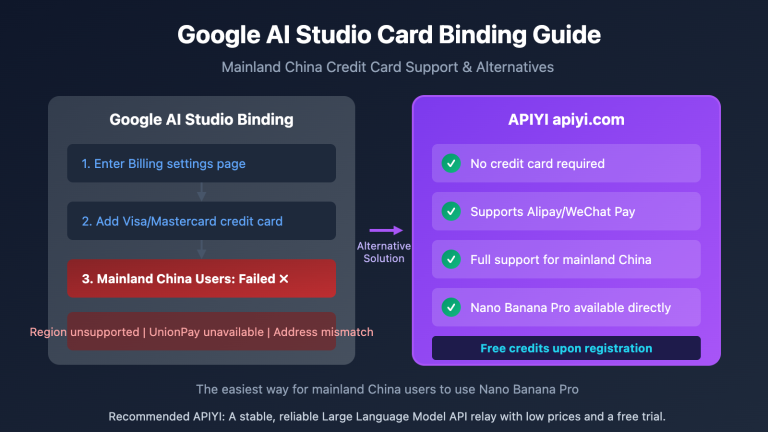
The main benefits are peace of mind and stability. Connecting directly requires integrating with multiple providers individually, registering and binding cards for each, and handling your own disaster recovery. With an API proxy service, you can call multiple mainstream image generation models using a single interface and a single API key. The platform handles multi-channel redundancy, minimizing the impact of peak-time rate limits or single-model failures, which is ideal for cross-border teams handling bulk image generation.
Summary
Amazon's decision to display AI product images in search results marks the official entry of cross-border e-commerce into the mainstream era of AI image generation. The logic behind large sellers shifting to AI image workflows is clear: costs drop from thousands of dollars per set to a few dollars per image, production cycles shrink from two months to a few hours, and it enables agile multi-market localization and real-time A/B testing. The six key scenarios most needed by cross-border companies—white-background main images, lifestyle images, infographics, localization, model images, and bulk variants—together form the benchmark for evaluating image generation solutions.
For large-scale sellers, a self-developed workflow based on an API proxy service is superior to SaaS tools in terms of cost, customization, integration, and data control. By offloading the model layer to an aggregation platform, your team can focus on the business rather than the infrastructure. If you're ready to build your own image workflow, you can register at APIYI (apiyi.com) to claim test credits, run your first scenario using the code templates in this article, and then gradually add compliance pre-checks and bulk processing capabilities.
Author: APIYI Team
Technical Support: The image generation models mentioned in this article, such as Nano Banana Pro and gpt-image-2, can all be accessed via the unified API at APIYI (apiyi.com). New users can register to receive free test credits.