Author's Note: Getting a "Image part is missing a thought_signature" error with Nano Banana 2? This is a 400 error caused by failing to pass back the thought signature during multi-turn conversations. This article explains the cause, provides solutions, and includes code examples.
If you've encountered this error while editing images with Nano Banana 2 (gemini-3.1-flash-image-preview):
{
  "status_code": 400,
  "error": {
    "message": "Image part is missing a thought_signature in content position 2, part position 1."
  }
}
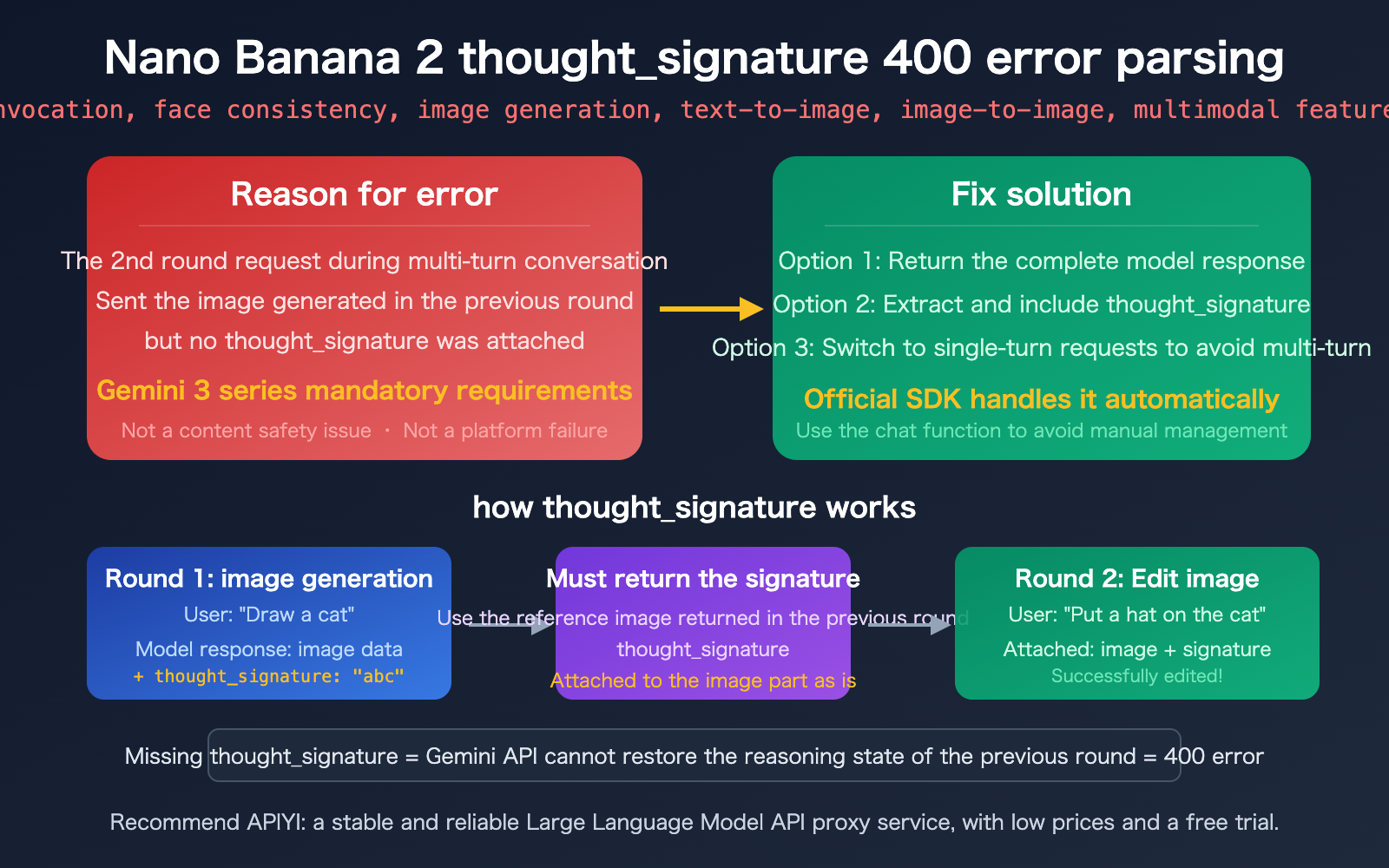
Don't panic—this is a multi-turn conversation requirement for the Gemini 3 series models, not a content safety issue or a platform glitch. Simply put: You sent a previously generated image in your second request without including its thought_signature.
Key Takeaway: After reading this, you'll understand how thought_signature works, master three solutions, and learn how to correctly handle thought signatures in multi-turn image editing scenarios.
Core Interpretation of the Nano Banana 2 thought_signature Error
What This Error Actually Means
Let’s break down this error message piece by piece:
| Field | Meaning | Explanation |
|---|---|---|
| status_code: 400 | Bad Request | Not a server error; it's a client-side parameter issue. |
| Image part | Image data in request | You sent an image in the 2nd round of the request. |
| missing a thought_signature | Missing thought signature | This image was generated by the model in the previous round and requires a signature. |
| content position 2, part position 1 | 2nd message in history, 1st part | Pinpoints exactly where the signature is missing. |
Summary in a nutshell: The Gemini API is stateless. The model uses a thought_signature to maintain reasoning context across multi-turn conversations. When you initiate a second-round image editing request, you must pass back the thought_signature returned by the model in the previous round exactly as it was, or you'll trigger a 400 error.
Why Gemini 3 Series Enforces thought_signature
| Comparison | Gemini 2.x Series | Gemini 3 Series (incl. NB2) |
|---|---|---|
| Thought Signature | Optional in some scenarios | Mandatory for all part types |
| Validation Strictness | Lenient | Strict (400 error if missing) |
| Scope | Primarily for function calling | Applies to text, images, and functions |
| Automatic Handling | Handled by official SDK | Handled by official SDK |
The Gemini 3 series models (including the gemini-3.1-flash that Nano Banana 2 is based on) mandate the thought signature for these reasons:
- Reasoning State Recovery: The signature is an encrypted representation of the model's internal reasoning, allowing it to resume its "thought state" in the next turn.
- Image Editing Continuity: For multi-turn image editing, the model needs to understand that "this image was generated by me in the previous step" to execute edits correctly.
- Security and Consistency: The signature mechanism ensures the conversation history hasn't been tampered with, improving the reliability of multi-turn interactions.
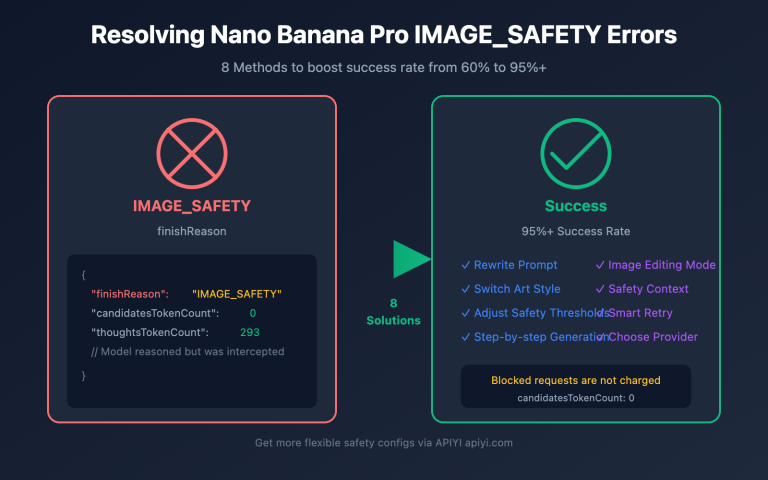
🎯 Key Takeaway: This 400 error has absolutely nothing to do with content safety policies (IMAGE_SAFETY) or the APIYI platform. It is a standard mechanism requirement of the Gemini 3 series models that must be handled at the code level.
3 Solutions to Fix the Nano Banana 2 thought_signature Error
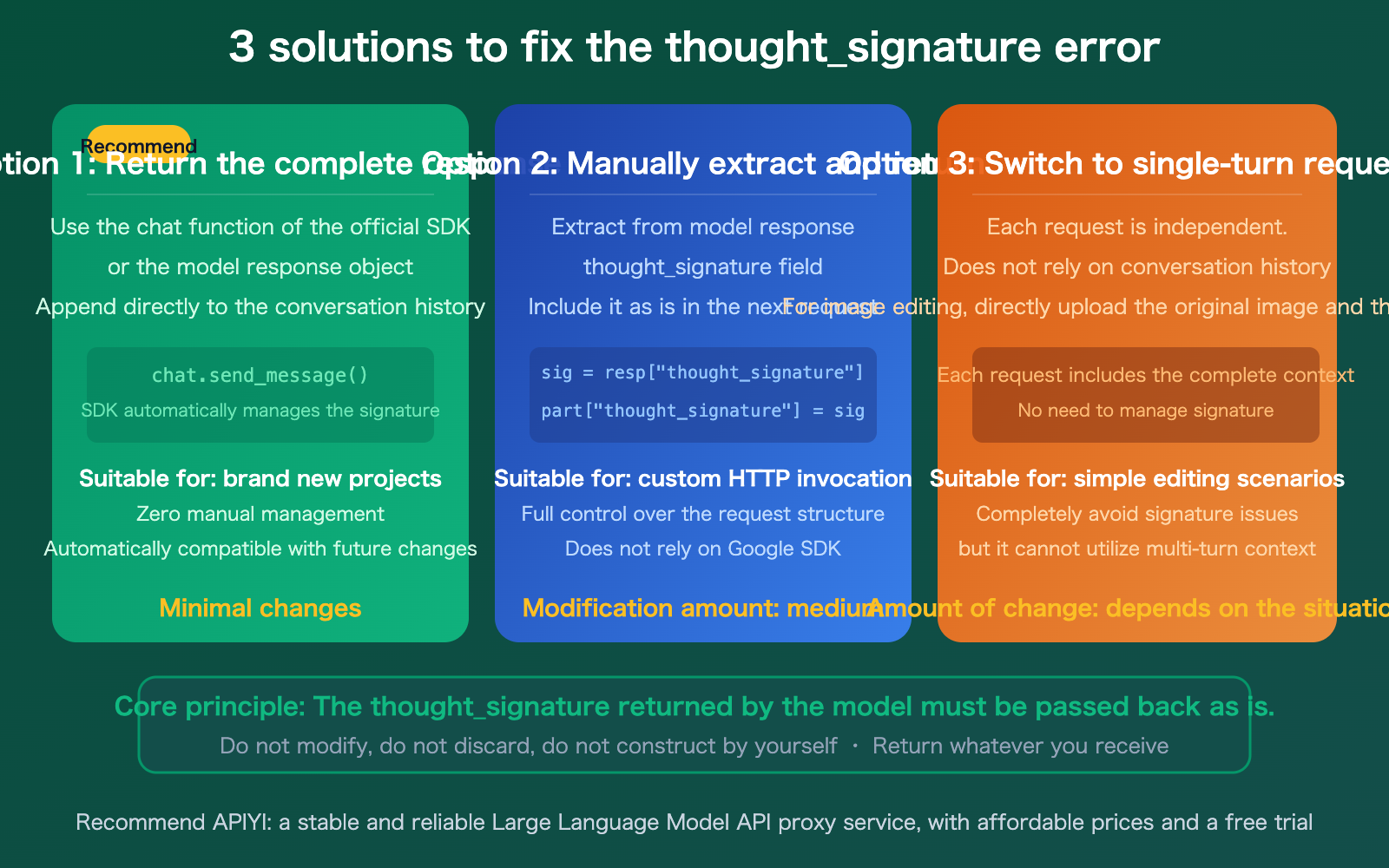
Solution 1: Use the Official SDK's Chat Function (Recommended)
If you're using Google's official SDK (Python / Node.js / Java), the easiest way is to use the chat functionality. The SDK will automatically manage the thought_signature for you:
from google import genai

client = genai.Client(api_key="YOUR_API_KEY")

# Use the chat function; the SDK handles thought_signature automatically
chat = client.chats.create(model="gemini-3.1-flash-image-preview")

# Round 1: Generate an image
response1 = chat.send_message("Draw an orange cat sitting on a windowsill")

# Round 2: Edit the image (signature is passed back automatically)
response2 = chat.send_message("Put a Christmas hat on the cat")
Solution 2: Manually Extract and Pass Back thought_signature
If you are using custom HTTP calls or an OpenAI-compatible interface, you need to handle the signature manually. The key logic is: Extract the thought_signature from the previous response and include it exactly as-is in the corresponding part of the next request.
import openai

client = openai.OpenAI(
    api_key="YOUR_API_KEY",
    base_url="https://vip.apiyi.com/v1"
)

# Round 1: Generate an image
response1 = client.chat.completions.create(
    model="gemini-3.1-flash-image-preview",
    messages=[{"role": "user", "content": "Draw an orange cat"}]
)

# Key: Save the complete model response
# This includes the image data and the thought_signature
model_reply = response1.choices[0].message

# Round 2: Edit the image
# Pass the complete model response from the previous round into the conversation history
response2 = client.chat.completions.create(
    model="gemini-3.1-flash-image-preview",
    messages=[
        {"role": "user", "content": "Draw an orange cat"},
        model_reply,  # Pass back the full object, including thought_signature
        {"role": "user", "content": "Put a hat on the cat"}
    ]
)
Solution 3: Switch to Single-Turn Requests
If your use case doesn't require multi-turn editing, you can send independent single-turn requests each time, completely bypassing the thought_signature issue:
# Single-turn image editing: Pass the original image + edit instruction directly
response = client.chat.completions.create(
    model="gemini-3.1-flash-image-preview",
    messages=[{
        "role": "user",
        "content": [
            {"type": "image_url", "image_url": {"url": "data:image/png;base64,/9j/..."}},
            {"type": "text", "text": "Put a Christmas hat on this cat"}
        ]
    }]
)
🎯 Recommendation: For new projects, we suggest Solution 1 (official SDK chat functionality). For existing projects, choose Solution 2 or 3 based on your refactoring capacity. When calling Nano Banana 2 via APIYI (apiyi.com), both Solution 2 and 3 will work perfectly.
Nano Banana 2 thought_signature Common Misconceptions
| Misconception | Fact |
|---|---|
| It's a content safety issue | No. A 400 error indicates a parameter validation failure, unrelated to IMAGE_SAFETY. |
| It's an API platform issue | No. This is a mechanism requirement of the Gemini 3 series models. |
| I can construct the signature myself | No. The signature is encrypted; you must pass back the value returned by the model exactly as-is. |
| Only function calls need it | All part types in the Gemini 3 series may require it. |
Setting thinking: off avoids it |
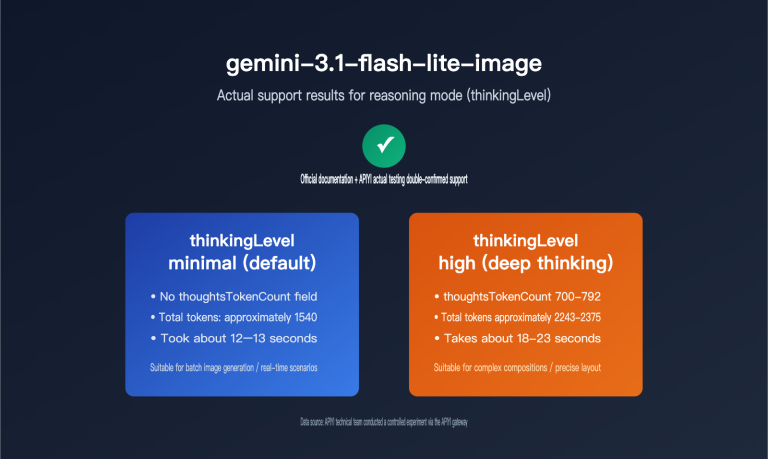
No. Even if the thinking level is set to minimal, the signature is still returned and must be passed back. |
Location of thought_signature in Nano Banana 2 Responses
In the response data from Nano Banana 2, you need to pay attention to two specific types of parts:
Temporary Images (thought: true): Intermediate images generated during the model's reasoning process, marked as thought: true. These are temporary data and do not need to be displayed to the user.
Final Images (containing thought_signature): The final generated image will include a thought_signature field. This is the signature you must pass back in the next request.
{
  "candidates": [{
    "content": {
      "parts": [
        {
          "inlineData": {"mimeType": "image/png", "data": "..."},
          "thought_signature": "CkYKRAo..."
        }
      ]
    }
  }]
}
🎯 Technical Details: The
thought_signatureis an encrypted string, typically between 200-500 characters long. Do not attempt to parse, modify, or construct it yourself—simply pass back whatever you receive. When calling via APIYI (apiyi.com), the response format is identical to the native Google API.
Nano Banana 2 thought_signature Troubleshooting Checklist
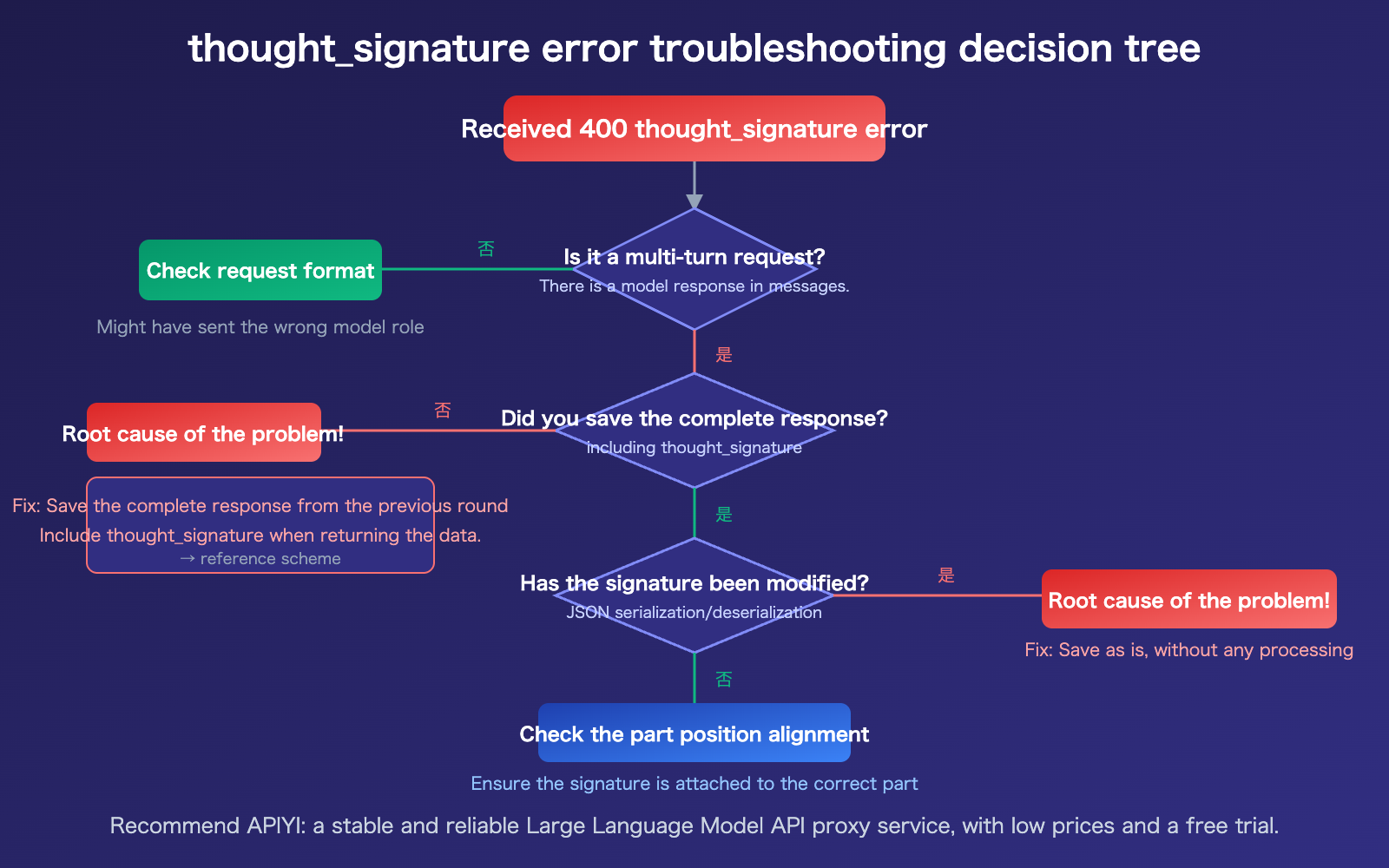
4-Step Quick Troubleshooting:
- Confirm if it's a multi-turn request: If your
messagesarray contains previous replies from themodelrole (especially image data), it's a multi-turn request. - Check if the full response was saved: Does the response returned by the model in the previous turn contain the
thought_signaturefield? Was it saved in its entirety? - Check if the signature was modified: During JSON serialization/deserialization, was the signature string truncated or escaped?
- Check part position alignment: The error message's
content position X, part position Ycan help you precisely locate which part is missing the signature.
FAQ
Q1: Will I encounter this error during single-turn image generation?
Usually, no. The thought_signature error almost exclusively occurs in multi-turn conversations—it's triggered when you include an image returned by the model in your conversation history and send it as part of a new request. Single-turn text-to-image or image-to-image tasks (where you pass the raw image directly) don't involve conversation history, so there's no need to handle the signature.
Q2: How should I handle this when using the OpenAI-compatible API?
When calling Nano Banana 2 via the OpenAI-compatible interface provided by APIYI (apiyi.com), the key is to save the complete object returned by the model from the previous turn and pass it back as part of the conversation history in the next request. Don't just save the image data and discard other fields. If your framework (like Dify or Cherry Studio) manages conversation history automatically, verify that it preserves the thought_signature in its entirety.
Q3: Do I need to pass back temporary images marked with `thought: true`?
Yes, you do. During the inference process, Nano Banana 2 may return temporary images marked as thought: true, which are part of the model's "thought process." When building your conversation history, you should pass back all parts returned by the model, including these temporary images. The safest approach is to pass back the entire model response object as-is.
Summary
Key takeaways regarding the Nano Banana 2 thought_signature 400 error:
- It's not a content safety issue: This is a requirement of the multi-turn conversation mechanism in the Gemini 3 series models and is unrelated to
IMAGE_SAFETY. - The cause is clear: You failed to pass back the
thought_signatureexactly as it was returned by the model in a multi-turn request. - How to fix it: Use the official SDK's chat functionality (which handles this automatically), manually extract and pass back the signature, or switch to single-turn requests.
Remember the golden rule: Don't modify, discard, or manually construct the thought_signature returned by the model—pass back exactly what you receive.
If you need to call Nano Banana 2 via a third-party platform, we recommend APIYI (apiyi.com). It offers a response format identical to the native Google API at $0.05 per request with no concurrency limits.
📚 References
-
Official Google Thought Signatures Documentation: A detailed guide to the thought signature mechanism.
- Link:
ai.google.dev/gemini-api/docs/thought-signatures - Description: Official documentation covering the underlying principles, model behavior, and SDK handling.
- Link:
-
Google Gemini 3 Developer Guide: New features in the Gemini 3 series.
- Link:
ai.google.dev/gemini-api/docs/gemini-3 - Description: Details on the mandatory signature requirements and new functionalities for the Gemini 3 series.
- Link:
-
Google Image Generation Documentation: Best practices for Nano Banana image generation.
- Link:
ai.google.dev/gemini-api/docs/image-generation - Description: Recommendations for using
thought_signaturein multi-turn image editing.
- Link:
-
Google Cloud Vertex AI Documentation: Enterprise-grade thought signature guide.
- Link:
docs.google.com/vertex-ai/generative-ai/docs/thought-signatures - Description: Instructions on handling and configuring signatures within the Vertex AI environment.
- Link:
Author: APIYI Technical Team
Technical Discussion: Feel free to share your experiences with implementing multi-turn editing in Nano Banana 2 in the comments. For more resources, visit the APIYI documentation center at docs.apiyi.com.