Author's Note: Sharing 8 ready-to-use e-commerce product set prompt templates, covering common needs like white background main images, scene images, detail images, etc. Suitable for the Nano Banana 2 and Nano Banana Pro image generation models.
In e-commerce operations, the visual consistency of product images directly impacts conversion rates. The biggest pain point many sellers face when using AI to generate product images is: the style is inconsistent each time, making it impossible to create a visually coherent set of product images.
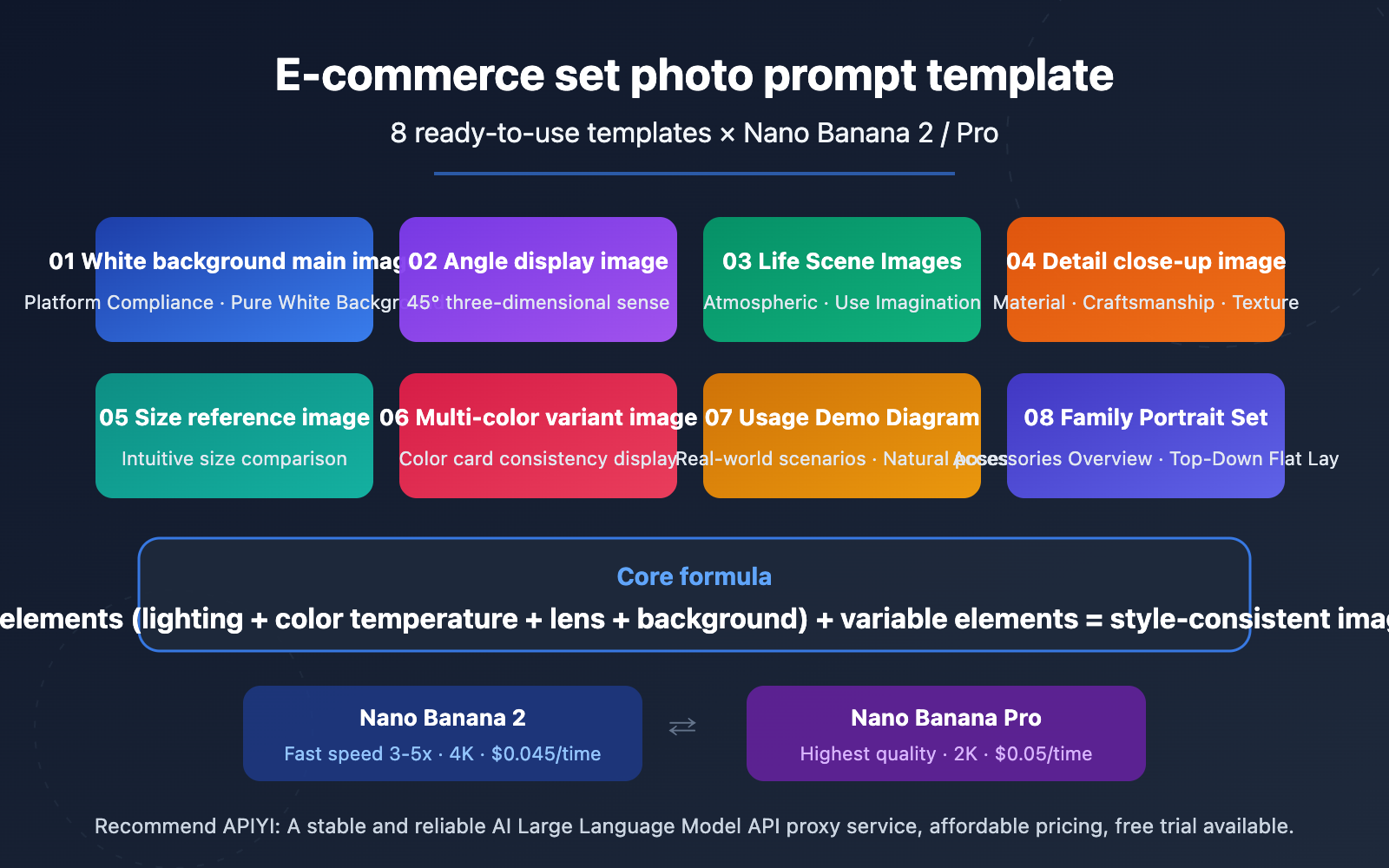
This article shares 8 sets of battle-tested e-commerce product set prompt templates, suitable for both the Nano Banana 2 and Nano Banana Pro models, to help you quickly and batch-generate a complete set of product images including white background main images, scene images, detail images, and comparison images.
Core Value: After reading this article, you'll have a set of ready-to-copy e-commerce product set prompt templates, enabling an efficient workflow of "one product → one unified set of 8 product images."
Key Points of the E-commerce Product Set Prompt Templates
| Point | Description | Value |
|---|---|---|
| 8 Prompt Templates | Covers a full set of image types: main image, scene, detail, comparison, etc. | Generate a complete set of images for a single product |
| Style Lock Formula | Fixes the four elements: "lighting + angle + background + color temperature" | Ensures visual consistency across the entire set |
| Nano Banana Dual-Model Compatibility | Works with both Nano Banana 2 and Pro | Choose speed or quality priority as needed |
| Platform-Compliant Parameters | Tailored for size and background requirements of platforms like Taobao, Amazon | Ready to list without secondary adjustments |
The Core Logic of the E-commerce Product Set Prompt Templates
The key to an e-commerce product set isn't about how beautiful a single image is, but the stylistic consistency between a group of images. Traditional photography achieves this through unified lighting setup, camera position, and post-processing color grading. AI generation needs to guarantee this through "fixed parameters" in the prompt.
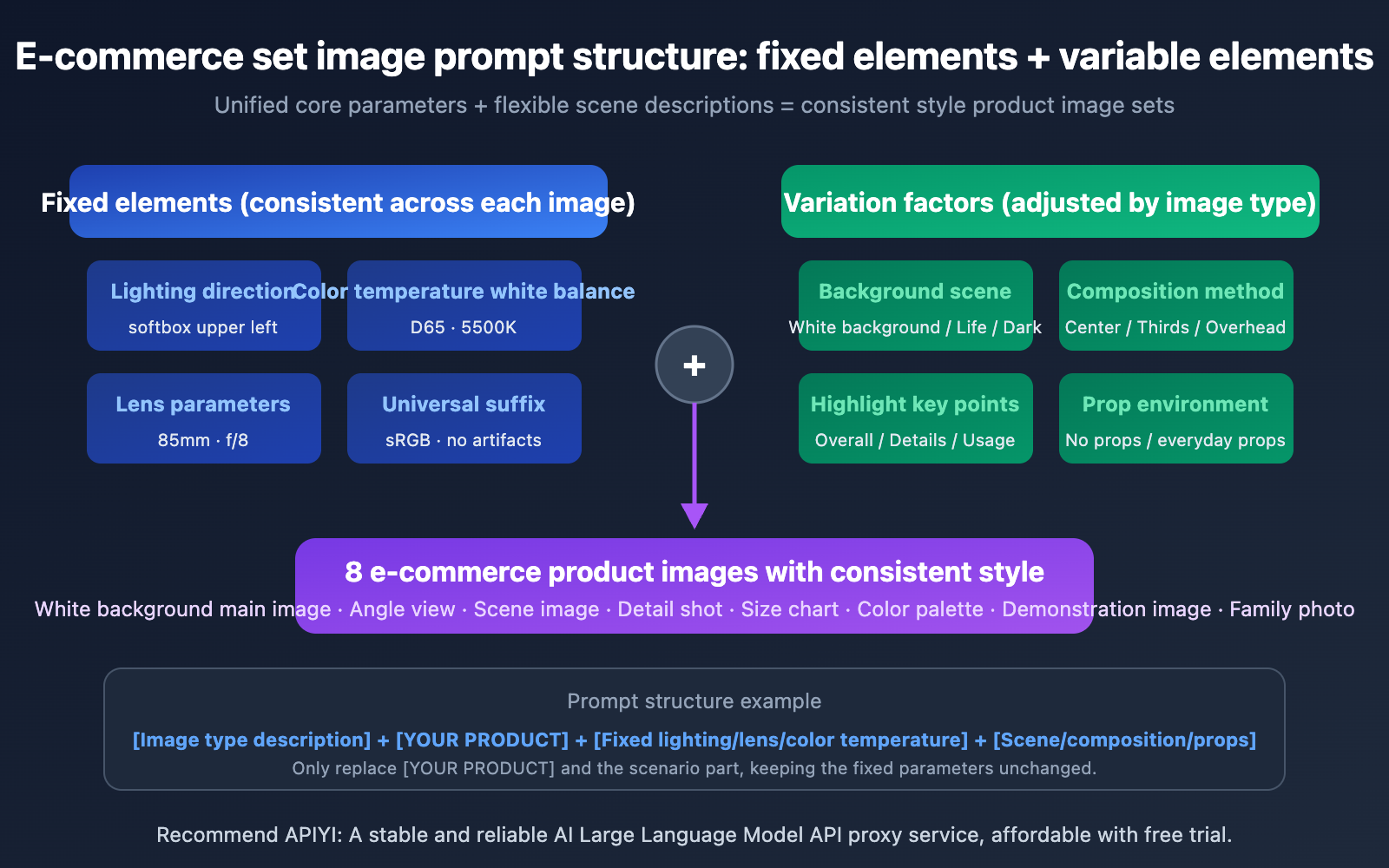
The core formula we've summarized is: Fixed Elements + Variable Elements = Stylistically Unified Product Set. Fixed elements include lighting direction, color temperature, and product placement angle/style; variable elements are the background scene, composition method, and display focus. Each template follows this logic, allowing you to batch-use them by simply replacing the product description.
Model Selection for the E-commerce Product Set Prompt Templates
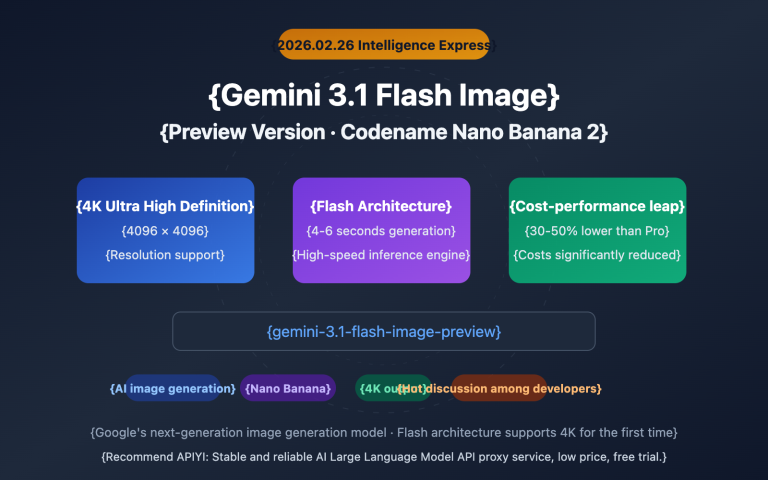
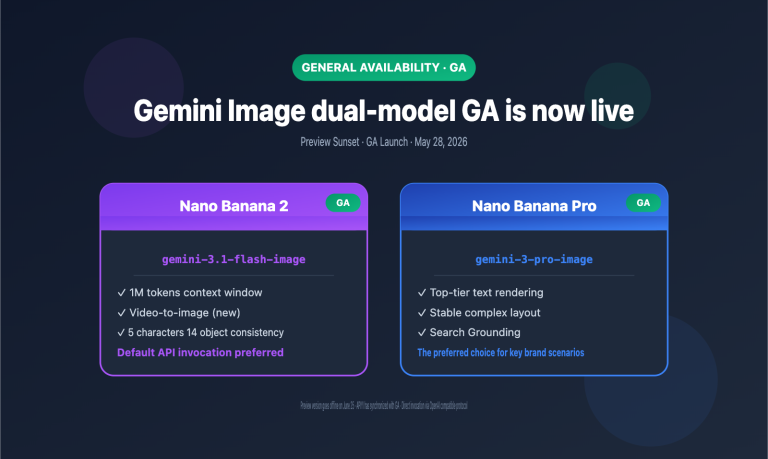
Nano Banana 2 and Nano Banana Pro each have their focus. Nano Banana 2, based on the Gemini 3.1 Flash architecture, generates images 3-5 times faster and supports up to 4K resolution, making it suitable for batch image generation in e-commerce scenarios. Nano Banana Pro, based on the Gemini 3 Pro architecture, offers the most refined image quality, ideal for high-end products requiring ultimate texture. Their prompt formats are fully compatible, allowing flexible switching based on actual needs.
Complete 8-Set E-commerce Product Photo Prompt Templates
The following 8 templates cover all scenarios for e-commerce product photography. Each template marks fixed parameters (keep consistent) and replaceable parameters (modify as needed). You can copy them directly into Nano Banana.
Template 1: White Background Main Image (Platform Compliant)
White background main images are the most basic requirement for e-commerce platforms. Taobao, Amazon, and Pinduoduo all require main images to have a pure white background.
Ultra-realistic studio photograph of [YOUR PRODUCT] on a pure white seamless background,
centered composition, product fills 85-90% of frame,
shot with 85mm prime lens, f/8 sharpness, ISO 100,
softbox high-key lighting with gentle contact shadow under product,
natural accurate colors, no props, no text, no logos, no watermark,
square 1:1 composition, commercial product photography
Replaceable Parameters:
[YOUR PRODUCT]: Replace with your product description, e.g.,a matte black wireless Bluetooth speakerora red leather crossbody bag with gold hardwaresquare 1:1 composition: Adjust the aspect ratio based on platform requirements. Amazon main images recommend 1:1, while detail pages can use 3:4.
Template 2: 45-Degree Angle Display Image
The 45-degree angle is the best for showcasing a product's three-dimensionality and design details, suitable as the 2nd or 3rd image in a set.
Professional product photograph of [YOUR PRODUCT],
three-quarter view at 45-degree angle from slightly above,
on a seamless light gray gradient background (#f0f0f0 to #ffffff),
studio softbox lighting from upper left with subtle fill light from right,
f/5.6 aperture for slight depth of field,
sharp focus on product front, gentle bokeh on rear edge,
natural material textures preserved, no artificial smoothing,
commercial e-commerce photography style
Template 3: Lifestyle Scene Image
Lifestyle images convey the product's usage atmosphere, helping buyers imagine the experience of owning it.
Lifestyle product photography of [YOUR PRODUCT] in a [SCENE SETTING],
natural window light from the left side creating soft warm shadows,
product placed on [SURFACE DESCRIPTION],
surrounded by [2-3 COMPLEMENTARY PROPS],
shallow depth of field f/2.8 with product in sharp focus,
warm color temperature 5500K, cozy and inviting atmosphere,
editorial style composition with rule of thirds placement,
high resolution commercial photography
Replaceable Parameters:
[SCENE SETTING]:modern minimalist living room/bright kitchen countertop/cozy home office desk[SURFACE DESCRIPTION]:smooth white marble countertop/rustic wooden table/clean linen tablecloth[2-3 COMPLEMENTARY PROPS]:a small potted plant and a ceramic cup/scattered coffee beans and a notebook
Template 4: Product Detail Close-up Image
Detail images showcase material, craftsmanship, and quality, which are key to increasing the average order value.
Extreme close-up macro product photography of [PRODUCT DETAIL AREA],
shot with 100mm macro lens at f/4,
focused on [SPECIFIC TEXTURE/DETAIL],
single directional studio light from upper right creating texture-revealing shadows,
preserve natural grain and material texture, no plastic sheen,
dark background gradient from #1a1a2e to #16213e for contrast,
showing fine craftsmanship details, stitching, and material quality,
ultra-sharp commercial photography, 8K detail level
Replaceable Parameters:
[PRODUCT DETAIL AREA]:the leather strap connection point of the bag/the speaker's aluminum mesh grille[SPECIFIC TEXTURE/DETAIL]:woven leather texture and metal buckle/brushed aluminum finish and precise ventilation holes
Template 5: Size Reference Comparison Image
Size reference images help buyers intuitively understand product dimensions, reducing returns due to mismatched size expectations.
Product size reference photograph of [YOUR PRODUCT]
placed next to [COMMON REFERENCE OBJECT] for scale comparison,
both items on a clean white surface,
top-down flat lay composition shot directly from above,
even studio lighting with minimal shadows,
f/11 for maximum depth of field ensuring both items in sharp focus,
neutral color temperature, accurate color reproduction,
clean informational style, commercial product photography
Common Reference Object Choices:
| Product Size | Recommended Reference | English Description |
|---|---|---|
| Small (earbuds, watch) | Coin or credit card | a standard credit card |
| Medium (speaker, cup) | Phone or hand | an iPhone 15 Pro |
| Large (backpack, appliance) | Magazine or laptop | a 13-inch laptop |
Template 6: Multi-Color Variant Display Image
Multi-color display images are used to show multiple color options within one listing. They require identical angles and lighting.
Product color variant display of [YOUR PRODUCT] in [COLOR],
identical three-quarter view at 30-degree angle,
on pure white background,
consistent softbox lighting setup: key light upper left,
fill light right side, rim light from behind,
f/8 sharpness, same exact camera position and framing,
accurate color reproduction matching real product color,
uniform white balance D65, commercial product photography
Key Tip: When generating multiple colors, keep all parameters except [COLOR] unchanged. For example, generate in matte black / in pearl white / in navy blue / in rose gold sequentially to get a set of color swatch images with perfectly consistent angles.
Template 7: Product Usage Demonstration Image
Usage demonstration images show the product in use, suitable for functional and wearable products.
Product in-use demonstration photograph of [USAGE SCENARIO],
natural lifestyle setting with [ENVIRONMENT DETAILS],
product clearly visible and in focus as the main subject,
candid natural pose, not overly staged,
warm natural lighting simulating golden hour,
f/3.5 aperture creating natural background separation,
authentic and relatable atmosphere,
editorial commercial photography style,
high resolution output
Replaceable Parameters:
[USAGE SCENARIO]:a person wearing the wireless earbuds while jogging in a park/hands holding the portable charger while sitting at a cafe[ENVIRONMENT DETAILS]:outdoor morning light, tree-lined path/modern cafe interior with warm ambient lighting
Template 8: Combo Set Image / Full Family Photo
Full family photos are used to show the complete contents of a set product or accessory combination.
Product flatlay photograph showing complete set contents of [PRODUCT SET],
all items arranged in organized grid layout on [BACKGROUND SURFACE],
top-down overhead perspective shot directly from above,
each item clearly separated with equal spacing,
even diffused studio lighting with no harsh shadows,
f/11 maximum sharpness across all items,
clean minimal style, accurate colors,
items labeled with subtle positioning,
commercial catalog photography style
Layout Suggestion: Place the main product enlarged in the center, arrange accessories around it in order of size, and maintain even spacing (Nano Banana will automatically optimize the composition based on the description).
E-commerce Product Photo Prompt Templates: Style Locking Techniques
Mastering the templates is just the first step. The real key to making a set of images "look like a set" is style locking. Here are the 4 core locking parameters we've summarized from practical experience.
The 4-Element Locking Method for E-commerce Product Photo Prompts
| Locking Element | Purpose | Recommended Fixed Value | Not Recommended to Change Frequently |
|---|---|---|---|
| Lighting Direction | Determines shadow consistency | softbox lighting from upper left |
Avoid mixing left and right light sources |
| Color Temperature / White Balance | Determines color tone uniformity | white balance D65, 5500K |
Avoid mixing warm and cool color temperatures |
| Lens Parameters | Determines perspective uniformity | 85mm lens, f/8 |
Avoid mixing wide-angle and telephoto lenses |
| Background Treatment | Determines visual continuity | Consistently use one background style | Avoid mixing white background and lifestyle scene images |
Universal Suffix for E-commerce Product Photo Prompts
The following suffix can be appended to the end of any template to further unify style and meet platform requirements:
, high resolution output,
sRGB color space,
no chromatic aberration,
preserve natural grain texture, no plastic sheen,
no AI artifacts, photorealistic quality
Preventing Over-Smoothing: Nano Banana sometimes renders product materials too smooth. Adding preserve natural grain texture, no plastic sheen effectively avoids a plastic look.
Color Accuracy: Adding match to reference sRGB color space; remove warm cast; uniform white balance ensures consistent color tones across a batch of generated images.
🎯 Practical Advice: We recommend first using Nano Banana 2 to quickly generate a draft version to confirm composition and style. Once satisfied, use Nano Banana Pro to generate the final high-quality version. By calling these two models through the APIYI apiyi.com platform, you can flexibly switch between them using a unified interface without separate configurations.
Quick Start with E-commerce Product Set Prompt Templates API
Minimal Example
Here's the simplest code to generate e-commerce product images by calling the Nano Banana 2 model via API—just 10 lines to get it running:
import requests, base64, json

API_KEY = "your-apiyi-api-key"
ENDPOINT = "https://api.apiyi.com/v1beta/models/gemini-3.1-flash-image-preview:generateContent"

payload = {
    "contents": [{"parts": [{"text": "Ultra-realistic studio photograph of a matte black wireless speaker on pure white seamless background, centered, fills 85% of frame, 85mm lens, f/8, softbox high-key lighting, gentle contact shadow, no text, no watermark, 1:1 composition"}]}],
    "generationConfig": {"responseModalities": ["IMAGE"], "imageConfig": {"aspectRatio": "1:1", "imageSize": "2K"}}
}

response = requests.post(ENDPOINT, headers={"Content-Type": "application/json", "x-goog-api-key": API_KEY}, json=payload, timeout=120)
image_data = response.json()["candidates"][0]["content"]["parts"][0]["inlineData"]["data"]
with open("product_main.png", "wb") as f:
    f.write(base64.b64decode(image_data))
View complete code for batch generating a product set
import requests
import base64
import json
import os
import time

API_KEY = "your-apiyi-api-key"
ENDPOINT = "https://api.apiyi.com/v1beta/models/gemini-3.1-flash-image-preview:generateContent"

# Product description - modify this only
PRODUCT = "a matte black portable Bluetooth speaker with fabric mesh exterior"

# 8 product set prompt templates
TEMPLATES = {
    "01_main_white": f"Ultra-realistic studio photograph of {PRODUCT} on a pure white seamless background, centered, fills 85-90% of frame, 85mm lens, f/8, ISO 100, softbox high-key lighting, gentle contact shadow, natural colors, no props, no text, no watermark, 1:1 composition",

    "02_angle_45": f"Professional product photograph of {PRODUCT}, three-quarter view at 45-degree angle, light gray gradient background, studio softbox from upper left, f/5.6, sharp focus on front, commercial photography",

    "03_lifestyle": f"Lifestyle product photography of {PRODUCT} on a modern wooden desk, natural window light from left, next to a small potted plant and notebook, f/2.8 with product in sharp focus, warm 5500K atmosphere",

    "04_detail": f"Extreme close-up macro of {PRODUCT} fabric mesh texture and aluminum edge detail, 100mm macro lens f/4, directional light revealing texture, dark background, ultra-sharp 8K",

    "05_scale": f"Size reference photograph of {PRODUCT} placed next to an iPhone 15 Pro, top-down flat lay on white surface, even lighting, f/11 sharp focus, clean informational style",

    "06_in_use": f"Product in-use photograph of a person's hand picking up {PRODUCT} from a cafe table, warm natural lighting, f/3.5 background blur, candid authentic atmosphere",

    "07_packaging": f"Product flatlay showing {PRODUCT} with charging cable, carrying pouch, and user manual arranged in grid layout, top-down view, even studio lighting, catalog style",

    "08_hero": f"Dramatic product photograph of {PRODUCT} on dark surface with subtle blue accent lighting from behind, moody atmosphere, f/4, sharp focus, premium brand feel"
}

headers = {"Content-Type": "application/json", "x-goog-api-key": API_KEY}
os.makedirs("product_photos", exist_ok=True)

for name, prompt in TEMPLATES.items():
    print(f"Generating {name}...")
    payload = {
        "contents": [{"parts": [{"text": prompt}]}],
        "generationConfig": {
            "responseModalities": ["IMAGE"],
            "imageConfig": {"aspectRatio": "1:1", "imageSize": "2K"}
        }
    }

    response = requests.post(ENDPOINT, headers=headers, json=payload, timeout=120)
    result = response.json()

    image_data = result["candidates"][0]["content"]["parts"][0]["inlineData"]["data"]
    with open(f"product_photos/{name}.png", "wb") as f:
        f.write(base64.b64decode(image_data))
    print(f"  Saved: product_photos/{name}.png")
    time.sleep(2)  # Control request frequency

print("Done! 8 product photos generated.")
Recommendation: Call the Nano Banana series models via APIYI at apiyi.com. It's pay-per-use at just $0.045 per call (unlimited resolution), so generating a batch of 8 images costs less than $0.36. The platform supports both Nano Banana 2 and Nano Banana Pro, and you can switch flexibly with a single API key.
E-commerce Product Set Prompt Templates: Model Comparison and Selection
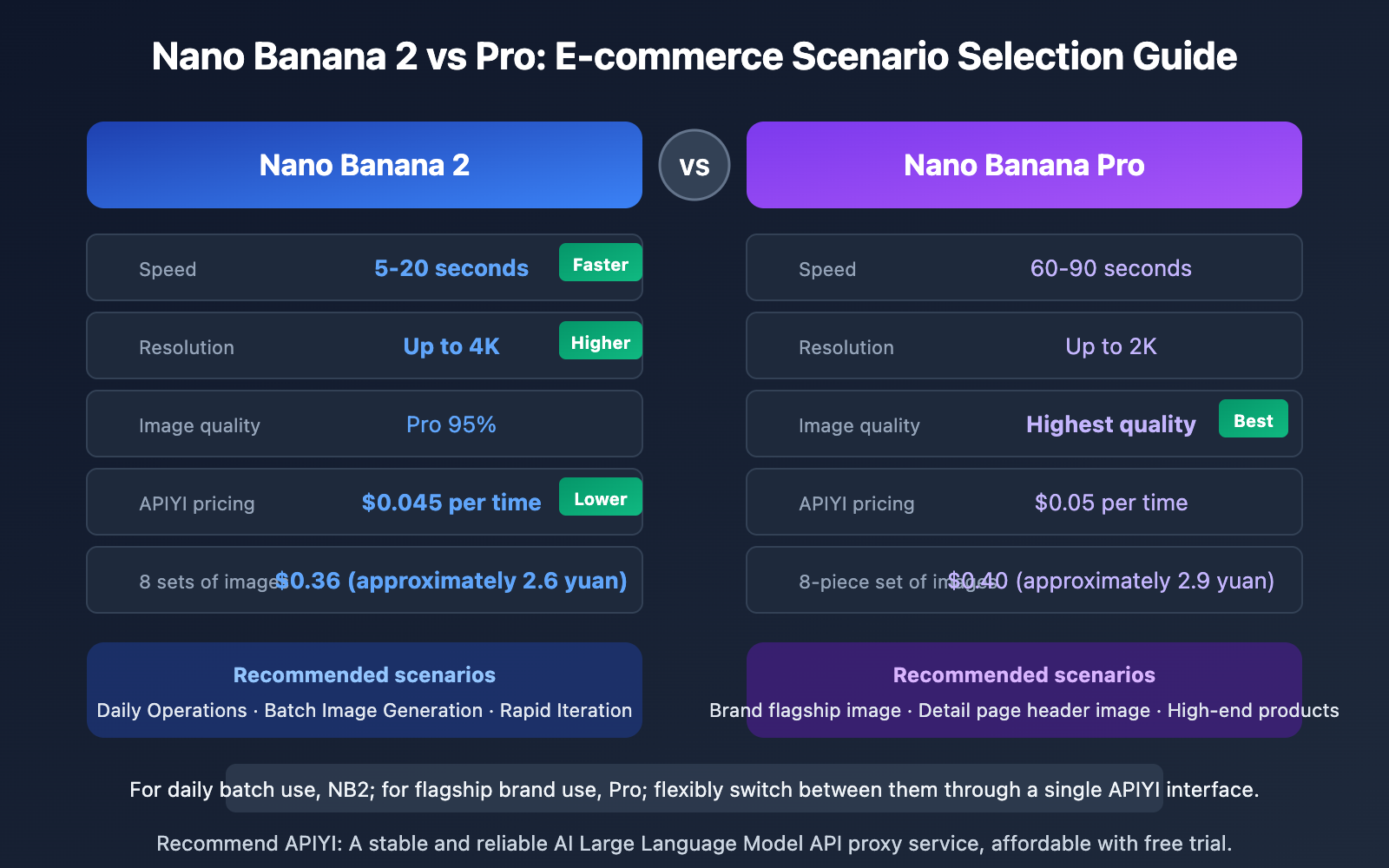
| Comparison Item | Nano Banana 2 | Nano Banana Pro | E-commerce Scenario Recommendation |
|---|---|---|---|
| Generation Speed | 5-20 seconds | 60-90 seconds | Choose NB2 for batch generation |
| Max Resolution | 4K (4096px) | 2K (2048px) | Choose NB2 for large display images |
| Quality Level | 95% of Pro | Highest quality | Choose Pro for premium products |
| Text Rendering | Excellent (97%+) | Best (98%+) | Choose Pro for text overlay needs |
| Character Consistency | 5 characters | 5 characters | Both suitable for model shots |
| Object Fidelity | 14 reference images | 14 reference images | Both suitable for product reproduction |
| APIYI Pay-per-Use Price | $0.045/call | $0.05/call | NB2 offers better value |
| Recommended Use Case | Daily operations, batch generation | Brand flagship images, main product page images | Use flexibly based on needs |
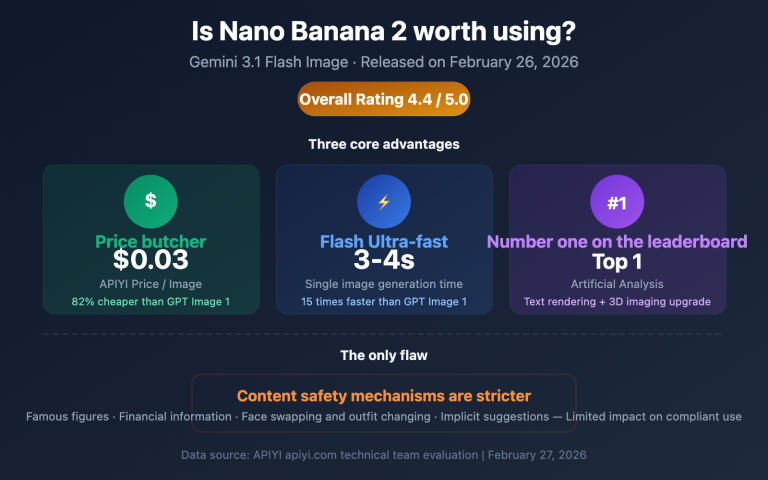
💡 Selection Advice: For daily e-commerce operations, we recommend Nano Banana 2—it's faster, cheaper, and has higher resolution. Only use Nano Banana Pro for shooting premium brand flagship images or when you need the absolute best material texture quality. We suggest integrating both models via the APIYI platform at apiyi.com and switching flexibly based on the image's intended use.
E-commerce Product Image Prompt Templates Platform-Sarameters
Different e-commerce platforms have specific size and format requirements for product images. The following parameters can be used directly in Nano Banana's imageConfig configuration.
| E-commerce Platform | Main Image Ratio | Recommended Resolution | Background Requirements | Nano Banana Parameters |
|---|---|---|---|---|
| Taobao/Tmall | 1:1 | 800×800+ | White or light-colored | aspectRatio: "1:1", imageSize: "1K" |
| Amazon | 1:1 | 2000×2000 | Pure white RGB(255,255,255) | aspectRatio: "1:1", imageSize: "2K" |
| Pinduoduo | 1:1 | 750×750+ | White background | aspectRatio: "1:1", imageSize: "1K" |
| Douyin E-commerce | 3:4 | 900×1200 | No restriction | aspectRatio: "3:4", imageSize: "1K" |
| Xiaohongshu | 3:4 | 1080×1440 | No restriction | aspectRatio: "3:4", imageSize: "2K" |
| Shopify | 1:1 | 2048×2048 | No restriction | aspectRatio: "1:1", imageSize: "2K" |
🎯 Platform Tip: Amazon has the strictest requirements for main image backgrounds—it must be pure white (RGB 255,255,255). It's recommended to explicitly include
pure white seamless backgroundin the prompt and do a final check with an image editing tool after generation.
Frequently Asked Questions
Q1: Why is the style inconsistent across multiple generated images?
The root cause of inconsistent style is having too many "variables" in the prompt. The solution is to use the "4-Element Locking Method" described in this article: fix the lighting direction, color temperature/white balance, camera parameters, and background treatment. Specifically, you should write these four fixed parameters as a "base suffix" and append it to the end of the prompt for each image. Additionally, using Nano Banana's reference image feature (supporting up to 14 object reference images) can further improve product appearance consistency.
Q2: What’s the cost to generate a set of 8 e-commerce product images?
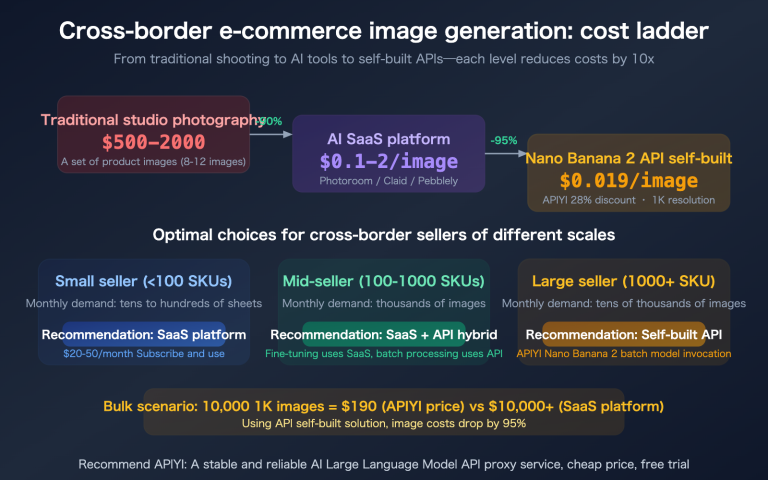
Calling Nano Banana 2 through the APIYI apiyi.com platform costs $0.045 per call on a pay-per-use basis, making a set of 8 images $0.36 (approx. ¥2.6 RMB). If you use a volume-based pricing plan, a single 1K resolution image costs about $0.025, making 8 images just $0.20. Compared to the cost of traditional e-commerce product photography, which can range from hundreds to thousands of yuan, AI generation offers a significant cost advantage.
Q3: How can I use reference images to improve product appearance accuracy?
Both Nano Banana 2 and Pro support uploading up to 14 reference images. When making an API call, pass the actual product photos as the image part within contents, along with a text prompt describing the target scene. We recommend:
- Upload 2-3 actual product photos from different angles.
- Explicitly write
maintain exact product appearance from reference imagesin the text prompt. - Get an API Key through the APIYI apiyi.com platform to quickly test the reference image effect.
Q4: Do images generated by Nano Banana have watermarks?
All output images from Nano Banana automatically include an invisible Google SynthID watermark. This is a digital watermarking technology that is invisible to the naked eye and doesn't affect the normal use or listing of product images. However, it's important to note that some platforms may require labeling for AI-generated images, so it's a good idea to check the latest policies of your target platform.
Summary
The core principles of e-commerce product photo prompt templates:
- Fixed 4 Elements: Lighting direction, color temperature, lens parameters, and background style are the keys to maintaining consistency across a product photo set.
- 8 Template Groups Cover All Scenarios: White background main image, angle shots, scene shots, detail shots, size comparison shots, color swatch shots, usage shots, and family/group shots.
- Flexible Dual-Model Strategy: Nano Banana 2 is great for batch generation (fast, cheap), while Pro is ideal for flagship brand images (ultimate quality).
- Direct Platform Parameter Adaptation: One-click settings for the aspect ratios and sizes required by platforms like Taobao, Amazon, and Douyin.
Once you've mastered this prompt system, the time needed to prepare images for a product—from shooting to listing—can be reduced from several hours to under 10 minutes. We recommend accessing the Nano Banana series models through the APIYI platform at apiyi.com, with pay-per-use pricing starting at $0.045. The cost for a full set of 8 images is less than 3 RMB.
📚 References
-
Google Nano Banana 2 Official Documentation: Complete reference for the image generation API
- Link:
ai.google.dev/gemini-api/docs/image-generation - Description: Official API parameters and best practice guides.
- Link:
-
Google Nano Banana Developer Guide: Tutorials for text-to-image development
- Link:
blog.google/innovation-and-ai/technology/developers-tools/build-with-nano-banana-2/ - Description: Official recommended methods and sample code for development and integration.
- Link:
-
APIYI Nano Banana 2 Integration Documentation: Guide for calling Nano Banana on the APIYI platform
- Link:
docs.apiyi.com/en/api-capabilities/nano-banana-2-image - Description: Includes detailed explanations of pay-per-use and volume-based pricing plans.
- Link:
Author: APIYI Technical Team
Technical Exchange: For more AI image generation tips and practical e-commerce product photo experience, visit the APIYI documentation center at docs.apiyi.com.