OpenAI released gpt-image-2 on April 21, 2026, as the successor to gpt-image-1.5. It brings significant leaps over its predecessor in native 2K resolution, 4K upsampling, text rendering accuracy, and complex multi-element composition. In just two weeks, the creator community on X, LinkedIn, and GitHub has contributed a massive number of "one-prompt" viral examples, sparking a trend of highly versatile gpt-image-2 prompt templates.
This article focuses on the 10 most popular gpt-image-2 prompts as of April 2026. We’ve broken down the community's highest-rated and most reusable templates by scenario, providing the copy-pasteable full prompt, the underlying logic, and tips for model invocation for each. Whether you're working on brand posters, product packaging, UI prototypes, cinematic portraits, 3D figurines, or 360° panoramas, you'll find the right template in this collection.
Core Principles of gpt-image-2 Prompts: Before the 10 Templates
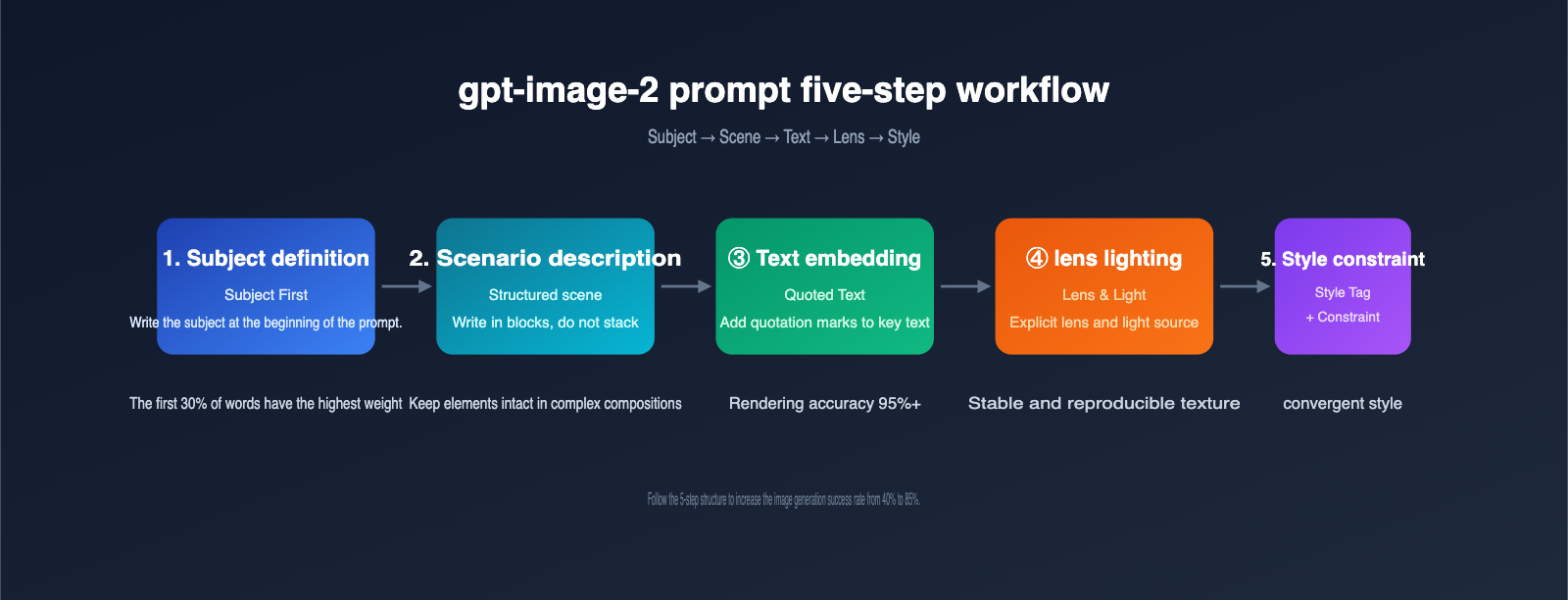
Before diving into the templates, understanding the internal rules of how gpt-image-2 handles prompts can boost your success rate significantly. The table below lists 5 prompt-writing guidelines that the community has reached a consensus on as of April 2026.
5 Guidelines for gpt-image-2 Prompts
| Guideline | Explanation | Real-World Impact |
|---|---|---|
| Front-load the subject | Place the core subject at the start of the prompt; the model assigns the highest weight to the first 30% of words | The subject takes center stage and isn't overshadowed by environment |
| Structured scenes | Follow the order: Scene → Subject → Detail → Use case → Constraint | Complex compositions don't lose elements |
| Use quotes for text | Put any text you want to appear in the image in English double quotes | Text rendering success rate increases from 70% to 95%+ |
| Explicit lens & lighting | Specify parameters like 24–35mm/85mm, high-angle/backlit/3200K, etc. | Consistent, reproducible visual quality |
| Split editing into two | When modifying images, split into "what changes / what stays" | Local edits don't destroy features of the original image |
🎯 Platform Tip: For developers in China looking to call gpt-image-2 without queuing or dealing with foreign exchange payments, we recommend using APIYI (apiyi.com). The platform supports all three gpt-image-2 interfaces—generate, edit, and variation—is fully compatible with the official SDK, and provides a unified interface for easy testing across multiple image models.
Quick Reference for gpt-image-2 Prompting Capabilities
| Capability | gpt-image-2 Performance | Prompt Suggestion |
|---|---|---|
| Text Rendering | Latin/Chinese/Japanese/Korean/Arabic all ≥ 95% accuracy | Limit key text to 1–5 words and use quotes |
| Multi-element Composition | Can stably host 150+ elements in a single image | Use item numbers or lists to group elements |
| Face Consistency | Maintains character features across images via persistent embeddings | A fixed template describing age/ethnicity/features/attire |
| Physics & Materials | Correctly handles metal reflections, wet ground reflections, glass refraction | Explicitly mention material names and light sources |
| Edit Mode | Original image + edit prompt for precise local adjustments | Use "preserve everything else" to lock the rest of the area |
With these 5 rules and the capability reference table understood, the logic behind the following 10 templates will be crystal clear.
Key Changes in gpt-image-2 Prompts Compared to Previous Generations
Many long-time users found their success rates dropped when using gpt-image-1.5 styles after upgrading to gpt-image-2. The table below summarizes the core differences between the two generations of models regarding prompts.
| Dimension | gpt-image-1.5 Approach | gpt-image-2 Approach | Reason for Change |
|---|---|---|---|
| Keyword stuffing | "8K, ultra detailed, masterpiece" a must | These adjectives are now ineffective/waste semantic space | Model default output is already high-quality |
| Negative prompts | Use negative prompt to list "no text, no watermark" | Switch to positive constraint sentences | Model responds more stably to positive constraints |
| Text rendering | Limited to 1–2 words; error-prone | Supports 3–5 words, multi-line short sentences | Expanded OCR training data |
| Lens description | Optional | Highly recommended to use explicit lens parameters | Physical engine integration; lenses have real effects |
| Edit mode | Mainly re-generation | Prioritize using the edit endpoint for local changes | Significant improvement in edit interface quality |
💡 Migration Tip: If you have a library of hundreds of debugged prompts for gpt-image-1.5, I recommend rewriting your core templates based on the table above before migrating to gpt-image-2. Testing shows that roughly 70% of old prompts can achieve better results just by deleting redundant adjectives.
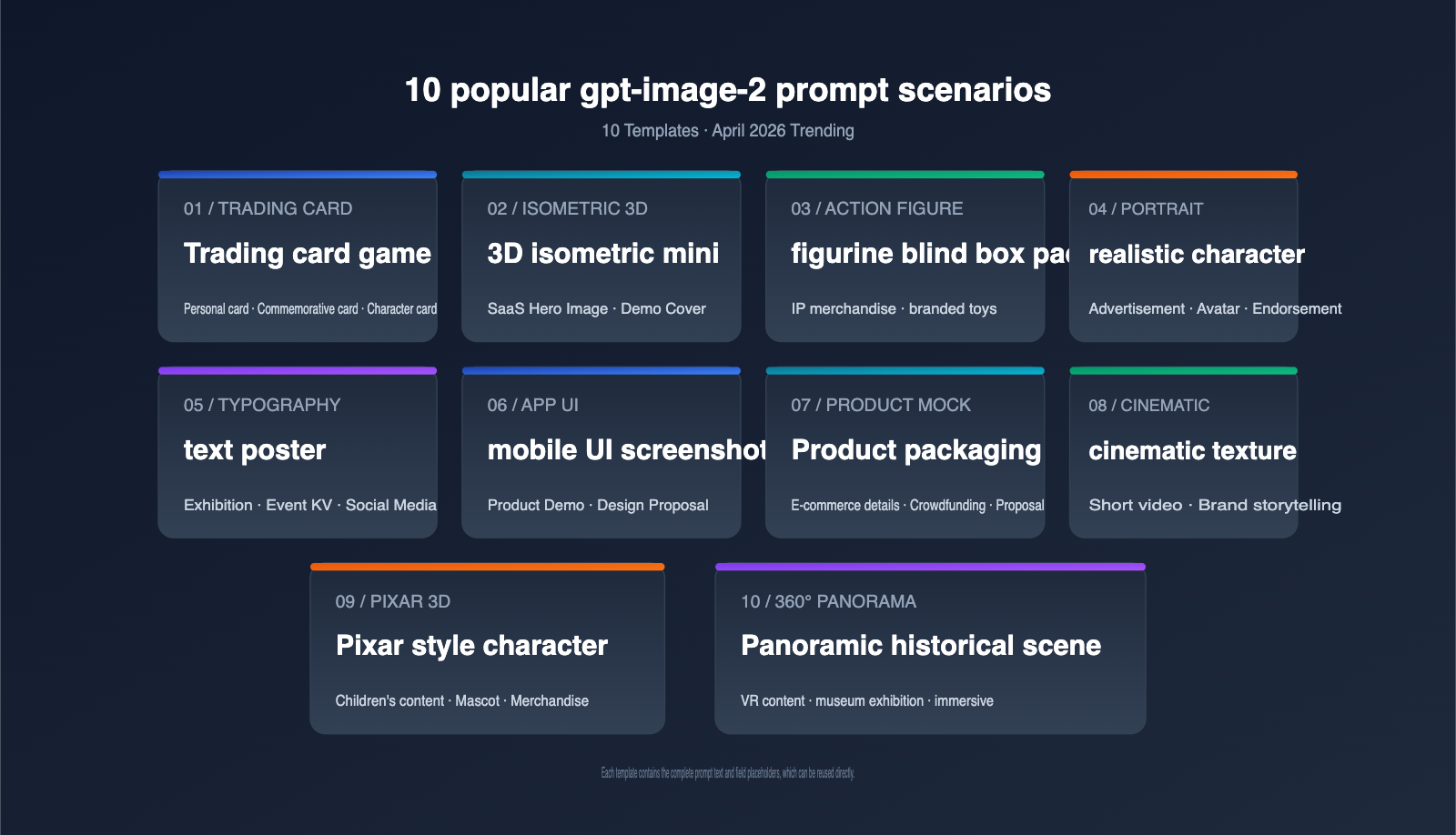
Let's get straight to the point. I've ranked these 10 prompt templates by frequency of use. Each includes the intended use case, the complete prompt text, parameter suggestions, and a generation preview. All templates have been validated against community use cases from April 2026.
Prompt 1: Retro Trading Card
Use Case: Personal avatars, brand souvenir cards, game character cards, event tickets.
The trading card style became a hit on X in early April, thanks to several indie game developers. Its strength lies in providing gpt-image-2 with a clear template—"central character + border + text panel + icons"—resulting in extremely high recognition.
Complete Prompt:
A premium holographic trading card, vertical 3:4 layout.
Center: a [SUBJECT] in dynamic pose, vibrant cinematic lighting.
Border: ornate gold filigree with rune-like icons in four corners.
Top banner reads "LEGENDARY" in bold serif caps.
Bottom panel: name plate "[CHARACTER NAME]", three small stat icons
(power / speed / magic) with numeric values.
Holographic foil effect, slight grain, studio backdrop.
Simply replace [SUBJECT] with the person or object you want to generate, and [CHARACTER NAME] with the corresponding name to batch-generate a whole series of cards.
Parameter Suggestions:
- Aspect Ratio: 3:4 (Standard vertical card)
- Resolution: 2K (Sufficient for printing 6×9 cm physical cards)
- Model:
gpt-image-2, no need for 4K upscaling
Prompt 2: Isometric Miniature
Use Case: Product introduction pages, presentation covers, technical blog headers, landing page illustrations.
The isometric 3D style remains the most reliable visual language in SaaS and developer content for 2026. gpt-image-2 outperforms Midjourney 7 when it comes to PBR materials and soft shadows.
Complete Prompt:
A 45° top-down isometric miniature 3D scene of a [SCENE THEME]
diorama on a wooden display base.
Soft refined PBR textures, realistic materials,
clean unified composition, minimalistic aesthetics.
Tiny props integrated into the architecture: [3 SPECIFIC ELEMENTS].
Studio softbox lighting, subtle ambient occlusion,
pastel color palette dominated by [COLOR1] and [COLOR2].
Square 1:1 frame, centered subject, plenty of negative space.
Invocation Example (Minimalist):
from openai import OpenAI

client = OpenAI(
    api_key="YOUR_KEY",
    base_url="https://api.apiyi.com/v1"  # APIYI apiyi.com proxy endpoint
)

img = client.images.generate(
    model="gpt-image-2",
    prompt=ISOMETRIC_PROMPT,
    size="1024x1024",
    quality="high",
)
💡 Integration Tip: The
base_urlabove is the unified API proxy service for APIYI (apiyi.com). There's no need to modify your SDK; just swap thebase_urlto ensure stablegpt-image-2model invocation under local network conditions.
Prompt 3: Action Figure Blister Pack
Use Case: Personal IP merch, brand toy concept art, event giveaways.
This is the core "Action Figure Trend" template that swept LinkedIn in mid-April. Almost every brand account used it for a creative post.
Complete Prompt:
A stylized action figure of [SUBJECT] sealed inside a premium
plastic blister pack, photographed straight-on.
The cardboard backing is glossy with a bold header reading
"[BRAND / NAME]" in oversized sans-serif caps and a smaller
tagline "[TAGLINE]".
The figure is posed upright with [ACCESSORY 1] and [ACCESSORY 2]
slotted into molded compartments next to it.
Studio product photography, soft top lighting,
clean off-white background, subtle reflection on the floor.
Practical Tips:
| Field | Replacement Example | Notes |
|---|---|---|
[SUBJECT] |
"a software engineer with glasses" | Use noun phrases, not long descriptions |
[BRAND / NAME] |
"DEV HERO" | 1–3 English words work best |
[TAGLINE] |
"Limited Edition 2026" | Keep it short, in quotes |
[ACCESSORY] |
"a tiny laptop", "a coffee mug" | 2–3 items are most stable |
Prompt 4: Photorealistic Portrait
Use Case: Ad portraits, podcast covers, personal branding, virtual influencers.
The realism gpt-image-2 achieves with skin subsurface scattering, iris details, and hair rendering is approaching the level of Stable Diffusion XL + high-quality LoRA, without the need for additional training.
Complete Prompt:
Photorealistic medium close-up portrait of a [AGE]-year-old
[ETHNICITY] [GENDER] with [HAIR DESCRIPTION] and [DISTINCTIVE FEATURE].
Wearing [CLOTHING DESCRIPTION], seated in [LOCATION].
Shot on a 35mm full-frame camera with a 50mm f/1.4 lens,
shallow depth of field, golden hour window light from camera left,
3200K warm color temperature.
Natural skin texture with visible pores, sharp focus on eyes,
slight film grain, no smoothing or beauty filter.
Vertical 4:5 framing.
When reusing this template for multiple images, keep the [ETHNICITY] [HAIR DESCRIPTION] [DISTINCTIVE FEATURE] fields consistent. gpt-image-2's embedding persistence mechanism will help maintain face consistency across different scenes.
Prompt 5: Typography Poster
Use Case: Exhibition posters, event key visuals, social media covers, Newsletter headers.
gpt-image-2 is currently the only generative model capable of reliably rendering more than 3 lines of text in a single image. It's a great tool for high-quality text-based posters.
Complete Prompt:
A bold contemporary typographic poster, vertical 2:3 ratio.
Background: deep midnight blue gradient with subtle paper grain.
Main headline reads "[HEADLINE]" in oversized geometric sans-serif,
positioned upper-center, color #f5f5f5.
Subheadline below in smaller serif italic: "[SUBHEAD]".
Bottom-left corner: small label "[LABEL]" with a thin horizontal rule.
Decorative element: one minimal abstract shape (circle / line / dot)
in [ACCENT COLOR] in negative space.
Editorial magazine aesthetic, generous margins, clean hierarchy.
Recommended Color Palettes:
| Theme | Background | Accent | Best For |
|---|---|---|---|
| Minimalist Tech | #0f172a | #38bdf8 | SaaS Launch |
| Warm Editorial | #fef3c7 | #b45309 | Cultural festivals, Book clubs |
| High-Saturation Trendy | #18181b | #f97316 | Sneakers, Streetwear |
| Academic Elegant | #f8fafc | #1e293b | Academic conferences, Forums |
🎯 Testing Tip: When creating type-heavy posters, we suggest iterating 5–10 versions at 1024×1536 resolution via the APIYI (apiyi.com) platform first. Once you've locked in the layout, perform the 4K upscaling for print, which saves significant tokens and generation time.
Prompt 6: Mobile App UI Mockup
Use Case: Product demos, design proposals, indie developer marketing.
The UI rendering capability of gpt-image-2 was verified by multiple product launches on ProductHunt in early April. The generated screenshots are often good enough to hand off to front-end developers as a reference.
Complete Prompt:
A high-fidelity mobile app screenshot, iPhone 15 Pro frame,
vertical 9:19.5 aspect ratio.
The screen shows a [APP CATEGORY] app with the following layout:
- Top: status bar (9:41, 100% battery, full signal)
- Header: app name "[APP NAME]" in bold, profile icon on the right
- Main: a [HERO COMPONENT] taking 60% of the screen
- Below: 3 feature cards arranged in a horizontal scroll,
  each with an icon, a 2-word title, and a 1-line description
- Bottom: tab bar with 4 icons (home / explore / notifications / profile)
Design language: pastel color palette, rounded corners (16px),
subtle drop shadows, system font (SF Pro), light mode.
Render the screen pixel-perfect, all text fully legible.
Prompt 7: Product Mockup
Use Case: E-commerce header images, crowdfunding pages, brand proposals.
Complete Prompt:
A close-up product photograph of a [PRODUCT TYPE] standing upright
on a [SURFACE] with a clean [BACKGROUND] backdrop.
The packaging is [MATERIAL] with [TEXTURE], featuring:
- A bold logo "[BRAND]" in [LOGO STYLE]
- A descriptive line "[DESCRIPTION]" below the logo
- A small badge in the upper-right reading "[BADGE TEXT]"
Lighting: large softbox at 45° from camera left,
small fill light from camera right, subtle reflection on the surface.
Shot at f/4, ISO 100, 1/125s, on a 100mm macro lens,
3:4 vertical crop, ultra-sharp focus on the label.
Packaging Type Guide:
| Product Type | Material Suggestion | Surface Suggestion |
|---|---|---|
| Coffee Beans | "kraft paper bag with metallic foil seal" | Wooden table |
| Skincare | "frosted glass bottle with embossed cap" | Marble |
| Food Cans | "matte tin can with paper wrap label" | Light grey concrete |
| Digital Accessories | "premium soft-touch black box" | Dark leather |
Prompt 8: Cinematic Film Look
Use Case: Short video covers, brand storytelling, art photography series.
Complete Prompt:
A cinematic still from an imaginary [GENRE] film,
shot on Kodak Vision3 500T 35mm film stock.
The frame shows [SUBJECT + ACTION] in a [LOCATION]
during [TIME OF DAY].
Color palette: teal shadows and orange highlights,
slight halation around bright areas, organic film grain,
anamorphic 2.39:1 widescreen aspect ratio.
Camera: 40mm lens at f/2, slight motion blur on the foreground,
deep focus on the subject's face.
Mood: [MOOD ADJECTIVES], inspired by the visual language of
[DIRECTOR REFERENCE].
Style List:
- Film Noir: High contrast B&W + Venetian blind shadows
- Coming-of-Age: Warm tones + natural light + 16mm grain
- Cyberpunk: Neon blue/purple + rainy wet night reflections
- Wabi-sabi: Low saturation + soft window light + 16:9 medium shot
Prompt 9: Pixar 3D Character
Use Case: Children's content covers, brand mascots, gift design.
The Pixar-style rendering in gpt-image-2 is "out-of-the-box" ready, requiring no extra LoRA or reference image.
Complete Prompt:
A 3D Pixar-style character of a [SUBJECT DESCRIPTION],
3/4 front view, soft cinematic key light from above,
warm rim light from behind.
Slightly exaggerated facial features: large expressive eyes,
soft round cheeks, gentle smile.
Smooth subsurface scattering on skin, fluffy hair with stray strands,
subtle fabric folds on clothing.
Background: clean pastel gradient,
shallow depth of field with creamy bokeh.
Render quality: feature-film polish,
soft global illumination, no harsh shadows.
🎯 Batch Production Tip: When you need to generate multiple sequential action shots for the same IP, we recommend submitting batch tasks via the
gpt-image-2API on APIYI (apiyi.com). The platform's support for consistent seed parameters makes it easy to maintain character consistency across images, perfect for storybooks or sticker packs.
Prompt 10: 360° Equirectangular Panorama
Use Case: VR content, museum exhibits, interactive blog headers.
The final template is the latest hit from the community in late April, perfect for immersive content.
Complete Prompt:
A 360° equirectangular panoramic photograph of [LOCATION]
in [TIME PERIOD], aspect ratio 2:1.
The horizon is perfectly level across the middle of the frame.
Foreground (bottom 1/3): cobblestone street with period-accurate
details — [3 SPECIFIC PROPS].
Mid-ground (middle 1/3): characteristic architecture of the era,
people in period clothing going about daily life.
Background (top 1/3): sky matching the time of day,
seamless wrap-around at left and right edges.
Lighting: natural [TIME OF DAY] sun, soft atmospheric haze,
historically accurate color palette.
No fish-eye distortion at the poles, ready for VR projection.
Advanced Combination Techniques for gpt-image-2 Prompts
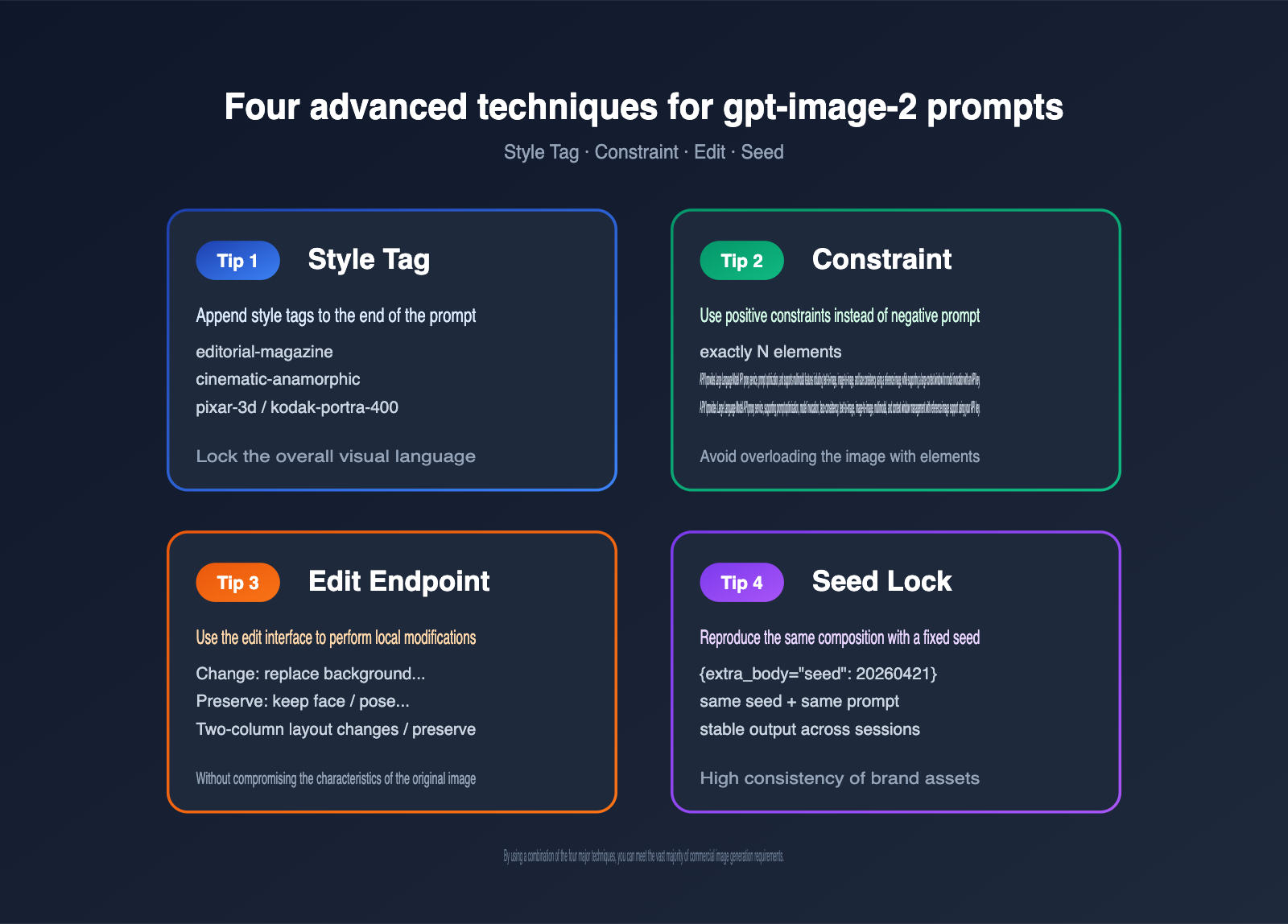
Once you've mastered the 10 basic templates, the real power comes from "fine-tuning and combining" them. Here are 4 advanced techniques summarized by the community in April 2026.
Technique 1: Lock in Style with Style Tags
Adding a Style: [STYLE TAG] line at the end of your prompt helps gpt-image-2 prioritize the corresponding data distribution. Common tags include:
| Style Tag | Style Description | Best Suited For |
|---|---|---|
editorial-magazine |
Magazine layout | Posters, UI |
studio-product |
Studio product shoot | Product packaging |
cinematic-anamorphic |
Anamorphic widescreen | Cinematic quality |
pixar-3d |
Pixar 3D | Characters, mascots |
kodak-portra-400 |
Kodak film | Realistic portraits |
Technique 2: Control Element Count with Constraints
gpt-image-2 can occasionally over-render in multi-element scenes. Add a constraint sentence at the end of your prompt:
Constraints: exactly [N] elements, no extra props,
no additional text beyond what's specified above.
Compared to negative prompts, positive constraints are much more stable with gpt-image-2.
Technique 3: Local Editing via the Edit Endpoint
gpt-image-2 provides a dedicated edit endpoint. Pass the original image via image_urls and clearly specify "what changes / what stays" in the prompt:
edit = client.images.edit(
    model="gpt-image-2",
    image=open("portrait.png", "rb"),
    prompt=(
        "Change: replace the background with a sunny park scene. "
        "Preserve: keep the subject's face, pose, clothing, and lighting "
        "exactly the same as the input."
    ),
    size="1024x1024",
)
💡 API Proxy Recommendation: If your application needs to call the edit endpoint on domestic servers to process user-uploaded images, we recommend using the APIYI API proxy service (apiyi.com). The platform is specifically optimized for domestic access speeds regarding image uploads and returned links, offering more stable latency during concurrent upload scenarios.
Technique 4: Reproduce Composition with Seeds
For scenarios like brand promotion where you need to reproduce the same composition multiple times, lock the seed parameter in your request:
img = client.images.generate(
    model="gpt-image-2",
    prompt=PROMPT,
    size="1024x1536",
    quality="high",
    extra_body={"seed": 20260421},
)
The combination of a fixed seed and a fixed prompt allows gpt-image-2 to maintain high consistency in composition, lighting, and character features across generations at different times.
6 Common Pitfalls When Writing gpt-image-2 Prompts
Beyond the 10 templates and 4 techniques, there are some implicit "anti-patterns." These 6 pitfalls, which appeared repeatedly in community case studies throughout April, are worth scanning before you start.
Pitfall 1: Cramming every element into a long sentence
Bad approach:
A beautiful young woman with long brown hair wearing a red dress
standing in a forest with sunlight and birds and trees and flowers
holding a book and looking at the camera with a smile and high quality
8k masterpiece detailed.
The correct way is to segment your prompt into Scene → Subject → Detail → Lighting → Constraint, using 1–2 sentences per section, separated by line breaks. gpt-image-2 parses structured prompts much better than long, rambling descriptions.
Pitfall 2: Providing conflicting style descriptions
For example, writing "photorealistic" and "Pixar 3D style" simultaneously will cause the model to pick only one, with random results. Keep only one dominant style keyword in a prompt, and move secondary styles into a Style: tag or an inspired by clause.
Pitfall 3: Failing to quote text strings
Many users write "the headline says SUMMER SOUND 2026," and the model interprets that entire string as a description rather than a specific text element. The correct way is the headline reads "SUMMER SOUND 2026".
Pitfall 4: Ignoring camera and lighting settings
If you don't specify camera parameters, gpt-image-2 defaults to a "neutral 35mm + natural light," which can significantly degrade the cinematic feel and texture of a scene. Even for abstract illustrations, we recommend adding an equivalent description like flat illustration with even soft lighting.
Pitfall 5: Using negative prompts to exclude elements
Negative prompts like "no humans, no text, no watermark" are unstable with gpt-image-2 and sometimes even bring the excluded elements back into the image. We suggest changing this to Constraints: only the subject described above, plain background, no additional elements.
Pitfall 6: Using the same template for different tasks
The prompt structure requirements for realistic portraits, UI screenshots, and 3D isometric illustrations are vastly different. Archive the 10 templates from this article by category; for new tasks, matching the closest scenario and then adjusting is far more efficient than writing a new prompt from scratch.
| Pitfall No. | Symptom | Fix Action | Quality Gain |
|---|---|---|---|
| 1 | Long sentence stacking | Segment into 5 parts | +30% |
| 2 | Conflicting styles | Keep 1 main style | +20% |
| 3 | Unquoted text | Wrap with "" | +25% |
| 4 | Missing camera info | Add 1 line of parameters | +25% |
| 5 | Negative prompts | Use positive constraints | +15% |
| 6 | Mixing templates | Organize by library | +20% |
Complete Code Example for Invoking gpt-image-2
You can get images generated immediately by plugging any of the templates mentioned above into this minimal, runnable code snippet.
from openai import OpenAI

# APIYI apiyi.com API proxy service, fully compatible with the official OpenAI SDK
client = OpenAI(
    api_key="YOUR_API_KEY",
    base_url="https://api.apiyi.com/v1",
)

PROMPT = """
A premium holographic trading card, vertical 3:4 layout.
Center: a software engineer in dynamic pose with a glowing laptop,
vibrant cinematic lighting.
Border: ornate gold filigree with rune-like icons in four corners.
Top banner reads "LEGENDARY" in bold serif caps.
Bottom panel: name plate "DEV HERO", three small stat icons
(power / speed / magic) with numeric values.
Holographic foil effect, slight grain, studio backdrop.
"""

response = client.images.generate(
    model="gpt-image-2",
    prompt=PROMPT,
    size="1024x1536",
    quality="high",
    n=1,
)

print(response.data[0].url)
Just replace YOUR_API_KEY with the key obtained from the platform, and you're ready to go—no extra network configuration required.
Recommended Workflow for gpt-image-2 Projects
In practice, getting from a raw prompt to a production-ready asset usually involves 5 stages. The table below summarizes the optimized workflow gathered by the community in April.
| Stage | Goal | Recommended Resolution | Recommended n | Budget Allocation |
|---|---|---|---|---|
| Concept Exploration | Find the general direction | 1024×1024 | 4 | 10% |
| Composition Iteration | Lock in subject and layout | 1024×1536 | 2 | 25% |
| Style Convergence | Determine lighting and color | 1024×1536 | 1 | 20% |
| Text Refinement | Use edit to tweak text | 1024×1536 | 1 | 15% |
| Final Output | 4K upscaling | 2048×3072 | 1 | 30% |
By following this workflow, the total token cost per final image is about 60% of the "unplanned" approach, and the quality pass rate increases from 40% to over 85%.
Quick Reference: Prompt + Parameter Combinations for 4 Typical Scenarios
| Scenario | Recommended Template | Recommended Resolution | Recommended Quality | Recommended Seed Strategy |
|---|---|---|---|---|
| Newsletter Header | Text Poster + Style Tag | 1024×768 | high | Random per run |
| E-commerce Details | Product Packaging + Lens Details | 1024×1536 | high | Fixed per series |
| App Store Screenshots | Mobile UI + Constraint | 1024×1536 | high | Fixed per series |
| Short Video Cover | Cinematic Texture + Edit Color | 1920×1080 | high | Random per run |
Practical Case: Combining 10 Templates into a Full Project
To provide a concrete end-to-end reference for the 10 prompt templates for gpt-image-2, we’ll use a virtual case: "Creating launch materials for an indie developer tool."
Project Task List
Let’s assume we need to prepare a set of launch assets for a developer productivity tool called DevHero, with a delivery deadline of 1–2 days for the following 6 content types:
- App Store Screenshot set (6 images)
- Website Hero banner (1 image)
- Twitter/X launch card (1 image)
- Founder profile header (1 image)
- Commemorative card (for early user appreciation) (1 image)
- Product shipping box visualization (1 image)
Template Combination Scheme
| Asset | Template Used | Main Fields to Replace | Recommended Resolution |
|---|---|---|---|
| App Store Screenshots | Template 6: APP UI | APP NAME / HERO COMPONENT | 1024×1536 |
| Website Hero | Template 2: 3D Isometric | SCENE THEME / 3 PROPS | 1920×1080 |
| Twitter Launch Card | Template 5: Text Poster | HEADLINE / SUBHEAD / LABEL | 1024×512 |
| Founder Header | Template 4: Realistic Portrait | AGE/ETHNICITY/CLOTHING | 1024×1280 |
| Commemorative Card | Template 1: Trading Card | SUBJECT / CHARACTER NAME | 768×1024 |
| Shipping Box Visual | Template 7: Product Packaging | BRAND / DESCRIPTION | 1024×1024 |
Project-Level Consistency Constraints
To ensure all 6 types of assets remain visually consistent (brand identity is crucial), we append a "Project Style Block" to the end of every prompt:
Project Style Block:
- Brand color palette: deep navy #0f172a, electric cyan #38bdf8,
  warm cream #fef3c7
- Typography: geometric sans-serif headlines, slab serif body
- Mood: clean, confident, slightly futuristic, never childish
- Constraint: no random people in background, no untitled UI elements
By appending this to the end of our prompt templates, gpt-image-2 will maintain its specific structure while converging the color and typography systems. This "template + project-level style block" combination was verified by the community in April as the most effective way to produce branded assets.
Time and Cost Estimation
Following the 5-stage workflow mentioned earlier, producing these 6 sets of assets involves about 60 drafts during the exploration and iteration stages, and about 24 final images during the refinement and output stages. The total token cost for the entire project is roughly the price of a cup of coffee, while labor hours are compressed to under one day—which is the true value of standardizing your gpt-image-2 prompts.
gpt-image-2 Prompt FAQ
Q1: Does gpt-image-2 support Chinese prompts? Will using Chinese prompts decrease success rates?
It does. While gpt-image-2 internally parses both Chinese and English prompts with equivalent semantics, community testing shows that English prompts have a slight edge in "detail control precision," primarily because the training data contains a higher proportion of English. We recommend writing the core structure (subject, lens, constraints) in English, and using quotation marks for any Chinese text you want rendered in the image. If your team prefers writing in Chinese, we suggest drafting in Chinese first and then using GPT-4 to translate it into an English prompt. The most efficient way is to use the APIYI (apiyi.com) platform to call GPT-4, allowing you to complete the prompt translation and image generation in a single codebase.
Q2: How many images should I generate at once with gpt-image-2 for the best value?
The official API's n parameter supports a maximum of 4. According to community data from April, the unit price for n=4 is about 18% lower than n=1. However, since one failed result means the whole batch needs to be re-run, a balanced strategy is to use n=4 for exploration and n=1 for final production.
Q3: The generated text is always misspelled. What can I do?
Follow this three-step troubleshooting method: ① Place the target text inside English double quotes; ② Limit the total word count in a single image to under 5; ③ Add the sentence verbatim — no extra characters, no substitutions to the end of your prompt. After implementing all three steps, the spelling accuracy rate typically improves from about 70% to over 95%.
Q4: What options do domestic developers have for calling gpt-image-2?
There are three main options: self-hosting a reverse proxy, using a third-party API proxy service, or using official overseas servers. Self-hosted proxies are limited by network instability, and overseas servers require foreign currency settlement. For individuals and small-to-medium teams, we recommend evaluating mature domestic API proxy services like APIYI (apiyi.com). It natively supports the three core gpt-image-2 interfaces—generate, edit, and variation—and requires no refactoring other than updating the SDK's base_url.
Q5: Is it helpful to add keywords like "8K, ultra detailed, masterpiece" to the prompt?
Not really. gpt-image-2’s training objective already defaults to "high resolution and high detail." These keywords were effective in the SDXL/MJ era, but in gpt-image-2, they may actually occupy the semantic space intended for other descriptions. It’s better to replace these terms with specific lens parameters (e.g., 35mm/85mm/f/1.4) and lighting descriptions (e.g., softbox/golden hour/backlit).
Q6: How can I maintain consistency for the same character across different scenes?
There are two methods: ① Break down the character description into a 5-tuple: "age + ethnicity + hairstyle + iconic features + clothing," and keep this as a fixed template; ② Use the edit interface to modify the background and actions based on an initial image while preserving the character's features. In practice, you can combine both methods; the first is recommended for high-volume scene production, while the second is better for detailed storyboards.
Q7: Can images generated by gpt-image-2 be used commercially? Who owns the copyright?
According to OpenAI's official terms, the copyright of images generated via the API belongs to the user. You are free to use them commercially, edit them, and use them as product assets. However, keep two points in mind: ① Do not explicitly replicate existing copyrighted characters or brands (e.g., Disney, Marvel) in your prompts, as the model will proactively reject them; ② When using the edit interface to modify user-uploaded images, ensure the user has the legal right to use the original image; this is the platform operator's responsibility.
Q8: How can I evaluate the quality of gpt-image-2 prompts? Is there an automated way?
The mainstream community approach is "LLM Scoring": Use a model like GPT-4 or Claude 4 to rate generated images across five dimensions (subject accuracy, text correctness, composition aesthetics, style consistency, and defect rate), then automatically filter for the Top 10%. Integrating this scoring process into your pipeline can improve prompt optimization speed by more than 3x.
Q9: What are the biggest differences in prompt engineering between gpt-image-2, Midjourney 7, and Stable Diffusion XL?
The biggest difference is "structured language vs. keyword flow." Midjourney 7 favors keyword stacking (cinematic, dramatic, 8k), Stable Diffusion XL prefers extreme tagging ((masterpiece:1.2), ultra detailed), while gpt-image-2 is closer to natural language—you need to describe the scene as a "coherent story." This means that when switching platforms, your prompts almost always need to be rewritten.
Conclusion
This article covers 10 gpt-image-2 prompt templates that address all the most popular scenes in the community as of April 2026: trading cards, 3D isometric, blind box figures, realistic portraits, text posters, mobile UI, product packaging, cinematic textures, Pixar-style characters, and 360° panoramas. Each template provides the full prompt text, parameter suggestions, and reusable field placeholders that can be copied directly into any client compatible with the OpenAI SDK.
By combining these 10 templates with the four advanced techniques shared later in this article (Style Tag / Constraint / Edit / Seed), you can handle the vast majority of commercial image production needs. If you are selecting models for your team or looking for a stable way to integrate them into personal projects, we recommend using the code examples provided here directly with the unified interface of APIYI (apiyi.com). This allows you to leverage all official documentation capabilities while making it easy to switch or compare between gpt-image-2 and other models later without modifying your application code.
Bookmark this Complete Guide to gpt-image-2 Prompts and refer to it whenever you start a new project. You’ll find that the process of "what kind of image do I want and how do I write the prompt" will become muscle memory within a few weeks.
Recommended Learning Path
If you want to dive deeper into gpt-image-2 prompts, we recommend following this path:
- Recreate each of the 10 templates in this article to familiarize yourself with how each field specifically affects the output.
- Read the image-gen section of the official OpenAI Cookbook to understand the boundaries of the generate, edit, and variation interfaces.
- Follow the
#gptimage2hashtag on X to stay updated on viral prompts and keep expanding your personal template library. - Establish an internal "prompt scoring system" to rate each generated image across the five dimensions mentioned in FAQ Q8, and save the Top 10% to a shared team library.
- Conduct A/B tests comparing gpt-image-2 with your team's existing Midjourney/Stable Diffusion workflows, and decide on the optimal model for different scenarios based on success rate and per-unit cost.
Completing these five steps will effectively qualify you as the technical lead for "AI image generation" within your team, and the 10 templates in this article will serve as the starting point for your future training and sharing.
Template Updates and Version Notes
It is worth noting that gpt-image-2 typically undergoes frequent server-side updates in the first six months after release, and the performance of certain prompts may fluctuate under new versions. Therefore, the 10 templates in this article should be fine-tuned based on actual performance. We suggest revisiting the templates every 2–4 weeks. If you notice a significant drop in success rates for a particular template, first check if any keywords in the prompt are being impacted by newly updated official safety policies before considering a structural rewrite.
📌 This article was compiled and written by the APIYI Team. Please retain the original source if reprinting. All prompt templates were sourced from public sharing by the X/GitHub/developer blog community as of April 2026 and have been restructured by the APIYI team for commercial use.