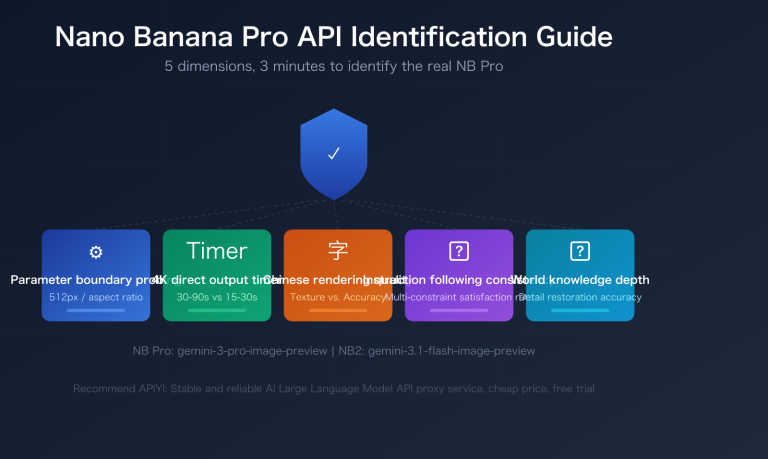
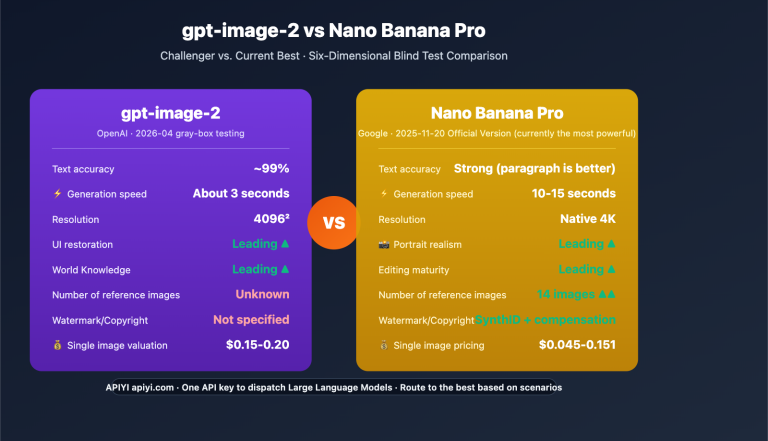
By April 2026, complaints about Nano Banana Pro "smart-downgrading" reached a fever pitch across the Google Gemini Apps Community, the Google AI Developers Forum, and Reddit. Users are reporting that faces look "thirty years older," skin textures have become "plastic-like," and many paying Pro subscribers feel they're getting the same low-quality output as the free version. One developer even posted directly on the Google AI Developers Forum asking, "Nanobanana Pro suddenly downgraded?"—a thread that was immediately flooded with similar reports.
This isn't just a case of "user delusion." Ever since Google quietly pushed Nano Banana 2 as the default entry point in the Gemini App on February 26, 2026, and tucked Nano Banana Pro away under the "three-dot menu → Regenerate," the behavioral patterns of the entire ecosystem have fundamentally shifted. Based on verifiable information from English-speaking communities and official Google announcements, this article breaks down the ins and outs of the Nano Banana Pro "smart-downgrading" issue, the 6 real reasons behind it, and how developers can respond. We'll help you determine whether the model has actually degraded or if it's just a shift in how you're using it.
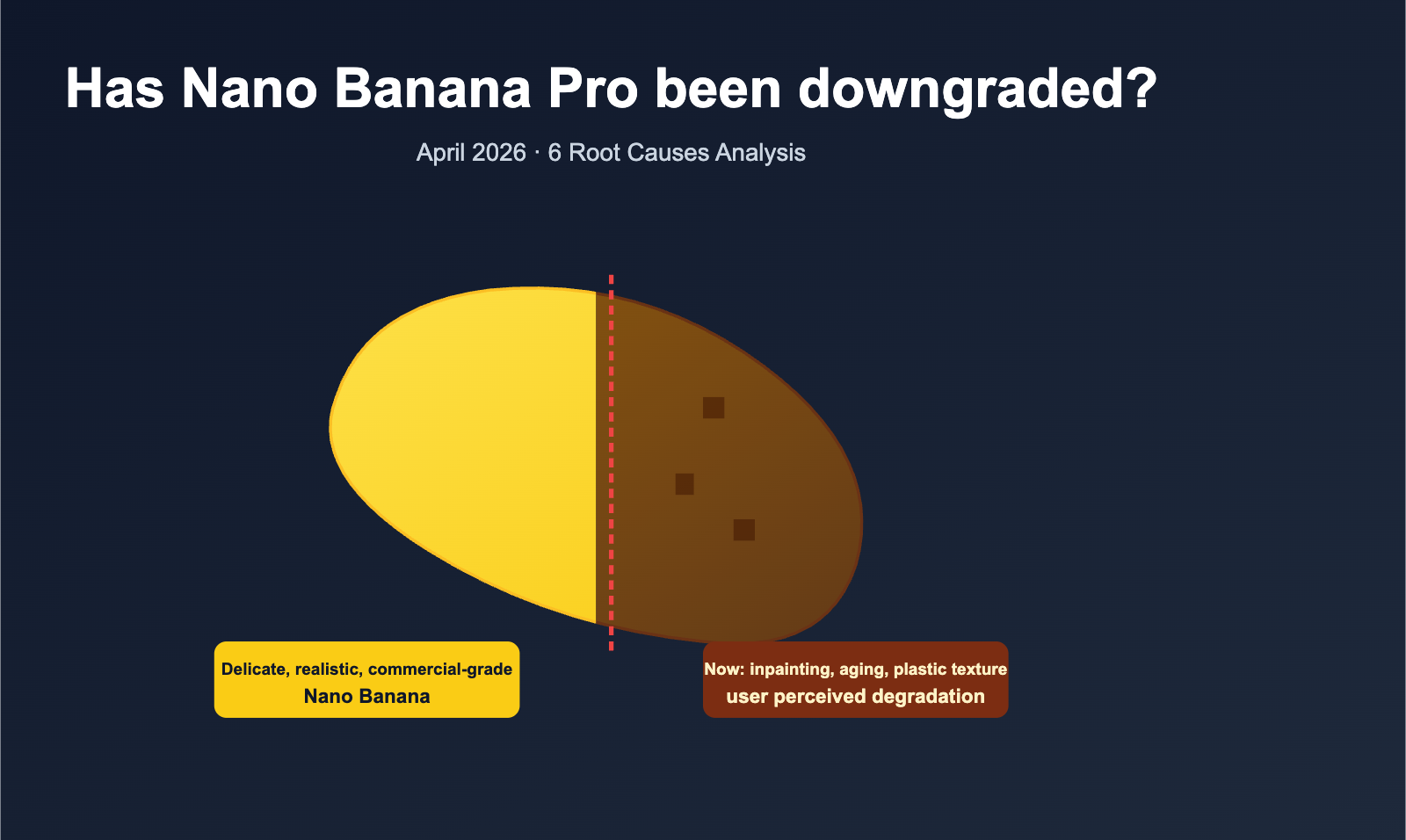
Key Facts: The Nano Banana Pro Downgrade Incident
Before we dive into the "why," let's summarize the essential facts as of April 2026 in the table below.
| Dimension | Known Facts |
|---|---|
| Outbreak Period | Ongoing since Dec 2025, peaked after Feb 26, 2026 |
| Trigger Event | Google launched Nano Banana 2 on 2026-02-26, replacing Pro as default |
| Model Relationship | Nano Banana 2 = Pro capabilities + Flash speed + 4K resolution (Pro was capped at 2K) |
| Is Pro still available? | Yes, but requires selecting "Regenerate" in the Gemini App menu or explicit API calls |
| Main Complaints | Facial aging, "plastic" skin, texture blurring, loss of detail, no difference from free version |
| Potential Causes | Silent rollback, quota reduction, iterative loss, input compression, infrastructure overload, default model switching |
| Affected Users | Gemini Free / AI Pro ($19.99) / AI Ultra ($249.99) / All API Tiers |
| Status as of April | The model itself hasn't been "weakened" by the official team, but the perceived quality drop is real |
🎯 Quick Troubleshooting Tip: If you've been using Nano Banana Pro for e-commerce images, posters, or portrait retouching and have noticed a clear drop in quality, we recommend using a unified platform like APIYI (apiyi.com). Run the same set of prompts across Nano Banana Pro, Nano Banana 2, and competitors like Seedream or Flux. A side-by-side comparison will help you determine if the model has changed or if you've triggered a silent rollback, allowing you to decide on your next move.
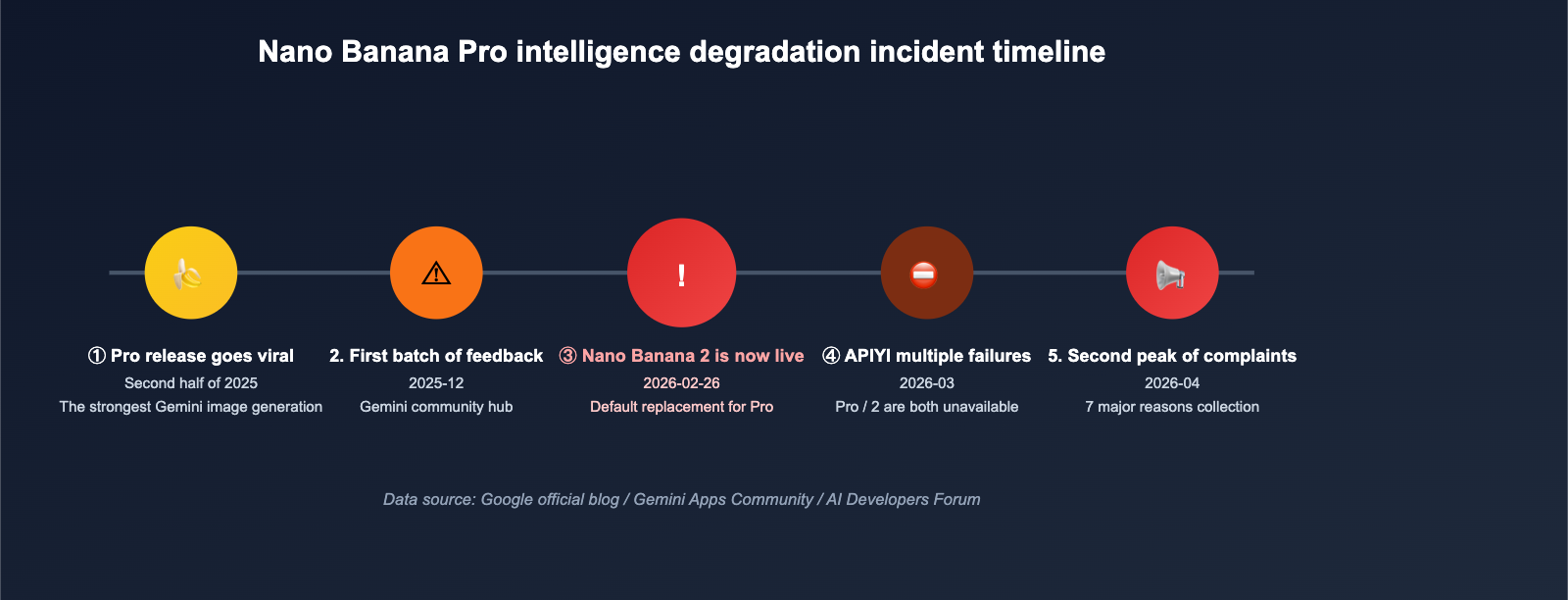
To understand this controversy, you have to look at the full timeline. The Nano Banana Pro "intelligence downgrade" didn't happen overnight; it was the result of a series of stacked decisions.
From the Glory Days of Pro to the Takeover by Nano Banana 2
| Date (2025-2026) | Key Event |
|---|---|
| H2 2025 | Nano Banana Pro is released, gaining popularity for its detailed portraits and commercial quality, earning the title of "strongest Gemini image model." |
| Dec 2025 | The first complaints about "degraded image quality" appear in the Gemini Apps Community, accumulating hundreds of replies. |
| Jan 31, 2026 | Numerous reports of quota anomalies appear on the Google AI Developers Forum under "Pro quota under Gemini Pro permissions." |
| Feb 26, 2026 | Google's official blog announces Nano Banana 2, which becomes the default for Gemini App / AI Mode / Lens. |
| Feb-Mar 2026 | Many users report a "sudden downgrade," with images uploaded via Flow compressed to 10% of their original quality. |
| Mar 2026 | Google AI Studio API experiences multiple large-scale outages, with both Pro and 2 becoming unavailable. |
| Early Apr 2026 | Complaints reach a second peak as overseas blogs like LaoZhang AI publish long-form articles detailing "7 Major Reasons." |
The critical turning point in this timeline is February 26, 2026: Without prior notice to Gemini App users, Google set Nano Banana 2 as the default image generation model. Nano Banana Pro "disappeared" from the main entry point, remaining available only under the "Regenerate" option in the three-dot menu. This change was the most direct trigger for the collective feeling of "have I been downgraded?"—many users didn't even realize they had been switched to a different model.
Nano Banana 2 Is Not an "Upgrade" to Pro
Many people instinctively view Nano Banana 2 as the successor to Nano Banana Pro, but Google's official description is more precise: Nano Banana 2 is a new model that combines the capabilities of Pro with the speed of Gemini Flash. Its goal is to "let more people get output close to Pro quality in less time," rather than simply surpassing Pro. The two will coexist for the long term:
- Nano Banana 2: Faster, with a resolution cap of 4K, serving as the default entry point for a broad user base.
- Nano Banana Pro: Still available, suited for specific tasks requiring "professional-grade" output and maximum control, accessed independently via the API.
Once you understand this relationship, it becomes clear why Gemini App users felt "Pro was gone": it wasn't deleted, just hidden by the default switch.
6 Real Reasons for the Nano Banana Pro Downgrade
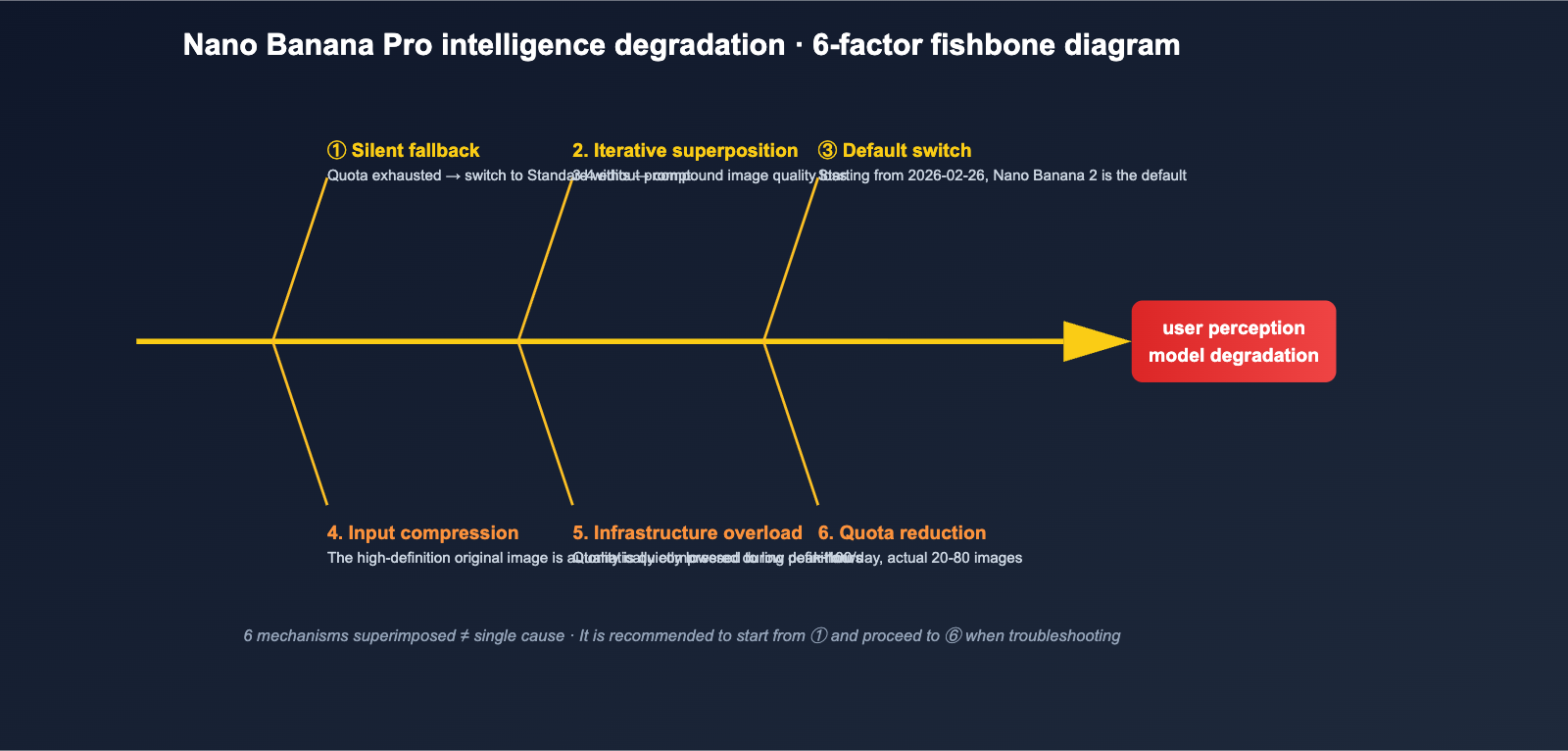
Combining reports from English-speaking communities with Google's documentation, the Nano Banana Pro downgrade isn't due to a single cause, but a "mixed perception" resulting from 6 overlapping mechanisms. We've ranked them from highest to lowest probability of direct user perception.
Reason 1: Silent Fallback to Standard Nano Banana
This was the most common explanation in April. When a user's daily Pro quota is exhausted, the Gemini system silently switches subsequent requests to the Standard Nano Banana model based on Gemini 2.5 Flash without any notification. The image quality of this older model is noticeably worse, but users see no prompt in the interface, leading them to wonder, "Why did it suddenly get so bad today?"
Worse, some users reported that their paid Pro plans, which supposedly include "~100 images" per day, often triggered a fallback after only 20–80 images. Google's use of the word "approximate" before the quota numbers is precisely to leave room for this "fluctuation based on server load."
Reason 2: Compound Quality Loss from Iterative Editing
The "step-by-step editing" feature of the Nano Banana series is great, but there's a detail many users overlook: with every iteration, the model doesn't start from the original image, but modifies the previous output. This means quality loss accumulates, much like repeatedly saving a JPEG. Community testing found that after 3–4 edits, facial details, textures, and colors begin to degrade significantly, showing symptoms like "skin smearing," "looking 30 years older," or "distorted features."
If you were caught up in the April 2026 complaints, check if you had "edited the same image more than 5 times"—that's often the culprit, not the model itself.
Reason 3: Google Switched the Default Model on Feb 26, 2026
As mentioned earlier, Nano Banana 2 has replaced Pro as the default in the Gemini App. If you don't actively select "Regenerate" from the three-dot menu, all the "Nano Banana Pro output" you see is actually from Nano Banana 2. While Nano Banana 2 is a huge leap in Flash speed and 4K resolution, it does have a different style than Pro for certain "Pro-style" tasks (like film-grain portraits).
Many complaints can actually be reinterpreted as: "I liked the Pro style, but Google changed the entry point, and I didn't realize it."
Reason 4: Automatic Compression of Input Images
There's a specific type of complaint in the community: "I uploaded a high-def image from Flow, and the output quality looks like it was cut by 90%." Behind this is Gemini's automatic compression mechanism for large input images—to control memory and latency for a single inference, the system compresses input images exceeding a certain threshold before feeding them to the model. The result is that the "refined edit using a reference image" you expected becomes a "refined edit using a low-res version," and the details are naturally lost.
Reason 5: Infrastructure Overload and Peak-Time Degradation
Google's image generation infrastructure experienced significant peak pressure between late 2025 and March 2026, especially during peak hours in the US and Europe. The manifestation wasn't an error message, but output quality being quietly lowered: perhaps by switching to a smaller sub-model or skipping certain post-processing steps. Reports of "quality is normal in the morning but drops in the afternoon" on developer forums weren't just a hallucination.
Reason 6: Quota Reductions and Tiered Plans
Along with the launch of Nano Banana 2, Google adjusted the quota structure for image generation:
- Free: 2 images/day, 1024×1024, with watermark.
- AI Pro $19.99/month: ~100 images/day, up to 2K, no watermark (actual availability fluctuates).
- AI Ultra $249.99/month: ~1000 images/day, up to 4K.
- API Free Tier: 5-10 RPM.
- API Paid Tier: Significant differences in quotas between tiers; only Tier 3 is close to "production-ready."
Many Pro users who thought "100 images is enough" found that after the switch to the Nano Banana 2 + Pro dual-track system, the actual number of usable Pro images was significantly compressed, reinforcing the feeling of a "downgrade."
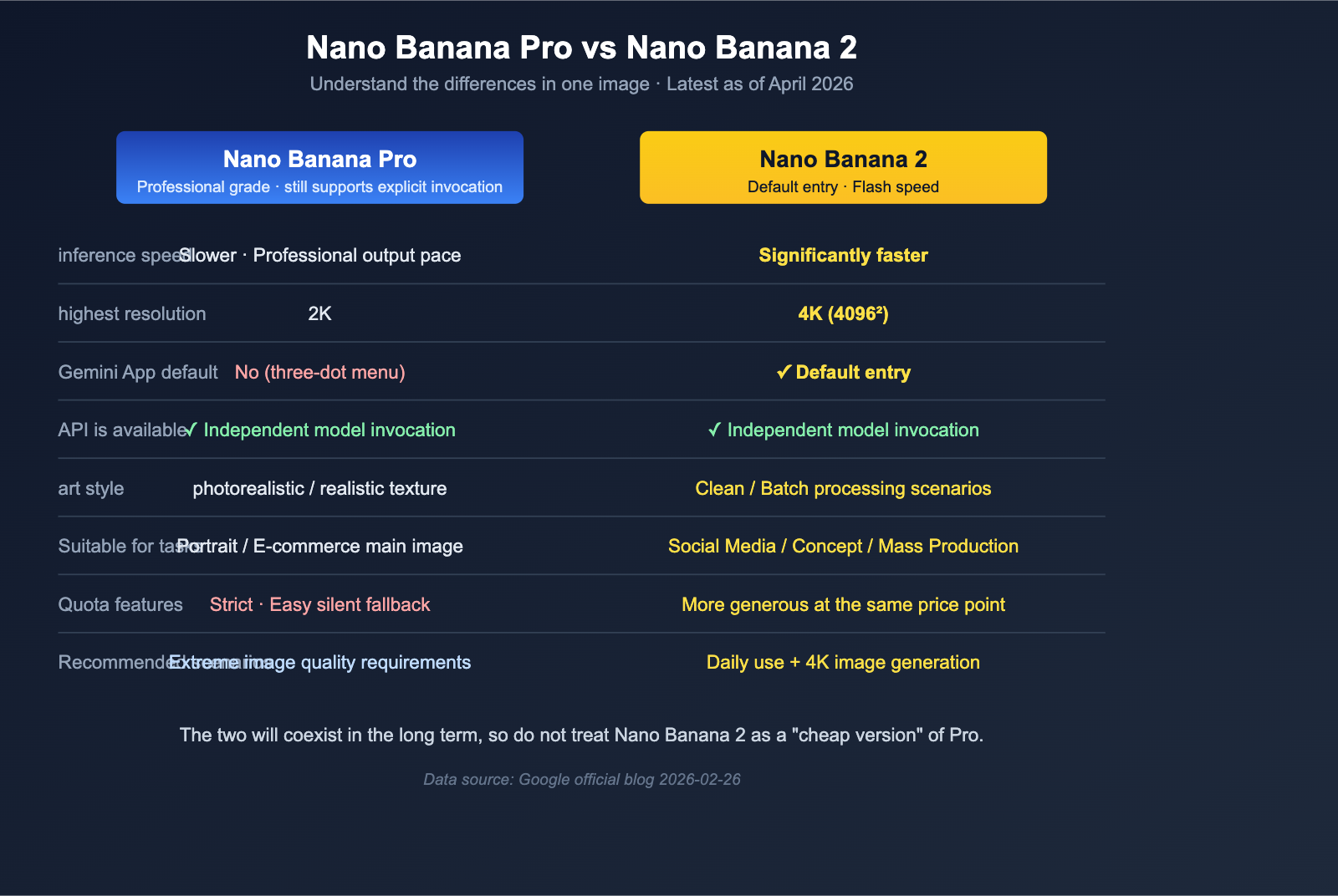
Nano Banana Pro vs. Nano Banana 2: A Comparison Table to Clear the Confusion
To take the next step in understanding the Nano Banana Pro degradation issue, you first need to figure out "which one should I actually be using right now?" The table below lays out the core metrics for both models side-by-side.
| Dimension | Nano Banana Pro | Nano Banana 2 |
|---|---|---|
| Model Base | Gemini Image Pro route | Gemini 3.1 Flash Image |
| Inference Speed | Slower, closer to "pro camera output" pace | Significantly faster, near Flash-level |
| Max Resolution | 2K | 4K |
| Gemini App Default | No (Three-dot menu Regenerate) | ✅ Yes (As of 2026-02-26) |
| API Available | ✅ Independent invocation | ✅ Independent invocation |
| Typical Style | Realistic, detailed texture | Clean, friendly for batch scenarios |
| Best For | Professional portraits, e-commerce, ads | Social media, concepts, batch generation |
| Quota Characteristics | Strict, prone to silent fallback | More generous at the same price point |
A key takeaway from this table is: Nano Banana 2 isn't just a "budget version of Pro," but a new baseline designed for broader, everyday use. The cost of making it the default is that the presence of Pro has been diminished, and many users are being switched over without even realizing it.
🎯 Selection Advice: If your business is sensitive to "detail realism" and "high-resolution output"—such as e-commerce main images, portrait ads, or print materials—you should still explicitly invoke Nano Banana Pro. The safest approach is to use an API proxy service like APIYI (apiyi.com), which allows you to specify the
modelparameter directly for both Pro and 2, preventing you from being bypassed by the Gemini App's default behavior.
A 6-Step Self-Rescue Checklist for Nano Banana Pro Degradation
Once you've identified the cause, complaining won't help—what you need is an actionable troubleshooting plan. We’ve put together this "6-Step Self-Rescue Method" based on reports from the English-speaking community.
Standard Troubleshooting Checklist
| Step | Check Item | Expected Result |
|---|---|---|
| 1 | Confirm the model ID you're calling is actually nano-banana-pro, not nano-banana / nano-banana-2 |
model field in API logs is explicit |
| 2 | Check your daily quota usage to see if a silent fallback was triggered | Pro Tier is still within ~100 quota |
| 3 | Limit "iterative edits" to ≤ 2 times; go back to the original image for major changes | Edits per image ≤ 2 |
| 4 | Compress reference images to ≤ 2K, with the long edge between 1024-2048 | No auto-compression warning after upload |
| 5 | Avoid peak hours in the US/Europe (roughly early morning to morning Beijing time) | Retest during off-peak hours to see if quality improves |
| 6 | Compare Pro / 2 / Standard using the same set of prompts to confirm if Pro is actually degrading | Create an internal benchmark screenshot set |
This process can resolve 90% of the "am I being degraded?" anxiety. Only the remaining 10% will truly require finding an alternative solution.
Recommended Engineering Fallback Strategies
For teams that need stable production quality, relying solely on the Gemini App isn't enough. We recommend implementing a three-layer engineering fallback:
- Multi-Model Parallelism: Run Nano Banana Pro, Nano Banana 2, Seedream, and Flux simultaneously to perform internal A/B testing.
- Unified Interface Layer: Don't integrate every SDK directly. Use a unified interface layer like APIYI (apiyi.com) to make calls; if Pro has issues, you can switch to 2 or a third-party model with a single line of configuration.
- Preserve Original Prompts for Key Assets: Record the prompt + seed + model for every official asset so you can quickly rerun or migrate if Pro runs into trouble.
🎯 Stability Advice: Until the Nano Banana Pro degradation wave fully settles, it's best not to use a single model as your only entry point in a production environment. We recommend using APIYI (apiyi.com) for unified access and failover, which allows you to instantly switch to Nano Banana 2 if Pro acts up, or pivot to competitors like Seedream / Flux if the Google API experiences a total outage.
Three Lessons for Developers from the Nano Banana Pro "Intelligence Downgrade"
When you look at the six root causes and the self-rescue steps together, the Nano Banana Pro intelligence downgrade is much more than just "a model getting worse." It serves as a wake-up call for every developer using closed-source Large Language Model APIs on at least three levels.
Lesson 1: "Silent Changes" in Closed-Source Models are a Real Risk
The way Google switched the default model on 2026-02-26 proves that: the "same product" you're calling might switch to a completely different model on any given morning. You can't protest this; instead, you must treat "model replaceability" as a default assumption in your system design. You need an abstraction layer, a monitoring layer, and a fallback layer—none of these can be skipped.
Lesson 2: "Quality Monitoring" Must Become as Routine as "Performance Monitoring"
In the past, our API monitoring focused on latency, QPS, and error rates. The Nano Banana Pro intelligence downgrade reminds us that for generative models, we must also add "quality monitoring": use a fixed set of prompts and seeds, run them daily, and compare the output against historical benchmarks. Any significant drop should trigger an alert. This mechanism lets you catch issues before your users do.
Lesson 3: Maintain Professional Skepticism Toward "Quota Numbers"
Whether it's Free, Pro, or Ultra, Google uses the "~" (tilde) symbol before all quota numbers. This isn't just decoration; it's a legal disclaimer. When planning production usage, always discount the official numbers by 30-40% and have a fallback channel ready for overflows. This way, you won't have your business crippled by a silent rollback on a busy afternoon.
🎯 Operations Tip: Consolidate your Nano Banana Pro / Nano Banana 2 calls through an API proxy service like APIYI (apiyi.com), which supports quota aggregation and failover. This solves both "insufficient quota" and "sudden intelligence downgrade" risks—your upper-level business only needs to face one stable interface, while the platform automatically handles which model is the default and which one is failing.
Nano Banana Pro Intelligence Downgrade FAQ
Q1: Can I still use Nano Banana Pro?
Yes. As of April 2026, Nano Banana Pro remains independently available in the Gemini App (three-dot menu → Regenerate) and via the Gemini API; it's just no longer the default option in the Gemini App. If you want to use Pro stably in a production environment, we recommend calling it through an API proxy service like APIYI (apiyi.com) that allows you to explicitly specify the model parameter, preventing the App's default logic from bypassing your choice.
Q2: Is Nano Banana 2 an upgraded version of Nano Banana Pro?
Not exactly. Google's official stance is: Nano Banana 2 = Pro capabilities + Flash speed + 4K resolution. The goal is to let a wider range of users get output close to Pro faster, rather than replacing Pro. The artistic style and suitable tasks differ slightly; Pro leans toward professional-grade realism, while Nano Banana 2 is better for fast, bulk, and social-media-friendly tasks.
Q3: I paid for AI Pro, why am I still being "downgraded"?
There are two common reasons: First, you may have unknowingly exceeded the actual Pro quota (officially ~100/day, but realistically 20-80 images), triggering a silent rollback. Second, you didn't click "Regenerate" in the Gemini App, so you've been using the default Nano Banana 2 instead of Pro. We suggest starting with steps 1 and 2 of the "6-Step Self-Rescue Checklist."
Q4: Will Nano Banana Pro "suddenly get better" again?
Yes, but fluctuations are the new normal. Infrastructure overload and peak-time degradation are common issues for all large-scale image APIs in 2025-2026, and Google is continuously expanding capacity. In the short term, you can mitigate this by avoiding peak hours and reducing the load per inference, but never treat "normal quality today" as a long-term promise.
Q5: If I have high requirements for image quality, are there alternatives?
You can evaluate several directions simultaneously: Nano Banana 2 (same ecosystem, 4K), Seedream / Seedance series (commercial quality from Chinese vendors), Flux series (open source + high realism), and the Imagen series (Google's own source). The most pragmatic approach is to integrate multiple providers through a unified interface like APIYI (apiyi.com), perform horizontal scoring on your internal prompt sets, and avoid betting on just one model.
Q6: What changes do I need to make on the developer side?
At least four things: explicitly specify the model parameter (don't rely on defaults), log the actual model used in your response logs, keep the "seed + prompt + model" trio for critical assets, and prepare a peer-level fallback model for when Pro fails or degrades. Once these four steps are done, the impact of events like the Nano Banana Pro intelligence downgrade on your business will be minimized.
Summary: The Real Issues Behind the Nano Banana Pro "Intelligence Drop"
When you look at the six major causes, the timeline, the comparison table, and the takeaways together, the Nano Banana Pro intelligence drop doesn't actually expose that "Google secretly weakened the model." Instead, it highlights several deeper structural issues: default entry points being silently switched, discounted quota promises, the loss of compounding benefits from iterative editing, infrastructure degradation during peak times, and the fact that users have no way to verify which specific model version they're actually calling. Any one of these on its own might be dismissed as a "misconception," but combined, they triggered the cross-platform backlash of April 2026.
For developers, the real response isn't to take sides on whether "the model got worse" or "the user doesn't know how to use it." Instead, it's to treat "models are replaceable, image quality will fluctuate, and quotas will shrink" as the default assumptions for your system design. Once you bake these assumptions into your engineering, you won't be caught off guard by a silent default switch from Google one morning. The Nano Banana Pro intelligence drop storm will eventually pass, but the lessons it revealed deserve a permanent spot in the engineering handbook of every team using closed-source image APIs.
🎯 Final Recommendation: To maintain business stability during events like the Nano Banana Pro intelligence drop, we suggest centralizing your image generation requests through an API proxy service like APIYI (apiyi.com), which supports multi-model parallel access. This allows you to continue explicitly calling Nano Banana Pro for professional-grade output while simultaneously maintaining a failover pool of equivalent models like Nano Banana 2, Seedream, and Flux, minimizing the impact of any single model's instability on your business.
Author: APIYI Team | Focusing on Large Language Model deployment and stability engineering. For more Gemini and image model evaluations, visit APIYI at apiyi.com.