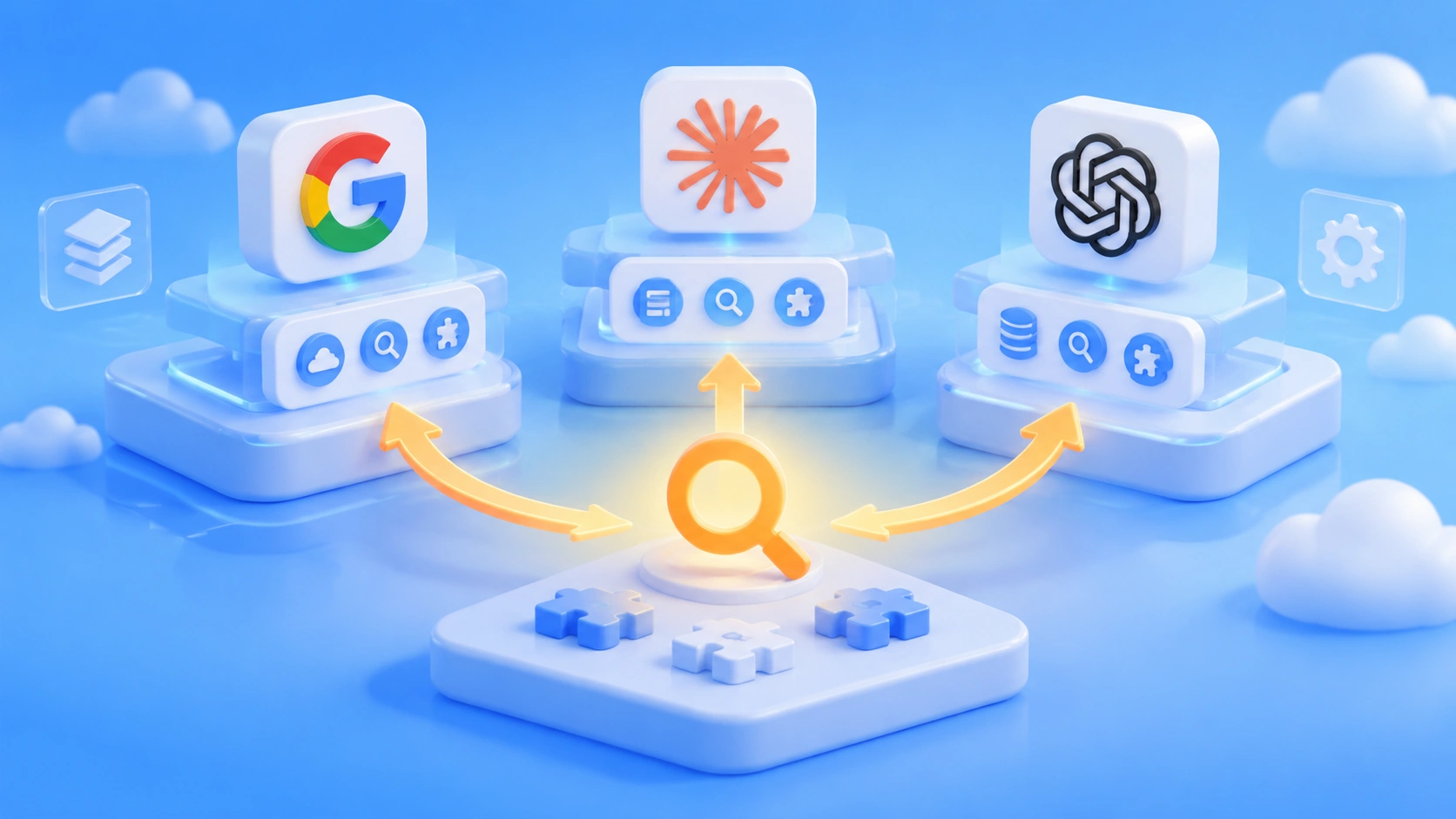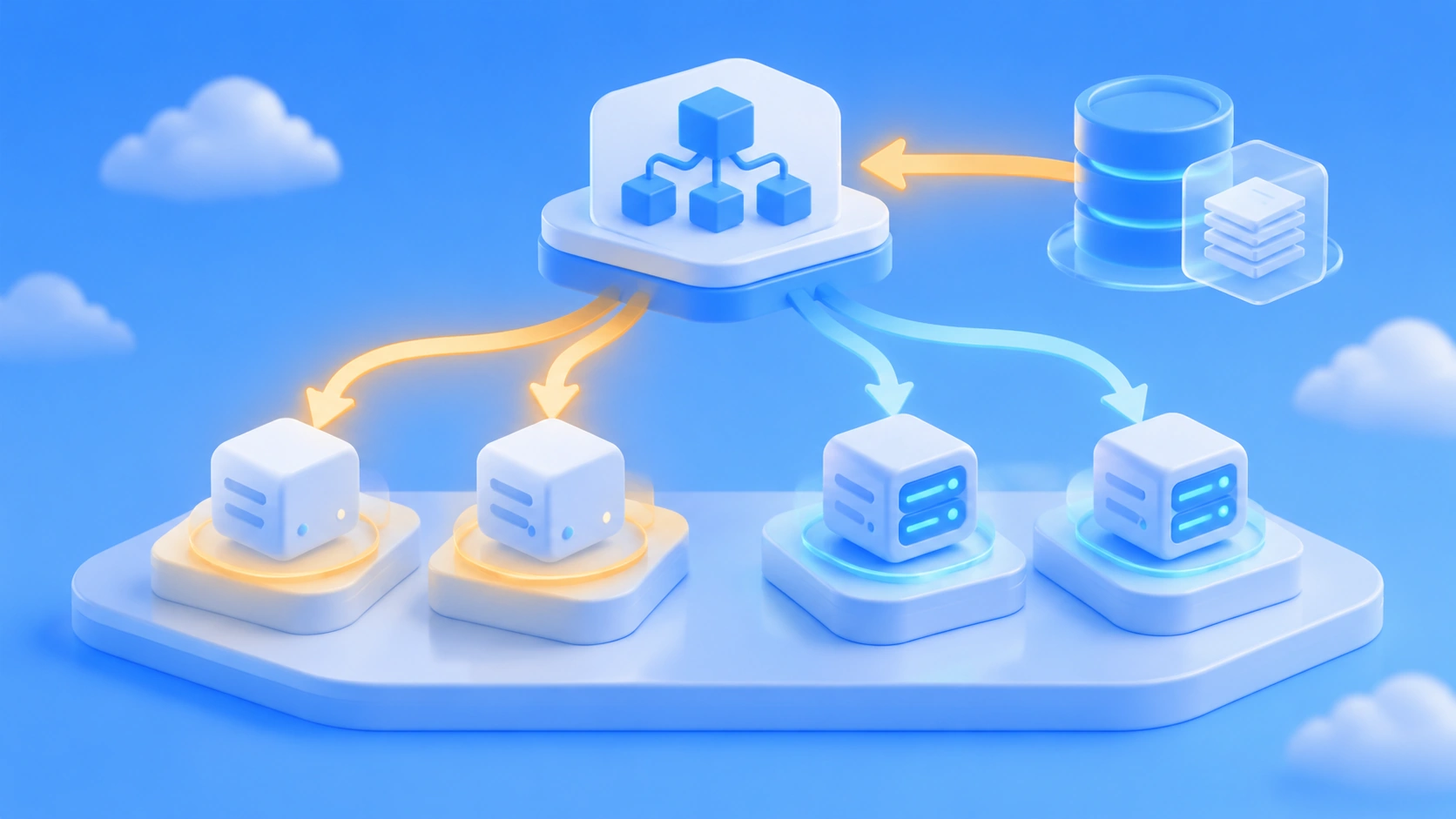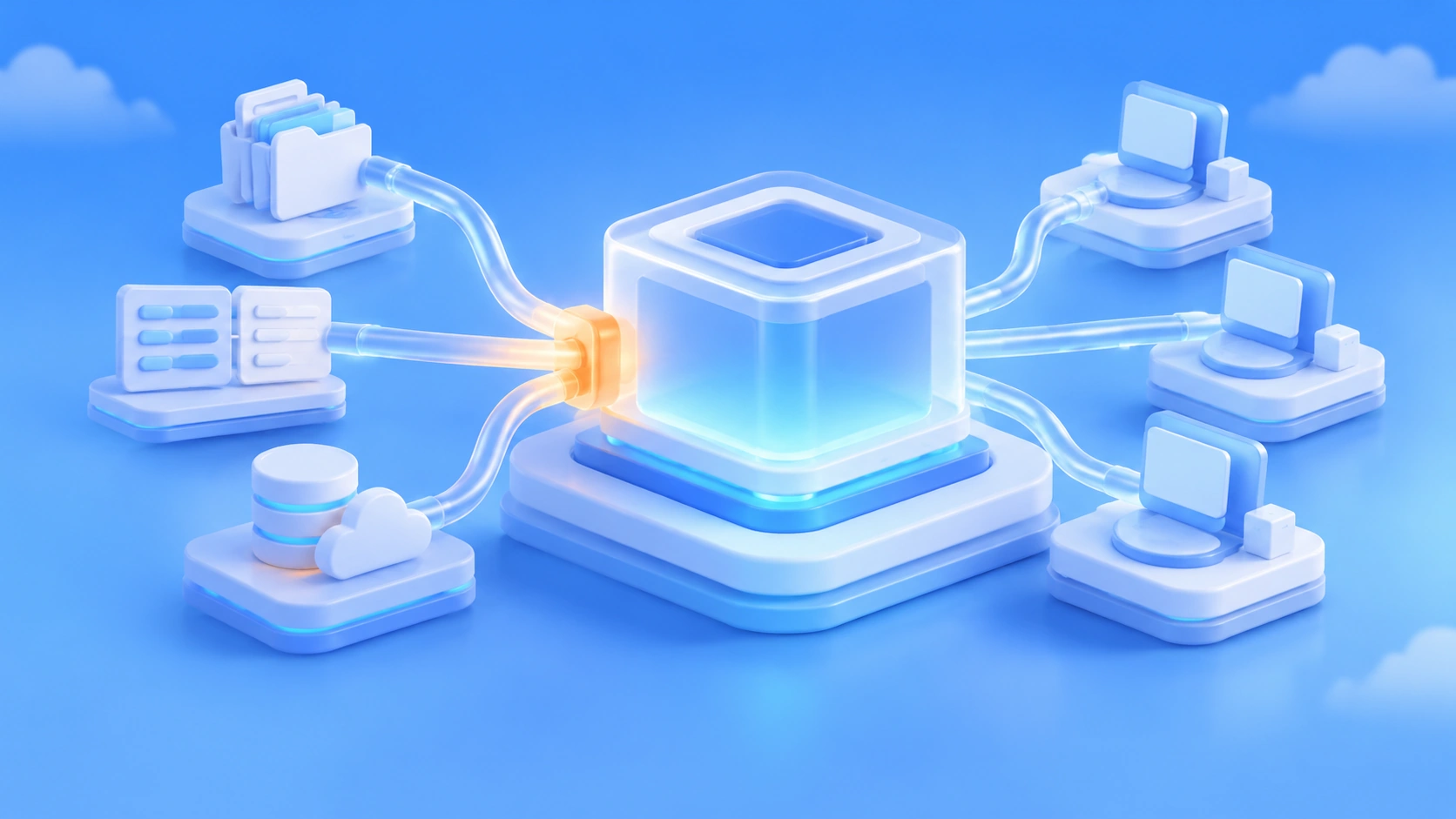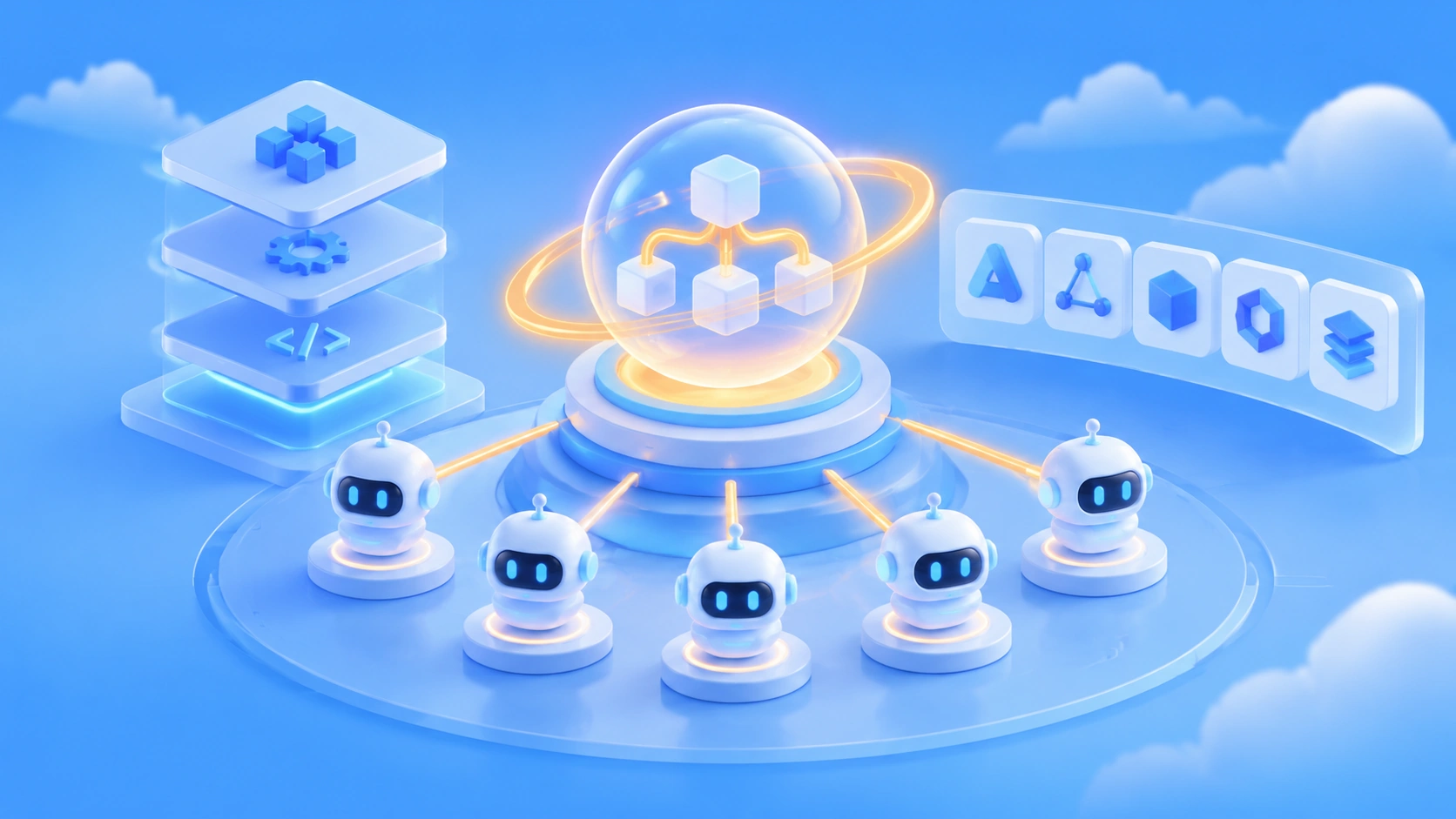
Google Antigravity Orchestrator isn’t just another code-completion plugin — it’s an orchestration engine that upgrades a “single AI assistant” into a “schedulable virtual engineering team.” It lets one main agent spawn multiple sub-agents at runtime, working in parallel on different jobs like modeling, frontend, and sound effects, then aggregate the results back. For developers, the competitive focus of AI coding tools is shifting from “who completes code more accurately” to “who can orchestrate multiple agents more reliably.”
What you’ll get out of this article:
- What the five Google Antigravity products are, and where Orchestrator sits among them
- The three-layer architecture of the Antigravity SDK, and the difference between dynamic and static sub-agents
- What the
/swarmand/teamworkmulti-agent commands are for, and how the swarm splits up the work in the Pelican Campus Quest case - How Antigravity is positioned differently from LangChain/LangGraph, CrewAI, AutoGen, Cursor, and GitHub Copilot
- How different kinds of developers should respond to this shift
Index: We’ll start with a concept table and a quick impact overview to get you oriented. The “Objective facts” section then walks through the product matrix, the official positioning of Orchestrator, the SDK architecture, the Swarm mechanics and case study, and the known security issues. The “Analysis and judgment” section discusses what multi-agent orchestration means for tool selection, and offers an orchestration approach you can run right away.
Google Antigravity Orchestrator: Key Concepts to Know
| Concept | Quick Explanation |
|---|---|
| Google Antigravity | An AI coding agent platform Google released on November 18, 2025, unveiled the same day as Gemini 3 Pro |
| Orchestrator | The core engine behind Antigravity’s multi-agent collaboration — it schedules, dispatches, and aggregates work across multiple agents |
| Subagent | An agent spawned by the main agent or predefined to take on a specialized task |
| /swarm | A built-in slash command in Antigravity that kicks off multi-agent parallel orchestration (swarm mode) |
| /teamwork | Another multi-agent orchestration command, corresponding to the “Agent teams” collaboration mode |
| Fan-out / Fan-in | An execution pattern where a task is split across multiple nodes for parallel execution, then results are merged back together |
| HITL | Human-in-the-Loop — people confirm or step in at key points during execution |
| Artifacts | Markdown documents agents generate automatically as they work, such as task lists, implementation plans, and walkthrough reports — not the same thing as Claude Artifacts |
| Workflow Runtime | The graph-based execution engine in Antigravity, supporting routing, loops, retries, nested workflows, and more |
| Task API | An interface for structured task delegation between agents |
| Gemini Spark | A personal AI agent product built on the Antigravity runtime |
Google Antigravity Orchestrator: Impact at a Glance
- Frontline developers: The interaction shifts from “chatting with a single assistant” to “handing a goal to a team of agents.” Task decomposition, acceptance criteria, and result review become the new core skills.
- Tech leads / architects: Antigravity ships an IDE, CLI, SDK, and runtime at the same time. When evaluating it, don’t just treat it as another Cursor competitor — also weigh how much it overlaps with existing orchestration solutions like LangGraph and CrewAI.
- Users of the open-source Gemini CLI: The Antigravity CLI replaced the open-source Gemini CLI in June 2026. The new CLI is written in Go and closed source, so teams that depend on open-source auditability will need to reassess.
- Security and compliance teams: Multi-agent plus browser integration means a much larger agent permission surface. There’s already public discussion about Antigravity’s data exfiltration risks, so permission isolation needs to be considered up front.
Objective Facts About Google Antigravity Orchestrator
The 5-Product Matrix Behind Google Antigravity
At first glance, Antigravity looks like a VS Code fork, and it often gets compared to Cursor—but its product range is much broader. According to official information, there are currently five products spanning web, desktop, command line, APIs, and third-party IDEs.
| Product | Form Factor | Key Details |
|---|---|---|
| Antigravity App | Full-featured web app | Also known as Antigravity 2.0 |
| Antigravity IDE | Desktop VS Code fork | Deep Gemini integration |
| Antigravity CLI | Command-line agent tool | Written in Go, closed source; replaces the open-source Gemini CLI in June 2026 |
| Antigravity SDK | Python SDK | Open-source wrapper layer + closed-source Go runtime binary |
| Antigravity Extensions | IDE extensions | Supports VS Code, JetBrains, Eclipse, Zed, Xcode, and Android Studio |
On the interaction side, Antigravity has three surfaces: the Agent Manager Dashboard, a traditional VS Code-style code editor, and deep browser integration through a Chrome extension. The browser integration lets agents open and test the web apps they build themselves—similar in function to Playwright MCP.
Orchestrator’s official positioning in Google Antigravity
The official Antigravity blog announced Orchestrator’s launch under the headline “Gemini 4 Neon and Orchestrator now in Google Antigravity.” As the title suggests, Orchestrator is a platform-level capability shipped alongside the new generation of Gemini 4 models — not some bolt-on side feature.
Addy Osmani, a Director of Engineering at Google, said publicly: “Orchestrators, agent loops, virtual SWE teams and many other systems are actively available to folks.” In other words, orchestrators, agent loops, and virtual software engineering teams are already being handed to real users. Another data point: more than 40,000 software engineers inside Google use agentic coding every week, which shows multi-agent workflows already have a meaningful footprint of practice within the company.
On the model side, Antigravity is tightly bound to Gemini and follows a tiered model strategy of Gemini 4 Carbon, Neon, and Hydrogen — with Carbon as the most capable tier.
The SDK’s three-layer architecture
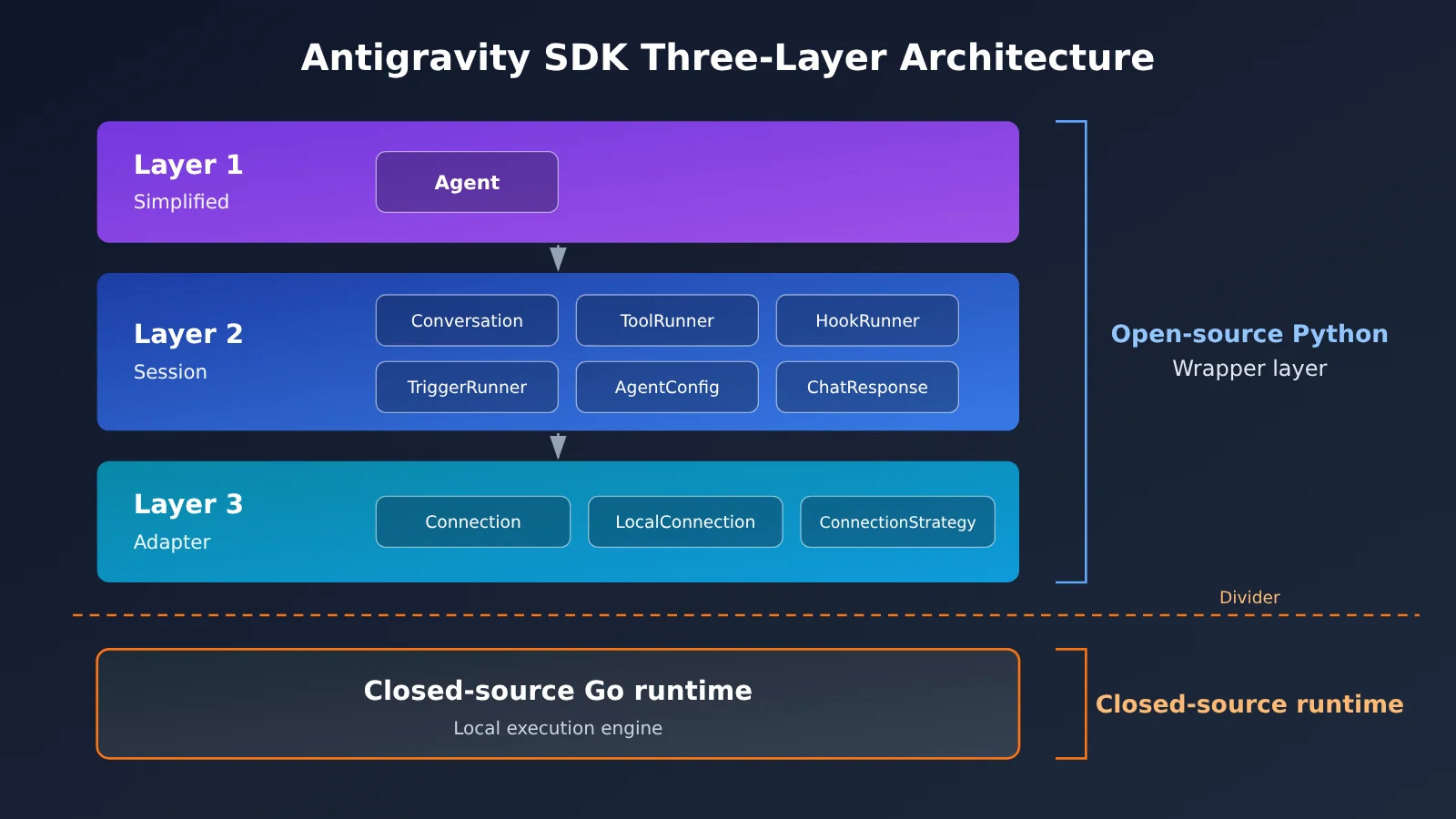
Looking at the Antigravity SDK README, developers have three levels of abstraction to choose from when invoking orchestration capabilities, with encapsulation decreasing as you go down.
| Layer | Purpose | Key classes |
|---|---|---|
| Layer 1 — Simplified | High-encapsulation entry point, for getting started fast | Agent |
| Layer 2 — Session | Stateful session management | Conversation, ChatResponse, Step, ToolCall, AgentConfig, HookRunner, ToolRunner, TriggerRunner |
| Layer 3 — Adapter | Transport and backend abstraction | Connection, ConnectionStrategy, LocalConnection |
This layered design is pretty familiar: for simple scenarios you just use Agent directly; when you need fine-grained control over tool calls, hooks, and triggers, you drop down to the Session layer; and when you need to swap out the transport or plug in another backend, you go to the Adapter layer. The naming of LocalConnection also tells you something — the SDK’s open-source Python layer mainly handles encapsulation, while the actual execution is done by a local closed-source Go runtime.
Google Antigravity Orchestrator’s Subagent System and Orchestration Capabilities
At the SDK level, subagents come in two types:
- Dynamic self-cloning subagents: spawned by the main agent at runtime as needed, making them a good fit for scenarios where the task scope can’t be determined up front.
- Static custom subagents: roles and instructions are defined in advance, ideal for stable division of labor and workflows that need to be reproducible.
Subagents support structured communication and result aggregation. On top of that, there are three capabilities directly related to orchestration:
- Workflow Runtime: a graph-based execution engine that supports routing, fan-out/fan-in, loops, retries, state management, dynamic nodes, human-in-the-loop (HITL), and nested workflows.
- Task API: structured delegation between agents, supporting multi-turn task patterns, single-turn controlled output, and hybrid delegation patterns.
- Modular Multi-Agent Systems: lets you combine multiple specialized agents into flexible hierarchies.
Agents also automatically generate Artifacts as they work — Markdown documents such as task lists, implementation plans, and Walkthrough reports. In multi-agent settings, these documents effectively act as a record of the work, making it easy for humans to review what each subagent did.
Google Antigravity Orchestrator’s /swarm and /teamwork Commands
/swarm is a built-in slash command in Antigravity and is listed as a Featured (key feature) in the official docs. Its official description is “Subagents & Teamwork — Parallel multi-agent orchestration.” /teamwork corresponds to “Agent teams” and complements /swarm, covering different collaboration modes.
| Command | Official wording | What the docs say |
|---|---|---|
/swarm |
Parallel multi-agent orchestration | Featured feature; the Pelican Campus Quest case uses this command |
/teamwork |
Agent teams | Complements /swarm; suited to different collaboration modes |
/plan, /goal, /boost |
Companion slash commands | Work with the two commands above as part of a complete agent workflow |
Official materials offer limited detail on how /plan, /goal, and /boost actually behave. This article doesn’t speculate about their internal mechanics; check the latest official documentation for the most current guidance.
Pelican Campus Quest: The Signature Showcase for the Google Antigravity Orchestrator
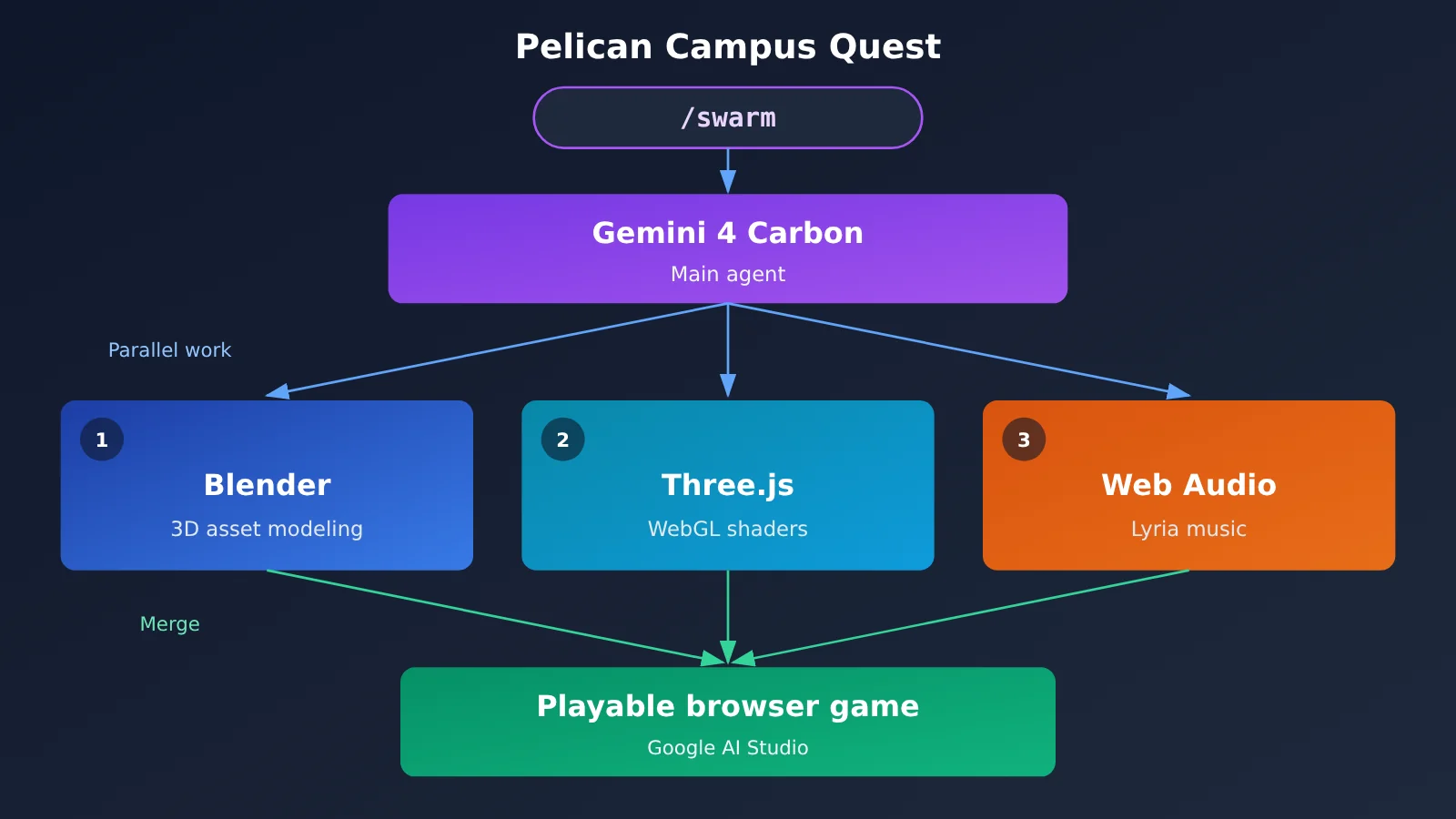
Google CEO Sundar Pichai personally tweeted out what /swarm can do: “Using Google Antigravity’s /swarm feature, Carbon built an open-world 3D game where you explore Google’s Mountain View campus as a pelican riding a GBike.” In other words, Gemini 4 Carbon used the swarm feature to build an open-world 3D game in which you play a pelican riding a GBike, exploring Google’s Mountain View campus.
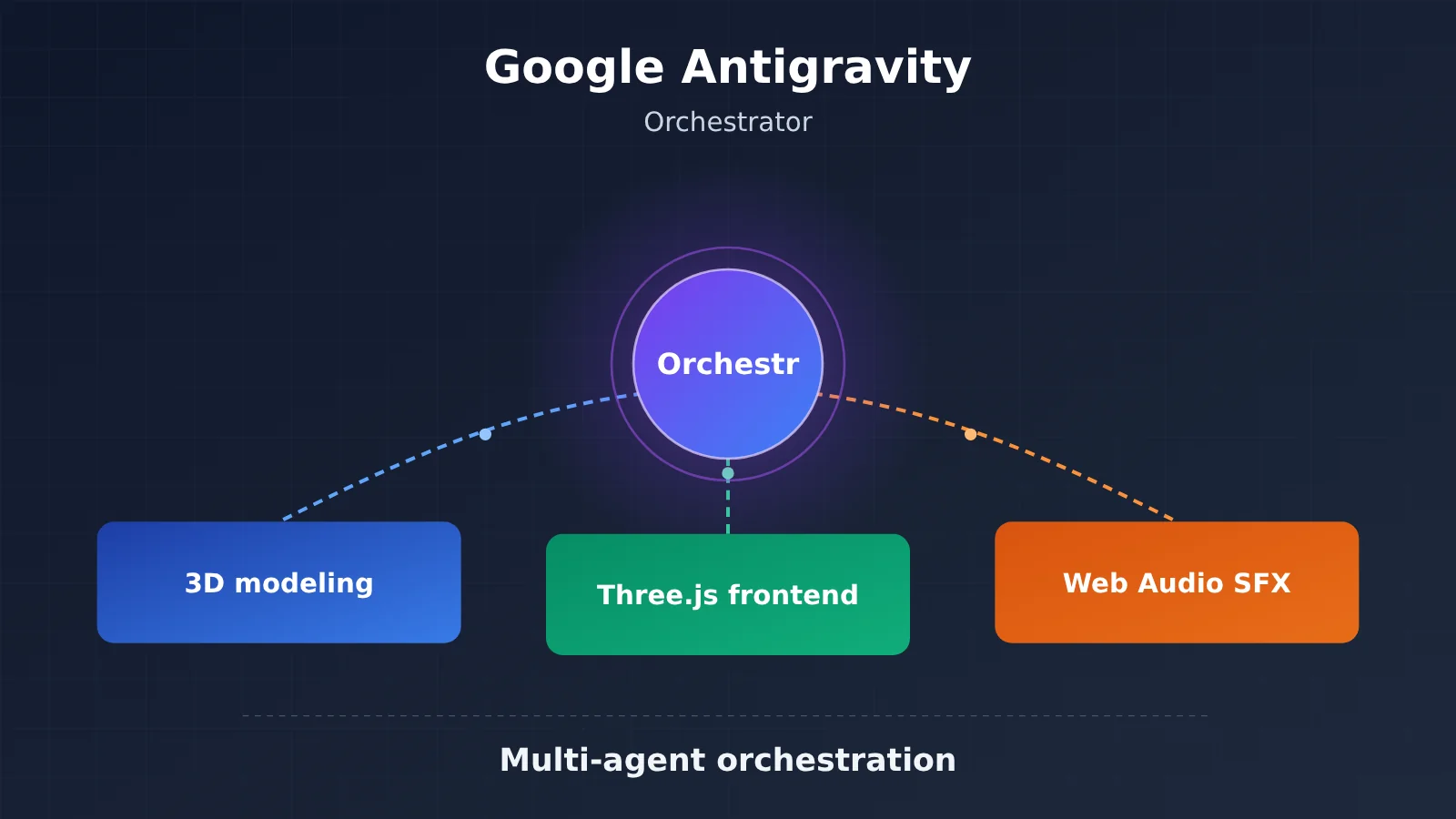
In this case, the swarm coordinated three kinds of sub-agents at the same time:
- Sub-agent 1: modeled 3D assets in Blender, using reference images from Omni and Nano Banana.
- Sub-agent 2: built the browser game with Three.js and wrote the WebGL shaders.
- Sub-agent 3: set up procedural Web Audio sound effects and music generated by Lyria.
The playable version is already live on Google AI Studio. What makes this case notable is that it spans three completely different tech stacks — 3D modeling, front-end rendering, and audio — which is exactly the kind of scenario a single agent struggles to juggle, and where parallel multi-agent work has the biggest advantage.
Security Issues Around the Google Antigravity Orchestrator
Multi-agent orchestration combined with browser integration also opens up a bigger attack surface. A week after Antigravity’s release—in late November 2025—tech blogger Simon Willison published a post discussing the risk of data exfiltration in Antigravity. These risks are usually tied to prompt injection: the agent reads untrusted content and then gets tricked into sending sensitive information out.
This isn’t a problem unique to Antigravity. Every agent system that can read web pages and execute tools runs into it. But since the orchestrator runs multiple sub-agents at the same time, whether permission boundaries are clearly defined directly determines how large the risk actually is—and that’s something worth focusing on when putting it into production.
Analysis and Assessment of the Google Antigravity Orchestrator
Where Google Antigravity Orchestrator Differs from Traditional Frameworks
When you put Antigravity side by side with existing tools, the biggest difference isn’t any single feature — it’s the “platform form factor.” The table below is based on the comparison dimensions in the reference materials.
| Comparison | What they are | How Antigravity differs |
|---|---|---|
| LangChain / LangGraph | Orchestration library — you build the runtime yourself | A complete IDE + runtime platform, not just a library |
| CrewAI | Role-based multi-agent framework | Google-grade infrastructure backing, natively optimized for Gemini |
| AutoGen | Multi-agent conversation framework | Stronger emphasis on browser integration and a full-stack dev experience |
| Cursor / Windsurf | AI IDE, built mainly around single-agent collaboration | Unique multi-agent Swarm capabilities |
| GitHub Copilot | Started as code completion | Evolved from completion into fully autonomous agent collaboration |
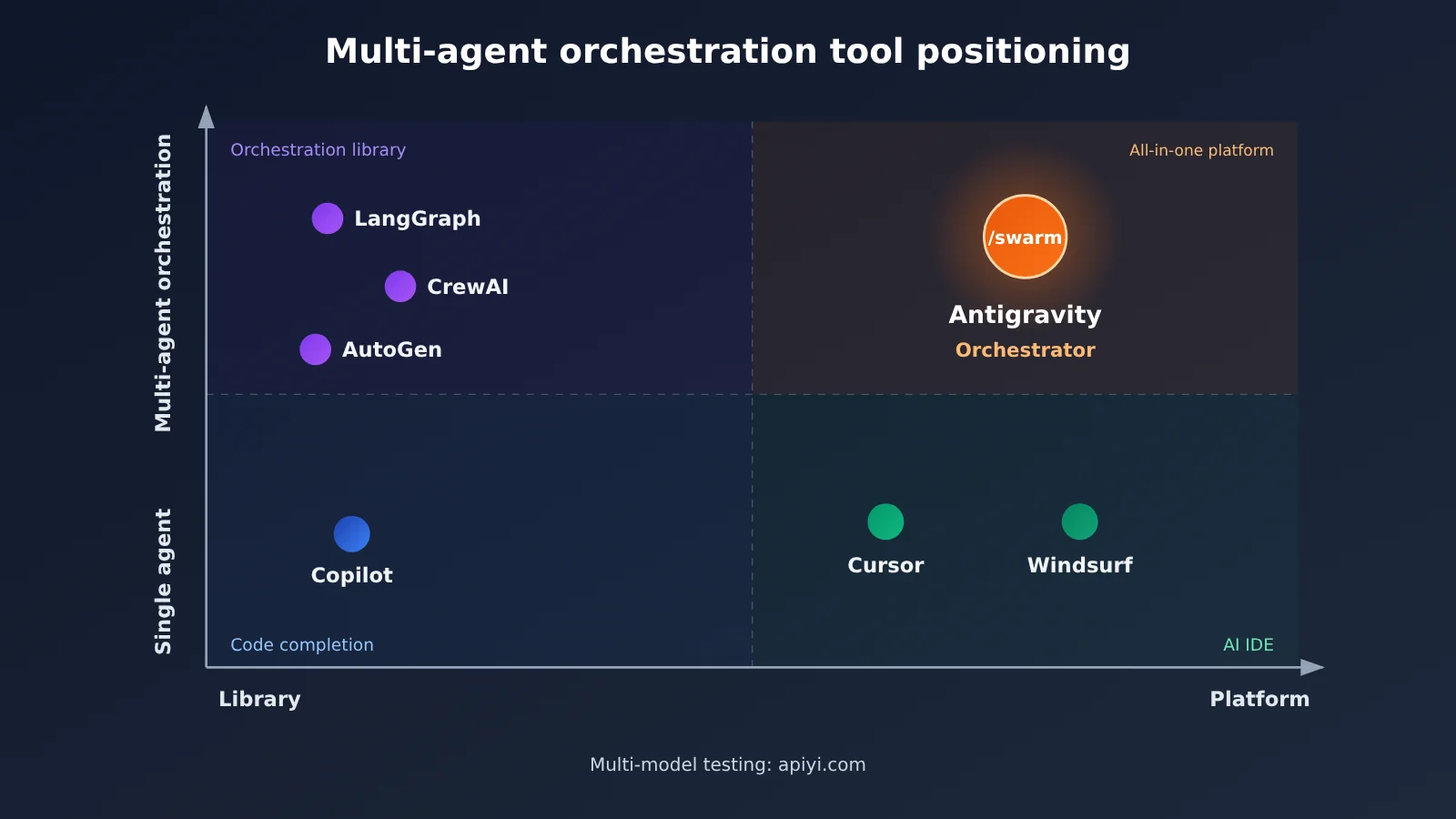
LangGraph still has an edge in controllability and ecosystem openness — it isn’t tied to any model vendor. But it’s just a library: runtime, browser testing, and code editing all have to be assembled yourself. By contrast, Antigravity packages all of that in one shot, making it a better fit for teams that want something that works out of the box. The trade-off is deep lock-in with Gemini and Google’s runtime.
Cursor is already mature when it comes to the single-developer coding experience, but its core is still “one developer with one agent.” Antigravity’s /swarm shifts the focus to “one developer commanding a group of agents” — the two solve problems at different levels.
What Google Antigravity Orchestrator Means for Developers
First take: task decomposition will matter more than prompt tricks. Pelican Campus Quest worked because the interfaces between the modeling, frontend, and sound-design pieces were clear enough to run them in parallel. When you use a swarm on your own project, tightly coupled modules mean sub-agents are more likely to stomp on each other’s edits.
Second take: the closed-source trend is worth evaluating early. Antigravity CLI has replaced the open-source Gemini CLI, and the SDK’s execution core is a closed-source Go binary too. For teams that care about auditability and need private deployment, this becomes a hard requirement when choosing a tool. One compromise: use Antigravity for prototypes and internal tools, while keeping an orchestration layer built on open interfaces for your core business.
Third take (prediction): multi-model orchestration will become the norm. Right now Antigravity uses Gemini’s internal tiers (Carbon, Neon, Hydrogen). But looking at industry practice, matching different sub-agents to different model tiers based on task difficulty is a common way to control costs. That approach isn’t tied to a single vendor — you can apply the same idea when building your own orchestration.
🎯 Technical recommendation: If you want to validate whether the “main agent splits tasks, sub-agents run in parallel” approach fits your project before integrating Antigravity, you can use APIYI apiyi.com to call Gemini, Claude, GPT, and other models at the same time with a single API key — cheaply build a prototype and compare how each model performs on different subtasks.
Reproducing Google Antigravity Orchestrator’s Fan-Out/Fan-In Pattern with a Generic API
For the specifics of calling the Antigravity SDK, refer to the official README. The example below doesn’t call the Antigravity SDK — instead it uses an OpenAI-compatible interface to demonstrate the core “fan-out/fan-in” pattern behind the Orchestrator: the main agent splits the task, multiple sub-agents run in parallel, and then the main agent merges the results.
import openai
from concurrent.futures import ThreadPoolExecutor

client = openai.OpenAI(
    api_key="YOUR_API_KEY",
    base_url="https://api.apiyi.com/v1"  # APIYI apiyi.com unified interface, switch between multiple model providers
)
MODEL = "gemini-3-pro-preview"  # Use the actual name from the platform's model list

def ask(system, prompt):
    r = client.chat.completions.create(
        model=MODEL,
        messages=[{"role": "system", "content": system},
                  {"role": "user", "content": prompt}])
    return r.choices[0].message.content

# Fan-out: three static sub-agents work in parallel
roles = {"3D 资产": "你负责描述 3D 资产清单", "前端": "你负责 Three.js 游戏结构",
         "音效": "你负责 Web Audio 音效方案"}
goal = "做一个骑自行车的鹈鹕在校园里探索的浏览器小游戏"
with ThreadPoolExecutor() as pool:
    results = dict(zip(roles, pool.map(lambda s: ask(s, goal), roles.values())))

# Fan-in: the main agent consolidates
print(ask("你是编排器,负责整合子代理产出", str(results)))
View the full implementation with dynamic sub-agents and retries
import json
import openai
from concurrent.futures import ThreadPoolExecutor

client = openai.OpenAI(
    api_key="YOUR_API_KEY",
    base_url="https://api.apiyi.com/v1"  # Called through APIYI apiyi.com, pay-as-you-go billing
)

PLANNER_MODEL = "gemini-3-pro-preview"   # Main agent: uses a more capable model to break down the task
WORKER_MODEL = "gemini-3-pro-preview"    # Sub-agent: can be swapped for a lighter model to control cost

def chat(model, system, prompt, retries=2):
    for attempt in range(retries + 1):
        try:
            r = client.chat.completions.create(
                model=model,
                messages=[{"role": "system", "content": system},
                          {"role": "user", "content": prompt}])
            return r.choices[0].message.content
        except Exception as e:
            if attempt == retries:
                return f"[子任务失败] {e}"

def plan(goal):
    """Dynamic derivation: the main agent decides which sub-tasks to split into"""
    text = chat(PLANNER_MODEL,
                "把目标拆成 2-5 个可并行的子任务,只输出 JSON 数组,"
                "每项包含 role 和 task 字段。",
                goal)
    try:
        return json.loads(text.strip().strip("`").removeprefix("json"))
    except json.JSONDecodeError:
        return [{"role": "通用工程师", "task": goal}]

def run_worker(item):
    return item["role"], chat(WORKER_MODEL,
                              f"你是{item['role']},只完成分配给你的部分。",
                              item["task"])

def orchestrate(goal):
    subtasks = plan(goal)                       # Planning before fan-out
    with ThreadPoolExecutor(max_workers=5) as pool:
        outputs = dict(pool.map(run_worker, subtasks))   # Parallel fan-out
    summary = chat(PLANNER_MODEL,               # Fan-in consolidation
                   "你是编排器,检查各子代理产出的冲突并整合为一份实施计划。",
                   json.dumps(outputs, ensure_ascii=False))
    return subtasks, summary

if __name__ == "__main__":
    tasks, report = orchestrate("做一个骑自行车的鹈鹕在校园里探索的浏览器小游戏")
    print("子任务:", tasks)
    print("汇总报告:\n", report)
This example skips Antigravity’s browser testing, artifact trails, HITL approvals, and other capabilities, but it’s enough to help you judge one thing: whether your project can be cleanly split into sub-tasks that run in parallel. If it can’t be split, switching to /swarm won’t buy you any real gains either.
🚀 Quick Start: All you need to do with the code above is swap
YOUR_API_KEYfor a key you get from APIYI apiyi.com, and it’ll run. New users get free trial credits, which makes it perfect for checking whether your orchestration approach is actually viable.
Variables to Watch When Putting Google Antigravity Orchestrator into Production
A few conditions directly determine whether the judgment above holds up:
- Task parallelizability: Projects that span multiple tech stacks with clear interfaces benefit the most; tightly coupled monolithic codebases see limited gains.
- Cost structure: Running multiple sub-agents in parallel means token consumption multiplies. Whether sub-agents are allowed to run on lighter model tiers will affect the total cost.
- Permission isolation: Given the data-exfiltration discussion earlier, you need to define which files and web pages sub-agents can access and whether they can make outbound requests — all before enabling the swarm.
- Ecosystem lock-in: The closed-source runtime is deeply tied to Gemini, so teams should assess the cost of migrating to other models or orchestration frameworks down the road.
💰 Cost Optimization: When evaluating a multi-agent setup, it’s worth comparing different model tiers on the same batch of subtasks — both quality and consumption. With APIYI apiyi.com’s OpenAI-compatible interface, switching is just a
modelparameter change, so you can quickly find the sweet spot between quality and cost.
Three things are worth watching next: how the division of labor between /teamwork and /swarm in real projects crystallizes into best practices; whether the Antigravity SDK will open up the runtime further or support non-Gemini backends; and which scenarios beyond coding — via products like Gemini Spark that run on the same runtime — multi-agent orchestration will expand into. For teams that want to get hands-on now, validating your task-decomposition approach with a general-purpose interface first, then deciding whether to migrate to Antigravity, is the lower-risk path. And if you want to compare Gemini, Claude, and GPT side by side in orchestration, you can do it all with a single key on APIYI apiyi.com.
📚 References
-
Official Google Antigravity Website: product entry point and introduction
- Link:
antigravity.google - Notes: the official source for the five products and the Orchestrator
- Link:
-
Google Antigravity Documentation: feature overview
- Link:
antigravity.google/docs/overview - Notes: covers featured capabilities such as
/swarm
- Link:
-
Google Antigravity SDK README: Python SDK documentation
- Link:
github.com/google-antigravity/antigravity-sdk-python - Notes: the SDK’s three-layer architecture and sub-agent capabilities
- Link:
-
Simon Willison’s Blog: analysis of the Antigravity launch
- Link:
simonwillison.net/2025/Nov/18/google-antigravity/ - Notes: first-hand hands-on experience and analysis from launch day
- Link:
-
Simon Willison’s Blog: discussion of Antigravity data exfiltration risks
- Link:
simonwillison.net/2025/Nov/25/google-antigravity-exfiltrates-data/ - Notes: a useful reference for understanding security risks in agent systems
- Link:
-
Simon Willison’s Blog: llm-gemini update and citation of the /swarm tweet
- Link:
simonwillison.net/2026/Nov/10/llm-gemini/ - Notes: includes Sundar Pichai’s tweet about Pelican Campus Quest
- Link:
-
Simon Willison’s Blog: Google I/O 2026 and Gemini Spark
- Link:
simonwillison.net/2026/May/20/google-io/ - Notes: Gemini Spark-related information
- Link:
Author: APIYI Technical Team
Technical Discussion: if you’d like to talk through multi-agent orchestration approaches or multi-model integration, feel free to reach us through the APIYI apiyi.com homepage. More resources are available at the docs.apiyi.com documentation center.