Author’s note: When the free tier isn’t enough, should you subscribe to ChatGPT Plus or pay as you go with the GPT API? This article helps you decide by comparing five factors: how you use them, how billing works, which tools they support, payment and invoicing, and estimated costs.
Many developers rely on GPT models every day to write code, debug programs, and organize information. The more you use them, the more likely you are to run into two problems: the free tier isn’t enough, and official payment methods can be inconvenient for users in China. That leaves a choice: subscribe to ChatGPT Plus / Pro, or pay as you go with the GPT API?
This isn’t a review of third-party subscription services. We won’t compare which provider offers the cheapest subscription. Instead, we’ll explain the fundamental differences between a subscription-based chat product and a usage-based API. Both may seem like ways to “pay to use GPT,” but how you use them, how you’re billed, and which tools you can connect are completely different.
What you’ll get: By the end of this article, you’ll know who subscriptions and APIs are best suited for, which scenarios fit each option, and how to use a simple formula to estimate your monthly API costs instead of relying on guesswork.
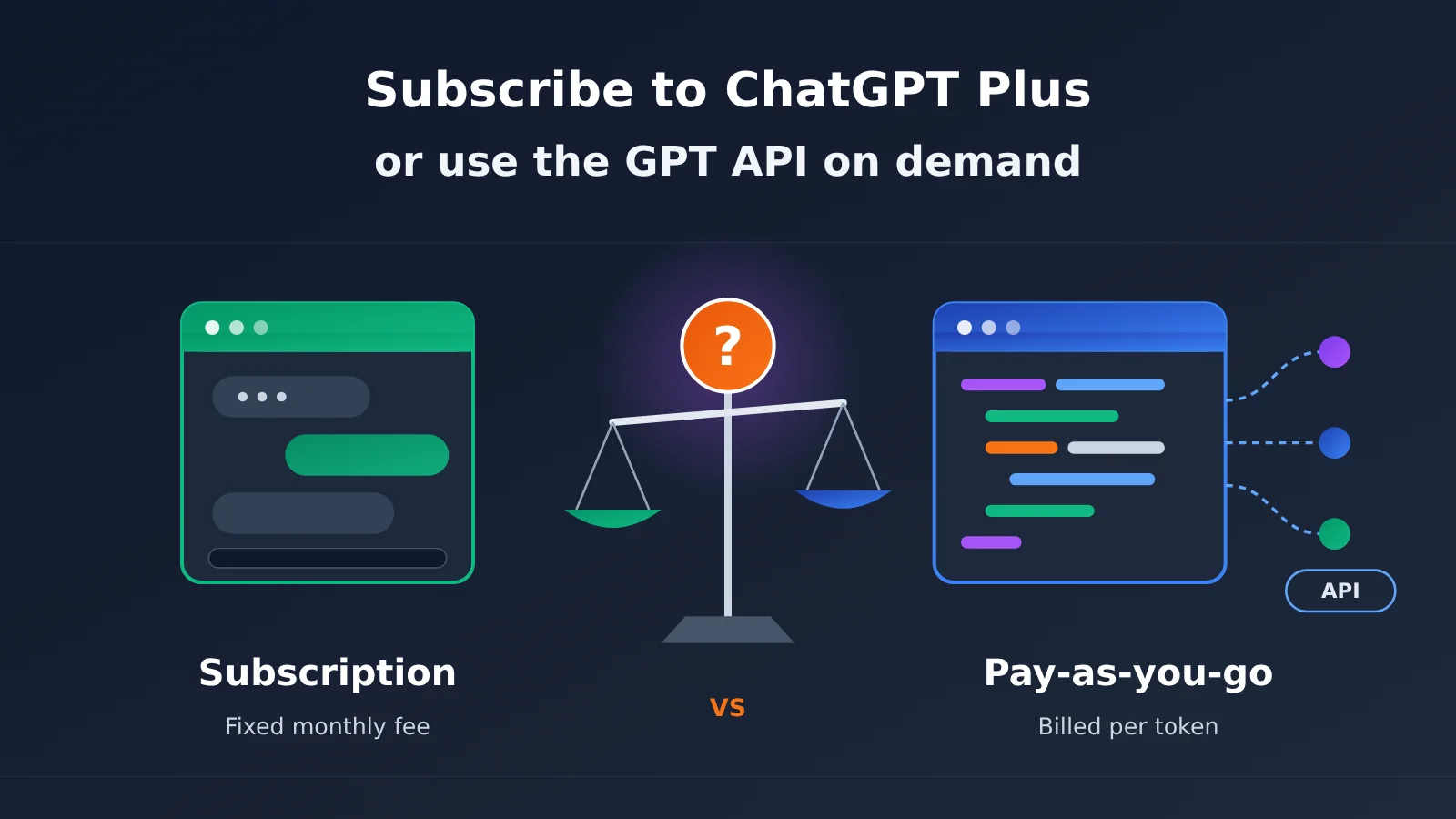
ChatGPT Plus Subscriptions vs. the GPT API: Key Differences
The table below shows the fundamental differences between the two payment models. Many people treat them as different pricing tiers for the same thing, but they’re actually two different types of products.
| Comparison | ChatGPT Plus / Pro Subscription | Pay-as-You-Go GPT API |
|---|---|---|
| Product type | An official interactive chat product | An interface that needs to be connected to a client or code |
| Billing | Fixed monthly fee, with usage limits | Billed by actual token consumption; pay for what you use |
| Getting started | Open the website or app and start using it | Requires an API key and API endpoint |
| Compatible tools | Mainly features within the official product | Third-party tools such as Cursor, Cline, and Cherry Studio |
| Model selection | Mainly OpenAI’s own models | Depends on the platform; may include models from multiple providers |
| Best for | Users who primarily want conversations and an out-of-the-box experience | Developers who need workflow integration, batch processing, or model comparisons |
What a ChatGPT Plus Subscription Buys You: A “Product”
Subscribing to ChatGPT Plus or Pro means buying access to a complete interactive product built by OpenAI. You get features such as an interface, conversation history, file uploads, and web access, along with higher usage limits within the product. The advantage is that there’s no setup: open it and start using an experience designed and maintained by OpenAI.
But the subscription has clear boundaries: your usage is limited to the official product. If you want AI to edit code directly in your preferred IDE, or you want to write a script to organize hundreds of documents in bulk, the subscription alone won’t meet those needs. Subscriptions also have fixed usage limits, which can change with OpenAI’s policies. Before publishing, check the latest information on the OpenAI website.
What Pay-as-You-Go GPT API Access Buys You: A “Capability”
The API is a different story. You’re not buying an interface; you’re buying the ability to invoke models and connect that capability wherever it’s supported. That could be a coding assistant, desktop client, automation script, or internal business system. Billing is based on actual token consumption: use less and pay less; use more and you won’t be held up because you’ve “used up your allowance.”
The trade-off is that some configuration is required. You’ll need an API key and must enter the API endpoint and model name in your client. For developers, this usually takes just a few minutes, but it can be a hurdle for users with no technical background.
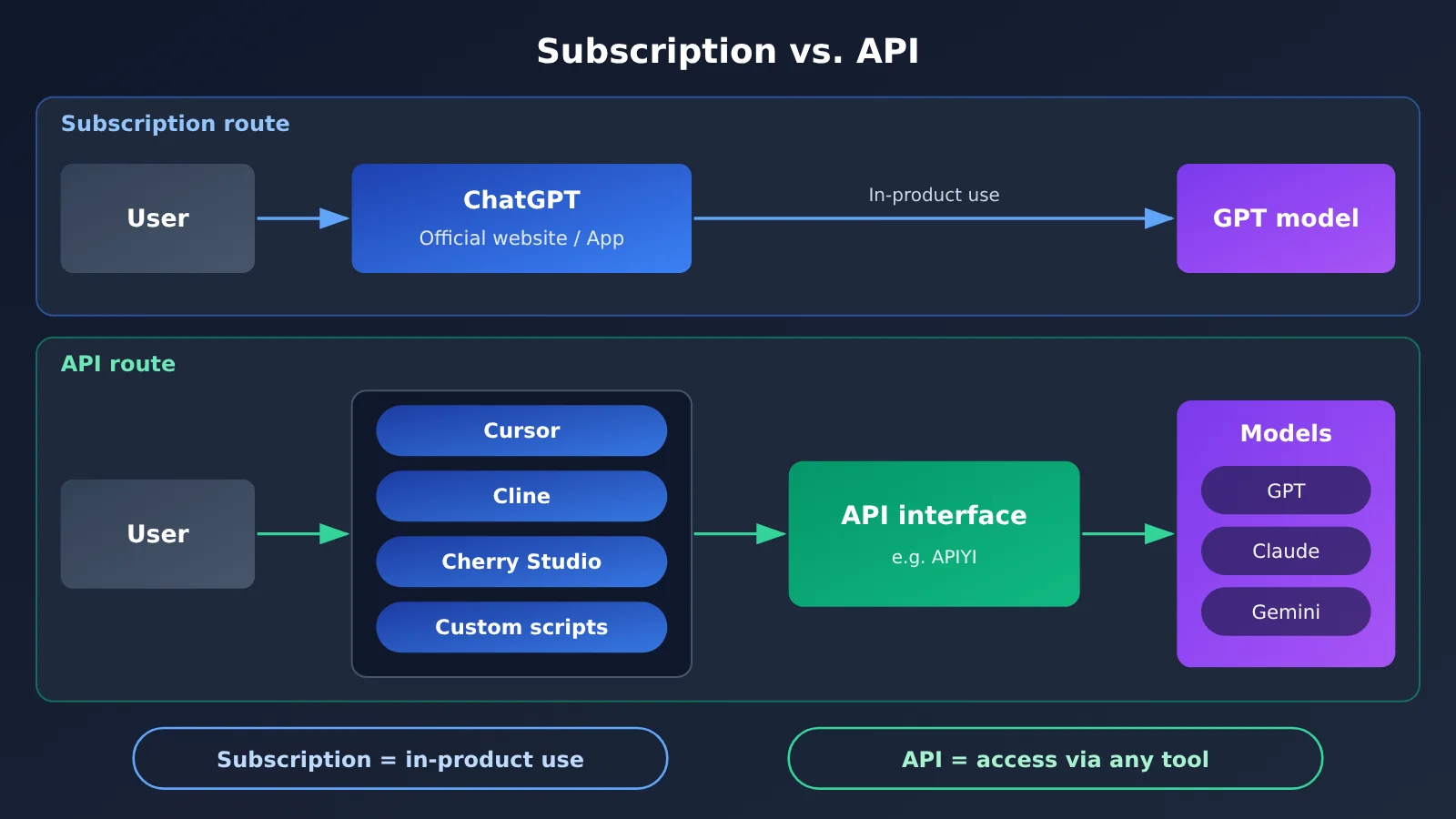
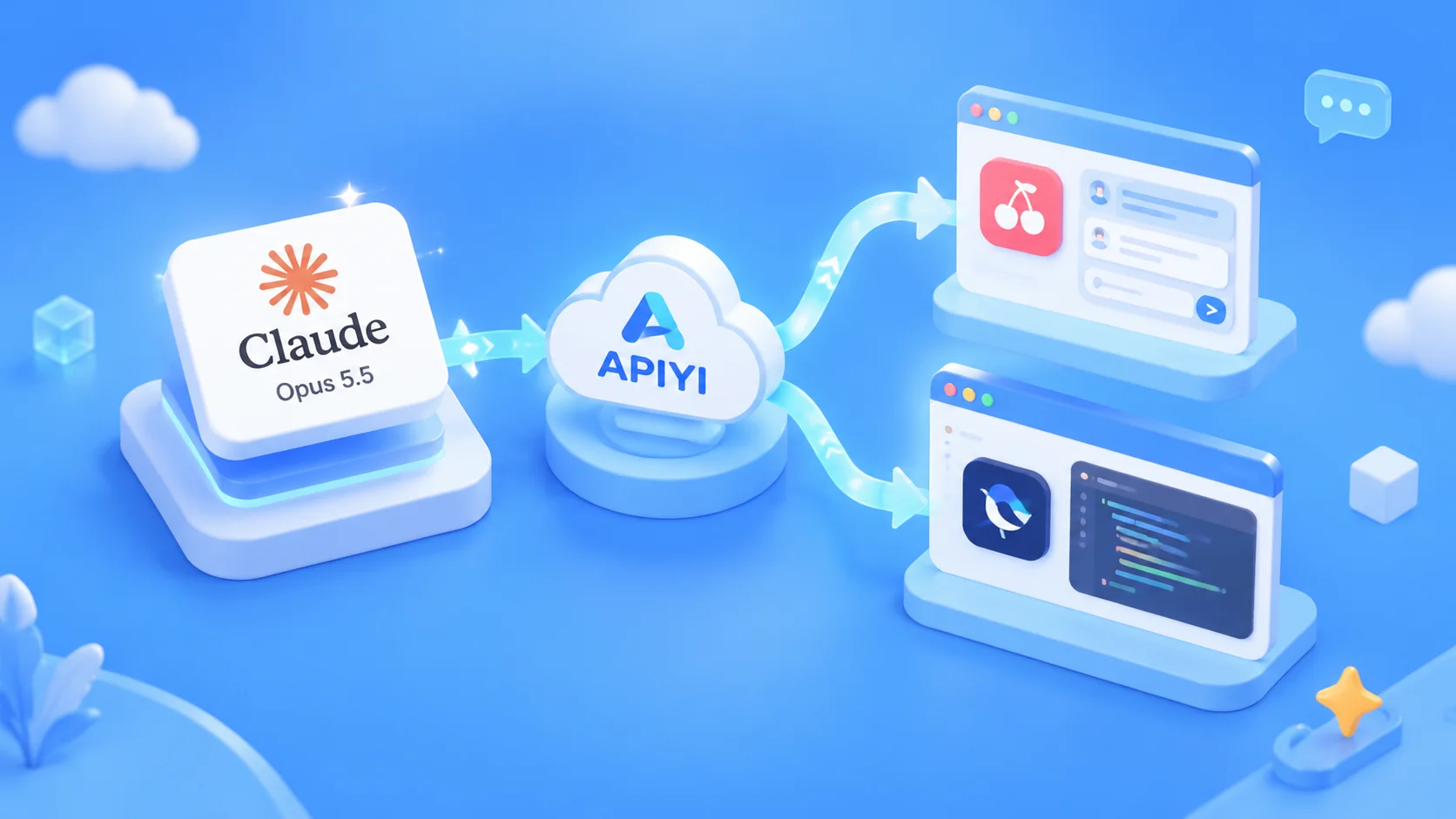
As the diagram shows, the subscription path is “a person uses the product directly,” while the API path is “a tool invokes a model on your behalf.” If your needs go beyond a chat window, the API path is usually more flexible. Platforms such as APIYI at apiyi.com, which support the OpenAI API format, are one way to take that path.
ChatGPT Plus or the API? A Breakdown Across 5 Dimensions
Dimension 1: How You Use It Makes All the Difference
The first step is to answer one question honestly: Where do you primarily use GPT? If you spend 90% of your time asking questions in the ChatGPT web interface and copying the answers, a subscription is the simplest option. If you spend more time coding in an editor and want AI to read project files and make changes directly, you need a way to invoke the model from your IDE.
Take coding tools like Cursor and Cline. They typically let you enter a custom API key and endpoint URL. Your ChatGPT Plus subscription allowance can’t be used directly in these tools—you need an API instead. The same goes for organizing information: manually pasting documents into a chat one at a time is much less efficient than having a tool read and summarize them in batches.
Dimension 2: Billing and Usage Fluctuations
Subscriptions work well when your usage is consistently high. If you use the service enough each month, the fixed monthly fee can be good value. But if you’re busy and barely use it one month, you still pay the same amount. On the other hand, if you have a burst of work to finish in a day, you could hit the subscription’s usage limit.
Pay-as-you-go billing works the other way around and handles fluctuating usage better. You’ll spend very little in light months and pay more when usage is heavy, without being held back by an allowance. Keep in mind that long-context conversations and analysis of large amounts of code can consume a lot of tokens. Heavy users should learn to estimate costs—we’ll cover how later.
Dimension 3: Available Tools and Model Selection
Subscriptions only cover official products, while APIs give you access to a much broader ecosystem of tools. The table below lists some common types to help you decide whether you need an API.
| Tool Type | Example | Typical Use | API Required? |
|---|---|---|---|
| AI coding IDE | Cursor | Complete, refactor, and explain code in the editor | Required when using custom models |
| Coding extension | Cline | Edit code in VS Code using an agent | Yes |
| Desktop chat client | Cherry Studio | Chat with multiple models and organize information in knowledge bases | Yes |
| Automation scripts | Custom programs | Summarize documents in batches and generate reports | Yes |
| Official chat product | ChatGPT web / app | Everyday questions and answers, writing | No, a subscription is enough |
Model selection is another advantage of the API route. When coding, you might want to compare models from different providers. When organizing information, you might prefer a cheaper, smaller model for batch tasks. With an aggregation platform like APIYI apiyi.com, you can typically use a single token to switch between models from multiple providers. Check the platform’s website for its current list of supported models.
Dimension 4: Payment and Invoicing
This is one of the most practical concerns for users in China. When subscribing to ChatGPT Plus, the official channel should always be your first choice if you have a supported payment method: pricing is transparent, and your account and subscription are directly linked. If you don’t, you’ll need to explore overseas payment options or turn to a third-party subscription service.
When choosing a third-party service, pay close attention to a few details: Does it ask for your account password and email verification code? Can you clearly track the order’s progress? Are there clear refund rules if the subscription fails? Is there a reliable customer support channel? Don’t place an order just because it’s cheap—your account security is worth far more than the small amount you might save.
The API route offers another payment option: an API service operated by a company in China. For teams and businesses, the ability to make corporate payments and obtain invoices often determines whether the procurement process can move forward. APIYI’s business information mentions support for corporate payments and invoices, but it’s a good idea to check the latest policies on its official website before purchasing.
Dimension 5: Access to Specific Features
One final point: some features in a subscription product may not offer exactly the same experience through an API. For example, the reference material mentions that some users rely on Codex for development. Whether an official product feature like this is equivalent to an API call, and how it’s billed, depends on OpenAI’s latest official documentation.
If you rely heavily on a feature exclusive to an official product, a subscription may be the safer choice. If all you need is the model’s capabilities, the flexibility of an API is usually more valuable.
How to Estimate Pay-as-You-Go GPT API Costs
Many people hesitate to use APIs because “pay-as-you-go” sounds unpredictable. But with a simple estimation framework, you can get a good handle on your costs.
API Cost Estimation Formula
The basic unit of usage-based billing is the token. Each call has two cost components: the content you send to the model (input tokens) and the content it generates (output tokens). These usually have different rates, with output often costing more. You can estimate your monthly cost like this:
Monthly cost ≈ Monthly calls × (Average input tokens per call × Input rate + Average output tokens per call × Output rate)
Use the latest rates published by your platform in the formula, as prices can vary significantly between models. The table below shows typical token usage patterns for different scenarios to help you make an estimate.
| Use case | Input token characteristics | Output token characteristics | Key cost consideration |
|---|---|---|---|
| Everyday Q&A | Low: questions are a few sentences | Moderate | Low overall cost |
| Code debugging | Moderate: includes error messages and relevant code | Moderate | Follow-up questions accumulate context |
| Project-level coding Agent | High: reads many project files | High | The scenario that needs the most attention |
| Research and summarization | High: entire documents are submitted | Low: only a summary is generated | Input rate has the biggest impact |
| Batch automation | Depends on the task | Depends on the task | The number of calls can multiply costs quickly |
Practical Tips for Reducing API Costs
Once you’ve estimated your costs, a few habits can help you keep them under control:
- Choose the model for the task: Use smaller models for simple formatting and translation, and save flagship models for complex architecture design and tricky bugs.
- Manage context length: The longer a conversation gets, the more history each request carries. Starting a new conversation when appropriate can save a lot of input tokens.
- Trim your input: Remove irrelevant material before processing documents, and send the model only the sections it needs to analyze.
- Test on a small scale first: Run a few samples of a batch task, check the cost per call, then scale up.
💰 Cost tip: If you’re unsure how much you’ll use, try adding a small amount of credit at APIYI apiyi.com and using it for a week. Check the actual usage records in your console, then compare them with a monthly subscription fee. That’s more accurate than any estimate.
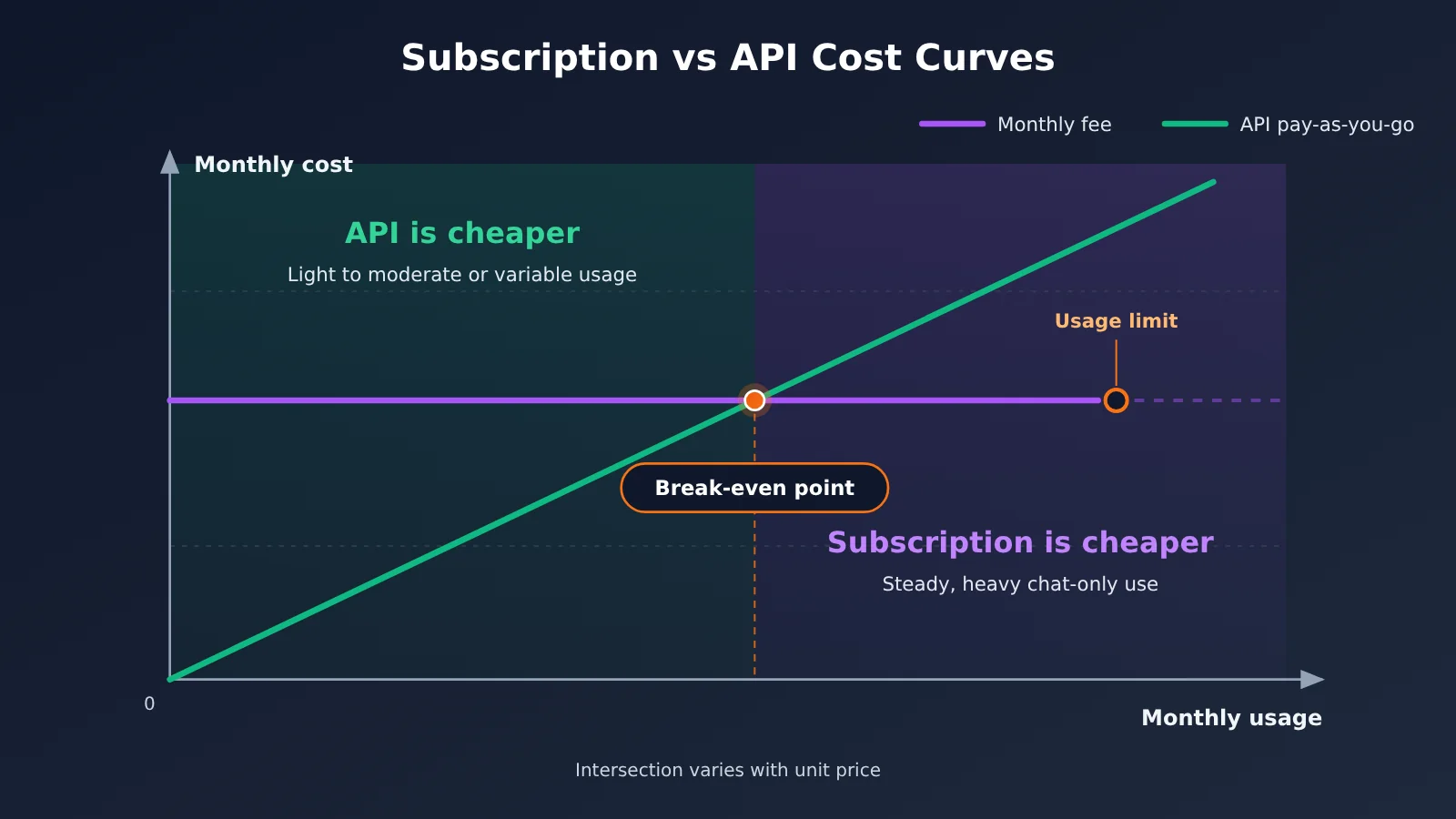
The chart above shows the typical cost relationship between the two billing methods: when usage is low or fluctuates, the pay-as-you-go line sits below the subscription line; when usage is consistently high, a subscription has the advantage. The actual break-even point depends on the specific rates. You can use the usage details on the APIYI platform to find yours.
Subscription or API: A Decision Framework
Bring the five factors above together, and you get a straightforward decision table. Just find the row that fits your situation.
| Your situation | Recommended option | Why |
|---|---|---|
| You mostly chat and write in a browser and don’t want to deal with configuration | Subscribe to ChatGPT Plus | Ready to use, with the full product experience |
| You code in Cursor / Cline every day | Pay-as-you-go API | Subscription usage allowances can’t be used directly in these tools |
| You need to process documents in bulk or automate tasks | Pay-as-you-go API | Only the API can be called from scripts |
| Your usage varies and is hard to predict | Pay-as-you-go API | Pay only for what you use |
| You want to compare models from different providers | Pay-as-you-go API (aggregation platform) | Switch between multiple models with one token |
| Your team needs corporate payment and invoicing | API service from a domestic provider | Works with corporate finance processes |
| You rely heavily on features exclusive to the official product | Subscribe to ChatGPT Plus / Pro | Some features may not have an equivalent in the API |
Another common approach is to combine the two: keep a subscription for everyday conversations and official product features, while using the API for coding tools and automation. For heavy developers, this often strikes a good balance between experience and cost.
How to Get Started with Pay-as-You-Go GPT API Calls
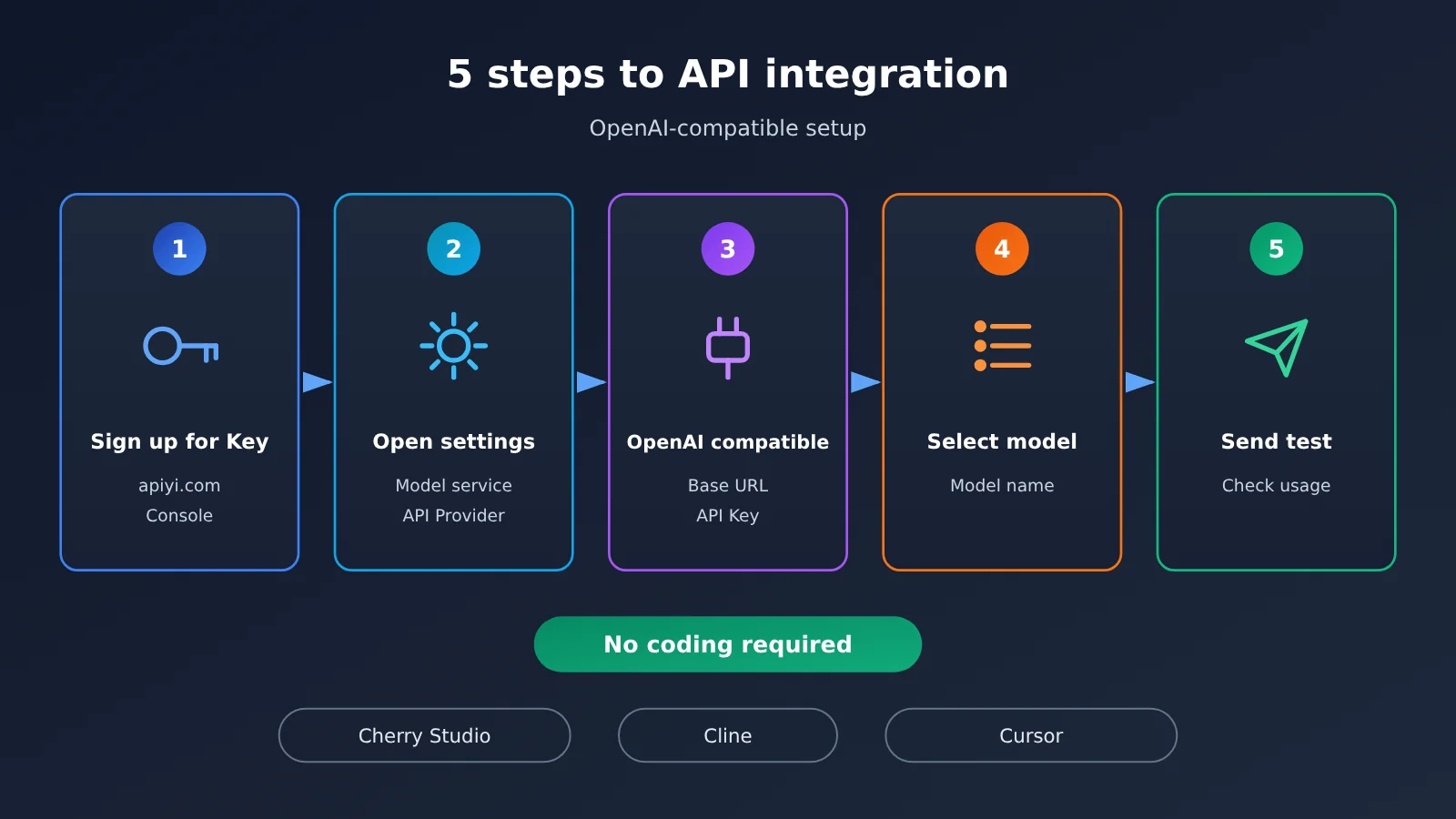
If you’ve decided the API route is right for you, getting started is simple—there’s no need to write any code. Here’s how to configure it in a desktop client or coding tool:
- Get an API key: Register with an API service platform and create a token. For example, after signing up at APIYI’s apiyi.com, you can generate a token in the console.
- Find your tool’s custom model settings: Tools like Cherry Studio and Cline typically offer an “OpenAI compatible” option under “Model Services” or “API Provider” settings.
- Enter the API endpoint and key: Fill in the Base URL and API key provided by the platform. Check the latest instructions in the APIYI documentation at docs.apiyi.com for the endpoint.
- Choose a model name: Enter or select the model you want to use.
- Send a test message: Make sure you get a response, then check your usage in the platform’s console to get familiar with the billing.
The key is OpenAI compatibility. Most mainstream AI tools support OpenAI-format APIs, so you can use any service that’s compatible with that format.
🚀 Quick start: Try connecting to APIYI’s unified API at apiyi.com using a desktop client like Cherry Studio. You can set it up in minutes, use it for everyday conversations, and compare how different models organize information. Once you’re comfortable with it, connect Cursor or Cline for coding.
FAQ
Q1: Are a ChatGPT Plus subscription and the GPT API the same thing?
No. ChatGPT Plus is a subscription to the official chat product, giving you access to features within that product. The GPT API is an interface for model invocation, billed by token, and used through a client or code. Their account and billing systems are separate, so subscribing to Plus doesn’t give you API credits.
Q2: Can I use ChatGPT Plus in Cursor or Cline?
Generally, not directly. When using custom models, these coding tools require an API key and endpoint URL. Your ChatGPT Plus usage allowance can’t be converted into API credits. If you primarily code in an IDE, pay-as-you-go API access may be a better fit. You can get a token from APIYI at apiyi.com and configure it in your tool.
Q3: How much do ChatGPT Plus and Pro cost, and what are their usage limits?
Subscription prices and usage limits can change as official policies evolve, so this article doesn’t provide specific figures. Check the OpenAI website for the latest details. When comparing options, remember that subscriptions have a fixed monthly fee, while APIs are billed based on usage. Compare them based on how much you actually use, not just the listed price.
Q4: Which option is better for coding and organizing information?
It depends on your workflow:
– **Coding**: If you work in an editor, connecting a coding tool to an API is more efficient. If you only ask occasional coding questions, a subscription is enough.
– **Organizing information**: A chat interface works for a few documents. For bulk summaries of many documents, an API paired with a client or script is a better fit.
– **Learning and research**: An API aggregation platform is more convenient when you want to compare outputs from multiple models.
Q5: How can I start using an API without an international payment method?
You can choose an OpenAI-compatible API service operated by a company in China. For example, with APIYI, you can register at apiyi.com, create a token, and enter the endpoint URL and key in a tool that supports OpenAI-compatible APIs. Team users can also ask about business payments and invoicing. Check the website for the latest policies.
Q6: What should I look out for when choosing a third-party subscription service?
Use official channels whenever possible. If you choose a third-party service, check four things: whether it asks for your account password or email verification codes, whether order processing is transparent, whether it has a clear refund policy for failed subscriptions, and whether it offers reliable customer support. Don’t put your account security at risk just to save a little money.
Q7: What are the limitations or drawbacks of pay-as-you-go API access?
There are three main ones. First, it requires some configuration, which can be a hurdle for non-technical users. Second, heavy use of coding agents can consume a lot of tokens, so it’s worth checking your usage records regularly. Third, the API may not offer the same experience as some features exclusive to the official product. In these cases, consider combining a subscription with API access.
ChatGPT Plus vs. Pay-as-You-Go API: Key Takeaways
- Fundamental difference: A subscription buys access to the official chat product; an API gives you model capabilities you can integrate into other tools.
- Billing: Subscriptions have a fixed monthly fee and usage limits. APIs charge by token, making them more flexible when usage varies.
- Tool integration: Tools like Cursor, Cline, and Cherry Studio require an API; you can’t use your subscription allowance directly.
- Cost estimates: Monthly cost is roughly the number of calls multiplied by the input and output token cost per call. A small trial is the most accurate way to estimate it.
- Payment and invoicing: Use official channels for subscriptions. Teams can consider domestic API services that support corporate payments and invoices.
- Using both: Heavy users often choose a subscription for everyday conversations and an API for coding and batch tasks.
- Getting started: Create a token through APIYI at apiyi.com, and you can connect it to an OpenAI-compatible tool in minutes.
Conclusion: Should You Choose ChatGPT Plus or the GPT API for Coding and Organizing Information?
The choice between a ChatGPT Plus subscription and pay-as-you-go API access comes down to three things:
- Your use case: If you only use a chat window, a subscription is simplest. If you want to use a model in an IDE, client, or script, you’ll need an API.
- Your usage: A subscription suits users who have consistently high conversation-only usage. Pay-as-you-go pricing suits those whose usage varies or who need multiple models.
- Your workflow: Individuals should consider payment convenience and account security. Teams also need to check whether corporate payments and invoicing are supported.
If you’re not sure which category you fall into, the best approach is to start with a low-cost trial and use real data instead of guesses. Try pay-as-you-go access with a small amount through APIYI at apiyi.com, connect it to the coding or information-management tools you already use, and compare your usage costs with the monthly subscription fee after a week or two. That’ll help you make the choice that works best for you.
📚 References
- V2EX discussion – How users in China subscribe to ChatGPT Plus: Common challenges and things to watch out for when subscribing to Plus or Pro in China
- Link:
v2ex.com/t/1254258 -
Notes: Covers three options—official channels, overseas payment methods, and third-party subscriptions—as well as security and support checks when choosing a third-party service
-
OpenAI official website: ChatGPT subscription plans and API pricing
- Link:
openai.com -
Notes: Check the official pages for the latest ChatGPT Plus and Pro prices, usage limits, and API billing rules
-
APIYI documentation center: Integration guides for OpenAI-compatible APIs
- Link:
docs.apiyi.com - Notes: Includes API endpoints, model lists, and configuration guides for common tools
Author: APIYI Technical Team
Technical discussions: Contact us through the APIYI homepage at apiyi.com, or visit the documentation center at docs.apiyi.com for more integration resources.