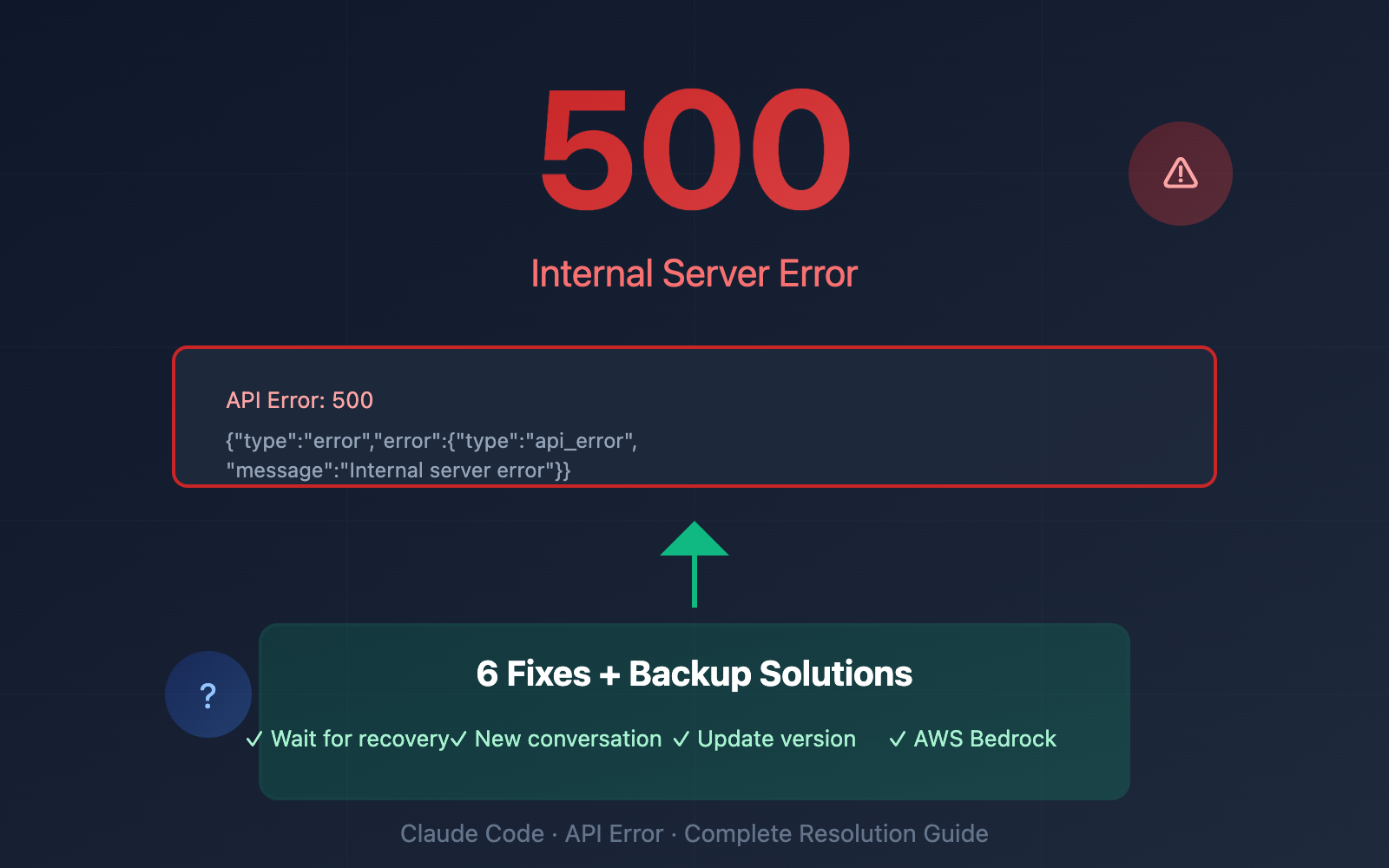
Author's Note: In-depth analysis of Claude Code API 500 Internal Server Error causes, official status check methods, 6 repair solutions, and AWS Bedrock backup channel configuration.
In the early hours of February 4, 2026, a wave of developers hit this familiar error while using Claude Code:
API Error: 500 {"type":"error","error":{"type":"api_error","message":"Internal server error"},"request_id":"req_011CXmPyLVR6ekeW8pMBBMGD"}
If you're also being haunted by this error in the middle of the night, this guide will help you quickly pinpoint the issue, check official status, master 6 repair methods, and set up backup API channels to keep your workflow uninterrupted.
Core Value: By the end of this post, you'll have a complete strategy for handling Claude Code 500 errors and know how to configure backup channels like AWS Bedrock so service outages don't stall your progress.
Claude Code 500 Error: Key Takeaways
| Key Point | Description | Key Info |
|---|---|---|
| Nature of Error | Server-side internal error; not a user configuration issue. | No need to troubleshoot local environment. |
| Common Causes | Server overload, deployment updates, context exhaustion. | Usually auto-recovers within 1-5 minutes. |
| Status Check | Official status page at status.claude.com. | The first place to check for global outages. |
| Backup Solutions | AWS Bedrock / Google Vertex / API Proxy. | Ensures zero downtime during critical tasks. |
What Does the Claude Code 500 Error Actually Mean?
An HTTP 500 Internal Server Error is a code returned by Anthropic's servers, indicating that something went wrong on their end while processing your request. It's a "hands-off" error—the issue lies within Anthropic's backend infrastructure, not your local setup, editor config, or API key.
Based on the request_id field (e.g., req_011CXmPyLVR6ekeW8pMBBMGD), Anthropic can trace the specific failed request, which is incredibly useful if you need to file a support ticket.
According to data from the third-party monitoring service StatusGator, the Claude API has experienced 62 incidents in the last 90 days (19 major outages + 43 minor ones), with a median duration of 1 hour and 19 minutes.
Common Causes of Claude Code 500 Errors
Reason 1: Anthropic Server Overload
As a cloud service, Claude AI has a maximum traffic capacity. When thousands of users access it simultaneously (like during peak hours or right after a major update), the servers can become overloaded, leading to 500 errors.
Recent Incident Log (February 2026):
| Date | Event | Duration | Impact Scope |
|---|---|---|---|
| Feb 3 | Service Outage | ~10 mins | Partial users |
| Feb 2 | Opus 4.5 Errors | ~6 mins | Opus 4.5 users |
| Feb 1 | Purchase/Billing Issues | Several hours | API top-up users |
| Jan 29 | Billing System Failure | Several hours | Balance and top-up features |
| Jan 14 | Service Deployment Issue | ~4 hours | Opus 4.5 and Sonnet 4.5 |
Reason 2: Context Window Exhaustion
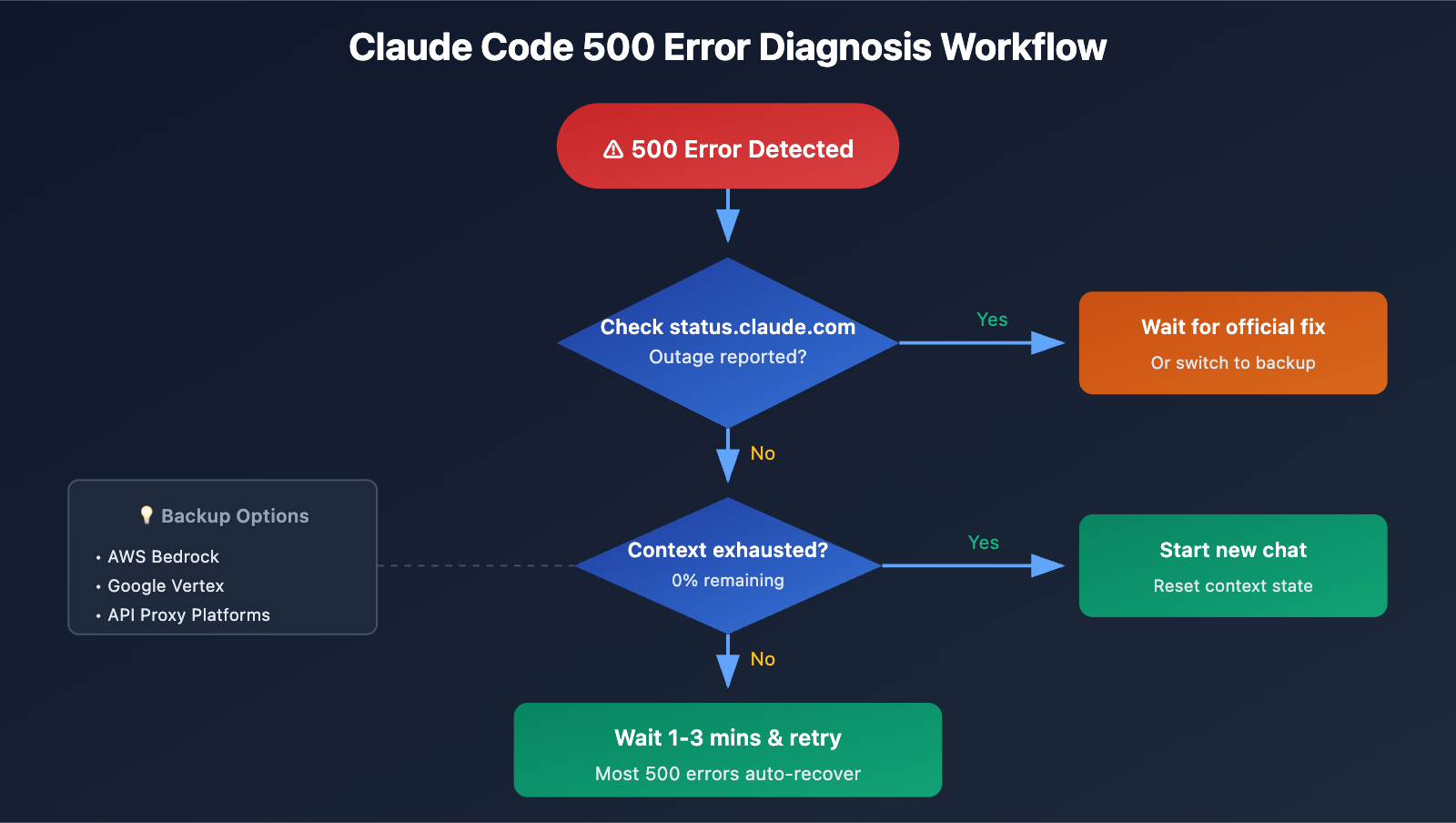
When Claude Code's remaining context hits 0% and fails to trigger an auto-compact in time, it'll throw a 500 error. In this scenario:
- Starting a new conversation usually works fine.
- Resuming the old conversation might continue to fail.
Reason 3: Service Deployment and Configuration Changes
Anthropic's service deployments can sometimes temporarily reduce capacity. For instance, on January 14, 2026, a deployment caused Opus 4.5 and Sonnet 4.5 users to experience errors for about 4 hours, which was eventually resolved by rolling back the deployment.
Reason 4: Mixing Traffic Between Platforms
Anthropic officially warns: Don't mix Claude API traffic between Bedrock, Vertex, and api.anthropic.com. If you're switching between different platforms, you might trigger errors. Each platform is perfectly stable when running independently.
🎯 Diagnostic Tip: If you hit a 500 error, first head over to status.claude.com to see if it's a global outage. If the official status is green, then check your local environment. The APIYI (apiyi.com) platform offers multi-channel Claude API access, which serves as a great quick-switch backup during outages.
How to Check Claude Code 500 Error Status
Official Status Page
Visit status.claude.com to check:
- Current service status (Operational / Degraded / Outage)
- Ongoing incident investigations
- Incident history (status.claude.com/history)
- Service uptime (status.claude.com/uptime)
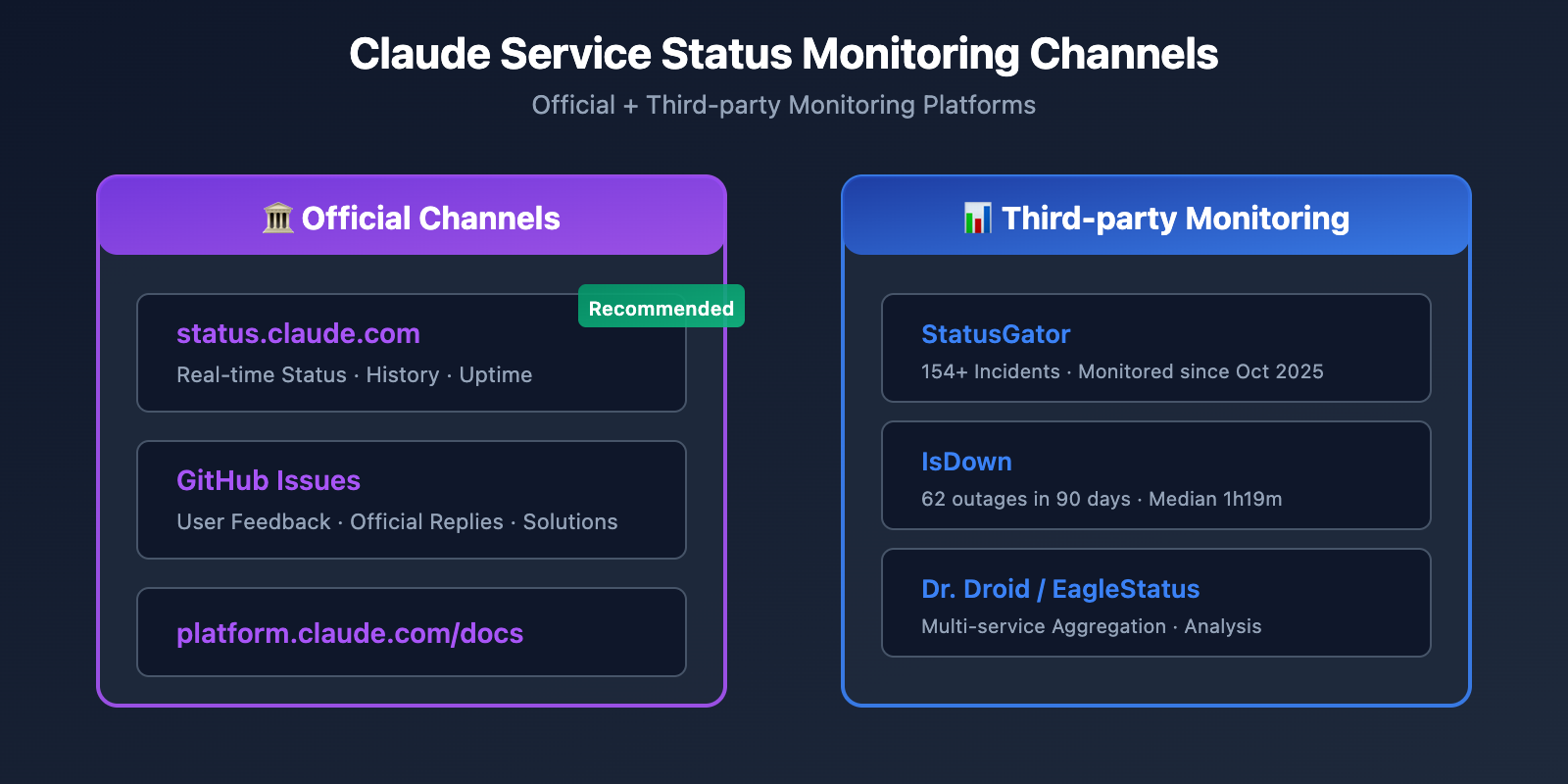
Third-party Monitoring Services
| Monitoring Platform | URL | Key Features |
|---|---|---|
| StatusGator | statusgator.com/services/claude | Monitoring since Oct 2025; 154+ incidents recorded. |
| IsDown | isdown.app/status/claude-ai | Checks every few minutes; provides outage statistics. |
| Dr. Droid | drdroid.io/status-page-aggregator/anthropic | Aggregates status from multiple services. |
Tracking via GitHub Issues
The Issues page of Anthropic's Claude Code repository is also a great place for real-time info:
github.com/anthropics/claude-code/issues– Check for user reports and official staff replies.- Searching for "500 error" will help you find discussions and workarounds for similar issues.
6 Ways to Fix Claude Code 500 Errors
Method 1: Wait for Auto-Recovery (Recommended First Step)
Most 500 errors resolve themselves within 1-3 minutes. These are usually brief hiccups on Anthropic's backend and often clear up faster than any troubleshooting steps you could take.
# Recommendation: Wait 1-3 minutes and retry
sleep 60 && claude  # Restart Claude Code after 1 minute
Method 2: Start a New Conversation
If the old conversation keeps throwing errors, try starting a fresh one:
# Exit current Claude Code session
# Restart and start a new conversation
claude
Why it works: A new conversation can reset the state if the context is exhausted or the session state becomes corrupted.
Method 3: Update Claude Code Version
Anthropic frequently fixes known issues via version updates. For instance, the outage on January 31, 2026, was resolved by updating to v2.1.29.
# Update to the latest version
npm update -g @anthropic-ai/claude-code

# Verify version
claude --version
Method 4: Clear Cache and Sessions
Browser or local cached data can sometimes interfere with Claude's responses:
# Clear Claude Code config cache (Use with caution)
rm -rf ~/.claude/cache

# Reset session
claude --reset-session
Method 5: Check API Key and Configuration
While 500 errors are usually server-side issues, it's good practice to ensure your configuration is correct:
# Check environment variables
echo $ANTHROPIC_API_KEY

# Verify API Key validity (test with curl)
curl -X POST "https://api.anthropic.com/v1/messages" \
  -H "x-api-key: $ANTHROPIC_API_KEY" \
  -H "anthropic-version: 2023-06-01" \
  -H "content-type: application/json" \
  -d '{"model":"claude-sonnet-4-20250514","max_tokens":10,"messages":[{"role":"user","content":"Hi"}]}'
Method 6: Switch to a Backup API Channel
When the official Anthropic API is persistently unavailable, switching to a backup channel is the most effective solution.
Tip: Get multi-channel Claude API access via APIYI (apiyi.com). The platform integrates Claude models via AWS Bedrock, allowing for seamless switching when the official API fails.
Claude Code 500 Error Backup Plan: AWS Bedrock Configuration
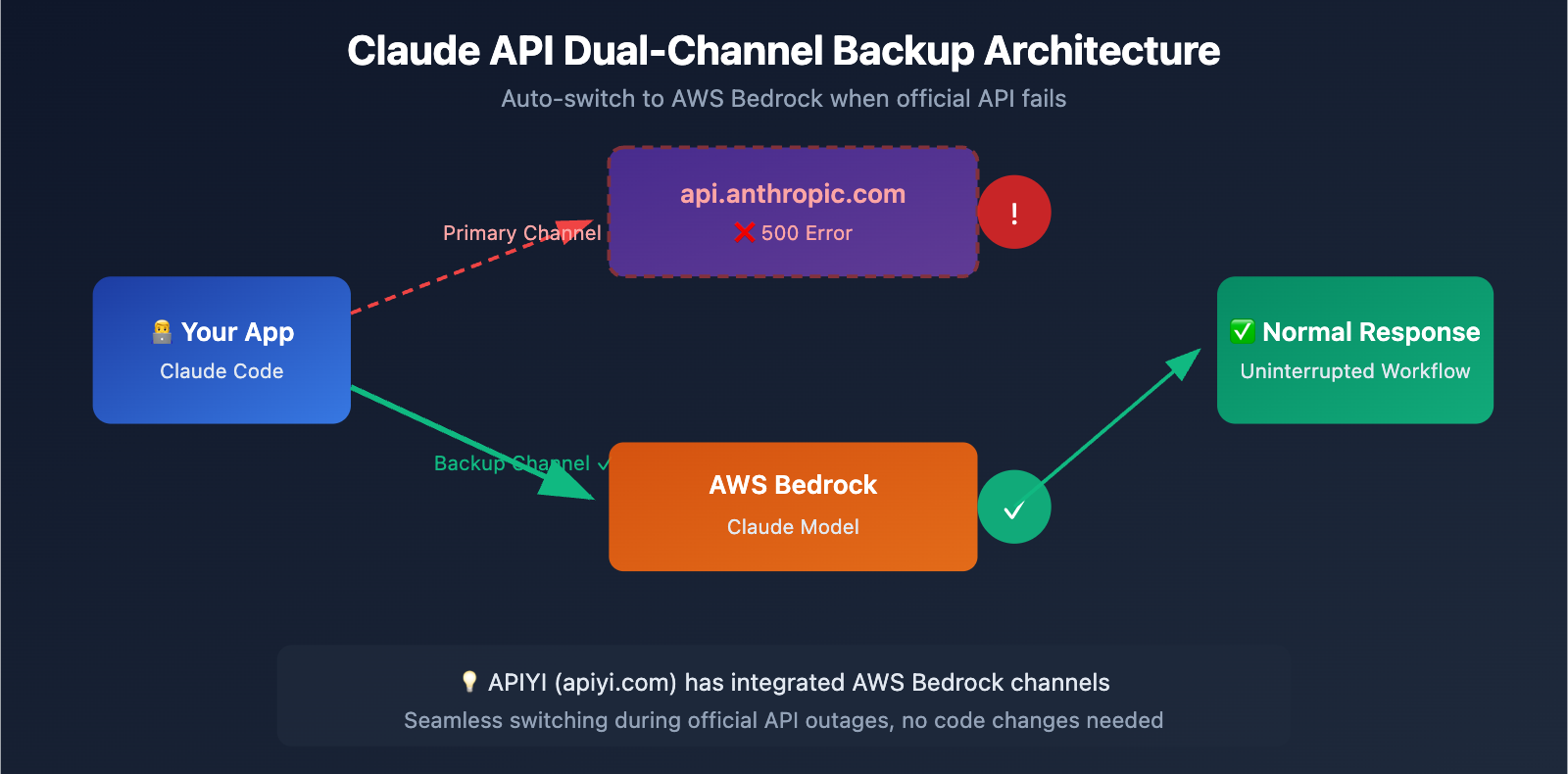
When api.anthropic.com goes down, AWS Bedrock is the most reliable backup. Claude models on Bedrock run independently of the official API, ensuring they aren't affected by the same outages.
AWS Bedrock Configuration Steps
Step 1: Set Environment Variables
# Enable Bedrock integration
export CLAUDE_CODE_USE_BEDROCK=1

# Set AWS Region (Required)
export AWS_REGION=us-east-1

# Ensure AWS credentials are configured
aws configure
Step 2: Configure Inference Profiles
AWS Bedrock requires Inference Profiles for on-demand usage, providing better reliability and cross-region failover:
# Verify Bedrock access
aws bedrock list-foundation-models --region us-east-1 | grep claude
Step 3: Use in Claude Code
# Launch Claude Code using the Bedrock channel
CLAUDE_CODE_USE_BEDROCK=1 AWS_REGION=us-east-1 claude
Backup Solution Comparison
| Solution | Pros | Cons | Best For |
|---|---|---|---|
| Wait for Recovery | Zero cost, no config needed | Passive waiting | Brief outages |
| AWS Bedrock | Independent infrastructure, enterprise-grade stability | Requires AWS account, complex setup | Enterprise users |
| Google Vertex | Independent infrastructure | Requires GCP account | GCP users |
| API Proxy/Aggregator | Easy setup, multi-channel support | Third-party service | Individual developers |
🎯 Recommended Solution: For developers who don't want to deal with complex AWS environments, APIYI (apiyi.com) provides Claude API services integrated with AWS Bedrock channels. When the official API fails, you can quickly switch to the Bedrock channel using the same API format without changing your code.
FAQ
Q1: Is the Claude Code 500 error caused by my configuration?
Nope. An HTTP 500 Internal Server Error clearly indicates that the problem is on Anthropic's server side, not your local environment, editor settings, or API Key. When you run into this, your first move should be checking status.claude.com to see if there's a global outage.
Q2: How long does it usually take for a 500 error to be fixed?
Based on historical data, most 500 errors resolve themselves automatically within 1–5 minutes. For larger-scale outages, the median duration is about 1 hour and 19 minutes. We recommend waiting 3–5 minutes first; if the error persists, consider switching to a backup channel. The APIYI (apiyi.com) platform provides multi-channel support, allowing for quick switching during outages.
Q3: How can I prevent 500 errors from stalling my workflow?
Best practices include:
- Configuring backup API channels (such as AWS Bedrock or APIYI apiyi.com)
- Subscribing to incident notifications at status.claude.com
- Following GitHub Issues for real-time updates
- Regularly updating Claude Code to the latest version
- Avoiding mixing API traffic across different platforms
Summary
Key takeaways regarding the Claude Code 500 error:
- Identify the Nature: A 500 error is a server-side issue—there's no need to mess with your local config.
- Check Status: Immediately visit status.claude.com to confirm the scope of the failure.
- Wait it Out: Most 500 errors recover within 1–5 minutes.
- Stay Updated: Keeping Claude Code on the latest version helps you avoid known bugs.
- Have a Backup: Configure AWS Bedrock or an API relay service to ensure zero downtime.
The early morning outage in February 2026 serves as a reminder: relying on a single API channel is risky. We recommend that all developers set up at least one backup solution.
For reliable access, we suggest using APIYI (apiyi.com) for multi-channel Claude API access. The platform integrates both official APIs and AWS Bedrock channels, allowing you to switch quickly during failures and keep your development work running smoothly.
References
-
Claude Status Official Page: Check service status and incident history in real-time.
- Link:
status.claude.com - Description: Anthropic's official service status monitor, including historical incident logs.
- Link:
-
Claude Code GitHub Issues: User-reported issues and official responses.
- Link:
github.com/anthropics/claude-code/issues - Description: Search for "500 error" to find solutions to similar problems.
- Link:
-
How to Fix Claude AI Internal Server Error: A detailed troubleshooting guide.
- Link:
hostingseekers.com/blog/how-to-fix-claude-ai-internal-server-error/ - Description: Covers various fix methods and root cause analysis.
- Link:
-
Claude on Amazon Bedrock: Official AWS Bedrock configuration documentation.
- Link:
platform.claude.com/docs/en/build-with-claude/claude-on-amazon-bedrock - Description: Anthropic's official guide for Bedrock integration.
- Link:
-
StatusGator – Claude API Monitoring: Third-party status monitoring service.
- Link:
statusgator.com/services/claude - Description: Provides detailed historical statistics and real-time monitoring.
- Link:
Author: APIYI Team
Tech Talk: Feel free to join the discussion in the comments section. For more resources, visit the APIYI apiyi.com technical community.