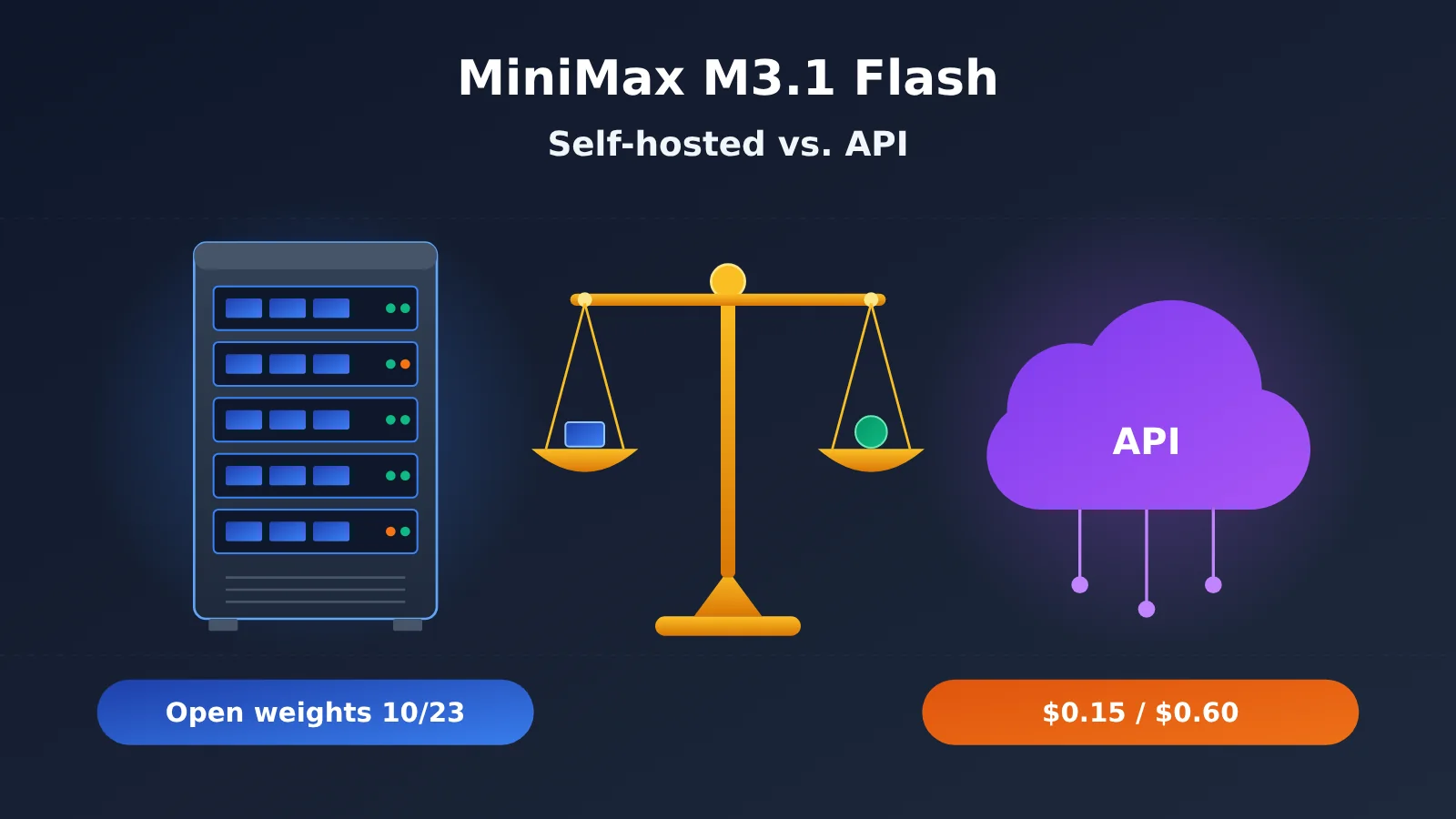
Author’s note: MiniMax M3.1 Flash’s weights are scheduled for release on October 23. This article outlines the hardware you’ll likely need to run it locally and compares “self-hosting” with “calling the API directly” across four dimensions.
The bottom line: For most individual developers and small teams, calling the API directly at $0.15 per million input tokens and $0.60 per million output tokens is much cheaper and easier than self-hosting. Self-hosting is worth considering in only three cases: regulations require you to keep data inside your network, your usage is high enough to keep an entire multi-GPU server busy around the clock, or you need to modify or fine-tune the model itself.
This isn’t an argument against open source. Open weights are valuable to the industry, but “available to download” and “worth running yourself” are two different things. We’ve already covered the M3.1 Flash release news in a separate article, so we won’t repeat it here. This article answers just two questions: What hardware do you need to run it locally, and which is more cost-effective: self-hosting or calling the API?
The key takeaway: By the end of this article, you’ll be able to decide whether it’s worth waiting for the weights and what information to check first once they’re available.
MiniMax M3.1 Flash Open Weights: What’s Confirmed and What Hasn’t Been Announced
First, a quick explanation of one term. Open weights means the trained model parameter files have been publicly released, so you can download them and run the model on your own server. This is different from “open source code,” and it doesn’t automatically mean you can use the model commercially. That depends on the license.
As of publication (October 22, 2026), M3.1 Flash’s weights have not yet been officially released. MiniMax’s official X post says, “Model weights will arrive on Oct 23,” indicating a planned release date of October 23. The official blog only says they’ll be released “later.” A report from NYU Shanghai’s RITS also noted that, as of October 20, MiniMax’s Hugging Face organization didn’t yet have an M3.1 Flash repository.
To make the reliability of each piece of information clear, this article groups facts into three tiers: officially reported (announced by MiniMax), third-party evaluations (such as Vals AI), and unknown/not announced.
| Information | Current status | Tier |
|---|---|---|
| Weight release date | MiniMax’s official X post says October 23; the official blog only says “later” | Officially reported (planned, not yet released) |
| Model size | MoE architecture, with 428B total parameters and about 23B active parameters—the same as M3 | Official information, reported by media |
| License | M3.1 Flash’s license hasn’t been announced | Unknown/not announced |
| Deployment hardware requirements | The official deployment guide doesn’t yet cover M3.1 Flash | Unknown/not announced |
| Technical report | No details have been published on what changed in Flash compared with M3 | Unknown/not announced |
| Reference model: M3 | Weights have been available on Hugging Face since June, under a community license | Official information |
⚠️ Note: Once the weights are released, check the MiniMax official model page on Hugging Face for the license terms, file size, and recommended hardware. Community-reuploaded quantized versions aren’t covered by official validation, so don’t treat them as official configurations.
What Does It Take to Run MiniMax M3.1 Flash Locally?
MiniMax hasn’t published the hardware requirements for M3.1 Flash yet, so we won’t speculate about its VRAM requirements or the number of GPUs needed. The previous-generation M3 is a useful point of comparison: both models have 428B total parameters and about 23B active parameters, so M3 can give us a rough idea of the scale involved.
Understanding MiniMax M3.1 Flash’s “428B Total Parameters, 23B Active Parameters”
MoE (Mixture of Experts) is a model architecture made up of many “expert” subnetworks. For each inference step, only some of them are used. “About 23B active parameters” means that roughly that many parameters take part in generating each token, which can make inference relatively fast.
One point is easy to misunderstand: fewer active parameters don’t mean lower VRAM requirements. All 428B parameters need to fit in GPU memory so the model can call on any expert at any time during inference. That’s a major reason why running large MoE models locally has such high hardware requirements.
MiniMax’s Official M3 Deployment Reference (For Scale Only)
Here are a few terms to know. MXFP8 is an 8-bit format that can reduce model file sizes and VRAM usage. SGLang is an open-source inference framework that can serve a model through an API compatible with the OpenAI format. TP (tensor parallelism) is a way to split a model across multiple GPUs so they can run it together.
| Model | Official reference configuration | Weight size | Status |
|---|---|---|---|
| MiniMax-M3 | 8 × B200, MXFP8 precision, OpenAI-compatible interface via SGLang | About 440 GB for the MXFP8 version | Experimental |
| MiniMax-M2.7 | 4 high-VRAM NVIDIA GPUs, TP 4 | No standard minimum VRAM published | Preview |
| MiniMax-M3.1 Flash | Not yet covered by the official deployment guide | Not published | Unknown/not published |
To reiterate: the M3 figures in the table are not official requirements for M3.1 Flash. They show that the official reference setup for a model of similar scale uses 8 data center-class GPUs, with MXFP8 weights alone taking up about 440 GB. That’s far beyond consumer GPUs and typical workstations. Running the full model at home with one or two gaming GPUs isn’t realistic.
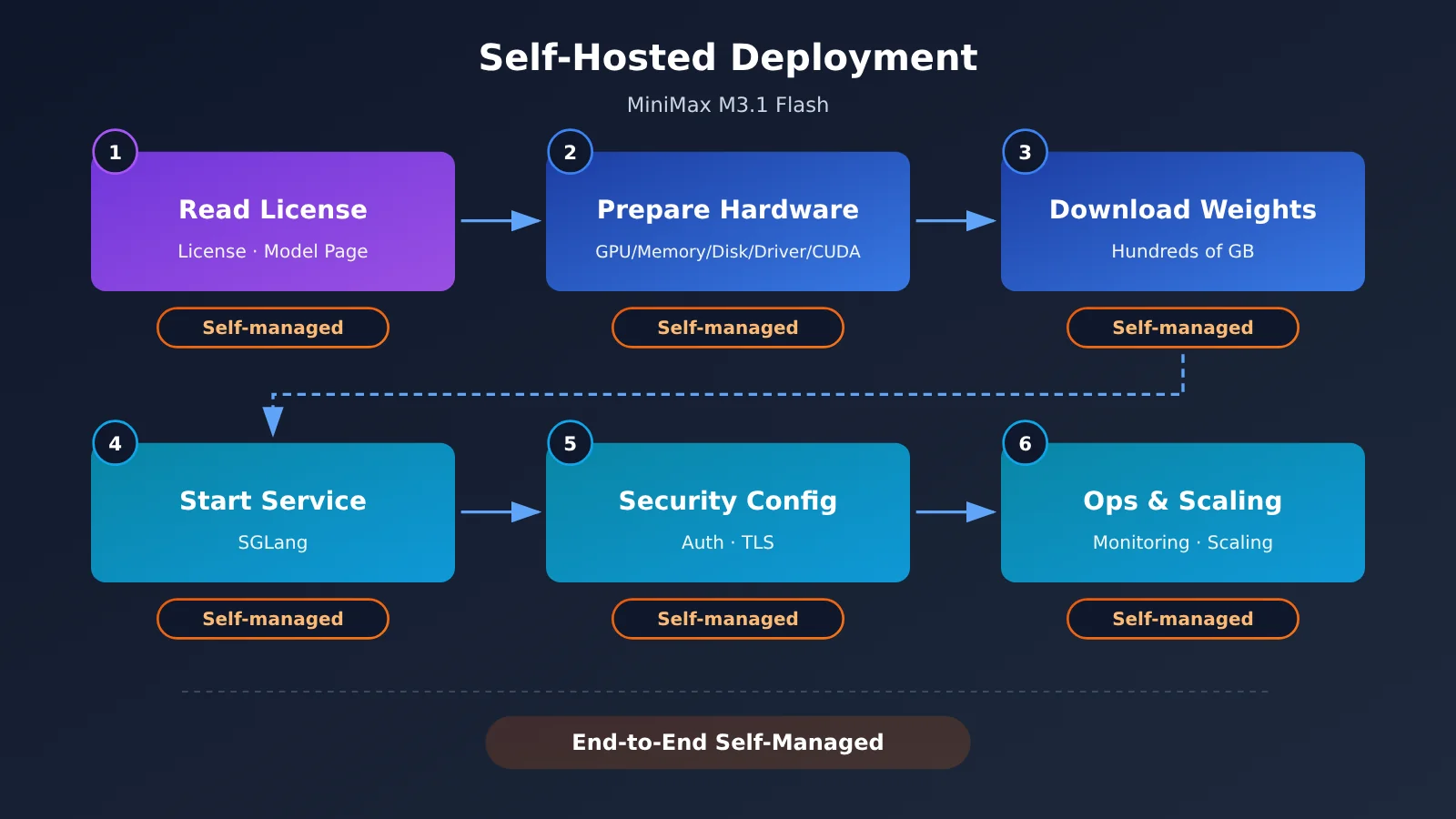
MiniMax’s official deployment documentation also offers a few recommendations that apply to all open-source models:
- Read the license and check the model’s capabilities first to make sure your use case is allowed.
- Prepare your hardware based on the model page, including GPUs, memory, storage, drivers, and the CUDA version.
- Pin your versions. Lock both the model and inference framework versions rather than following changes on the
mainorlatestbranches. - Use only the official domestic mirrors listed on the model page to avoid downloading tampered files.
Is Self-Hosting MiniMax M3.1 Flash More Cost-Effective Than Using the API?
This is the key question. The table below compares the options across four factors—see which side better matches your situation.
| Factor | Lean toward using the API | Lean toward self-hosting |
|---|---|---|
| Data compliance requirements | Data can be processed by a cloud service provider | Regulations or contracts require data to stay within your private network |
| Usage volume | Moderate usage with significant peaks and troughs | Sustained, high-volume usage that can keep multi-GPU servers fully utilized |
| Team’s operational capabilities | No dedicated GPU operations staff | Team members are responsible for clusters, monitoring, and on-call support |
| Need to modify the model | The model’s general capabilities are sufficient | You need to fine-tune it, change its architecture, or customize it extensively |
If at least two of the first three factors fall in the left column, choosing the API is usually a safe bet.
How MiniMax M3.1 Flash API Pricing Works
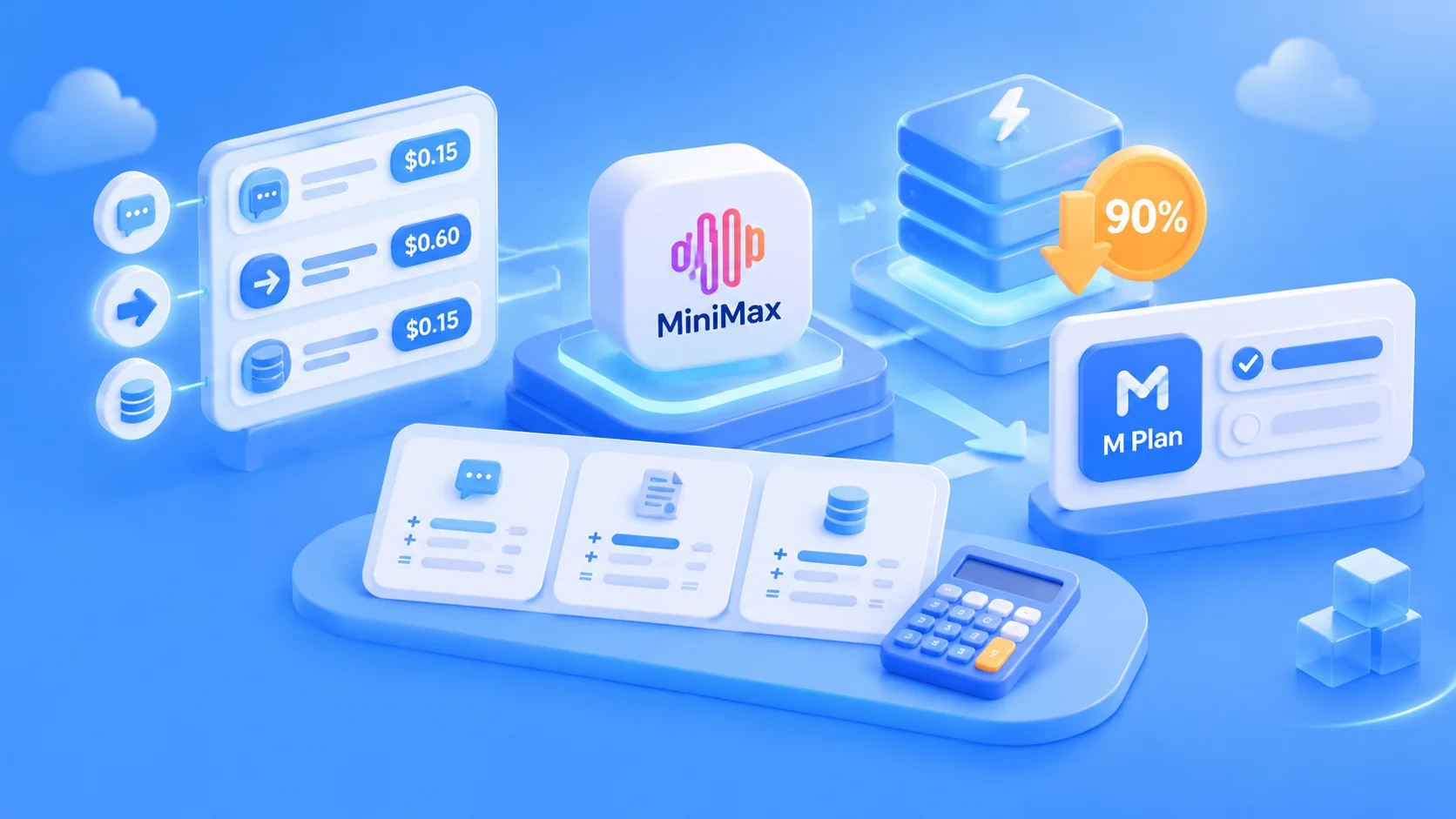
The official pricing is fixed: $0.15 for input, $0.60 for output, and $0.015 for cached reads, all per million tokens. There’s no surcharge for long context. A token is the unit of text used for model billing. According to the official estimate, about 750 English words equal 1,000 tokens. Cached reads are repeated copies of the same prefix content billed at a lower rate.
Here’s an example using the official rates (not based on actual usage): with 100 million input tokens and 20 million output tokens per month, the cost is 100 × $0.15 + 20 × $0.60 = $27. That’s already a substantial amount of usage for an individual or small team—and costs just a few dozen dollars a month.
Self-hosting requires a different kind of calculation. A machine like the 8 × B200 setup used for M3 involves a significant ongoing fixed cost, whether you buy or rent it. You’re paying even when nobody’s using it. To spread out that cost, you typically need enough usage to keep the machine busy for long periods—more than most individuals and small teams can generate.
One thing to keep in mind: you can’t disable the reasoning process in M3.1 Flash. If you don’t specify the effort level (reasoning depth), it defaults to max. Reasoning content also counts as output tokens, so the output portion of your bill could be higher than you expect. To save money, set effort to low or medium.
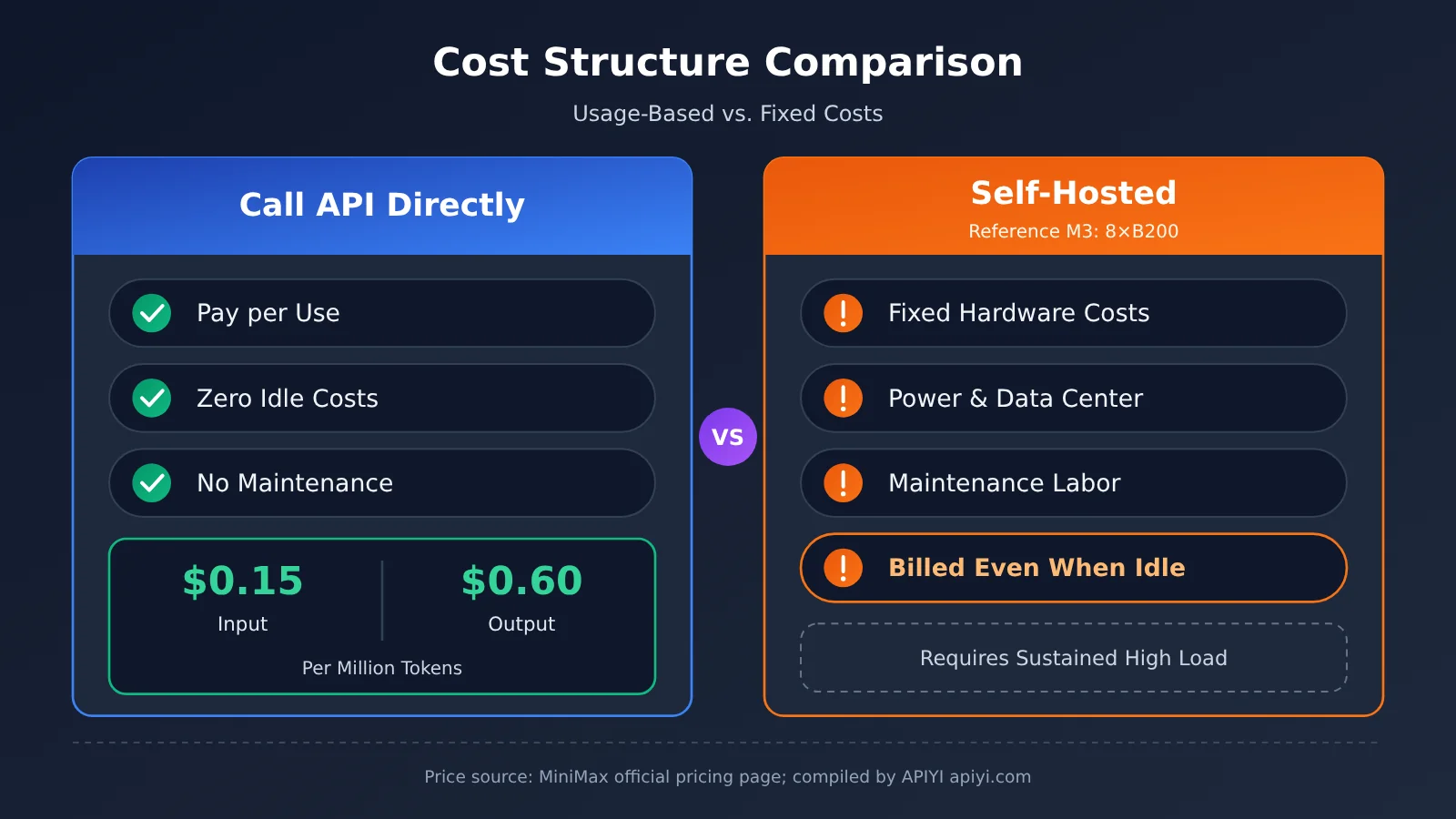
The prices in the chart above come from the official MiniMax pricing page and were compiled by the APIYI apiyi.com technical team. The table below lists the official prices of several models that are often compared:
| Model | Input price (per million tokens) | Output price (per million tokens) | Available platforms |
|---|---|---|---|
| MiniMax-M3.1-Flash | $0.15 | $0.60 | MiniMax official API, M Plan; check the pricing page to confirm availability through APIYI |
| MiniMax-M3 (≤512K input) | $0.30 | $1.20 | MiniMax official API, APIYI apiyi.com |
| claude-opus-5-5 | $4 | $20 | Anthropic official API, APIYI apiyi.com |
| claude-opus-5 | $5 | $25 | Anthropic official API, APIYI apiyi.com |
💰 Cost tip: If you want to try the MiniMax series now, you can use APIYI apiyi.com to access the available MiniMax-M3 model and get your workflow up and running. Check the pricing page to see whether M3.1 Flash is available through APIYI. We’ll add it as soon as possible.
What You’re Responsible for After Self-Hosting MiniMax M3.1 Flash
MiniMax’s official documentation is clear: the open weights don’t include platform features like caching and content safety, and the service listens only on localhost by default. Before deciding to self-host, make sure someone is responsible for each of the following:
- Authentication: Add an access key to the interface to prevent unauthorized use.
- TLS encryption: Use HTTPS to encrypt traffic when exposing the service externally and prevent data from being intercepted.
- Network isolation: Restrict which machines and network segments can access the inference service.
- Monitoring and alerts: Make sure someone is tracking GPU utilization, VRAM usage, latency, and error rates.
- Capacity planning and scaling: Prepare a scaling plan in advance for handling request queues during peak periods.
- Disaster recovery and upgrades: Plan how to recover if a machine goes down and how to roll out new versions gradually.
- Content safety: You’ll need to add your own moderation for input and output.
- License compliance: Read the full license and usage policy before deployment, redistribution, or commercial use.
If no one is responsible for even one item on this list, the operational costs could easily wipe out any savings on token fees from self-hosting.
How to Assess MiniMax M3.1 Flash: Official Claims vs. Third-Party Evaluations
Before deciding whether to self-host the model, take a close look at how it actually performs. The table below groups the available figures by source:
| Metric | Result | Source |
|---|---|---|
| Automation-Bench v1.0.6 | 62.2, compared with 50.3 for Claude Opus 5 | Official claim |
| BankerToolBench | 76.2, on par with Claude Opus 5 | Official claim |
| Terminal Bench 4.0 | 38.1, compared with 51.8 for Claude Opus 5 | Official claim |
| SWE Refactor Bench | 23.0, compared with 31.0 for Claude Opus 5 | Official claim |
| Inference speed | The blog claims 200+ TPS in everyday use and 170+ at P50; the product page lists around 150 tokens per second | Official claim (figures vary by source) |
| Vals Index | 53.78%; ranked 15th out of 22 models and 5th among open-weight models | Third-party evaluation |
| Vals Terminal-Bench 4.0 | 25.25%; ranked 22nd out of 51 models | Third-party evaluation |
| “One-third the cost of M3” | Calculated per task; the specific methodology hasn’t been disclosed | Unknown/not disclosed |
TPS means the number of tokens generated per second. The higher the number, the faster the response.
It’s important to clarify which Claude model is being compared: the model in MiniMax’s official benchmark table is Claude Opus 5, not Opus 5.5. Claude Opus 5.5 remains Anthropic’s most powerful flagship model, and Anthropic hasn’t published a benchmark-by-benchmark comparison with M3.1 Flash. So there’s no basis for concluding that M3.1 Flash has “caught up with or surpassed Opus 5.5.”
Even against Opus 5, M3.1 Flash trails noticeably on long-horizon coding and refactoring tasks such as Terminal Bench and SWE Refactor. The third-party Vals results also suggest that it’s relatively weak on long-horizon agent tasks.
When Not to Use MiniMax M3.1 Flash—and Why You Shouldn’t Rush to Self-Host
In the following situations, it’s best to hold off:
- Complex planning and large-scale refactoring: Both the company’s own reports and third-party benchmarks suggest it’s weaker on long-horizon tasks. A flagship model like Claude Opus 5.5 is a safer choice for this kind of work.
- Extremely latency-sensitive tasks that don’t need deep reasoning: You can’t turn off thinking, so even the low setting adds overhead.
- Existing integrations that parse M3
<think>tags: M3.1 Flash returns its thinking content in a separate field. Update your parsing logic before switching over. - The license is still unclear: The license hadn’t been announced when the weights were released. Don’t schedule commercial projects around self-hosting until the terms are clear.
- No one is on call: If no one can own the operations checklist from the previous section, don’t put production workloads on a self-hosted service.
- You want to run the full model on a consumer GPU: Based on M3’s scale, that’s not realistic. Wait for official hardware requirements, and don’t trust quantized versions from unknown sources.
Pairing MiniMax with Claude Opus 5.5 on APIYI
For most developers, the more practical question isn’t “Should I self-host or use an API?” It’s how to route tasks of different difficulty to different models.
APIYI lets you use one key to call international models like Claude, GPT, and Gemini, as well as domestic models like DeepSeek and MiniMax. Models currently available directly on APIYI include MiniMax-M3 (with both OpenAI and Anthropic API formats supported, and available in the ClaudeCode group), the MiniMax-M2.7 series, claude-opus-5-5, and claude-opus-5. As of publication, MiniMax-M3.1-Flash wasn’t listed on APIYI’s pricing page. Check the pricing page to confirm availability.
Here’s a recommended way to divide up the work:
- Use MiniMax for inexpensive batch tasks: Data cleaning, batch summarization, format conversion, and simple code completion are high-volume, low-difficulty tasks where a lower per-call price pays off.
- Use Claude Opus 5.5 for complex planning and refactoring: Cross-file refactoring, architecture design, and complex Agent task planning cost more per call, but mistakes and rework can cost even more.
- Switch models with the same key: Just change the model name—there’s no need to manage multiple accounts or API endpoints.
🎯 Technical recommendation: Use the same key on APIYI at apiyi.com to run your real tasks through MiniMax-M3 and claude-opus-5-5, then compare the results and costs. That’s more reliable than any benchmark.
Frequently Asked Questions
Q1: When will MiniMax M3.1 Flash weights be available to download?
The date announced in the official post on X was October 23. The official blog only said “coming soon.” The weights haven’t been released as of publication, so check MiniMax’s official model page on Hugging Face for updates.
Q2: Can MiniMax M3.1 Flash run on a consumer-grade graphics card?
MiniMax hasn’t published the hardware requirements for M3.1 Flash. The official reference setup for the similarly sized M3 uses 8 × B200 GPUs and requires about 440 GB for MXFP8 weights. Running the full model on a single consumer-grade graphics card is basically out of the question.
Q3: Can MiniMax M3.1 Flash be used commercially once it’s open source?
The license hasn’t been announced yet. MiniMax cautions that open-source weights don’t mean every model uses the same license. Read the full license before deploying, redistributing, or using the model commercially.
Q4: What’s the cheapest way to try MiniMax models right now?
The easiest option is to use the API directly. You can access M3.1 Flash through MiniMax’s official API or an M Plan subscription (check the official website for current pricing). If you want to manage multiple models with a single API key, you can start by using MiniMax-M3, which is available on APIYI at apiyi.com. Check the APIYI pricing page to see whether M3.1 Flash is available.
Q5: Can MiniMax M3.1 Flash replace Claude Opus 5.5?
That’s not the best way to think about it. MiniMax only compared the model with Claude Opus 5, and it lagged on long-horizon coding tasks. A better approach is to use each model where it fits: MiniMax for batch tasks, and Opus 5.5 for challenging planning and refactoring. You can combine both with a single API key on APIYI.
MiniMax M3.1 Flash Open-Weight Key Takeaways
- Weights aren’t available yet: They’re scheduled for release on October 23. Check the official Hugging Face model page for the latest updates.
- License and hardware requirements haven’t been announced: Don’t buy equipment or plan a deployment based on guesses.
- Expect requirements similar to M3: Around 8 × B200 GPUs and 440 GB of MXFP8 weights, putting it in the data center class.
- The API is more cost-effective: At $0.15/$0.60 per unit, it’s much easier for most individuals and small teams than self-hosting.
- Self-hosting is only practical in a few cases: Strict compliance requirements, very high usage volumes, or a need to modify the model.
- The comparison is with Opus 5: Opus 5.5 is still Anthropic’s most powerful flagship model, and Anthropic hasn’t published a detailed, point-by-point comparison.
- Use them together: Try MiniMax and Claude Opus 5.5 with a single API key through APIYI at apiyi.com.
Summary
Key points about MiniMax M3.1 Flash’s open-weight release:
- Current status: The weights are scheduled for release on October 23. The license and hardware requirements haven’t been announced yet, so check the official model page for updates.
- Hardware: Based on the similarly sized M3, the official setup uses 8 B200-class GPUs—not something a personal device can handle.
- Making a decision: Evaluate four factors: compliance, usage volume, operational capacity, and whether you need to modify the model. In most cases, using the API is more cost-effective.
Once the weights are released, read the license and official hardware requirements before deciding whether to self-host. A more practical approach for many businesses is to use different models for tasks of varying complexity. You can test how MiniMax and claude-opus-5-5 work together with a single API key through APIYI at apiyi.com.
📚 References
- MiniMax Official Release Blog: M3.1 Flash release notes and official performance claims
- Link:
minimax.io/blog/minimax-m31f -
Note: Official statements that pricing, speed, and weights will be “released later”
-
MiniMax Official Pricing Page: Pay-as-you-go pricing for each model
- Link:
platform.minimax.io/docs/guides/pricing -
Note: Price comparison between M3.1 Flash and M3
-
MiniMax Official Self-Deployment Guide: Reference configurations for deploying open-source models
- Link:
platform.minimax.io/docs/guides/local-deploy -
Note: M3’s 8 × B200 reference setup and self-deployment considerations
-
Vals AI Evaluation Page: Third-party evaluation results for M3.1 Flash
- Link:
vals.ai/models/minimax_MiniMax-M3.1-flash -
Note: Vals Index ranking and category scores
-
Hugging Face – MiniMax-M3: M3 weights and community license
- Link:
huggingface.co/MiniMaxAI/MiniMax-M3 -
Note: Once M3.1 Flash weights are released, they’ll be available under the same organization
-
SGLang Documentation – MiniMax-M3: Deployment instructions for the inference framework
- Link:
docs.sglang.io/cookbook/autoregressive/MiniMax/MiniMax-M3 - Note: The size and runtime requirements of the MXFP8 version of M3
Author: APIYI Technical Team
Technical discussions: Feel free to contact us via the APIYI homepage. For more resources, visit the documentation center at docs.apiyi.com.