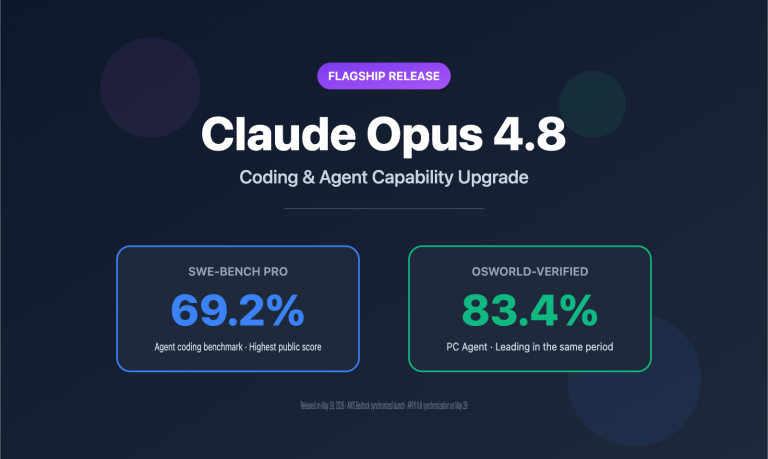
Author's Note: An in-depth evaluation of Kimi K2.5's coding capabilities, comparing it against Claude Opus 4.5 on the SWE-bench benchmark. We'll also break down the advantages of its 256K context window and how to get the most out of the Kimi Code CLI.
How does Kimi K2.5 stack up in the coding world? Can it actually take Claude's spot? This article provides a comprehensive comparison of Kimi K2.5 and Claude Opus 4.5 across four key dimensions: code generation, benchmark performance, context windows, and CLI tools.
Core Value: By the end of this post, you'll have a clear picture of how Kimi K2.5 handles different coding tasks. You'll know exactly when to reach for Kimi K2.5, when to stick with Claude, and how to use the Kimi Code CLI to speed up your workflow.
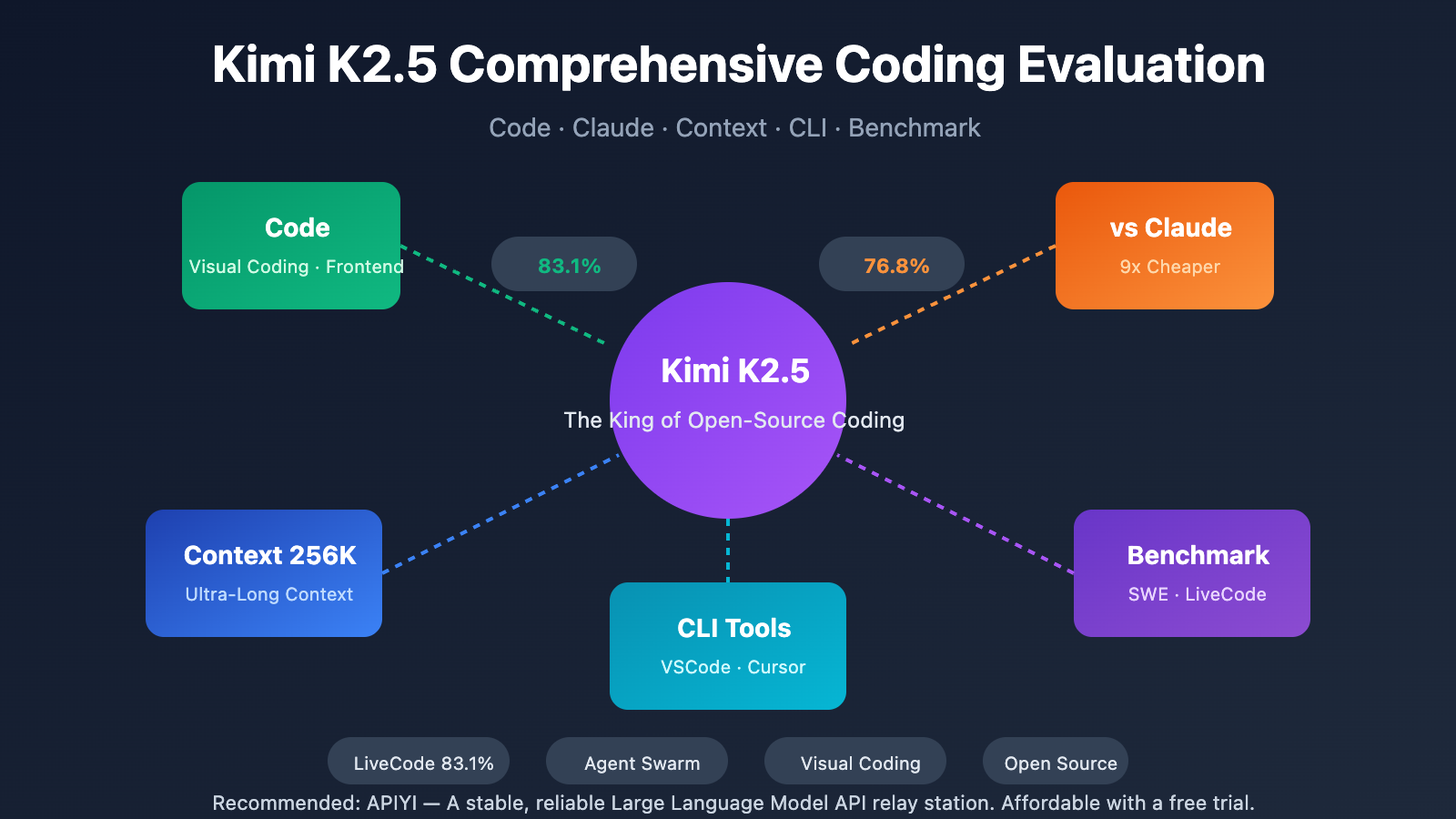
Key Takeaways: Kimi K2.5 Code Performance
| Capability | Kimi K2.5 | Claude Opus 4.5 | Conclusion |
|---|---|---|---|
| SWE-Bench Verified | 76.8% | 80.9% | Claude leads slightly by 4.1% |
| LiveCodeBench v6 | 83.1% | 64.0% | K2.5 leads significantly |
| Frontend Code Gen | ⭐⭐⭐⭐⭐ | ⭐⭐⭐⭐ | K2.5 is stronger in visual coding |
| Context Window | 256K | 200K | K2.5 offers 28% more space |
| API Cost | $0.60/$3.00 | $5.00/$15.00 | K2.5 is ~9x cheaper |
Core Advantages of Kimi K2.5 Code
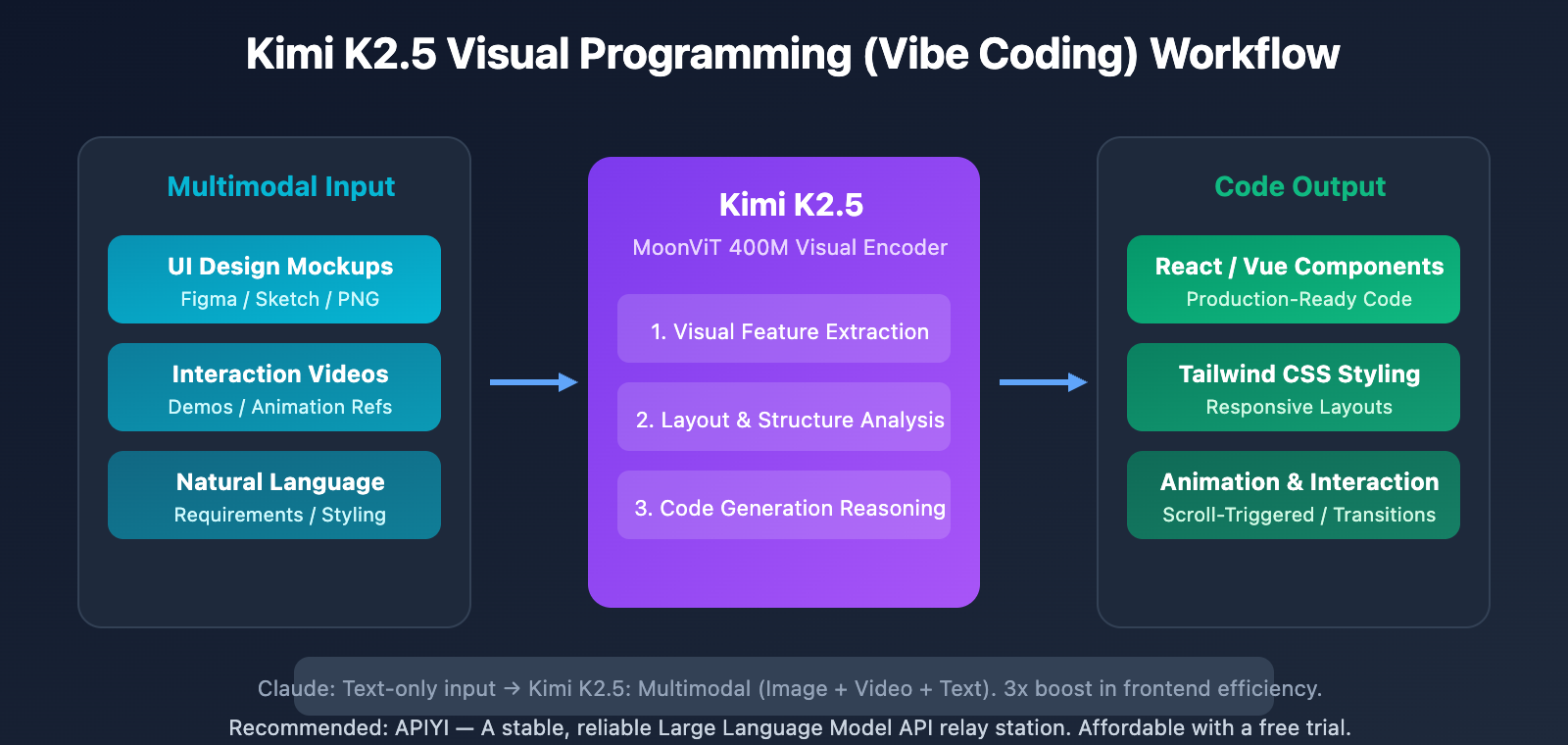
Kimi K2.5 has been hailed as the most powerful open-source model for programming, particularly excelling in frontend development:
- Visual Programming (Vibe Coding): Generate full frontend code directly from UI design screenshots.
- Video-to-Code: Reproduce interactive components just by watching a demo video.
- Complex Animation Implementation: Handle scroll-triggered effects and page transitions in one go.
- Agent Swarm: Automatically break down complex tasks and have up to 100 sub-agents working in parallel.
Compared to Claude, Kimi K2.5's unique advantage lies in its native multimodal programming—you can literally drop a Figma design mockup, and it'll generate the corresponding React/Vue code.
Kimi K2.5 Coding Benchmark Results Breakdown
| Benchmark | Kimi K2.5 | Claude Opus 4.5 | GPT-5.2 | Test Content |
|---|---|---|---|---|
| SWE-Bench Verified | 76.8% | 80.9% | 80.0% | GitHub Issue Resolution |
| SWE-Bench Multi | 73.0% | – | – | Multi-language Code Repair |
| LiveCodeBench v6 | 83.1% | 64.0% | 87.0% | Real-time Interactive Coding |
| Terminal-Bench 2.0 | 50.8% | 59.3% | 54.0% | Terminal Operations |
| OJ-Bench | 53.6% | – | – | Algorithm Competitions |
Kimi K2.5 vs. Claude: Scenario Selection Guide
When to choose Kimi K2.5:
- Front-end development, UI implementation, and vision-to-code tasks.
- When you need a super-long context window to handle massive codebases.
- Cost-sensitive batch code generation tasks.
- Scenarios requiring Agent Swarms to handle complex tasks in parallel.
When to choose Claude:
- Production environments where you're chasing ultimate code quality.
- Complex code reviews and deep refactoring.
- Scenarios requiring the highest possible SWE-Bench pass rate.
- Critical systems with zero tolerance for errors.
Our Take: For daily development, we recommend Kimi K2.5—it offers great value. For critical code reviews, Claude is the way to go for more stable quality. You can access both models simultaneously through APIYI (apiyi.com) and switch between them as needed.
Kimi K2.5 Context Window: The 256K Advantage
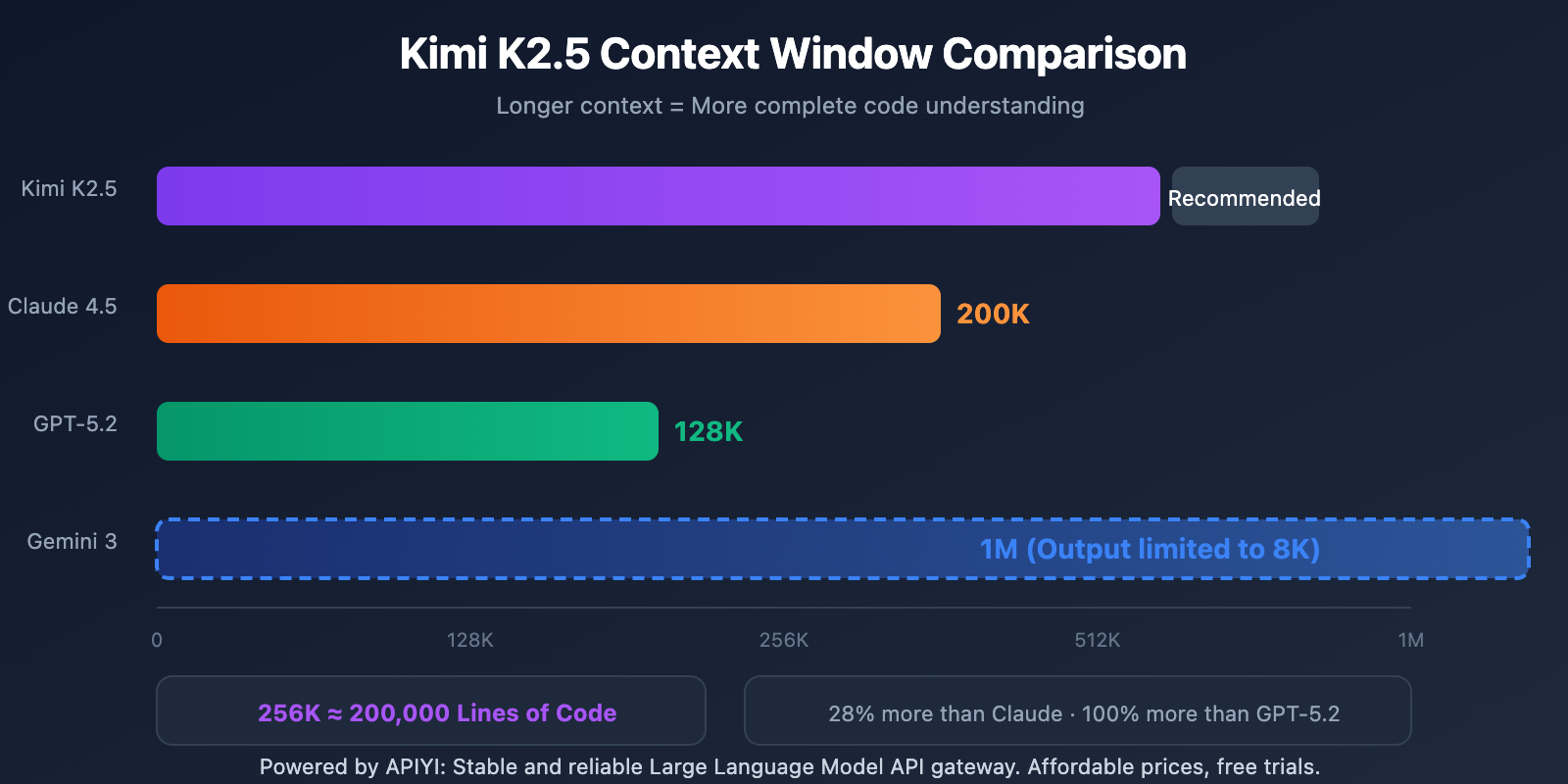
Context Window Comparison of Mainstream Models
| Model | Context Window | Max Output | Programming Application |
|---|---|---|---|
| Kimi K2.5 | 256K tokens | 64K | Large codebase analysis |
| Claude Opus 4.5 | 200K tokens | 32K | Medium project handling |
| GPT-5.2 | 128K tokens | 16K | Routine programming tasks |
| Gemini 3 Pro | 1M tokens | 8K | Documentation analysis (restricted output) |
Real-world Programming Advantages of Kimi K2.5's Context Window
1. One-shot Loading for Large Codebases
256K tokens ≈ 200,000 lines of code
Read the core code of an entire medium-sized project in one go.
Maintains complete code understanding without needing batch processing.
2. Code Refactoring with Full Context
Traditional methods require multiple turns of dialogue to refactor step-by-step. Kimi K2.5's 256K context allows it to:
- Understand the dependency relationships of an entire module at once.
- Maintain naming consistency throughout the refactoring process.
- Reduce errors caused by context loss.
3. Long-form Programming Sessions
During complex feature development, a 256K context means:
- You can have 50+ rounds of deep discussion without losing history.
- The model remembers early design decisions.
- You'll avoid having to repeat requirements and constraints.
Kimi K2.5 CLI Usage Guide
Kimi Code CLI Installation and Configuration
Kimi Code CLI is the official terminal programming assistant released by Moonshot. It supports integration with popular IDEs like VSCode, Cursor, and Zed.
Installation:
# Install via npm
npm install -g @anthropic/kimi-cli

# Or use the official installation script
curl -fsSL https://kimi.com/code/install.sh | bash
Basic Configuration:
# Configure the API Key (you can use a key from APIYI)
export KIMI_API_KEY="your-api-key"
export KIMI_BASE_URL="https://vip.apiyi.com/v1"

# Start Kimi Code CLI
kimi
View IDE Integration Config
VSCode Integration:
// settings.json
{
  "kimi.apiKey": "your-api-key",
  "kimi.baseUrl": "https://vip.apiyi.com/v1",
  "kimi.model": "kimi-k2.5"
}
Cursor Integration:
// Cursor Settings → Models → Add Custom Model
{
  "name": "kimi-k2.5",
  "endpoint": "https://vip.apiyi.com/v1",
  "apiKey": "your-api-key"
}
Zed Integration (ACP Protocol):
// settings.json
{
  "assistant": {
    "provider": "acp",
    "command": ["kimi", "acp"]
  }
}
Kimi K2.5 CLI Core Features
| Feature | Description | Usage |
|---|---|---|
| Code Generation | Generate complete code from descriptions | kimi "Create a React login component" |
| Code Explanation | Analyze complex code logic | kimi explain ./src/utils.ts |
| Bug Fix | Automatically locate and fix errors | kimi fix "TypeError in line 42" |
| Shell Mode | Switch to terminal command mode | Ctrl+X to toggle |
| Vision Input | Supports image/video input | kimi --image design.png |
Pro Tip: Get your API key from APIYI (apiyi.com) and configure the base_url in Kimi Code CLI to start using it. You'll enjoy a unified interface and free credits.
Kimi K2.5 Code Quick Start Examples
Minimalist Code Generation Example
import openai

client = openai.OpenAI(
    api_key="YOUR_API_KEY",  # Get this at apiyi.com
    base_url="https://vip.apiyi.com/v1"
)

# Frontend code generation
response = client.chat.completions.create(
    model="kimi-k2.5",
    messages=[{
        "role": "user",
        "content": "Create a React navbar component with a dark mode toggle"
    }],
    max_tokens=4096
)
print(response.choices[0].message.content)
View Full Visual Programming Example
import openai
import base64

client = openai.OpenAI(
    api_key="YOUR_API_KEY",
    base_url="https://vip.apiyi.com/v1"
)

# Read the design draft image
with open("design.png", "rb") as f:
    image_base64 = base64.b64encode(f.read()).decode()

# Generate code from the design draft
response = client.chat.completions.create(
    model="kimi-k2.5",
    messages=[{
        "role": "user",
        "content": [
            {
                "type": "text",
                "text": "Convert this design draft into React + Tailwind CSS code with a responsive layout"
            },
            {
                "type": "image_url",
                "image_url": {
                    "url": f"data:image/png;base64,{image_base64}"
                }
            }
        ]
    }],
    max_tokens=8192,
    temperature=0.6  # Lower temperature is recommended for code generation
)

print(response.choices[0].message.content)
Note: It's a good idea to grab some free test credits from APIYI (apiyi.com) to experience Kimi K2.5's visual programming capabilities. Just upload your UI design drafts and generate frontend code directly.
FAQ
Q1: Between Kimi K2.5 and Claude, who’s the coding champion?
Each has its own strengths. Claude Opus 4.5 leads on SWE-Bench Verified (80.9% vs 76.8%) and Terminal-Bench, making it the go-to for scenarios where you're chasing ultimate code quality. Kimi K2.5, however, takes a massive lead in LiveCodeBench (83.1% vs 64.0%) and visual programming. Plus, it's only 1/9th the cost of Claude, making it perfect for daily development and frontend tasks.
Q2: What does Kimi K2.5’s 256K context window actually mean for coding?
A 256K context window is roughly equivalent to 200,000 lines of code. In practice, this means you can load an entire mid-sized project codebase in one go, keep the full design discussion history intact during long conversations, and maintain global consistency during large-scale refactors. It's 28% larger than Claude's 200K and double the 128K offered by GPT-5.2.
Q3: How do I use the Kimi K2.5 CLI with APIYI?
- Visit APIYI at apiyi.com to register and grab your API Key.
- Install the Kimi Code CLI:
npm install -g @anthropic/kimi-cli - Configure your environment variable:
export KIMI_BASE_URL="https://vip.apiyi.com/v1" - Launch the CLI with
kimi, and you're ready to start coding with Kimi K2.5.
Summary
Here are the key takeaways for Kimi K2.5's coding capabilities:
- Unique Advantages of Kimi K2.5 Code: Standout visual programming—it can generate code directly from UI design drafts—and it significantly outperforms Claude on LiveCodeBench.
- Kimi K2.5 vs. Claude Strategy: Choose Claude if you need absolute peak quality; choose K2.5 for daily development (it's 9x more cost-effective).
- Kimi K2.5 256K Context Window: It supports processing 200,000 lines of code at once, ensuring more comprehensive analysis for large projects.
- Kimi K2.5 CLI Tools: Supports integration with VSCode, Cursor, and Zed. Visual input makes the whole programming experience much more intuitive.
Kimi K2.5 is now live on APIYI (apiyi.com). We recommend heading over to the platform to claim some free credits and experience the efficiency boost from visual programming and the CLI tools yourself.
References
⚠️ Link Format Note: All external links use the
Resource Name: domain.comformat. This makes them easy to copy while remaining non-clickable to preserve SEO integrity.
-
Kimi K2.5 Technical Report: Official programming capability evaluation data
- Link:
kimi.com/blog/kimi-k2-5.html - Description: Get details on SWE-bench, LiveCodeBench, and other benchmark tests
- Link:
-
Kimi Code CLI GitHub: Official CLI tool repository
- Link:
github.com/MoonshotAI/kimi-cli - Description: Installation guides, configuration instructions, and usage examples
- Link:
-
Hugging Face Model Card: Complete benchmark data
- Link:
huggingface.co/moonshotai/Kimi-K2.5 - Description: View detailed results for various programming benchmarks
- Link:
-
Kimi Code Documentation: VS Code and IDE integration guide
- Link:
kimi.com/code/docs - Description: Detailed configuration methods for various IDEs
- Link:
Author: Technical Team
Tech Talk: We'd love to hear about your Kimi K2.5 programming experience in the comments! For more AI programming tool comparisons, feel free to visit the APIYI apiyi.com tech community.