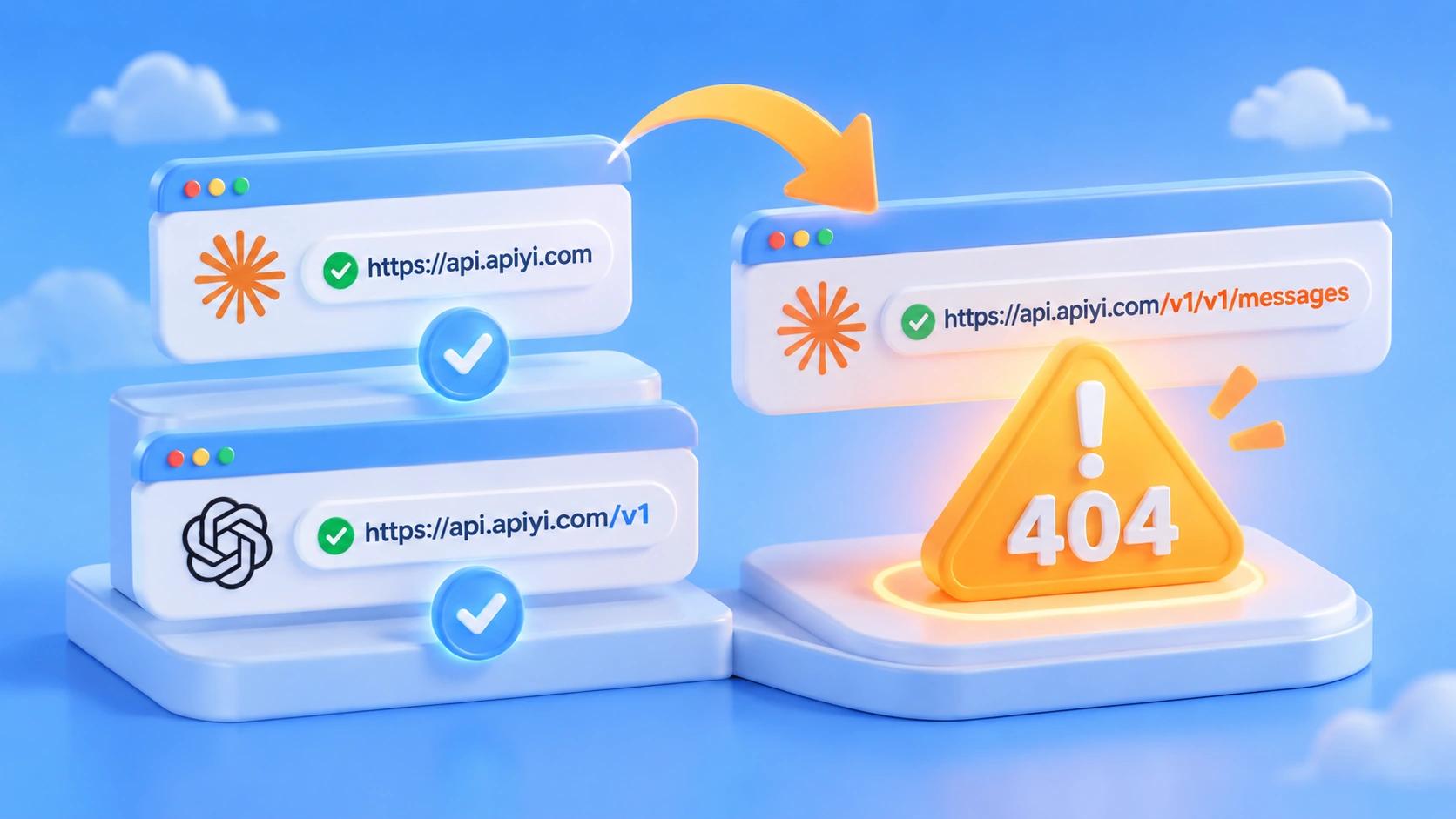
You wire up Claude through the Anthropic SDK, fire off a request, and get a 404 straight back. You swap the API key, you check the network, nothing helps — and the thing you should actually be checking is whether there’s an extra /v1 tacked onto the end of your base URL. That extra /v1 gets you /v1/v1/messages, and it’s one of the easiest traps to fall into when integrating with APIYI.
This isn’t an unstable endpoint, and it’s not a dead key. APIYI’s developer docs draw a clear line between two URLs: for the Anthropic SDK, the base URL is https://api.apiyi.com; for the OpenAI SDK, it’s https://api.apiyi.com/v1. Pick the URL by SDK, not by model.
The payoff: three minutes from now you’ll know exactly which Claude endpoint to fill in — and you’ll have cleared this whole class of 404s along the way.
Quick Summary: Which Claude Endpoint URL Should You Use
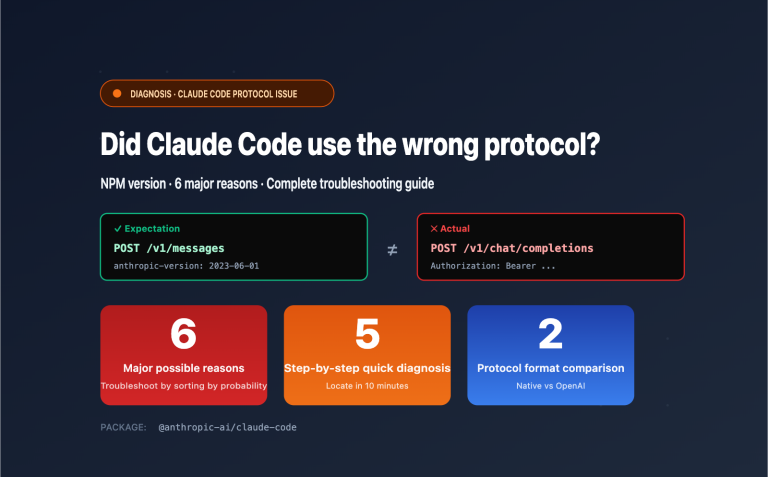
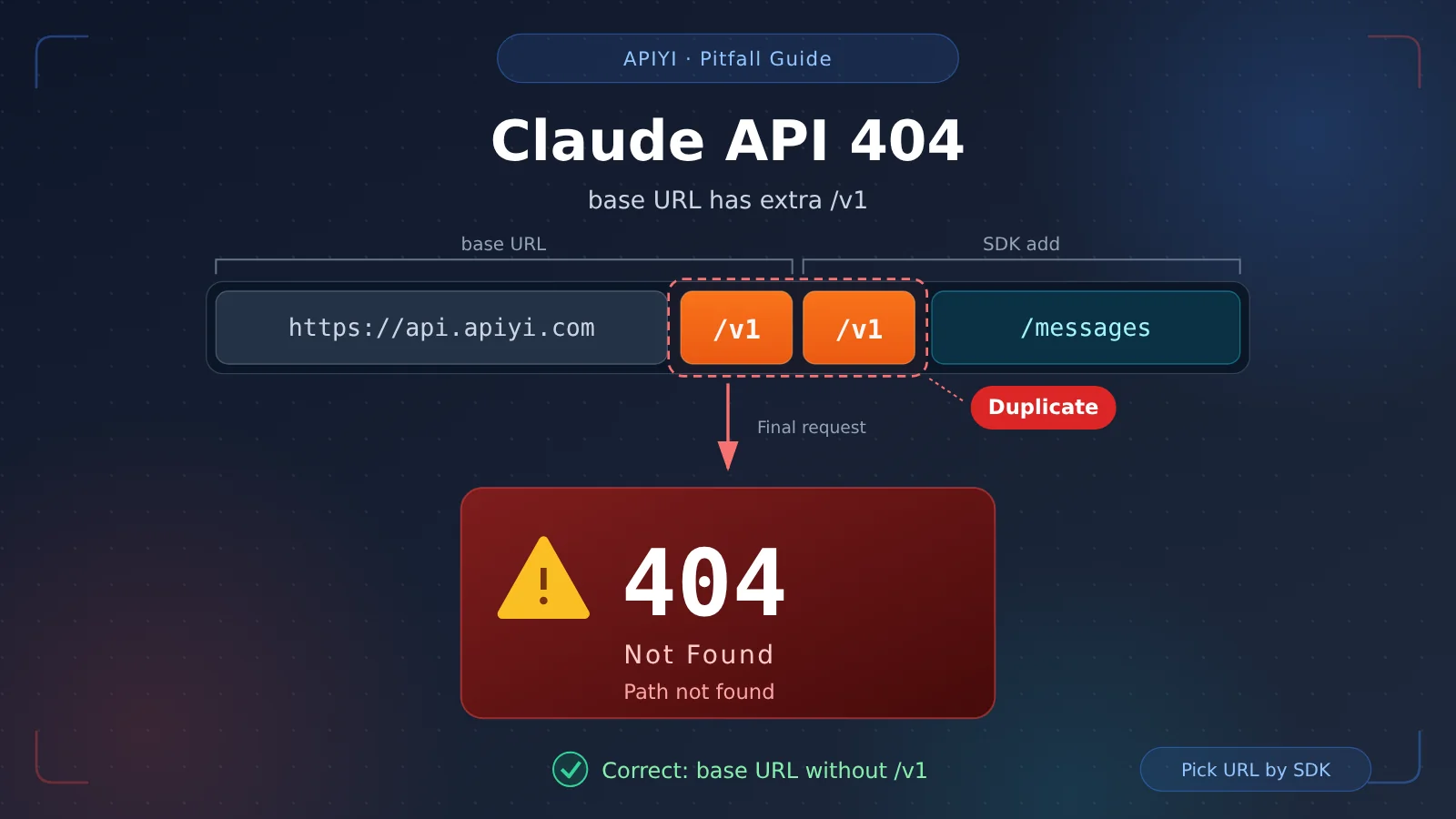
Here’s the answer up front: when calling Claude through the Anthropic SDK, the base URL must be the bare domain https://api.apiyi.com, with no /v1 at the end. Add it, and the SDK appends its own path anyway, so the request lands on /v1/v1/messages — an address the server doesn’t have, which is why you get a 404.
| Item | Details |
|---|---|
| Symptom | The request returns 404, and the actual path shows /v1/v1/messages |
| Root cause | An extra /v1 in the Anthropic SDK base URL |
| Correct URL (Anthropic SDK) | https://api.apiyi.com |
| Correct URL (OpenAI SDK) | https://api.apiyi.com/v1 |
| Rule for choosing | Pick the URL by SDK, not by model |
| Official source | APIYI developer docs (apiyi.com) |
The two URLs map to two different API shapes, and the rules don’t cross over. Let’s walk through the cause and the side-by-side comparison.
Why Does the Claude API Endpoint Return a 404 When You Add an Extra /v1?
How /v1/v1/messages Gets Assembled
When the Anthropic SDK sends a request, it automatically appends /v1/messages to the base URL — that leading /v1 segment in the path is the SDK’s responsibility. If you manually write another /v1 into your base URL, you end up with a duplicate: set the base URL to https://api.apiyi.com/v1, and the final request becomes /v1/v1/messages; set it to https://api.apiyi.com, and the request is the normal /v1/messages.
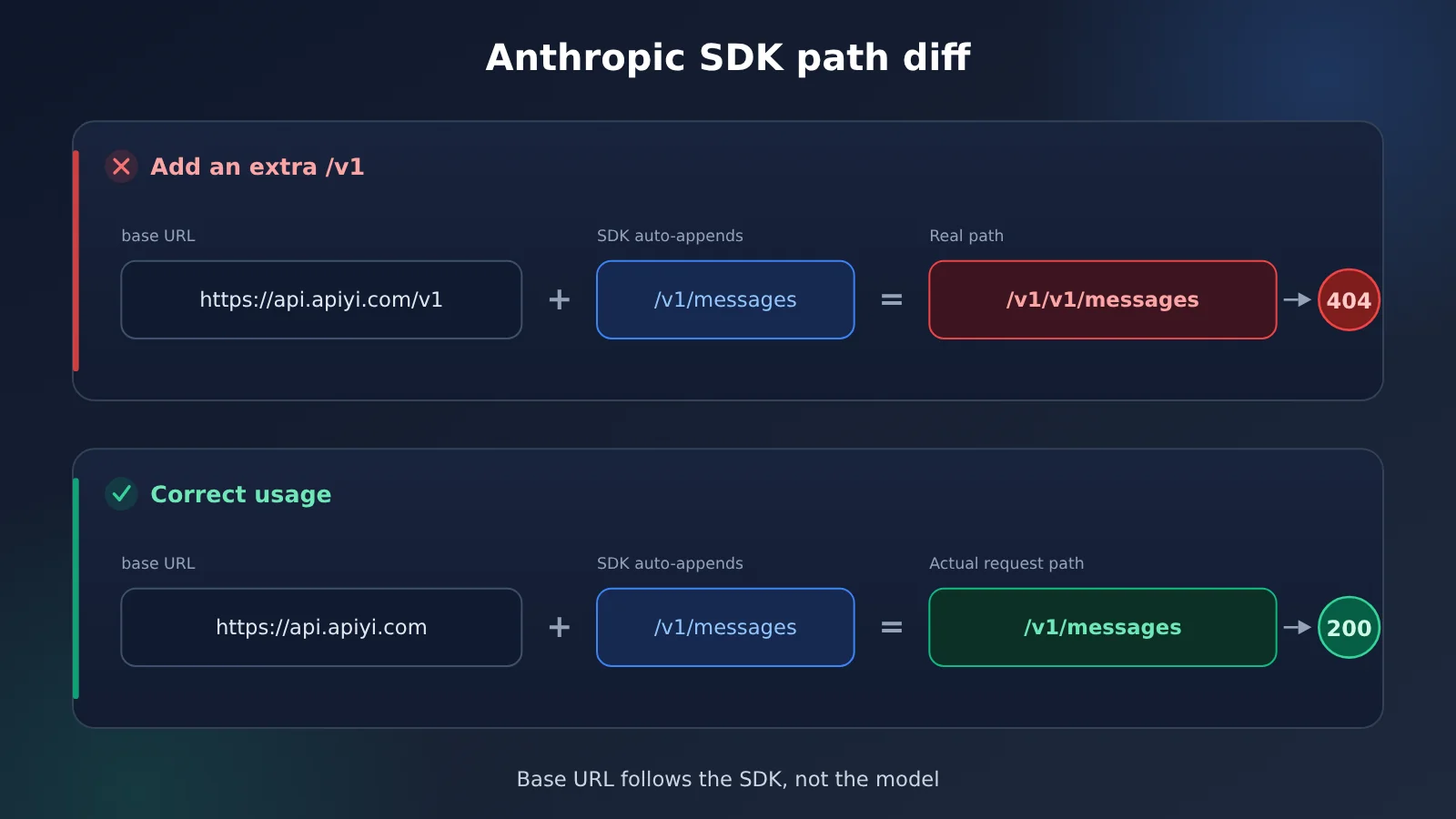
What makes these 404s so confusing is that they only tell you “not found,” never why. If your logs or error details show a path like /v1/v1/messages, you can pretty much lock it down to an extra layer in the base URL. Troubleshooting is simple too: compare the actual request path against the correct address, and the duplicate /v1 jumps out immediately.
Claude API Endpoint Reference: Choose by SDK, Not by Model
APIYI provides both an Anthropic native API and an OpenAI-compatible API, each with a different entry address. The Google GenAI SDK also uses the root domain, but it requires an extra version parameter. Here’s the correct configuration for all three:
| SDK | base URL | Extra setting | Notes |
|---|---|---|---|
| Anthropic SDK | https://api.apiyi.com |
None | An extra /v1 produces /v1/v1/messages and returns 404 |
| OpenAI SDK | https://api.apiyi.com/v1 |
None | Omitting /v1 also returns 404 |
| Google GenAI SDK | https://api.apiyi.com |
Set api_version to v1beta |
Uses the same root domain as the Anthropic SDK |
Why the OpenAI-Compatible API Must Include /v1
This is where people most often get it backwards: not every API should omit /v1. The OpenAI-compatible API’s entry point is itself defined at the /v1 layer, and you need to supply that segment in the base URL. So when you use the OpenAI SDK with APIYI, the base URL must be https://api.apiyi.com/v1 — leave it off and you’ll get a 404 again.
Conversely, when you switch to the Anthropic SDK, drop the /v1. A one-line rule of thumb: the OpenAI SDK includes /v1, the Anthropic SDK doesn’t. The deciding factor is always the SDK you import in your code, not the model you want to call — the address follows the SDK, not the model.
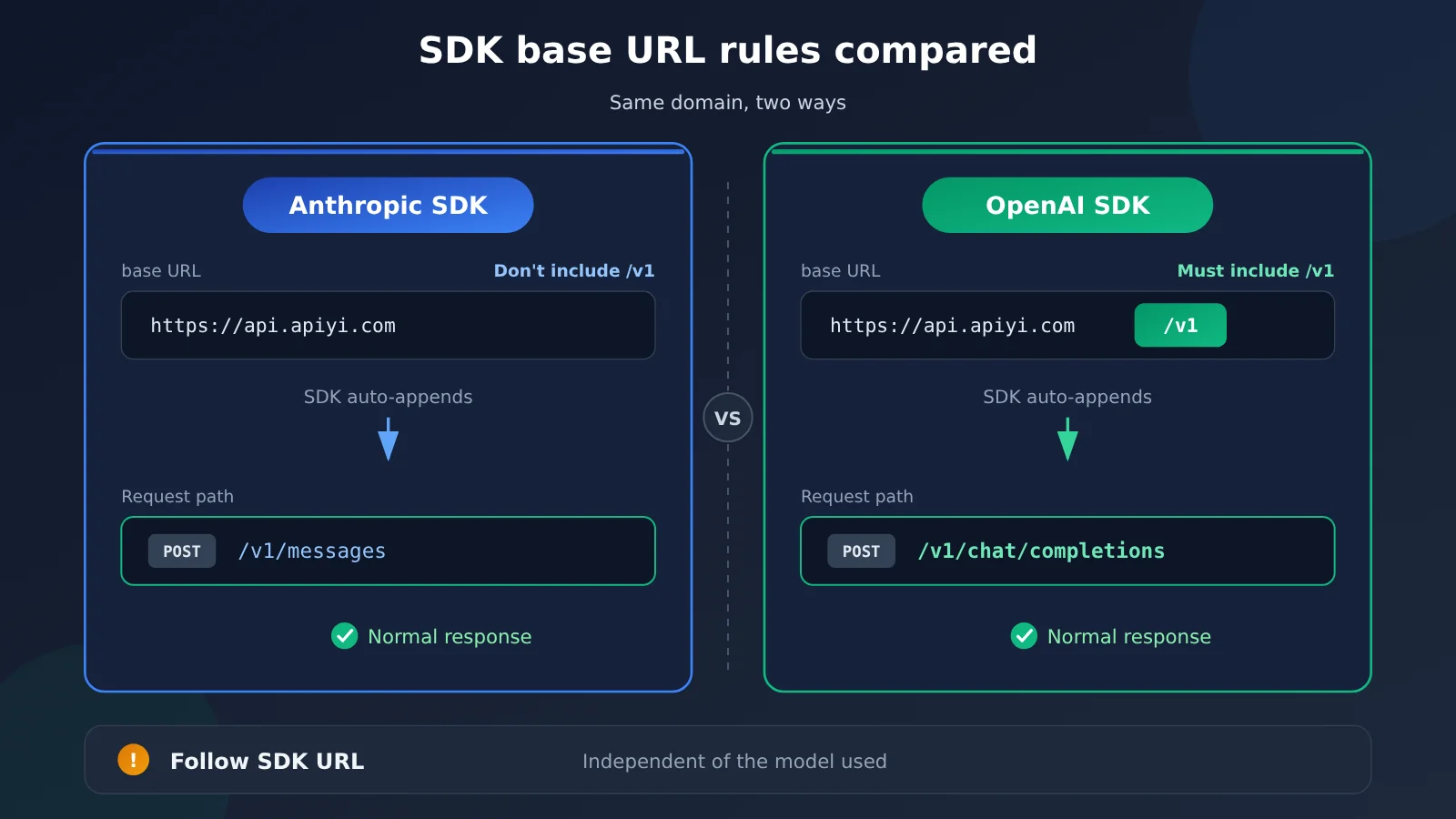
A note on the comparison: The rules for these two addresses follow the official APIYI (apiyi.com) documentation. Running through the table above before you integrate will save you most of your 404 troubleshooting time.
Impact Analysis: What a Wrong Claude API Endpoint Slows Down
How a Wrong Claude API Endpoint Affects Development Debugging
- Misdiagnosis: A 404 easily makes you suspect the key, quota, or network first — and you spend a whole round of troubleshooting looking in the wrong direction.
- Late detection: A wrong endpoint doesn’t throw an error when you create the client. It only shows up once the request is actually sent.
- Quick fix: Compare the actual request path with the correct endpoint, and the duplicate
/v1is immediately obvious. Fix it and you’re back up right away.
How Claude API Endpoint Rules Affect Team Integration
- Align on one convention: Some team members remember OpenAI’s rules, others remember Anthropic’s — so the same 404 gets hit over and over.
- Lock down the configuration: Put the base URL and environment variables into a shared integration guide, so new team members can copy them instead of filling in the endpoint from memory.
- Keep keys in environment variables: Manage the API key with the
APIYI_API_KEYenvironment variable to avoid hardcoding.
Claude API Endpoint Troubleshooting Reference Table
| SDK in use | Endpoint entered | Actual result | Fix |
|---|---|---|---|
| Anthropic SDK | https://api.apiyi.com/v1 |
404, path is /v1/v1/messages |
Remove the trailing /v1 |
| Anthropic SDK | https://api.apiyi.com |
Returns normally | Keep as is |
| OpenAI SDK | https://api.apiyi.com |
404 | Add /v1 |
| OpenAI SDK | https://api.apiyi.com/v1 |
Returns normally | Keep as is |
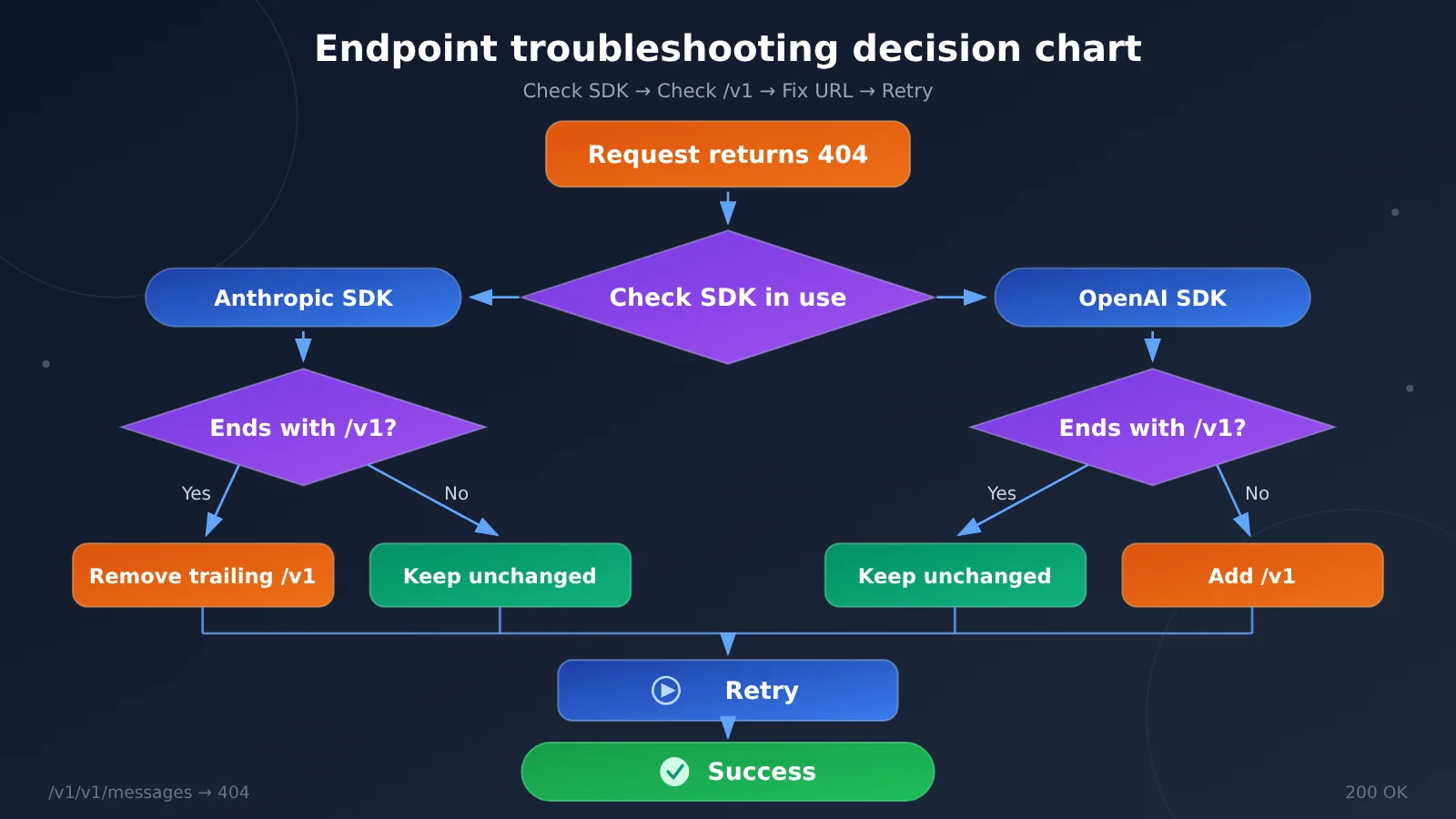
Tip: After registering with APIYI at apiyi.com, you can claim free trial credits for new users. Send one request using the correct endpoint from the table above, and within a few minutes you’ll know whether the 404 is caused by
/v1.
Claude API Endpoint URL FAQ
Q1: What does it mean when a Claude endpoint URL has an extra /v1?
It means the Anthropic SDK’s base URL was filled in as `https://api.apiyi.com/v1`. The SDK automatically appends `/v1/messages` after the base URL, so the actual request becomes `/v1/v1/messages`, and the server returns a 404. The correct form is just the root domain: `https://api.apiyi.com`.
Q2: How is the Claude endpoint URL different from the OpenAI-compatible URL?
They’re two different entry points: the Anthropic SDK uses `https://api.apiyi.com` with no trailing `/v1`, while the OpenAI SDK uses `https://api.apiyi.com/v1` and the `/v1` is required. The difference is determined by the SDK, not by which model you’re calling — you can’t swap the two rules around.
Q3: Which version of the rules should I follow?
This article is based on the rules verified on November 13, 2026: the Anthropic SDK uses the root domain, the OpenAI SDK requires `/v1`, and the Google GenAI SDK uses the root domain with `api_version` set to `v1beta`. Before integrating, it’s worth double-checking the latest conventions in the developer docs at docs.apiyi.com.
Q4: How can I quickly confirm that a 404 is caused by an extra /v1?
Look at the actual request path: if you see `/v1/v1/messages`, that means the base URL has an extra `/v1`. Just change it to `https://api.apiyi.com` and retry. You can also go through the troubleshooting table in this article item by item.
Q5: How should I configure the key, and what if I still get a 404 after fixing the URL?
Manage the key with the `APIYI_API_KEY` environment variable — create it in the APIYI (apiyi.com) console and write it into the environment variable; don’t hardcode it. If both the URL and the key check out and you still get a 404, go back to the troubleshooting table and check whether the two URLs got swapped, or contact support from the APIYI website homepage.
Claude API Endpoint Essentials: Key Takeaways
- Bottom line: For the Anthropic SDK, set the base URL to
https://api.apiyi.com— no trailing/v1. - Why it breaks: Add
/v1and the URL resolves to/v1/v1/messages, so the request 404s immediately. - The mirror rule: The OpenAI SDK must use
https://api.apiyi.com/v1; drop the/v1and you get the same 404. - How to decide: Pick the URL by SDK, not by model — check which SDK you actually imported.
- The third path: The Google GenAI SDK also uses the root domain, with
api_versionset tov1beta. - Key management: Use the environment variable
APIYI_API_KEY; create the key in the APIYI apiyi.com console.
Summary: One Rule to Remember for Claude Endpoints
- The cause is clear: The Anthropic SDK’s base URL had an extra
/v1, so the request was assembled as/v1/v1/messagesand returned 404. - The rules come in pairs: Anthropic SDK →
https://api.apiyi.com; OpenAI SDK →https://api.apiyi.com/v1. Choose by SDK, not by model. - Checking is easy: Compare against the actual request path — the duplicated
/v1jumps out immediately, and once you fix the URL, service is back.
Endpoint issues are never the hard part; what’s hard is thinking of them first. Whether you’re integrating or troubleshooting, we recommend using APIYI apiyi.com to cross-check against the official docs and verify quickly — new accounts come with free test credits, and a few lines of configuration are enough to confirm you’re on the right track.
📚 References
- APIYI Developer Kit Documentation: the authoritative source for each SDK’s base URL and parameter settings
- Link:
docs.apiyi.com/developer-kit.md -
Note: worth reading through before integration to confirm the address and parameter conventions
-
APIYI Technical Specification Index: an index of platform interfaces and model specs
- Link:
docs.apiyi.com/llms.txt - Note: handy for quickly checking interface conventions; use it alongside the developer kit documentation
Author: APIYI Technical Team
Technical discussion: Feel free to reach us via the APIYI website homepage; more materials are available at the docs.apiyi.com documentation center