A deep comparison of Sora 2 Pro and the standard version, covering video quality, resolution, duration, API calls, and web-based usage to help you choose the most suitable model.
Both Sora 2 Pro and the standard Sora 2 can generate high-quality AI videos, but there are significant differences between them. This article will provide a detailed comparison of the core differences between these two models from two perspectives: API calls and web-based usage.
Core Value: After reading this article, you will clearly understand where Sora 2 Pro excels over the standard version and in which scenarios the Pro version is worth choosing.
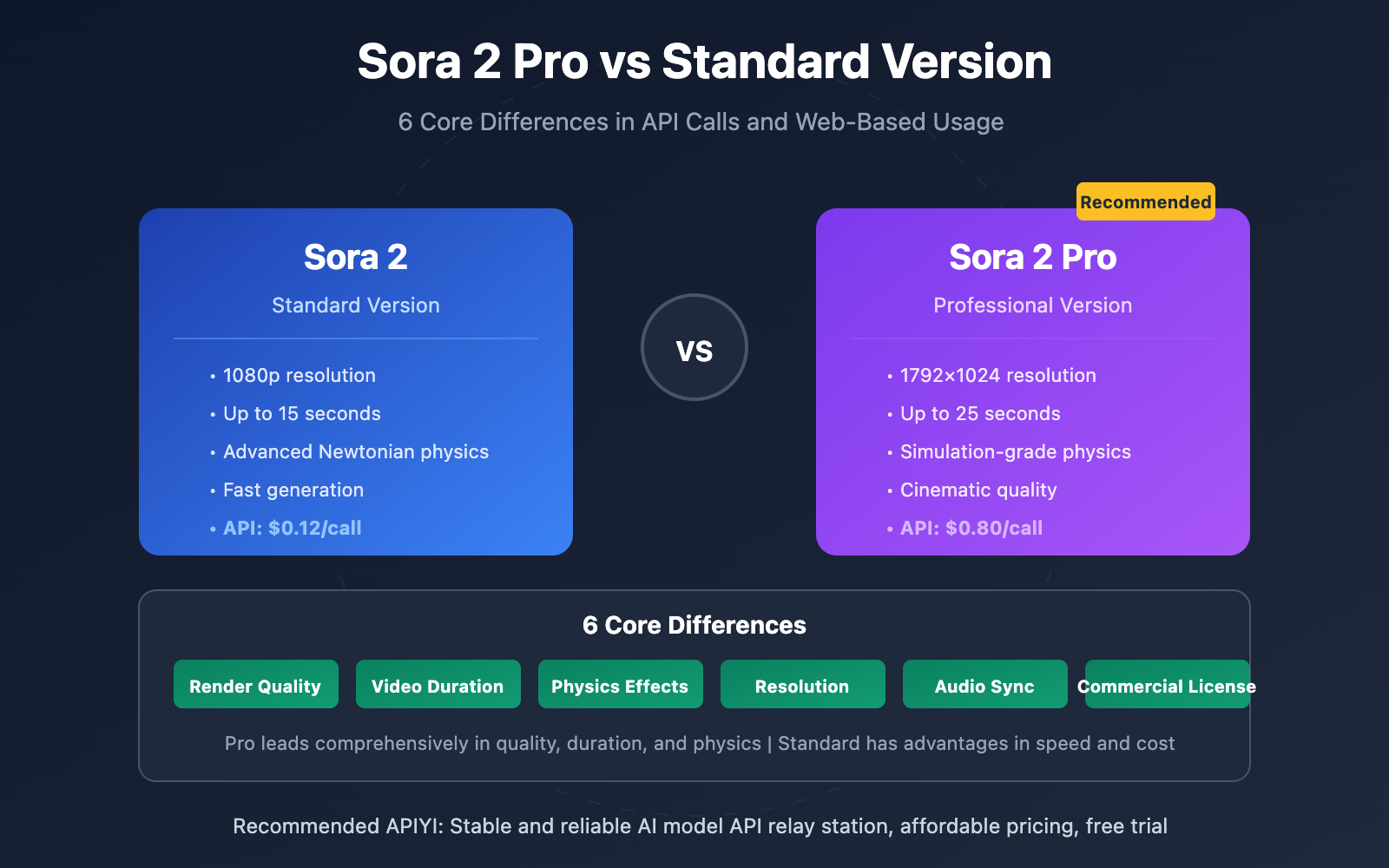
Core Differences Between Sora 2 Pro and Standard Version
| Comparison Dimension | Sora 2 Standard | Sora 2 Pro | Pro Advantages |
|---|---|---|---|
| Render Quality | High quality | Cinematic quality | Sharper textures, richer colors |
| Max Resolution | 1080p | 1792×1024 | Supports more aspect ratios |
| Max Duration | 10-15 seconds | 15-25 seconds | Can generate longer coherent videos |
| Physics Simulation | Advanced Newtonian physics | Simulation-grade physics | More realistic object interactions |
| Generation Speed | Faster | Slower (approximately 20% slower) | Quality prioritized |
| Credit Consumption | 10-20 credits | 40-120 credits | Higher consumption but better results |
6 Core Advantages of Sora 2 Pro
1. Significantly Enhanced Render Quality
Sora 2 Pro employs enhanced temporal sampling and refined lighting models, maintaining cinematic-level fidelity in every frame. Compared to the standard version, the Pro version offers sharper textures, smoother motion, and richer color depth.
Third-party testing shows that Sora 2 Pro has virtually no morphing artifacts in complex scenes and demonstrates more accurate understanding of complex prompts.
2. Supports Longer Video Duration
The standard version supports videos up to 10-15 seconds, while the Pro version can generate coherent videos up to 25 seconds long. OpenAI's 25-second support feature released at the end of 2025 enables complete narratives in a single generation without the need for multi-segment stitching.
3. Simulation-Grade Physics Effects
The standard version uses "advanced Newtonian physics," with object collisions, water splashes, and other effects already quite natural. The Pro version achieves "simulation-grade physics," delivering even more realistic performance in complex physical interaction scenarios, suitable for professional productions with high physics requirements.
4. More Resolution Options
The Pro version supports additional resolutions of 1792×1024 and 1024×1792, better suited for cinematic aspect ratios and vertical content creation—these are currently the highest resolutions supported by Sora 2.
5. More Precise Synchronized Audio
Both versions support synchronized audio generation, but the Pro version offers more precise audio synchronization with more accurate lip-sync, suitable for scenarios requiring character dialogue.
6. Commercial License Protection
The Pro version includes complete commercial license indemnification clauses, which are crucial legal protections for enterprise users and agencies.
Web Version Comparison
Web Version Feature Differences
On the sora.com web version, there are significant differences between the regular and Pro versions:
| Feature | Regular Version (Plus Users) | Pro Version (Pro Users) |
|---|---|---|
| Daily Generations | 30 times (~50 video credits) | 100 times (~500 video credits) |
| Generation Speed | Standard speed | 40% faster + priority queue |
| Max Resolution | 720p | 1080p / 1792×1024 |
| Max Duration | 20 seconds | 25 seconds (Storyboard) |
| Video Watermark | With watermark | No watermark |
| Relaxed Mode | No | Unlimited slow generation |
| Storyboard Feature | Basic | Full functionality |
Web Version Usage Recommendations
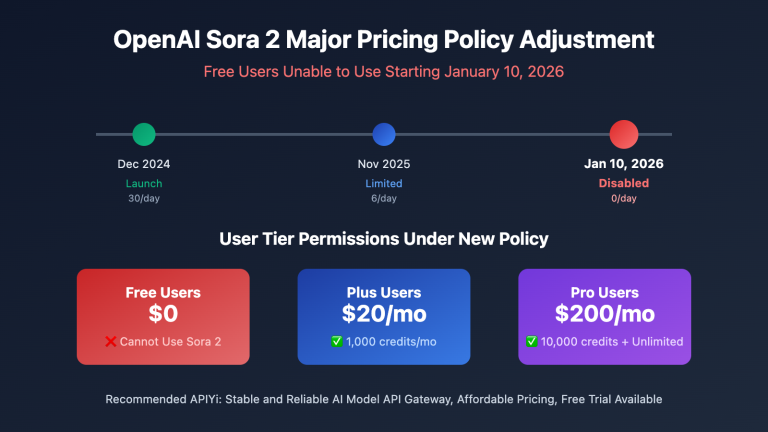
Suitable for Regular Version (Plus subscription $20/month):
- Social media short video creation
- Creative concept exploration and drafts
- Personal projects without extreme quality requirements
- Rapid iteration testing of different styles
Suitable for Pro Version (Pro subscription $200/month):
- Commercial advertising and marketing video production
- Professional projects requiring cinematic quality
- Need for watermark-free HD output
- High-frequency usage requiring unlimited slow mode
Recommendation: If you mainly use the web version and don't generate videos frequently, the Plus subscription's regular version is sufficient. If you're a professional creator or need high-quality output, the Pro subscription is a worthwhile investment.
API Calling Comparison
For developers, calling via API allows for more flexible integration of Sora into their applications.
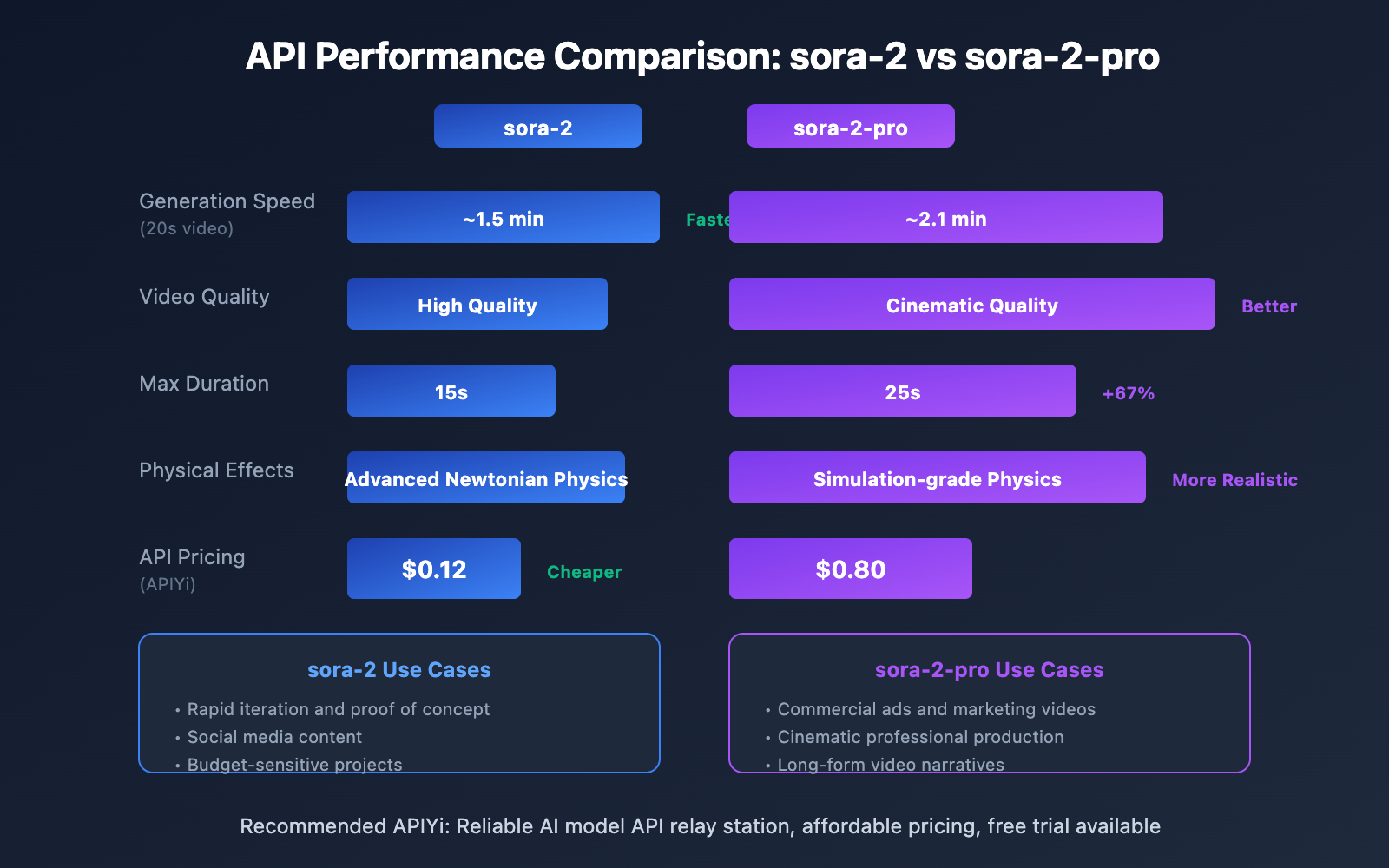
API Performance Comparison
| Metric | sora-2 | sora-2-pro |
|---|---|---|
| Generation Speed (20s video) | ~1.5 min | ~2.1 min |
| Max Resolution | 1080p | 1080p+ |
| Max Duration | 15s | 25s |
| Resolution Accuracy | 100% | 100% |
| Frame Rate Stability | 24/30/60fps | 24/30/60fps |
| API Availability | 99%+ | 99.7%+ |
API Calling Code Examples
Using Sora 2 Regular Version – Suitable for rapid iteration:
import openai

client = openai.OpenAI(
    api_key="YOUR_API_KEY",
    base_url="https://vip.apiyi.com/v1"
)

# Sora 2 regular version - quick generation, suitable for drafts
response = client.chat.completions.create(
    model="sora-2",
    messages=[{
        "role": "user",
        "content": "A golden retriever playing in autumn leaves, warm sunlight"
    }]
)
Using Sora 2 Pro – Suitable for final production:
# Sora 2 Pro - high-quality output, suitable for formal production
response_pro = client.chat.completions.create(
    model="sora-2-pro",
    messages=[{
        "role": "user",
        "content": "Cinematic close-up of a chef preparing sushi, professional kitchen lighting, shallow depth of field, 4K quality"
    }]
)
View Complete A/B Testing Code
import openai
import time
from dataclasses import dataclass
from typing import Dict, List, Optional

@dataclass
class GenerationResult:
    model: str
    prompt: str
    success: bool
    generation_time: float
    error: Optional[str] = None

class SoraModelComparison:
    """
    Sora 2 Pro vs Regular Version A/B Testing Tool
    """

    def __init__(self, api_key: str, base_url: str = "https://vip.apiyi.com/v1"):
        self.client = openai.OpenAI(api_key=api_key, base_url=base_url)

    def generate_video(self, prompt: str, model: str) -> GenerationResult:
        """Generate video and record time"""
        start_time = time.time()
        try:
            response = self.client.chat.completions.create(
                model=model,
                messages=[{"role": "user", "content": prompt}]
            )
            generation_time = time.time() - start_time
            return GenerationResult(
                model=model,
                prompt=prompt,
                success=True,
                generation_time=generation_time
            )
        except Exception as e:
            return GenerationResult(
                model=model,
                prompt=prompt,
                success=False,
                generation_time=time.time() - start_time,
                error=str(e)
            )

    def compare_models(self, prompt: str) -> Dict[str, GenerationResult]:
        """Test both models simultaneously"""
        results = {}

        print(f"Testing prompt: {prompt[:50]}...")

        # Test regular version
        print("  Generating sora-2...")
        results["sora-2"] = self.generate_video(prompt, "sora-2")

        # Test Pro version
        print("  Generating sora-2-pro...")
        results["sora-2-pro"] = self.generate_video(prompt, "sora-2-pro")

        return results

    def run_benchmark(self, prompts: List[str]) -> List[Dict]:
        """Batch benchmarking"""
        all_results = []
        for prompt in prompts:
            result = self.compare_models(prompt)
            all_results.append(result)
            time.sleep(2)  # Avoid rate limiting

        # Statistical analysis
        self._print_summary(all_results)
        return all_results

    def _print_summary(self, results: List[Dict]):
        """Print test summary"""
        sora2_times = [r["sora-2"].generation_time for r in results if r["sora-2"].success]
        pro_times = [r["sora-2-pro"].generation_time for r in results if r["sora-2-pro"].success]

        print("\n=== Test Summary ===")
        print(f"sora-2 average generation time: {sum(sora2_times)/len(sora2_times):.2f}s")
        print(f"sora-2-pro average generation time: {sum(pro_times)/len(pro_times):.2f}s")
        print(f"Pro version slower by {((sum(pro_times)/len(pro_times)) / (sum(sora2_times)/len(sora2_times)) - 1) * 100:.1f}%")

# Usage example
if __name__ == "__main__":
    comparator = SoraModelComparison(api_key="YOUR_API_KEY")

    test_prompts = [
        "Ocean waves crashing on rocky shore at sunset",
        "City street timelapse with flowing traffic lights",
        "Close-up of coffee being poured into a cup"
    ]

    comparator.run_benchmark(test_prompts)
API Pricing Comparison
By calling through APIYi apiyi.com, you can get more competitive pricing:
| Model | APIYi Price | Use Cases |
|---|---|---|
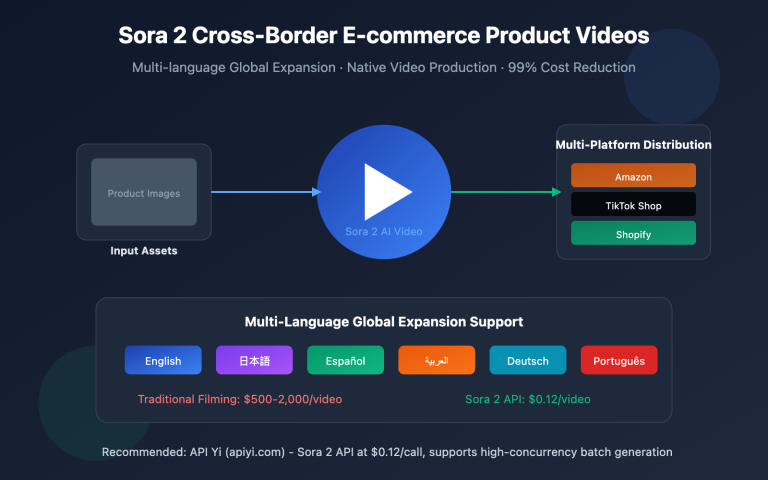
| sora-2 | $0.12/call | Rapid iteration, drafts, social media |
| sora-2-pro | $0.80/call | Formal production, commercial projects, high-quality requirements |
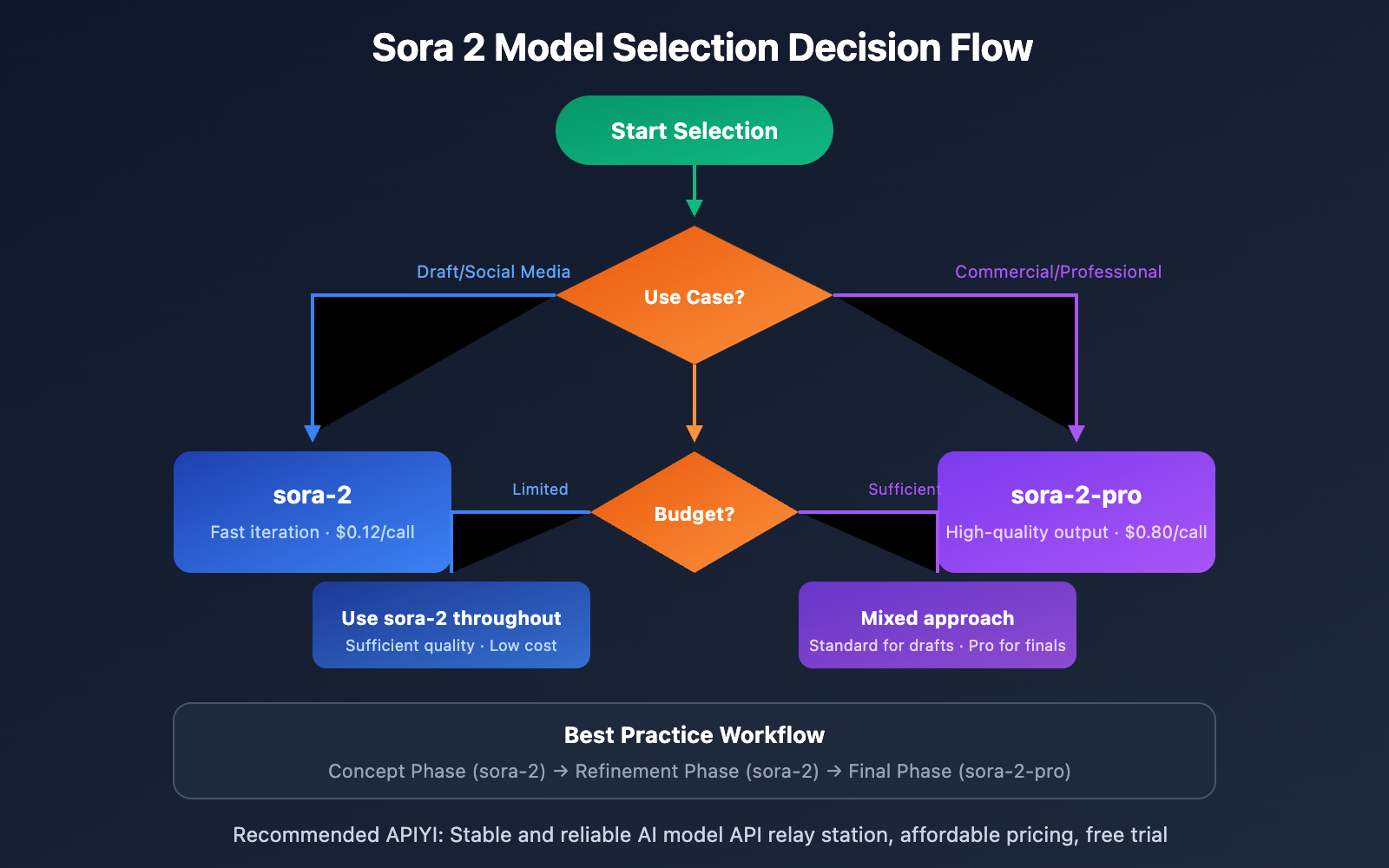
Recommendation: It's recommended to use the regular version ($0.12/call) for rapid iteration testing in the early stages of creation, and then use the Pro version ($0.80/call) to generate high-quality final videos once the final plan is confirmed. By calling through APIYi apiyi.com, you pay as you go without worrying about credit expiration.
Sora 2 Pro Usage Scenarios
| Usage Scenario | Recommended Model | Reason |
|---|---|---|
| Creative Exploration/Drafts | sora-2 | Fast iteration, low cost |
| Social Media Content | sora-2 | Sufficient quality, efficiency-first |
| Prototype Demos | sora-2 | Quick idea validation |
| Commercial Advertising | sora-2-pro | High quality requirements, watermark-free |
| Cinematic Production | sora-2-pro | Highest quality, realistic physics |
| Product Promotional Videos | sora-2-pro | Professional output, commercial licensing |
| Long-form Video Narratives | sora-2-pro | Supports 25-second coherent generation |
Best Practice Workflow
- Concept Phase: Use sora-2 to quickly test multiple creative directions
- Optimization Phase: Use sora-2 to iterate and refine prompts and styles
- Final Production Phase: Use sora-2-pro to generate the final version after confirming the approach
- Cost Control: Call on-demand via APIYI apiyi.com to avoid wasting credits
Frequently Asked Questions
Q1: Is the quality improvement of the Pro version significant?
Yes, the differences are particularly noticeable in the following areas: texture details in complex scenes, smoothness of object motion, realism of lighting effects, and temporal consistency in longer videos. While average viewers may not easily perceive the differences, professional creators will clearly feel the distinction.
Q2: Which model should I choose for API calls?
It depends on the use case:
- Iteration and Testing Phase: Choose sora-2, fast and affordable ($0.12/call)
- Final Output Phase: Choose sora-2-pro, higher quality ($0.80/call)
- Limited Budget: Use sora-2 throughout, quality is also very good
Recommended to call via APIYI apiyi.com, which supports flexible switching between both models.
Q3: What’s the difference between web version Pro and API Pro?
The web version Pro requires a $200/month ChatGPT Pro subscription, which includes 10,000 credits per month and unlimited slow mode. API Pro is pay-per-use, costing only $0.80/call through APIYI, making it more suitable for on-demand usage and development integration scenarios. Both have the same model capabilities.
Summary
What makes Sora 2 Pro better than the standard version:
- Rendering Quality: Pro version offers sharper textures and richer colors, achieving cinema-grade fidelity
- Video Duration: Pro version supports 25 seconds of coherent generation, while standard version maxes out at 15 seconds
- Physical Effects: Pro version achieves simulation-grade physics, standard version offers advanced Newtonian physics
- Resolution: Pro version supports more aspect ratios (1792×1024 / 1024×1792)
- Commercial Licensing: Pro version includes full commercial licensing protection
- Speed vs Quality: Standard version is faster, Pro version delivers higher quality
Selection Recommendations:
- Creative exploration and social media: Standard version is sufficient
- Commercial production and professional projects: Pro version is more worthwhile
- API Development: Flexible switching via APIYI apiyi.com, Standard version $0.12/request, Pro version $0.80/request
📚 References
⚠️ Link Format Note: All external links use
Resource Name: domain.comformat for easy copying but are not clickable to prevent SEO weight loss.
-
OpenAI Sora 2 Official Documentation: Model capabilities and API documentation
- Link:
platform.openai.com/docs/models/sora-2 - Description: Understanding the complete features and limitations of the standard version
- Link:
-
OpenAI Sora 2 Pro Official Documentation: Detailed Pro model documentation
- Link:
platform.openai.com/docs/models/sora-2-pro - Description: Understanding the enhanced features of the Pro version
- Link:
-
Sora 2 vs Sora 2 Pro Comparison Analysis: Third-party detailed comparison
- Link:
glbgpt.com/hub/sora-2-vs-sora-2-pro-understanding-the-key-differences - Description: Community-compiled feature and pricing comparison
- Link:
Author: Technical Team
Technical Discussion: Welcome to discuss in the comments section. For more resources, visit APIYI apiyi.com technical community