"Where to find Sora image API?"—This is a common question among developers seeking AI image generation solutions. Although OpenAI has not yet publicly released a standalone API for Sora image generation, it can be reliably accessed through third-party platforms.
This article will introduce how to obtain Sora Image Generation API, including API calling methods, generation effect demonstrations, and usage tips to keep in mind.
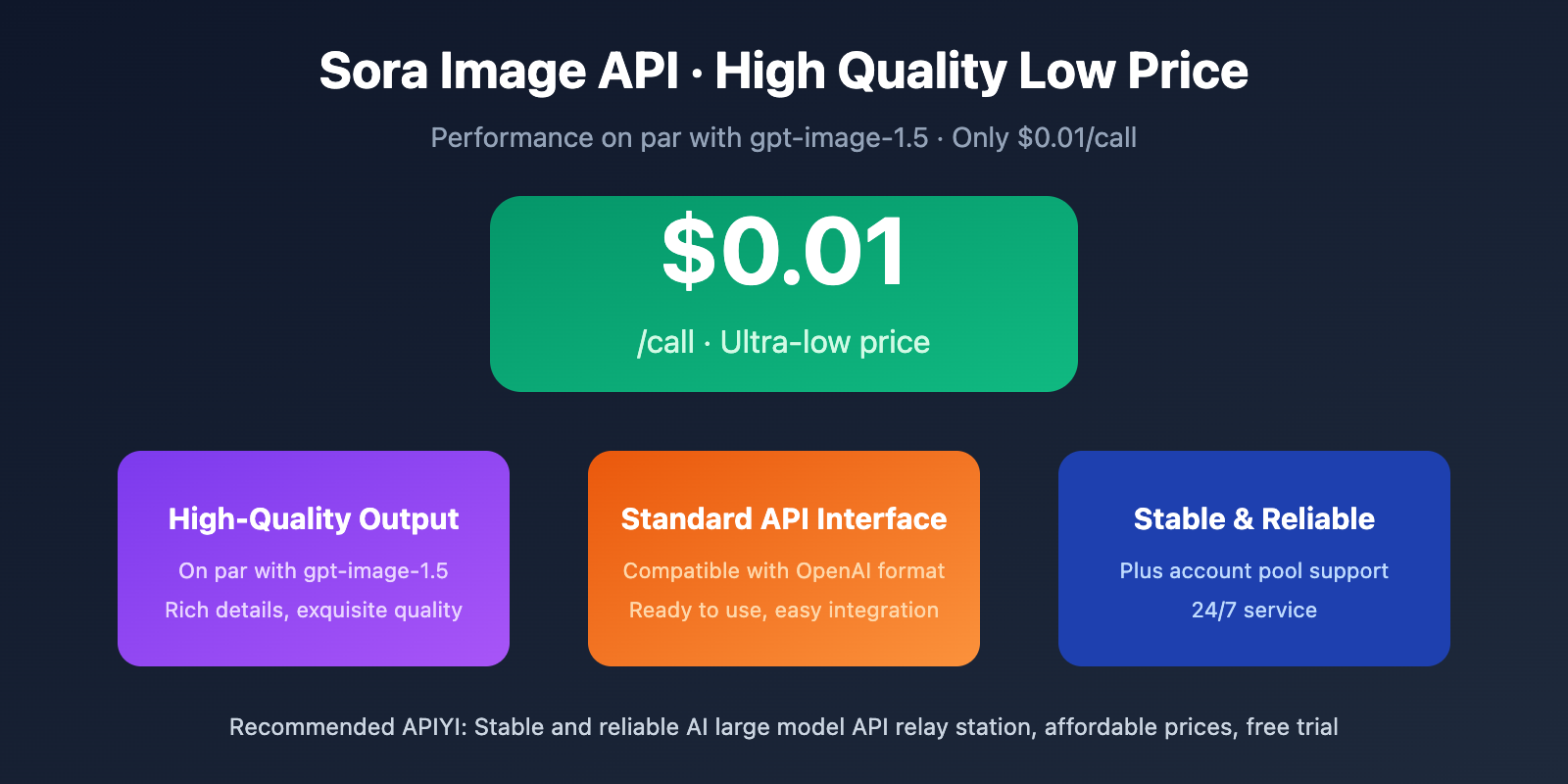
Core Value: Find a usable Sora image API to obtain high-quality image generation capabilities comparable to gpt-image-1.5 at an ultra-low price of $0.01/call.
Sora Image API Overview
Sora is not only OpenAI's video generation model, but also possesses powerful image generation capabilities. Images generated through Sora achieve industry-leading levels in quality, style diversity, and detail expression.
Core Features of Sora Image Generation
| Feature | Description | Advantage |
|---|---|---|
| High-Quality Output | Comparable to gpt-image-1.5 effects | Rich details, exquisite images |
| Style Diversity | Supports various artistic styles | Realistic, anime, oil painting, etc. |
| Precise Understanding | Accurately interprets text descriptions | High prompt fidelity |
| Fast Generation | Second-level response | Suitable for batch generation scenarios |
Official API Status
Currently, OpenAI's official image generation APIs include:
- gpt-image-1.5: Latest flagship model, highest quality
- gpt-image-1: Standard version, better cost-performance
- gpt-image-1-mini: Lightweight version, lowest cost
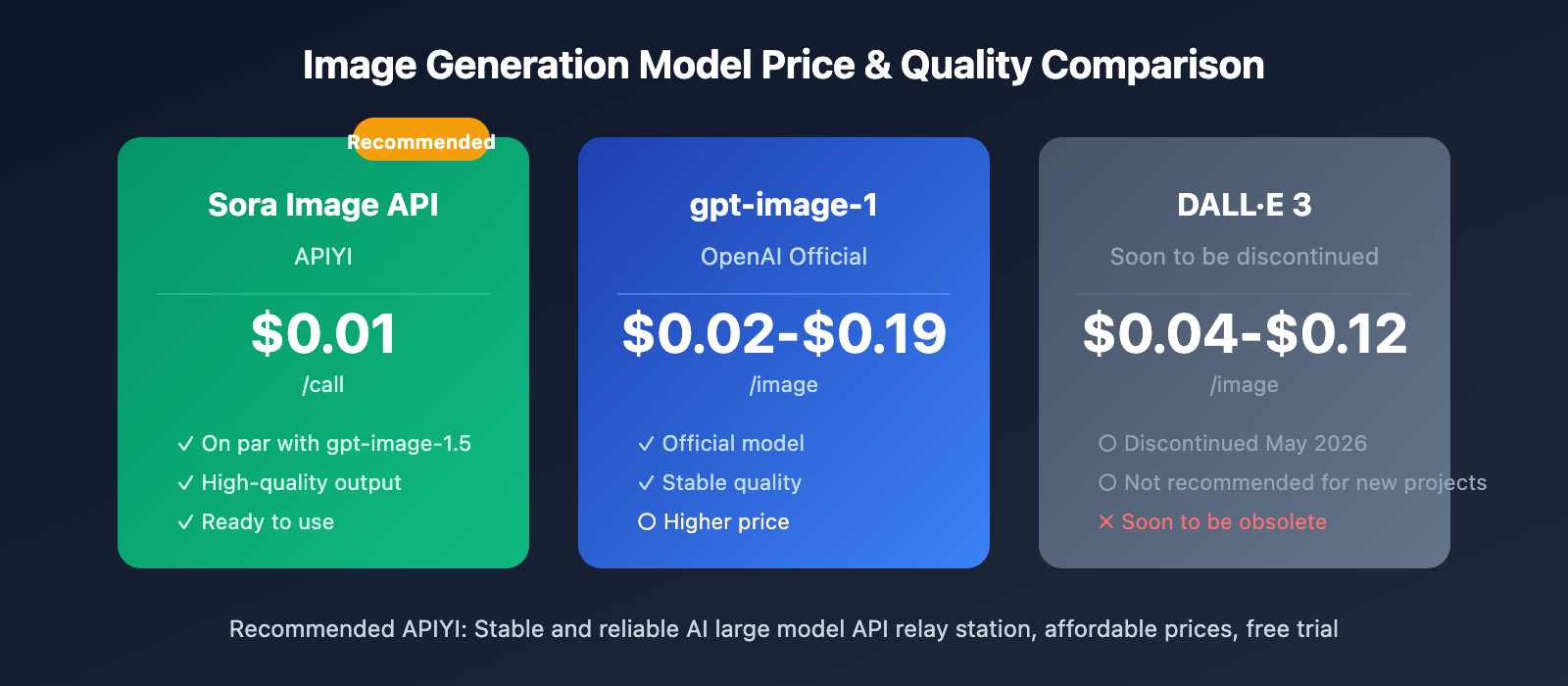
- DALL·E 3: Will be discontinued in May 2026
📌 Note: OpenAI's official gpt-image-1 series pricing is approximately $0.02-$0.19/image (varies by quality and resolution).
Where to Find Sora Image API?
Currently, you can access the Sora image generation API through APIYI Platform, with generation quality already synchronized to the gpt-image-1.5 standard.
APIYI Sora Image API Advantages
| Advantage | Details |
|---|---|
| Ultra-Low Price | Only $0.01/request, far below official pricing |
| Excellent Quality | Synchronized with gpt-image-1.5 generation quality |
| Instantly Available | Ready to use upon registration, no waiting required |
| Stable & Reliable | Supported by Plus account pool, stable service |
| Standard Interface | Compatible with OpenAI API format |
Price Comparison
| Provider | Model | Price | Quality |
|---|---|---|---|
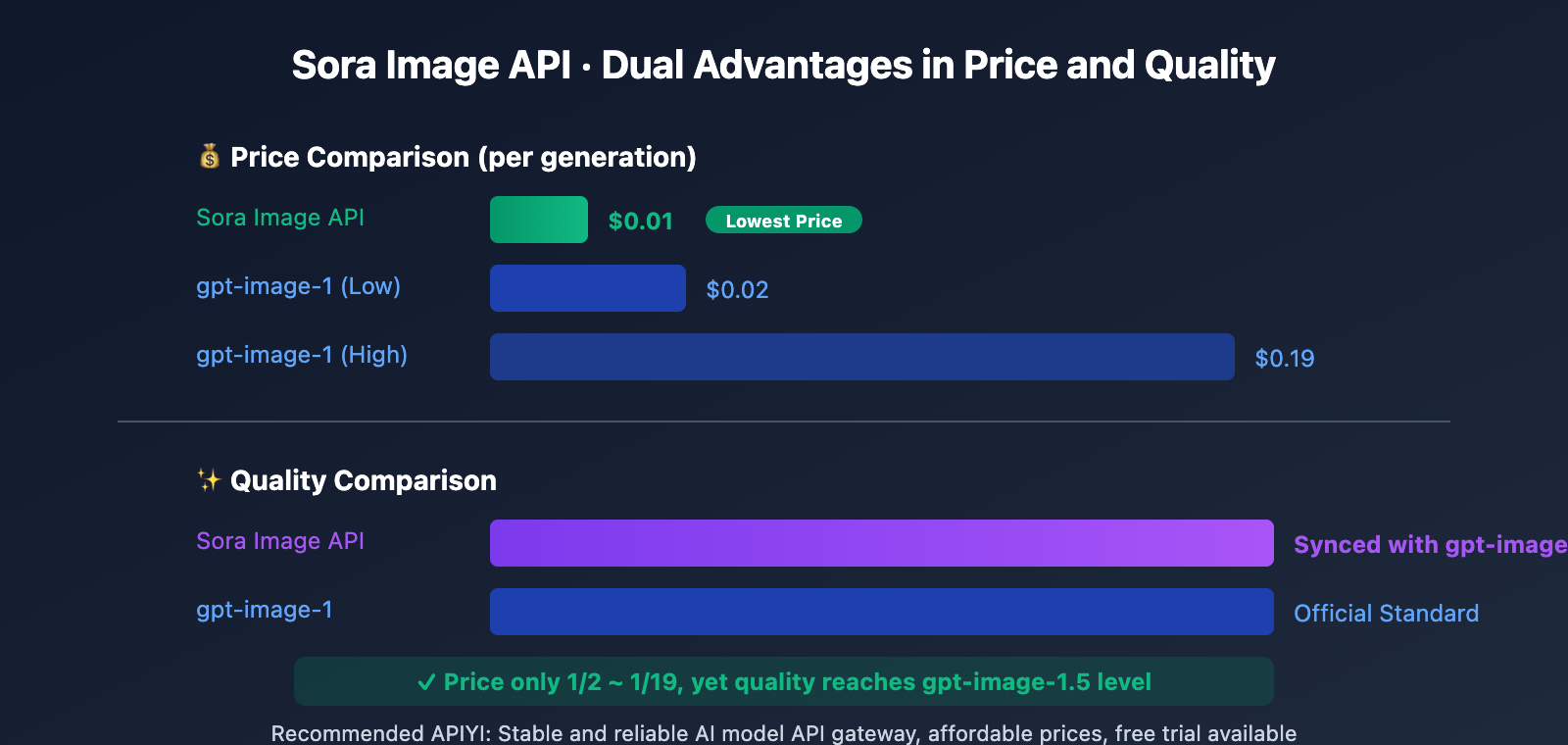
| OpenAI Official | gpt-image-1 (Low Quality) | ~$0.02/image | Standard |
| OpenAI Official | gpt-image-1 (High Quality) | ~$0.19/image | High |
| APIYI | sora-image | $0.01/request | High (Synced with gpt-image-1.5) |
🎯 Recommendation: APIYI's Sora image API is priced at only 1/2 to 1/19 of the official rate, yet delivers generation quality matching gpt-image-1.5 standards. Visit APIYI apiyi.com to get started.
Sora Image API Tutorial
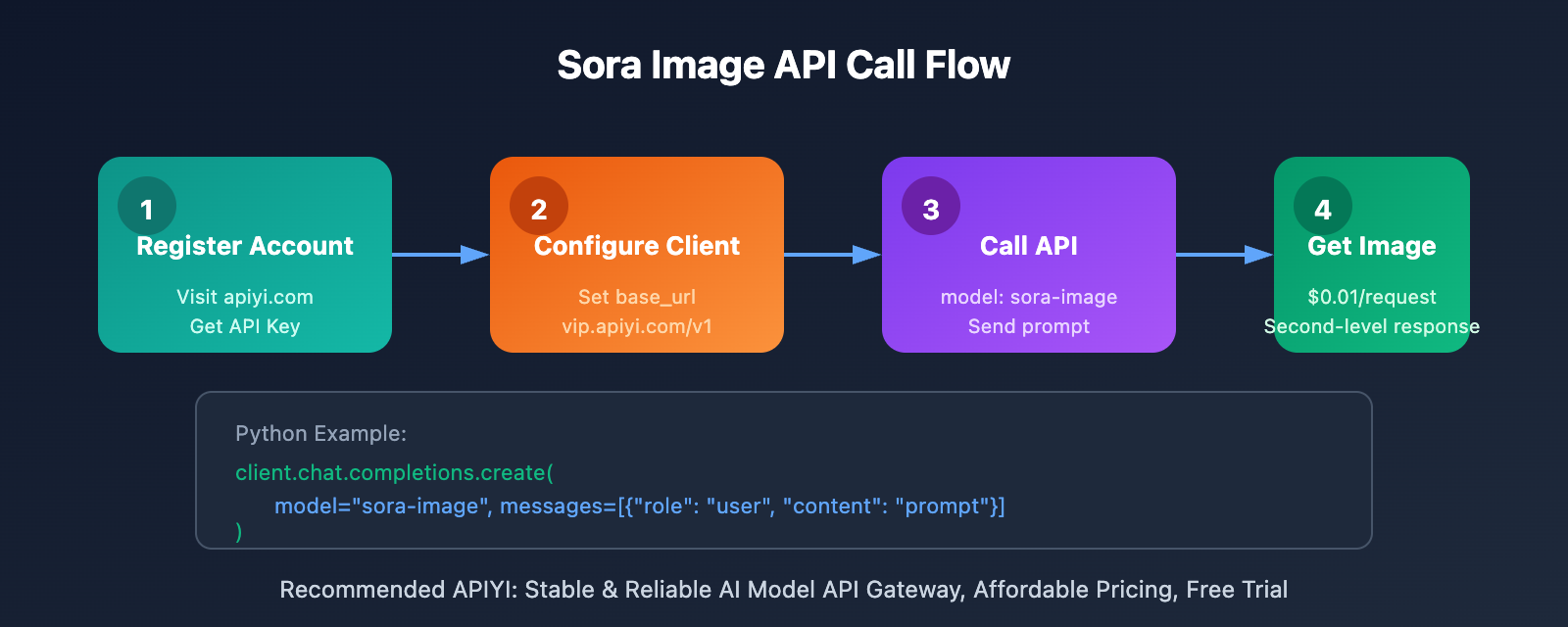
Calling the Sora image API through APIYI is very simple – just a few lines of code can generate high-quality images.
💻 Python Example
import openai

# Configure client
client = openai.OpenAI(
    api_key="YOUR_API_KEY",  # Get from apiyi.com
    base_url="https://vip.apiyi.com/v1"
)

# Sora image generation
response = client.chat.completions.create(
    model="sora-image",
    messages=[
        {
            "role": "user",
            "content": "生成一张图片:夕阳下的海边,金色的光芒洒在波浪上,远处有帆船的剪影"
        }
    ]
)

# Get generated image
print(response.choices[0].message.content)
🎨 Prompt Tips
To achieve the best image generation results, follow these prompt tips:
| Technique | Example | Effect |
|---|---|---|
| Describe Subject | "An orange cat" | Clarify main subject |
| Specify Style | "Oil painting style" "Cyberpunk" | Control artistic style |
| Describe Environment | "On a rainy Tokyo street" | Enrich scene details |
| Specify Lighting | "Soft golden hour light" | Enhance image quality |
| Add Details | "4K high resolution, rich details" | Improve output quality |
Complete Example Code
import openai

client = openai.OpenAI(
    api_key="YOUR_API_KEY",
    base_url="https://vip.apiyi.com/v1"
)

# High-quality prompt examples
prompts = [
    "一位穿着汉服的少女站在樱花树下,柔和的春日阳光,唯美摄影风格,8K 高清",
    "赛博朋克风格的未来城市夜景,霓虹灯光倒映在雨水中,电影级画质",
    "极简主义风格的白色产品展示台,柔和的漫射光,商业摄影"
]

for prompt in prompts:
    response = client.chat.completions.create(
        model="sora-image",
        messages=[{"role": "user", "content": prompt}]
    )
    print(f"生成完成: {prompt[:20]}...")
🔍 Usage Tip: The Sora image API has strong prompt comprehension capabilities. It's recommended to use detailed descriptions for better results. Register at APIYI apiyi.com to obtain your API Key and start using.
Notes on Using Sora Image API
While the Sora image API delivers excellent generation quality, please note the following when using it:
⚠️ Chinese Character Rendering Issues
Important Notice: The Sora image API may experience anomalies when rendering Chinese characters, which is a common issue across current AI image generation models.
| Scenario | Performance | Recommended Solution |
|---|---|---|
| Pure Chinese Text | May appear garbled or distorted | Avoid generating images with Chinese text |
| English Text | Renders well | Prioritize using English copy |
| Text-free Images | Perfect generation | Best results with no text in the image |
| Logo Design | May require post-processing adjustments | Manually correct text after generation |
Best Practice: If you need to include Chinese text in your images, it's recommended to first generate a text-free background using Sora, then add the text using image editing tools.
Other Considerations
- Copyright Notice: Generated images can be used for commercial purposes, but it's recommended to understand the platform's specific policies
- Generation Speed: Usually completes within 3-10 seconds, complex scenes may take slightly longer
- Retry Mechanism: It's recommended to add retry logic in your code to handle occasional network issues
Sora Image API vs Other Image Generation APIs
Understanding the differences between platforms helps make better decisions when choosing an image generation API:
| Comparison | Sora Image API (APIYI) | gpt-image-1 | DALL·E 3 | Midjourney |
|---|---|---|---|---|
| Price | $0.01/generation | $0.02-$0.19/image | $0.04-$0.12/image | From $10/month |
| Quality | High (synced with gpt-image-1.5) | High | Medium-High | High |
| API Support | ✅ Standard API | ✅ Official API | ✅ Official API | ❌ No official API |
| Chinese Prompts | ✅ Supported | ✅ Supported | ✅ Supported | Partial support |
| Access Barrier | Low | Requires official account | Requires official account | Requires subscription |
🎯 Selection Recommendation: If you need a high-quality, low-cost, easy-to-integrate image generation API, the Sora image API is currently the most cost-effective choice. Through APIYI apiyi.com, you can get gpt-image-1.5 level generation quality at $0.01/generation.
❓ Sora Image API FAQs
Q1: What is the relationship between Sora Image API and gpt-image-1?
Sora is OpenAI's video generation model that also has image generation capabilities. The Sora Image API provided by APIYI (APIyi) has generation quality synchronized with gpt-image-1.5 standards, but at a more affordable price.
Both share similar technical principles, based on OpenAI's multimodal generation capabilities, but the Sora Image API is provided through APIYI at only $0.01 per generation.
Q2: Why is the Sora Image API so affordable?
APIYI employs large-scale account pooling and intelligent scheduling strategies to provide services at lower costs. Additionally, the platform's mission is to make high-quality AI capabilities accessible to more developers, hence the lower pricing strategy.
At $0.01 per generation, the price is approximately 1/2 to 1/19 of the official gpt-image-1, without compromising on quality.
Q3: Are there solutions for Chinese text rendering issues?
Currently, AI image generation faces universal challenges with Chinese text rendering. This is not just a Sora issue—gpt-image-1 and other models encounter similar situations.
Recommended solutions:
- Generate background images without text
- Add Chinese text using tools like Photoshop/Figma
- When text is needed, prioritize using English
Q4: How do I obtain an API Key for the Sora Image API?
The process is very straightforward:
- Visit APIYI at apiyi.com
- Register an account
- Obtain your API Key from the console
- Configure base_url to
https://vip.apiyi.com/v1 - Start making calls using the
sora-imagemodel
🎯 Summary
Where can you find the Sora Image API? The answer is through the APIYI platform.
Core Advantages Overview:
| Advantage | Description |
|---|---|
| Ultra-Low Pricing | $0.01/generation, far below official pricing |
| High-Quality Output | Quality synchronized with gpt-image-1.5 |
| Immediate Availability | Ready to use upon registration |
| Standard Interface | Compatible with OpenAI API format |
Usage Recommendations:
- Quality Focused: Sora Image API's generation quality has reached gpt-image-1.5 standards
- Cost Control: $0.01 per generation pricing is suitable for batch generation scenarios
- Text Considerations: Avoid generating Chinese text in images; add it in post-processing
- Prompt Optimization: Detailed prompts yield better results
Final Recommendation: If you're looking for a high-quality, low-cost AI image generation API, the Sora Image API is currently the best choice. Visit APIYI at apiyi.com to register and start your AI image creation journey at $0.01 per generation.
📝 About the Author: Experienced AI application developer specializing in large model API integration and architecture design. Regularly shares AI development practical experience. More technical resources and best practice cases are available at the APIYI apiyi.com technical community.
🔔 Technical Exchange: Welcome to discuss technical questions in the comments. Continuously sharing AI development experience and industry insights. For in-depth technical support, contact our technical team through APIYI apiyi.com.