gemini-4-argon launched on October 13, 2026. Soon after connecting to it, many developers ran into 429 errors: requests started failing as soon as they increased concurrency, and sometimes even individual requests failed. The first thought for many was, “AI Studio’s concurrency limit is too low.” But that’s probably the wrong diagnosis. This article breaks down how gemini-4-argon is actually rate-limited on AI Studio and offers practical ways to resolve 429 errors.
This isn’t another vague tutorial that says, “Just add retries.” First, let’s clear up one key fact: Google hasn’t publicly announced a single fixed concurrency limit for gemini-4-argon. So claims circulating online about “10 concurrent requests” or “50 concurrent requests” aren’t backed by official figures.
What you’ll learn: How to distinguish between four causes of 429 errors—RPM, TPM, consumption rate, and upstream capacity—how to implement exponential backoff and rate limiting, and how to use APIYI’s high-concurrency channel at apiyi.com to work around the limits of a single AI Studio project.
gemini-4-argon: Key Takeaways
Here’s a summary of the article’s main points. The sections that follow explain each one in more detail.
| Key Point | Details | Why It Matters |
|---|---|---|
| There’s no publicly stated fixed concurrency limit | Google hasn’t announced a single concurrency limit for gemini-4-argon. Rate limits are based on metrics such as RPM, TPM, and RPD. | Helps you avoid planning capacity around an unsupported number |
| RPM isn’t the same as concurrency | The number of in-flight requests depends on their average duration, not just the number of requests per minute. | Lets you estimate your actual concurrency needs |
| Limits apply per project | Creating multiple keys in the same project won’t multiply your quota. | Saves you from wasting time rotating keys |
| 10-minute spending limit | Tier 1: $10; Tier 2: $50; Tier 3: $200. | Explains why you might get a 429 without exceeding RPM |
| 429 errors need a layered response | Check the raw response first, then apply rate limiting and backoff, switch channels, or request a quota increase. | Gives you a step-by-step troubleshooting path |
| APIYI high-concurrency channel | APIYI at apiyi.com supports high concurrency for gemini-4-argon. At under 500 RPM, you don’t need to worry about rate limits. | A straightforward option for small and midsize workloads |
Why a 429 Doesn’t Always Mean You’ve Exceeded the Concurrency Limit
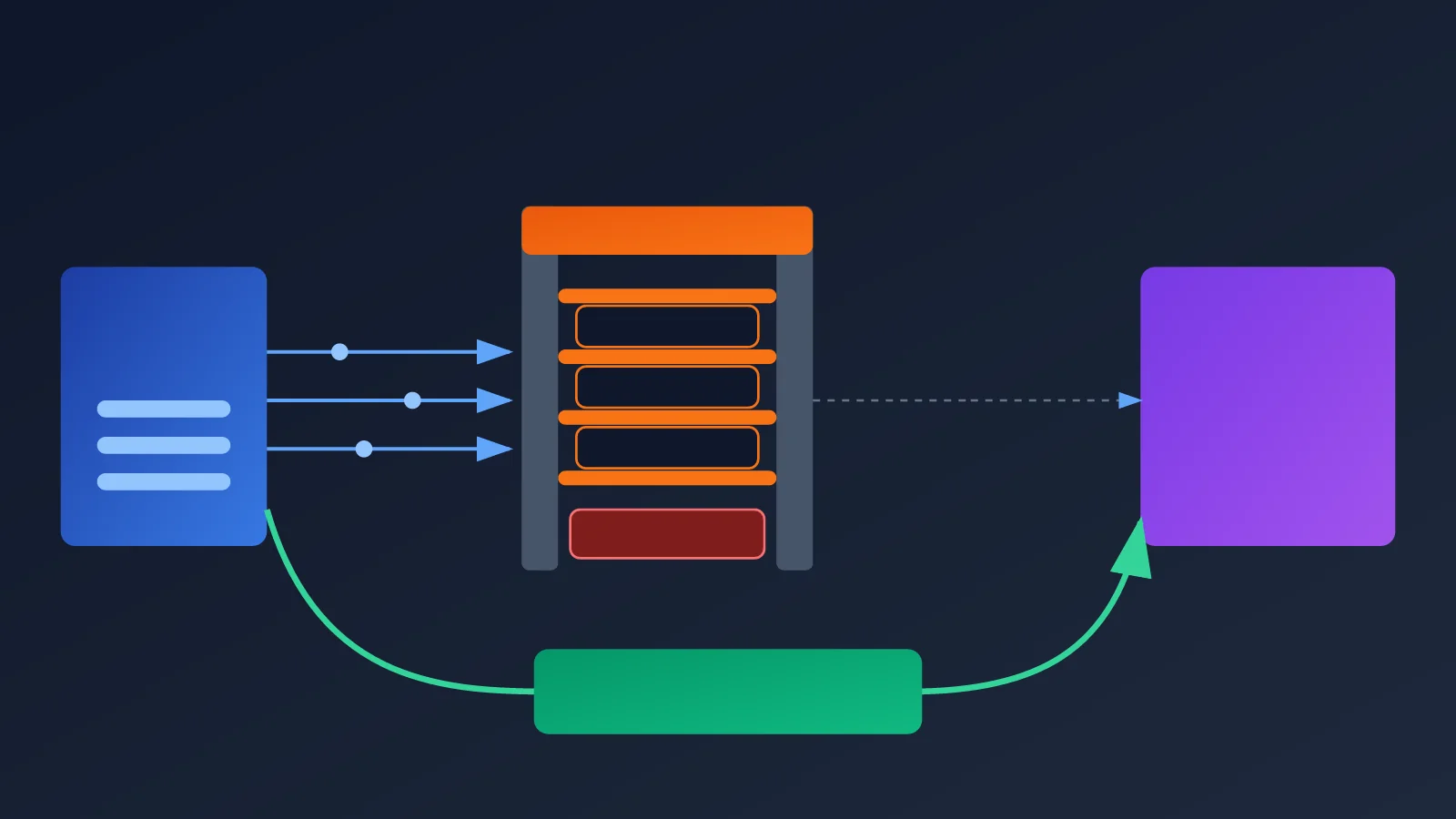
Many developers equate a 429 with “too much concurrency,” but concurrency isn’t a separate metric in Google’s rate-limiting system. A 429 RESOURCE_EXHAUSTED error can be triggered by the number of requests per minute, input tokens per minute, requests per day, a rolling 10-minute spending limit, or even limited upstream capacity during a new model’s initial rollout.
gemini-4-argon launched less than a week ago, and upstream resources may still be scaling up. Even if your quota is sufficient, temporary capacity constraints may cause requests to be rejected. So the first step in troubleshooting a 429 should always be to identify which limit you’ve hit—not to blindly reduce concurrency.
What Is the Concurrency Limit for gemini-4-argon in AI Studio?
Short answer: There’s no single, publicly documented fixed limit. Each project on AI Studio has its own effective RPM, TPM, and RPD quotas for gemini-4-argon. The exact limits depend on the project’s Tier and status, so you’ll need to check the console.
Five Types of Limits in AI Studio
Google’s official rate-limiting system can be summarized as follows. Hitting any one of these limits may result in a 429 error.
| Limit | Meaning | Can it cause a 429? |
|---|---|---|
| RPM | Requests per minute | Yes |
| TPM | Input tokens per minute | Yes |
| RPD | Requests per day | Yes |
| Consumption rate | API spend in a rolling 10-minute window | Yes |
| Actual service capacity | Available resources on Google’s upstream infrastructure | Possibly |
Note the last item: insufficient capacity is something you can’t fix by changing your settings. You can only mitigate it by reducing traffic, retrying later, or switching providers.
How RPM Relates to Concurrency
RPM is the total number of requests in a minute, while concurrency is the number of requests in flight at the same time. Request duration connects the two. For example, if a project has a limit of 60 RPM (for illustration only—not Argon’s actual quota):
- With an average request time of 5 seconds, the theoretical average number of in-flight requests is about 5.
- With an average request time of 30 seconds, the theoretical average is about 30.
- Sending 60 requests all at once may trigger temporary rate limiting or capacity limits, even if the total number of requests stays within the per-minute limit.
The third case is easy to overlook. Many load-testing scripts send all concurrent requests at once. This kind of traffic spike is more likely to trigger rate limiting than a steady flow, even when the total volume is fully within quota.
How to Check the Actual gemini-4-argon Quota in the Console
Open the Rate Limits page in Google AI Studio at aistudio.google.com/usage and switch to the rate-limit tab. You can also get there through the official rate limits documentation at ai.google.dev/gemini-api/docs/rate-limits. Select the relevant project and gemini-4-argon to see the effective RPM, TPM, RPD, and current Tier.
Google explicitly states that limits are calculated per project, not per API key. That means creating more keys under the same project won’t multiply your quota. In AI Studio, you can’t scale up by rotating through multiple keys.
5 Common Reasons for Frequent gemini-4-argon 429 Errors
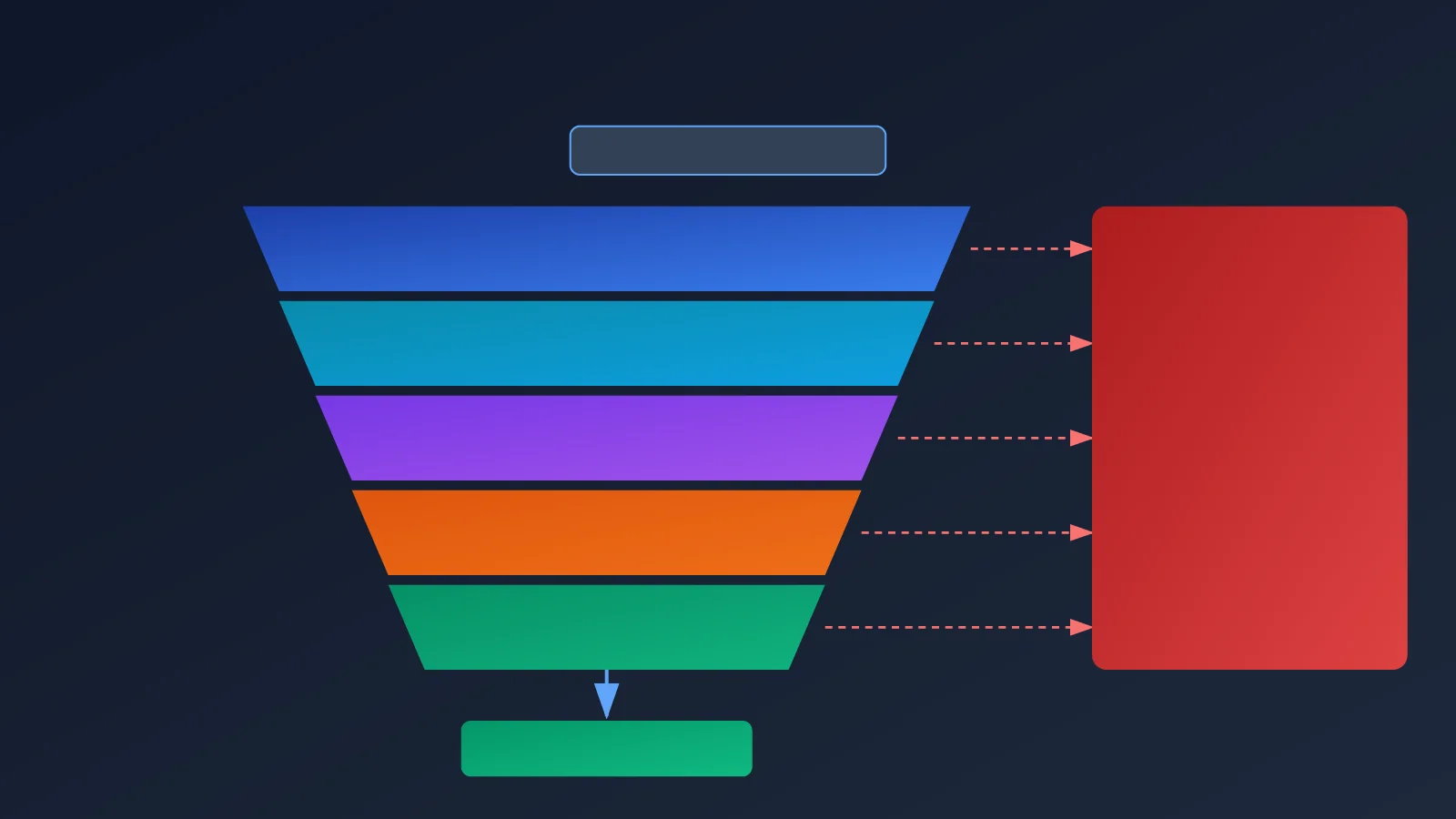
Now that we’ve covered the quota metrics, let’s look at the scenarios that commonly cause problems. These five reasons account for most gemini-4-argon 429 reports.
- Request rate spikes: Batch jobs or load-testing scripts send a large number of requests at once, creating a spike that exceeds the instantaneous RPM capacity.
- TPM limit reached: Long context windows and large document inputs consume tokens quickly. You might hit the TPM limit even when you’re not sending many requests.
- 10-minute spending limit reached: This is the easiest limit to overlook, so we’ll cover it separately below.
- Daily RPD quota exhausted: If 429 errors start after the system has been running for a while, the daily quota may be depleted.
- Insufficient upstream capacity: Resources can be scarce when a new model first launches, so requests may be rejected even when your quota hasn’t been used up.
An Easy-to-Miss Cause: The 10-Minute Spending Limit
According to Google’s official documentation, updated on October 15, 2026, each account tier has a spending limit within a rolling 10-minute window.
| Account tier | Spending limit per 10 minutes |
|---|---|
| Tier 1 | $10 |
| Tier 2 | $50 |
| Tier 3 | $200 |
For example, if a Tier 1 account spends a total of $10 within 10 minutes, it may return 429 RESOURCE_EXHAUSTED even if the RPM and TPM limits haven’t been exceeded. As a next-generation model, gemini-4-argon may cost more per invocation than older models. Long-context requests can make spending climb especially quickly, which is a common reason for being rate-limited despite a low request volume.
One more thing to keep in mind: the Argon Batch API quotas listed in Google’s documentation are token quotas for the batch processing queue. They aren’t real-time API concurrency limits.
How to Find the Cause of a gemini-4-argon 429 Error
Different symptoms point to different root causes. A targeted investigation is much more effective than adjusting settings at random.
| Symptom | Where to investigate first | What to do |
|---|---|---|
| Frequent 429s as soon as concurrency increases | Request rate spikes, RPM, upstream capacity | Run a stepwise load test with evenly spaced requests. Fixed concurrency doesn’t mean a fixed RPM. |
| 429s begin after the system has been running for a while | 10-minute spending limit, RPD, cumulative TPM usage | Check the spending curve and daily quota usage. |
| 429s occur with a single request or very low concurrency | Insufficient upstream capacity, account or project restrictions | Check the raw response and consider switching channels. |
| Multiple keys return 429s at the same time | The keys belong to the same project and share its quota | Reduce the project’s total traffic or use a channel with an independent quota. |
Two pieces of information are especially useful during troubleshooting: whether your AI Studio account is Tier 1, 2, or 3, and the original 429 error details—especially error.message, error.details, and the Retry-After response header. These usually help distinguish between an account quota that’s too low, excessive request traffic, and insufficient capacity for Google’s new Argon model. Each cause calls for a different solution.
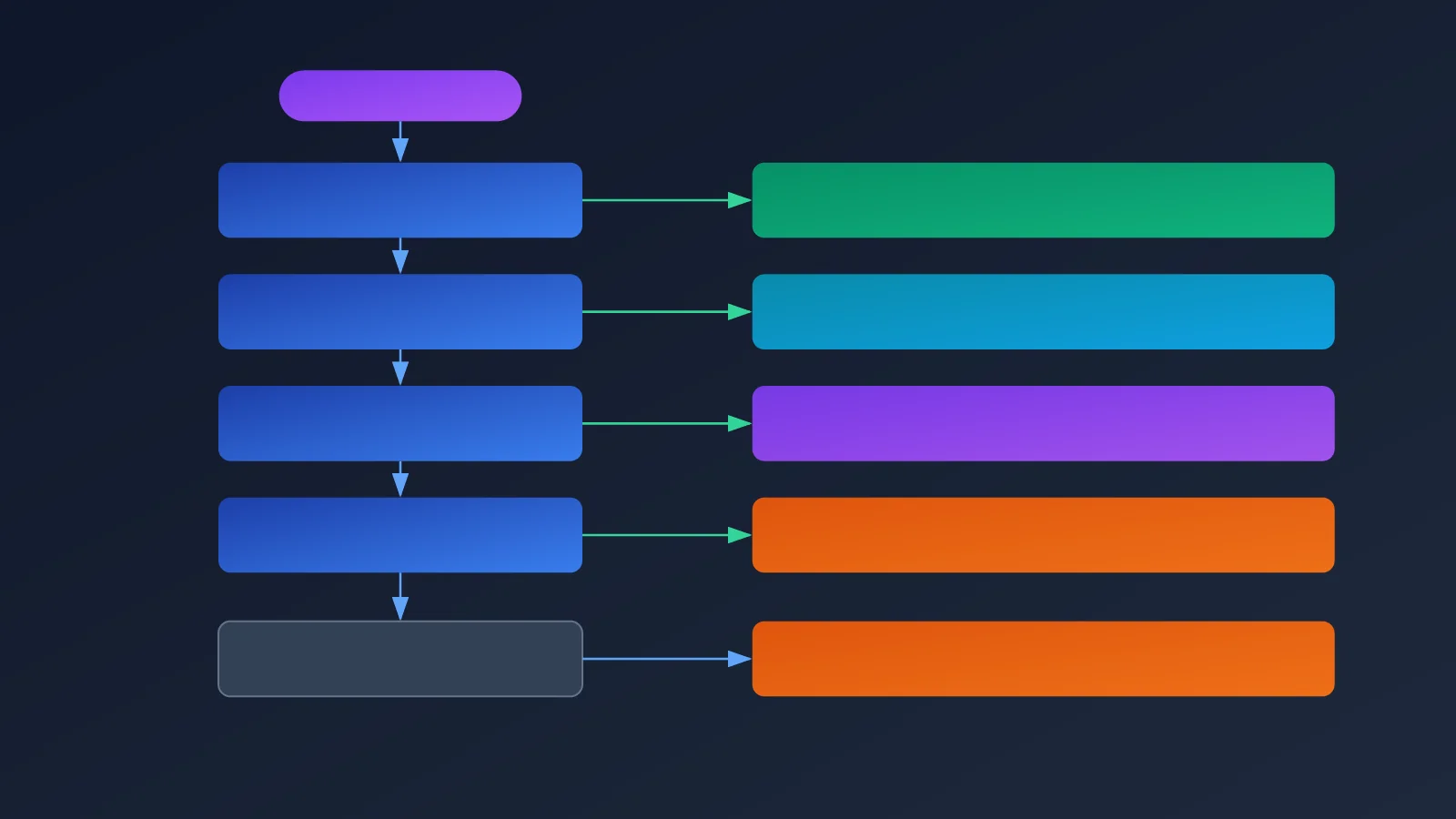
6 Steps to Resolve gemini-4-argon 429 Errors
The steps below are listed in order of practical priority. P0 items should be handled first; P2 items are part of long-term planning.
| Priority | Action | Purpose |
|---|---|---|
| P0 | Check the raw 429 response and Retry-After |
Identify the specific rate-limit cause |
| P0 | Configure RPM, TPM, and consumption-rate limits by project | Avoid repeatedly hitting quota limits |
| P0 | Retry 429s with exponential backoff and jitter | Mitigate burst rate limiting |
| P1 | On 429s, automatically switch to a healthy channel with an independent quota | Improve success rates |
| P1 | Upgrade your tier or request a quota increase from Google | Increase long-term capacity |
| P2 | Evaluate Vertex AI or other officially authorized channels | Expand available resources |
Step 1: Understand the Raw 429 Response
Don’t retry as soon as you see the status code. First, log the full error body and response headers, paying particular attention to error.message, error.details, and Retry-After. If the upstream service tells you how long to wait, follow that guidance rather than guessing at an interval.
Step 2: Apply Rate Limits on the Client Side
Keep RPM at 70% to 80% of the limit shown in your dashboard, manage TPM separately, and monitor spending over 10-minute intervals. This headroom gives you a buffer for traffic spikes and upstream fluctuations. Many teams limit only the number of requests and overlook tokens and spend, then get rejected despite staying “under the RPM limit.”
Step 3: Use Exponential Backoff with Jitter
Google recommends exponential backoff for 429 errors—for example, waiting 1, 2, 4, and 8 seconds—and adding jitter to prevent large numbers of requests from retrying at the same time and causing a second wave of congestion. Retry no more than 2 or 3 times, and prioritize the retry interval returned by the upstream service.
Step 4: Switch Channels if 429s Persist
If the same project keeps returning 429s, stop retrying against it—that will only make the rate limiting worse. Instead, reduce traffic or switch to a healthy channel with an independent quota. This is where an aggregator can help: when you make requests through APIYI at apiyi.com, they can be distributed across channels with independent quotas, so a single AI Studio project doesn’t have to handle all the traffic.
Step 5: Upgrade Your Tier or Request a Quota Increase
In the long run, insufficient capacity must be addressed by upgrading your account tier or requesting a quota increase from Google. A higher tier increases RPM and TPM limits, and can also raise the 10-minute spending limit from $10 to $50 or even $200. However, quota increases take time and typically require a spending history, so they may not arrive in time for a business launch.
Step 6: Evaluate Other Officially Authorized Channels
If your business continues to grow, consider Vertex AI or other officially authorized channels to expand available resources. Running multiple channels in parallel is also a reliable way to reduce single points of failure.
Load Testing for New Channels
For a newly added Argon channel, start load testing with a concurrency setting of 5 to 10. Keep in mind that this is only a starting point for testing, not an official concurrency limit. Then increase traffic gradually in steps, sending requests evenly at each level. Track the 429 rate, actual RPM, TPM, 10-minute spend, and request latency separately for each provider, Google project, and model. Move to the next level only after confirming stability.
Get Started with gemini-4-argon: Make Calls Through APIYI
Now that we’ve covered the theory, let’s look at the code. APIYI offers an OpenAI-compatible interface, so you can call gemini-4-argon by changing only base_url.
Minimal Example
This example takes just over 10 lines of code to make a call:
import openai

client = openai.OpenAI(
    api_key="YOUR_API_KEY",
    base_url="https://api.apiyi.com/v1"  # Use the unified APIYI endpoint
)

response = client.chat.completions.create(
    model="gemini-4-argon",
    messages=[{"role": "user", "content": "Explain 429 rate limiting in one sentence"}]
)
print(response.choices[0].message.content)
View the complete code: concurrent calls with exponential backoff, jitter, and Retry-After
import random
import time
from concurrent.futures import ThreadPoolExecutor

import openai

client = openai.OpenAI(
    api_key="YOUR_API_KEY",
    base_url="https://api.apiyi.com/v1"  # Use the unified APIYI endpoint
)

MAX_RETRIES = 3       # Retry no more than 2-3 times
BASE_DELAY = 1.0      # Exponential backoff starting point: 1, 2, 4, 8 seconds


def call_argon(prompt: str) -> str:
    """Call gemini-4-argon, using exponential backoff on 429s and prioritizing Retry-After."""
    for attempt in range(MAX_RETRIES + 1):
        try:
            resp = client.chat.completions.create(
                model="gemini-4-argon",
                messages=[{"role": "user", "content": prompt}],
                max_tokens=512,
            )
            return resp.choices[0].message.content
        except openai.RateLimitError as e:
            if attempt == MAX_RETRIES:
                return f"Error after retries: {e}"
            # Prioritize the Retry-After value returned by the upstream service
            retry_after = None
            try:
                retry_after = float(e.response.headers.get("Retry-After"))
            except (AttributeError, TypeError, ValueError):
                pass
            delay = retry_after if retry_after else BASE_DELAY * (2 ** attempt)
            delay += random.uniform(0, 0.5)  # Add jitter to avoid synchronized retries
            print(f"429, retry {attempt + 1}, waiting {delay:.1f}s")
            time.sleep(delay)
        except Exception as e:
            return f"Error: {e}"


if __name__ == "__main__":
    prompts = [f"Introduce rate-limiting strategy {i} in one sentence" for i in range(10)]
    # Start load testing at a concurrency of 5; this is not an official limit
    with ThreadPoolExecutor(max_workers=5) as pool:
        for result in pool.map(call_argon, prompts):
            print(result)
Quick start: We recommend signing up through APIYI at apiyi.com to get an API key, then using the code above to test gemini-4-argon. The platform provides a unified OpenAI-compatible interface, so you don’t need to apply for and maintain multiple Google projects yourself.
A Simple Client-Side Rate Limiter
Retries are useful, but it’s even more important to avoid hitting the limit in the first place. Here’s a minimal rate limiter based on the token bucket approach. It smooths out the request pace to prevent traffic spikes:
import threading
import time


class RateLimiter:
    """Release requests at a steady rate based on the target RPM to prevent spikes."""

    def __init__(self, rpm: int):
        self.interval = 60.0 / rpm
        self.lock = threading.Lock()
        self.next_time = time.monotonic()

    def wait(self):
        with self.lock:
            now = time.monotonic()
            if now < self.next_time:
                time.sleep(self.next_time - now)
            self.next_time = max(now, self.next_time) + self.interval


limiter = RateLimiter(rpm=300)  # Set to 70%-80% of the limit shown in your dashboard

# Call before each request:
# limiter.wait()
Put the rate limiter at the entry point of your call function and combine it with the backoff retries above. Together, they provide two layers of protection: proactive rate limiting and reactive backoff.
APIYI’s High-Concurrency Channel for gemini-4-argon
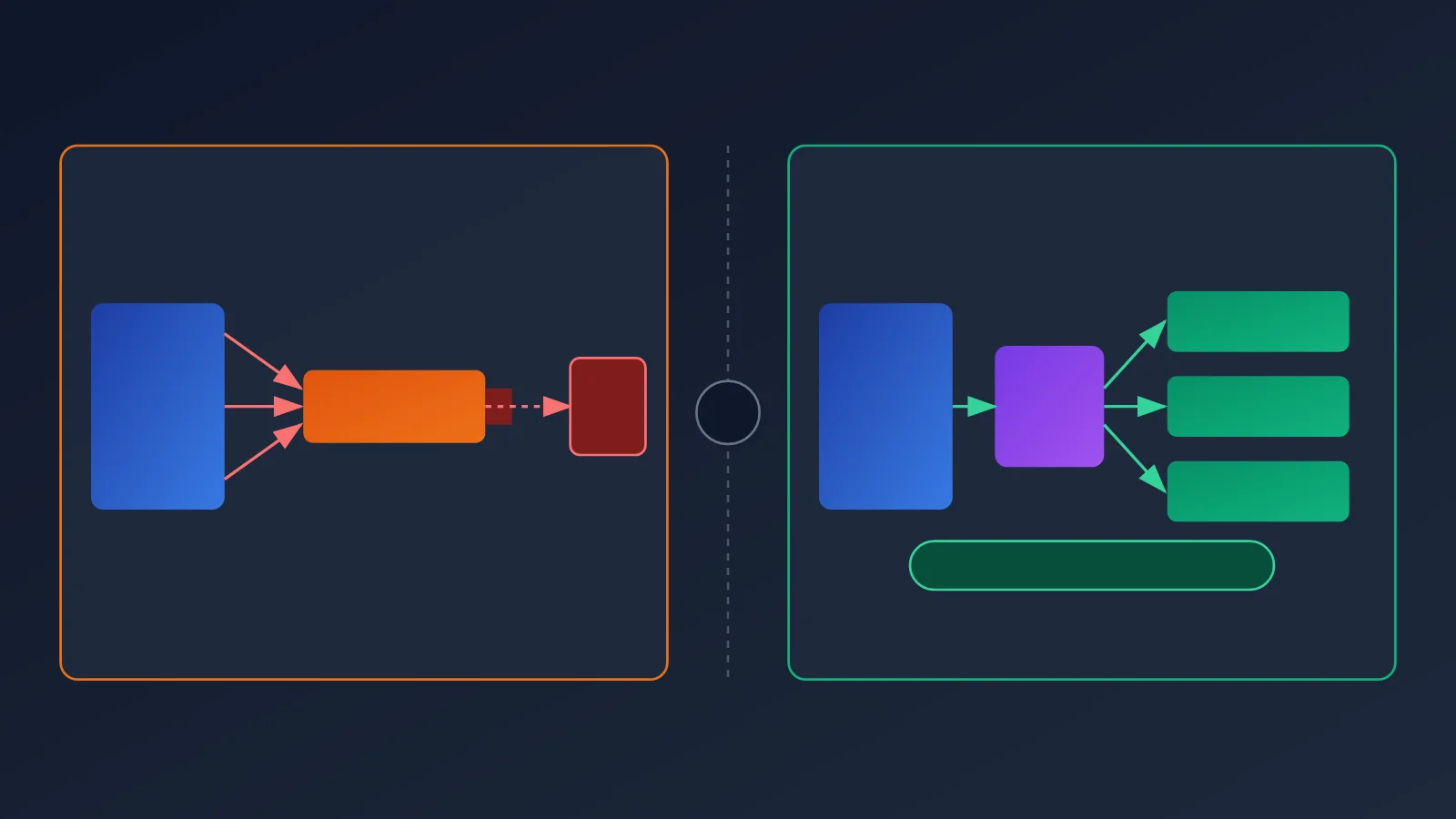
The main bottleneck when connecting directly to AI Studio is that each project has a fixed quota. Tier 1 accounts also face a $10 spending limit every 10 minutes. An aggregation service can distribute traffic across channels with separate quotas and automatically switch to a healthy channel if one channel keeps returning 429 errors.
APIYI apiyi.com currently supports high-concurrency access to gemini-4-argon. At under 500 RPM, you don’t need to worry about rate limits—feel free to use it directly. For most small and medium-sized applications, internal tools, automated workflows, and load tests, this capacity is more than enough for everyday needs. You won’t have to spend time thinking about Tier levels, project quotas, or 10-minute spending windows.
| Comparison | Direct connection to AI Studio | Calling through APIYI |
|---|---|---|
| Quota allocation | Shared across multiple keys within a single project | Separate quotas across multiple channels, scheduled by the platform |
| Handling 429 errors | Implement backoff and channel switching yourself | The platform prioritizes switching to healthy channels; basic client-side retries are still enough |
| Spending limits | Subject to the Tier’s 10-minute spending limit | No need to manage Google account tiers yourself |
| Integration | Requires applying for a project and configuring a Tier | Unified OpenAI-compatible interface; just replace base_url |
| Suitable scale | Low traffic or upgraded to a higher Tier | No need to worry about rate limits below 500 RPM |
🎯 Technical recommendation: If your peak traffic is below 500 RPM, you can call gemini-4-argon directly through APIYI apiyi.com and focus on your business logic. If you expect traffic to exceed that range, run load tests in stages and discuss capacity planning with the platform in advance.
Even with a high-concurrency channel, it’s still good practice to keep exponential backoff and sensible timeouts on the client side. Network jitter and brief upstream issues can still happen, and solid retry logic helps keep your service running smoothly in extreme cases.
Frequently Asked Questions (FAQ)
Q1: What’s the actual concurrency limit for gemini-4-argon on AI Studio?
Google hasn’t published a single fixed concurrency limit. Actual limits depend on your project’s RPM, TPM, RPD, and 10-minute spend limit. Check the Rate Limits page in AI Studio and select the relevant project and model. Specific concurrency numbers circulating online aren’t officially verified, so don’t use them for capacity planning.
Q2: Can I increase my gemini-4-argon quota by creating more API keys?
No. Google explicitly states that limits are calculated per project, not per API key. Multiple keys in the same project share the same quota. To get a truly independent quota, you’ll need separate Google projects or a multi-channel aggregation service like APIYI apiyi.com.
Q3: Why am I still getting 429 errors when I’m under both the RPM and TPM limits?
The most common reason is hitting the 10-minute spend limit: $10 for Tier 1, $50 for Tier 2, and $200 for Tier 3. Also, when a new model launches, limited upstream capacity can cause requests to be rejected even when you’re within your quota. Check `error.details` in the raw error response to confirm the cause.
Q4: What’s a sensible way to retry after a 429 error?
Use exponential backoff—for example, 1, 2, 4, and 8 seconds—with random jitter, and retry no more than two or three times. Follow the `Retry-After` response header when it’s available. If the same project keeps returning 429 errors, reduce your traffic or switch to a channel with an independent quota instead of retrying indefinitely.
Q5: How can I quickly call gemini-4-argon through APIYI?
1. Visit APIYI apiyi.com, create an account, and get an API key.
2. Set `base_url` in your code to `https://api.apiyi.com/v1`.
3. Set the model name to `gemini-4-argon`, then run the sample code in this article.
APIYI supports high-concurrency calls to gemini-4-argon. At under 500 RPM, you generally don’t need to worry about rate limits, making it a good fit for quick testing and small- to medium-scale deployments.
Q6: Can I still get 429 errors after switching to APIYI?
For normal usage under 500 RPM, rate limits generally aren’t a concern. However, any upstream service can experience temporary fluctuations, so it’s still a good idea to keep basic exponential-backoff retries in place. If your traffic may exceed this range, run a staged load test first and confirm capacity with the APIYI apiyi.com team.
Q7: Can I use the Batch API quota as a guide to real-time concurrency?
No. The Argon Batch API quota listed in Google’s documentation is a token quota for the batch processing queue, intended for offline bulk jobs. It’s separate from the real-time API’s concurrency and RPM limits, so the two shouldn’t be treated as interchangeable.
gemini-4-argon 429: Key Takeaways
- There’s no fixed concurrency limit: Google hasn’t published a universal concurrency cap for gemini-4-argon. Check your actual quota in the console.
- RPM isn’t the same as concurrency: Concurrency depends on request duration, and traffic spikes are more likely to trigger rate limits than steady traffic.
- Limits are calculated per project: More API keys won’t increase capacity; keys in the same project share a quota.
- Watch the 10-minute spend limit: The limits are $10, $50, and $200 for Tier 1, Tier 2, and Tier 3, respectively. You can still get 429 errors even if you’re under the RPM limit.
- Back off, rate-limit, and switch when needed: Use exponential backoff with random jitter. If 429 errors continue, switch to a channel with an independent quota.
- High concurrency, fewer headaches: APIYI apiyi.com supports high-concurrency calls to gemini-4-argon. At under 500 RPM, you generally don’t need to worry about rate limits.
Summary
The frequent 429 errors with gemini-4-argon on AI Studio aren’t primarily caused by “too little concurrency.” They result from several limits stacking up: RPM, TPM, RPD, the 10-minute consumption rate, and upstream capacity for new models. The solution should also be layered: start by understanding the raw response, then proactively limit request rates, use exponential backoff with jitter, switch channels if 429 errors persist, and expand capacity over the long term by upgrading your Tier or adding authorized channels.
For developers who’d rather spend less time wrestling with quotas, using an aggregator is a more practical option. We recommend testing the results quickly through APIYI at apiyi.com. The platform supports high-concurrency calls to gemini-4-argon, and you can use it with confidence at under 500 RPM. Give it a try.
References
- Google AI Studio usage and rate limits page: Check project-level RPM, TPM, RPD, and Tier
- Link:
aistudio.google.com/usage -
Note: Select a project and gemini-4-argon to view the actual quotas
-
Gemini API rate limits documentation: Official rate-limiting mechanisms and recommendations for handling 429 errors
- Link:
ai.google.dev/gemini-api/docs/rate-limits - Note: Covers 10-minute consumption limits and exponential backoff recommendations
Author: APIYI Team
Technical discussions: Share your experience troubleshooting 429 errors with gemini-4-argon in the comments. For more integration resources, visit the APIYI documentation center at docs.apiyi.com.