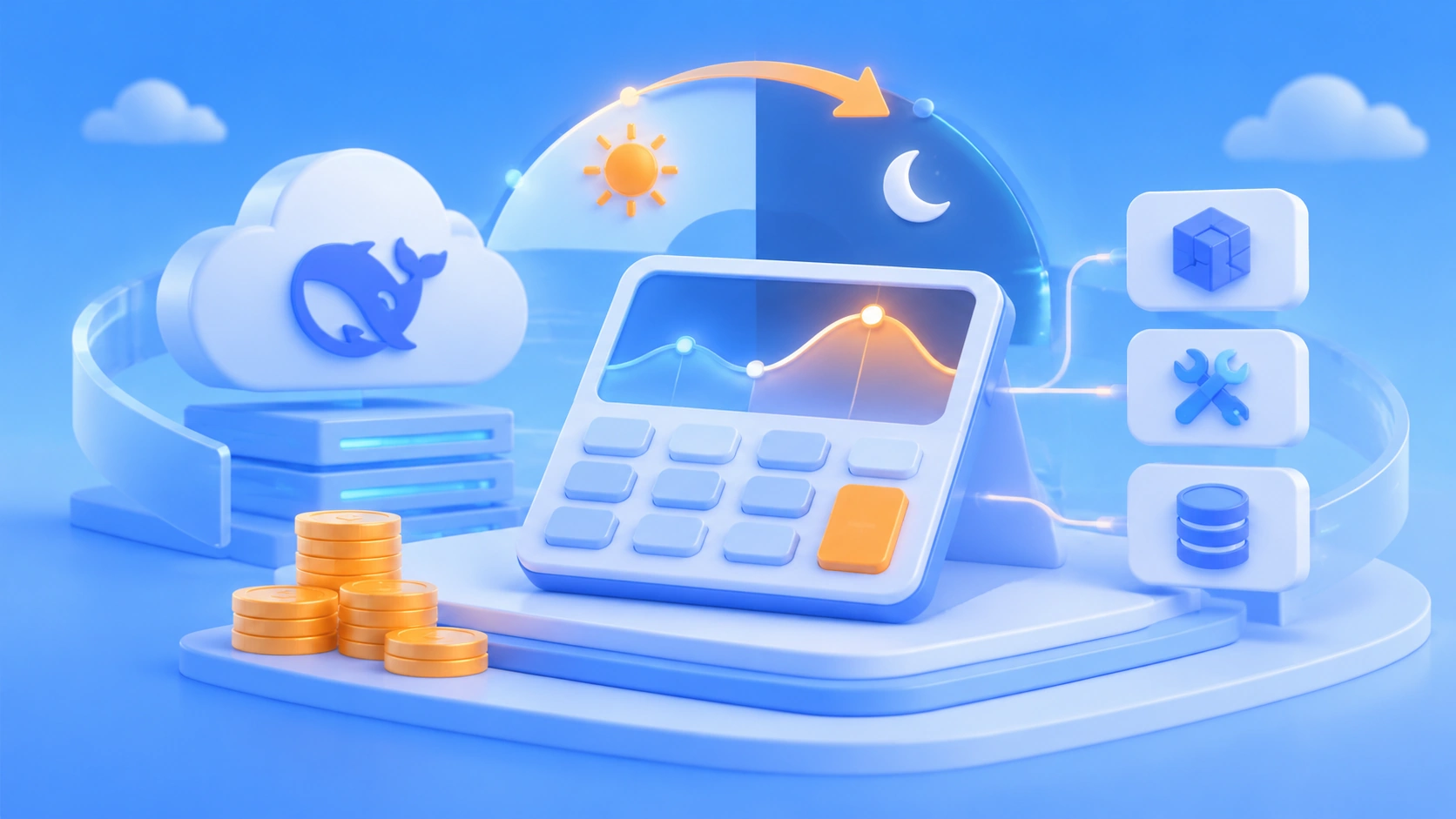
Author’s note: Since the DeepSeek API introduced peak/off-peak pricing and tool-call charges, the old “unit price × Tokens” estimate no longer works. This article walks through 5 steps to recalculate your app’s real invocation cost across four dimensions: time window, Token type, caching, and tool calls.
Plenty of developers’ cost spreadsheets still stop at “input unit price × input Tokens + output unit price × output Tokens.” After the DeepSeek API rolled out peak/off-peak pricing and tool-call charges, that formula is now missing two variables: which time window the request lands in, and how many times tools were called. Same app, same Token usage—run it in a different time window and the bill can come out quite different.
This isn’t a post that just reposts prices. You won’t find a single unverified unit price here. For all prices, time-window discounts, and caching definitions, go by the live data on the APIYI pricing page at docs.apiyi.com/models and DeepSeek’s official announcements. The problem this article solves is methodology: once you have the price sheet, how do you apply it correctly to your own business logs?
Core value: By the end of this article, you’ll have a reusable framework for estimating DeepSeek API costs. You’ll be able to tell which requests are worth shifting to off-peak hours, which tool calls are worth trimming, and where to pull accurate pricing data from.
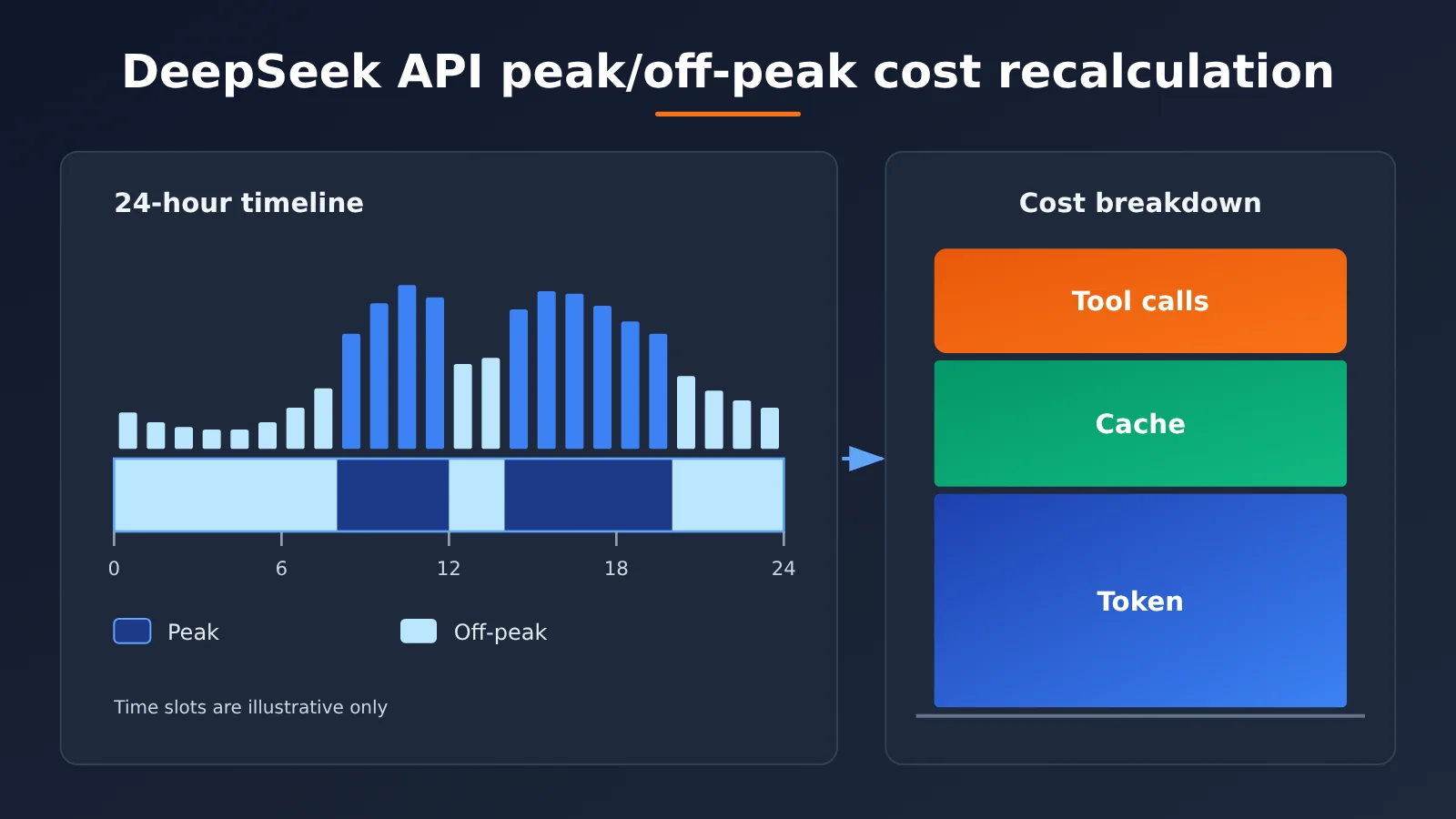
Core Cost Points After DeepSeek API Peak/Off-Peak Pricing
Media discussion of DeepSeek’s commercialization moves has clearly picked up recently (for example, 36Kr’s report “Liang Wenfeng Comes Down the Mountain: What Is DeepSeek Looking For?”), and changes to the pricing structure are also a focus for developers. Whatever the business logic behind it, for API consumers the most direct impact is that the cost model has shifted from “one-dimensional” to “multi-dimensional.” The table below starts by breaking down the new cost components.
| Cost Dimension | Description | Impact on Estimation |
|---|---|---|
| Time-of-day multiplier | Different billing rates apply during peak and off-peak periods | You must bucket usage by request time; an all-day average won’t work |
| Input tokens (cache hit) | The input portion that hits the context cache | Unit price differs from cache misses, so it needs separate tracking |
| Input tokens (cache miss) | Input that appears for the first time or whose cache has expired | Long system prompt applications account for the largest share |
| Output tokens | Includes thinking-process tokens for reasoning models | Output volume from reasoning models is often underestimated |
| Tool call fees | Tool usage billed by number of calls or similar metrics | A newly added standalone cost item that also increases tokens |
The specific price numbers are deliberately absent from the table. DeepSeek’s pricing has been adjusted multiple times over the past period, and it previously rolled out a nighttime off-peak discount and then adjusted its strategy again. Hard-coding the numbers you see on any given day into a cost model will become bad data a few months later. The right approach is to make unit prices an input parameter of the model and read them from the pricing page in real time.
Key Details of DeepSeek API Time-Based Billing
The essence of peak/off-peak pricing is to offer idle compute periods at a discount to tasks that can be delayed. For estimation, three details are easiest to get wrong. The first is time zone: official periods are usually defined in Beijing time (UTC+8), while many server logs record UTC by default; without conversion, you’ll put an entire batch of requests in the wrong bucket. The second is cross-period requests: a long streaming request may start during peak and end during off-peak. Whether it’s billed by request start time or end time depends on the official rules. The third is retries: a failed retry may land in another period, and it should be calculated based on the time of the actual successful request.
Key Details of DeepSeek API Tool Fees
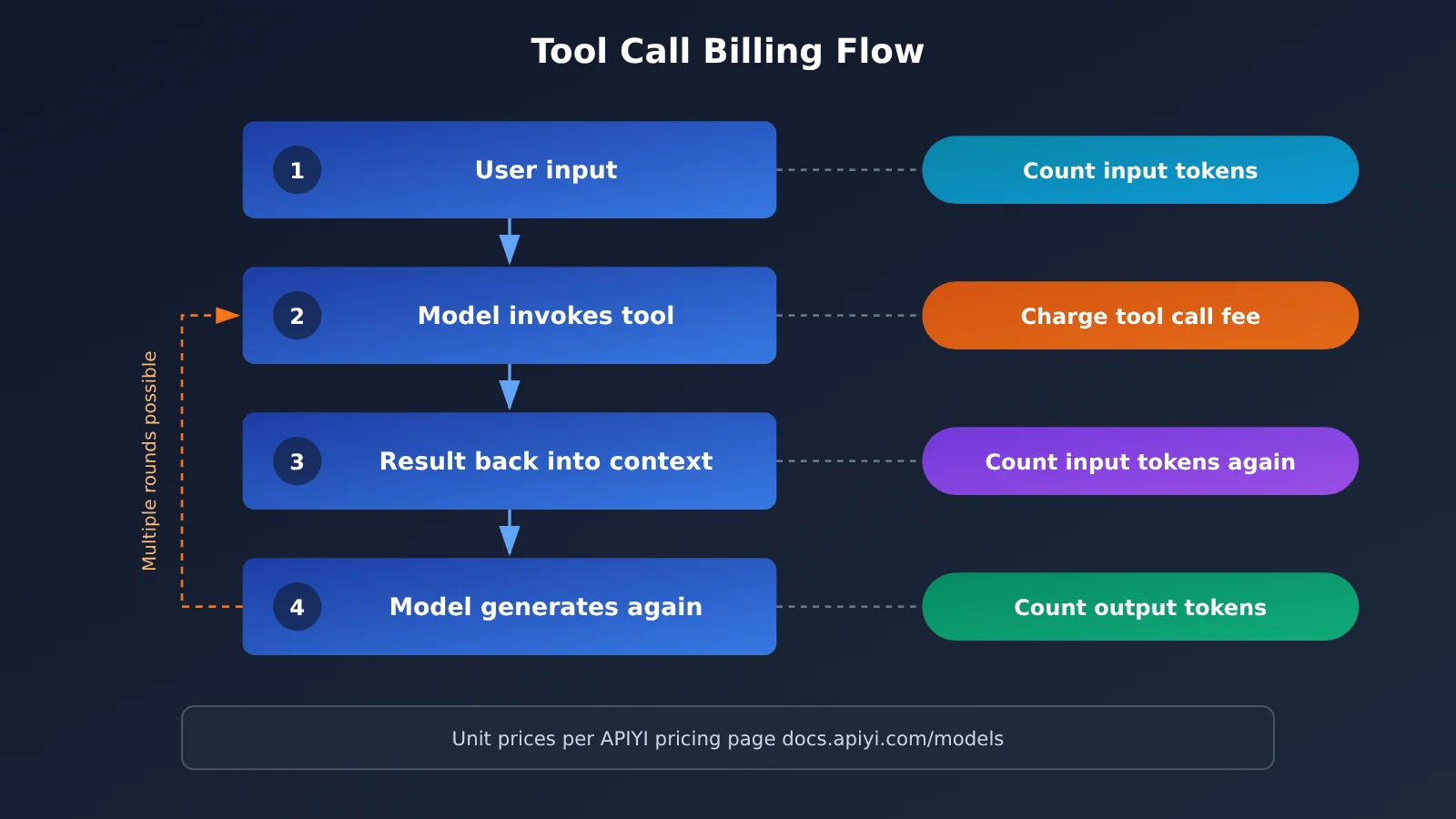
The trap with tool fees is “double billing.” Take a web search tool as an example: one call may incur a per-call tool fee, and the tool’s returned results are also injected into the context and billed again as input tokens for the next round. If the model calls tools three or four times in a row in one conversation, token costs will keep growing as the context accumulates. So when estimating tool costs, you need to track both “number of calls” and “extra input tokens caused by tool results”—neither can be omitted.
DeepSeek API Cost Quick Start: Recalculate in 5 Steps
The process below doesn’t require any code — a log export plus a spreadsheet is enough. If you already have a data platform, just translate these steps into SQL or a report.
Step 1: Prepare the pricing parameter table
Start by building a “pricing parameter table” where each row is a billing variable. Take every unit price from the pricing page and record the date you retrieved it. This step determines the accuracy of everything that follows.
| Variable name | Meaning | Data source |
|---|---|---|
| Peak-hour cached input unit price | Input price for cache hits during peak hours | APIYI pricing page docs.apiyi.com/models |
| Peak-hour uncached input unit price | Input price for cache misses during peak hours | APIYI pricing page docs.apiyi.com/models |
| Peak-hour output unit price | Output Token price during peak hours | APIYI pricing page docs.apiyi.com/models |
| Three corresponding off-peak unit prices | Off-peak input, cache, and output prices | APIYI pricing page and official announcements |
| Tool call unit price | Billing basis and unit price for each type of tool | APIYI pricing page and official announcements |
| Time window boundaries | Peak/off-peak start and end times, plus time zone | DeepSeek official announcements |
💡 Data source tip: Update the pricing parameter table regularly against the APIYI pricing page at docs.apiyi.com/models, and note the “date retrieved” in the table. When official prices change, you only need to edit this one table and the entire cost model updates automatically.
Step 2: Export usage logs with timestamps
At a minimum, each request log needs to include these fields: request start time, model name, input token count, the number of those tokens that hit the cache, output token count, and the number and type of tool calls. DeepSeek’s usage field in the response returns token counts for cache hits and misses, and for reasoning models, thinking tokens are also counted toward output. If your logs only record total tokens, it’s worth adding the missing instrumentation first—otherwise, any later estimates will be rough approximations.
Step 3: Bucket by time period
Convert all timestamps to Beijing time, then tag each request as “peak” or “off-peak” based on the peak/off-peak boundaries. It’s also a good idea to break things down further by hour, so you can see the shape of your business traffic and use it to inform later scheduling. Many teams only discover at this point that a sizable share of their requests actually come from scheduled jobs—and those can easily be moved to off-peak hours.
Step 4: Calculate Token Costs and Tool Costs Separately
For each time bucket, calculate the following: Token cost = cache-hit input × applicable unit price + cache-miss input × applicable unit price + output × applicable unit price; tool cost = number of calls for each tool type × the applicable unit price for that tool. Then add the peak and off-peak buckets together to get the total cost under the new method.
Here’s an illustrative example that uses only usage volumes, not prices: suppose a customer service application handles 10,000 requests per day on average. Each request has an average input of 3,000 tokens, about 60% of which hit the cache, and an output of 500 tokens; on average, a search tool is triggered once every 5 requests. That means each day it generates about 12 million cache-hit input tokens, about 18 million cache-miss input tokens, about 5 million output tokens, and about 2,000 tool calls, plus the extra input tokens generated by feeding tool results back into the model. Split these volumes by the peak/off-peak ratio and multiply them by the unit prices in the price parameter table, and you get the actual daily cost.
Step 5: Compare with the Old Method to Find Optimization Opportunities
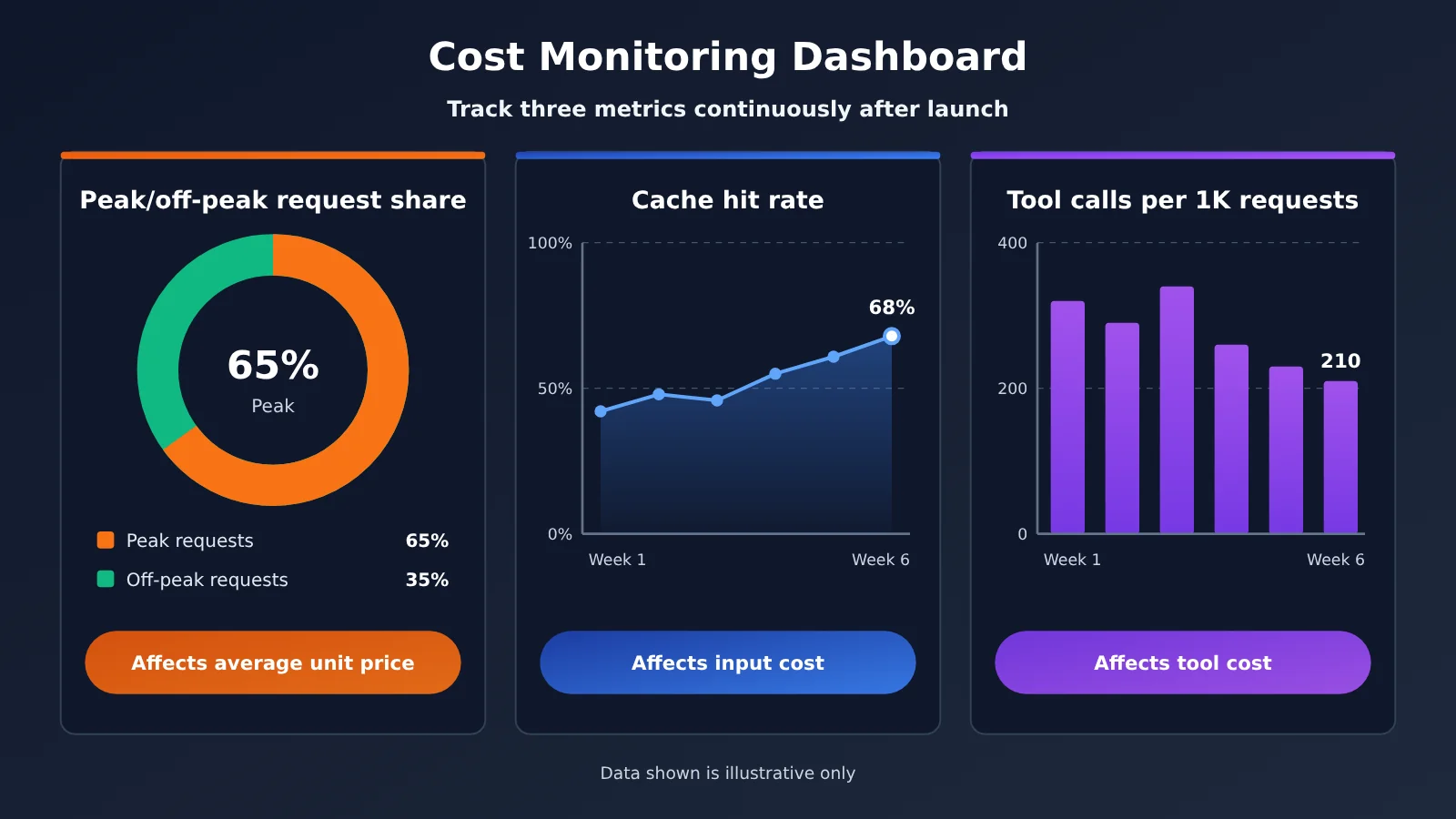
Compare the new-method results side by side with the old “single blended price” estimate. The part with the biggest gap is where to focus optimization. There are three common takeaways: peak usage accounts for too high a share, tool calls are too frequent, and the cache hit rate is too low. The next section gives specific ways to address each of these three.
🚀 Quick start: If you want to compare the cost differences between DeepSeek and other models under the same API, you can call them through APIYI apiyi.com. APIYI provides the DeepSeek model APIs covered in this article and is compatible with both OpenAI and Anthropic API formats. Existing code usually only needs its base_url and API Key changed to integrate; see the documentation center at docs.apiyi.com for the specific endpoints and parameters.
Application Scenarios and Cost Strategies Under DeepSeek API Peak/Off-Peak Pricing
Different types of applications vary widely in how sensitive they are to peak/off-peak pricing and tool fees. Figure out which category you’re in first, then decide where to optimize. That’s more effective than a blanket “move everything to run at night.”
| Application Type | Time Flexibility | Tool Dependency | Recommended Strategy | Available Platforms |
|---|---|---|---|---|
| Online customer support / chatbots | Low; must respond in real time | Medium | Improve cache hit rate and streamline tool calls | APIYI apiyi.com, DeepSeek official |
| Batch document processing / data labeling | High; can be deferred | Low | Schedule everything to off-peak hours | APIYI apiyi.com, DeepSeek official |
| AI search / research assistants | Medium | High | Limit tool-call rounds and compress backfill content | APIYI apiyi.com, DeepSeek official |
| Coding agents | Medium | High | Merge tool calls and shorten context | APIYI apiyi.com, DeepSeek official |
| Scheduled content generation | High | Medium | Batch-generate off-peak; only review during peak | APIYI apiyi.com, DeepSeek official |
Cost Optimization for Real-Time Applications with the DeepSeek API
Real-time applications can’t avoid peak hours, so the focus should be on caching and tools. Put fixed System Prompts, knowledge base summaries, and Few-shot examples at the very front of the messages and keep them byte-for-byte identical. That can significantly improve cache hit rate. On the tool side, you can first run a lightweight check to decide whether a search is really needed, so the model doesn’t repeatedly call tools in unnecessary scenarios.
Off-Peak Scheduling for Offline Applications with the DeepSeek API
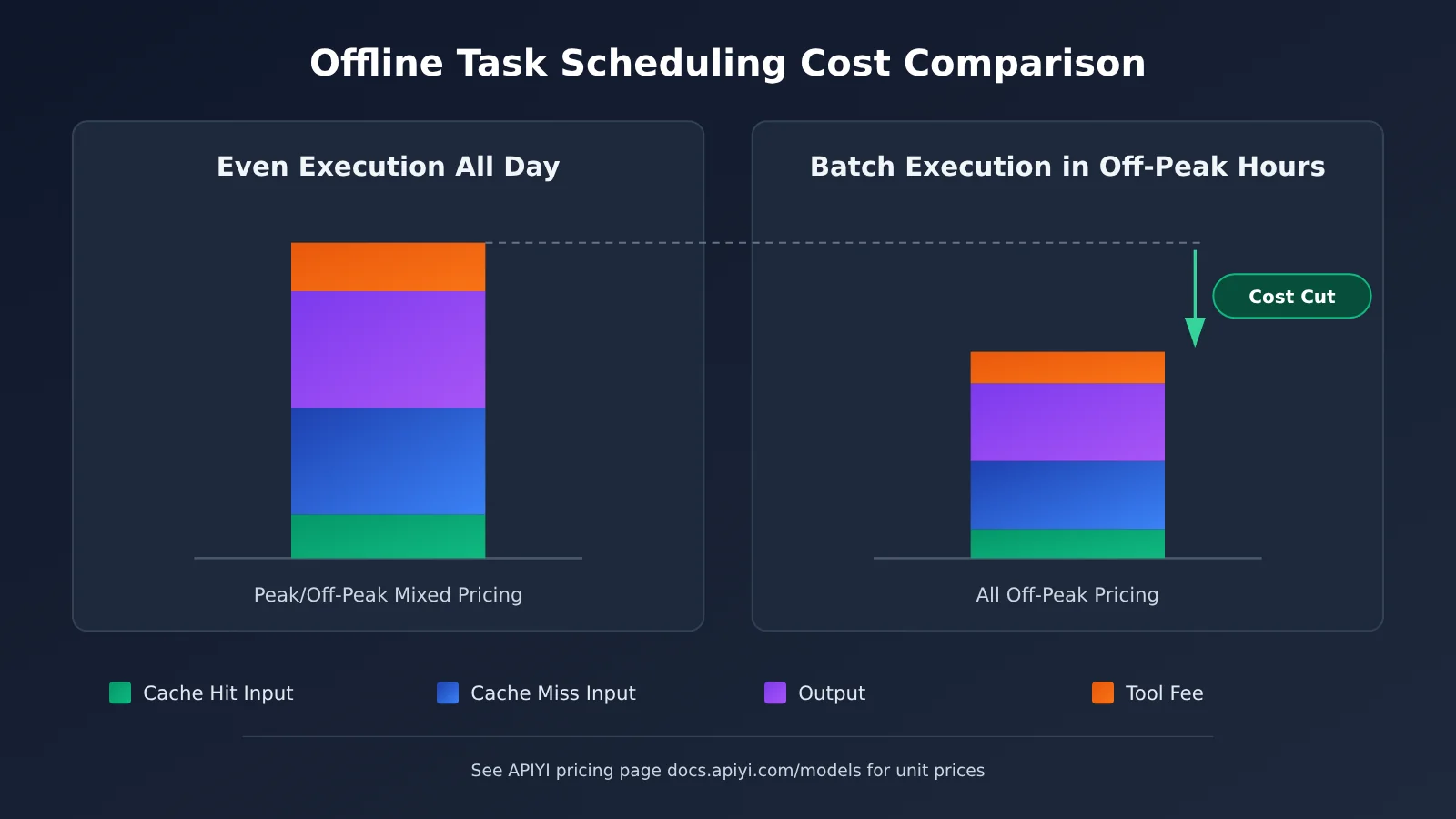
Offline tasks are the biggest beneficiaries of peak/off-peak pricing. The idea is to add a task queue between the business system and model calls: during peak hours, only enqueue tasks; during off-peak hours, consumers process them in batches. There are two things to watch out for. First, off-peak concurrency spikes, so estimate rate limits in advance and throttle in batches if necessary. Second, set timeout fallbacks for tasks to prevent work that can’t finish off-peak from spilling into the next peak period and being billed at the higher price.
Comparing Optimization Options for DeepSeek API Tool Fees
Tool fees are a new line item, and they’re also the easiest one to lose control of, since how much gets spent is decided by the model itself. The table below compares a few common ways to keep them in check.
| Optimization option | Where the savings come from | Best for | Things to watch out for |
|---|---|---|---|
| Upfront intent check | Fewer unnecessary tool calls | Search assistants, customer support | The check itself burns tokens, so keep the prompt lightweight |
| Cap the max number of tool-call rounds | Puts a ceiling on tool fees per request | Agent-style apps | Too few rounds can hurt answer quality |
| Compress tool results | Fewer input tokens from feeding results back into context | Search and retrieval tools | Keep only the summary and key fields |
| Reuse cached results | Identical queries don’t trigger repeat calls | Workloads with a lot of repeat questions | Set a sensible TTL so the data doesn’t go stale |
| Replace with your own retrieval | Swap paid tools for your own knowledge base | Businesses with stable domain knowledge | Weigh the build and maintenance costs |
How to read the comparison
Upfront intent check has the most direct effect on call frequency and suits most conversational scenarios. But it adds a small amount of gating overhead to every request, which may not pay off for short conversations. By contrast, compressing tool results has almost no downside and should be on by default in any app that uses tools. Capping the max number of tool-call rounds is more like a fuse — it’s there to stop the odd request from running up an outrageous bill because the model keeps calling tools in a loop.
💡 Recommendation: How much you can save on tool costs varies a lot from one business to the next, so start with an A/B test on a small slice of traffic. With APIYI apiyi.com you can switch between models behind the same API format and run controlled comparisons, and combined with the live per-unit prices on the pricing page at docs.apiyi.com/models, you’ll get a faster read on the real payoff of each option.
Frequently Asked Questions (FAQ)
Q1: What is peak/off-peak pricing for the DeepSeek API?
Peak/off-peak pricing means the same model has different billing rates at different times of day. Off-peak hours are usually cheaper, which nudges deferrable workloads to use compute outside peak windows. The exact time boundaries and discount levels are defined by DeepSeek’s official announcements and the APIYI pricing page.
Q2: How does the calculation differ between peak/off-peak pricing and the old flat pricing?
With flat pricing, you just multiply total tokens by the unit price. With peak/off-peak pricing, you first have to bucket requests by time, apply the rate to each bucket separately, and then add tool-call fees. Estimating with an all-day average price hides the bias introduced by your peak-hour share—especially for businesses whose traffic is concentrated during the day.
Q3: If a request spans both peak and off-peak periods, which time is used for billing?
That depends on the official billing rules. A common approach is to use the request start time, but don’t assume it. It’s worth making the “billing timestamp” a configurable parameter in your model, filling it in only after you’ve confirmed the official rule, and flagging long-running streaming requests separately for spot checks.
Q4: Why do tool fees make costs “double”?
Because a tool call often generates two charges: the fee for invoking the tool itself, plus the cost of feeding the tool result back into the context, where it’s billed again as input tokens. With multi-turn tool calls the context keeps growing, so each later turn pays for all the earlier results. That means you have to control both the number of calls and the length of what gets fed back.
Q5: How do I quickly call DeepSeek through the API and verify the cost?
You can follow these steps:
1. Go to APIYI at apiyi.com, sign up, and get an API key
2. Check the docs center at docs.apiyi.com for the endpoint, and choose the OpenAI- or Anthropic-compatible format
3. Look up DeepSeek model pricing—input, output, and cache rates—on the pricing page at docs.apiyi.com/models
4. Run the 5-step calculation from this article with a small volume of requests, then compare it against your billing statement to calibrate
APIYI provides model invocation for the DeepSeek models covered in this article. The API format is compatible with mainstream SDKs, so you can swap it in and verify it directly in your existing project.
Q6: When calling through a third-party platform, are the peak/off-peak and tool billing rules the same?
Different platforms may bill differently from the official rates—for example, whether they distinguish time windows, or how they prorate tool fees. When calling through APIYI, use the actual figures listed on the APIYI pricing page at docs.apiyi.com/models. Don’t just apply the official price table directly; confirming this up front will head off most reconciliation errors.
Q7: What are the known limitations of DeepSeek API cost estimation?
There are three main ones. First, prices change, so your model has to support parameterized updates. Second, reasoning models vary a lot in how many thinking tokens they use, so average-based estimates carry high error—use percentiles instead. Third, the model decides how many tool calls to make, and the same prompt can behave very differently with different inputs, so you need ongoing monitoring rather than a one-time estimate.
DeepSeek API Peak/Off-Peak Pricing Cost Modeling: Key Takeaways
- Cost is now multidimensional: time window, cache, output, and tools together determine the bill
- Unit prices must be parameterized: take prices from real-time data on the APIYI pricing page instead of hardcoding them
- Align time zones first: convert all logs to Beijing time before bucketing into peak and off-peak, or the whole batch gets misclassified
- Tools are billed twice: a call fee plus backfilled tokens — you have to count both
- Move offline tasks to off-peak hours: using a task queue to shave peaks is the most direct win
- Real-time tasks depend on caching: keep fixed prefixes unchanged to raise the cache hit rate
- Estimates can be validated quickly: run a small-traffic trial through the APIYI-compatible endpoint and calibrate your model against the actual bill
Summary
Now that the DeepSeek API has introduced peak/off-peak pricing and tool charges, the core changes in cost modeling come down to three points:
- From totals to buckets: split requests by time window and price peak and off-peak separately, so you can actually see the real cost structure
- From tokens to tokens plus tools: tool fees are a separate cost item, and they also push up input tokens indirectly
- From static estimates to continuous monitoring: prices change and usage changes, so your model needs to be parameterized and recalibrated regularly
My suggestion: run the 5-step process in this article against last week’s logs first, and identify three key metrics — peak-hour share, tool call frequency, and cache hit rate — then optimize accordingly. If you want to test DeepSeek and other models behind a single interface, you can connect through APIYI at apiyi.com; see the docs center at docs.apiyi.com for setup details. For all unit prices, rely on the actual data on the pricing page at docs.apiyi.com/models.
📚 References
- 36Kr Report: “Liang Wenfeng Goes Down the Mountain: What Is DeepSeek Looking For?”
- Link:
36kr.com/p/4055279154779015 -
Description: An industry report on DeepSeek’s recent commercialization moves—useful background for understanding the pricing adjustment
-
APIYI Pricing Page: Unit prices for input, output, and cache on DeepSeek and other models
- Link:
docs.apiyi.com/models -
Description: The source of all price-related parameters in this article—worth double-checking before running your own estimates
-
APIYI Documentation Center: Integration methods and API format documentation
- Link:
docs.apiyi.com -
Description: Includes integration guides for both OpenAI- and Anthropic-compatible formats
-
DeepSeek Official API Docs: Billing rules and
usagefield documentation - Link:
api-docs.deepseek.com - Description: For peak/off-peak boundaries, the caching mechanism, and tool billing definitions, the official docs take precedence
Author: APIYI Technical Team
Technical Inquiries: If you hit any snags during cost estimation or integration, feel free to reach out through the APIYI official website at apiyi.com. More integration resources are available in the docs.apiyi.com documentation center.