Author’s note: This article compares GPT-Image-2.6 and Nano Banana 2.1 by deliverable format, covering animated images and vectors, 4K output and multiple reference images, two sets of benchmark figures, and two billing models. It ends with a selection table for three types of tasks.
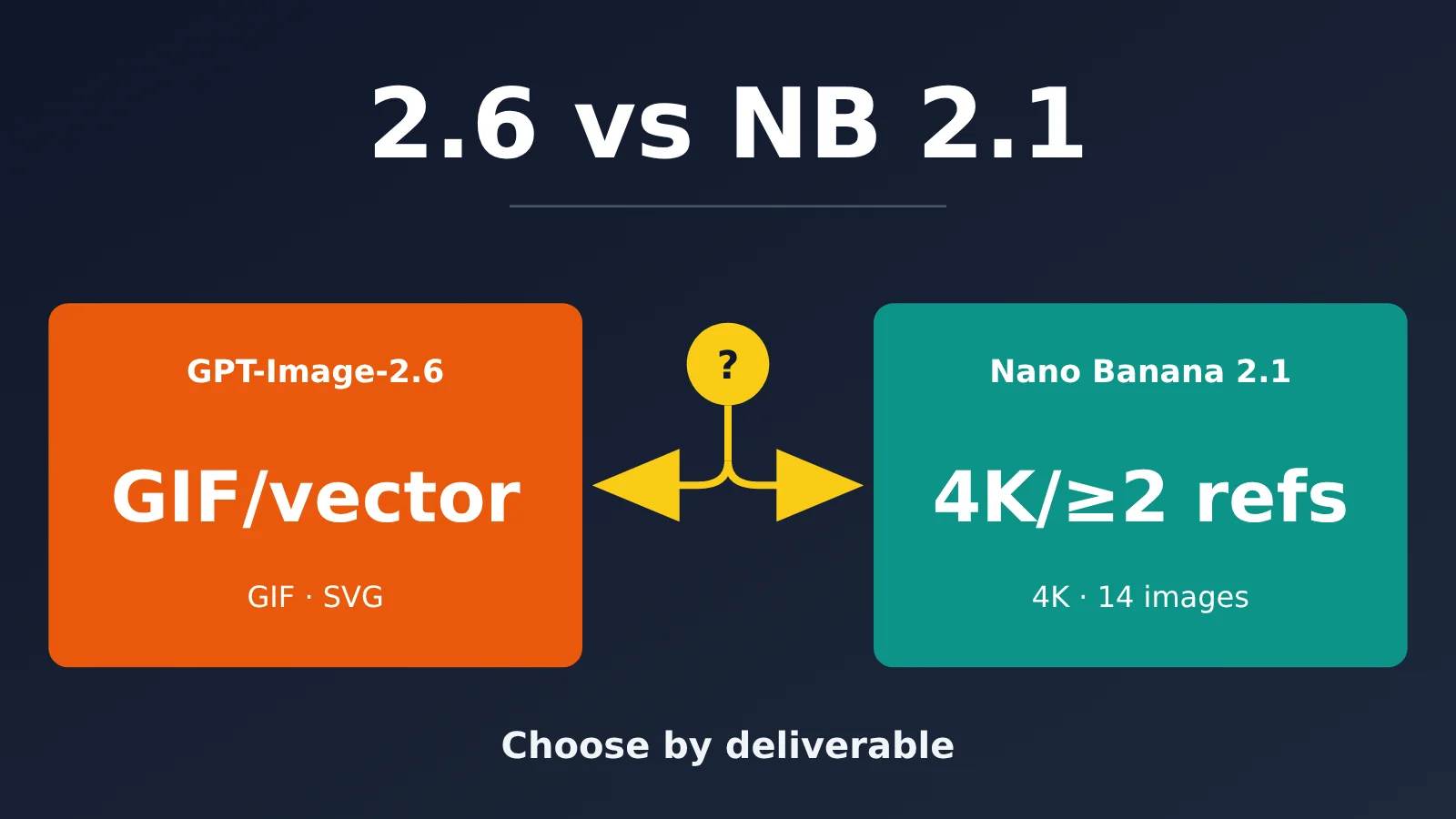
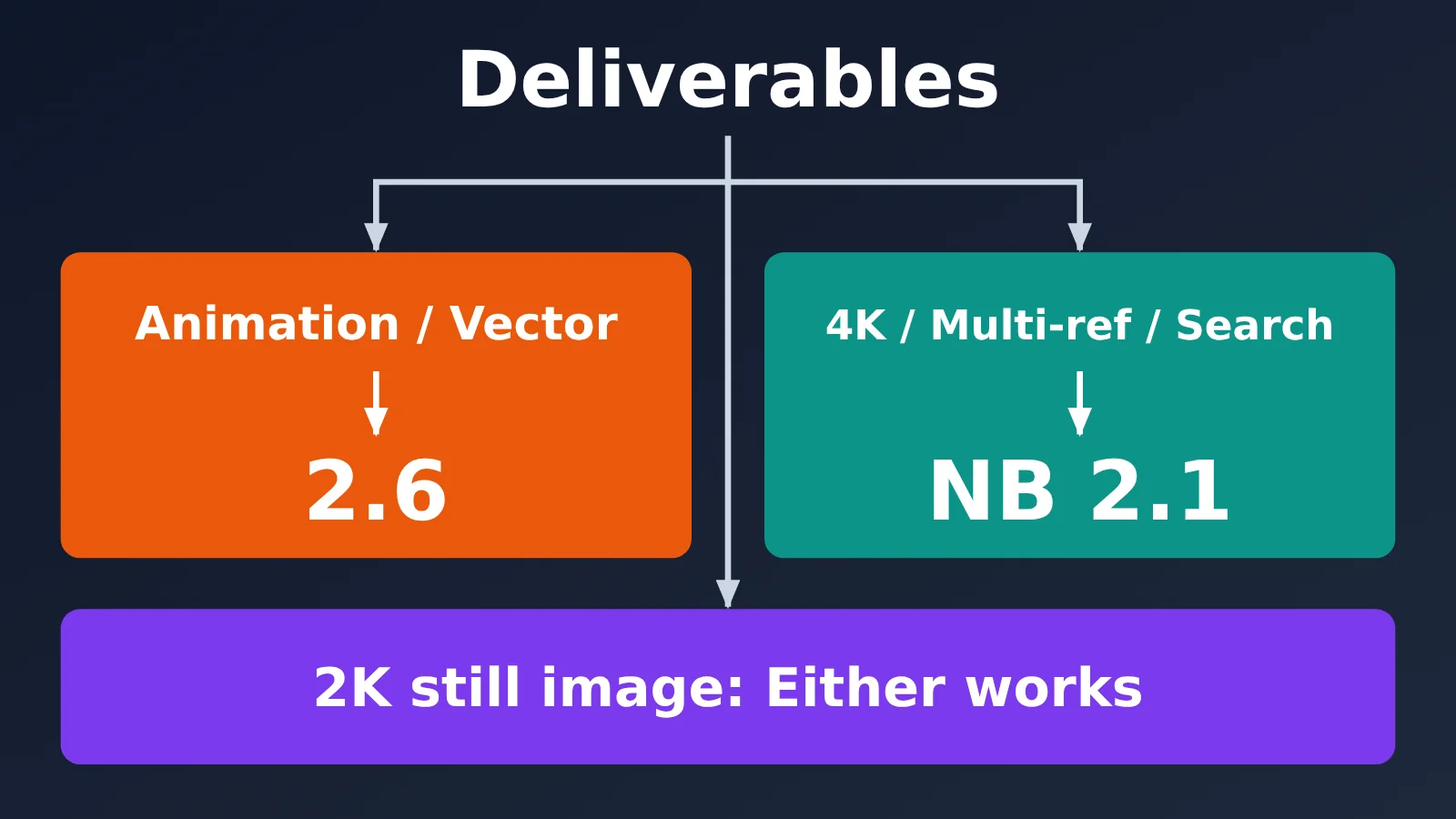
The choice between GPT-Image-2.6 and Nano Banana 2.1 isn’t about which one draws better. It’s about what kind of file you need to deliver. If you need an animated image for social media or a scalable vector icon, GPT-Image-2.6 supports native GIF and SVG output; Nano Banana 2.1 doesn’t support either format. If you need 4K print materials, a long-form e-commerce image that uses 14 reference images to maintain consistency, or an application with search grounding, Nano Banana 2.1 has clearly documented tiers, limits, and capabilities.
This isn’t a compromise piece that says “both have their strengths.” We’ll start with what each model is, then cover five decisive differences, two sets of benchmark figures that shouldn’t be mixed, and two billing models whose figures can’t be multiplied directly. Finally, we’ll provide a task-based decision table. Anything the providers haven’t officially disclosed is marked as “unknown.”
What Are GPT-Image-2.6 and Nano Banana 2.1?
GPT-Image-2.6 is OpenAI’s next-generation image model, announced on its official blog on 2026-11-04. It comes in two API variants: gpt-image-2.6-flare prioritizes speed, with OpenAI claiming generation times as fast as around 6 seconds at low quality; gpt-image-2.6-sunburst focuses on detail and consistency across multiple editing rounds. OpenAI also says the new model is 50% faster than its predecessor and that around 4 billion images are generated worldwide each week.
Nano Banana 2.1 became generally available on 2026-10-06. Its API model ID is gemini-nano-banana-2.1, and it’s built on Gemini 3.6 Flash. Google positions it as a high-efficiency workhorse for image generation and conversational editing. It’s the more efficient counterpart to Nano Banana Pro (Gemini 3 Pro Image), not the Pro model itself.
| Dimension | GPT-Image-2.6 | Nano Banana 2.1 |
|---|---|---|
| Vendor and date | OpenAI, released 2026-11-04 | Google, generally available 2026-10-06 |
| Foundation and positioning | Dedicated image model, with speed-focused and detail-focused variants | Gemini 3.6 Flash, a high-efficiency workhorse |
| API model IDs | gpt-image-2.6-flare / gpt-image-2.6-sunburst |
gemini-nano-banana-2.1 |
| Input | Text, images | Text, images, video, PDF |
| Output | Bitmaps, GIF, SVG | Images and text |
| Where to access it | ChatGPT, Codex, OpenAI API | Gemini App, AI Studio, Gemini API, Search AI Mode, Ads, Flow, Stitch |
| Not officially disclosed | Reference image limit, context window, resolution tiers, independent benchmark scores | Input pricing (not covered in this article) |
The two models also differ considerably in how you access them. GPT-Image-2.6 exposes only two endpoints through the OpenAI API: v1/images/generations and v1/images/edits. Nano Banana 2.1 uses the Gemini API and supports thinking, search grounding, and Batch. It doesn’t support caching, function calling, structured output, code execution, file search, or the Live API.
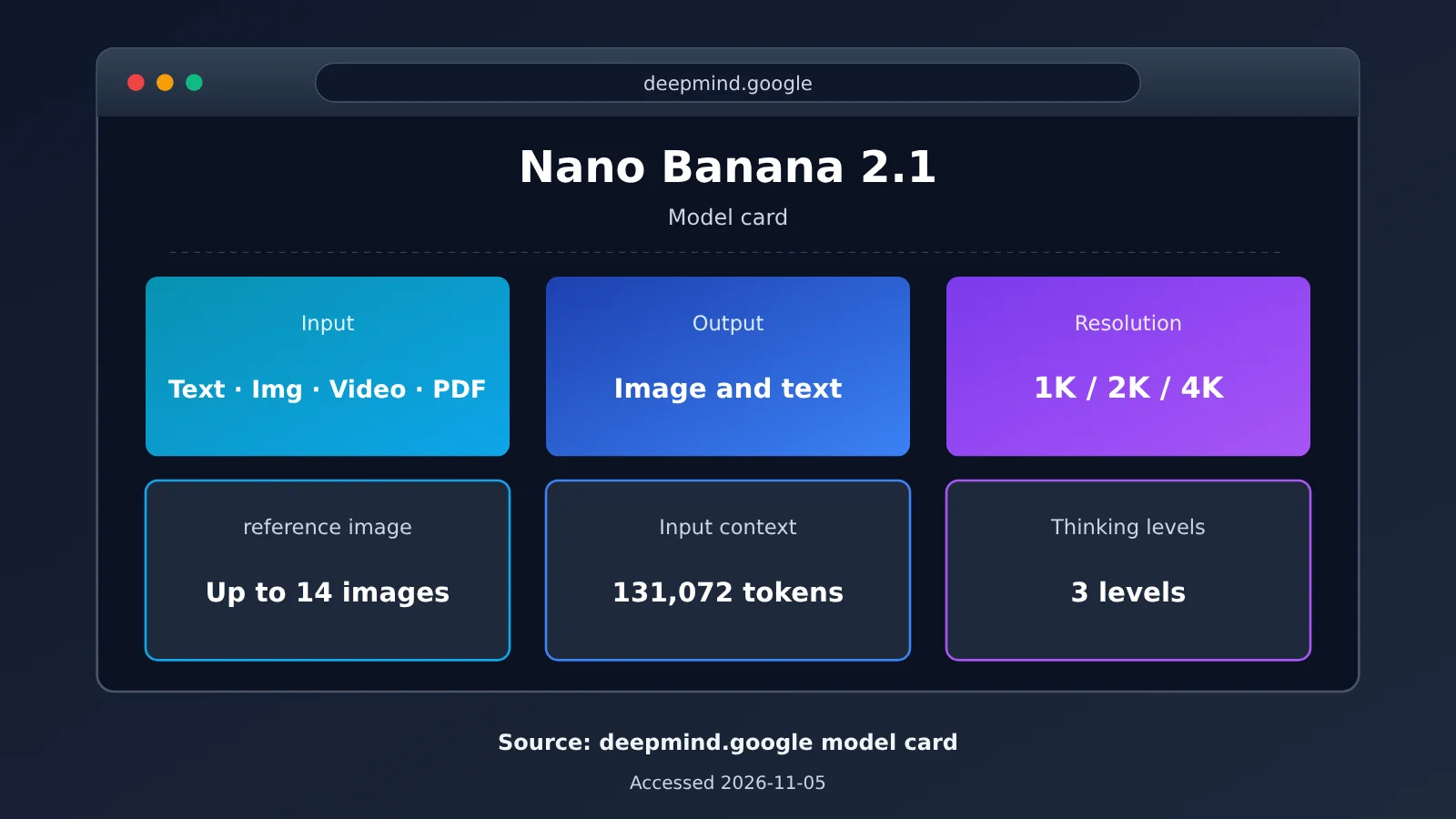
Caption: Screenshot of the Nano Banana 2.1 model card. Source: Google DeepMind’s official model card, accessed 2026-11-05.
GPT-Image-2.6 vs. Nano Banana 2.1: Five Decisive Differences
Each of these five differences can determine whether the final file is ready to deliver.
| Difference | GPT-Image-2.6 | Nano Banana 2.1 | Impact on deliverables |
|---|---|---|---|
| Output formats | Bitmaps, GIFs (2–64 frames), SVGs (static vector graphics) | Images and text, no GIF or SVG | Only 2.6 can produce animations and vector graphics natively |
| Resolution | No named tiers; custom dimensions, with neither side exceeding 3840 | 1K / 2K / 4K tiers, defaulting to 1K | Only NB 2.1 has an explicit 4K tier |
| Reference images | Supports image input; limit not disclosed | Up to 14 images (4 characters + 10 objects) | Only NB 2.1 specifies a limit you can plan around for multi-SKU and multi-character consistency |
| Editing controls | markup transparent PNG annotation layer + complexity parameter | mask / doodle editing + three thinking levels | The two use different editing workflows |
| Search grounding and context | No mention of search grounding; context not disclosed | Supports web and image search grounding; input of 131,072 tokens | Choose NB 2.1 when you need up-to-date facts |
GPT-Image-2.6 GIF and SVG Parameters
GIF output supports 2 to 64 frames, with 9 frames by default. The interval between frames can be set from 20 to 2000 milliseconds. SVG output requires n to be 1 and produces static vector graphics suitable for icons, logo drafts, and illustrations that can be scaled without losing quality. Note that there’s currently no public data on API success rates, file sizes, or processing times for GIFs, so you should test a small batch before going live.
For dimensions, 2.6 requires both width and height to be multiples of 16, with an aspect ratio between 1:3 and 3:1. Neither side can exceed 3840, and the total pixel count must be between 655,360 and 8,294,400. Dimensions above 2560×1440 are officially marked as experimental. Based on these constraints, 2.6 can’t generate a 4096×4096 square image; the maximum is roughly in the 3840×2160 range.
Nano Banana 2.1: 4K, Ultrawide Aspect Ratios, and 14 Reference Images
Nano Banana 2.1 improves image quality and realism across all three tiers: 1K, 2K, and 4K. It also fixes stitching artifacts at 2K and 4K for the ultrawide and extra-tall 1:4, 4:1, 1:8, and 8:1 aspect ratios. That’s useful for long-form e-commerce images and banners. Its 14 reference images can include 4 characters and 10 objects, making it suitable for maintaining consistency across models and multiple products at once. The three thinking levels are minimal, medium (default), and high.
The two models also share some weaknesses: both can make mistakes when rendering text, especially small text and long paragraphs; character and brand consistency can still drift after multiple rounds of editing; and they occasionally confuse spatial relationships such as left and right.
How to Read the GPT-Image-2.6 vs. Nano Banana 2.1 Scores: Only the Previous Generation Is Comparable
This section is easy to misread. Two sets of Elo scores are currently circulating, but they come from different evaluation systems. You can’t compare the numbers directly or convert between the two systems.
| Comparison | Google Official Model Card | Artificial Analysis |
|---|---|---|
| Source | Official, self-reported | Independent third-party testing |
| Date | 2026-10 | Accessed 2026-11-05 |
| Method | Same set of side-by-side (SxS) preference Elo scores | Blind evaluations in a public arena, with sample sizes |
| Models included | Only four Google models | Models from multiple vendors, including OpenAI and Google |
| Includes 2.6? | No | No 2.6 on either leaderboard |
| Best suited to answer | How much NB 2.1 has improved over Google’s older models | Where NB 2.1 ranks across vendors |
Google Model Card Results (Google Models Only)
- Overall text-to-image preference: NB 2.1 (Thinking) 1,050 ±14, NB 2.1 (No Thinking) 1,015 ±13, Nano Banana 2 990 ±7, and Nano Banana Pro 935 ±8.
- Multi-character consistency: 1,106 / 1,068 / 978 / 1,011, the category where NB 2.1 has its largest lead.
- Multi-reference editing: 1,066 / 1,041 / 988 / 989; mask/scribble editing: 1,049 / 1,042 / 965 / 927.
- Infographic factuality: 0.521 / 0.328 / 0.179 / 0.265, with a clear improvement when Thinking is enabled.
Artificial Analysis Results (Cross-Vendor, 2026-11-05)
- Text-to-image leaderboard (AA-Image-T2I v2.1): GPT Image 2.5 Sunburst ranks first with 1,224 (13,108 samples), while Nano Banana 2.1 ranks fourth with 1,176 (6,274 samples).
- Editing leaderboard (AA-Image-Editing v2.1): GPT Image 2.5 Sunburst scores 1,199 (18,300 samples), while Nano Banana 2.1 scores 1,151 (6,937 samples).
- A third-party comparison by OrcaRouter concludes that 2.5 leads NB 2.1 by about 48 points on both leaderboards, with the gap falling outside the confidence interval.
So, the only cross-vendor comparison available is between the previous-generation GPT Image 2.5 and NB 2.1. You can’t treat 2.5’s score of 1,224 as a score for 2.6. A third party claims that 2.6 Sunburst ranks first in DesignArena’s Image Arena, ahead of 2.5 Sunburst, but there’s currently no verifiable Elo score, so it remains a third-party claim. As of 2026-11-05, 2.6’s independent score is still unknown.
GPT-Image-2.6 vs. Nano Banana 2.1 Pricing: Nearly Tied at 2K, Only One Has a 4K Price
The two providers bill differently. OpenAI charges by token, while Google’s pricing page also lists a per-image equivalent. You can’t compare them directly by multiplying token counts; instead, you have to compare the cost per output image. The table below covers image output only, excluding input tokens and partial images.
| Model and tier | Billing basis | Output tokens | Output cost per image (official) |
|---|---|---|---|
| NB 2.1 · 1K (1024×1024) | Per-image equivalent on pricing page | 1,120 | Approx. $0.0336 |
| NB 2.1 · 2K (2048×2048) | Per-image equivalent on pricing page | 1,680 | Approx. $0.0504 |
| NB 2.1 · 4K (4096×4096) | Per-image equivalent on pricing page | 3,780 | Approx. $0.113 |
| 2.6 · low (1024×1024) | Official calculator, per token | 823 | Approx. $0.02469 |
| 2.6 · medium | Official calculator, per token | 1,449 | Approx. $0.04347 |
| 2.6 · high | Official calculator, per token | 1,756 | Approx. $0.05268 |
| 2.6 · xhigh / max | Official calculator, per token | 3,122 / 7,024 | Approx. $0.09366 / $0.21072 |
| 2.6 · 4K-class dimensions | Per token | Not disclosed | Unknown |
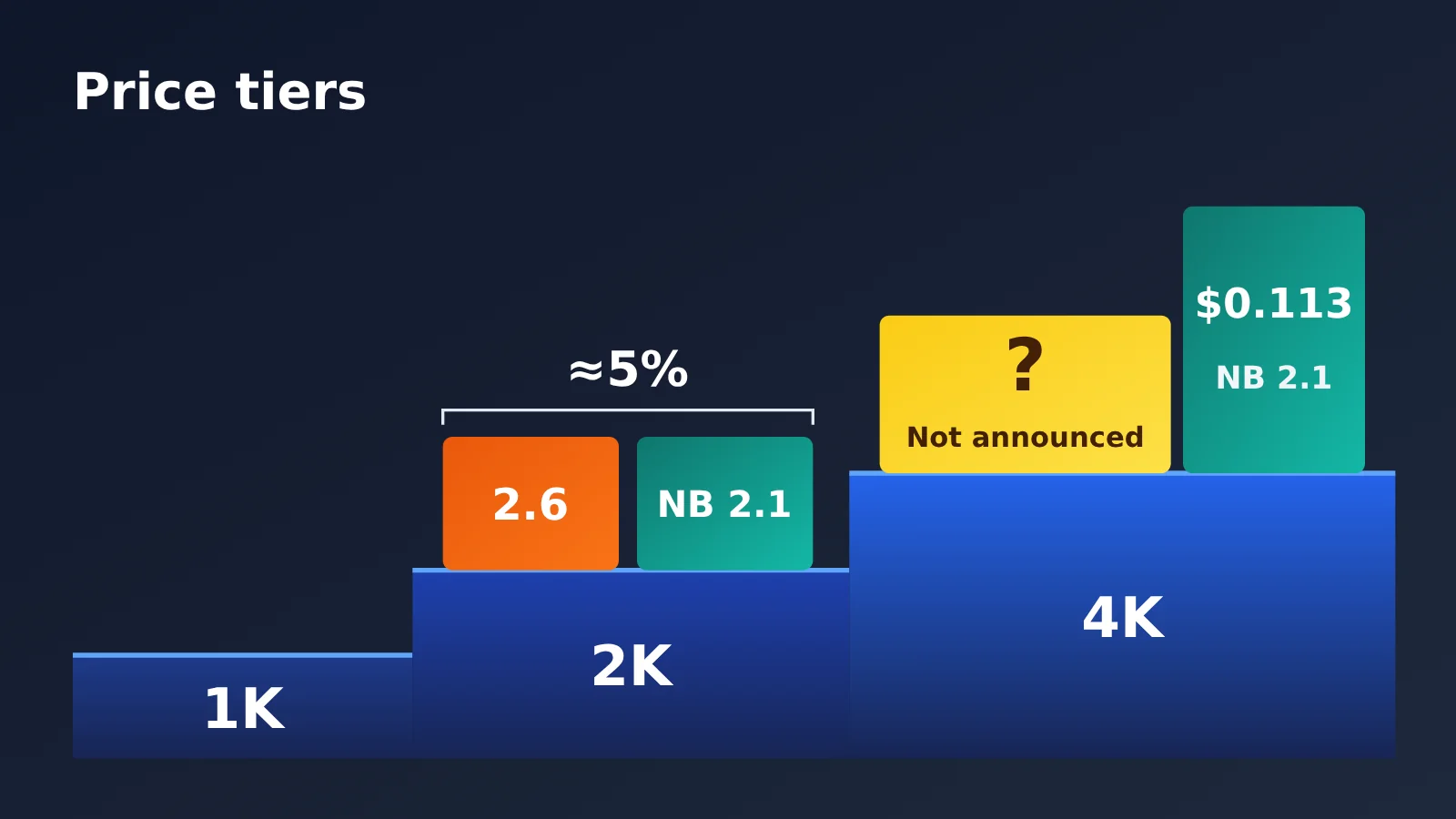
2K is where the two are closest. In its 2026-11-05 review, OrcaRouter lists NB 2.1 at $0.0504 for a 2K scenario and 2.6 high at around $0.053—a difference of about 5%. Note that the 2.6 calculator figure was measured at 1024×1024, and the two quality tiers aren’t equivalent. So this only tells us the prices are “nearly tied,” not which offers better value.
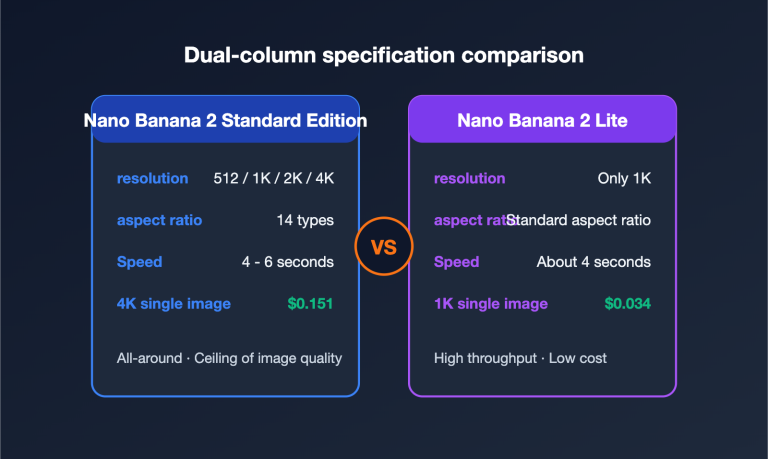
The prices diverge at 4K. NB 2.1 has a listed price of $0.113 per image; dimensions above 2560×1440 are experimental for 2.6, and OpenAI hasn’t disclosed official token consumption for 4K-class sizes. For comparison with related models, Nano Banana 2 costs $0.067 at 1K, $0.101 at 2K, and $0.151 at 4K. Nano Banana Pro costs $0.134 at 1K–2K and $0.24 at 4K. If you need higher quality, Pro is an option, but the cost rises significantly.
For Batch, NB 2.1’s image output rate is $15/1M tokens. OpenAI listed Batch image output at $15/1M on its 2.5 pricing page, but the 2.6 model page doesn’t repeat that detail, so the 2.6 Batch discount remains unknown. Other 2.6 rates are: text input at $5/1M ($1.25/1M cached), image input at $8/1M ($2/1M cached), and image output at $30/1M.
💰 Cost check: The table above uses official prices. If you access the models through an aggregation platform, its billing may differ. You can check current unit prices in the model list at APIYI apiyi.com; actual charges are based on what the console displays.
GPT-Image-2.6 vs. Nano Banana 2.1: Choose by Deliverable
You can boil the differences down to three rules based on what you need to deliver:
- For GIF or SVG output: Choose GPT-Image-2.6. NB 2.1 doesn’t support either format.
- For finished 4K images, extra-long aspect ratios, or consistent depictions of multiple characters and products: Choose Nano Banana 2.1. Its resolution tiers, pricing, and reference image limits are clearly specified.
- For applications that need real-time facts, such as news illustrations or infographics with current data: Choose Nano Banana 2.1 with search grounding enabled. Keep in mind that its knowledge cutoff is March 2026.
| Task | Recommendation | Key reason | What to watch for |
|---|---|---|---|
| Social media animations, reaction images, short loops | GPT-Image-2.6 | Native GIF output, up to 64 frames, with adjustable frame intervals | API-side GIF file sizes and generation times haven’t been disclosed |
| Icons, logo drafts, vector illustrations | GPT-Image-2.6 | Native SVG output (n=1) |
Only static vectors can be generated |
| Multi-round revisions, annotated local edits | GPT-Image-2.6 sunburst | Markup annotation layer; prioritizes consistency across rounds | Complex prompts can take up to about 2 minutes |
| E-commerce hero images and long-form images, multi-SKU consistency | Nano Banana 2.1 | 14 reference images; extra-long aspect ratio defects have been fixed | Mask editing may leave ink marks |
| 4K print work, large posters | Nano Banana 2.1 | Clearly defined 4K tier, about $0.113 per image | Small text can blur at 1K; use 2K or higher |
| Infographics with real-time facts, news illustrations | Nano Banana 2.1 | Search grounding improves factual accuracy in infographics | World knowledge and 3D reasoning are still limited |
| Standard 2K still images, speed-focused work | Either | 2K costs differ by about 5% | Compare actual results with a small sample |
If you need both options, you can test them side by side through the same interface. APIYI currently offers these models:
gpt-image-2.6-flare/gpt-image-2.6-sunburst: Pay-as-you-go pricing, with input at $5/1M tokens, output at $30/1M tokens, and cached reads at $1.25/1M; supports chat and images endpoints.gemini-nano-banana-2.1: Per-invocation pricing at $0.045/invocation; if you need higher quality,nano-banana-prois also available.- Connection URL: Set
base_urltohttps://api.apiyi.com/v1and use OpenAI-compatible calls.
For current models and pricing, refer to the platform’s model list at docs.apiyi.com/models.
🎯 How to choose: Start by running the same batch of prompts through both models to generate 20 to 50 images each. Then choose your primary option based on the deliverable. With APIYI at apiyi.com, you can test both in parallel using a single API key. New users get free testing credits, so there’s no need to set up separate accounts and billing systems with both providers.
GPT-Image-2.6 vs. Nano Banana 2.1: FAQ and Summary
Frequently Asked Questions
Q1: Which is better for Chinese-language posters, GPT-Image-2.6 or Nano Banana 2.1?
Neither company has published specific data on Chinese text rendering, and both acknowledge that small text and long passages can contain errors. The NB 2.1 team says its text rendering and infographic layouts are more accurate, but small text can look blurry at 1K, so use 2K or 4K for posters. The 2.6 team acknowledges that text placement can be inaccurate. Try generating a few samples with the same copy on both models before deciding.
Q2: Can GIFs generated by GPT-Image-2.6 be used commercially?
The sources referenced in this article don’t cover GIF licensing terms, so check OpenAI’s terms of service and usage policies. On the technical side, there’s also no public data yet on API success rates, file sizes, or generation times for GIFs. Run a small-scale test before commercial use.
Q3: How should Nano Banana 2.1’s 14 reference images be allocated?
The official guidance allows up to 4 characters and 10 objects. For e-commerce, you can use the character slots for models and the object slots for products and packaging to maintain consistency across multiple SKUs. The model card shows significant improvements in multi-reference editing and multi-character consistency, though the team acknowledges that consistency is “not always perfect.” If you’d like to see the results first, you can run a small trial with a few reference images through APIYI at apiyi.com.
Q4: Are there independent benchmark results for GPT-Image-2.6?
As of 2026-11-05, GPT-Image-2.6 hasn’t appeared on either Artificial Analysis’s text-to-image or editing leaderboard. Its DesignArena ranking has only been reported secondhand, with no verifiable Elo score. The only cross-vendor comparison available is between GPT Image 2.5 and NB 2.1, with the former ahead by about 48 points.
Q5: Which is easier to integrate?
When integrating them separately, 2.6 uses OpenAI’s image endpoint, while NB 2.1 uses the Gemini API. Their parameter styles and billing methods also differ. If you need to evaluate both options, APIYI at apiyi.com lets you switch models through a unified OpenAI-compatible interface. You only need to change the `model` field to compare them.
Summary: The Decision in One Sentence and Three Actions
In one sentence: Choose GPT-Image-2.6 for animated images and vectors; choose Nano Banana 2.1 for 4K, multiple reference images, or search grounding. For standard 2K still images, costs are similar, so choose based on the results.
- Confirm the deliverable first: Work out whether you need a GIF, SVG, 4K bitmap, or standard still image before looking at benchmark scores.
- Read benchmarks in context: The Elo scores in Google’s model card are only for comparisons within its model family. For cross-vendor comparisons, use Artificial Analysis figures and check the sample size and date. Scores for 2.6 aren’t available yet.
- Run a small parallel test: Run the same set of prompts through both models, recording cost and time. You can do this in parallel with one key through APIYI at apiyi.com. Check the platform’s model list for current models and pricing.
References
- OpenAI official blog: Introducing Images 2.6
- Link:
openai.com/index/introducing-images-2-6 - Details: 2.6 model, GIF and SVG output parameters, and OpenAI’s reported speed improvements
- Google Gemini API model page: Nano Banana 2.1
- Link:
ai.google.dev/gemini-api/docs/models/gemini-nano-banana-2.1 - Details: Inputs and outputs, token limits, and supported and unsupported capabilities
- Google DeepMind model card: Nano Banana 2.1
- Link:
deepmind.google/models/model-cards/nano-banana-2-1 - Details: SxS Elo scores within the model family and limitations acknowledged by Google
- Artificial Analysis image leaderboard
- Link:
artificialanalysis.ai - Details: Cross-vendor Elo scores and sample sizes, accessed 2026-11-05
Author: APIYI Technical Team
Technical discussions: Contact us through the APIYI website at apiyi.com. For more models and integration details, visit the documentation center at docs.apiyi.com.