Author's Note: This article explores why Claude Code is restricted to Anthropic models, compares the model support across 6 CLI tools (OpenCode, Cline, Aider, Gemini CLI, etc.), and provides a solution for using other models with Claude Code via a LiteLLM proxy.
Claude Code is currently the most powerful AI coding tool for the terminal, but it comes with a significant catch: it only supports Anthropic's Claude models and doesn't work with GPT or Gemini. If you need to easily switch between models from different providers in your command line—using Claude for complex reasoning, GPT for specific tasks, and Gemini's free tier for low-priority work—how should you choose your tools? This article breaks down the model support for 6 mainstream CLI coding tools and provides a clear comparison table.
Core Value: By the end of this article, you'll know exactly which CLI tool best fits your multi-model needs and how to get Claude Code running with other models.
Core Comparison Table for CLI Coding Tool Selection
This is the most important table in the entire article—it directly answers "which tool supports what."
Comparison of 6 CLI AI Coding Tools
| Tool | CLI Support | Claude | GPT | Gemini | Local Models | Multi-model Switching | Agent Capability | Pricing |
|---|---|---|---|---|---|---|---|---|
| Claude Code | Native CLI | Full Series | Proxy Req. | Proxy Req. | Not Supported | Not Supported | Strongest | Subscription |
| Gemini CLI | Native CLI | Not Supported | Not Supported | Full Series | Not Supported | Not Supported | Moderate | Large Free Tier |
| OpenCode | Native CLI | Not Supported | Full Series | Full Series | Ollama | In-session | Moderate | Open Source |
| Cline | Not Supported | Full Series | Full Series | Full Series | Ollama | Supported | Moderate | Open Source |
| Aider | Native CLI | Full Series | Full Series | Full Series | Ollama | Supported | Moderate | Open Source |
| Codex CLI | Native CLI | Not Supported | Full Series | Not Supported | Not Supported | Not Supported | Moderate | OpenAI Sub |
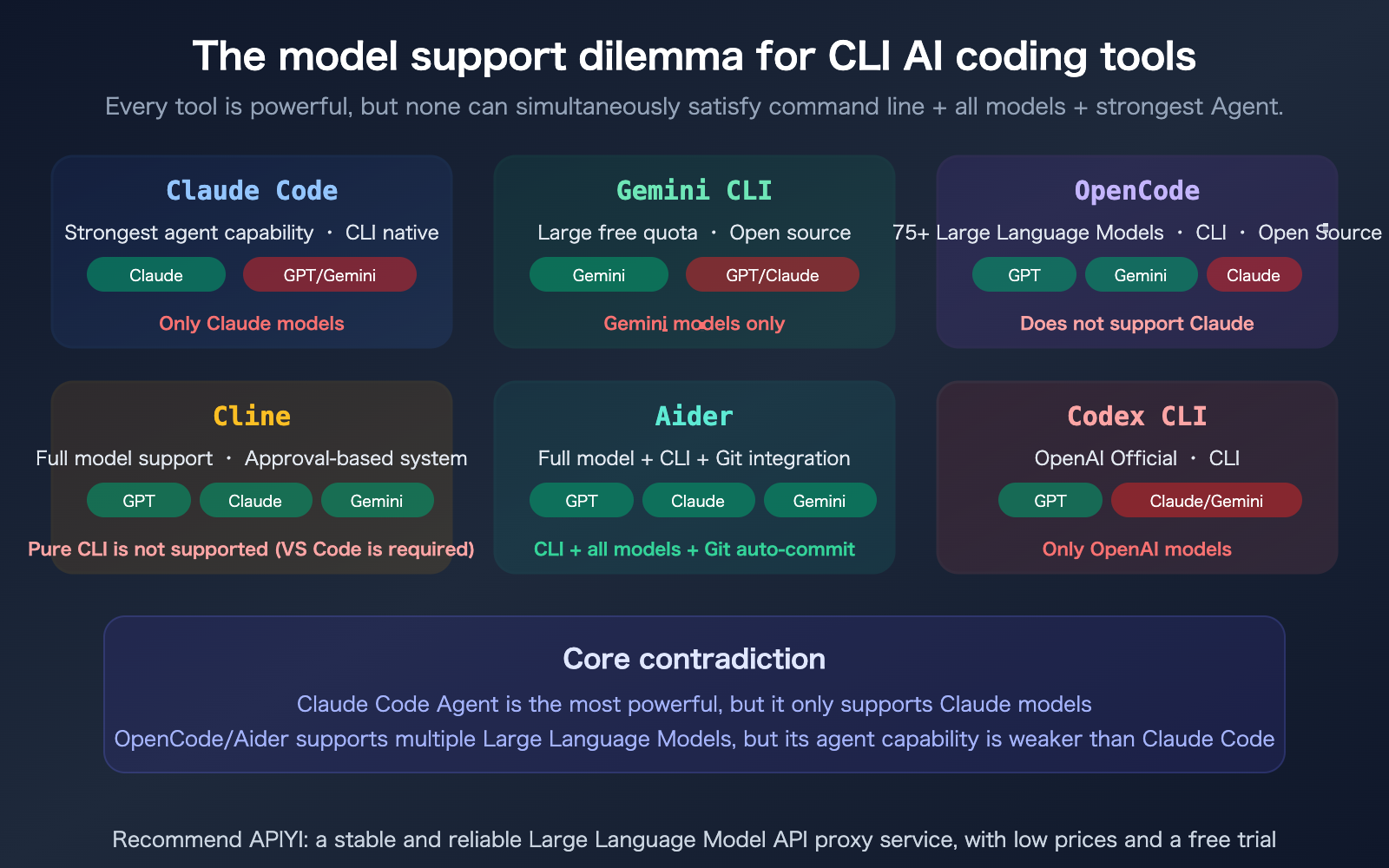
As you can see from the table, each tool has its own "gaps":
- Claude Code: Strongest Agent, but restricted to Claude.
- Gemini CLI: Generous free tier, but restricted to Gemini.
- OpenCode: Supports 75+ models, but does not support Claude.
- Cline: Supports all models, but isn't a CLI tool (requires VS Code).
- Aider: CLI + all models, but Agent capabilities are weaker than Claude Code.
- Codex CLI: Restricted to OpenAI models only.
Why Doesn't Claude Code Support GPT and Gemini?
Technical Reasons: Deep Integration vs. General Compatibility
Claude Code isn't just a simple "LLM wrapper"—it's an Agent framework specifically tailored by Anthropic for Claude models. Many of Claude Code's core capabilities rely on features unique to Claude models:
| Claude Code Unique Capability | Dependent Claude Feature |
|---|---|
| Context Compaction | Claude's internal summarization mechanism |
| Adaptive Thinking | Claude Opus 4.6 thinking parameter |
| thoughtSignature | Claude-proprietary reasoning signature |
| Skills / Subagents | Optimized based on Claude's prompt format |
| 1M context window | Unique to Claude Opus 4.6 |
| Ultrathink | Claude-exclusive deep reasoning mode |
If you were to swap in GPT or Gemini, these deeply optimized features would either fail or degrade. This is exactly why Claude Code's Agent capabilities are far superior to general-purpose tools like OpenCode or Aider—the advantages of specialization cannot be replicated by general compatibility.
Business Reasons: Vendor Lock-in Strategy
Claude Code is one of Anthropic's core products, designed to drive consumption of Claude API tokens. If they allowed users to switch to GPT, Anthropic would lose that revenue stream. This follows the same logic as Gemini CLI only supporting Gemini and Codex CLI only supporting GPT—every provider wants to lock users into their own ecosystem.
Detailed Analysis of Tool Features
OpenCode: 75+ Models but No Claude Support
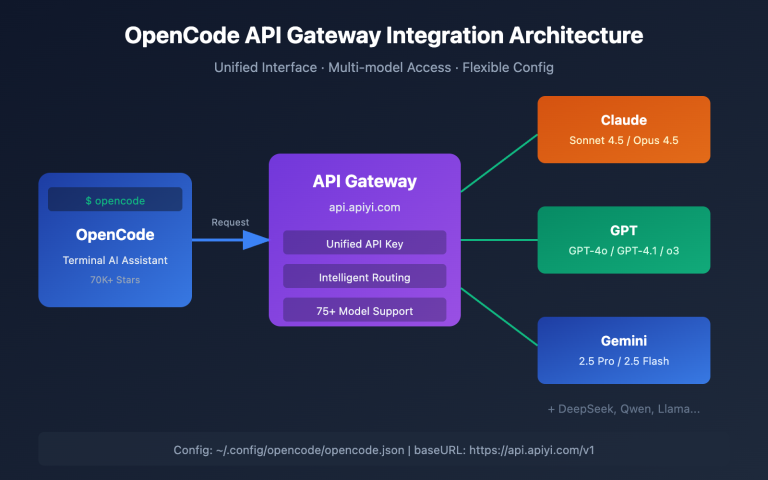
OpenCode is an open-source CLI coding tool written in Go, boasting over 45,000 stars on GitHub. Its biggest selling point is model flexibility—it supports 75+ Large Language Model providers, including OpenAI, Google Gemini, AWS Bedrock, Groq, Azure, and more.
Key features:
- In-session model hot-swapping (use cheaper models for quick iterations, and powerful models for final validation)
- LSP integration (automatic language server configuration)
- Multi-session parallelism (running multiple agents in the same project)
- Privacy-first (does not store code or context data)
Critical Limitation: OpenCode does not support Anthropic Claude models. If your core workflow relies on Claude's reasoning capabilities, OpenCode isn't the right choice.
Aider: CLI + Full Model Support + Auto Git Commits
Aider is currently the only tool that combines "CLI-native + full model support + robust Git integration." It supports almost all mainstream models, including Claude, GPT, Gemini, DeepSeek, and local models via Ollama.
Key advantages:
- Automatic Git commits (creates meaningful commit messages for every change)
- Multi-file collaborative editing
- Supports almost all LLMs
- Open-source and free, BYOK (Bring Your Own API key)
Critical Limitation: Its agent capabilities are weaker than Claude Code—it lacks a Skills system, Subagents, Hooks, and Background Agents. It functions more like an intelligent code editor than a full-fledged agent platform.
Cline: Full Model Support but Not a CLI
Cline’s philosophy is "approve everything"—every file modification and terminal command requires your explicit approval. It supports all mainstream models, including Claude, GPT, Gemini, and local Ollama models.
Critical Limitation: Cline is not a CLI tool; it is a VS Code extension. If you need to work in a pure terminal environment (SSH, servers, CI/CD), Cline is not suitable.
🎯 Selection Advice: If you primarily focus on complex reasoning and large-scale projects, using Claude Code with the discounted Claude API from APIYI (apiyi.com) is the optimal solution. If you need to switch between multiple models within a CLI, Aider is currently the most comprehensive choice.
Using LiteLLM to Run Other Models in Claude Code
If you really need to use GPT or Gemini within the Claude Code interface, the LiteLLM proxy is currently the only viable solution.
How the LiteLLM Proxy Works
LiteLLM is an open-source LLM proxy service that acts as a translation layer between Claude Code and your target API—automatically converting the Anthropic Messages API format sent by Claude Code into the format required by OpenAI or Gemini.
Claude Code → Anthropic format request → LiteLLM proxy → Converted to GPT/Gemini format → Target API
Key Limitations of the LiteLLM Proxy
| Limitation | Impact |
|---|---|
| Agent Feature Degradation | Claude-exclusive features like Thinking, thoughtSignature, and Context Compaction will not work |
| Security Risks | LiteLLM is a third-party proxy; Anthropic does not audit its security |
| Increased Latency | An extra proxy layer means an extra layer of network latency |
| Format Compatibility | Complex requests (tool calls, multi-turn thinking) may encounter conversion errors |
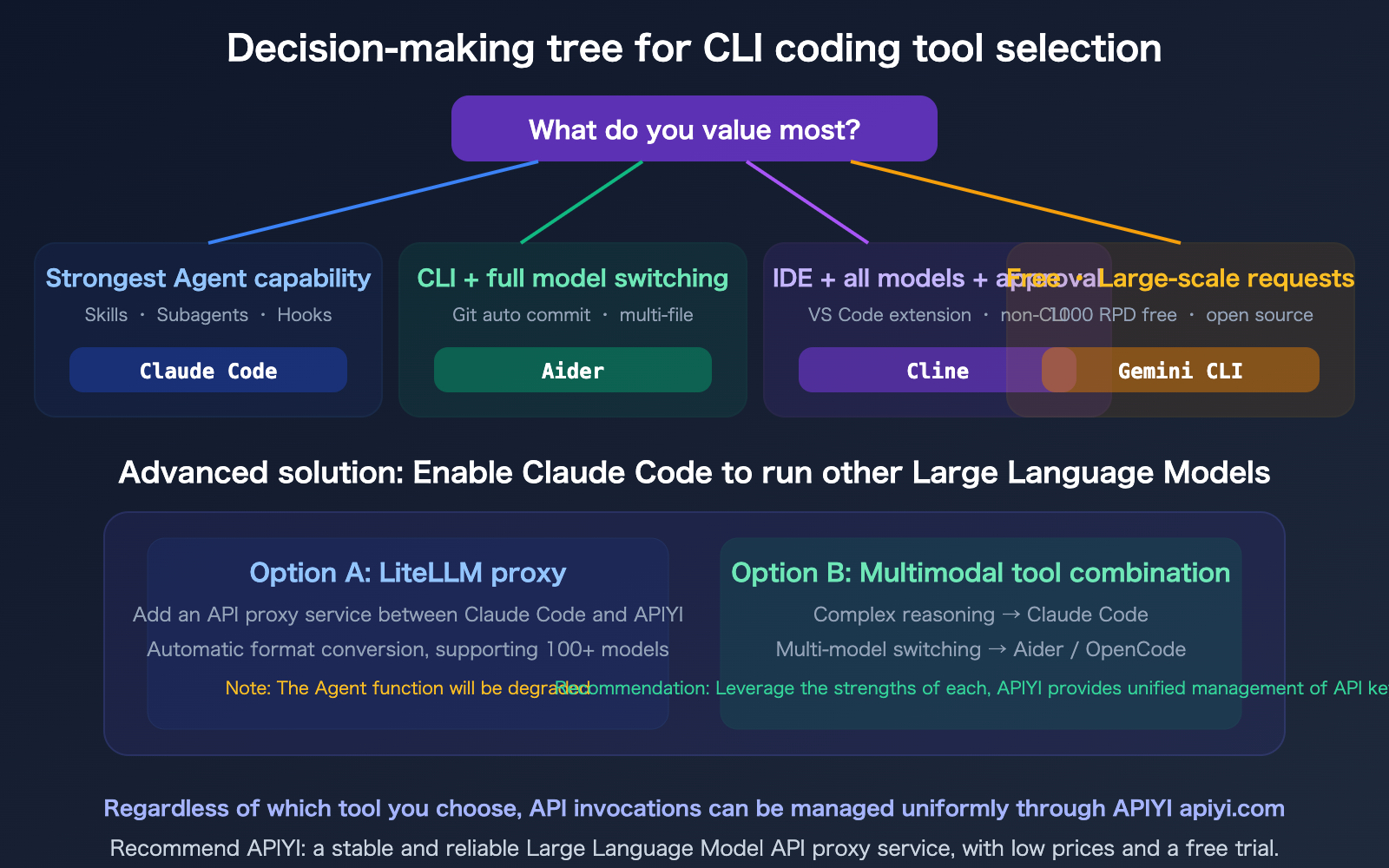
Conclusion: The LiteLLM approach can "make Claude Code run other models," but the experience is far inferior to using native Claude models. If you need multi-model switching capabilities, choosing Aider or OpenCode is much more practical.
🎯 Pragmatic Advice: Don't try to make one tool do everything. Here is a recommended setup:
- Complex reasoning and large-scale projects → Claude Code (access Claude Opus 4.6 via APIYI apiyi.com for a 20% discount)
- Daily coding requiring model switching → Aider (CLI with full model support)
- High volume of free requests → Gemini CLI (1000 RPD free)
FAQ
Q1: Why does OpenCode support 75+ models but not Claude?
OpenCode supports API endpoints that are compatible with the OpenAI format. Claude's native API format (/v1/messages) differs from the OpenAI format (/v1/chat/completions), and OpenCode currently lacks an adapter for the Anthropic format. If you call Claude via an OpenAI-compatible endpoint from a provider like APIYI (apiyi.com), you can theoretically use it in OpenCode, but advanced features like "thinking" will be limited.
Q2: How big is the gap between Aider’s agent capabilities and Claude Code’s?
The gap is significant. Claude Code features a full-fledged agent platform: Skills system, Subagents, Lifecycle Hooks, Background Agents, /loop timing cycles, Remote Control, Voice Mode, and Computer Use. Aider is primarily focused on intelligent code editing and Git integration; it lacks all of the aforementioned agent features. Choosing Aider means choosing "multi-model flexibility," while choosing Claude Code means choosing "the most powerful agent capabilities."
Q3: If I can only pick one tool, which one should it be?
It depends on your core needs: If 80% of your work involves complex code reasoning and large projects—choose Claude Code; its agent capabilities and the reasoning depth of Opus 4.6 are irreplaceable. If you frequently need to switch and test between different models—choose Aider; it is the only real choice for a CLI with full model support. If you are on a budget—choose Gemini CLI; the 1000 RPD free quota is enough for individual developers. All API invocations for these tools can be managed centrally via APIYI (apiyi.com).
Q4: Can Gemini CLI support other models via a proxy?
Yes. Tools like Bifrost emerged in 2026, allowing for format conversion between Gemini CLI and other models, supporting 20+ providers including Claude, GPT, and Groq. However, similar to the LiteLLM approach, this proxy method results in the loss of model-specific features, and the experience is not as good as native support.
Summary
Key takeaways for selecting the right model for CLI AI coding tools:
- There’s no "one-size-fits-all" tool: Claude Code Agent is the most powerful but is limited to Claude models; OpenCode supports 75+ models but lacks Claude support; Cline supports all models but isn't a CLI tool. Aider remains the most balanced choice for a CLI that supports all models.
- Technical reasons behind Claude Code's limitations: Its agentic superiority is built on deep integration with Claude-specific features like Thinking, Compaction, and Skills. Universal compatibility would likely sacrifice these core advantages.
- Recommended workflow: Use Claude Code + APIYI discounted Claude API for complex reasoning, Aider for daily multi-model coding tasks, and Gemini CLI for high-volume, cost-effective tasks.
We recommend using APIYI (apiyi.com) to centrally manage API keys for all these tools—get 20% off Claude and 28% off Gemini, all from a single platform.
📚 References
-
Claude Code Official Documentation: Agent capabilities and model support details
- Link:
code.claude.com/docs/en/overview - Note: Learn about the full feature set and model limitations of Claude Code.
- Link:
-
OpenCode Official Website: Open-source CLI tool with support for 75+ models
- Link:
opencode.ai - Note: Includes details on model configuration, multi-session support, and LSP integration.
- Link:
-
Aider GitHub: Coding assistant with CLI, full model support, and Git integration
- Link:
github.com/paul-gauthier/aider - Note: Includes a list of supported models and documentation on Git integration.
- Link:
-
LiteLLM Guide for Running Non-Anthropic Models in Claude Code: Proxy solution documentation
- Link:
docs.litellm.ai/docs/tutorials/claude_non_anthropic_models - Note: Contains configuration steps and known limitations.
- Link:
-
APIYI Documentation Center: Unified API management for multiple models
- Link:
docs.apiyi.com - Note: Supports all mainstream models including Claude, GPT, and Gemini.
- Link:
Author: APIYI Technical Team
Technical Discussion: Feel free to join the discussion in the comments. For more resources, visit the APIYI documentation center at docs.apiyi.com.