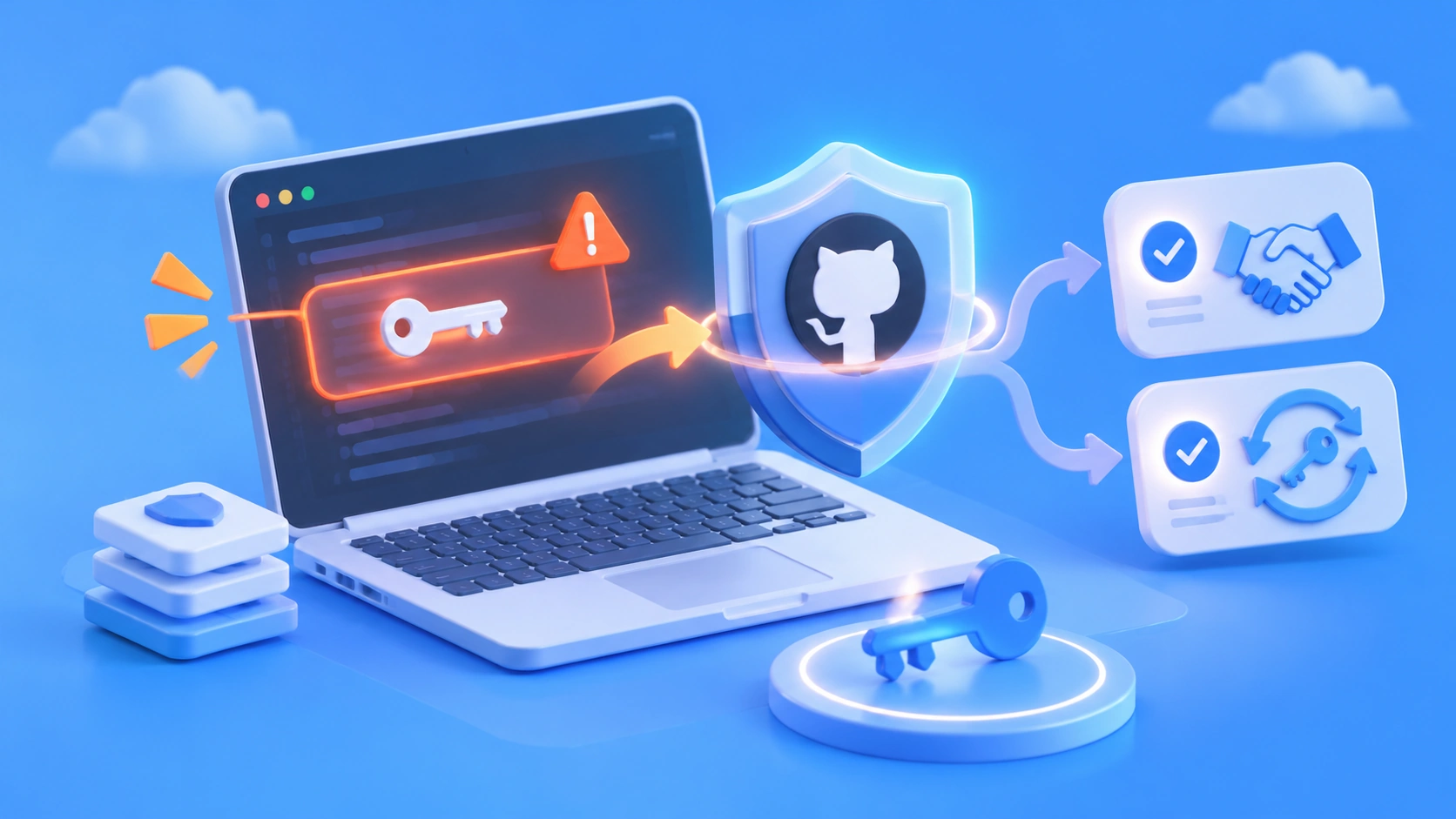
Author’s note: Using GitHub’s latest secret scanning detector update as a starting point, we’ll look at what happens when an API key is accidentally committed to a repository, how much platform detection can catch, and what developers still need to do themselves.
On November 5, 2026, GitHub published a secret scanning update in its changelog: SpaceX became a new secret scanning partner, adding a Starlink key detector, while detectors from Alibaba Cloud, AWS, Google, Tencent Cloud, and others gained false-positive filtering. The update was brief, but it raised a question many developers haven’t given much thought: what actually happens after you put an API key in your code and push it to a repository?
This isn’t security fearmongering. The facts in this article are based on GitHub’s official changelog. We’ll break down the two ways the platform handles detected secrets, explain what detection can and can’t cover, and share practical steps for protecting AI model API keys and responding to leaks.
What you’ll learn: In three minutes, you’ll understand how GitHub secret scanning handles different keys, which risks you need to manage yourself, and how to use a ready-to-copy environment variable pattern and incident response checklist.
GitHub Secret Scanning Update at a Glance
This update comes down to three things: a new partner, a new detector, and improved false-positive filtering for existing detectors. Here’s a summary of the changelog.
| Item | Details |
|---|---|
| Published | November 5, 2026 |
| Publisher | GitHub (changelog, categorized under application security) |
| New partner | SpaceX joins the secret scanning partner program |
| New detector | starlink_public_api_v2_secret |
| Updated detectors | Alibaba, AWS, Google, OpenVSX, Pydantic Services, and Tencent—all with added false-positive filtering |
| Who’s affected | Developers and organizations hosting code on GitHub, especially in public repositories |
A Closer Look at Secret Scanning’s False-Positive Filtering
False-positive filtering may sound technical, but it directly affects whether an alert is worth looking at. When teams get too many alerts and can’t easily tell real leaks from false alarms, they may start ignoring them altogether. That makes it easier for genuine leaks to get lost in the noise. Here’s what changed for each provider’s detectors.
| Provider | Secret types | Improvement (in plain English) |
|---|---|---|
| Alibaba | alibaba_cloud_access_key_id |
If dictionary filtering excludes every possible companion secret, the ID is no longer reported on its own |
| AWS | aws_access_key_id, aws_session_token, aws_temporary_access_key_id |
Same approach: suppress isolated matches with no valid pair |
| Three types of Cloud Storage access keys and IDs | Same approach: no separate alert when the matching companion has been filtered out | |
| OpenVSX | openvsx_access_token |
Tightens context matching for legacy tokens to avoid treating unrelated UUIDs as credentials |
| Pydantic Services | logfire_token |
Matches the documented token length and character set, excluding placeholders and public browser tokens |
| Tencent | tencent_cloud_secret_id |
Requires both letters and numbers after the prefix, excluding all-letter identifiers such as function names |
The idea of “pairing” is worth a closer look. Cloud provider credentials typically consist of a key ID and a secret; an ID on its own often isn’t a complete credential. If all the potential companion secrets found nearby are just ordinary words that look like random strings, the ID is likely an example or a coincidence. Suppressing it helps reduce noise.
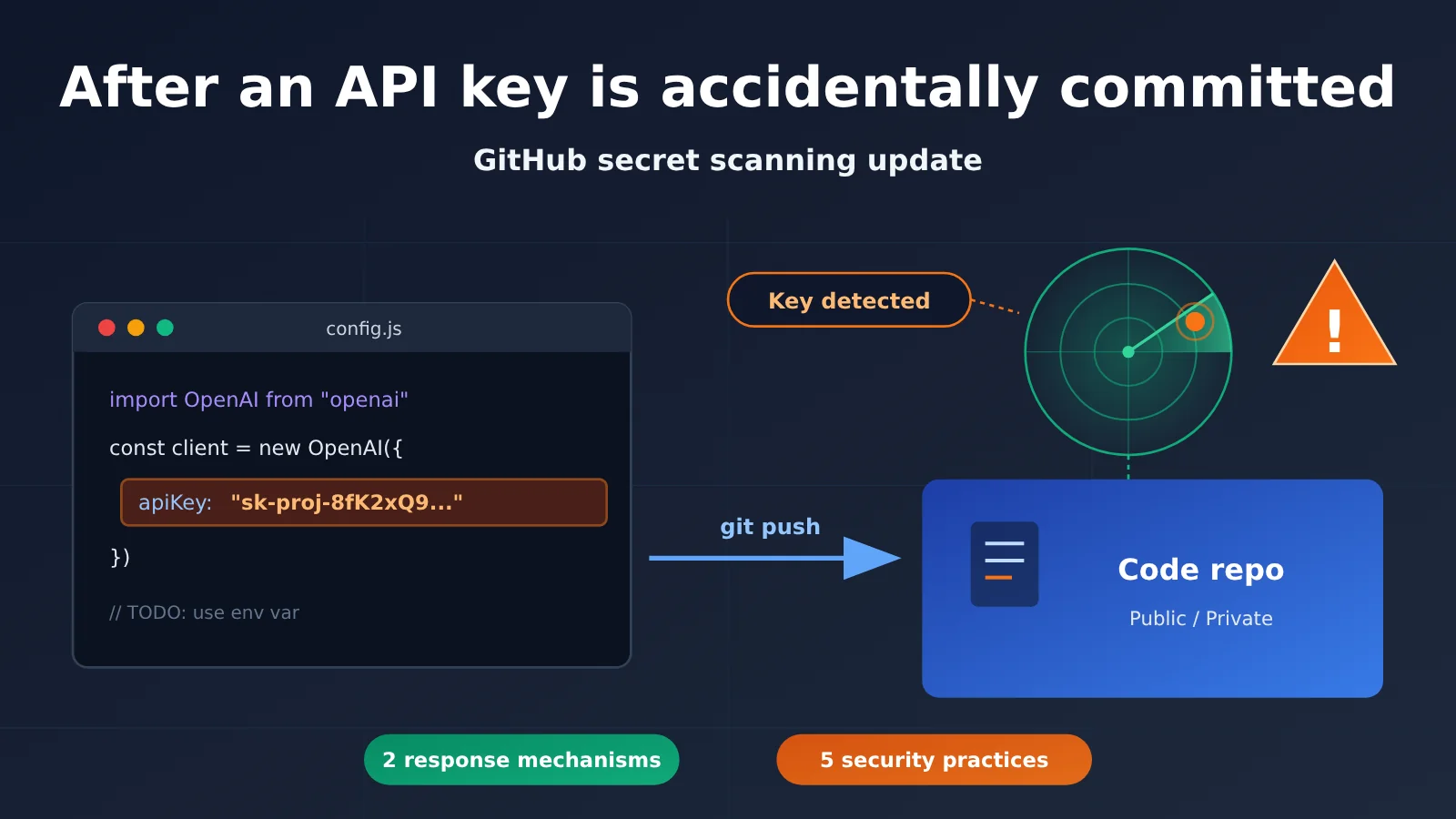
2 Ways an Accidentally Committed API Key Is Handled
The changelog makes one important distinction: partner keys found in public repositories are automatically reported to the key issuer, while user keys found in public or private repositories generate a secret scanning alert. Different parties are responsible for handling each path.
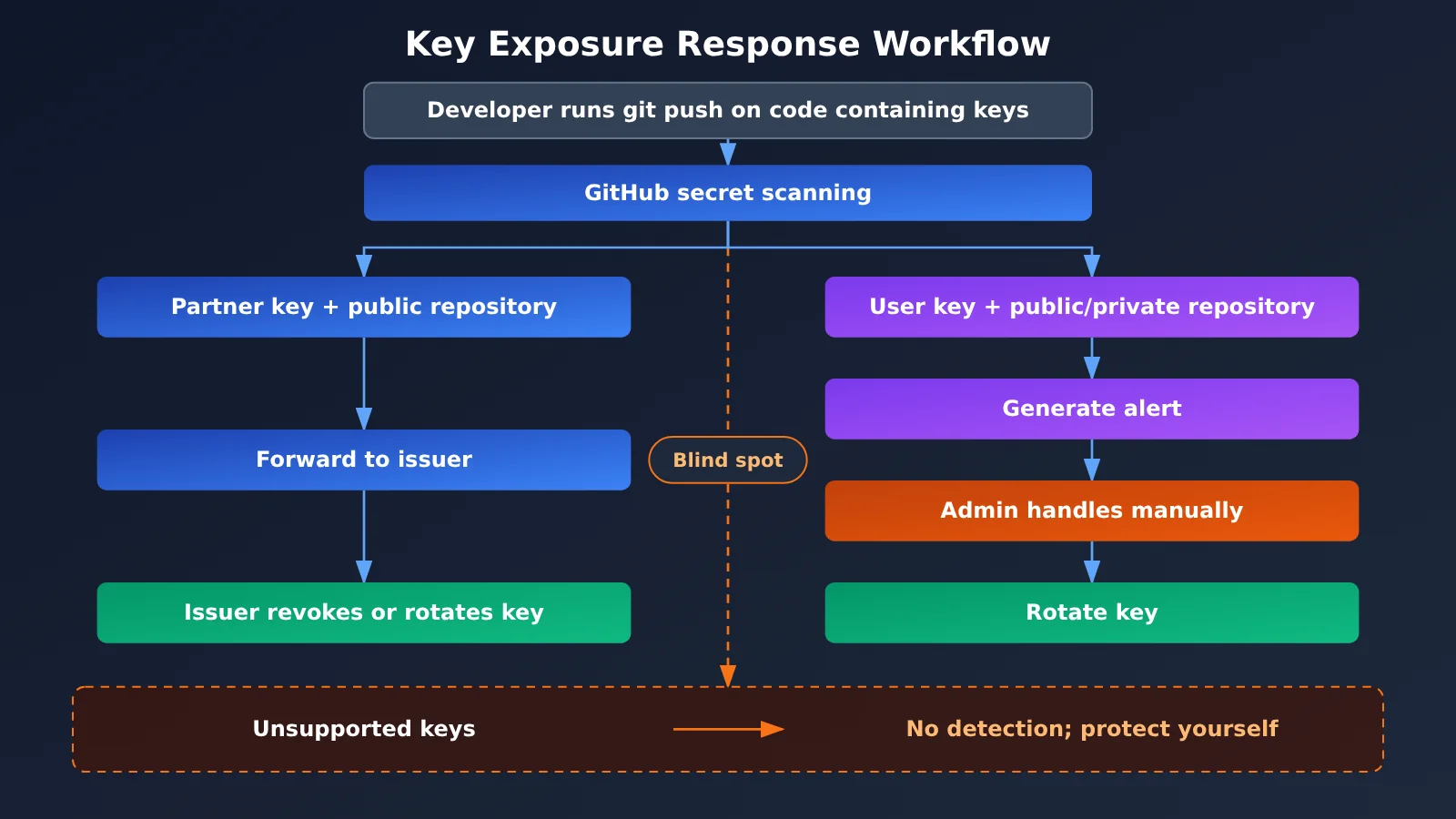
Diagram note: The flowchart shows two detection paths and one blind spot. For scenarios such as AI model invocation, consider keeping keys in environment variables and using a platform like APIYI apiyi.com, which supports centralized token management, to monitor usage in one place. This makes it easier to investigate issues when keys would otherwise be scattered across multiple locations.
Partner keys: Forwarded to the issuer
When a key from a partner such as SpaceX appears in a public repository, GitHub forwards it to the partner, allowing the issuer to revoke or rotate it before it’s misused. The benefit is that it doesn’t depend on the developer noticing the mistake. Even if the person who committed the key is completely unaware, the issuer has a chance to limit the damage quickly.
There are limits, though: this only covers providers in the partner program, and it applies to public repositories. Partner keys in private repositories aren’t handled through this forwarding process.
User keys: An alert is generated for you to handle
The user key path is essentially a notification for you to act on. When a key is detected, the platform generates a secret scanning alert in the repository. This can happen in both public and private repositories; check GitHub’s official documentation for the specific enablement requirements and visibility rules. The alert itself doesn’t invalidate the key—the person responsible for the repository still needs to rotate the credential to limit the damage.
| Comparison | Partner keys | User keys |
|---|---|---|
| Detection scope | Public repositories | Public or private repositories |
| Responsible party | Key issuer | Repository owner / administrator |
| Action | Issuer revokes or rotates the credential | Alert is generated; manual action is required |
| Automatically invalidated? | Depends on the issuer’s policy | No, you must rotate it yourself |
| What developers need to do | Watch for issuer notifications and replace the key promptly | Review alerts promptly and rotate the key |
API Key Leak Detection Limits: How Much Can Platforms Catch?
Many developers see “the platform scans automatically” and assume they’re covered. That’s a dangerous misconception. Secret scanning is a safety net, not a firewall, and it has some inherent limits.
| Scenario | Can platform detection cover it? | Explanation |
|---|---|---|
| A supported partner key enters a public repository | Yes, and it’s forwarded to the issuer | The best-case scenario, but there’s still a time window |
| A supported user key enters a repository | Yes, an alert can be generated | Someone still needs to see the alert and act on it |
| A key isn’t on the supported list | No | Developers must prevent exposure themselves |
| A key is embedded in a frontend build or mobile app package | Outside the scope of repository scanning | Anyone who downloads it can extract the key |
| A key appears in CI logs, screenshots, or chat messages | Outside the scope of repository scanning | These leak channels are often overlooked |
| Someone clones or scrapes the key before detection | No | Scanning can shorten the exposure window, but it can’t undo the exposure |
The first limit is the supported list. This changelog doesn’t list key types from model providers such as OpenAI and Anthropic, nor does it cover tokens from API aggregation platforms. Check GitHub’s documentation to see whether they’re on its full supported list. Until you’ve confirmed that, the safest assumption is that they won’t be detected.
The second limit is the time window. Automated scripts can scrape keys from public repositories very quickly, and there’s always a delay between platform detection and revocation by the issuer. Even if the key is eventually revoked, any usage charges and data access during that window have already occurred.
The third limit is Git history. After discovering a leak, many people’s first instinct is to delete the line of code and commit again. But the key remains in the old commit. Even if you rewrite the history with a tool, anyone who has already cloned the repository still has a copy. That’s why the right order is “rotate first, then clean up.”
Quick Start: Preventing AI Model API Key Leaks
For applications that call Large Language Models, a leaked key often leads directly to unexpected charges: someone else can use your key to make大量 requests, and you’ll foot the bill. Let’s start with the basics: using environment variables.
Minimal Example: Read an API Key from an Environment Variable
import os
import openai

client = openai.OpenAI(
    api_key=os.environ["APIYI_API_KEY"],      # Read from an environment variable, not hardcoded in the code
    base_url="https://api.apiyi.com/v1"       # OpenAI-compatible API
)

resp = client.chat.completions.create(
    model="gpt-4o-mini",
    messages=[{"role": "user", "content": "你好"}]
)
print(resp.choices[0].message.content)
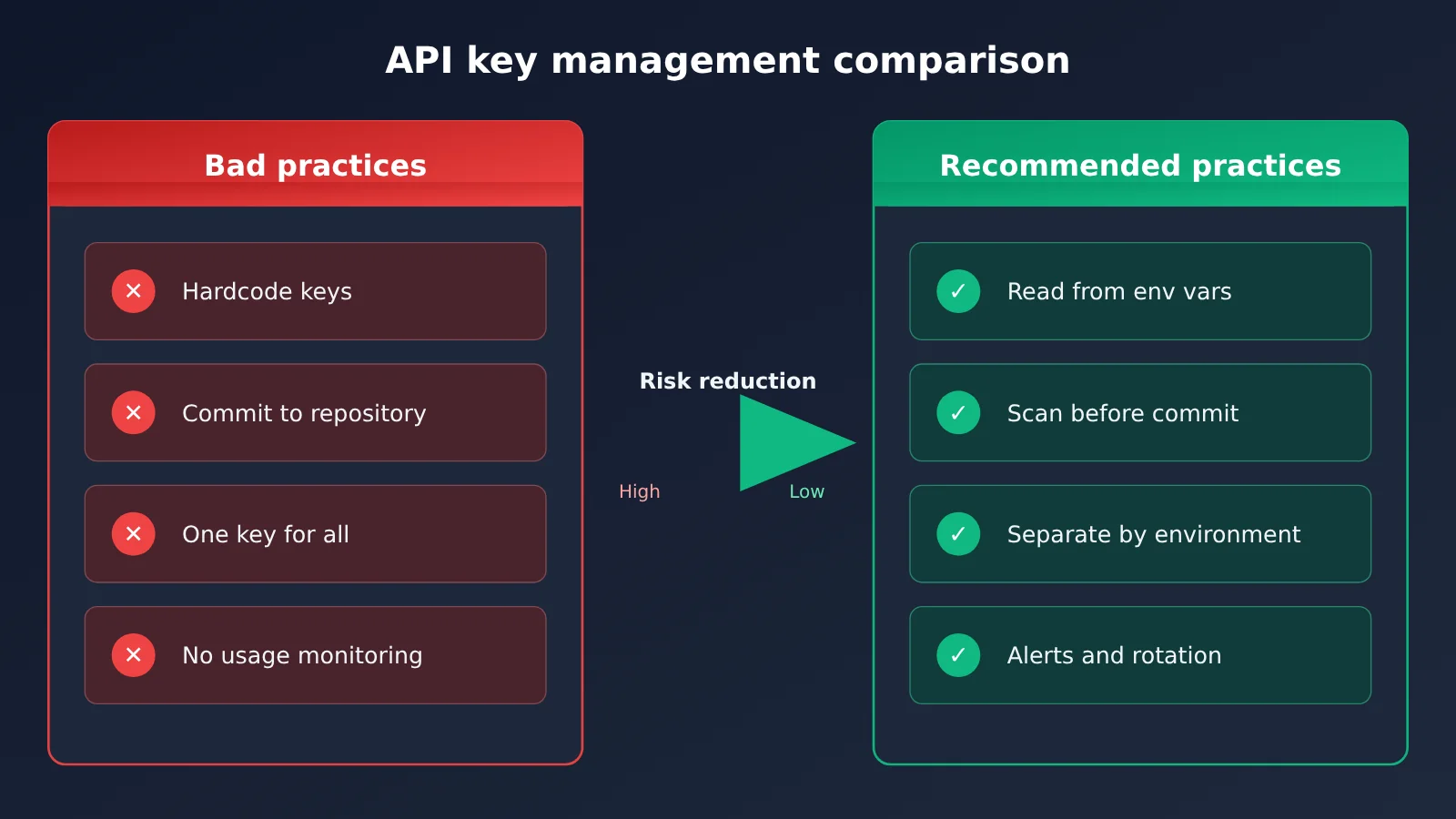
Also, add .env to the .gitignore file in your project root, and provide an .env.example containing only placeholders for collaborators. That way, even if someone accidentally runs git add ., the real key won’t be staged.
View the Full Implementation (Including .env Loading, Missing-Key Checks, and Masked Logging)
import os
import logging
from typing import Optional

import openai
from dotenv import load_dotenv  # pip install python-dotenv

logging.basicConfig(level=logging.INFO)
load_dotenv()  # Load the local .env; use the deployment platform's secret management in production


def mask_key(key: str) -> str:
    """Keep only a few characters at each end so the full key isn't written to logs."""
    if len(key) <= 8:
        return "****"
    return f"{key[:4]}****{key[-4:]}"


def get_client() -> openai.OpenAI:
    api_key: Optional[str] = os.getenv("APIYI_API_KEY")
    if not api_key:
        raise RuntimeError("未找到 APIYI_API_KEY,请在环境变量或 .env 中配置")
    logging.info("使用密钥: %s", mask_key(api_key))
    return openai.OpenAI(
        api_key=api_key,
        base_url="https://api.apiyi.com/v1",
    )


def chat(prompt: str, model: str = "gpt-4o-mini", max_tokens: int = 500) -> str:
    client = get_client()
    try:
        resp = client.chat.completions.create(
            model=model,
            messages=[{"role": "user", "content": prompt}],
            max_tokens=max_tokens,
        )
        return resp.choices[0].message.content
    except openai.AuthenticationError:
        # Handle revoked or rotated keys here; prompt for a config update instead of printing the key
        return "鉴权失败:密钥可能已失效,请检查并更新配置"
    except Exception as e:
        return f"调用失败: {type(e).__name__}"


if __name__ == "__main__":
    print(chat("用一句话解释什么是密钥轮换"))
🚀 Quick Start: If you’re building a prototype, you can get an API key and free testing credits from APIYI at apiyi.com. Use the environment variable approach above to get started, and switch between popular models like OpenAI, Claude, and Gemini with a single key. It also saves you the hassle of managing separate keys across multiple providers.
5 Everyday Practices to Prevent API Key Leaks
| Practice | How to do it | Problem it solves |
|---|---|---|
| Environment variables and secret management | Use .env locally and add it to .gitignore; use your deployment platform’s secret management features in production |
Keeps keys out of code and repositories |
| Pre-commit scanning | Add a secret-scanning tool to your pre-commit hook | Blocks leaks before pushing, covering the gap before platform detection |
| Don’t expose keys in the frontend | Route browser and mobile requests through your own backend | Prevents keys from being extracted from application bundles |
| Use separate keys for different purposes | Use different keys for development, testing, and production | Limits the impact of a leak and lets you rotate keys independently |
| Regular rotation and usage monitoring | Rotate keys regularly and watch daily usage and spending trends | Helps you spot unexpected usage early |
Beginners most often overlook using separate keys and monitoring usage. If a project uses one key for everything and it leaks, you may have to take everything offline to replace it. With separate keys, you only need to replace the compromised one.
Emergency Response and Impact Analysis After an API Key Leak
If you’ve discovered that a key was committed to a repository—whether through a secret scanning alert, a notice from the issuer, or your own code review—take these steps in order:
- Revoke the old key immediately: Delete or disable the leaked key in the issuer’s console. This is the only step that actually stops further exposure.
- Generate a new key and update your deployment: Put the new key in an environment variable or secrets management system, then redeploy the service.
- Check usage and billing: Look for unusual calls, unfamiliar models, or unexpected charges during the exposure period.
- Clean up Git history: After rotating the key, use a history-rewriting tool to remove it from old commits, and ask collaborators to clone the repository again.
- Review the incident and strengthen your defenses: Add measures such as
.gitignoreentries and pre-commit scanning to prevent the same problem from happening again.
For projects that invoke models through APIYI, you can check tokens and usage in the console. If you spot unusual usage, address the affected token first. The available options for deleting, recreating, or setting limits on tokens depend on what the console actually supports. If your token supports a spending limit, set one when you create it—it’s an extra safety net if the token leaks.
Impact on Developers
- Better alert quality: Filtering out false positives makes alerts for common cloud credentials, such as those from AWS, Alibaba Cloud, and Tencent Cloud, more reliable. Teams are more likely to take each alert seriously.
- Don’t rely on detection as a safety net: Check for yourself whether your AI model keys are supported. Until you’ve confirmed it, assume the platform won’t catch them.
- Get the response order right: Rotate the key before cleaning up history; don’t just delete it from the code.
Impact on the Industry
- Partner programs continue to expand: From cloud providers to newcomers like SpaceX, more service providers are joining mechanisms that pass exposed keys to their issuers as soon as they’re found. This could further shorten the time keys remain exposed in public repositories.
- Detection is shifting from more alerts to more accurate alerts: Most of these changes focus on reducing false positives, suggesting that platforms are paying more attention to how actionable alerts are, not just how much they cover.
Frequently Asked Questions
Q1: What is GitHub secret scanning?
It’s GitHub’s repository secret-scanning feature. It identifies credentials in code that match known formats. When a partner secret is found in a public repository, GitHub passes it to the issuer for revocation or rotation. When a user secret is found, GitHub creates an alert in the repository.
Q2: How are partner secrets and user secrets handled differently?
When a partner secret is found in a public repository, the issuer is responsible for revoking or rotating it without requiring the developer to act. User secrets generate alerts in public or private repositories, and the repository owner must rotate them. The first approach is more about automatically limiting damage; the second is about prompting someone to take action.
Q3: When was this update released, and what changed?
GitHub published this changelog on November 5, 2026. The main changes were SpaceX joining as a partner and the addition of the `starlink_public_api_v2_secret` detector, along with improved false-positive filtering for detectors from Alibaba Cloud, AWS, Google, OpenVSX, Pydantic Services, and Tencent Cloud.
Q4: Will secret scanning detect my AI model API key?
This changelog doesn’t cover secret types from model providers such as OpenAI and Anthropic. Check the full list in GitHub’s documentation to see what’s supported. Whether APIYI tokens are currently on the supported list hasn’t been confirmed either. Rather than relying on platform detection, protect your keys yourself using environment variables, pre-commit scanning, and similar safeguards.
Q5: How can I safely call a Large Language Model API from my project?
The key principle is to keep secrets out of your code:
1. Sign up at APIYI apiyi.com to get an API key and free testing credits
2. Store the key in an environment variable or `.env`, and add `.env` to `.gitignore`
3. Use the code example in this article, set base_url to `https://api.apiyi.com/v1`, and call the model through the OpenAI-compatible API
Frontend applications shouldn’t hold secrets directly. Route requests through your own backend instead.
Q6: If a secret has already leaked, can I just delete that line of code?
No. The secret is still present in old commits, and someone may already have cloned or collected it. First, revoke the old secret in the issuer’s console and replace it. Then check your usage and clean up the Git history. If you’re using an APIYI apiyi.com token, you can check usage records in the console for the period when it was exposed to see whether there were any unusual calls.
API Key Leaks and GitHub Secret Scanning: Key Takeaways
- Two mechanisms: Partner keys found in public repositories are forwarded to the issuer for action; user keys generate alerts for you to handle.
- This update: SpaceX has joined as a partner, and six detectors have added false-positive filtering for more accurate alerts.
- Detection limits: Keys that aren’t on the supported list can’t be identified. Front-end build artifacts, logs, and screenshots are also outside the scanning scope.
- Exposure window: Scanning can shorten the time a key is exposed, but it can’t recover a key that’s already been captured.
- Response order: Revoke and rotate the key first, check usage next, then clean up the Git history.
- Getting started: Manage keys obtained through APIYI apiyi.com with environment variables, use separate keys for each environment, and monitor usage.
Summary
This GitHub secret scanning update highlights three things:
- Platform detection is improving: More partners and fewer false positives mean shorter exposure windows for keys in public repositories.
- Detection isn’t protection: The platform can’t cover keys outside its supported list or leaks through channels outside the repository.
- Rotation limits the damage: If a key leaks, revoke it immediately. Removing it from code and cleaning up history come afterward.
If you’re integrating a Large Language Model into an application, the most practical approach is to manage keys with environment variables from the first line of code and use separate keys for each environment. Try this setup through APIYI apiyi.com: one key gives you access to multiple leading models, and centralized management makes usage reviews easier.
📚 References
- GitHub Changelog – Secret scanning upgrades detectors, adds SpaceX as partner: The official announcement for this update
- Link:
github.blog/changelog/2026-11-05-secret-scanning-upgrades-detectors-adds-spacex-as-partner -
Details: Includes the complete list of new partners, new detectors, and false-positive filtering improvements
-
GitHub Docs – Secret scanning: Feature documentation and the complete list of supported secrets
- Link:
docs.github.com/code-security/secret-scanning - Details: Use it to check whether a specific type of secret is supported and when alerts are enabled
Author: APIYI Technical Team
Technical discussions: Contact us through the APIYI homepage to learn more about token management and usage monitoring.