
Summary: The official Hy4 weights are now public. This article helps you decide which set of weights to use, what magnitude of GPU you’d need to deploy it yourself, and how to make a fair cost comparison against calling the API directly.
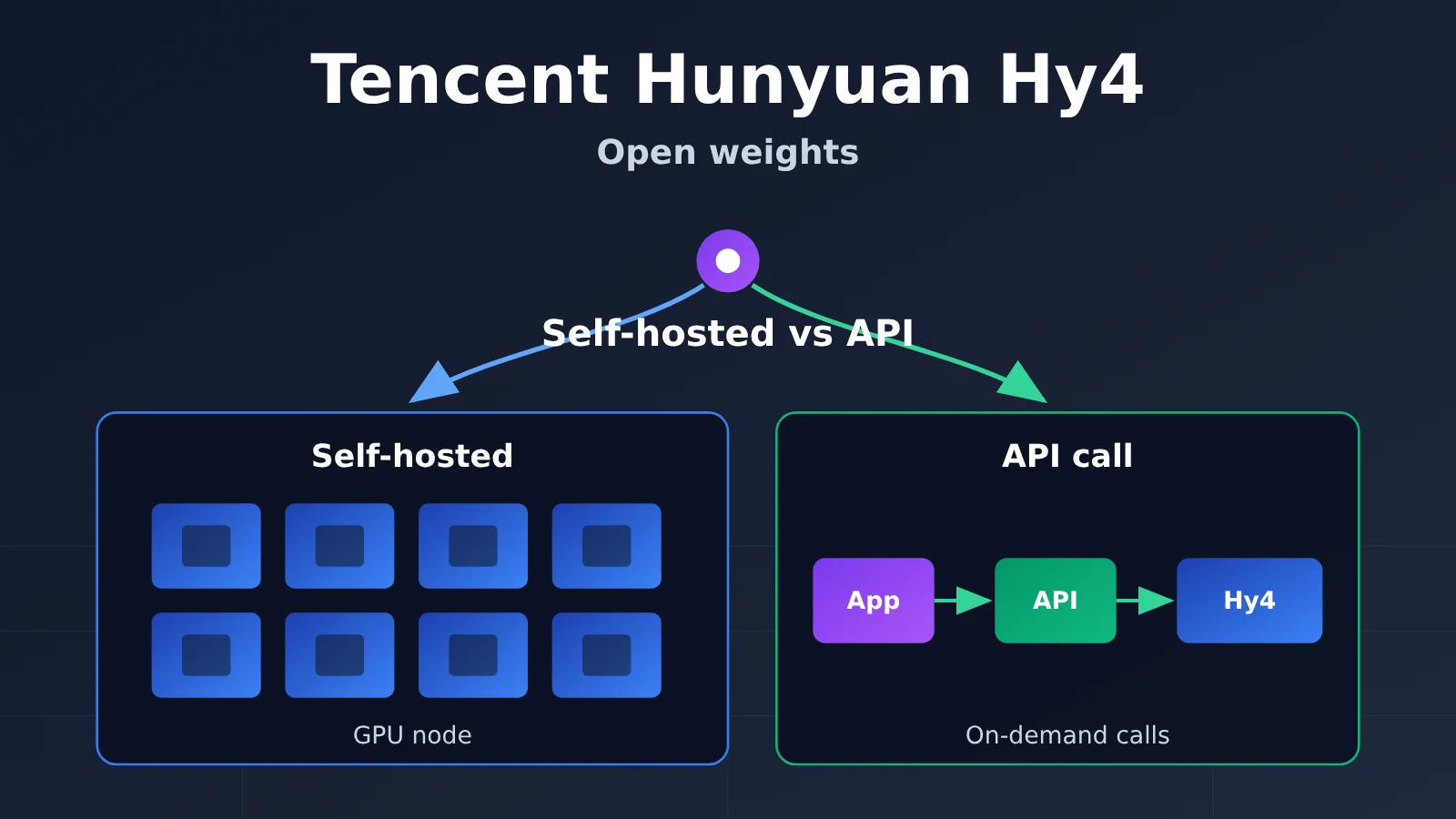
Bottom line first: If compliance allows it and your need is to try pure text tasks first, calling the API directly has the lowest barrier to entry. Self-deployment is only worth it when you need strong data isolation or you genuinely need to control the inference configuration yourself. The starting point for self-deployment isn’t low: the FP8 example configuration given by the official inference framework is at the level of 4 × B300/GB300 or 8 × H200/B200. Also, these examples aren’t the minimum threshold for all configurations, nor do they mean you can run the full 1M context. If the resources on hand don’t measure up, it’s better to re-evaluate smaller models than to force Hy4.
Hy4 Open Weights Knowledge Map and Reading Index
| No. | What to Look at First | Why Look First | What You’ll Get |
|---|---|---|---|
| 1 | Version and weight selection | Pick the wrong weights and all subsequent hardware estimates are invalidated | Determine whether to use Instruct BF16, Instruct FP8, or Base |
| 2 | How many cards deployment needs | Hardware is the biggest barrier to self-deployment | A hardware comparison table and an inventory checklist |
| 3 | Cost of the same batch of tasks | Comparison only makes sense at the same quality and latency | API per-task cost algorithm, plus the components of self-deployment cost |
| 4 | Decision | Apply the conclusions from the first three sections to your scenario | Go with API, self-deployment validation, or switch to a smaller model |
1→2→3 is a progressive relationship: the version determines the weight files, the weight files determine the hardware, and the hardware determines the cost. Section 4 summarizes the judgments from the first three sections. Readers who only care about cost can start reading directly from Section 3.
To Know: Terminology You Need to Understand Hy4 Deployment
| Term | Simple Explanation |
|---|---|
| Open weights | Model parameter files can be downloaded and self-deployed; usage conditions are constrained by the license |
| Instruct / Base | Instruct is an instruction-aligned version that can be used for conversation directly; Base is the pretrained foundation, suitable for continued training |
| BF16 / FP8 | The numerical precision of parameters. FP8 takes about 1 byte per parameter, BF16 about 2 bytes |
| TP (Tensor Parallel) | Splitting a model across multiple GPUs for collaborative computation; TP8 means split into 8 parts |
| KV cache | Intermediate state saved for context during inference, growing with context length and concurrency |
| Cache read | Input tokens that hit a prompt cache in API billing, priced lower than uncached input |
1. Choosing Between Hy4 Versions and Open Weights
1.1 The Three Milestones of Hy4
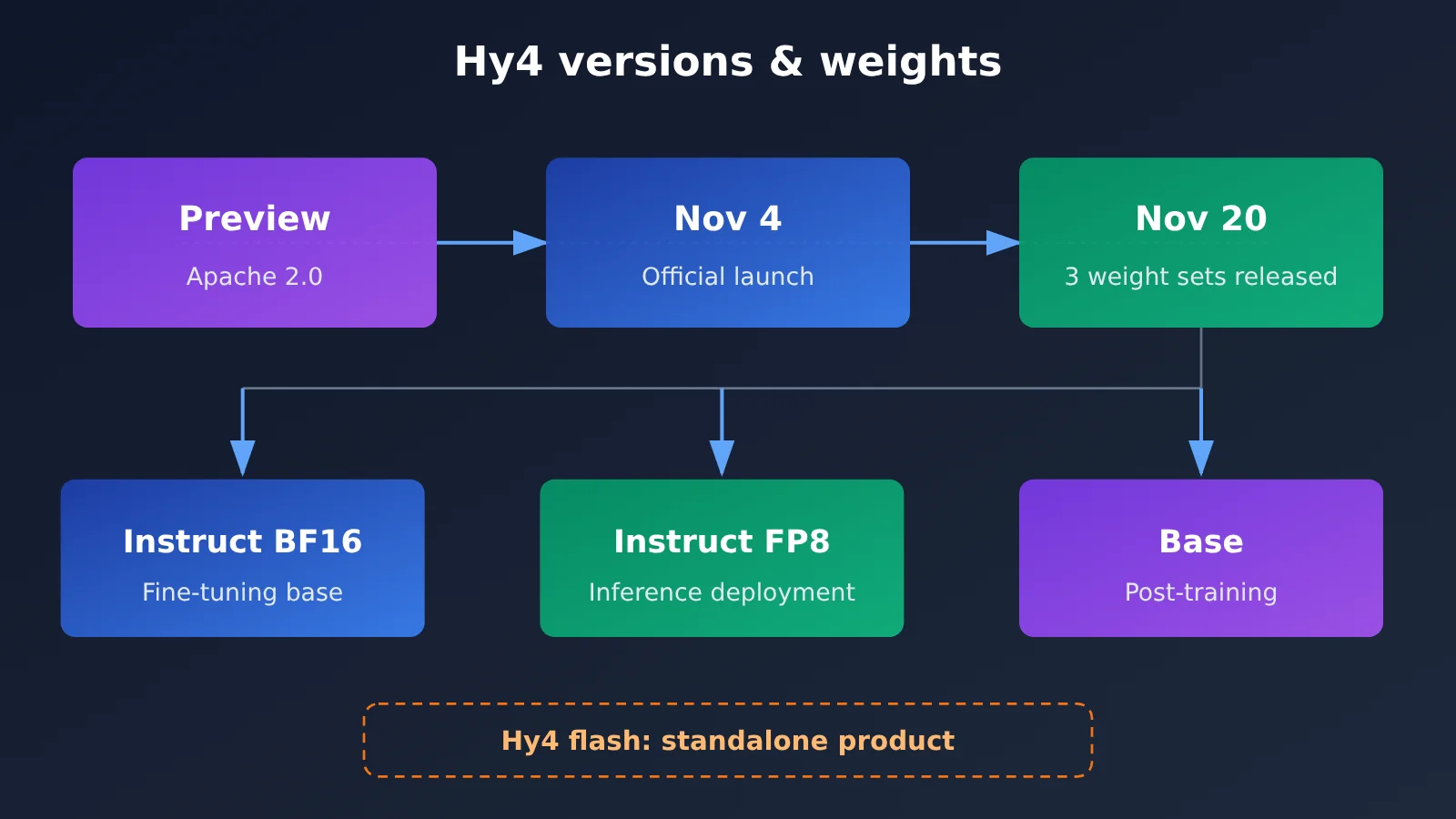
Hy4’s public rollout happened in three steps. The first to open up was the Preview version, published on the Hugging Face tencent/Hy4-preview page under the Apache 2.0 license. On November 4, 2026, Tencent issued an announcement declaring Hy4 officially launched. On November 20, the three official weight sets were released publicly on Hugging Face.
The differences between these three milestones directly affect your choice. The Preview and the official release use different licenses: the official release adopts the Tencent Hy4 License 1.0, whose Section 10 sets additional conditions for certain general-purpose inference services offered externally. If you plan to deploy Hy4 as an external service, have your legal team review the license text themselves and form their own judgment — this article does not offer legal conclusions about what any specific company should do.
1.2 Applicable Conditions for the Three Official Hy4 Weight Sets
| Weight Repository | Contents | Applicable Conditions |
|---|---|---|
tencent/Hy4 |
Instruct, BF16 | When you need the highest numerical precision, or as a starting point for fine-tuning or quantization; highest VRAM requirements |
tencent/Hy4-FP8 |
Instruct, FP8 | For direct inference deployment; the example configurations for SGLang and vLLM are both based on it |
tencent/Hy4-base |
Pretrained Base | When you want to do your own post-training or continued domain training; not suitable for direct conversational use |
One distinction worth calling out: the official Hy4 release is not the same as Hy4 flash — the latter is a separate product line. The hardware and cost discussion in this article applies only to the official release and can’t be carried over to flash.
2. How Many GPUs Do You Need to Self-Host Hy4?
2.1 SGLang vs. vLLM: Example Configurations Side by Side
Both major inference frameworks provide deployment examples for Hy4. Here they are, side by side:
| Framework | Weights | Parallelism | Example GPUs | Notes |
|---|---|---|---|---|
| SGLang | FP8 | TP4 | 4×B300 or 4×GB300 | KV pool size determines the actual usable context capacity |
| SGLang | FP8 | TP8 | 8×H200 or 8×B200 | Same as above |
| vLLM | FP8 (default) | TP8 | 8×B300 | Example context window is 131,072; single image only, video disabled |
Three things to keep in mind when reading this table:
- These are example configurations, not minimum requirements. The SGLang docs note that the KV pool limits the context that can actually fit, and these configurations don’t represent the minimum threshold for every parameter combination.
- Running the full 1M isn’t guaranteed. The model card declares a max context of 1,048,576 tokens, but the usable length under a specific serving configuration has to be calculated separately. The vLLM example only goes up to 131,072, and neither doc promises a full 1M of usable context.
- You can’t apply one framework’s numbers to the other. The reference VRAM figures in the vLLM docs apply only to that vLLM configuration.
2.2 How 770B, 49B, and VRAM Relate
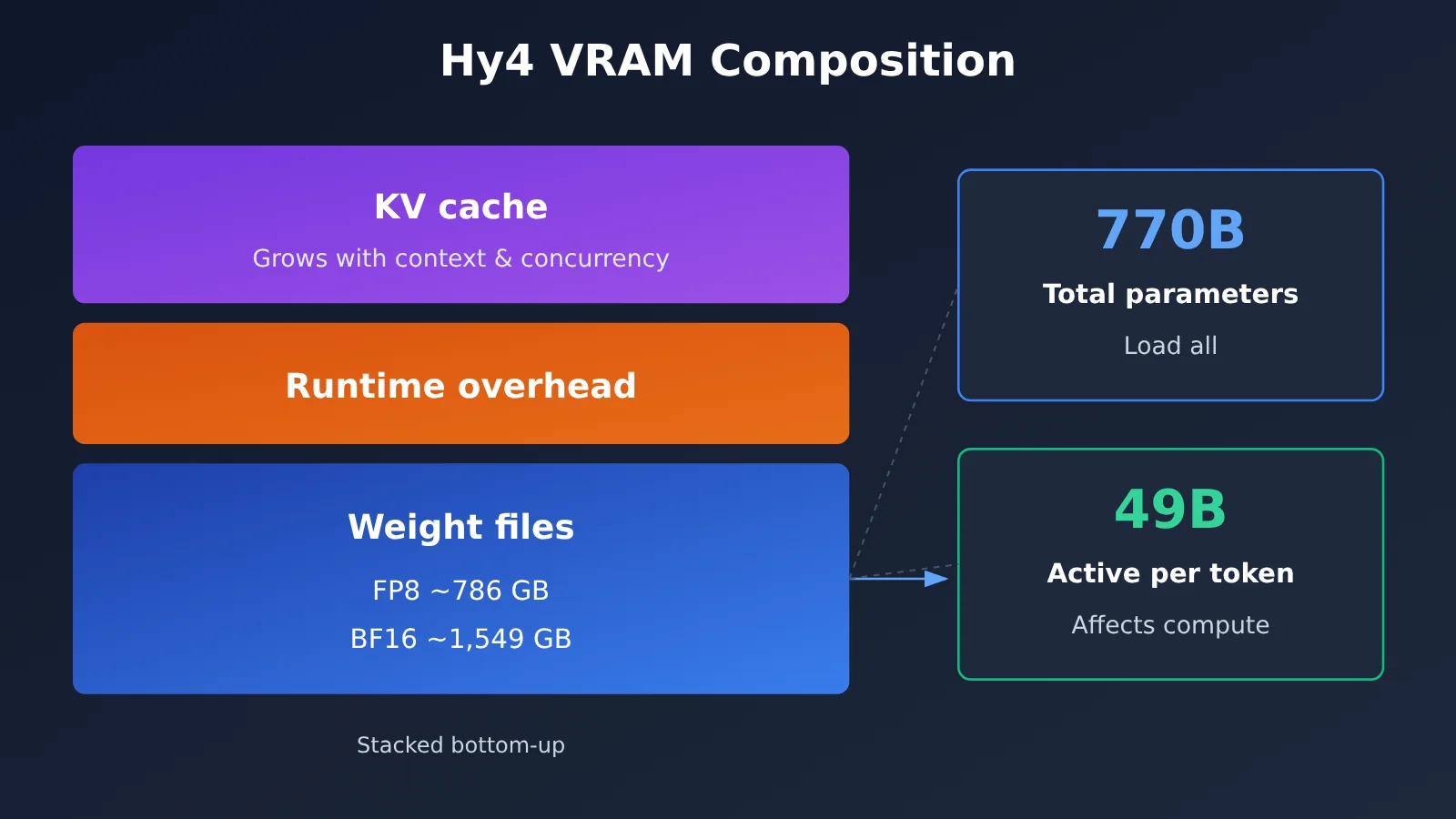
Two numbers come up often with Hy4: 770B is the total parameter count of the language backbone, and 49B is the number of text parameters activated per token. A lot of people misread 49B as the VRAM requirement — that’s wrong. 49B determines the compute per token; to be able to call on any expert at any time, all 770B parameters must be loaded into VRAM.
VRAM requirements break down into three layers:
- Weight file size: According to the vLLM docs, about 786 GB for FP8 and about 1,549 GB for BF16. This is primarily a question of disk and load bandwidth.
- Runtime VRAM: The vLLM examples reference about 944 GB (FP8) and 1,859 GB (BF16). That’s larger than the files themselves because it also includes runtime overhead and KV cache reservation.
- KV cache and concurrency: The longer the context and the more concurrent requests you serve, the more KV cache you use. This part determines how much traffic the same hardware can serve after it “fits the model.”
Before deploying, you can take stock with this checklist:
- [ ] Are the available GPU models, counts, and per-card VRAM enough to form a TP4 or TP8 setup?
- [ ] Does the inter-GPU interconnect meet the communication requirements for tensor parallelism?
- [ ] Can local storage hold roughly 786 GB (FP8) or roughly 1,549 GB (BF16) of weights, and how fast can they load?
- [ ] Target context length: is 131K enough, or does it have to be longer?
- [ ] Peak concurrency, and whether the KV pool is sufficient at that concurrency level
- [ ] Do you need visual input? (The vLLM example only enables a single image)
- [ ] Does the chosen inference framework version match the official cookbook or recipe?
3. Calculating Hy4’s Cost with the Same Batch of Tasks
3.1 The Pay-Per-Use API Pricing Math
Take the model page on APIYI as an example: as of November 21, 2026, the official Hy4 release uses the model ID hy4, offers two groups, Default and SVIP, and runs on the Chat Completions interface. Pricing is quoted per million tokens: $0.85 for uncached input, $2.55 for output, and $0.045 for cache reads; the console remains the source of truth for actual charges. One caveat: APIYI listed Hy4 before this weights release. The announcement mentions vision support, but the example below assumes plain text only — it doesn’t treat the model card’s 1M context window, video, or Computer Use capabilities as equivalent to measured performance on a hosted service.
When billing, the three token categories are counted separately and never double-counted: the same input token is charged either as uncached input or as a cache read, never both. Below is a hypothetical example, not a measurement:
| Item | Hypothetical usage | Unit price (per million) | Cost |
|---|---|---|---|
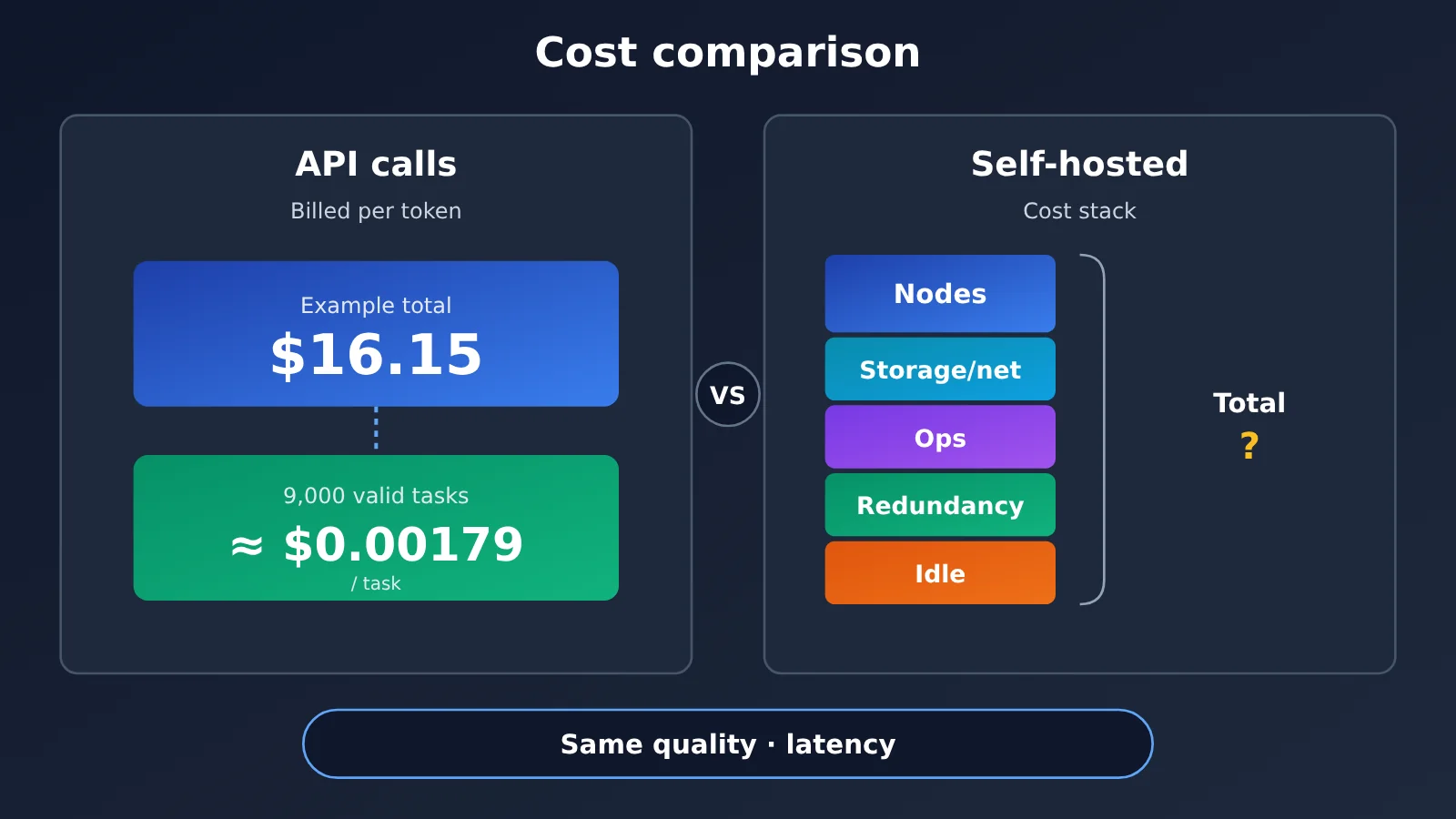
| Uncached input | 10 million tokens | $0.85 | $8.50 |
| Output | 3 million tokens | $2.55 | $7.65 |
| Cache reads | 0 | $0.045 | $0 |
| Total | — | — | $16.15 |
If 9,000 results from that batch pass your acceptance checks, the cost per qualified task is about $16.15 ÷ 9,000 ≈ $0.00179. It’s better to measure “cost per qualified task” rather than “cost per call,” since failed retries and rework should be included. You should also record this number alongside the latency you actually observe and the concurrency you can sustain — otherwise you can’t compare it with a self-hosted option.
3.2 What Self-Hosting Really Costs
Self-hosting costs go far beyond the GPUs themselves. The table below lists the items you need to account for:
| Cost item | Details |
|---|---|
| Compute nodes | Purchase or rental costs for 4-GPU or 8-GPU high-end GPU nodes |
| Storage and network | Nearly TB-scale weight storage, load bandwidth, and inter-GPU and inter-node interconnect |
| Operations | Staff time for inference framework upgrades, monitoring and alerting, and incident handling |
| Redundancy | Standby nodes kept for availability, often sitting idle most of the time |
| Utilization | Idle costs during traffic troughs, which directly push up the unit price per task |
When comparing the two approaches, do it at equal quality and equal latency: use the same batch of tasks, the same acceptance criteria, and similar latency and concurrency targets, then calculate cost per qualified task for each. Because hardware prices, utilization, and labor costs vary widely across teams, this article doesn’t give a universal “break-even line.” You’ll need to run the numbers with your own quotes and traffic curve.
4. Hy4 Deployment Decision: API, Self-Hosting, or a Smaller Model
Put the conclusions from the first three sections together, and you get three paths, split by condition:
- Compliance allows external data + you want to start with pure text tasks → go with the API. No hardware to prepare — run real tasks first and measure cost and latency per qualified task as the baseline for later decisions.
- You need strong data isolation, or you really do need to control the inference configuration yourself → inventory your hardware, then validate with self-hosting. First check your resources against the checklist in Section 2.2, get things running with the sample configurations for SGLang or vLLM, then compare quality, latency, and cost on the same task set you used with the API. Before serving external users, have legal review Section 10 of the license.
- Your resources fall short of the reference scale → reassess a smaller model. If you can’t round up 4 or 8 high-end GPUs, squeezing the context window or concurrency will likely miss your quality and latency targets — moving to a smaller model is usually the more realistic option.
Action checklist
- Pick the weights: use
Hy4-FP8for inference deployment, andHy4-baseif you need to keep training — and confirm you’re not using the flash variant. - Prepare 200–500 real tasks and write clear acceptance criteria.
- If the data is allowed to leave your environment, run it through the API first; otherwise start with public or synthetic samples and keep the real data in-house. Record token usage, pass rate, latency, and concurrency behavior.
- If you need self-hosting, inventory the hardware against the checklist and re-test with the same batch of tasks.
- Make the final call using a single measure: cost plus latency per qualified task.
References
- Tencent Hy4 official launch announcement: https://www.tencent.com/tencent-launches-hy4-joining-the-ranks-of-the-worlds-leading-open-source-ai-models/
- Hy4 Instruct (BF16) weights: https://huggingface.co/tencent/Hy4
- Hy4 Instruct (FP8) weights: https://huggingface.co/tencent/Hy4-FP8
- Hy4 Base weights: https://huggingface.co/tencent/Hy4-base
- Tencent Hy License 1.0: https://huggingface.co/tencent/Hy4/blob/main/LICENSE
- Hy4 Preview (Apache 2.0): https://huggingface.co/tencent/Hy4-preview
- SGLang Hy4 Cookbook: https://docs.sglang.io/cookbook/autoregressive/Tencent/Hy4
- vLLM Hy4 Recipe: https://recipes.vllm.ai/tencent/Hy4
- APIYI Hy4 launch notes: https://docs.apiyi.com/news/hy4-launch
- APIYI model list (Tencent): https://docs.apiyi.com/models#腾讯
- Hy4 background overview (historical snapshot; weights and listing information are subject to this article): https://help.apiyi.com/tencent-hy4-770b-vision-computer-use-pricing.html