Short answer: GPT-6.2 Astra may produce webpages that “look better now.” The official launch materials and showcase examples offer positive signals, but they still can’t replace acceptance testing on your own project. OpenAI released GPT-6.2 Astra/Sol on 2026-11-17. The launch page says it is more intentional about layout and image selection, and the official Paris Atlas case also shows the ability to turn a Blender landmark into an interactive Three.js scene. These are all signals of improved visual and interaction capabilities. That said, an official showcase doesn’t mean the new model will necessarily beat the older one on the same requirements, and it doesn’t mean a single prompt will produce a deliverable website. To be clear, this article is not based on our own hands-on testing, and it contains no benchmark, timing, or scoring data from our team.
What you’ll learn from this article
- What the GPT-6.2 Astra launch page and the official Paris Atlas showcase each say—and which parts are official promotion.
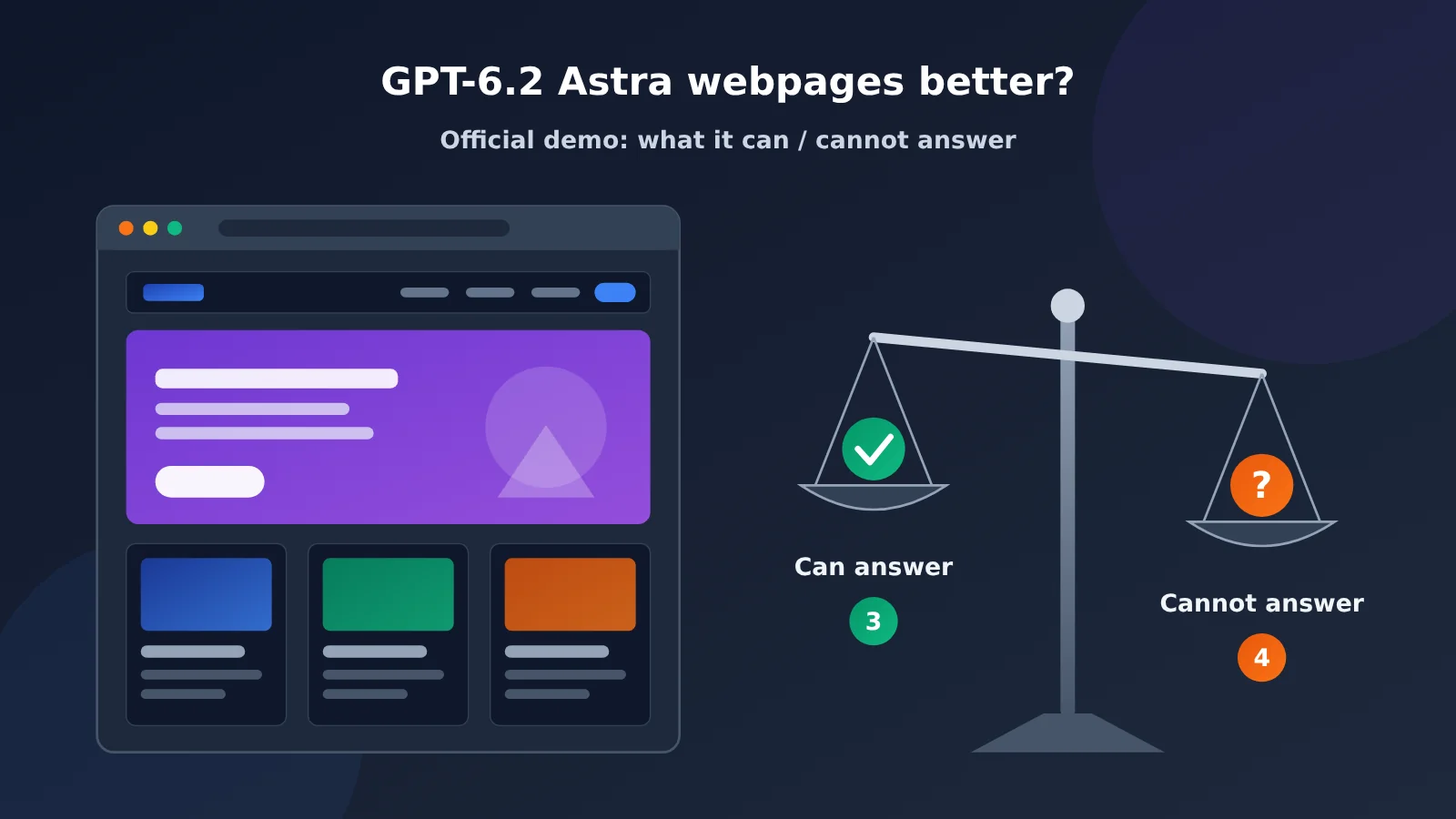
- The 3 things the official showcase can answer, and the 4 things it can’t.
- How to think about “better-looking webpages” across four dimensions: information hierarchy, visual consistency, responsiveness, and functional completeness.
- A ready-to-follow apples-to-apples comparison protocol for old and new models on webpages, plus a prompt template that starts with information architecture and then moves to implementation.
Index: Part 1 covers the objective facts, including the release details, how the model handles input and output, and what the Paris Atlas demo contains. Part 2 is editorial assessment: it first unpacks the boundaries of what the official showcase proves, point by point; then analyzes webpage quality across the four dimensions; then provides a like-for-like comparison protocol and a record template to help you judge whether the results are usable for real delivery. If you just want to get hands-on and verify, jump straight to 2.4.
Key Concepts to Know About GPT-6.2 Astra
| Concept | Brief explanation |
|---|---|
| GPT-6.2 Astra / Sol | Model names released by OpenAI on 2026-11-17. This article focuses on Astra’s performance signals in web scenarios. |
| Showcase (official demo) | Cases selected and published by the vendor to highlight chosen results. This is not the same as independent evaluation. |
| Paris Atlas | An official showcase on OpenAI’s developer site that converts a Blender landmark into Three.js, building a Paris walking/driving experience. |
| Blender | Open-source 3D modeling software, often used to create model assets. |
| Three.js | A JavaScript library for browser-based 3D rendering, built on WebGL. |
| Information architecture (IA) | How website content is organized: what pages, modules, levels, and navigation paths exist. |
| Responsive | Pages lay out and remain usable across different widths, including phones, tablets, and desktops. |
| Functional completeness (closed loop) | Buttons, forms, navigation, keyboard operations, and other interactions actually work, not just look like they do. |
| Blind evaluation | Reviewers score results without knowing their source, reducing brand bias. |
GPT-6.2 Astra Impact at a Glance
- Front-end developers: Official signals are worth watching, but run a like-for-like comparison against your own project requirements before deciding whether to switch your default model.
- Web designers: If the improvements in layout and image selection hold up, first-draft quality may get closer to design intent, but brand consistency still needs human oversight.
- Tech leads / procurement decision-makers: This article has not completed an independent reproduction; it’s not advisable to change team workflows or budgets based solely on curated examples.
- Everyday Chat users: Reference materials note that you need to distinguish between usage environments such as Work, Codex, API, and regular Chat. The workflows in official demos don’t directly translate to producing a website from a single prompt in a chat box.
1. GPT-6.2 Astra Objective Facts: What Did the Official Release Announce?
1.1 GPT-6.2 Astra Key Information at a Glance
| Information item | Details | Information type |
|---|---|---|
| Release date | 2026-11-17 | Official release |
| Publisher | OpenAI | Official release |
| What was released | GPT-6.2 Astra and GPT-6.2 Sol | Official release |
| Web page-related description | More purposeful layouts and image choices | Official promotional wording |
| Input/output | Text/image input, text output; can output code, with tools used to run and verify it | Official information |
| Usage environment | Launched this round in Work, Codex, and API; does not include regular Chat | Official information |
| Representative case | Paris Atlas (developer site Showcase) | Official showcase |
| Fact-check date for this article | 2026-11-18 | Editorial verification |
Two types of information in the table above need special attention: “official promotional wording” and “official showcase.” They come from OpenAI itself and reflect the capability direction the vendor wants to emphasize, not conclusions reached by a third party under standardized conditions.
OpenAI’s release page also reports an AA-3D blind evaluation of the interactive experience: Astra scored 1318 Elo, and Sol scored 1259 Elo. It provides an evaluation signal that goes beyond a single showcase case, but it doesn’t amount to a guarantee of corporate website quality, one-shot generation success rate, or production reliability. This article cites the official report but did not reproduce that evaluation. Source: OpenAI release notes
1.2 GPT-6.2 Astra’s Input and Output
According to official information, GPT-6.2 Astra takes text and image input and outputs text. Web page code is, at its core, text as well; it gets written to files, run, and previewed through a toolchain. That means the full experience of “the model building a web page” depends on whether the environment provides tools for file read/write, code execution, and preview.
This point is key to understanding the official demo. In environments like Work, Codex, or API with tools attached, the model can produce, revise, and assemble a project over multiple steps; this round’s launch does not include regular Chat, so you can’t conclude from this that regular conversations already have the same model. So when discussing “whether the web pages it builds look good,” you first have to specify which environment the conclusion comes from.
1.3 What the Official Paris Atlas Demo Showed
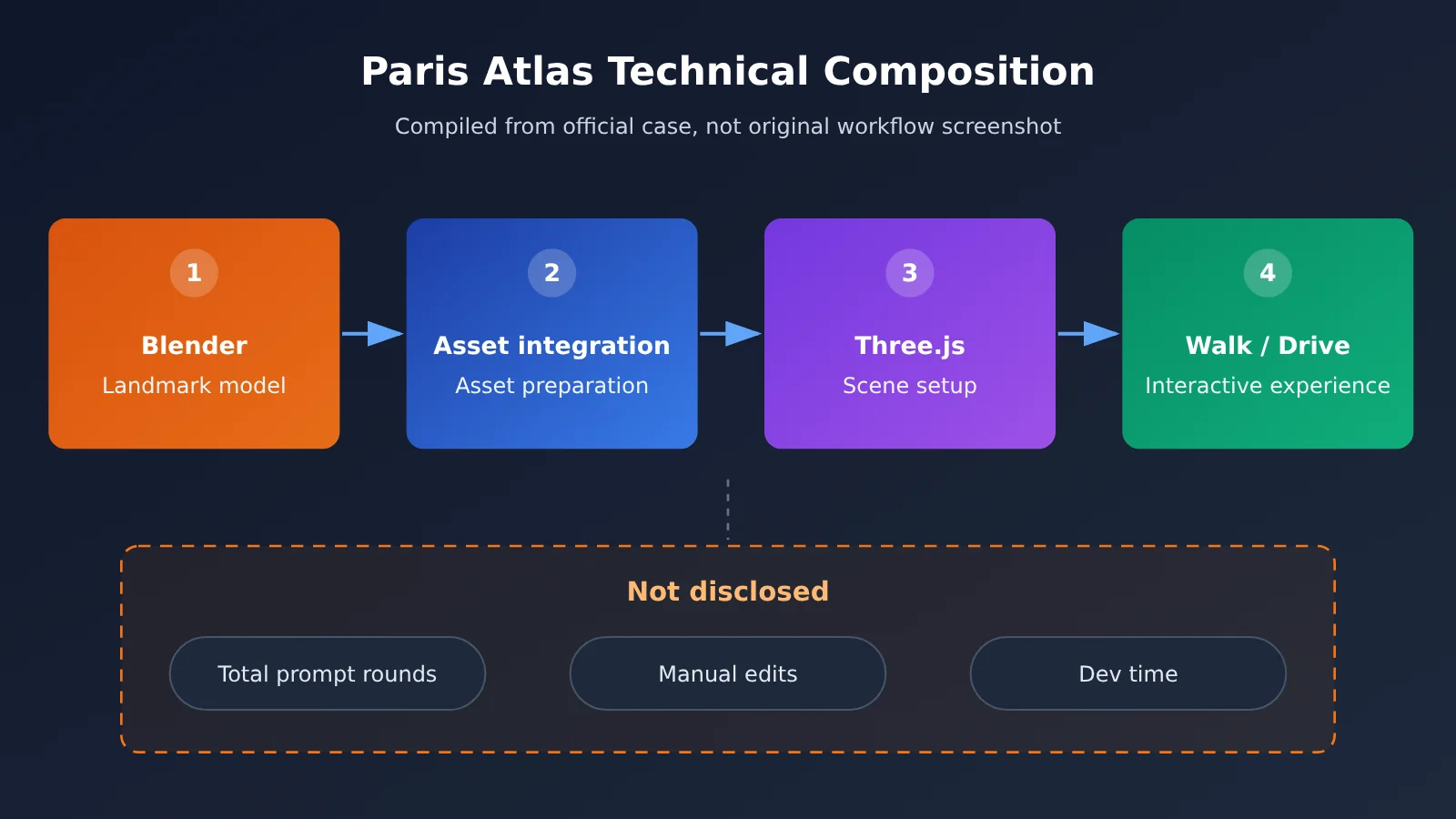
Paris Atlas is an official showcase case on OpenAI’s developer site. According to the official description, it converts Paris landmark models made in Blender into a Three.js scene and builds an interactive experience that lets you walk and drive around Paris.
Technically, this case involves 3D asset format conversion, browser-side rendering, camera control, and interaction logic, making it clearly more complex than a typical showcase-style web page. It shows that, given the right tools and workflow, it’s feasible for the model to take part in completing this kind of visual interactive project. The Paris Atlas official case lists several build stages, from the initial version of the city to landmark and storefront corrections, which shows it was an iterative process. The page does not give the total number of prompt rounds, the total amount of manual edits, or the total time spent, and this article does not invent those figures.
2. Analysis and Assessment: The Value and Verification Methods of GPT-6.2 Astra’s Official Showcase
The following section is where editorial judgment comes in. Each judgment maps back to the facts above, and anything that goes beyond those facts will be clearly flagged.
2.1 Three Things the Official Showcase Can Tell Us
-
OpenAI is treating web visuals and interaction as a priority direction. The launch page specifically calls out layout and image selection, which suggests the company sees these as progress points worth promoting.
-
With toolchain support, the model can take part in complex 3D interactive web projects. Paris Atlas involves converting Blender to Three.js and building out the interactions, and it’s already a concrete finished example.
-
“More purposeful design choices” is the improvement direction the company itself names. That’s a hint that we can’t just judge by color schemes—we need to ask whether the layout and imagery actually serve the content’s goals.
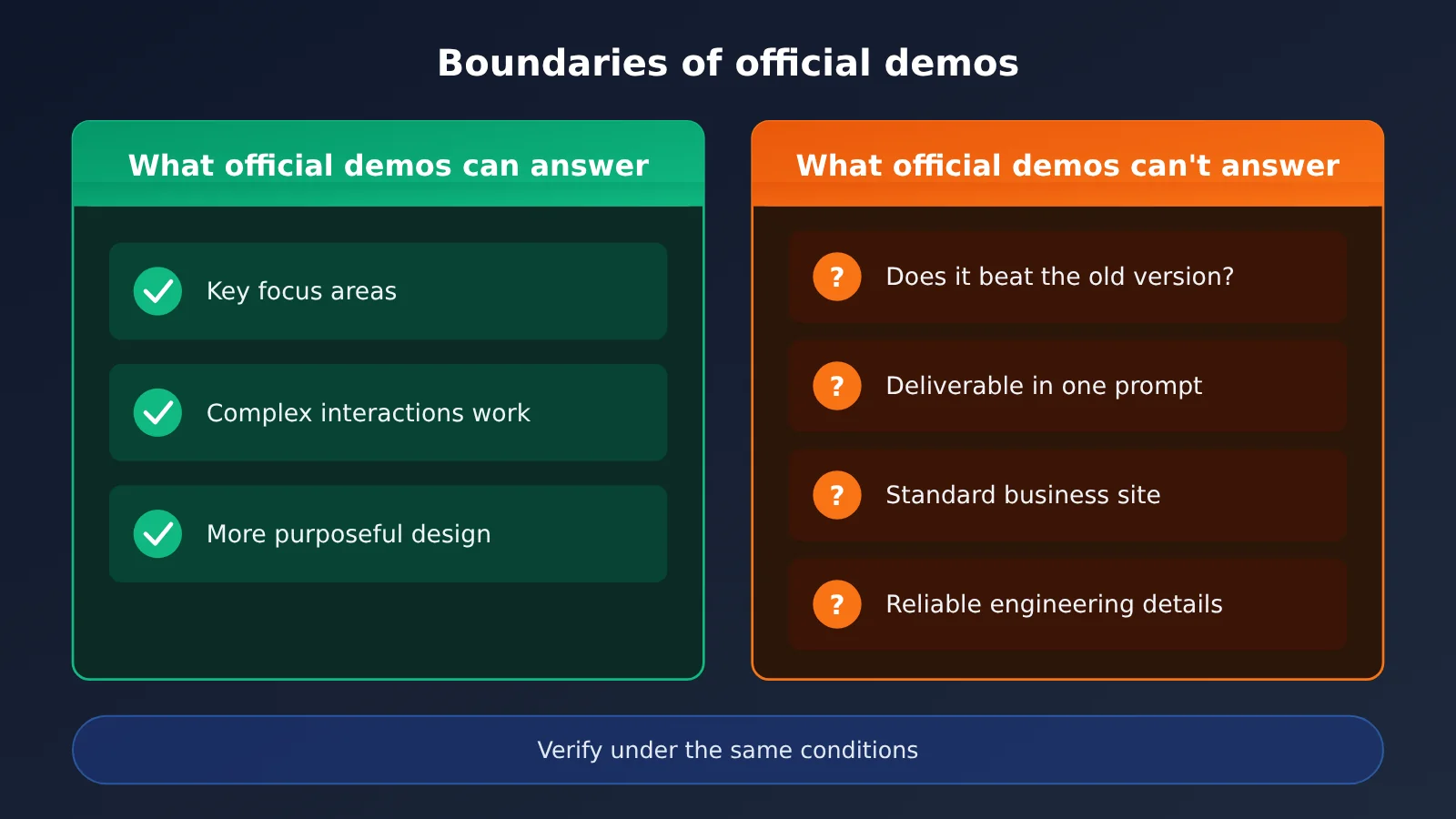
2.2 Four Things the Official Showcase Can’t Answer
| Question | Can the official showcase answer it? | Reason |
|---|---|---|
| Whether Astra necessarily beats the older model for the same requirement | No | The selected cases do not include a controlled comparison of old and new models for the same requirement |
| Whether a single prompt can produce a deliverable website | No | It shows multi-stage iteration but does not disclose the total number of prompt rounds or the total amount of human intervention |
| Whether ordinary corporate sites and e-commerce sites are also better | No | The requirements for the 3D interaction demo differ greatly from those for typical business websites |
| Whether responsiveness, accessibility, forms, and similar aspects are reliable | No | The demo focuses on visual experience and does not show verification of such engineering details |
These four questions are exactly what matters most in actual delivery. The official showcase is a “curated sample of results,” while what we face in projects is “average performance and failure rate”—between the two lies a separate independent comparison.
2.3 The Four Dimensions of GPT-6.2 Astra’s Web Quality
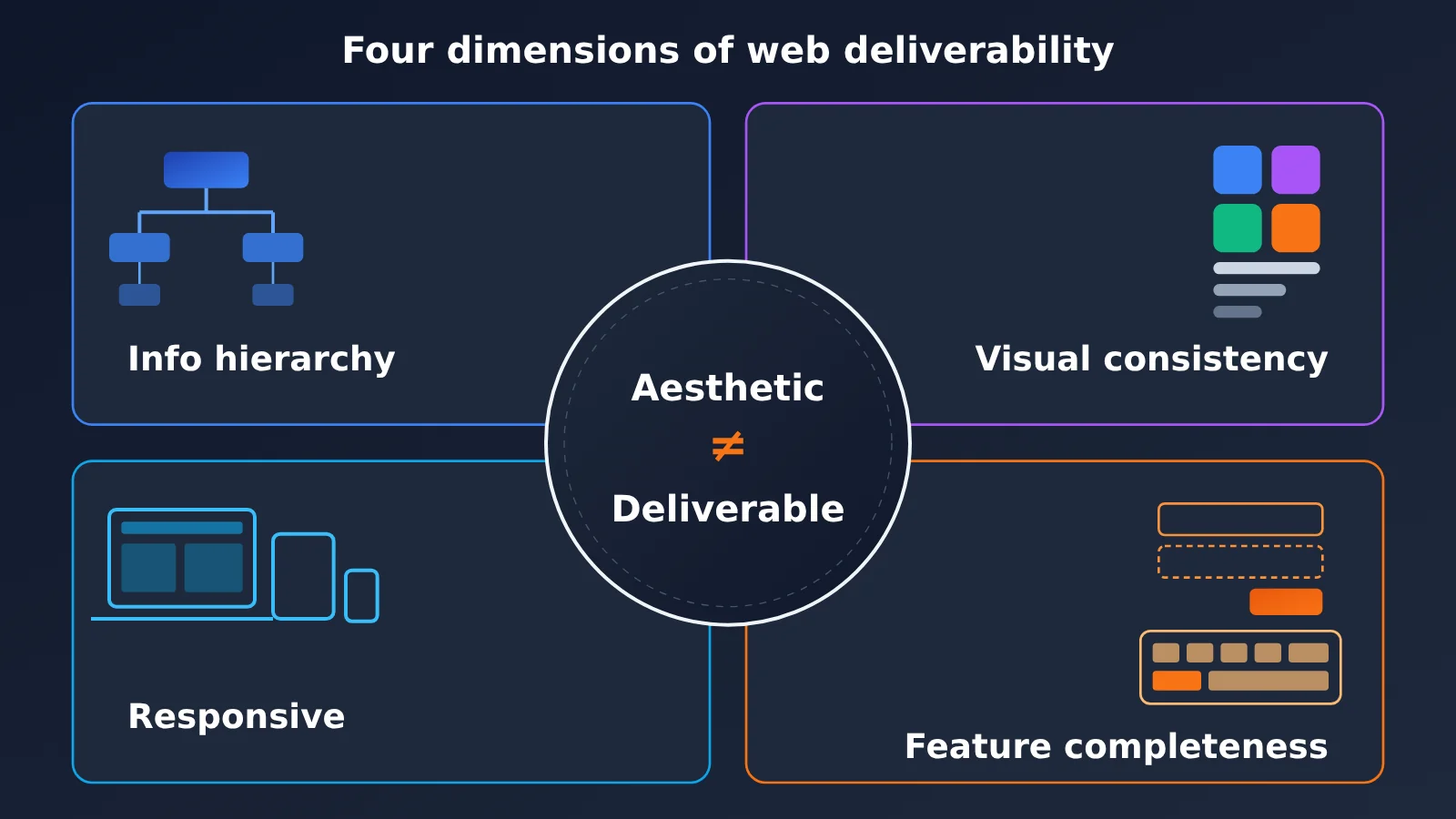
“Looks good” is a vague phrase. To make the judgment testable, we break it into four dimensions. These dimensions are an analytical framework proposed in this article, not official metrics.
2.3.1 Information hierarchy: first check whether the content is organized
A good-looking web page is first and foremost a readable web page. Whether users can tell within seconds what this is, what it can do, and where to click next depends on the hierarchy between headings, body text, and call-to-action buttons. If the “more purposeful layout” mentioned officially holds up, it should be most evident here.
As an immersive 3D experience, Paris Atlas has different information-hierarchy requirements than a conventional website. It can showcase visual expressiveness, but it struggles to demonstrate how the model arranges hierarchy on content-dense pages.
2.3.2 Visual consistency: do multiple pages look like the same brand
A single stunning page isn’t hard; what’s hard is keeping multiple pages consistent in font sizes, spacing, colors, and component styles. In real projects, the stability of the design system often affects delivery quality more than the effect of a single screen. When evaluating, you should generate at least two or three interrelated pages and observe whether they share the same set of rules.
2.3.3 Responsive: is it still usable on narrow screens
Many generated web pages look fine at desktop width, but as soon as you hit mobile, text overflows, buttons overlap, or horizontal scrolling appears. The Paris Atlas build notes reviewed in this article aren’t enough to verify adaptivity for your target devices—you still need to check yourself. We recommend covering at least three widths: phone, tablet, and desktop.
2.3.4 Functional completeness: looks usable vs. actually usable
Do buttons actually trigger actions? Do forms have validation and error messages? Can keyboard Tab focus move in order? Is the focus state visible? These fall under functional completeness, and they’re exactly the parts a screenshot can never prove. For teams building websites, this dimension often determines how much rework comes later.
| Dimension | What to check | Suitable test method | Coverage in the official showcase |
|---|---|---|---|
| Information hierarchy | Primary vs. secondary roles of headings, body text, and CTA buttons | Blind screenshot review + five-second comprehension test | Indirect (text descriptions on the release page) |
| Visual consistency | Font sizes, spacing, components across pages | Side-by-side blind review of multiple pages | Not directly shown |
| Responsive | Phone/tablet/desktop layouts | Screenshots at three widths | Not directly shown |
| Functional completeness | Buttons, forms, keyboard operation | Manual click-through, item by item | Partial (3D interaction is operable) |
2.4 GPT-6.2 Astra Web Comparison Protocol: How to Verify It Yourself
The most reliable way to judge whether your project benefits is to run a controlled comparison against your own requirements. The protocol below is a method put together for this article — you can reuse it as-is. We haven’t run it to produce any results, so the data columns in the tables are yours to fill in.
2.4.1 Three Control Conditions for a GPT-6.2 Astra Comparison
- Same requirements, same assets, same budget. Both models get exactly the same requirements document, image assets, and brand guidelines, with identical tool permissions, runtime environment, and comparable reasoning effort — plus a max iteration count or cost ceiling agreed upfront. The same token count doesn’t mean the same cost.
- Record the process cost. How many revisions each model needed to get from the first draft to “shippable,” and how many minutes of human intervention were involved, all need to be logged honestly.
- Blind review plus hands-on testing. Strip the model identifiers from screenshots, then hand them to reviewers for scoring; at the same time, manually test buttons, forms, and keyboard operation item by item.
None of these three can be skipped. Compare only the first-screen screenshot and you’ll overrate versions that look good but are missing functionality; compare only revision counts and you’ll overlook the gap in final quality.
2.4.2 Information Architecture First, Implementation Second: A Prompt Template
To make the comparison fairer, split the prompt into two stages. In the first stage, the model only outputs the information architecture; in the second stage, you write code based on the confirmed architecture. That way you can see whether the model really organizes content with a purpose, rather than just stacking up pretty components.
[Stage 1: Information Architecture]
You are a website information architect. Based on the requirements below, output only the information architecture — do not write code:
1. Page list and the goal of each page
2. Module order and information hierarchy for each page (H1/H2/body text/CTA buttons)
3. Navigation paths and key interactions
4. Content that's needed but missing from the assets — mark it as [To be provided]; do not invent data, testimonials, or customer cases

Requirements: {paste the requirements document}
Assets: {list images and copy}

[Stage 2: Implementation]
Generate the web page code based on the confirmed information architecture, with these requirements:
- Unified design rules (font sizes, spacing, color variables)
- Support three widths: 375px / 768px / 1440px
- All buttons and forms functional; forms include validation and error messages; keyboard Tab navigation supported
- Missing content keeps a [To be provided] placeholder — don't fill in fabricated results
That line — “do not invent data, testimonials, or customer cases” — matters a lot. When generating a web page, models tend to fill in made-up user reviews or performance figures, and the moment it goes live, that’s a factual error.
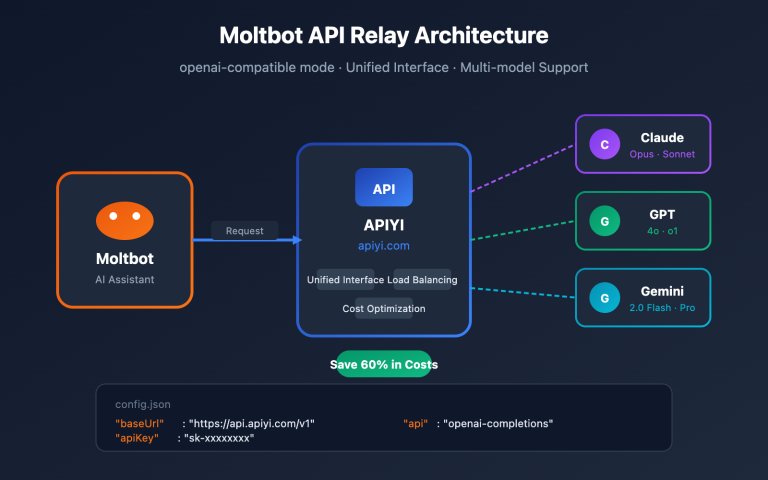
2.4.3 Calling Old and New Models Through a Single Interface
When comparing, using the same code to call both models cuts down on variables. Below is a minimal example; for model names, use the actual list in the console of the platform you’re using — this article doesn’t assume any model is available on any particular platform.
import openai

client = openai.OpenAI(
    api_key="YOUR_API_KEY",
    base_url="https://api.apiyi.com/v1"  # APIYI unified interface, OpenAI-compatible
)

resp = client.chat.completions.create(
    model="YOUR_MODEL_ID",  # subject to the model list in the console
    messages=[{"role": "user", "content": "Output the information architecture per stage one: ……"}]
)
print(resp.choices[0].message.content)
View the full comparison script (two stages + archived results)
import json, time, pathlib
import openai

client = openai.OpenAI(
    api_key="YOUR_API_KEY",
    base_url="https://api.apiyi.com/v1"  # Switch models with the same code via APIYI
)

MODELS = ["OLD_MODEL_ID", "NEW_MODEL_ID"]  # Use the names actually available in the console
STAGE1 = open("prompt_stage1.txt", encoding="utf-8").read()
STAGE2 = open("prompt_stage2.txt", encoding="utf-8").read()
OUT = pathlib.Path("compare_runs")
OUT.mkdir(exist_ok=True)

def ask(model, messages):
    r = client.chat.completions.create(model=model, messages=messages)
    return r.choices[0].message.content

for i, model in enumerate(MODELS):
    tag = f"sample_{chr(65 + i)}"  # Use A/B labels to make blind evaluation easier
    msgs = [{"role": "user", "content": STAGE1}]
    ia = ask(model, msgs)
    msgs += [{"role": "assistant", "content": ia},
             {"role": "user", "content": STAGE2}]
    code = ask(model, msgs)
    (OUT / f"{tag}_ia.md").write_text(ia, encoding="utf-8")
    (OUT / f"{tag}_code.md").write_text(code, encoding="utf-8")
    # Log only metadata; revision counts and manual time are filled in by the tester
    meta = {"tag": tag, "model": model, "time": time.strftime("%F %T"),
            "revisions": None, "manual_minutes": None}
    (OUT / f"{tag}_meta.json").write_text(json.dumps(meta, ensure_ascii=False))
The script deliberately leaves revisions and manual_minutes empty so the tester can fill them in after making real edits. The model labels are A/B rather than model names, and you shouldn’t reveal the source in screenshots either — that’s what makes blind evaluation meaningful.
Testing note: The code above is for process reference only and was not actually run for this article. It doesn’t fix reasoning effort or implement browser-based acceptance checks, so it can’t be used directly as a complete evaluation tool. Before testing, confirm model availability, parameter compatibility, and actual provider pricing; using the same channel doesn’t automatically eliminate differences in tooling, configuration, or routing.
2.4.4 GPT-6.2 Astra Comparison Record Template
| Record item | Sample A | Sample B | How to fill it in |
|---|---|---|---|
| Invocation channel | Official API / APIYI apiyi.com | Same as left, must match | Both samples use the same channel |
| Number of revisions | To be filled in | To be filled in | Count of follow-up instructions from first draft to deliverable |
| Manual time (minutes) | To be filled in | To be filled in | Time spent manually editing code and adjusting styles |
| Blind evaluation score (four dimensions) | To be filled in | To be filled in | At least 3 reviewers, take the median |
| Buttons/forms/keyboard | To be filled in | To be filled in | Record pass or fail for each item |
| Behavior at three widths | To be filled in | To be filled in | 375 / 768 / 1440px screenshots |
Only after filling in this table can you reach a conclusion about your own project on whether GPT-6.2 Astra makes web pages look better and work better.
Turn a real requirement into checkable results, and then decide whether to switch your default model. The comparison table in this article is still a blank template, not a completed evaluation.
What you learn from books feels shallow; to truly know a thing, you must practice it. — Lu You, “Reading with My Son Ziyu on a Winter Night”
📚 References
-
OpenAI Official Release Page: Introducing GPT-6.2 Astra & Sol
- Link: Official release notes
- Description: The official source for this release, including descriptions related to layout and image selection
-
OpenAI Developer Showcase: Paris Atlas
- Link: How Paris Atlas was built
- Description: An official showcase case that presents a Paris walking/driving experience converting Blender landmarks to Three.js
-
GPT-6.2 Astra model documentation: input and output capabilities.
- Official documentation for ChatGPT Work and Codex: rollout scope.
- OpenAI API changelog: the 2026-11-17 release record.
Author: APIYI Technical Team
Technical discussion: Feel free to reach out to us through the APIYI apiyi.com homepage. For more integration resources, visit the docs.apiyi.com documentation center.