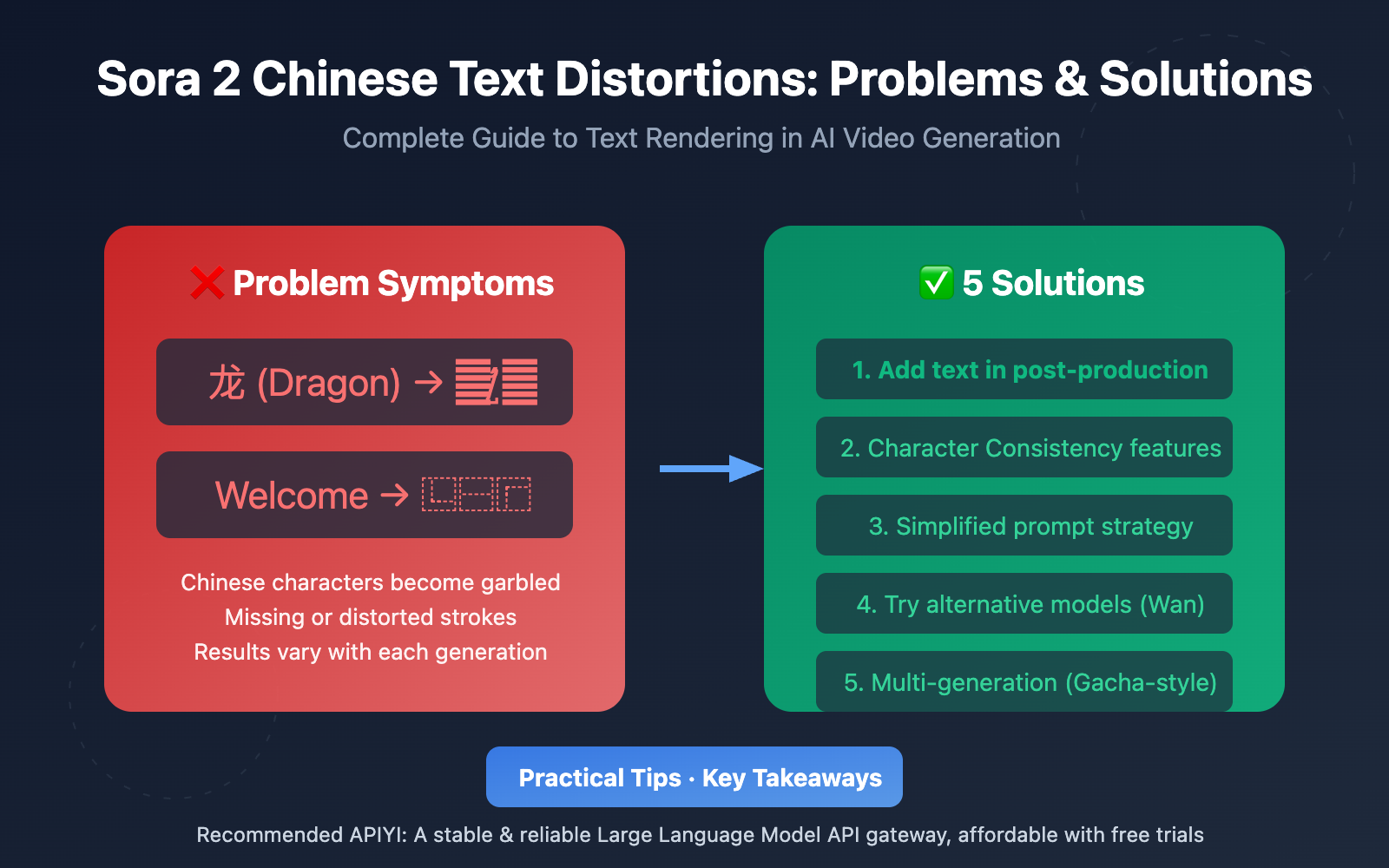
Author's Note: A deep dive into why Sora 2 generates garbled Chinese text in videos, providing 5 practical solutions including character consistency, post-processing, and alternative models.
When using Sora 2 to generate videos, many creators run into the frustrating issue of Chinese characters in the background turning into unreadable gibberish. In this post, we'll dive deep into the technical reasons behind Sora 2's Chinese text distortions and provide 5 proven solutions to fix them.
Core Value: By the end of this article, you'll understand the technical limitations of Sora 2's text rendering and master several practical workarounds to bypass the Chinese character distortion problem.
Key Takeaways: Sora 2 Chinese Text Distortions
| Point | Description | Strategy |
|---|---|---|
| Technical Limits | Sora 2 has weak support for non-English text rendering | Understand the limits and choose the right workaround |
| Pixel Generation | AI generates "visually similar" pixels, not precise characters | Use post-processing or alternative models |
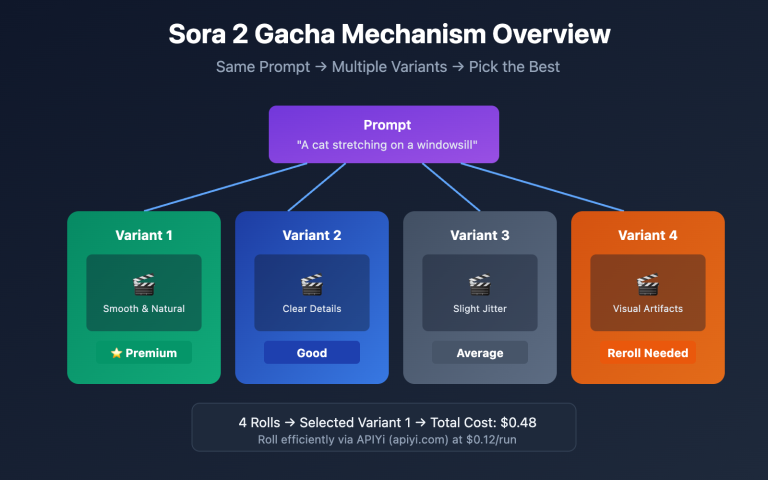
| Gacha Mechanism | Results vary even with the same prompt | Try multiple times or use consistency tools |
| Character Consistency | Elements can be stabilized via a character library | Turn text elements into "character" attributes |
| Post-Processing | Pros usually overlay text after generation | Use tools like FFmpeg or Kapwing |
Deep Dive: Why Sora 2 Garbles Chinese Text
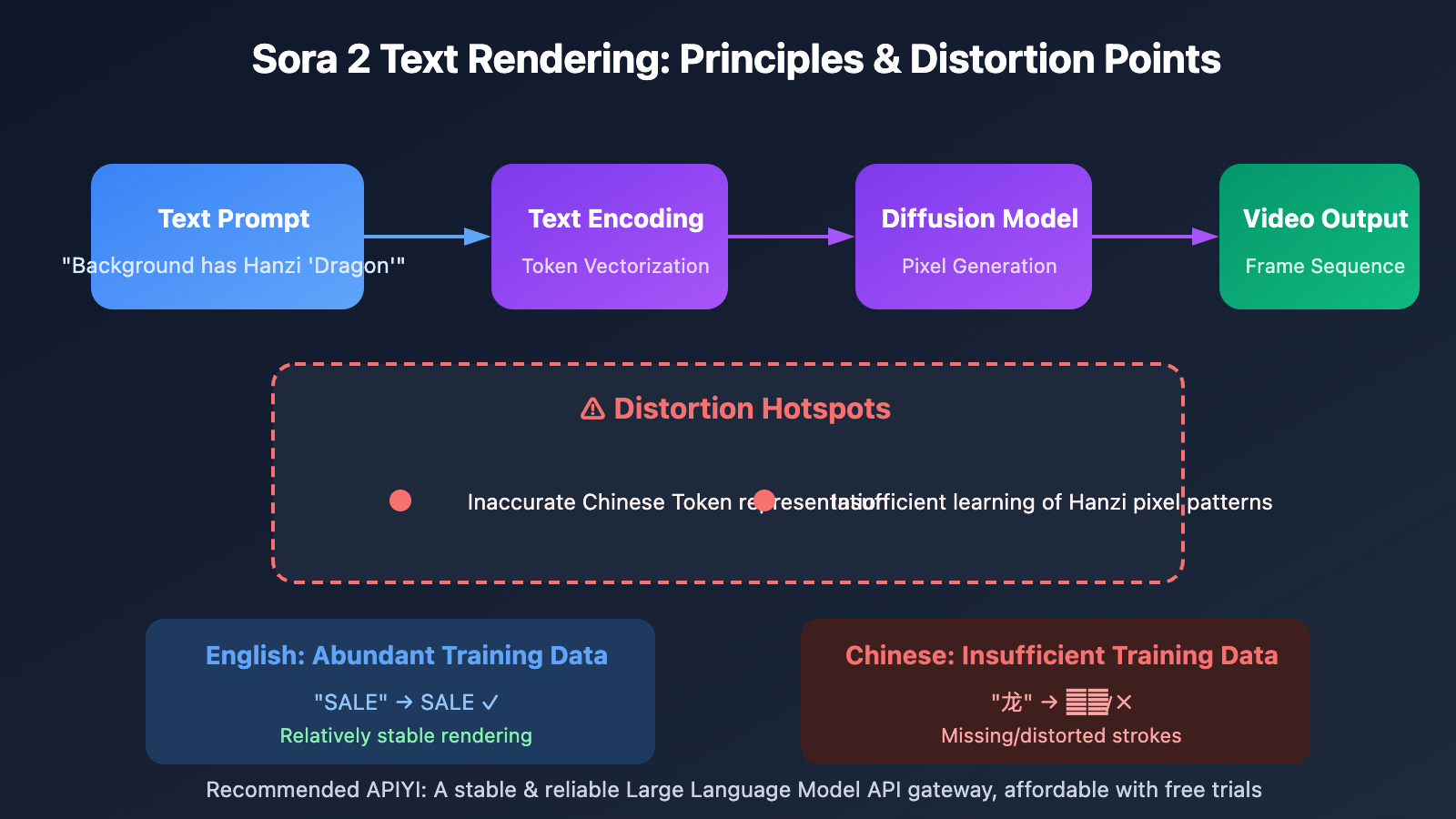
Sora 2, OpenAI's flagship video generation model, struggles with text rendering due to its underlying architecture. Based on real-world tests, text in almost any Sora 2 scene usually ends up as gibberish or meaningless symbols. This is especially true for non-Latin scripts like Chinese.
Technically speaking, AI video models are essentially generating pixel patterns that "look like text," rather than actually rendering fonts. When the model maps a text prompt to visual output, uncertainty creeps in—slight ambiguities in the prompt can lead to visual deviations, missing elements, or misaligned results.
English rendering is relatively stable because the training data contains a much higher proportion of English assets. For Chinese text, it's best to use short 1-2 character keywords paired with high-contrast descriptions. Since Sora 2's grasp of non-English text is still limited, being specific helps narrow down the model's "guesswork."
Solution 1: Add Text in Post-processing (Recommended)
This is the most common method used by professional creators and it's currently the most reliable solution. The core idea is simple: generate a clean video without any text, then overlay your text layers during post-production.
Recommended Tools:
| Tool | Features | Best For |
|---|---|---|
| FFmpeg | Command-line tool, supports batch processing | Developers, automated workflows |
| Kapwing | Online editor, very user-friendly | Quickly overlaying subtitles and titles |
| Descript | AI-powered editing, supports captions | Long-form video, podcast content |
| CapCut | Rich templates, intuitive interface | Short-form video creators |
Steps:
- Describe the scene clearly in your Sora 2 prompt, but avoid asking it to generate specific text.
- Download the generated video footage.
- Use a video editing tool to add your text layers.
- Adjust text animations to match the video movement.
Practical Advice: Think of Sora 2's output as "raw footage" rather than a finished product. Professional workflows usually involve post-enhancements, including sound design and color grading. You can use APIYI (apiyi.com) to batch-call the Sora 2 API to generate your footage, then handle the post-processing in one go.
Solution 2: Character Consistency Feature
Some users have tried setting objects with text as "Characters" using Sora 2's character consistency feature to keep text elements stable.
How to use:
- Prepare a reference image containing clear Chinese text.
- Upload that image as a "Character."
- Reference that character in your prompt.
Limitations: This method isn't 100% reliable. The character consistency feature is mainly designed for human faces and clothing; its ability to replicate text elements is limited. In testing, the stroke details of Chinese characters can still appear distorted.
Solution 3: Simplified Prompt Strategies
By optimizing your prompts, you can slightly improve the success rate of text rendering:
- Reduce scene complexity: Don't describe multiple elements containing text at the same time.
- Shorten video duration: 5-second videos tend to have higher text stability than 10-second ones.
- Use English alternatives: If your project allows, prioritize using English signs or labels.
- Avoid dynamic text: Static text is much easier to keep stable than text that needs to animate.
Solution 4: Try Alternative Models
Among current mainstream AI video generation models, Alibaba's Wan 2.1/2.2 performs significantly better in Chinese text rendering.
| Model | Chinese Text Capability | Features |
|---|---|---|
| Wan 2.1 | ⭐⭐⭐⭐ | First video model to support both Chinese and English text generation |
| Wan 2.2 | ⭐⭐⭐⭐ | Supports camera language control with improved visual texture |
| Sora 2 | ⭐⭐ | English is relatively stable; Chinese is weaker |
| Veo 3.1 | ⭐⭐ | Similar to Sora 2, limited Chinese support |
| Kling 2.6 | ⭐⭐⭐ | Supports Chinese/English lip-syncing |
Wan 2.1 is capable of clearly rendering Chinese and English text within a scene, making it ideal for signs, labels, or text overlay requirements. Alibaba Cloud plans to open-source the core of the WanX AI video generator in Q2 2025, allowing developers to deploy it locally while maintaining 85% of the cloud version's performance.
Model Selection Advice: Choose the right model based on your specific needs. If you need to quickly compare the text rendering effects of different models, you can run tests through APIYI (apiyi.com). The platform provides a unified interface for calling various video generation models.
Solution 5: Multiple Generations (The "Gacha" Method)
AI video generation is inherently random; the same prompt will yield different results every time. For simple Chinese text needs, you can try:
- Preparing a concise and very specific prompt.
- Generating multiple times (5-10 runs).
- Picking the version where the text is rendered most clearly.
While this method is more expensive, it can sometimes produce acceptable results for simple 1-2 character scenes.
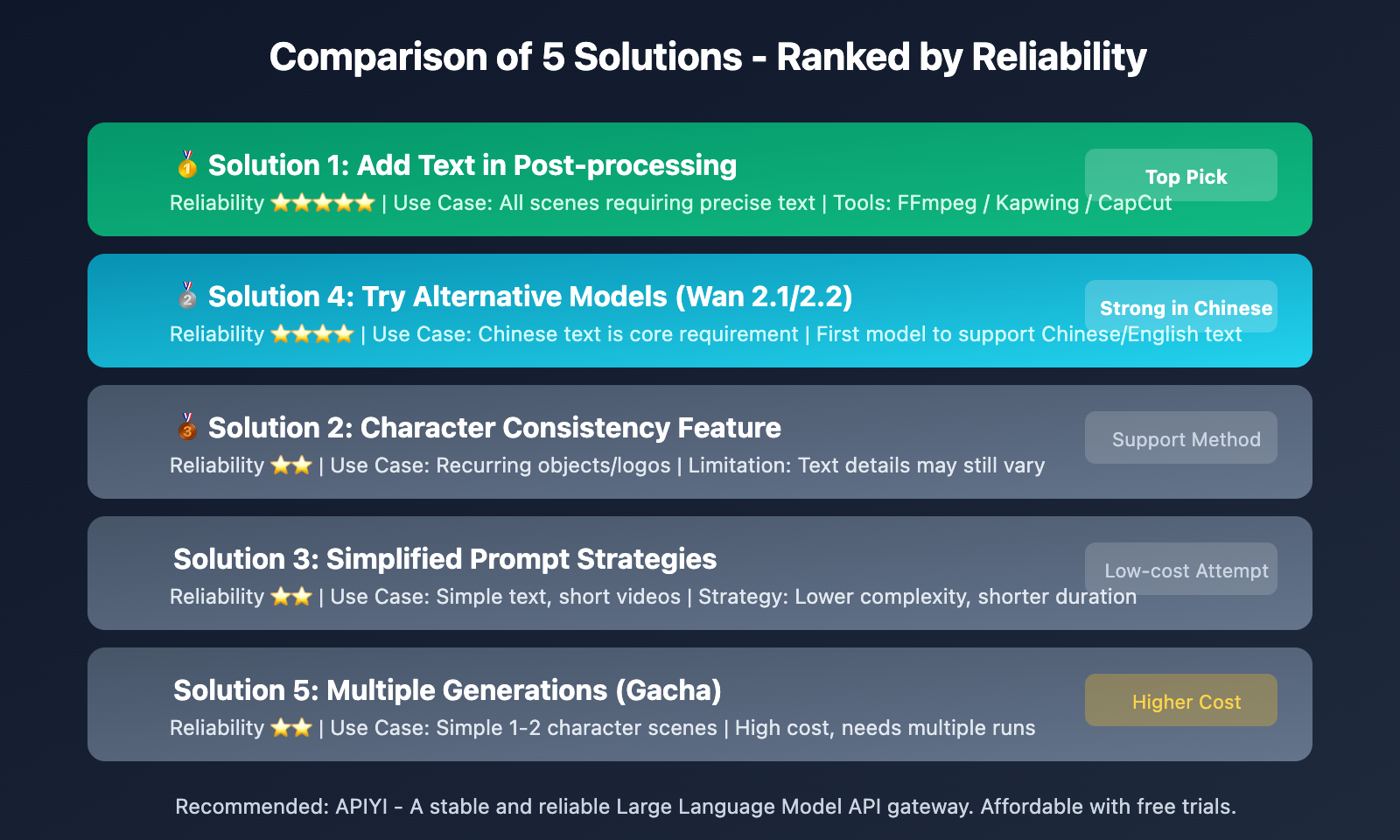
Comparison of Solutions for Chinese Text Glitches in Sora 2
| Solution | Reliability | Difficulty | Cost | Best Use Cases |
|---|---|---|---|---|
| Post-processing | ⭐⭐⭐⭐⭐ | Medium | Low | All scenarios requiring precise text |
| Character Consistency | ⭐⭐ | Easy | Low | Repeated appearance of specific items/logos |
| Simplified Prompts | ⭐⭐ | Easy | Low | Simple text, short videos |
| Alternative Models | ⭐⭐⭐⭐ | Medium | Medium | When Chinese text is a core requirement |
| Multiple Rerolls | ⭐⭐ | Easy | High | Simple scenarios with 1-2 characters |
Note: Post-processing is currently the most reliable solution and is ideal for commercial projects that demand high text precision. If you need to generate video assets in bulk, we recommend calling APIs via APIYI and integrating them with an automated post-processing workflow.
FAQ
Q1: Why does Sora 2 struggle with Chinese characters?
This mainly comes down to the composition of the training data. Sora 2 was trained on a much higher proportion of English content, so the model has a deeper "understanding" of English characters. Additionally, Chinese characters have complex strokes and diverse structures, which demand much higher precision from generative models. Since AI video generation essentially creates "visually similar" pixels rather than rendering actual precise characters, complex text is far more likely to glitch.
Q2: Can the Character Consistency feature completely fix Chinese text glitches?
Not entirely. The Character Consistency feature is primarily designed for maintaining a character's appearance; its ability to reproduce specific text elements is limited. User feedback shows that even if you set an object with text as a "character," the textual details can still shift with each generation. Think of this as a helpful tool, but don't rely on it as your only solution.
Q3: How do I choose the right solution for my project?
It depends on your specific needs:
- Commercial Projects/Precise Text: Go with the post-processing route.
- Chinese Text as a Core Requirement: Try alternative models like Wan 2.1.
- Simple Logos/Brand Placement: Try a combination of Character Consistency and multiple rerolls.
- Quick Testing: Use APIYI to batch-call different models and compare the results side-by-side.
Summary
Key takeaways regarding text rendering issues in Sora 2:
- Technical limitations are real: Sora 2's ability to render non-English text is indeed limited; it's a common hurdle across current AI video generation technologies.
- Post-processing is the most reliable way: Treat Sora 2's output as raw footage. Using professional tools to overlay text is the most stable workflow.
- Alternative models are worth a shot: Models from Chinese developers, such as Wan 2.1, have a clear edge when it comes to rendering Chinese text.
When you're facing text rendering limits in AI video, the practical move is to accept the technology's current boundaries and pick the right workaround.
We recommend using APIYI (apiyi.com) to quickly test how different video generation models perform. The platform offers free credits and a unified interface for multiple models, making it easy to find the solution that fits your needs.
📚 References
⚠️ Link Format Note: All external links use the
Resource Name: domain.comformat. This makes them easy to copy but prevents clickable redirects to preserve SEO weight.
-
OpenAI Sora 2 Official Documentation: Sora 2 Video Generation Guide
- Link:
platform.openai.com/docs/guides/video-generation - Description: Official API documentation and best practices.
- Link:
-
Sora 2 FAQ & Troubleshooting: 5 Most Annoying Errors and How to Fix Them
- Link:
skywork.ai/blog/sora-2-how-to-fix-its-5-most-annoying-errors - Description: Includes a detailed analysis of text rendering issues.
- Link:
-
Wan AI Official Site: Alibaba's open-source video generation model
- Link:
wan.video - Description: An alternative with strong capabilities in both Chinese and English text rendering.
- Link:
-
Kapwing Video Editor: Online video post-processing tool
- Link:
kapwing.com - Description: Great for quickly adding subtitles and text overlays.
- Link:
Author: Technical Team
Join the Discussion: We'd love to hear your thoughts in the comments. For more resources, visit the APIYI (apiyi.com) technical community.