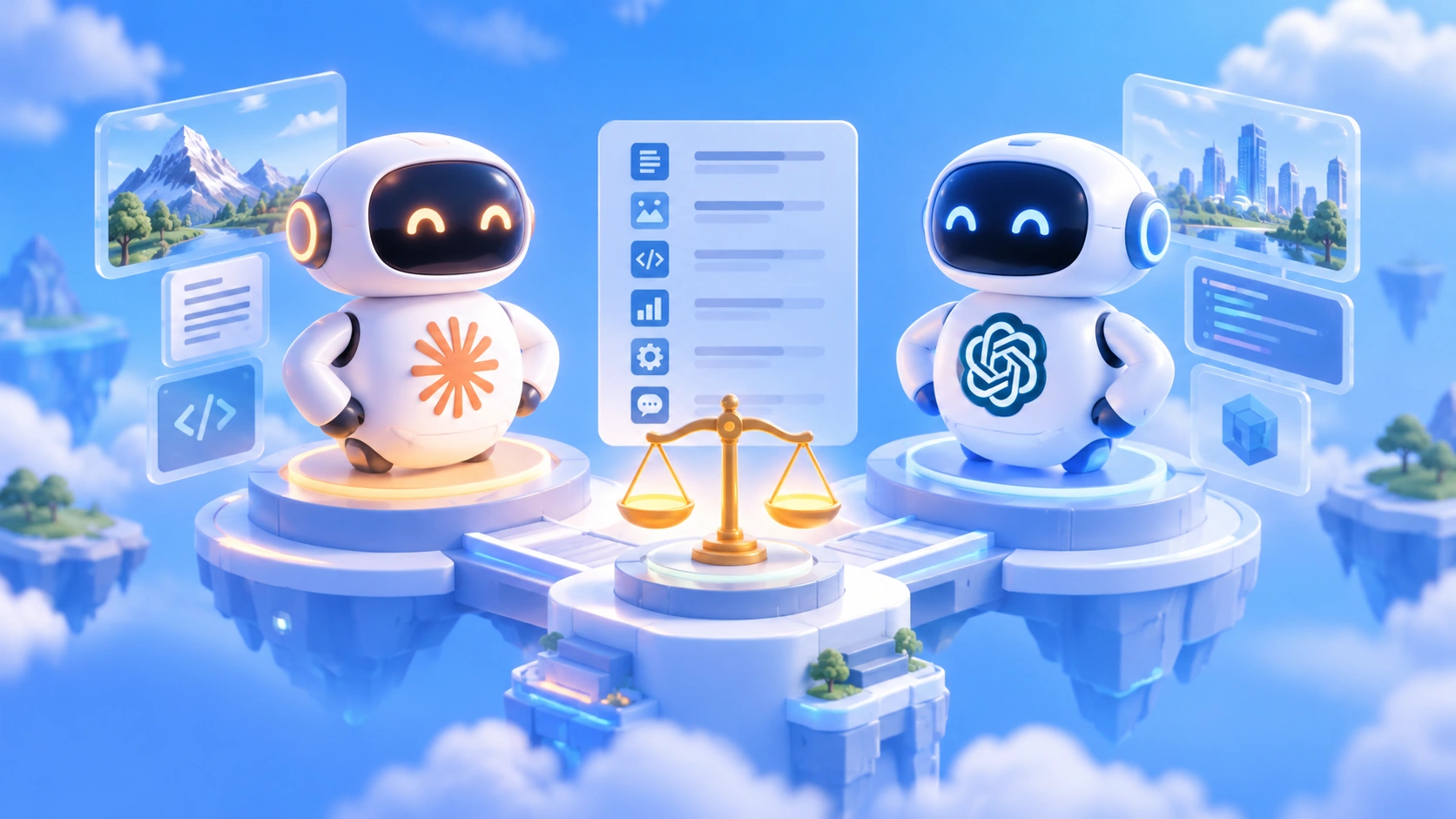
Summary: This article puts Antigravity, Codex, Claude Code, and Cursor on the same repo fix task and compares how they organize context, take in human feedback, and deliver inspectable changes—so you can choose a primary entry point that fits the way you work.
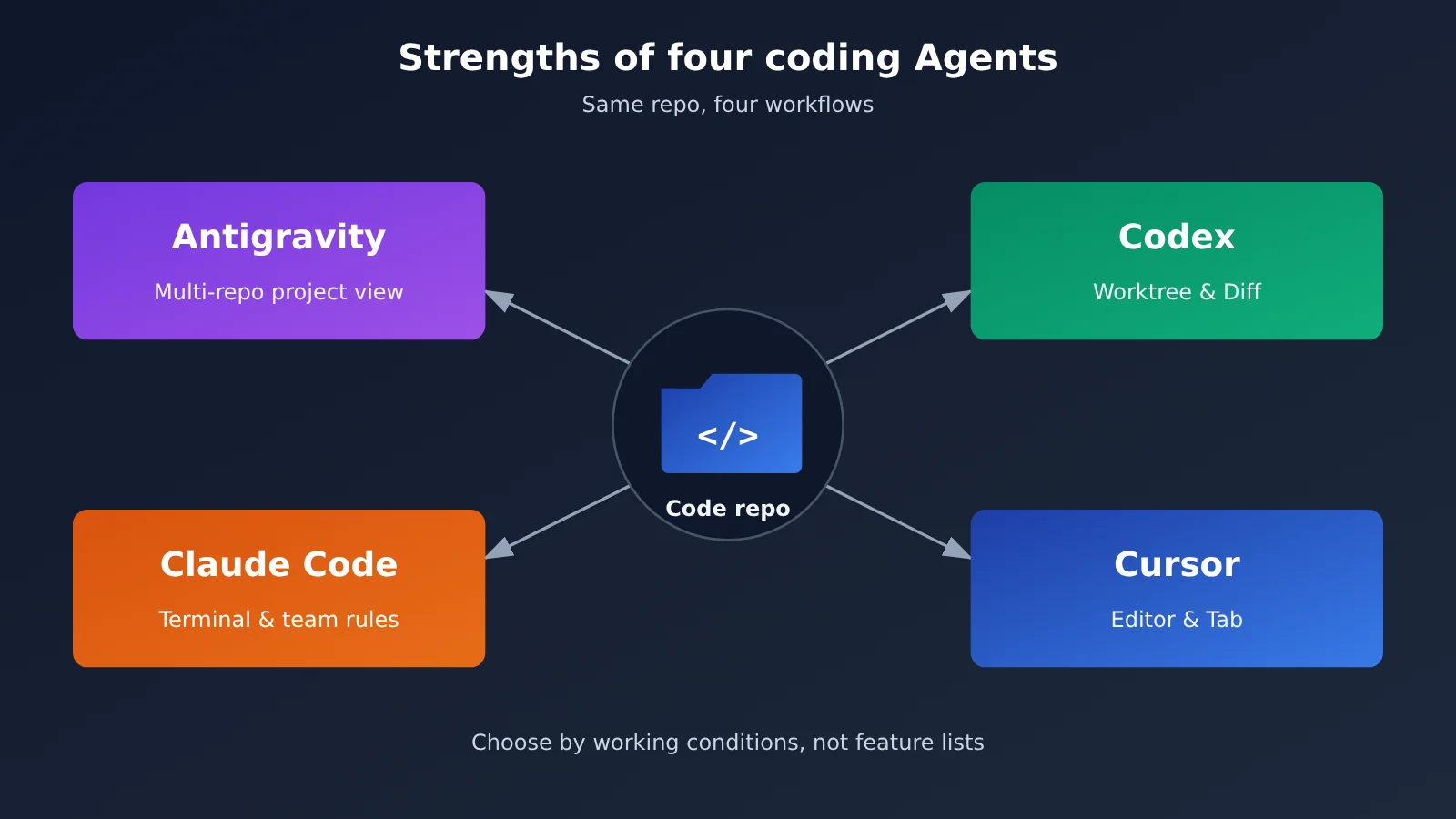
Antigravity, Codex, Claude Code, and Cursor can all read code, edit files, and run commands, so the advantage isn’t “whether they can write code.” The real difference is where the working context lives and where human feedback enters. Antigravity’s App is strongest at putting multiple related repositories, agent sessions, and delivery records into one project; Codex links independent worktree implementation and line-by-line Git review into a single flow; Claude Code is a good fit for reusing a team’s existing repo rules, scripts, and checks on every task; Cursor keeps you in the editor, using Tab and Agent to maintain continuous edits.
Map that to four working scenarios, and the conclusions are:
- A requirement needs coordination across multiple directories or repos: look to the Antigravity App first.
- The current branch has unfinished work, and you want to isolate new changes and review them line by line: look to Codex first.
- The team already has a terminal workflow, CLAUDE.md conventions, and check scripts: look to Claude Code first.
- Human-led, high-frequency local editing: look to Cursor first.
One note: the information in this article was verified on November 23, 2026, based on each vendor’s public docs and changelogs. We did not run a paid head-to-head test of the four tools on the same task; the spare-parts ledger repair in Section 3 is a demo scenario, and we did not presuppose any timings or scores.
Antigravity, Codex, Claude Code, and Cursor at a Glance
This table is organized by task scenario, not by feature checklist. All four tools can edit code, run tasks, and review changes. The table only highlights the entry point each tool handles best and the final artifact it hands back to a human for review.
| Task scenario | Entry point to try first | Acceptance artifacts | What the difference means |
|---|---|---|---|
| A single requirement spans both the implementation repo and the contract repo | The Project (multi-directory) in the Antigravity App | Diffs for each repo, the plan, and test evidence | Context is organized consistently at the project level, and delivery records are centralized |
| The current branch already has uncommitted work, and you need to fix something in parallel | A dedicated worktree + Review panel in the Codex desktop app | Diff against baseline, test output, retained code blocks | New changes stay separate from the work in progress, so you can decide block by block what to keep |
| The team requires an impact analysis first, followed by the existing checks | Claude Code reads CLAUDE.md and project config; Plan Mode proposes a plan | Plan explanation, check-script output, rule exceptions | Team standards and checks are reused along with the repo, making the process repeatable |
| You’ve already located the target code and just want to accept suggestions as you write | Cursor Tab; hand off to Agent when the task grows | Changes accepted or rejected, Agent Review results, final tests | You stay in control of the editing pace, and you can adjust how much you delegate |
Reading guide: Section 1 starts by separating three layers: models, Harness, and application entry points. Every comparison later is about workflow only, not model capability. Section 2 compares the four tools side by side across four dimensions, discussing all four in each dimension. Section 3 uses a small TypeScript fix to demonstrate four ways to take over, and provides a copyable acceptance table. Section 4 gives you a starting point for a first trial. If you only care about one dimension, jump straight to the matching subsection in 2.1–2.4.
To Know: Terms You’ll Need to Read This Article
| Term | Explanation |
|---|---|
| Coding agent | An assistant that can read code, call development tools, carry out tasks, and report results |
| Harness | The execution layer responsible for selecting context, calling tools, managing sessions, and handling permissions |
| Project context | The directories, repo rules, file snippets, and other inputs available to the current task |
| Git worktree | A separate working directory for the same repo, letting you keep different changes in different checkouts |
| Diff | A comparison used to check which files and lines of code changed |
| Orchestrator | Antigravity’s model orchestration mode, where a planning model and an execution model divide the work in a single session |
| Plan Mode | A permission mode in Claude Code where it analyzes and proposes a plan first; actual edits proceed according to session permissions |
| Hook | A configured action that triggers automatically when a specified tool call or task event occurs |
| Tab | The completion feature in the Cursor editor, which can suggest multi-line edits and the next place to make a change |
| Acceptance case | Uses specific input, expected behavior, and independent tests to determine whether a change is acceptable |
1 Antigravity, Codex, Claude Code, Cursor: First, Separate the Three Layers
1.1 Models, Harnesses, and Application Entry Points
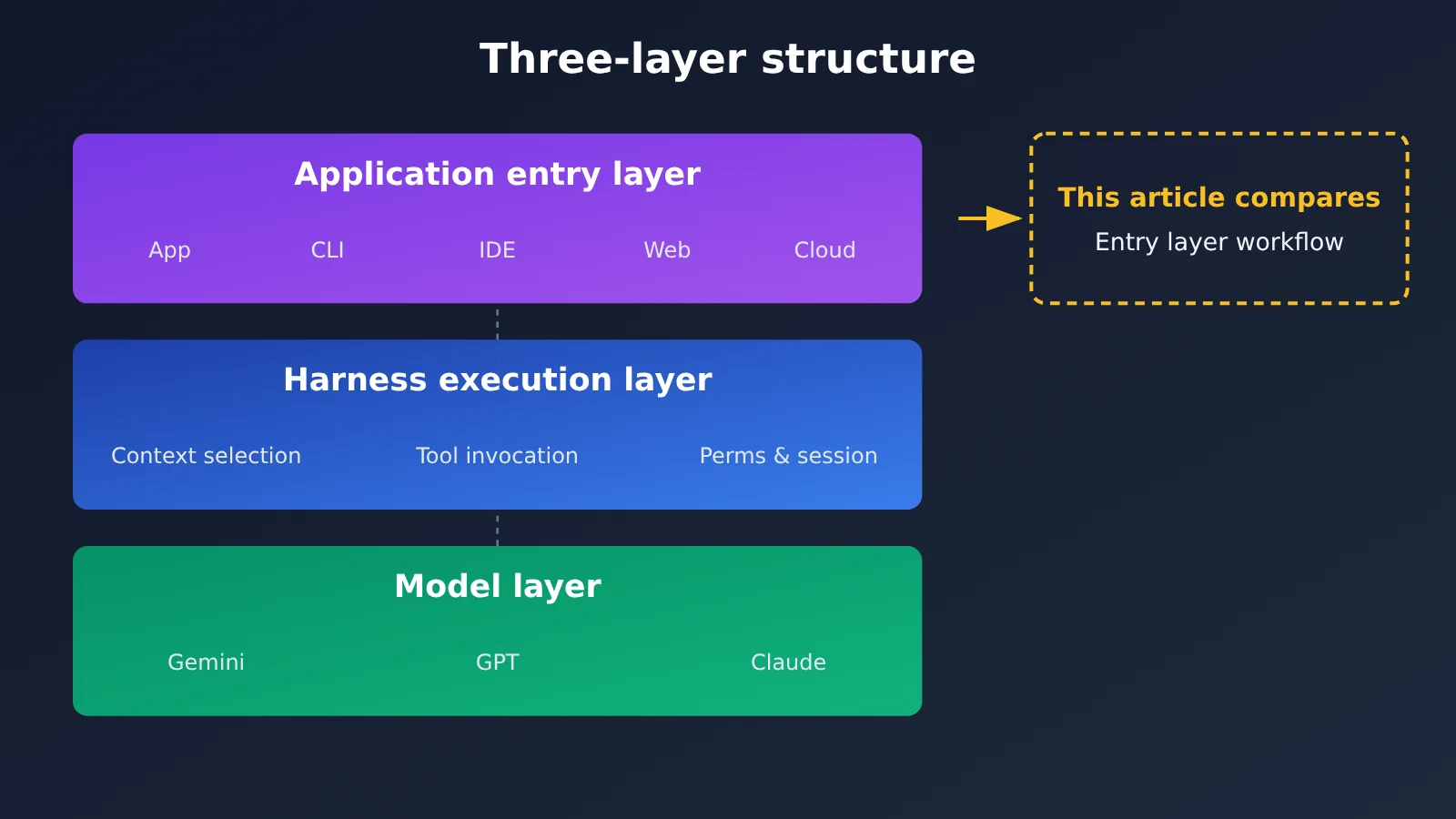
When people talk about coding tools, they most often blur together three distinct layers: the underlying model, the Harness that handles tool orchestration and context, and the application entry point you actually open. A single product usually has several entry points. Antigravity offers an app, a CLI, an IDE extension, Antigravity IDE, and a Python SDK. Codex offers Codex inside the ChatGPT desktop app, a CLI, an IDE extension, and Codex Cloud. Claude Code offers terminal, VS Code, JetBrains, desktop, web, and mobile entry points, and the docs say these all share the same underlying execution engine. Cursor has its IDE, Agents Window, CLI, web, and Cloud Agents.
So any claim like “tool X is stronger” has to first spell out which entry point, which model it’s paired with, and which reasoning level is enabled. What this article compares is the workflow at the entry-point layer: how context gets in, how changes are isolated, and how results get handed back to a human for review.
1.2 How to Read Public Benchmark Scores
Public benchmark scores are usually tied to a “model + Harness + reasoning level” combination. Artificial Analysis’s Coding Agent Index v2.1 is made up of FrontierCode-AA 2.0, Terminal-Bench 4.1, and SWE-Atlas-QnA-AA. In a public article from November 18, Antigravity CLI + Gemini 4 Neon xhigh scored 59, Claude Code + Fable 5.2 xhigh and Claude Code + Opus 5.5 max each scored 58, and the live comparison page separately lists Codex + GPT-6.2 Astra max at 53.
These scores show how a specific combination performs on a specific task set. They can’t be used to rank the four products directly, and they certainly can’t be used to compare Cursor’s interface experience, each vendor’s approval steps, or real team costs, because Cursor isn’t in the leaderboard at all. The design of FrontierHarness v1.1 is also worth a look: it fixes 5 models and 62 tasks, covering 21 Harness configurations, with 4 attempts per model-and-task pair, and it also leaves out Cursor. Fixing the model and the tasks can answer some of the Harness questions, but IDE interaction, permission steps, deliverables, re-runs, and human review still need to be observed in your own repository.
2 Comparing Antigravity, Codex, Claude Code, and Cursor on the Same Standard
Each of the four dimensions below highlights the most standout strength of one tool, but every dimension discusses all four together, so you don’t end up “only seeing the one you want to see.”
| Dimension | Antigravity | Codex | Claude Code | Cursor |
|---|---|---|---|---|
| Multi-repo context organization | Projects can include multiple related directories, with sessions managed per project | Operates on a single Git project as the unit, with the IDE and desktop sharing context | Uses the current repository as the working directory, with rules configured alongside the repo | Projects can orchestrate across repositories, but with plan requirements |
| Isolation and review | New Worktree Mode + Review offers file-by-file, line-by-line feedback | Independent worktree + Review to stage or revert by chunk, /review for standalone review | Relies on Git and existing checks, ultimately relying on the diff and output | Agents Window supports worktrees, and Agent Review checks local changes |
| Team rule reuse | Organized by project directory and plan | Supports local environment settings and Hooks | CLAUDE.md, layered settings, lifecycle Hooks | Supports customization such as Hooks |
| Editing rhythm | Primarily agent sessions | Locates from the IDE’s current file, then hands off to the agent | Terminal and IDE entry points coexist | Tab multi-line completion and jump, human-led |
2.1 Multi-repo context: How Antigravity organizes related repositories
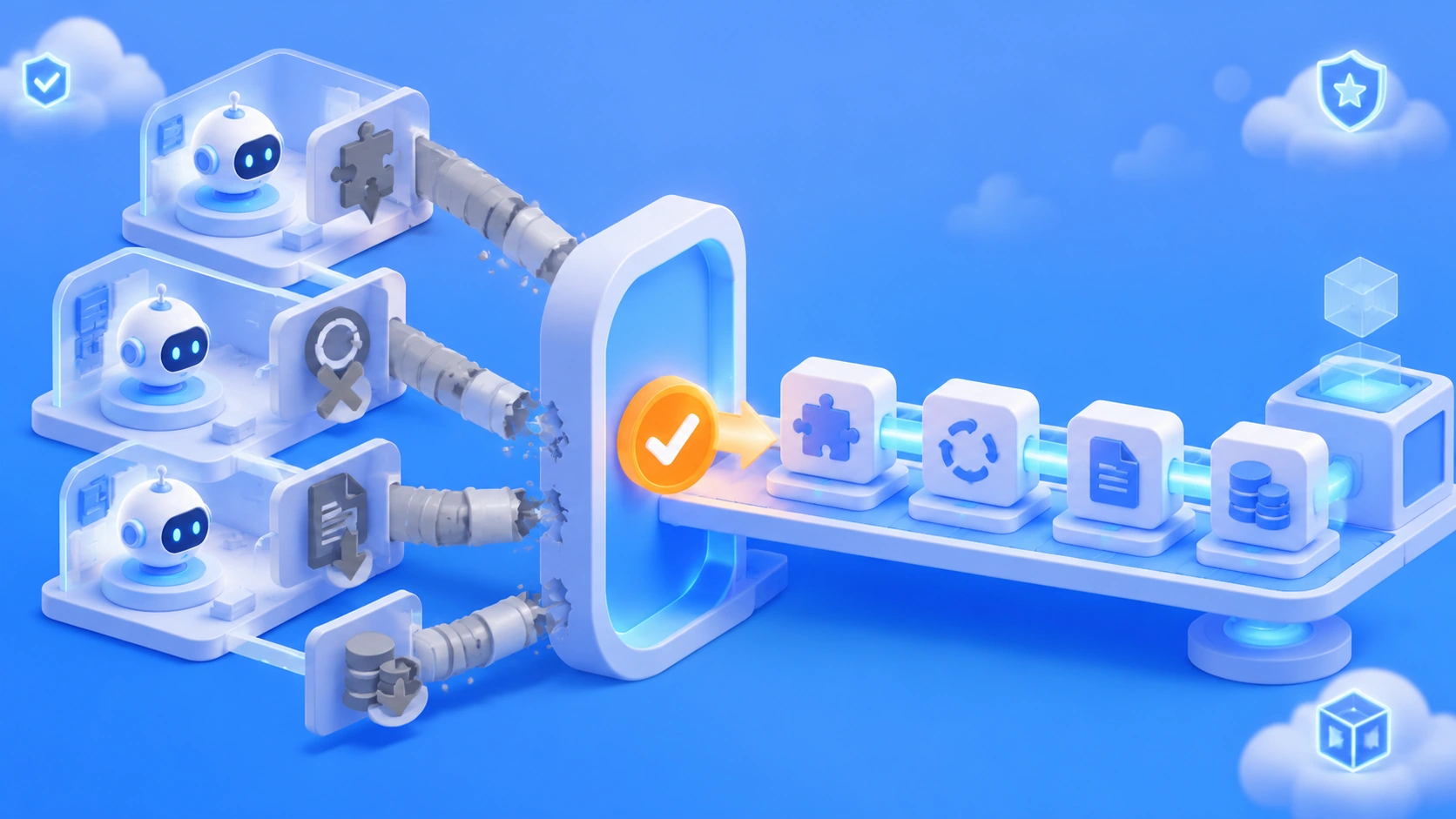
Imagine an API change: the implementation lives in the backend repo, the API definition lives in a separate contract repo, and the frontend also needs to be adjusted. In the Antigravity App, you can add these directories to the same Project, and the agent only views and modifies content within the permitted directories. When you start a new session, Local Mode uses the project directory directly; New Worktree Mode creates corresponding worktrees for the Git checkouts in the project.
There’s an easily overlooked detail here: ordinary directories in a project (non-Git checkouts) still use their original paths under New Worktree Mode. If the contract directory is not a Git repository, the agent’s changes to it land directly in place, so you should figure this out before arranging multi-repo tasks. After the changes are complete, Pull Requests and Review in Overview connect the task with the Git changes. Review supports viewing diffs file by file and giving feedback line by line, and a human decides what scope to accept before committing.
You should also distinguish three easily confused concepts. Project manages working directories and sessions; Orchestrator decides which model plans and which model executes within the same session, and hands the task back to the planning model to revise the plan when validation repeatedly fails; /swarm is a preview feature announced with Carbon on November 10, which assigns separable work to multiple agents such as a coordinator, executors, checkers, and monitors. Being able to add multiple directories doesn’t mean you need to turn on Swarm every time; for solo day-to-day fixes, one agent is enough. In addition, the Orchestrator for Gemini Enterprise and ADC accounts currently only offers the Carbon High + Hydrogen High combination; the Neon/Argon planning combinations from personal plans shouldn’t be assumed to apply to enterprise accounts.
Compared with the other three: Cursor’s Projects can also let a coordinating agent schedule long-running work across multiple repositories, but it relies on Cloud Agents and is only available to Premium and above, Teams, Enterprise, and eligible legacy paid plans. Codex and Claude Code are more used to working with a single repository as the unit. So “organizing multi-repo delivery in one place” is currently Antigravity App’s most direct strength.
2.2 Isolation and Review: How Codex Hands Tasks Back to People
Codex’s strength is a coherent chain: locate the current file → implement independently → review line by line. The Codex IDE extension can explicitly add the open file or selected code to the input; when the ChatGPT desktop app and the IDE extension have the same project open, they can share the active chat and editor context. You can ask a question in the IDE, then continue the same conversation in the desktop app, and you can also control whether editor context is attached.
To keep work separate from the changes at hand, choose an independent worktree within the same Git project. New changes then land in a separate checkout directory and don’t interfere with uncommitted work on the original branch. Note that the worktree is tied to the computer or remote development environment where the parent project lives, and the project itself must be a Git repository. Once the task is done, the Review panel lets you inspect the diff, write inline comments, and stage or revert by hunk; /review can run an independent review against a specified baseline or uncommitted changes and deliver the issue list as “findings.”
Looking across the landscape, Antigravity has Review, Cursor has Agent Review, so “being able to review” isn’t unique to Codex. What makes Codex interesting is that isolated changes, existing editor context, and human acceptance are woven into one workflow—well suited to scenarios where you’re working on A while letting the agent fix B in parallel. There’s also a boundary to remember: context sync between the IDE and desktop is a capability between the app and the connected extension; it doesn’t mean every editor can share conversations.
2.3 Reusing Team Rules: How Claude Code Brings Existing Conventions Into Play
Claude Code’s strength is reliably bringing the conventions and checks a team has already written into every task. A repo’s CLAUDE.md is a good place for code style, layering rules, and testing habits; settings files are split by scope. The team-shared .claude/settings.json is maintained with the repo, while personal experiments go in .claude/settings.local.json and won’t pollute team settings.
A typical flow goes like this: first read CLAUDE.md to understand the boundaries, then use Plan Mode to only read code and produce an impact analysis. After you confirm, implement within the session’s permissions, and finally trigger the existing checks through project configuration. The official Hooks guide calls out two representative hook points:
- PostToolUse matching Edit or Write: triggers formatting after a file is edited. It only covers the tool calls it matches; if a command itself modifies files, you can’t assume all changes have been checked.
- A unified working-tree scan at Stop: before the task ends, review the overall diff to cover the blind spots left by the earlier hook point.
To decide whether a check is “stable and repeatable”, look at whether it’s configured in a lifecycle Hook, a project script, or CI; expectations written only in the prompt don’t prove the code actually passed the check. When delivering the final result, keep the check command, its runtime output, and an explanation of any rule exceptions.
In fairness, Codex’s official glossary and Cursor’s customization docs also list Hooks, so it’s more accurate to say that “project rules and existing scripts are conveniences for organizing workflows” rather than something exclusive to a single vendor. Claude Code’s difference is that its documentation combining CLAUDE.md, layered settings, and Hooks is the most complete, and multiple entry points share a single execution engine, so team conventions stay consistent across the terminal, IDE, and Web. Also, Agent Teams is made up of multiple Claude Code sessions that can message each other. It’s an experimental feature that’s off by default; the v2.1.330 release from November 20 can serve as a version marker when comparing environments.
2.4 Editing Rhythm: How Cursor Keeps You in the Editor
Cursor’s advantage is that it lowers the cost of navigating and confirming things inside the editor. Tab looks at the current code, recent changes, and linter hints; it suggests multi-line edits, completes imports, and anticipates the next place in the file you’ll want to change. When you need to work across files, the editor shows jumpable suggestions and lets you decide whether to accept them. For small fixes with clear context—just a few type definitions and tests—Tab helps you keep a human-led editing rhythm.
When the task turns into multiple steps and you really need to delegate, hand it to the Agent. After changes are made, you can use Agent Review to independently inspect local edits and compare the overall diff against the main branch in Source Control. The Agent Review docs differ across sections on when it triggers automatically; this article sticks to the manual entry point clearly listed on the same page. For automatic triggers, check against your current version.
There are two plan boundaries to keep in mind. First, the official BYOK page makes clear that Tab still uses Cursor’s built-in models—your own API key doesn’t replace the model behind Tab. Second, in the new individual plans, Cloud Agents and third-party models are available starting with Premium; Projects doesn’t apply to Free, Plus, or legacy Hobby, and the old Privacy Mode (Legacy) isn’t compatible with Projects either. Web-based feedback features such as Design Mode are for a later deep dive—this section focuses only on day-to-day editing.
3 Demonstrating Four Workflows — Antigravity, Codex, Claude Code, and Cursor — with One Small Fix
3.1 Shared Input and Acceptance Criteria (Demo Setup)
The task below is an original demo scenario that was not actually run. It’s only meant to show how the four entry points would pick up the same requirement. The repo is a TypeScript procurement spare-parts ledger that already has a stock SKU lookup feature. The requirement: users who accidentally add spaces on either end of their input should still find the same SKU.
Acceptance criteria:
- Input
" A-001 "and"A-001"return the same result; - Whitespace-only input still follows the empty-query rules;
- The existing case-sensitivity, hyphen, and other query filter rules stay unchanged;
- Inspect the parser and its existing tests, add two whitespace boundary cases, output the changed files, test command, and results, and let a human review the diff before deciding whether to commit.
Below is a test draft that can serve as the basis for acceptance. The function name and module path are hypothetical — replace them with the actual parser in the repo:
// Demo setup: parseSkuQuery and ./sku-query are hypothetical names
import { parseSkuQuery } from "./sku-query";

describe("SKU query leading and trailing spaces", () => {
  it("spaces on both ends match the same SKU as the original value", () => {
    expect(parseSkuQuery("  A-001  ")).toEqual(parseSkuQuery("A-001"));
  });

  it("whitespace-only input is still treated as an empty query", () => {
    expect(parseSkuQuery("   ")).toEqual(parseSkuQuery(""));
  });
});
3.2 How the four entry points take over and what they hand back
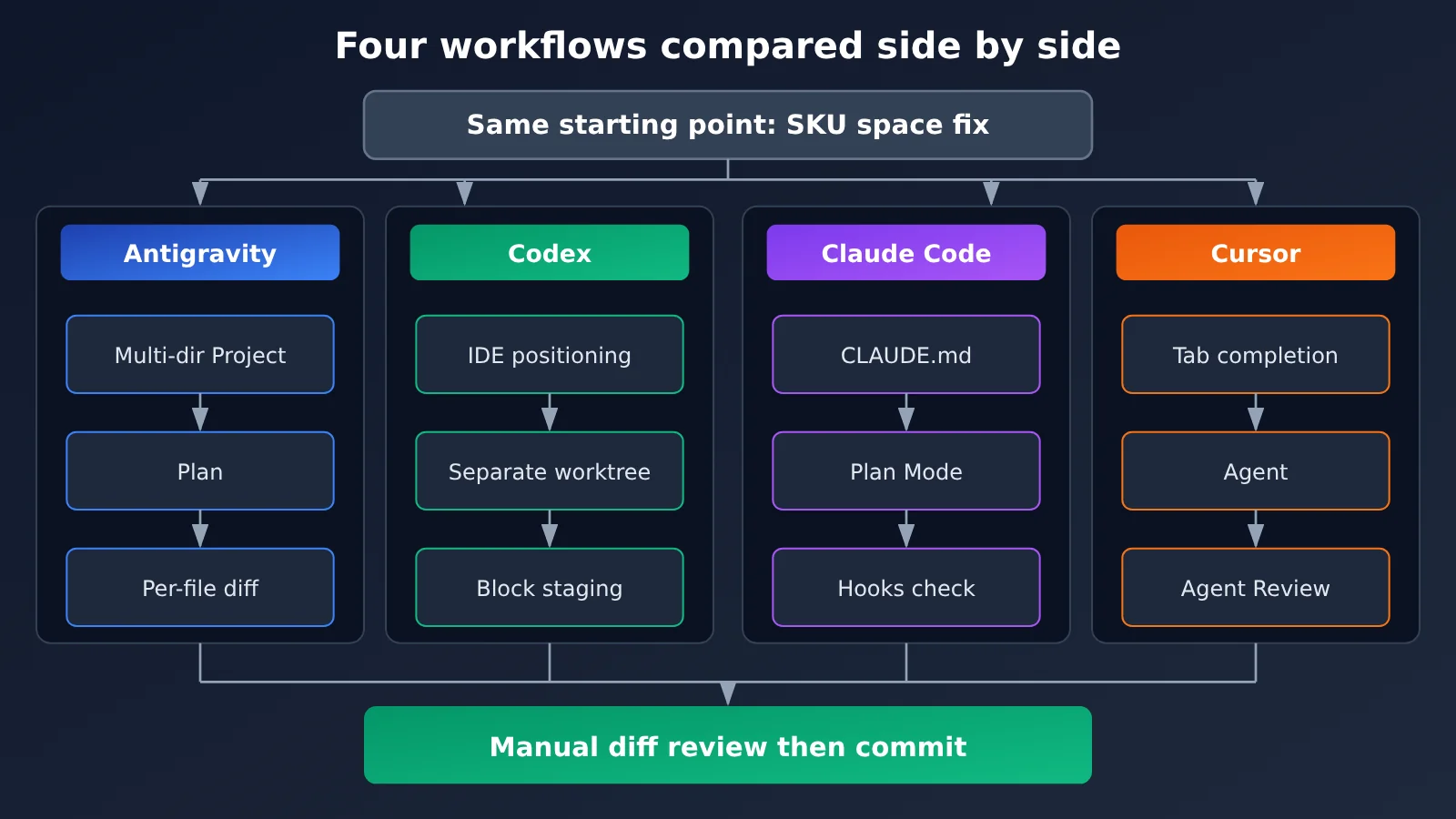
For the same task under different working conditions, the right entry point and the artifacts that need human review vary. The entry point arrangements in the table below are based on vendors’ publicly documented capabilities; they’re route references, not test results.
| Your working condition | Entry point to try first | Artifacts that need human review |
|---|---|---|
| The same requirement has a separate interface contract repository | In the same Antigravity App Project, add the implementation directory and the approved contract directory; open a new worktree when isolation is needed | Whether the rules on both sides match, whether changes stay within the approved scope, and which repository the tests correspond to |
| Your current branch has other uncommitted work, but you still want to follow up on this fix | Codex first locates the parser in the IDE extension, then moves to a separate worktree in the desktop app | The diff from baseline, test logs, and the final code blocks retained |
| The team requires an impact analysis first and a clear decision on when to run project checks | Claude Code reads the project configuration and, after a Plan Mode proposal, implements within existing permissions | The scope of the instructions, the check script output, and whether changes go beyond the original logic |
| You’ve already located the target test, want to write it yourself, and are willing to accept localized suggestions | Cursor Tab suggests related types and the next edit location; when it gets complex, hand off to the Agent | Which suggestions were accepted or rejected, whether cross-file completions match the original interface, and whether the final test passes |
3.3 A Reusable Acceptance Record Table
If you want to measure the difference in your own repo, run all four trials under the same baseline commit, same acceptance test cases, and same file permissions, and record each item. The table below is left blank—copy it and fill it in:
| Entry point | Model and tier enabled | Changed paths | Boundary cases covered? | Automated test command and result | Manual re-review count | Accept? |
|---|---|---|---|---|---|---|
| Antigravity App | ||||||
| Codex (desktop worktree) | ||||||
| Claude Code | ||||||
| Cursor (Tab / Agent) |
The “Model and tier enabled” column matters. As mentioned in Section 1, the model and the Harness both affect the results. Without this column, you can’t attribute the differences you see to the workflow itself.
4 Where to Start on Your First Try with Antigravity, Codex, Claude Code, and Cursor
4.1 Choose a Starting Point Based on Task Conditions
Don’t choose based on “which one is the strongest.” Choose based on how your task gets handed off and how it gets accepted:
- Want to switch interfaces less and drive the editing yourself: Start with Cursor, beginning with Tab, and hand off to Agent when the task grows.
- Need to isolate and review changes in an existing repo: Start with Codex’s isolated worktree and Review panel.
- Want to bring your team’s existing rules and scripts into the trial first: Start with Claude Code, beginning with CLAUDE.md and project settings.
- Cross-repo tasks need one place to organize deliverables: Start with Antigravity App’s multi-directory Project.
If the “manual re-review count” is clearly high in the first trial, that often means the entry point doesn’t match the task shape—not necessarily that the tool lacks capability. Try a different starting point and run the same acceptance test cases again.
4.2 Check These Boundaries Before Connecting Your Own Model
For teams already using APIYI models, start by checking the APIYI developer suite’s documentation index, contracts, and model registry to verify model IDs, endpoint protocols, group visibility permissions, and billing definitions. Then confirm which capabilities the target client can actually use. Each client has different requirements for custom endpoints: Codex’s custom model gateway currently supports only Responses as the wire API; Claude Code’s LLM gateway requires checking interfaces such as Anthropic Messages and organization identity against the official docs; Cursor’s BYOK doesn’t cover Tab. An API key doesn’t automatically inherit any product’s editor autocomplete, cloud projects, or subscription quota. Any path you haven’t actually tested can only be treated as unverified.
4.3 What to Cover in Follow-Up Deep Dives
This article only compares workflows for everyday repo fixes. The following three topics each involve many conditions and deserve their own deep dives:
- Web feedback: Antigravity’s built-in browser and Walkthrough, Codex’s in-app browser, Claude in Chrome, and Cursor’s Design Mode.
- Remote topologies: Starting with Antigravity App 2.33.0, SSH connections to 64-bit Linux hosts are supported; Claude Code’s Remote Control and cloud sessions; Codex Cloud; Cursor Cloud Agents. You need to distinguish between “remote-controlling a host” and “handing off to an independent cloud environment.”
- Pricing and quotas: Subscriptions, AI credits, API billing, and third-party model billing rules all differ, and old and new plans coexist. You need to check each item per account.
Back to the one point worth remembering: the difference among these four tools comes down mainly to where context and feedback live. Figure out where your task gets handed off and where it gets accepted, then pick the corresponding entry point and run a round. That’s more reliable than choosing based on leaderboard scores.
References
-
Antigravity docs and changelog: product entry points, Projects, Review, models, and Orchestrator
- Links:
antigravity.google/docs/projects,antigravity.google/docs/review-changes,antigravity.google/docs/models,antigravity.google/docs/changelog - Notes: multi-directory projects, worktree mode, model orchestration, and enterprise account restrictions
- Links:
-
Codex docs: IDE extension, context syncing, worktrees, and code review
- Links:
learn.chatgpt.com/docs/ide,learn.chatgpt.com/docs/environments/git-worktrees,learn.chatgpt.com/docs/code-review - Notes: the full path from editor positioning to standalone implementation and line-by-line acceptance
- Links:
-
Claude Code docs: overview, settings scopes, Plan Mode, and Hooks
- Links:
code.claude.com/docs/en/overview,code.claude.com/docs/en/settings,code.claude.com/docs/en/hooks-guide - Notes: official examples for CLAUDE.md, layered configuration, and lifecycle checks
- Links:
-
Cursor docs: Tab, Agent Review, Projects
- Links:
cursor.com/help/ai-features/tab,cursor.com/docs/agent/agent-review,cursor.com/docs/agent/projects - Notes: in-editor completion, local change review, and plan requirements for long-running projects
- Links:
-
Artificial Analysis coding agent benchmarking methodology: what the Coding Agent Index covers and where it stops
- Link:
artificialanalysis.ai/methodology/coding-agents-benchmarking - Notes: understanding the boundaries of evaluating a “model + harness + tier” combination
- Link:
-
FrontierHarness: controlled harness experiments with fixed models and tasks
- Link:
frontierharness.org/about - Notes: experiment design and coverage; Cursor isn’t included
- Link:
-
APIYI developer kit: contracts, documentation index, and model registry
- Link:
docs.apiyi.com/developer-kit - Notes: verify model IDs, endpoint protocols, and permissions before integration
- Link: