Running into the field messages is required error when calling GPT-5-nano and other new models? This is a common issue many developers face when migrating to OpenAI's newer API versions. This article provides a deep dive into the core differences between Responses API and Chat Completions API, helping you quickly identify and resolve these request format errors.
Key Takeaway: After reading this article, you'll understand the request format differences between both APIs, correctly call GPT-5 series models, and completely resolve field messages is required errors.
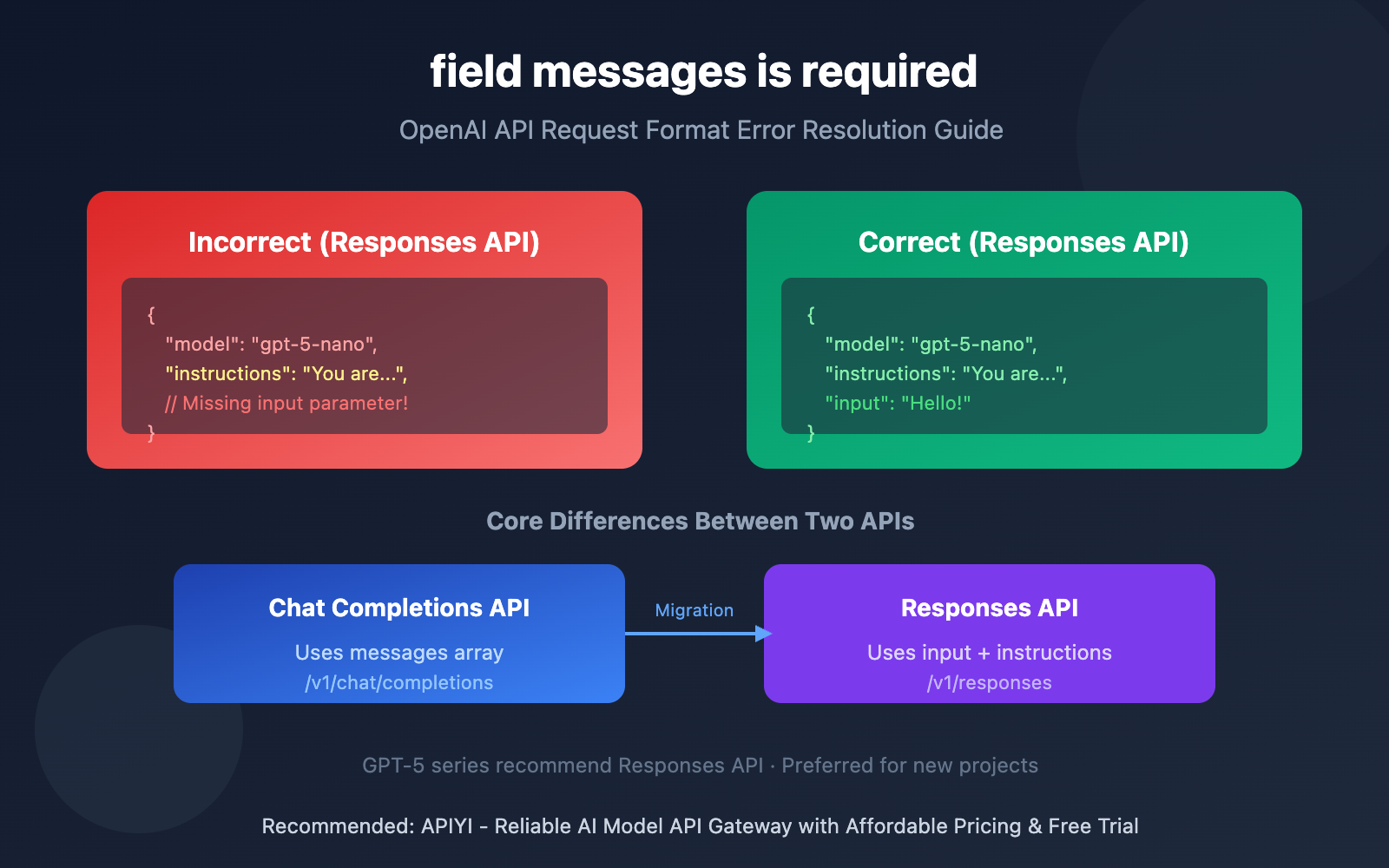
Core Points About the "field messages is required" Error
| Issue | Cause | Solution |
|---|---|---|
| field messages is required | Sending Chat Completions format to Responses API endpoint | Use input instead of messages |
| invalid_text_request | Request format doesn't match API endpoint | Verify endpoint and parameter format alignment |
| shell_api_error | Internal routing error, format parsing failure | Confirm you're using the correct API version |
Error Case Analysis
Based on the error information you provided:
{
  "original_error": {
    "status_code": 400,
    "error": {
      "message": "field messages is required",
      "type": "shell_api_error",
      "code": "invalid_text_request"
    }
  },
  "request_params": {
    "model": "gpt-5-nano",
    "instructions": "# Role\n\nYou generate alt text..."
  }
}
Problem Diagnosis: The request only contains model and instructions parameters, missing the required input parameter. The Responses API requires user input content to be provided.
Why Does the "field messages is required" Error Occur?
OpenAI currently has two main text generation APIs:
- Chat Completions API (
/v1/chat/completions) – usesmessagesarray - Responses API (
/v1/responses) – uses separatedinput+instructionsparameters
When your request format doesn't match the target API endpoint, it'll trigger field messages is required or similar errors. GPT-5 series models (including gpt-5-nano) are recommended to use the Responses API by default.
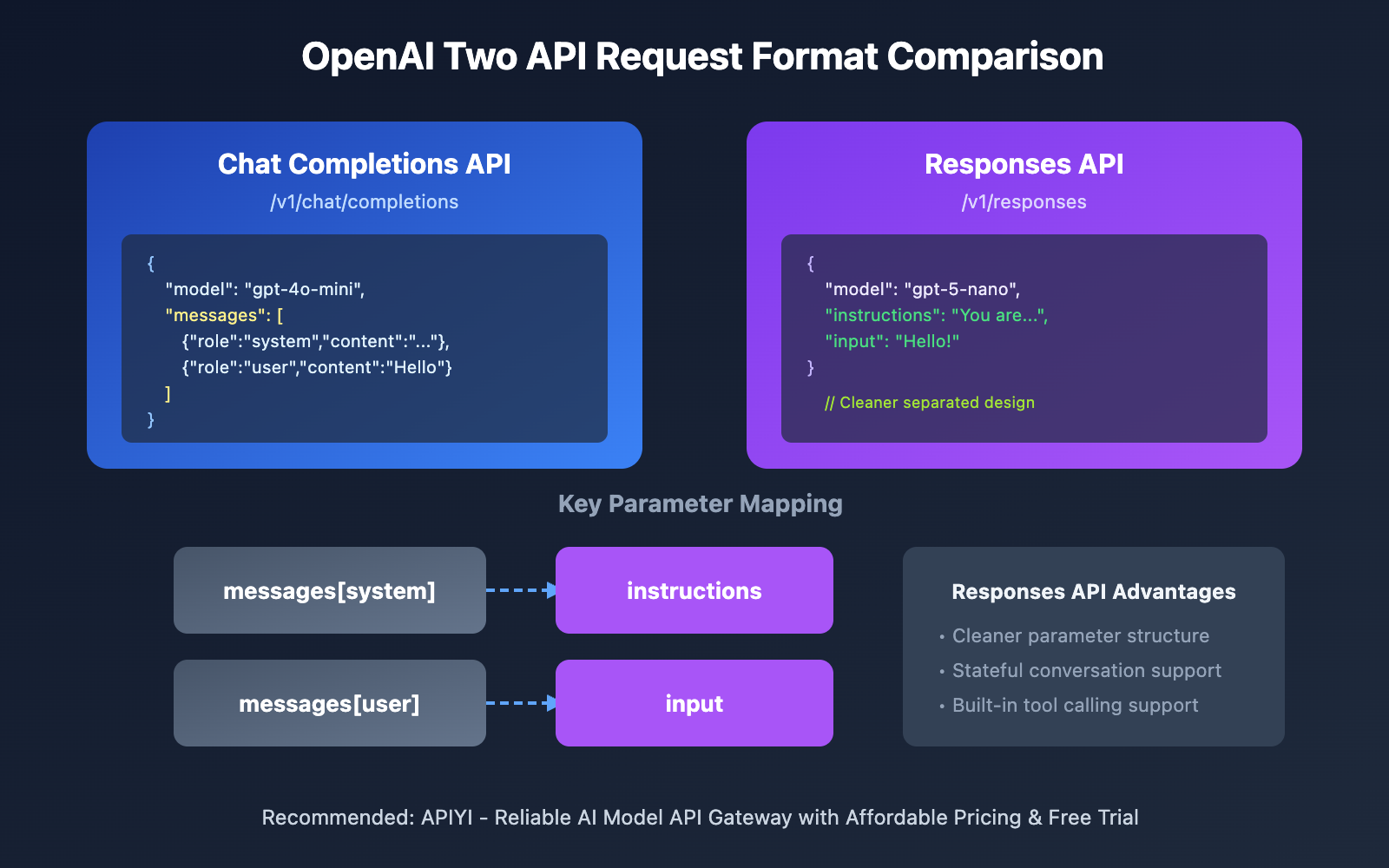
Correct Responses API Request Format
Minimal Example
Here's the right way to call GPT-5-nano:
import openai

client = openai.OpenAI(
    api_key="YOUR_API_KEY",
    base_url="https://vip.apiyi.com/v1"
)

# Correct Responses API format
response = client.responses.create(
    model="gpt-5-nano",
    instructions="You generate alt text for images.",
    input="Describe the sunset photo"
)
print(response.output_text)
View Complete Code Example (with error handling)
import openai
from typing import Optional

def call_responses_api(
    input_text: str,
    model: str = "gpt-5-nano",
    instructions: Optional[str] = None
) -> str:
    """
    Correctly call OpenAI Responses API

    Args:
        input_text: User input content (required!)
        model: Model name
        instructions: System instructions

    Returns:
        Model response content
    """
    client = openai.OpenAI(
        api_key="YOUR_API_KEY",
        base_url="https://vip.apiyi.com/v1"
    )

    try:
        # Responses API format: input + instructions (separated)
        response = client.responses.create(
            model=model,
            input=input_text,  # Required parameter!
            instructions=instructions
        )
        return response.output_text
    except Exception as e:
        return f"Error: {str(e)}"

# Correct usage example
result = call_responses_api(
    input_text="A golden sunset over the ocean with waves",
    model="gpt-5-nano",
    instructions="You generate alt text for HTML img tags. Keep it concise, under 125 characters."
)
print(result)
Tip: Get free testing credits through APIYI apiyi.com – the platform supports both Chat Completions and Responses API formats, making it convenient for debugging and validation.
Chat Completions API Request Format
If you're more comfortable with the Chat Completions API, you can continue using it, but you'll need the correct format:
import openai

client = openai.OpenAI(
    api_key="YOUR_API_KEY",
    base_url="https://vip.apiyi.com/v1"
)

# Correct Chat Completions API format
response = client.chat.completions.create(
    model="gpt-5-nano",
    messages=[
        {
            "role": "system",
            "content": "You generate alt text for HTML img tags."
        },
        {
            "role": "user",
            "content": "Describe the sunset photo"
        }
    ]
)
print(response.choices[0].message.content)
Comparison of Two API Parameter Sets
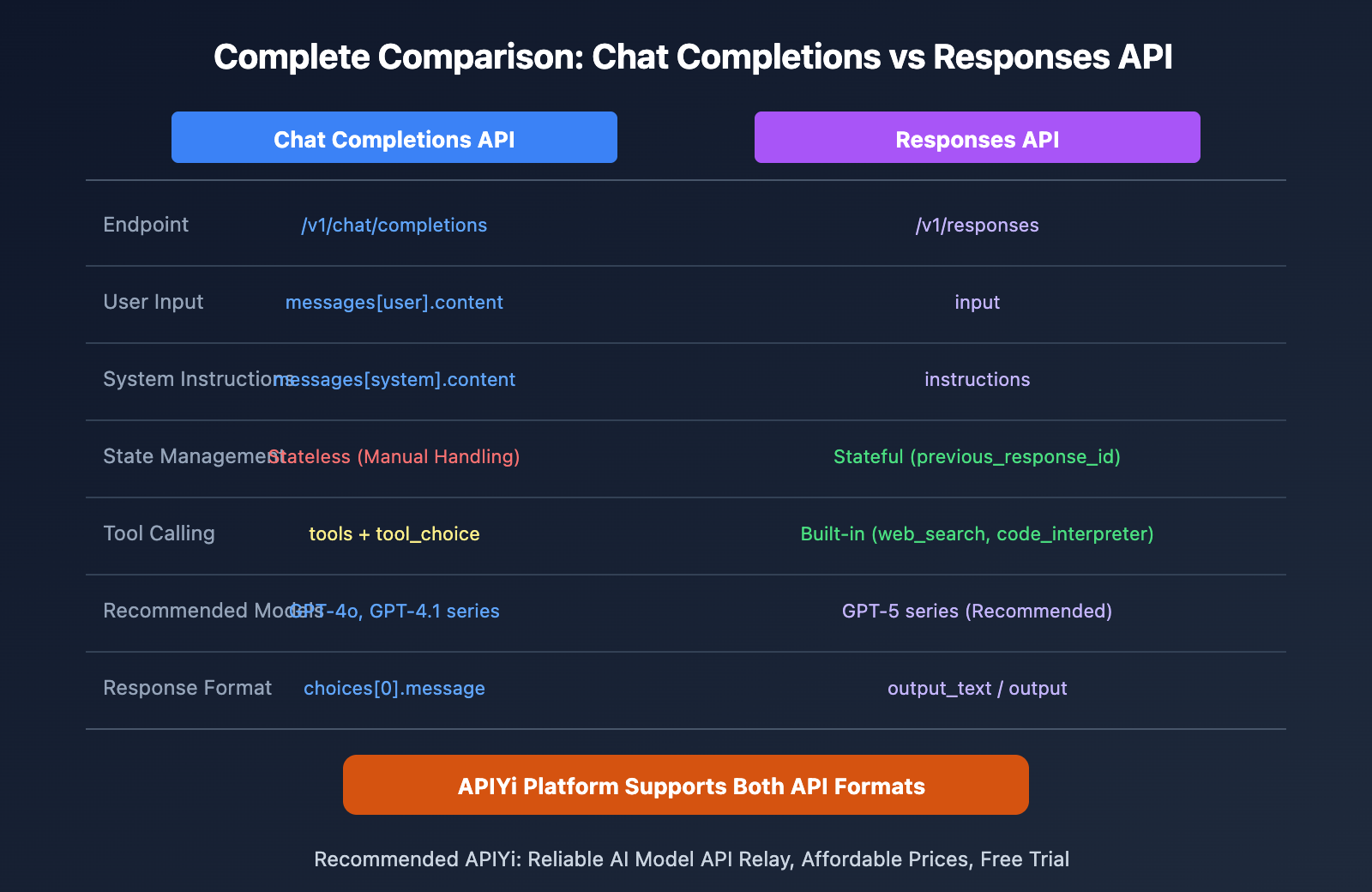
| Feature | Chat Completions | Responses API |
|---|---|---|
| User Input Parameter | messages array |
input string or array |
| System Instructions Parameter | messages[system] |
instructions |
| Endpoint | /v1/chat/completions |
/v1/responses |
| State Management | Stateless | Supports previous_response_id |
| Recommended Use Case | Existing project compatibility | First choice for new projects |
Common Errors and Solutions
Error 1: field messages is required
Cause: Sent a Chat Completions format request to the Responses API endpoint
Solution:
- Option A: Use
input+instructionsinstead ofmessages - Option B: Switch to the
/v1/chat/completionsendpoint withmessages
Error 2: invalid_text_request
Cause: Request body format doesn't match the target API
Solution: Check if you're missing required parameters (like input for Responses API)
Error 3: Missing required parameter: tools[0].function
Cause: Chat Completions and Responses API have different tool definition formats
Solution: Rewrite according to the respective API's tool definition specifications
FAQ
Q1: Which API should I use for GPT-5-nano?
We recommend using the Responses API (/v1/responses). The GPT-5 series models are optimized for the Responses API, which supports more built-in features like web_search, code_interpreter, and more.
Q2: Do I need to migrate my existing Chat Completions code?
Migration isn't mandatory. The Chat Completions API still supports GPT-5 series models. However, if you need features like state management and built-in tools, we'd suggest migrating to the Responses API.
Q3: How can I quickly test both API formats?
We recommend using the APIYI platform for testing:
- Visit APIYI at apiyi.com and create an account
- Get your API Key and free testing credits
- The platform supports both Chat Completions and Responses APIs
- Use the code examples from this article to quickly verify
GPT-5-nano Model Specifications
| Specification | Value |
|---|---|
| Release Date | August 7, 2025 |
| Context Window | 272K tokens (input) |
| Maximum Output | 128K tokens |
| Input Price | $0.05/million tokens |
| Output Price | $0.40/million tokens |
| Knowledge Cutoff | May 30, 2024 |
| Reasoning Level | minimal / low / medium / high |
🎯 Value Tip: GPT-5-nano is the most cost-effective model in the GPT-5 series, perfect for tasks like classification, summarization, and simple Q&A. You'll get additional discounts when calling through the APIYI platform.
Summary
Key points about the field messages is required error:
- Root Cause: You're sending a Chat Completions format request to the Responses API, or missing the required
inputparameter - Solution: Use the correct parameter format — Responses API needs
input+instructions, while Chat Completions usesmessages - Best Practice: For new GPT-5 series projects, we'd recommend using the Responses API. Existing projects can stick with Chat Completions
When you run into API format issues, first confirm which endpoint you're targeting, then check if your parameters match that endpoint.
We'd suggest quickly validating through APIYI apiyi.com – the platform supports both API formats and offers free testing credits.
References
⚠️ Link Format Note: All external links use the
Resource Name: domain.comformat, making them easy to copy but not clickable, avoiding SEO weight loss.
-
OpenAI Responses API Documentation: Official Responses API usage guide
- Link:
platform.openai.com/docs/api-reference/responses - Description: Learn about complete Responses API parameters and usage
- Link:
-
OpenAI API Migration Guide: Migrating from Chat Completions to Responses API
- Link:
platform.openai.com/docs/guides/migrate-to-responses - Description: Official migration guide and parameter mapping instructions
- Link:
-
GPT-5 nano Model Documentation: GPT-5-nano specifications and best practices
- Link:
platform.openai.com/docs/models/gpt-5-nano - Description: Understand model capabilities and use cases
- Link:
Author: Technical Team
Tech Discussion: Feel free to discuss in the comments. For more resources, visit the APIYI apiyi.com tech community