Author's Note: Anthropic released Claude Design on April 17, 2026. Designers can now convert static mockups into interactive prototypes without needing to submit PRs, and PMs can drive product workflows using natural language. AI is rewriting the rules of collaboration for software teams.
Anthropic quietly released a new product last week that has sparked quite a bit of discussion among designers and PMs.
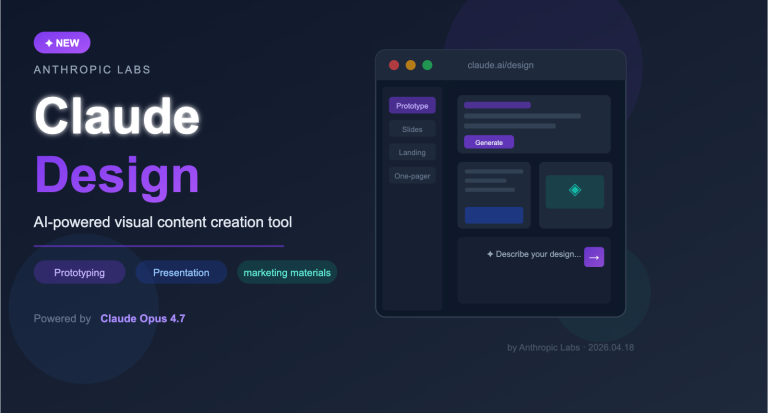
Claude Design officially launched on April 17, 2026, and is currently in a research preview phase. Powered by Claude Opus 4.7, it's positioned as an AI-collaborative design tool that can convert text descriptions and visual inputs directly into editable, shareable interactive prototypes—challenging Figma and Canva head-on.
But what's truly exciting isn't just "another AI design tool"; it's the new way of working for software teams that it represents. Designers no longer need to wait for developers to help implement prototypes, and PMs can drive product workflows to completion just by describing them. The entire pipeline from idea to testable product is being significantly compressed by AI.
Core Value: Spend 3 minutes learning what Claude Design has changed and what it means for designers, PMs, and developers.
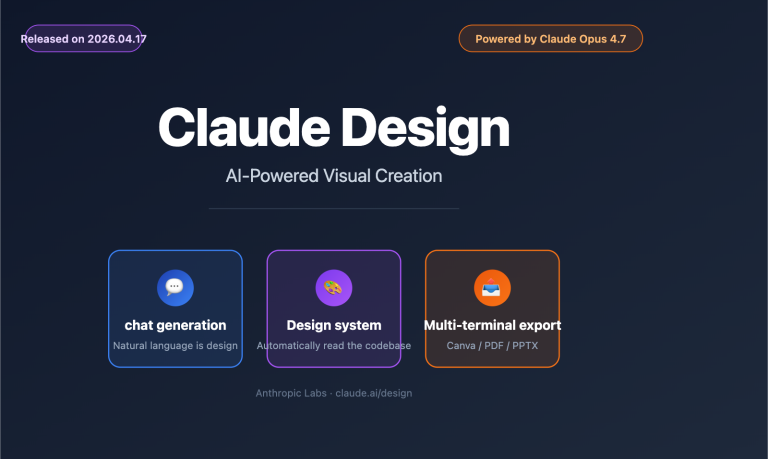
Overview of Claude Design Core Features
| Feature Dimension | Functionality | Value Proposition |
|---|---|---|
| Text-to-Prototype | Generate interactive interfaces from text descriptions | Eliminates manual assembly; drafts in minutes |
| Static-to-Interactive | Upload designs to automatically add interaction logic | Designers can finish without developer assistance |
| Design System Integration | Automatically reads brand colors, fonts, and component libraries | Ensures consistent styling |
| Multi-format Export | HTML / PDF / PPTX / Canva / URL | Flexible adaptation to various collaboration scenarios |
| Claude Code Integration | Export prototypes to Claude Code for instant code generation | Completes the design-to-development cycle |
Claude Design Input Capabilities
Claude Design supports various types of design inputs, breaking the limitation of having to "start from scratch":
- Text Descriptions: The most direct method—just tell it what to build, and it generates the design.
- Document Uploads: Use DOCX, PPTX, and XLSX files as design source material.
- Codebase References: Reads existing codebases to extract design specifications.
- Website Elements: Crop elements from existing pages and continue creation based on established styles.
This means designers can feed existing PRDs, competitor screenshots, or brand guidelines into the tool, allowing it to "understand the context" before starting the design, rather than beginning from a blank canvas.
Output Formats
The output is equally flexible. Claude Design doesn't just produce static images; it creates truly shareable, testable prototypes:
- Interactive HTML Prototypes: Users can click and interact with forms directly in the browser.
- Code-Driven Prototypes: Supports embedded audio, video, and 3D elements.
- Slides and Landing Pages: Ready for team presentations or live deployment.
- Marketing Assets: Visual outputs like banners and posters.
🎯 Platform Note: Claude Design is currently in Research Preview for Claude Pro, Max, Team, and Enterprise users. To use Claude Opus 4.7 for development or testing via API, you can access the unified interface at APIYI (apiyi.com), which supports various Claude models on-demand.
The Designer's Workflow: From "Waiting for PRs" to "Taking Control"
This is the most direct impact Claude Design has on designers, and the reason many are so excited after seeing the feature demo.
In traditional workflows, after finishing a static draft, designers often have to do the following to verify if interactions are reasonable:
- Write a requirement document or build a prototype in Figma (manually connecting interactions).
- Hand off the prototype to a frontend developer to build an executable version.
- Wait for development scheduling, implementation, code review, and PR merging.
- Once a clickable version is available, send it to users for testing.
- After receiving feedback, restart the cycle from designer to developer.
Throughout this process, designers spend a huge amount of time "waiting"—waiting for development, waiting for reviews, and waiting for test environments.
Claude Design cuts this chain directly.
Designers upload static drafts or describe the interface in plain language, and Claude Design outputs an interactive prototype that is clickable right in the browser. No coding, no code reviews, and no PRs required. The prototype URL can be shared directly with users for testing, and if feedback arrives, the designer can simply tell Claude Design to "make this button blue" or "add a confirmation modal here," and the changes take effect in real-time.
A case study from the edtech company Brilliant confirms this: they found that a complex page that required over 20 prompts in competing tools took only 2 prompts to complete with Claude Design.
Impact on Design Teams
| Stage | Traditional Model | Claude Design Model | Change |
|---|---|---|---|
| Prototype Creation | Manual Figma connections | AI-generated | Minutes vs. Hours |
| Interaction Verification | Requires development | Clickable in-browser | No scheduling wait |
| User Testing | Requires staging environment | Instant URL sharing | Test anytime |
| Design Iteration | Re-run development cycle | Modify via natural language | Real-time updates |
| Design Consistency | Manual maintenance | Auto-reads design system | Style automatically aligned |
🎯 Developer Note: If your team wants to integrate the visual understanding capabilities of Claude Opus 4.7 into your own tools, APIYI (apiyi.com) provides API access to the Claude model series, supporting image input and code generation to help you build similar design automation workflows.
PM Workflow: Sketching Functional Flows, Letting AI Build Them
For Product Managers, Claude Design has unlocked a whole new way of working.
In the past, taking a product idea from conception to a demo usually meant: writing a PRD → design review → development scheduling → implementation → testing → demo. This process could take anywhere from two weeks to a month.
Now, PMs have two new paths:
Path 1: Handing it off to designers for refinement
PMs use Claude Design to sketch functional flows or low-fidelity prototypes, serving as a "rough draft" for communication with designers. Designers don't have to start from scratch to understand the requirements; they can build directly upon the PM's prototype, polishing it from low-fidelity to high-fidelity, and then generating a testable version.
Path 2: Handing it directly to Claude Code for implementation
If a PM is confident in the implementation or just needs a functional prototype for an internal demo, there's a direct integration path between Claude Design and Claude Code: Claude Design packages the prototype into a "handoff bundle," which Claude Code then receives to automatically generate production-grade code. PMs can get a working software prototype immediately, without waiting for development scheduling.
This is the closed loop Anthropic is intentionally building: Exploration → Prototype (Claude Design) → Production Code (Claude Code).
🎯 Platform Tip: Claude Code now supports API access. By connecting to the Claude model series via APIYI (apiyi.com), you can replicate similar "design-to-code" automation workflows within your own toolchain—perfect for development teams with custom requirements.
The Closed Loop of Claude Design and Claude Code
Anthropic's product roadmap is becoming increasingly clear. They are no longer just "providing a chat AI"; they are building a suite of AI Agents that cover the entire software development lifecycle:
| Product | Positioning | Core Users |
|---|---|---|
| Claude Design | AI design collaboration tool, prototype generation | Designers, PMs |
| Claude Code | AI programming Agent, code implementation | Developers, PMs |
| Claude Cowork | Knowledge work assistant, document collaboration | Entire team |
| Browser Agent | Automated web operations | Operations, QA |
| Desktop Control | Cross-application automation | Entire team |
The integration between Claude Design and Claude Code is the most critical link in this matrix. Once a designer finishes a prototype in Claude Design, there's no need to manually write design specification documents; Claude Design automatically generates a "handoff bundle." Developers (or PMs themselves) then pass this bundle to Claude Code, which reads the design intent and outputs functional code directly.
In an ideal state, this chain means: Everything from product idea to testable code is AI-driven, with humans focusing on acceptance and strategic direction.
Impact Analysis: What This Means for Software Teams
Impact on Designers
The most immediate change is increased independence. Designers no longer need to rely on developers to verify design feasibility. They can independently handle the entire process from static drafts to testable prototypes, significantly accelerating user testing and design iterations.
However, this also brings new requirements: designers need to learn how to precisely describe design intent using natural language and understand which prototypes are ready to be pushed directly into the development phase.
Impact on PMs
PMs now have a powerful "rapid validation tool" at their disposal. Many ideas that were previously shelved due to "high validation costs" can now be tested. PMs can generate a clickable prototype before a meeting, driving discussions with tangible assets rather than just text.
Another shift is in the collaboration model with the development team: PMs can bring functional prototypes to sprint planning instead of static Figma screenshots.
Impact on Developers
In the short term, Claude Design reduces the repetitive work developers spend on "prototype implementation." In the long run, the combination of Claude Code and Claude Design will shift developers more toward roles focused on "acceptance" and "architectural decision-making," rather than having to write every single line of code by hand.
🎯 Reference for Technical Teams: If you want to evaluate the actual capabilities of Claude Opus 4.7 in visual understanding and code generation, we recommend testing via APIYI at apiyi.com. The platform supports on-demand model invocation, allowing you to access it without needing a Claude subscription.
FAQ
Q1: Who is Claude Design currently available to?
Claude Design is currently in a research preview phase, available to Claude Pro, Max, Team, and Enterprise subscribers. Availability may expand as progress continues. If you need to invoke the Claude Opus 4.7 model via API, you can gain access through third-party API platforms.
Q2: What is the core difference between Claude Design and Figma?
Figma is a professional collaborative design tool where designers must manually draw every interface element and interaction logic, which comes with a steeper learning curve. The core advantage of Claude Design is "description-to-generation"—you tell it what you want, and it outputs it directly, making it better suited for rapid prototype validation scenarios. The two aren't mutually exclusive; Claude Design's output can also be exported to Canva for further refinement.
Q3: How can I invoke Claude Opus 4.7 via API for design-related development?
The model behind Claude Design is Claude Opus 4.7, which possesses powerful visual understanding and code generation capabilities. If you want to build your own design automation tools based on this model, the recommended path is:
- Visit APIYI at apiyi.com to register an account and obtain an API key.
- Use the OpenAI-compatible interface format to invoke the Claude model.
- Pass in images (design draft screenshots) and text descriptions to receive HTML/CSS code output.
import openai

# Initialize the client with APIYI credentials
client = openai.OpenAI(
    api_key="YOUR_API_KEY",
    base_url="https://vip.apiyi.com/v1"
)

# Send a request to convert a design draft into an interactive prototype
response = client.chat.completions.create(
    model="claude-opus-4-7",
    messages=[
        {
            "role": "user",
            "content": [
                {
                    "type": "image_url",
                    "image_url": {"url": "data:image/png;base64,..."}
                },
                {
                    "type": "text",
                    "text": "Convert this design draft into an interactive HTML+CSS prototype, maintaining the original layout and color scheme."
                }
            ]
        }
    ]
)
print(response.choices[0].message.content)
The platform provides free testing credits, making it perfect for quick validation.
Summary
The launch of Claude Design isn't just about "yet another AI design tool."
It represents a systematic strategic move by Anthropic into the software development lifecycle: Design + Code + Cowork. With AI Agents embedded in every stage from design to development and collaboration, it's a game-changer for software teams:
- Designers: The path from static mockups to interactive prototypes is significantly shortened, removing the reliance on developers for initial validation.
- PMs: Product ideas can be quickly turned into functional, demonstrable prototypes, dramatically speeding up team decision-making.
- Developers: Repetitive prototyping tasks are offloaded, allowing for a sharper focus on system architecture and complex logic.
Currently, Claude Design is in a research preview phase, with its capabilities continuing to evolve. If you're looking to get an early hands-on experience with the visual understanding and code generation power of Claude Opus 4.7, we recommend testing it via APIYI (apiyi.com). The platform provides a unified interface for calling Claude models, and the free tier is perfect for quick validation.
📚 References
-
Anthropic Claude Design Official Announcement
- Link:
anthropic.com/news/claude-design-anthropic-labs - Description: Detailed features and release notes for Claude Design.
- Link:
-
Claude Code for Product Managers
- Link:
builder.io/blog/claude-code-for-product-managers - Description: A practical guide for PMs on leveraging Claude Code to drive product development.
- Link:
-
Claude Artifacts Interactive Prototype Tutorial
- Link:
claude.com/resources/tutorials/prototype-ai-powered-apps-with-claude-artifacts - Description: A foundational tutorial on generating interactive prototypes using Claude Artifacts, perfect for understanding the underlying capabilities.
- Link:
Author: Wentuos API Technical Team
Technical Community: Feel free to join the discussion in the comments. For more AI model API resources, please visit the APIYI documentation center at docs.apiyi.com.