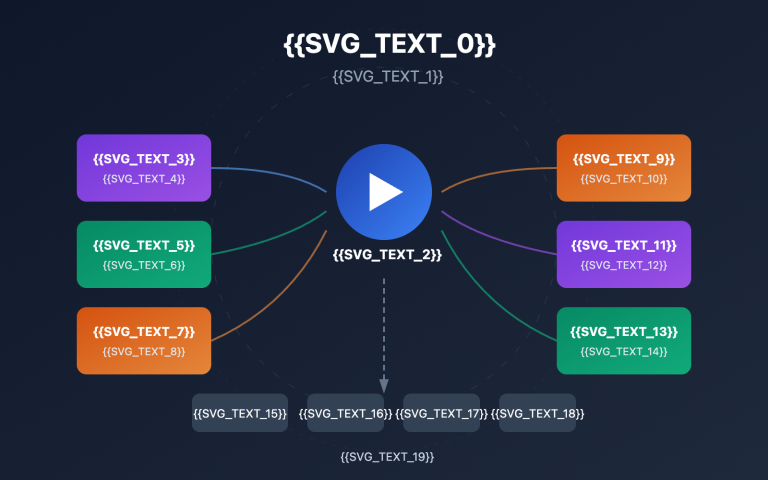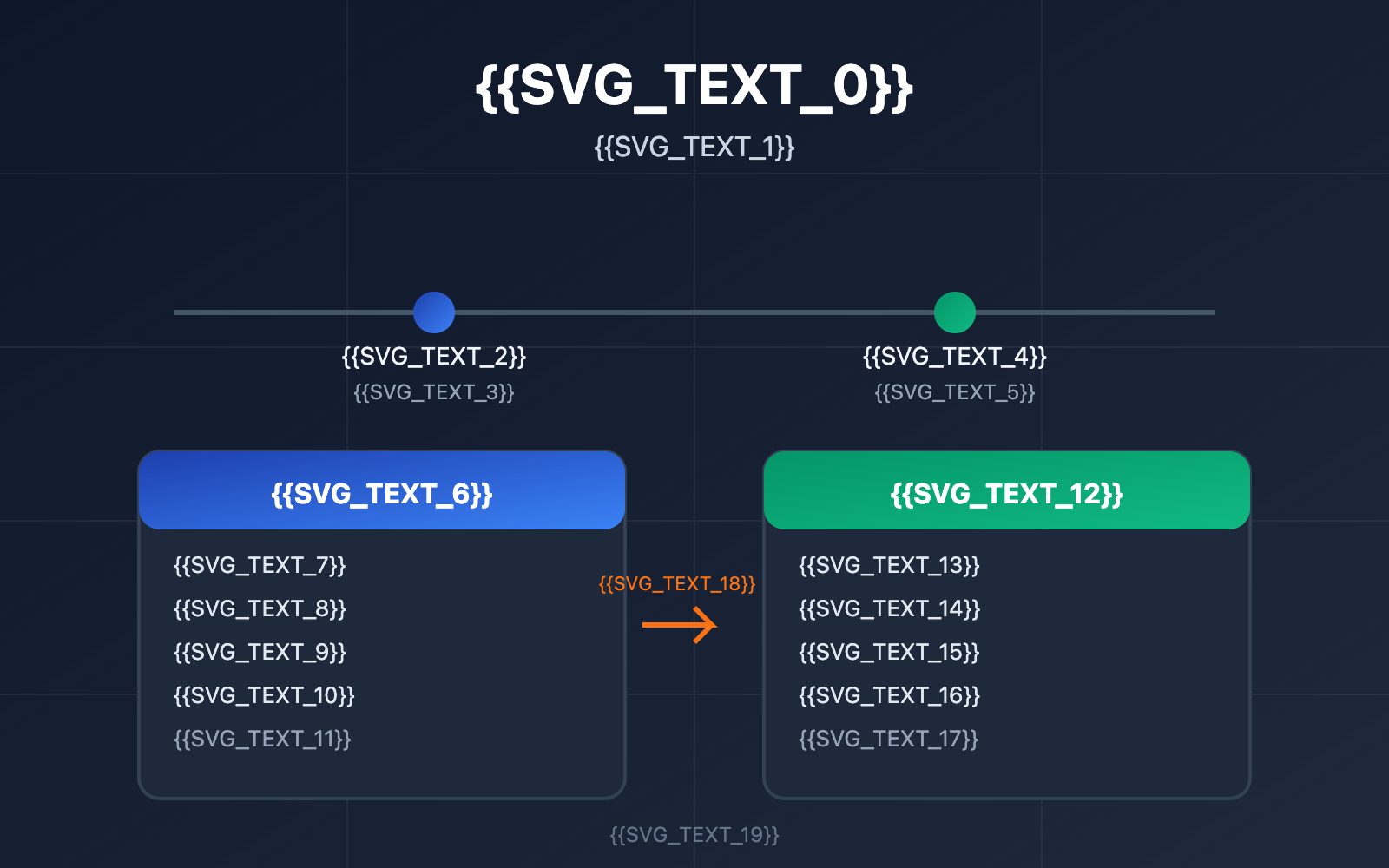
Choosing the right Sora 2 API model version has always been a top priority for video generation developers. In this post, we’ll compare the sora-2-2025-12-08 and sora-2-2025-10-06 snapshots. We'll break down their performance, features, and stability to give you a clear recommendation on which one to use.
Core Value: By the time you finish reading, you'll know exactly which Sora 2 API model version fits your production needs and how to implement a solid version-locking strategy.
Sora 2 API Model Snapshot Overview
OpenAI provides a model snapshot mechanism for Sora 2, which lets developers lock onto a specific version. This ensures that performance and behavior remain consistent in your production environment—a must-have for enterprise-grade applications that need predictable output over the long haul.
Currently Available Sora 2 API Versions
| Model ID | Release Date | Alias Status | Recommended Scenarios |
|---|---|---|---|
| sora-2-2025-12-08 | Dec 8, 2025 | Current default (pointed to by sora-2) |
New projects, latest features |
| sora-2-2025-10-06 | Oct 6, 2025 | Legacy version | Existing projects, stability first |
| sora-2 | Dynamic alias | Points to the latest snapshot | Testing environments, rapid prototyping |
Why You Need Sora 2 API Version Locking
In a real production setup, locking your model version is critical for a few reasons:
- Consistent Output: The same prompt can produce different video styles across different versions.
- Quality Control: It prevents unexpected quality fluctuations in your existing workflows when the model updates.
- Regression Testing: It makes it easier to compare the actual performance differences between old and new versions.
- Compliance: Some industries require you to track and log the exact model version used to generate AI content.
🎯 Technical Tip: For production environments, we recommend using the Sora 2 API through the APIYI (apiyi.com) platform. It allows you to specify exact model version numbers, guaranteeing the stability of your output.
sora-2-2025-12-08 vs sora-2-2025-10-06: Core Differences
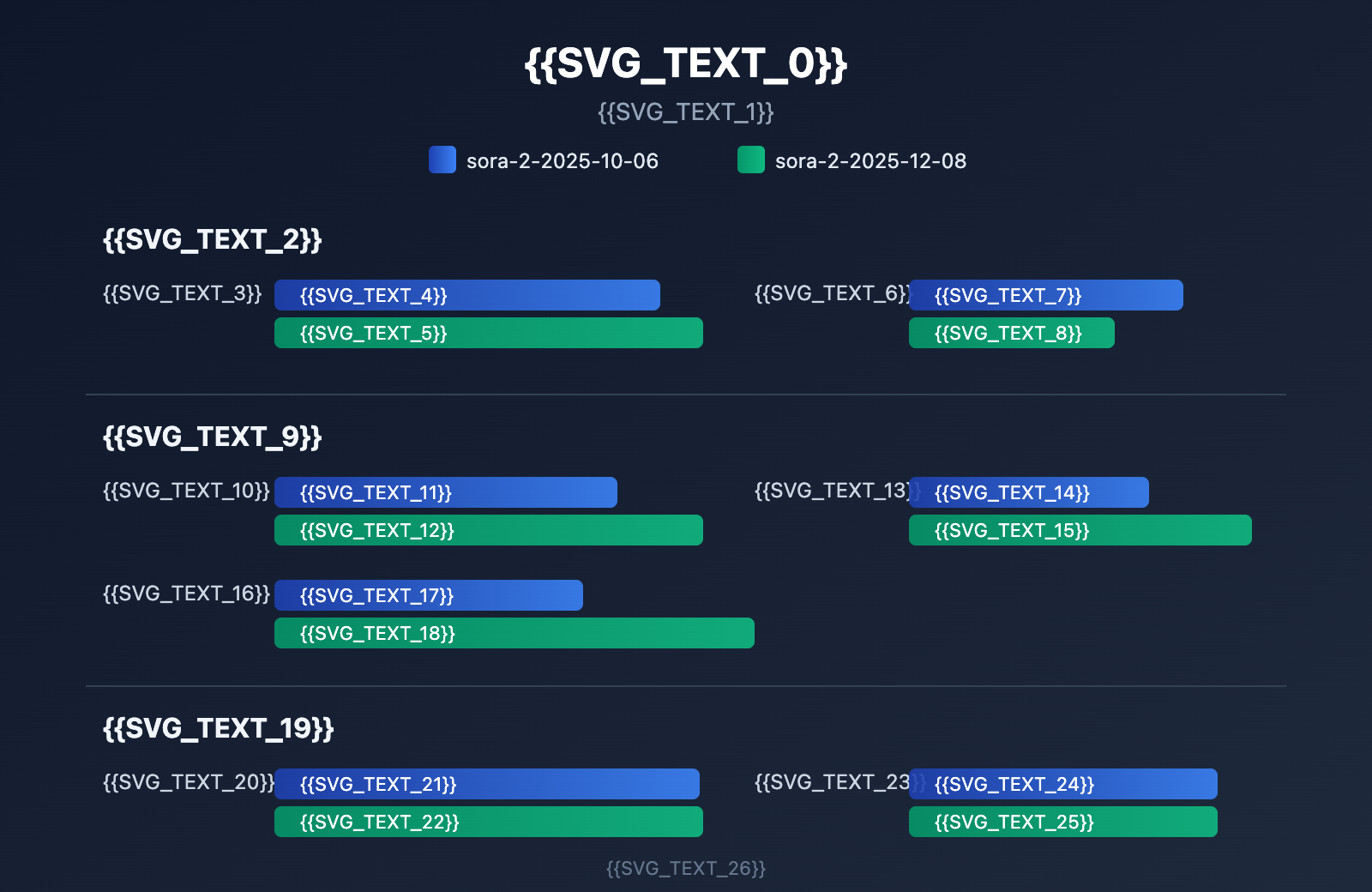
Feature Comparison
| Comparison Dimension | sora-2-2025-10-06 | sora-2-2025-12-08 | Key Differences |
|---|---|---|---|
| Video Duration | Up to 20 seconds | Up to 25 seconds | The December version supports longer clips |
| Physics Simulation | Basic physics engine | Enhanced physics engine | More accurate gravity and collision modeling |
| Audio Sync | Standard sync | Improved sync algorithm | More natural lip-syncing for dialogue |
| Style Control | 6 preset styles | 6 presets + fine-tuning | New parameters for style fine-tuning |
| Character Consistency | Basic consistency | Character Cameos support | Characters can be reused across different videos |
Performance Comparison
| Performance Metric | sora-2-2025-10-06 | sora-2-2025-12-08 | Winner |
|---|---|---|---|
| Generation Speed | ~45s per 10s video | ~40s per 10s video | 12-08 |
| First Frame Latency | ~8 seconds | ~6 seconds | 12-08 |
| Batch Stability | 99.2% | 99.5% | 12-08 |
| API Response Consistency | High | High | Tie |
Video Quality Comparison
Test results based on the same prompt:
| Quality Dimension | sora-2-2025-10-06 | sora-2-2025-12-08 | Rating (1-10) |
|---|---|---|---|
| Visual Clarity | Excellent | Excellent | 9 vs 9 |
| Motion Smoothness | Good | Excellent | 8 vs 9 |
| Physical Realism | Good | Excellent | 7 vs 9 |
| Facial Expressions | Good | Excellent | 8 vs 9 |
| Scene Coherence | Excellent | Excellent | 9 vs 9 |
💡 Comparison Note: The December version shows a massive step up in physical realism. For instance, in a basketball shooting scene, the October version might show the ball passing right "through" the rim, whereas the December version correctly simulates the rim bounce and spin.
Recommended Scenarios for Sora 2 API Versions
When to choose sora-2-2025-12-08
Perfect for new projects and teams who want the latest and greatest features:
- Creative Ad Production: When you need the most realistic physics and facial expressions.
- Long-form Video Generation: When you need that extra boost to 25-second maximum duration.
- Character IP Projects: Use the Character Cameos feature to keep your characters consistent.
- Starting New Projects: If you don't have legacy compatibility issues, go straight for the latest version.
# Example using the latest version
import openai

client = openai.OpenAI(
    api_key="YOUR_API_KEY",
    base_url="https://api.apiyi.com/v1"  # Using the APIYI unified interface
)

# Option 1: Use an alias (automatically points to the latest)
response = client.videos.create(
    model="sora-2",
    prompt="An orange cat dozing in the sun, its tail swaying gently"
)

# Option 2: Pin to the specific version
response = client.videos.create(
    model="sora-2-2025-12-08",
    prompt="An orange cat dozing in the sun, its tail swaying gently"
)
When to choose sora-2-2025-10-06
Best for existing projects and teams where stability is king:
- Batch Content Production: If you have an established prompt library and workflow, you need consistent output.
- A/B Testing: When you need to keep results comparable with historical data.
- Compliance & Auditing: Some projects require a fixed version to meet auditing standards.
- Progressive Migration: Verify the new version in a test environment first while keeping production on the older version.
# Example pinning to a legacy version
import openai

client = openai.OpenAI(
    api_key="YOUR_API_KEY",
    base_url="https://api.apiyi.com/v1"  # Using the APIYI unified interface
)

# Explicitly specify the legacy version
response = client.videos.create(
    model="sora-2-2025-10-06",
    prompt="An orange cat dozing in the sun, its tail swaying gently"
)

# Log version info for auditing
print(f"Using model version: sora-2-2025-10-06")
print(f"Generation time: {response.created}")
Sora 2 API Version Management Best Practices
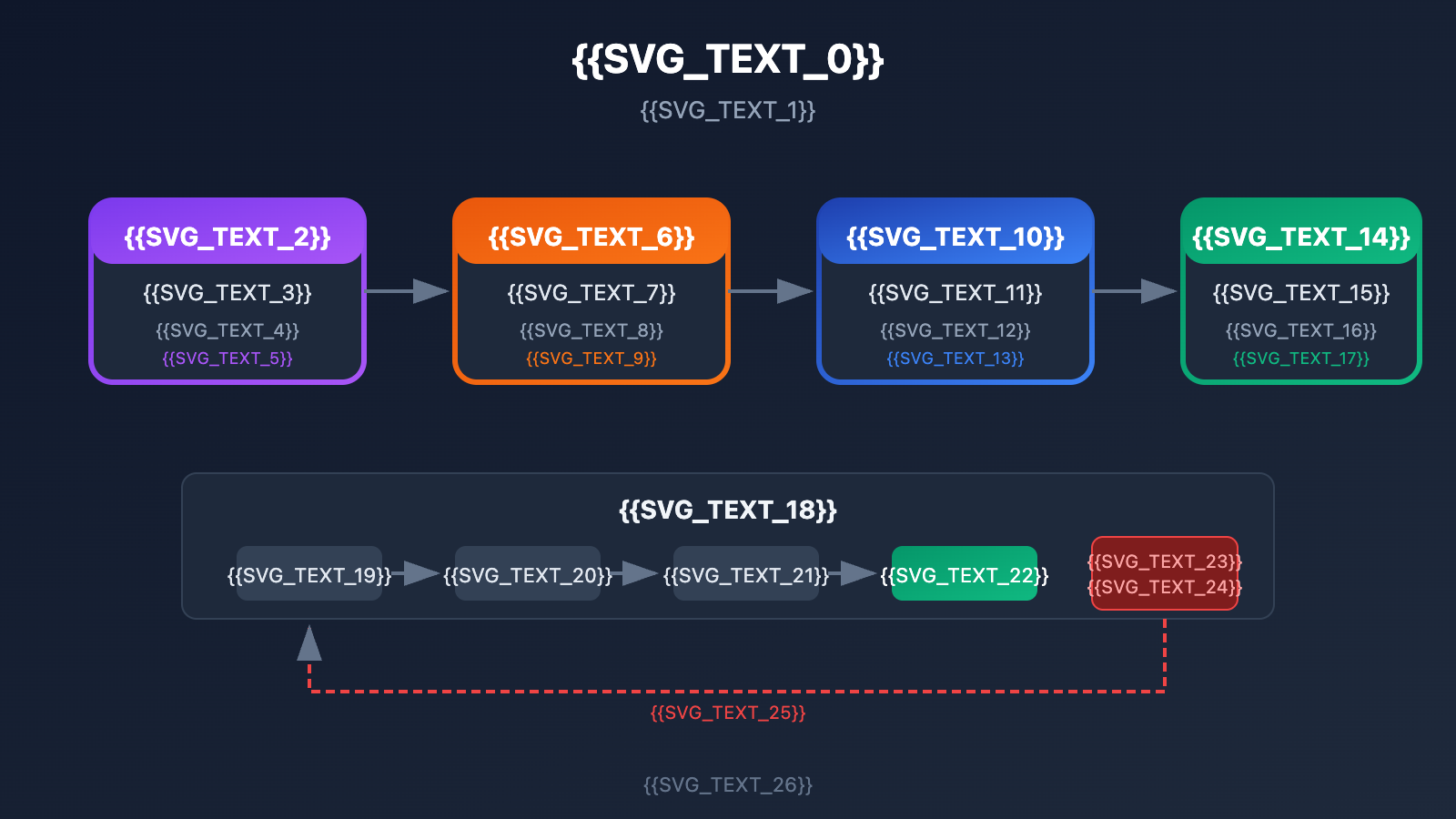
Layered Environment Versioning Strategy
| Environment | Recommended Version | Reason |
|---|---|---|
| Development | sora-2 (Alias) |
Experience the latest features immediately |
| Testing | sora-2-2025-12-08 |
Validate performance of a specific new version |
| Staging | sora-2-2025-12-08 |
Keep consistent with production settings |
| Production | Lock to specific version | Prioritize stability |
Version Migration Checklist
Before migrating from sora-2-2025-10-06 to sora-2-2025-12-08, we recommend checking off these items:
-
Prompt Compatibility Testing
- Compare outputs from both versions using the same prompts.
- Document any stylistic shifts or quality changes.
-
Performance Benchmarking
- Test generation speeds under the same load.
- Verify error rates and fine-tune retry strategies.
-
Business Acceptance Testing (BAT)
- Have the product team review the output quality.
- Confirm it meets all business standards.
-
Canary Deployment Plan
- Start by routing 10% of traffic to the new version.
- Observe for 24-48 hours; if everything looks good, gradually scale up.
Version Rollback Strategy
# Example of version configuration management
import os

class SoraVersionManager:
    """Sora 2 API Version Manager"""

    # Version configuration
    VERSIONS = {
        "stable": "sora-2-2025-10-06",
        "latest": "sora-2-2025-12-08",
        "alias": "sora-2"
    }

    def __init__(self):
        # Read the deployment strategy from environment variables
        self.env = os.getenv("DEPLOY_ENV", "development")

    def get_model_version(self):
        """Returns the recommended version based on the environment"""
        if self.env == "production":
            return self.VERSIONS["stable"]
        elif self.env == "staging":
            return self.VERSIONS["latest"]
        else:
            return self.VERSIONS["alias"]

    def rollback_to_stable(self):
        """Emergency rollback to the stable version"""
        return self.VERSIONS["stable"]
View full version management code
import openai
import os
import logging
from datetime import datetime

class SoraVersionManager:
    """
    Sora 2 API Version Manager

    Features:
    - Environment-aware version selection
    - Version switching and rollback
    - Version usage logging
    """

    VERSIONS = {
        "stable": "sora-2-2025-10-06",
        "latest": "sora-2-2025-12-08",
        "alias": "sora-2"
    }

    def __init__(self, api_key=None, base_url="https://api.apiyi.com/v1"):
        self.api_key = api_key or os.getenv("OPENAI_API_KEY")
        self.base_url = base_url
        self.env = os.getenv("DEPLOY_ENV", "development")
        self.current_version = self.get_model_version()

        # Initialize the client
        self.client = openai.OpenAI(
            api_key=self.api_key,
            base_url=self.base_url
        )

        # Set up logging
        logging.basicConfig(level=logging.INFO)
        self.logger = logging.getLogger(__name__)

    def get_model_version(self):
        """Returns the recommended version based on environment"""
        version_map = {
            "production": self.VERSIONS["stable"],
            "staging": self.VERSIONS["latest"],
            "development": self.VERSIONS["alias"]
        }
        return version_map.get(self.env, self.VERSIONS["alias"])

    def switch_version(self, version_key):
        """Switch to a specific version"""
        if version_key in self.VERSIONS:
            old_version = self.current_version
            self.current_version = self.VERSIONS[version_key]
            self.logger.info(
                f"Version switched: {old_version} -> {self.current_version}"
            )
            return True
        return False

    def rollback_to_stable(self):
        """Emergency rollback to stable version"""
        self.current_version = self.VERSIONS["stable"]
        self.logger.warning(
            f"Emergency rollback to stable version: {self.current_version}"
        )
        return self.current_version

    def generate_video(self, prompt, **kwargs):
        """Generate video and log version info"""
        start_time = datetime.now()

        try:
            response = self.client.videos.create(
                model=self.current_version,
                prompt=prompt,
                **kwargs
            )

            # Log version usage
            self.logger.info(
                f"Video generation successful | "
                f"Version: {self.current_version} | "
                f"Time taken: {(datetime.now() - start_time).seconds}s"
            )

            return {
                "success": True,
                "response": response,
                "model_version": self.current_version,
                "timestamp": start_time.isoformat()
            }

        except Exception as e:
            self.logger.error(f"Video generation failed: {str(e)}")
            return {
                "success": False,
                "error": str(e),
                "model_version": self.current_version
            }

# Usage example
if __name__ == "__main__":
    manager = SoraVersionManager()

    # Generate video
    result = manager.generate_video(
        prompt="City sunset time-lapse, skyscrapers, flowing clouds",
        seconds=10
    )

    if result["success"]:
        print(f"Generation successful, version used: {result['model_version']}")
🚀 Quick Start: We recommend using the APIYI (apiyi.com) platform to quickly test different versions of the Sora 2 API. It provides out-of-the-box API endpoints and supports seamless version switching, making it easy to validate differences between releases.
Detailed Breakdown of Sora 2 API December Update Features
New Feature 1: Extended Video Duration
sora-2-2025-12-08 extends the maximum video duration from 20 seconds to 25 seconds. This is a big deal for narrative content creation:
| Duration Option | October Version | December Version | Quota Consumption |
|---|---|---|---|
| 10 Seconds | ✅ | ✅ | 1x |
| 15 Seconds | ✅ | ✅ | 1.5x |
| 20 Seconds | ✅ | ✅ | 2x |
| 25 Seconds | ❌ | ✅ | 2.5x |
New Feature 2: Storyboards
The December version introduces the Storyboards feature, which allows developers to plan video content second by second:
# Storyboard 示例 (12月版本新增)
storyboard_config = {
    "scenes": [
        {"start": 0, "end": 5, "prompt": "日出时分,城市天际线"},
        {"start": 5, "end": 10, "prompt": "街道开始热闹,行人匆匆"},
        {"start": 10, "end": 15, "prompt": "咖啡店开门,香气弥漫"}
    ]
}

# 注意: 此功能仅 sora-2-2025-12-08 支持
response = client.videos.create(
    model="sora-2-2025-12-08",
    storyboard=storyboard_config
)
New Feature 3: Enhanced Physics Engine
The December version significantly improves the accuracy of physical simulations:
| Physics Effect | October Version Performance | December Version Performance |
|---|---|---|
| Gravity Fall | Occasional clipping | Accurate simulation |
| Collision | Occasional direction bias | Natural bounce |
| Liquid Flow | Basic simulation | Detailed and realistic |
| Cloth Sway | Noticeable stiffness | Soft and natural |
| Light & Shadow | Basic lighting | Dynamic light and shadow |
New Feature 4: Character Cameos
The December version supports creating reusable character profiles:
# 创建角色 Cameo (12月版本新增)
cameo = client.videos.cameos.create(
    name="小橘猫",
    reference_images=["cat_front.jpg", "cat_side.jpg"],
    description="橙色虎斑猫,绿色眼睛"
)

# 在视频中使用角色
response = client.videos.create(
    model="sora-2-2025-12-08",
    prompt="@小橘猫 在花园里追蝴蝶",
    cameos=[cameo.id]
)
Sora 2 API Version Snapshot FAQ
Q1: Will the sora-2 alias automatically update to the latest version?
Yes, sora-2 is a dynamic alias. OpenAI will point it to the latest version after a new snapshot is released. Currently, sora-2 points to sora-2-2025-12-08.
If your application requires stable output, it's recommended to explicitly specify a version number instead of using the alias. When calling via the APIYI (apiyi.com) platform, you can easily specify the version in your request.
Q2: Is there any difference in how the API is called between the two versions?
There's no difference. The API interfaces for both versions are fully compatible; you just need to specify the different version number in the model parameter. All parameters and return formats remain consistent.
# 两个版本调用方式完全相同
response = client.videos.create(
    model="sora-2-2025-10-06",  # 或 "sora-2-2025-12-08"
    prompt="您的视频描述"
)
Q3: Will the old version sora-2-2025-10-06 be taken offline?
According to OpenAI's model lifecycle policy, snapshot versions are typically retained for a significant amount of time to support the migration needs of enterprise users. However, it's a good idea to keep an eye on official OpenAI announcements to plan your version migration in time.
We recommend subscribing to version change notifications via the APIYI (apiyi.com) platform to get timely updates and sunset alerts.
Q4: How should I evaluate whether I should upgrade to the new version?
We suggest evaluating based on these steps:
- Feature Requirements: Do you need new features like the 25-second duration or Storyboards?
- Quality Comparison: Use representative prompts to compare the output quality.
- Performance Testing: Verify if the new version meets your performance requirements.
- Compatibility Testing: Ensure your existing workflow is compatible with the new version.
Q5: Will the same prompt produce the exact same video across both versions?
No, they won't be identical. Due to differences in model parameters and algorithms, the same prompt will produce variations in style and detail across different versions. This is exactly why version locking is necessary.
For reproducible output, we suggest:
- Locking in a specific version number.
- Using the same
seedparameter. - Recording the complete set of request parameters.
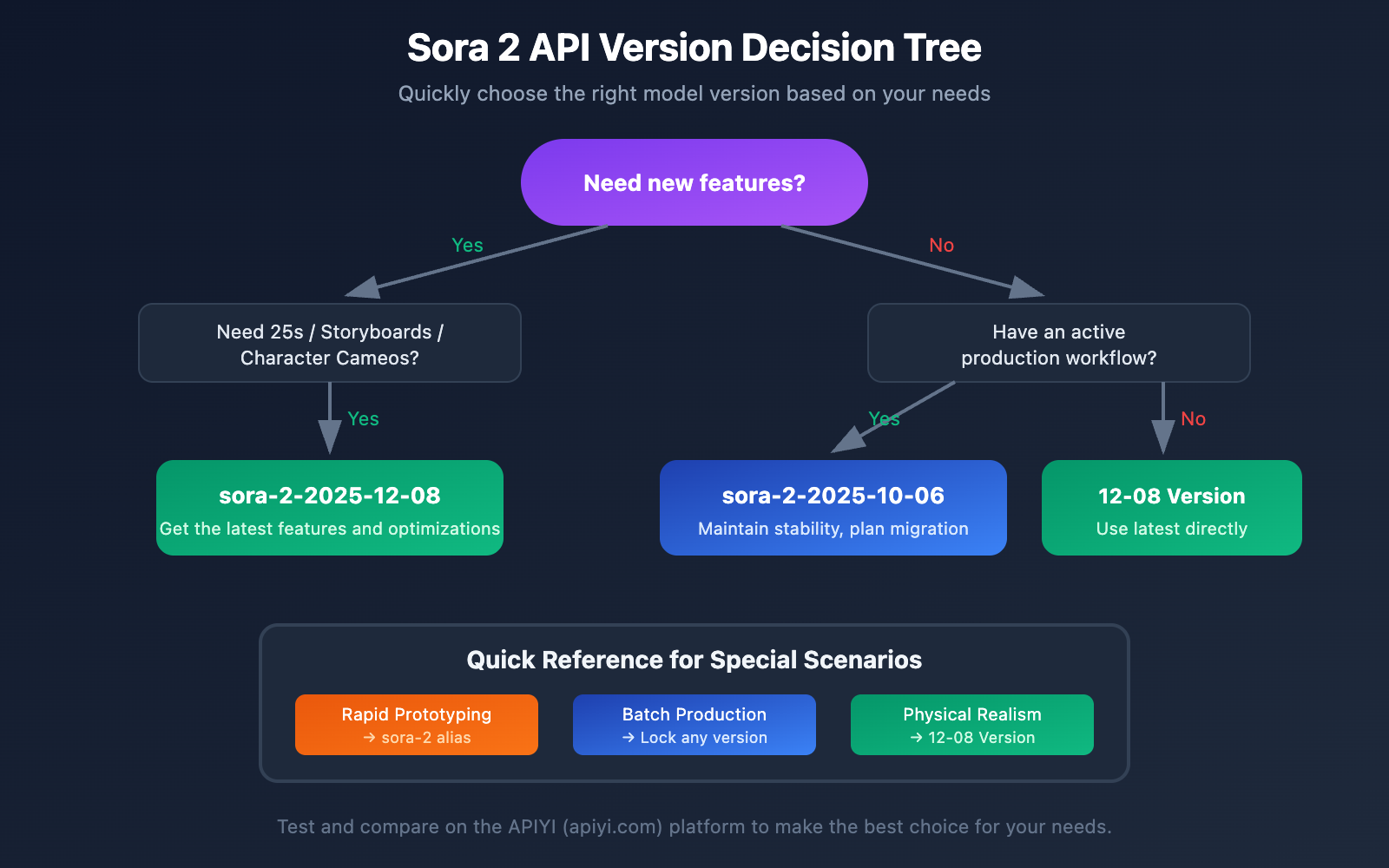
Quick Decision Guide
Depending on your specific needs, here's how to choose the right Sora 2 API version:
| Your Situation | Recommended Version | Reason |
|---|---|---|
| New project startup | sora-2-2025-12-08 | Get the latest features and optimizations |
| Existing production project | sora-2-2025-10-06 | Maintain stability, plan migration later |
| Need 25-second videos | sora-2-2025-12-08 | Only supported in the new version |
| Need character consistency | sora-2-2025-12-08 | Includes the Character Cameos feature |
| Seeking physical realism | sora-2-2025-12-08 | Enhanced physics engine |
| Batch content production | Lock any specific version | Ensures output consistency |
| Rapid prototyping | sora-2 (Alias) | Always uses the latest version |
💡 Pro Tip: Your choice mostly depends on your specific use case and stability requirements. We recommend running real-world tests and comparisons on the APIYI (apiyi.com) platform. It allows you to switch versions flexibly, making it easy to quickly verify the performance differences between the two.
Version Selection Workflow
-
Evaluate Feature Needs: Do you need the new features from the December release?
- Yes → Choose
sora-2-2025-12-08 - No → Proceed to the next step
- Yes → Choose
-
Evaluate Stability Requirements: Do you have a production workflow that's already running smoothly?
- Yes → Stick with
sora-2-2025-10-06for now and plan for migration testing - No → Go with
sora-2-2025-12-08
- Yes → Stick with
-
Develop a Migration Plan: If you decide to stay on the older version for now:
- Validate the new version in a test environment
- Create a gradual rollout plan
- Have a rollback strategy ready
Summary
The Sora 2 API's version snapshot mechanism gives developers flexible version management. While sora-2-2025-12-08 is the latest and greatest—bringing longer video durations, an enhanced physics engine, Storyboards, and Character Cameos—sora-2-2025-10-06 remains a rock-solid choice for production environments where stability is the top priority.
Key Takeaways:
- Always lock a specific version number in production; avoid using the
sora-2alias. - New projects should use the latest version,
sora-2-2025-12-08. - For existing projects, go with a progressive migration, fully validating in a test environment first.
- Establish version management standards by logging the version and parameters used for every generation.
We recommend using APIYI (apiyi.com) to quickly verify the results of different versions. The platform provides a unified API interface and supports flexible version switching and side-by-side testing, helping you make the best choice for your business.
References
-
OpenAI Sora 2 Official Documentation: Sora 2 model introduction and API specifications
- Link:
platform.openai.com/docs/models/sora-2
- Link:
-
OpenAI API Changelog: Model version update logs
- Link:
platform.openai.com/docs/changelog
- Link:
-
Sora Release Notes: Sora product release notes
- Link:
help.openai.com/en/articles/12593142-sora-release-notes
- Link:
-
Sora 2 System Card: Model technical specifications and safety documentation
- Link:
openai.com/index/sora-2-system-card
- Link:
This article was written by the APIYI Team, focusing on technical insights and practical guides for Large Language Model APIs. For more on how to use AI model APIs and best practices, feel free to visit APIYI (apiyi.com) for more technical resources.