Author’s note: We compare DSH (DeepSeek Harness) and Tencent WorkBuddy across five scenarios — dev automation, office collaboration, data compliance, cost control, and team rollout — to see how their positioning differs, and explain how to call the relevant models through a single APIYI endpoint.
Lately, “why is DSH so popular” and “DSH vs. Tencent WorkBuddy — which one should we actually use” have become recurring topics among developers and team leads. Both get lumped into the “AI agent” category, but they target different audiences, work in different ways, and land in production along different paths. This article isn’t about which one is objectively stronger — it’s about giving you a scenario-by-scenario way to choose between DSH and WorkBuddy so you waste less time figuring it out.
This is not a “they each have their strengths” fence-sitting piece. For every scenario below, we’ll state a clear preference, and we’ll be honest about each product’s limits. One caveat up front: both products are iterating fast, so check their official docs for the latest features, versions, and billing rules. This article doesn’t cite any unverified benchmark scores or price figures.
The main takeaway: by the end, you’ll know whether your use case fits DSH or WorkBuddy better, and how to route the underlying model calls through one place so switching later costs you less.
DSH vs. Tencent WorkBuddy: Key Takeaways
Let’s start with a table that lays out the core differences between the two. The descriptions here are based on public discussion and product positioning — they’re directional judgments, not an item-by-item feature checklist.
| Dimension | DSH (DeepSeek Harness) | Tencent WorkBuddy | What it means for your choice |
|---|---|---|---|
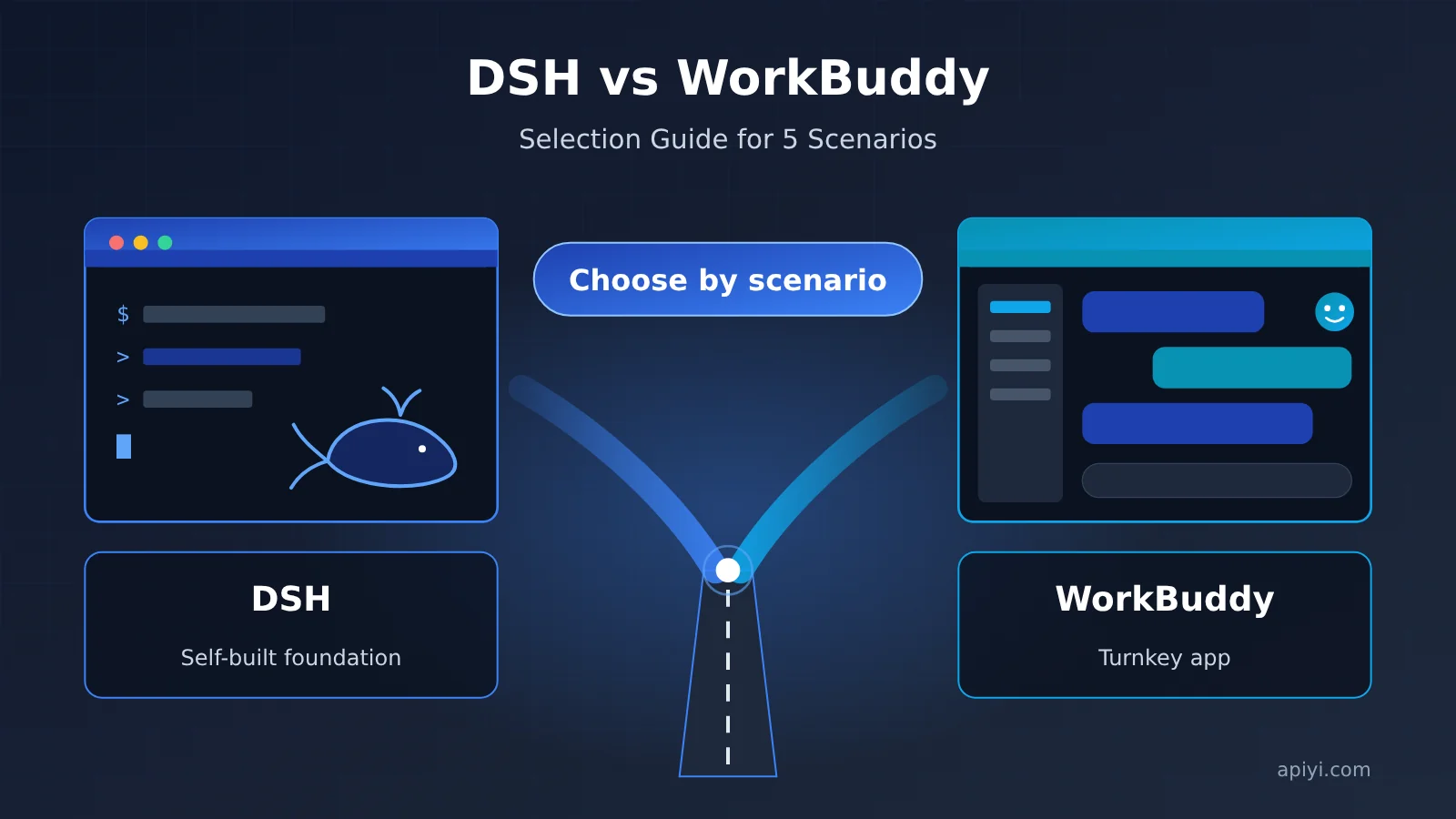
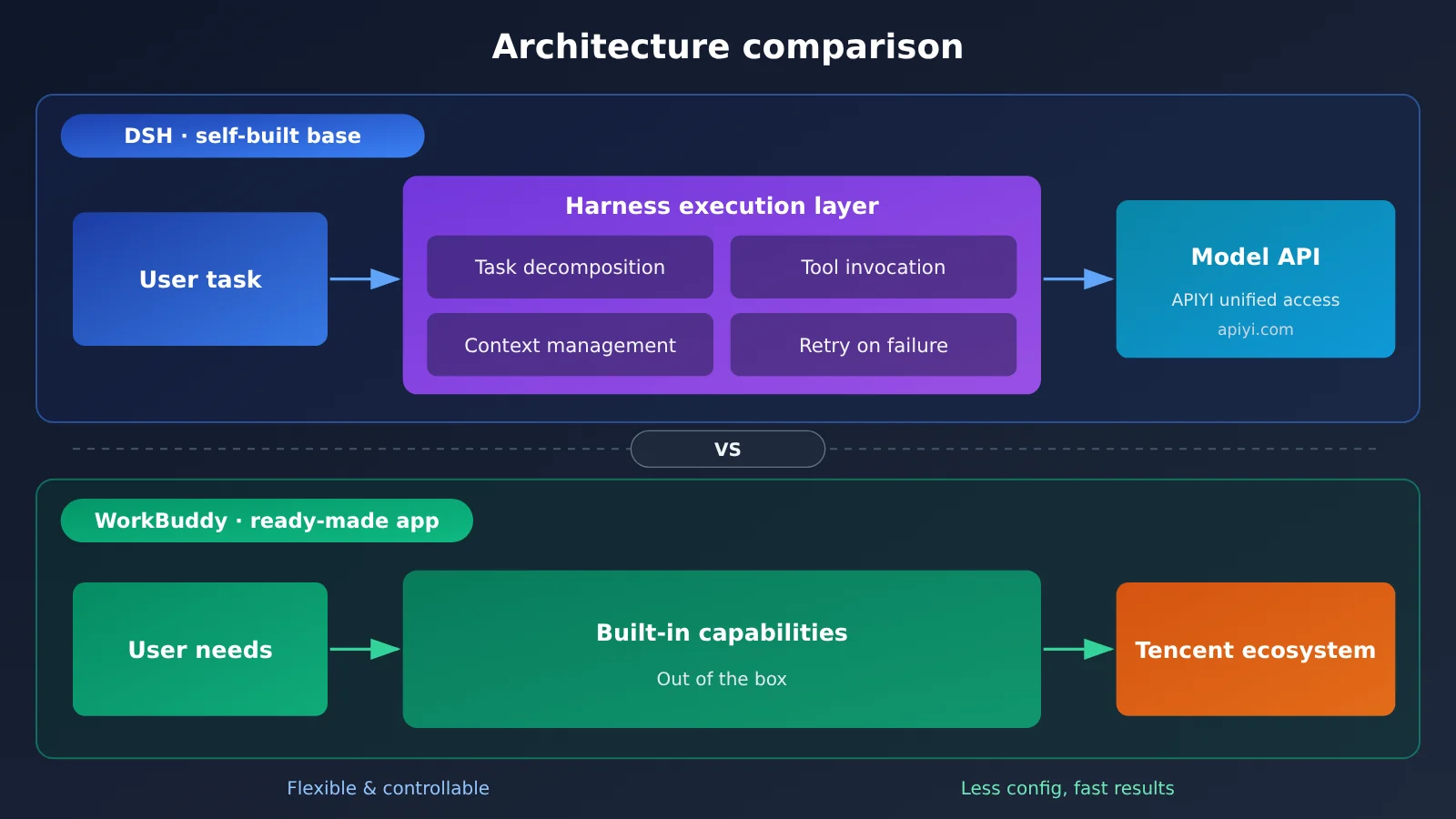
| Product form | An agent runtime framework (Harness) built around a model, leaning toward tooling | An AI work assistant aimed at workplace scenarios, leaning toward a finished application | Determines whether you “build” or “use” |
| Primary users | Developers, engineering teams, advanced users who like customizing workflows | Office staff, business teams, users who want something that works out of the box | Determines the barrier to entry |
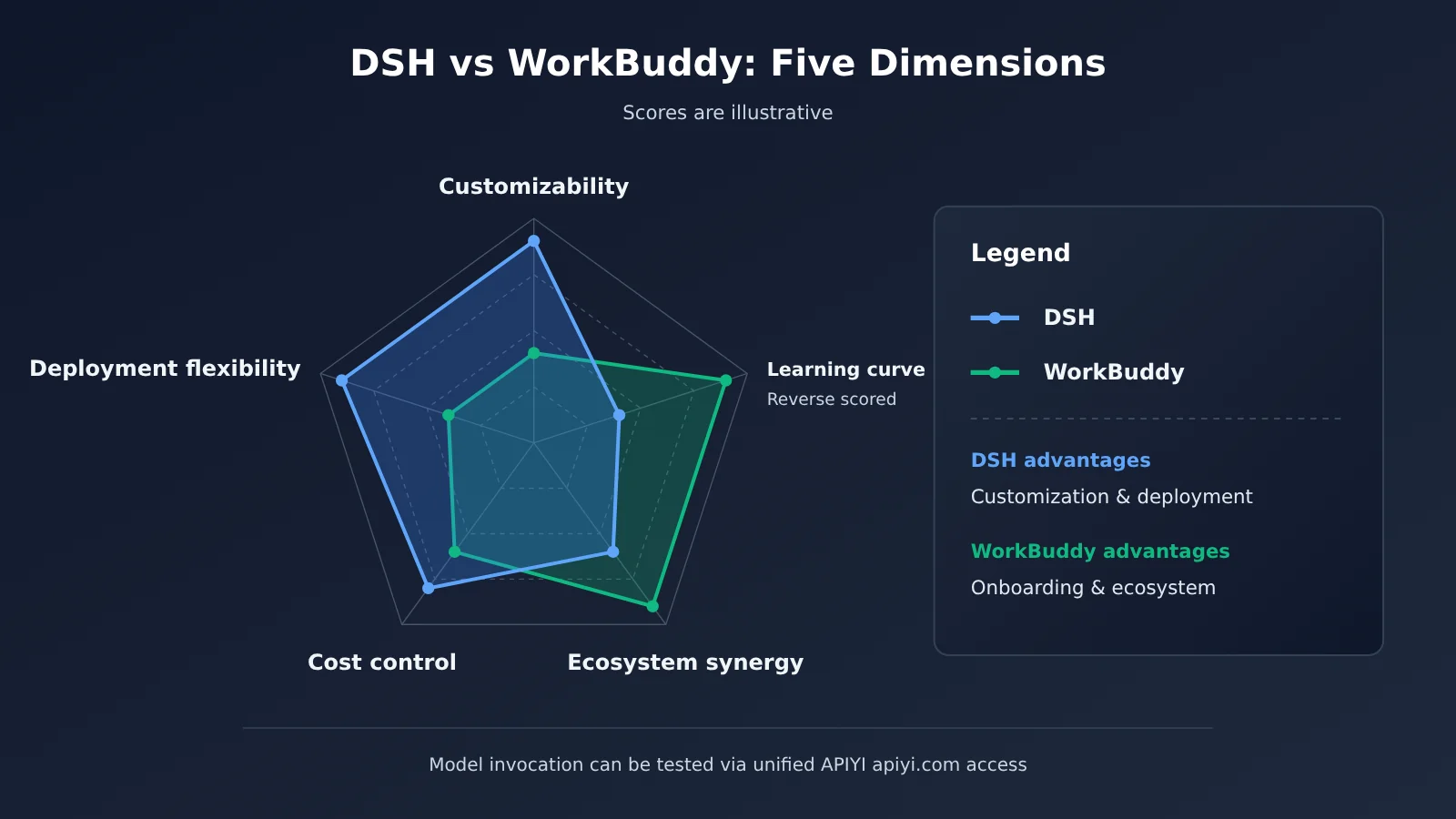
| Customizability | High — you can adjust models, tools, prompts, and execution flow | Medium — mostly built-in capabilities and configuration | Determines whether it can fit unusual workflows |
| Model binding | DeepSeek series at the core, with other compatible APIs pluggable as needed | Relies on models and services within the Tencent ecosystem | Determines future migration cost |
| Ecosystem synergy | Depends on the open-source community and self-built tooling | Tighter integration with Tencent’s office and collaboration ecosystem | Determines how well it connects to your existing systems |
A Closer Look at How DSH and WorkBuddy Differ in Positioning
The word “harness” literally means “a set of reins, a rig for controlling something.” In AI, it usually refers to the execution layer wrapped around a Large Language Model: it manages context, calls tools, breaks down tasks, and handles failures and retries. DSH gets discussed so often mainly because it pairs DeepSeek’s reasoning ability with a controllable execution flow, letting developers build their own agents like stacking blocks. Put another way, DSH delivers a capability foundation, not a final answer.
WorkBuddy takes almost the opposite approach. It’s more like a workspace that’s already been furnished — users can open it and immediately handle document organization, information gathering, day-to-day chores, and so on, without needing to understand the model scheduling and tool orchestration underneath. For most non-technical roles, this “less configuration, faster results” experience is more appealing, at the cost of flexibility being bounded by the product’s design limits.
Why DSH Is So Popular Right Now
Judging from community discussion, DSH’s momentum comes from roughly three places. First, the DeepSeek series models have a solid reputation for reasoning and coding tasks, so tooling built around them naturally draws attention. Second, developers increasingly want “controllable agents” — a plain chat box no longer covers automation needs, and frameworks like Harness fill exactly that execution-layer gap. Third, its openness lets individual developers experiment at low cost, and that sense of participation has produced a flood of tutorials and secondary development work, which amplified the spread even further.
DSH vs. Tencent WorkBuddy: A Scenario-by-Scenario Comparison
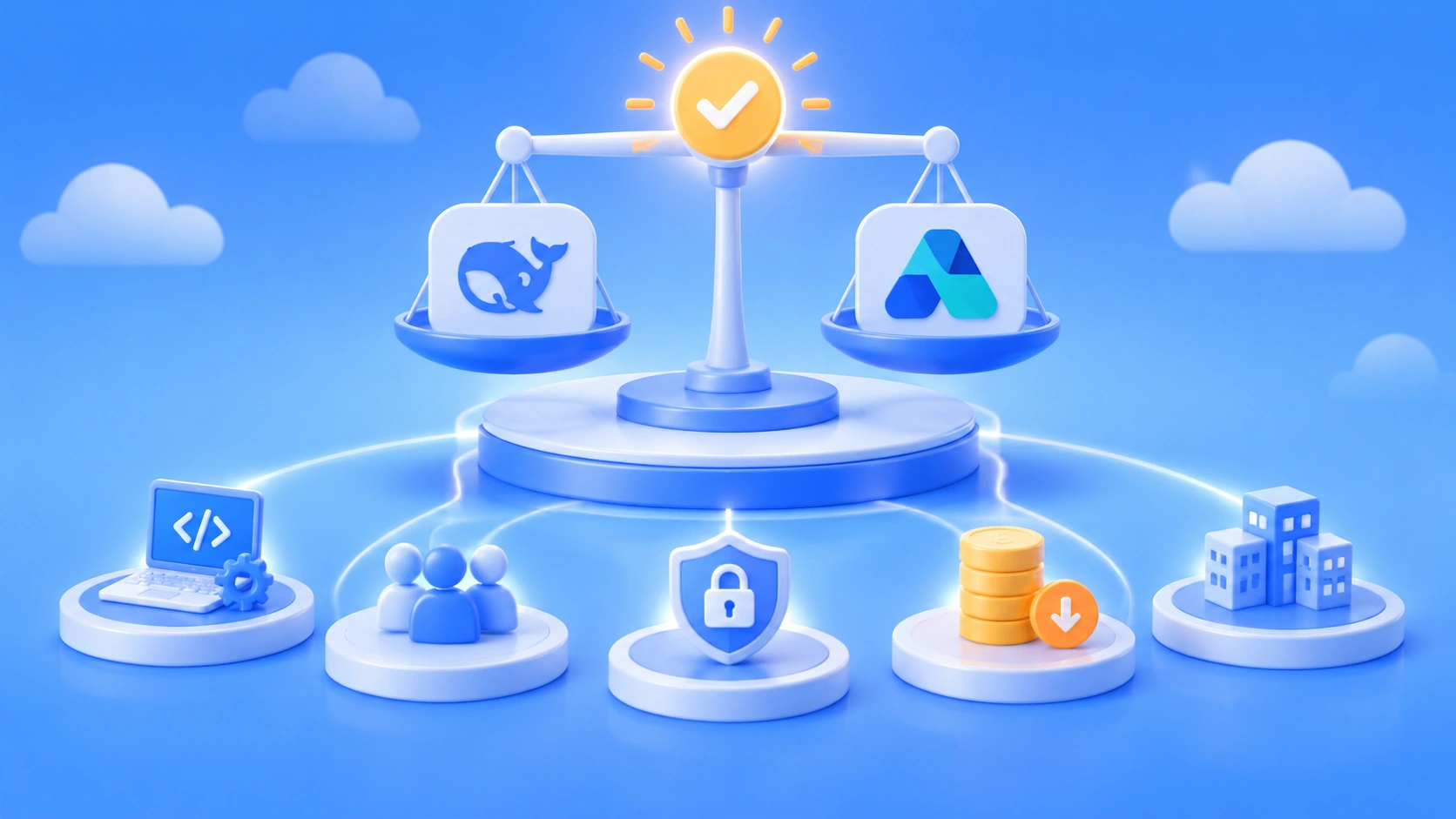
The worst thing you can do when picking a tool is to argue in the abstract, detached from real scenarios. Below are our leanings across five common usage scenarios — just find the row that matches you.
| Scenario | Better fit | Why | What to watch out for |
|---|---|---|---|
| Development automation and coding tasks | DSH | Can connect to code repositories, the command line, and custom tools, with a controllable workflow | Requires some engineering capability to configure and maintain |
| Day-to-day office work and document collaboration | WorkBuddy | Works out of the box and plugs smoothly into the office ecosystem | Complex custom workflows may be limited |
| Data compliance and private deployment needs | Depends — leaning DSH | The framework layer can be self-deployed, making data flows more transparent | Model invocation still requires evaluating the provider’s compliance terms |
| Fine-grained cost control | DSH | Pick models per task and control call volume | You’ll need to monitor usage yourself |
| Fast rollout to non-technical teams | WorkBuddy | Low training cost and a consistent experience | Keep an eye on account permissions and enterprise-edition policies |
Scenario 1: Developers should look at DSH first
If what you need is “let the agent help me change code, run tests, tidy up logs, and batch-process files,” a Harness-style framework like DSH is the better fit. It lets you define which tools the agent can call, under what conditions it should stop, and how to roll back when something goes wrong — all of these are critical control points in engineering scenarios. On top of that, the underlying model can be swapped based on task complexity: a chat-oriented model for simple tasks, a reasoning model for hard problems. The flexibility is noticeably higher.
Scenario 2: Office workers should look at WorkBuddy first
If the users are mainly in operations, administration, sales, or management, and their core needs are summarizing meeting notes, consolidating materials, and drafting copy, then WorkBuddy’s finished-product experience is far less of a headache. Asking non-technical colleagues to understand Harness configuration options and model parameters is usually a losing trade. The value of a finished application is that it hides the complexity in the background and lets users focus on the work itself.
Scenario 3: Mixed teams can use both
Plenty of teams don’t actually have to choose one or the other. A common pattern: the business side uses WorkBuddy for everyday office work, the technical side uses DSH to build internal automation flows, and then the outputs from both sides are wired together through documents or APIs. That way you accommodate the working habits of different roles while keeping room for the technical team to customize.
💡 Selection advice: Judging the scenario is only the starting point — the real differences usually show up in your own task data. We suggest picking 2-3 high-frequency tasks for a small-scale trial first. For the underlying models, you can unify access through APIYI apiyi.com: switch between different models over the same set of interfaces and compare results, which saves you the duplicate integration work.
How to Get Started Quickly with DSH and WorkBuddy
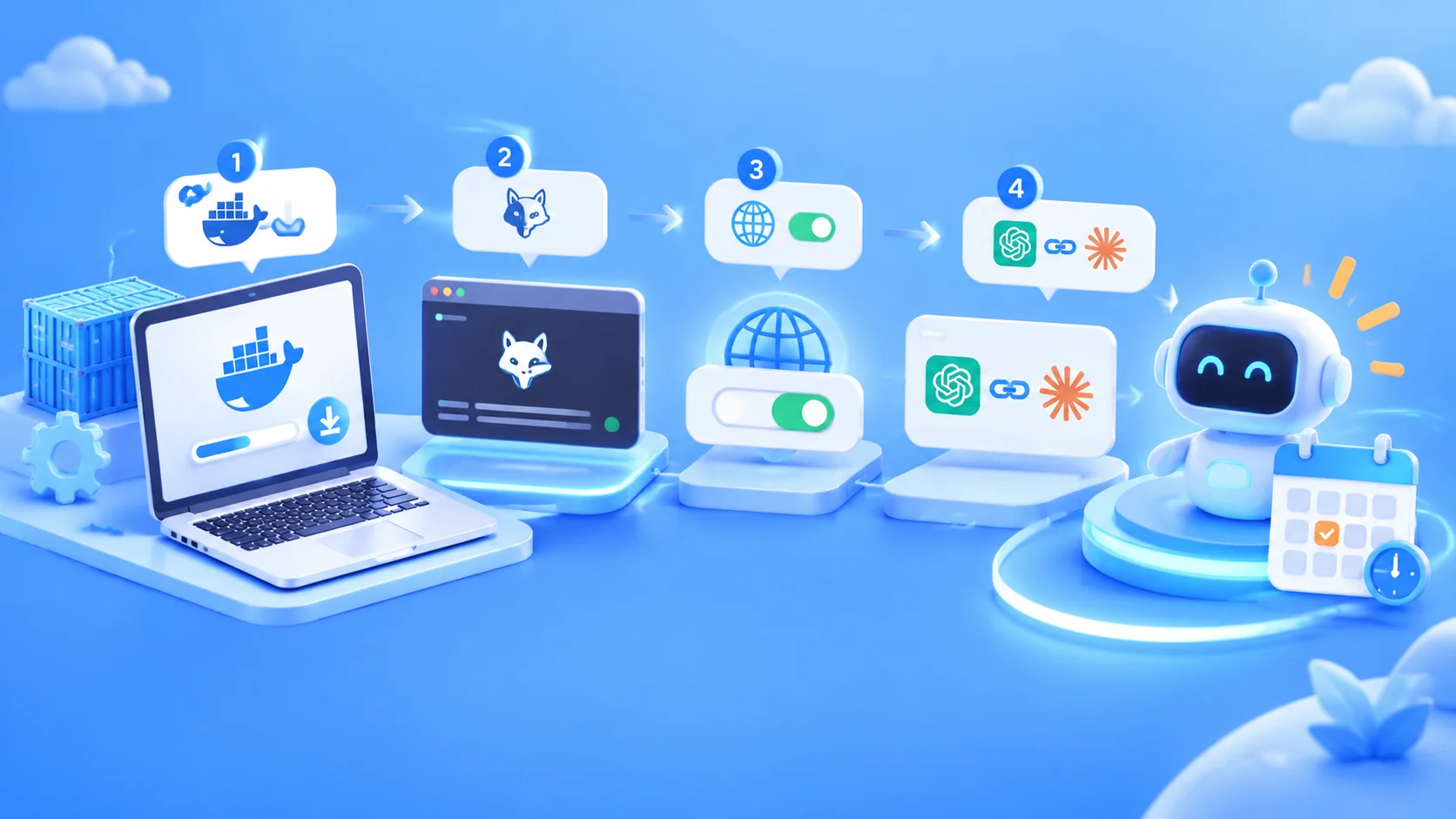
This section skips code blocks and instead walks you through the onboarding path using steps and a parameter table. The two products have very different onboarding philosophies: WorkBuddy is all about “install it and go,” while DSH is about “configure the model first, then start using it.”
WorkBuddy Onboarding Steps
As a finished application, WorkBuddy has a relatively simple onboarding flow that roughly breaks down into the following steps:
- Get and install WorkBuddy through Tencent’s official channels, then sign in with the appropriate account.
- Browse the built-in capabilities or templates based on your role’s needs, and start with low-risk tasks like document organization and information summarization.
- If you’re rolling this out for a team, confirm the permission scope, data visibility, and enterprise-edition policies with your administrator ahead of time.
- After a week or two of trial use, note which tasks clearly boost efficiency and which still need a human safety net, then decide how widely to roll it out.
DSH Model API Configuration
The key step with DSH is getting the model interface configured properly. Most Harness-style frameworks support the OpenAI-compatible format, and some also support the Anthropic format—so as long as your provider offers a compatible endpoint, you can finish integration by tweaking just a few parameters. The table below covers the common configuration items and what they mean; for the exact field names, check the docs for your current DSH version.
| Configuration Item | Meaning | Reference Value |
|---|---|---|
| Base URL (base_url) | The request entry point for the model API | For OpenAI-compatible format, use https://api.apiyi.com/v1 |
| API Key | The credential for API calls | Create one in the APIYI console, and be careful not to commit it to a public repo |
| Model name (model) | Specifies which model to call | e.g. deepseek-chat, deepseek-reasoner—use the actual names from the APIYI model list |
| Interface format | OpenAI or Anthropic style | Choose based on what your framework supports; APIYI is compatible with both |
| Timeout and retry | Controls stability for long-running tasks | For reasoning-heavy tasks, it’s best to relax the timeout a bit |
Once configuration is done, it’s a good idea to have the agent run a read-only task first—something like “list the files in a directory and summarize what they’re for”—to confirm that model invocation, tool calls, and log output are all working. Then gradually open up write permissions. This progressive authorization approach is an effective way to avoid losses from agent mistakes.
🚀 Quick Start: APIYI provides API access to DeepSeek and the other models covered in this article, and is compatible with both OpenAI and Anthropic interface formats. Frameworks like DSH only need the base URL and Key changed to integrate. For integration details, see the APIYI docs: docs.apiyi.com.
Model Invocation and Billing for DSH vs. WorkBuddy
Cost is an unavoidable part of choosing between tools, but the two products handle billing very differently, so a straight “which one is cheaper” comparison doesn’t tell you much. WorkBuddy typically bills through its own subscription plans or enterprise agreements; DSH is a framework, so the real cost comes from the underlying model invocations — generally billed per token, with input, output, and cache counted separately.
| Billing Dimension | DSH (models called via API) | WorkBuddy |
|---|---|---|
| Billing subject | Underlying model API usage | The product’s own subscription plan or enterprise agreement |
| Input price | Based on actual data on the APIYI pricing page, docs.apiyi.com/models | Based on official Tencent documentation |
| Output price | Based on actual data on the APIYI pricing page, docs.apiyi.com/models | Based on official Tencent documentation |
| Cache pricing | Some models support cached billing; refer to actual data on the APIYI pricing page | Not applicable, or refer to official documentation |
| Cost control measures | Pick models per task, limit context length, reuse caches | Control the number of accounts and plan tiers |
💰 A note on cost: This article doesn’t list any specific unit prices. For input, output, and cache pricing of the models DSH calls, refer to the actual data on the APIYI pricing page at docs.apiyi.com/models. Prices may change with model versions, so it’s worth double-checking before you integrate.
For agent-style tasks, there’s one easy-to-miss cost driver: the harness carries context along across multiple rounds of tool calls, so the input tokens actually consumed tend to be far higher than in ordinary chat. That means enabling context trimming and making good use of caching in DSH will shape your final bill more than comparing unit prices alone.
DSH vs. Tencent WorkBuddy: A Decision Checklist
If you’re still on the fence, run through this quick checklist. The more boxes you tick in a column, the better that option fits you.
| Question to ask yourself | Leans DSH | Leans WorkBuddy |
|---|---|---|
| Does anyone on the team have the skills to maintain configs and scripts? | Yes | No |
| Does the task require calling internal systems or the command line? | Yes | Mostly not |
| Do you want the freedom to swap out the underlying model? | Yes | Don’t care |
| Are the users mostly in non-technical roles? | No | Yes |
| Are you already deep in the Tencent office ecosystem? | No | Yes |
One caveat: a checklist only helps you narrow things down. When it comes to the real decision, the most reliable evidence is always your own team’s trial runs — task completion rate, the share of manual rework, and what it actually costs you.
FAQ
Q1: What is DSH, and how is it different from ordinary AI chat tools?
DSH stands for DeepSeek Harness — an agent execution framework built around DeepSeek models. Ordinary chat tools are only responsible for “answering,” while the Harness is responsible for “executing”: breaking down tasks, calling tools, managing context, and handling failures. That makes it a good fit for scenarios that need real automation in production. For specific capabilities, refer to the latest official documentation.
Q2: What’s the single most important difference between DSH and Tencent WorkBuddy?
DSH leans toward being a “foundation” — suited to developers who are willing to roll up their sleeves and build workflows. WorkBuddy leans toward being a “finished product” — suited to office users who want something that works out of the box. The former wins on customizability but has a steeper learning curve; the latter is far less effort to use, but its flexibility for complex workflows is bounded by what the product supports.
Q3: Will the features of these two products change quickly?
Yes. As of November 2026, both kinds of products are in a phase of rapid iteration — new capabilities, new models, and pricing rules can all shift. The advice in this article is directional, based on how each product positions itself. For specific features, always check the latest official release notes, and be sure to verify once more before making a choice.
Q4: Which scenarios are the best fit for DSH?
Mainly the following:
– **Code maintenance automation**: bulk edits, generating tests, analyzing error logs
– **Data processing pipelines**: cleaning files, aggregating reports, generating scheduled summaries
– **Internal tool orchestration**: chaining multiple internal APIs into a single agent workflow
Q5: How do I quickly connect DSH to a model via API?
We recommend connecting through a platform that’s compatible with multiple API formats:
1. Go to APIYI apiyi.com, register an account, and create an API Key
2. In your DSH configuration, change the base URL to `https://api.apiyi.com/v1`, then enter your Key and model name
3. Start with a read-only task to verify the calls work properly
APIYI is compatible with both OpenAI and Anthropic API formats. For details, see docs.apiyi.com.
Q6: How do I check the price of model calls from DSH?
DSH itself doesn’t charge you directly — the costs come from the underlying model invocations. For input, output, and cached token pricing, rely on the actual figures on the APIYI pricing page at docs.apiyi.com/models. Prices vary by model and version, so check before you integrate, and keep an eye on actual usage in the platform console.
Q7: What are the known limitations of DSH and WorkBuddy respectively?
DSH’s limitations are mainly about the barrier to entry and maintenance: you need to understand configuration, handle permission control and usage monitoring yourself, and multi-turn agent calls can easily drive up token consumption. WorkBuddy’s limitations are mainly about flexibility: it’s hard to connect to non-standard internal systems, you have less say in model selection, and it’s tied to a specific ecosystem. When you hit those limits, mixing the two is often more practical than forcing yourself to pick just one.
DSH vs. Tencent WorkBuddy: Key Takeaways
- Different positioning: DSH is an agent execution foundation; WorkBuddy is a ready-made work assistant
- Pick DSH for development scenarios: code, data, and internal system automation depend more on a controllable execution flow
- Pick WorkBuddy for office scenarios: non-technical roles care more about out-of-the-box usability and low training cost
- Mixed teams can use both: business teams use WorkBuddy, technical teams use DSH to build internal workflows
- Cost depends on how you measure it: DSH costs come from model invocation, and unit prices should follow the APIYI pricing page at docs.apiyi.com/models
- Integrate through one gateway: APIYI is compatible with both OpenAI and Anthropic formats, making it easy to switch models for comparison
Summary
Choosing between DSH and Tencent WorkBuddy comes down to three points:
- Start with the user: technical teams lean toward DSH, business teams lean toward WorkBuddy.
- Then look at the task: tasks that require calling tools and modifying systems suit DSH, while everyday documents and collaboration tasks suit WorkBuddy.
- Finally, look at how cost is measured: WorkBuddy is priced by plan, DSH is priced by model invocation usage — the two can’t be compared on unit price alone.
Whichever you end up choosing, it’s worth running a small-scale trial with real tasks first and letting the data decide, rather than following the hype. If you’re ready to try DSH, we recommend using APIYI at apiyi.com to access DeepSeek and other models through a single integration. The platform is compatible with both OpenAI and Anthropic API formats; integration docs are at docs.apiyi.com, and pricing follows docs.apiyi.com/models.
📚 References
- APIYI Documentation Center: API formats and integration instructions
- Link:
docs.apiyi.com -
Description: Covers how to call and configure both OpenAI- and Anthropic-compatible formats
-
APIYI Models & Pricing page: Model list and billing details
- Link:
docs.apiyi.com/models -
Description: Check input, output, and cache pricing for the models mentioned in this article — always defer to the actual published data
-
DeepSeek Official Website: Information on DeepSeek models and related projects
- Link:
deepseek.com -
Description: Learn about DeepSeek model capabilities and the latest official updates
-
Tencent WorkBuddy Official Channels: Product features and enterprise solutions
- Description: For WorkBuddy’s feature scope, plans, and enterprise policies, please refer to Tencent’s latest official releases
Author: APIYI Technical Team
Technical discussion: Feel free to reach out via the APIYI homepage — for more integration resources, visit the docs.apiyi.com documentation center