Author’s note: This article explains what Antigravity Orchestrator is, how to dispatch subagents with /swarm, and how its positioning differs from LangGraph and CrewAI.
Summary: Antigravity Orchestrator is the multi-agent coordination engine built into the Google Antigravity platform — not a lightweight framework you can pip install on its own. This article helps you understand how it works and where it fits, covering four aspects: the product matrix, the three-layer abstraction, the three orchestration patterns, and the /swarm swarm mechanism.
TL;DR: Think of Antigravity Orchestrator as the “task-scheduling brain hidden inside the Antigravity platform.” You type slash commands like /swarm or /teamwork in the IDE, Web App, or CLI, and under the hood it calls the SDK’s Task API and Workflow Runtime to split one big task into multiple subtasks, hand them off to subagents working in parallel, and roll everything up into deliverables at the end. In November 2026, Orchestrator officially landed in Antigravity alongside Gemini 4 Neon. When Gemini 4 Carbon opened up fully on November 10, Sundar Pichai demoed the /swarm capability live on stage, and that’s when the feature stepped into the public eye.
Whether it’s worth your time to learn comes down to two conditions. First, can your task be broken into independent pieces that can run in parallel? Second, are you okay with a platform that’s optimized for Gemini and whose core engine is closed-source? When both hold, Orchestrator can noticeably cut the setup cost of multi-agent collaboration. If you need a model-agnostic, fully open-source solution, Python libraries like LangGraph and CrewAI are still the better fit.
Antigravity Orchestrator Knowledge Map and Reading Index
The table below lays out the article’s knowledge structure, how the sections depend on each other, and the problem each one solves. The overall flow moves from “where it fits” to “how it works,” and finally to “should you use it, and how to get started.”
| # | Topic | Problem Addressed | Relationship to Other Sections |
|---|---|---|---|
| 1 | Antigravity Platform Background | Which product ecosystem the Orchestrator runs in | Provides platform context for Section 2 |
| 2 | Orchestrator’s Three-Layer Abstraction | What it actually is on a technical level | The mechanisms in Sections 3 and 4 are all built on these three layers |
| 3 | Three Orchestration Modes | How /swarm, /teamwork, and /run-workflow differ | /swarm is picked from the three modes and explored in depth in Section 4 |
| 4 | /swarm Swarm Mechanics | How the main agent breaks down tasks and dispatches subagents | Uses real-world cases to ground the comparison in Section 5 |
| 5 | Comparison with LangGraph and Other Frameworks | When to choose it, and when not to | Offers selection criteria and leads into the getting-started path in Section 6 |
| 6 | Getting Started and Code | How to get up and running from scratch | Grounds the earlier concepts in actual code |
| 7 | Best Practices and Implications | How to control model choice, permissions, and costs | Distills everything into actionable recommendations |
If you just want to understand what it is, Sections 1 through 3 are enough. If you’re evaluating it for a tech stack decision, focus on Sections 4 and 5. If you’re ready to get hands-on, jump straight to Sections 6 and 7.
🎯 Technical Tip: The fastest way to understand multi-agent orchestration is to run the “decompose — parallelize — aggregate” flow yourself. Section 6.3 provides a simulated implementation built on an OpenAI-compatible API, where you can use APIYI (apiyi.com) to invoke different models with a single API key, serving as the main agent and subagents.
To Know: Essential Terminology for Understanding Antigravity Orchestrator
| Term | Quick Explanation |
|---|---|
| Agent | A model instance that can invoke tools and autonomously complete multi-step tasks |
| Main Agent (Orchestrator Agent) | The top-level coordinator that analyzes and decomposes tasks, dispatches subagents, and consolidates results |
| Subagent | An agent that takes on a specific subtask; it can be created dynamically at runtime or defined in advance |
| Fan-out / Fan-in | Fan-out means distributing one task to multiple executors; fan-in means merging multiple results back together |
| Artifacts | The final deliverables an agent produces, such as code, files, or a runnable application |
| Workflow Runtime | The graph-based execution engine in the Antigravity SDK, responsible for state management and node scheduling |
1 The Platform Behind Antigravity Orchestrator: What Is Antigravity
1.1 Where the Antigravity Name Comes From
“Antigravity” means exactly what it sounds like—the absence of gravity—capturing the idea of breaking free from the constraints of traditional solo coding and letting development “take flight.” Many developers believe the name may be a nod to Python’s import antigravity easter egg. That easter egg references an xkcd comic; running this line of code opens the comic in your browser. Google positions Antigravity as a developer platform for the “agent-first era,” which means agents do the actual work while humans describe goals and review the results.
1.2 Antigravity Is a Product Matrix
When people first hear about Antigravity, many assume it’s just an IDE. In reality, it’s a suite of products designed for different scenarios, with Orchestrator capabilities distributed across these product forms:
| Product | Form | Primary Use |
|---|---|---|
| Antigravity App | Web application | Full-featured agent coding in the browser |
| Antigravity IDE | Desktop application | A VS Code fork with deeply integrated agent capabilities |
| Antigravity CLI | Command-line tool | A terminal agent written in Go |
| Antigravity SDK | Python library | Build custom agents |
| Antigravity Extensions | IDE plugins | Embed agent capabilities into existing editors |
This table highlights a key fact: slash commands live in interactive interfaces like the App, IDE, and CLI, while the SDK carries the programmable interface. When we get to the three layers of abstraction in Section 2, you’ll see how these two pieces connect.
1.3 The Antigravity Orchestrator Release Timeline
The Orchestrator didn’t appear out of thin air—it’s the result of the Antigravity platform’s gradual evolution over the past year. In chronological order, here are the key milestones:
- November 18, 2025: The Antigravity IDE launched on the same day as Gemini 3 Pro.
- May 2026 (Google I/O): Gemini 3.5 Flash was released, along with Gemini Spark, built on the Antigravity runtime.
- June 18, 2026: The open-source Gemini CLI was discontinued, with users fully migrated to the closed-source Antigravity CLI.
- November 2026: Gemini 4 Neon and the Orchestrator officially landed in Antigravity.
- November 10, 2026: Gemini 4 Carbon became generally available, and Sundar Pichai demoed
/swarm.
This timeline reveals a clear trend: Google is consolidating agent capabilities across the terminal, IDE, and browser under the Antigravity runtime, with the Orchestrator serving as the coordination layer built on top of that runtime.
2 What Is the Antigravity Orchestrator: A Three-Layer Abstraction Breakdown
2.1 What the Antigravity Orchestrator Actually Is
Some articles call the Antigravity Orchestrator a “lightweight swarm framework,” a phrasing that easily leads people to assume it’s a standalone library. A more accurate description: it’s the multi-agent coordination engine built into the Antigravity platform. Under the hood, it maps to the Workflow Runtime and Task API in the SDK; on the surface, it’s triggered through slash commands or the SDK API. The “lightweight” part shows up in the experience: you only need a single command — no hand-writing graph structures or state machines.
2.2 The Three-Layer Structure of the Antigravity Orchestrator
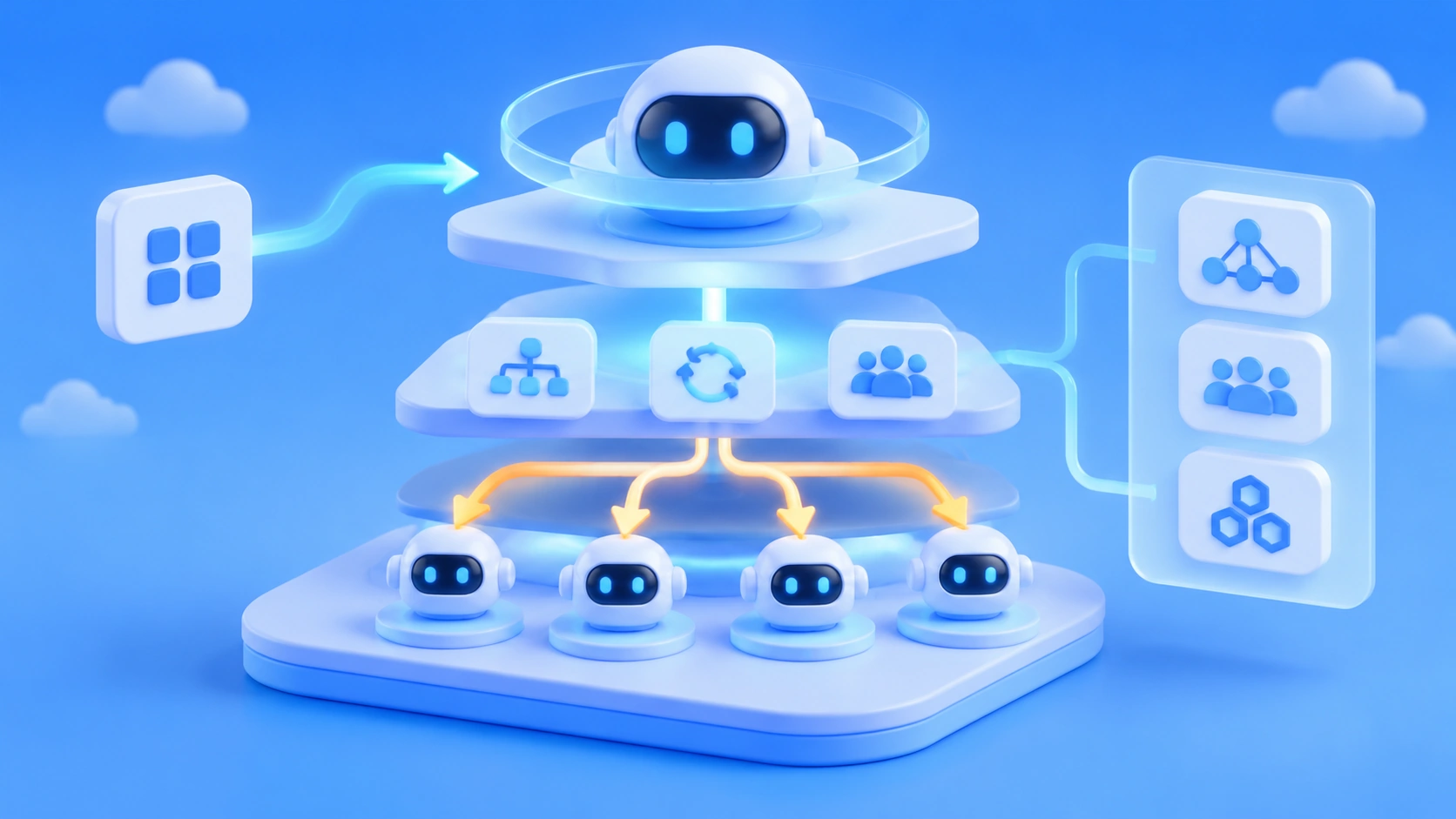
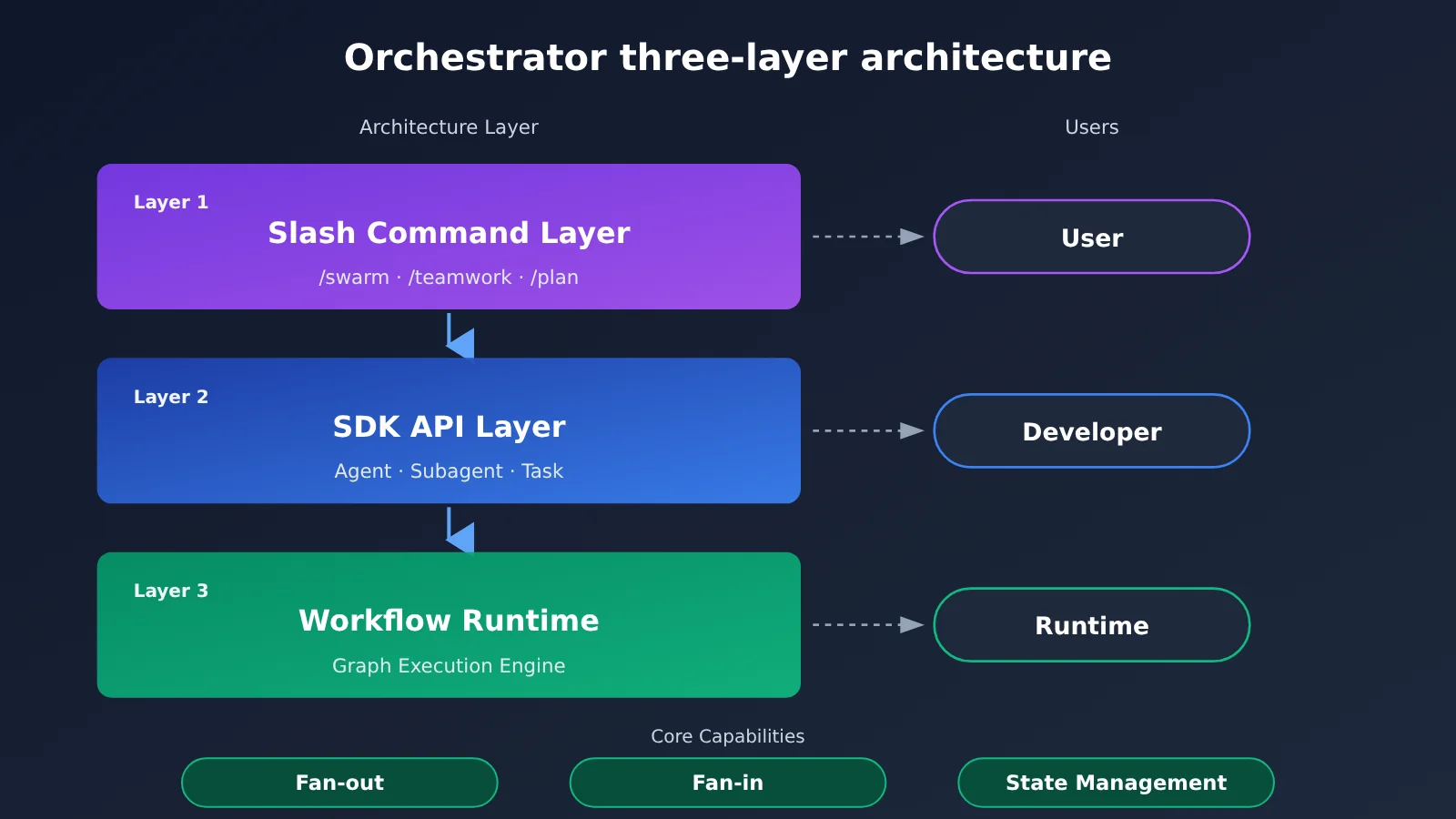
The Orchestrator’s capabilities break down into three layers, top to bottom. Upper layers call lower ones, and the further down you go, the closer you get to execution details:
Layer 1: Slash commands     /swarm, /teamwork, /plan
    ↓  For end users — one command triggers the orchestration
Layer 2: SDK API            Agent, Subagent, Task API
    ↓  For developers — define agents and tasks in code
Layer 3: Workflow Runtime   Graph execution engine, Fan-out/Fan-in, state management
       For the runtime — handles scheduling, parallelism, and state
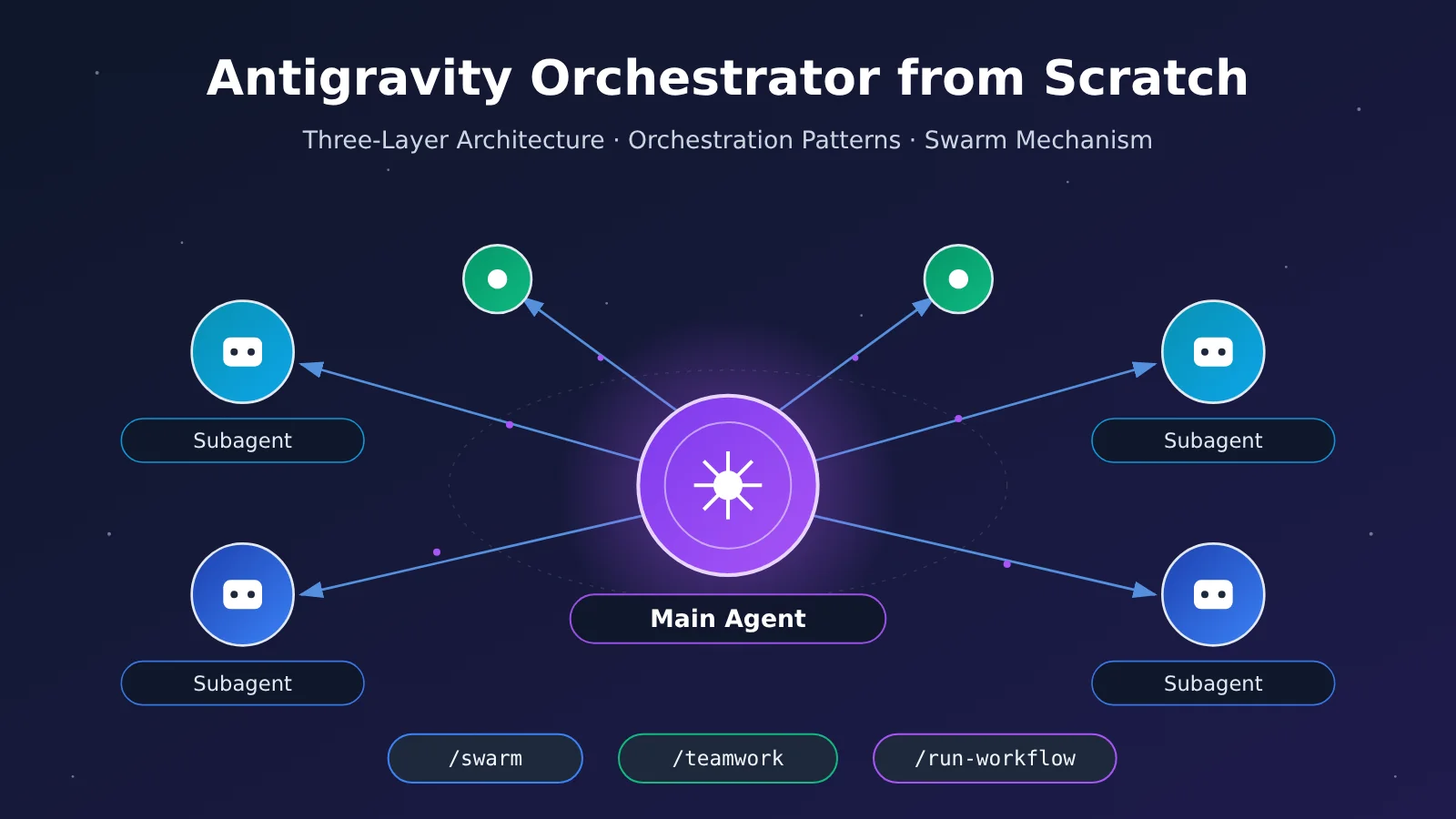
The direct benefit of this layering is “one engine, multiple entry points.” A product manager can type /swarm right in the IDE, while a backend engineer can express the same orchestration logic through the SDK — and both ultimately run on the Workflow Runtime. Once you get this, the differences among the three patterns covered later become easy to see: they’re just different entry points at Layer 1, mapping to different graph shapes at Layer 3.
3 The Three Orchestration Modes of Antigravity Orchestrator
Orchestrator offers three orchestration modes. The difference comes down to whether the subagents need to interact continuously, and whether the process is decided in advance. Picking the wrong mode is the most common mistake beginners make, so let’s start with a comparison:
| Mode | Trigger | Collaboration Style | Best For |
|---|---|---|---|
| Swarm Mode | /swarm |
Dispatches multiple subagents at once to work in parallel, then consolidates the results at the end | Large tasks that can be split into independent parts |
| Teamwork Mode | /teamwork |
A team of agents collaborates continuously over multiple rounds of interaction | Complex projects that require back-and-forth discussion and interdependent work |
| Workflow Mode | /run-workflow |
A predefined directed graph with support for branches, loops, and conditional routing | Tasks with a fixed process that need to be reproduced reliably |
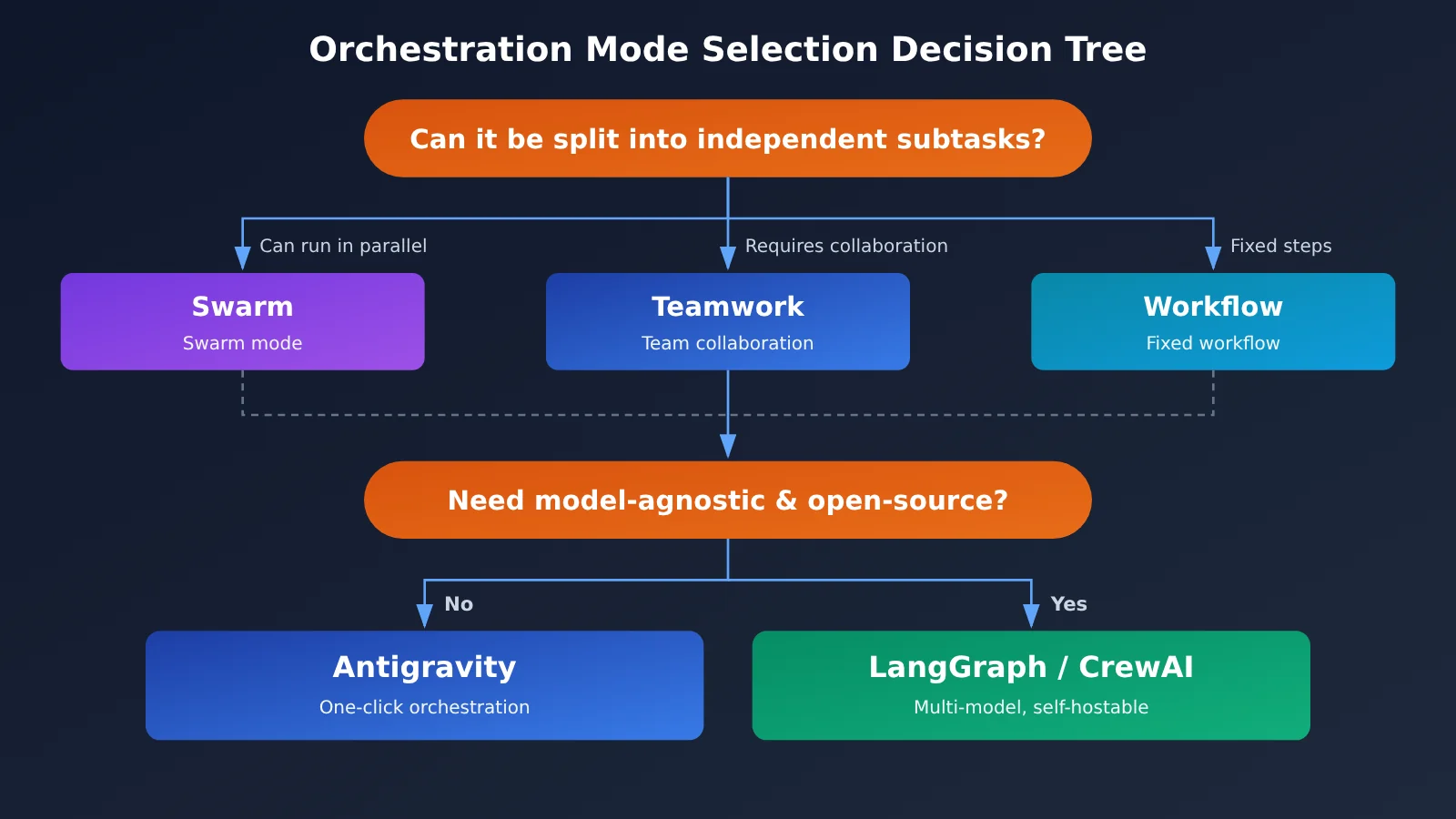
When deciding, ask yourself these questions in order. If the process is the same every time, go with Workflow. If the process isn’t fixed but the subtasks barely need to communicate with each other, go with Swarm. If the subtasks need to keep aligning with each other—for example, when the frontend changes an API and the backend has to adjust accordingly—go with Teamwork. Swarm offers the highest parallelism and the shortest wait time, but it also demands the most cleanly separable tasks.
4 The /swarm Swarm Mechanism in Antigravity Orchestrator
4.1 The Five-Step Workflow of /swarm
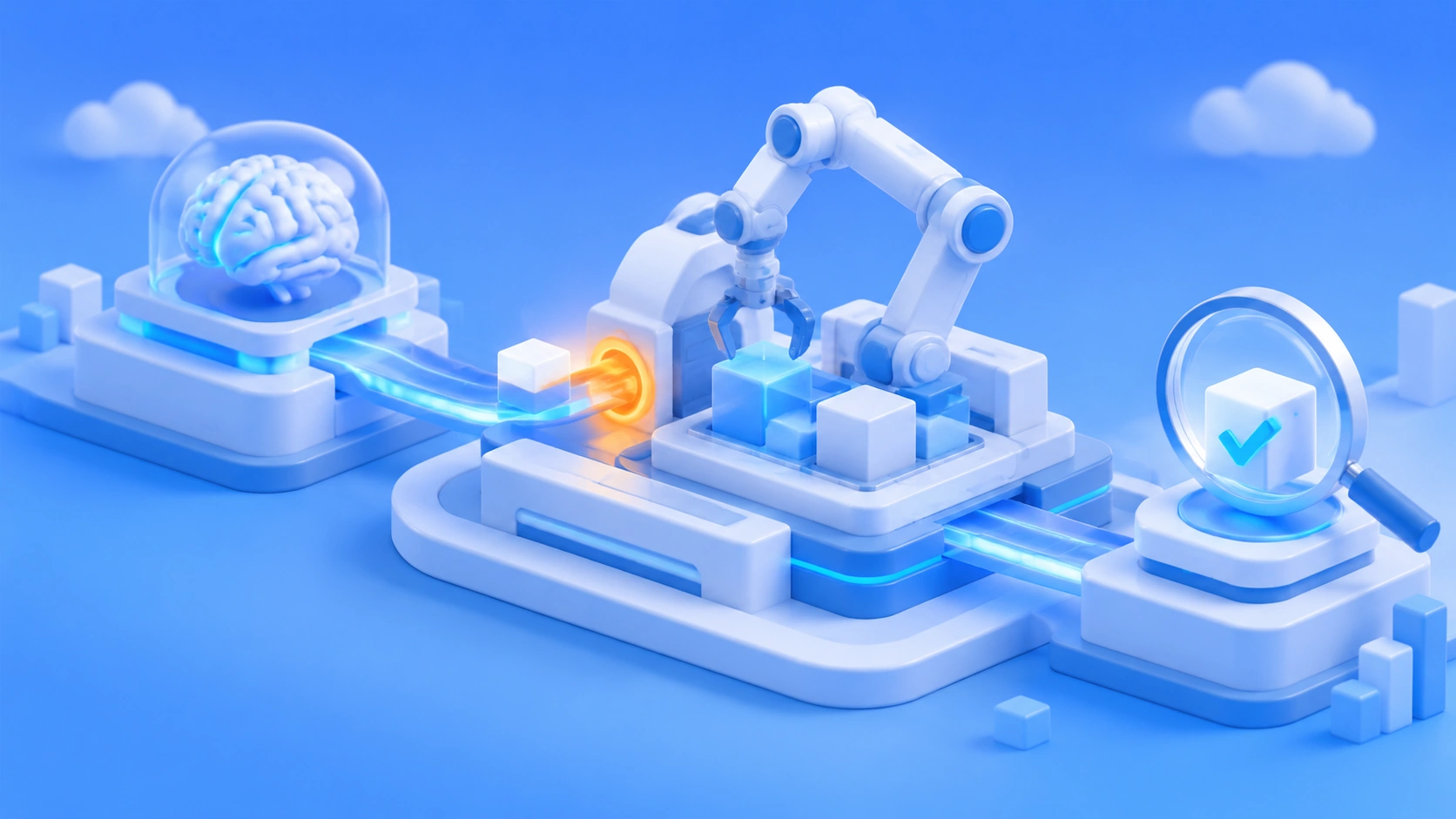
/swarm is the Orchestrator’s most signature capability, and its complete workflow breaks down into five steps:
- The user issues the
/swarmcommand along with a task description. - The main agent (Orchestrator Agent) analyzes the task and automatically decomposes it into several subtasks.
- It dynamically creates a subagent for each subtask—these are the “dynamic self-cloning subagents.”
- The subagents execute in parallel, and their results flow back to the main agent.
- The main agent consolidates the outputs and generates the final Artifacts.
Steps 2 and 5 determine the final quality. If the task isn’t broken down cleanly, the subagents will end up duplicating each other’s work or leaving gaps; if consolidation isn’t strong enough, the pieces won’t come together into a usable whole. That’s why the main agent typically needs a model with stronger reasoning capabilities.
4.2 Dynamic vs. Static Subagents
Antigravity Orchestrator supports two types of subagents, and you can mix and match them within the same task:
- Dynamic self-cloning subagents: Created on demand at runtime, they inherit part of the main agent’s context—ideal for subtasks spun off on the fly.
- Static custom subagents: Pre-defined specialized agents with fixed system instructions and toolsets—ideal for recurring professional tasks like code review or test generation.
Another design detail worth noting: each subagent can run on a different model. For example, you might use Carbon for parts that need deep reasoning, and Hydrogen for quick, simple parts. This “assign models based on task difficulty” approach is the core way multi-agent systems keep costs under control—Section 7 will dig into it in detail.
4.3 Case Study: How Pelican Campus Quest Was Broken Down
The /swarm demo Sundar Pichai showed is a great teaching example. The main agent received the task: “Build an open-world 3D game where you explore the Google Mountain View campus riding a GBike.” It split the task into three parallel tracks:
- 3D asset modeling: The subagent used Blender, with assets generated by Omni / Nano Banana as references.
- Game engine building: The subagent used Three.js with WebGL shaders.
- Audio system: The subagent used the Web Audio API paired with Lyria music.
In the end, all three parts were automatically consolidated into a game you can play right in the browser. This case works so well for Swarm because the three components—models, engine, and audio—only need to agree on formats at the interface level; during development, they barely have to wait on each other. That’s exactly the “decomposability” discussed in Section 3.
5 Antigravity Orchestrator vs. LangGraph, CrewAI, and AutoGen
5.1 Comparison Criteria
The comparison below focuses purely on positioning differences — no performance benchmarks — since these tools differ fundamentally in form: one is a complete platform, while the others are Python libraries. The dimensions covered include product positioning, agent abstraction, browser integration, model binding, deployment approach, and how open source each one is.
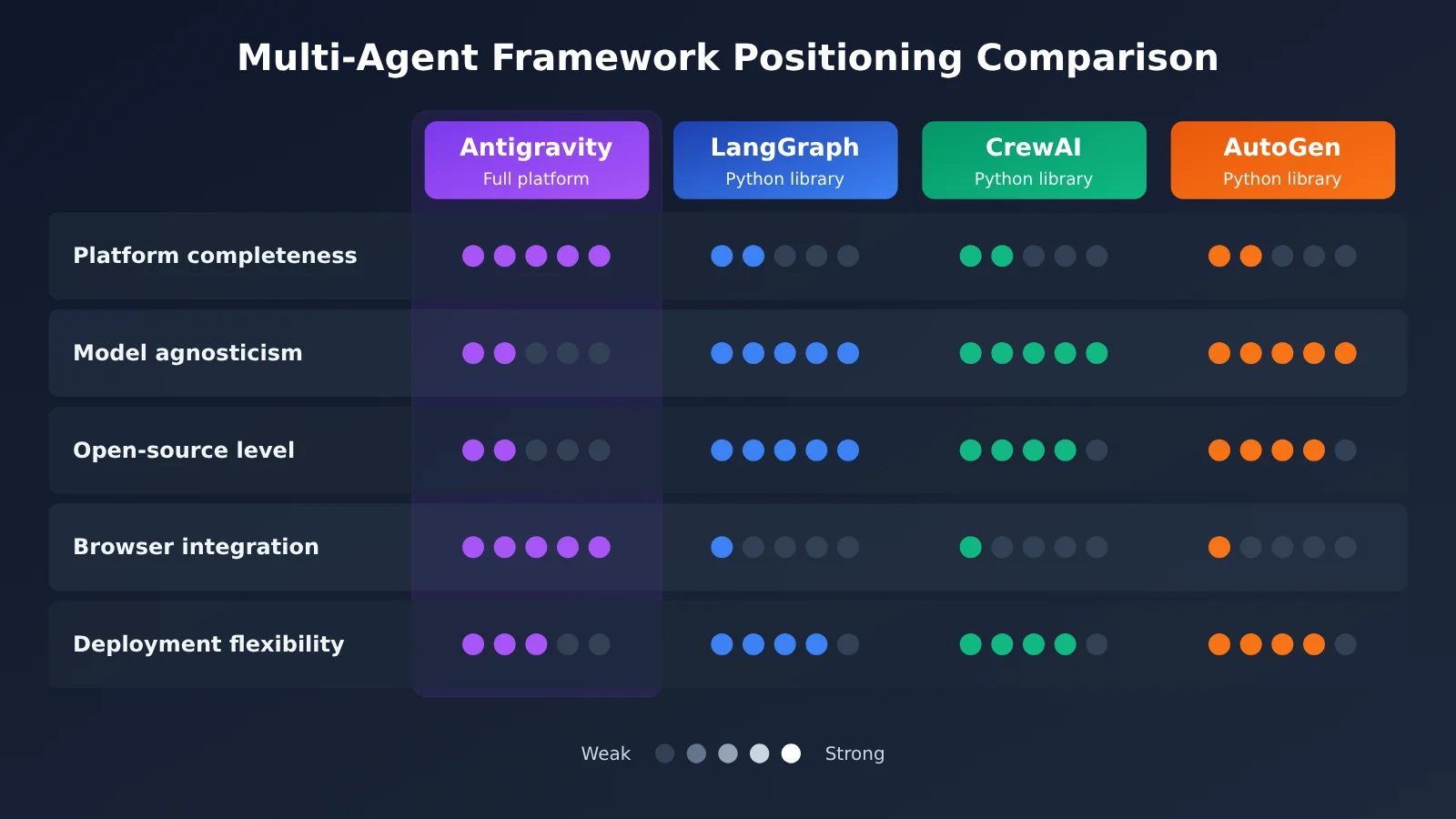
| Dimension | Antigravity | LangGraph | CrewAI | AutoGen |
|---|---|---|---|---|
| Positioning | Full IDE + platform | Python library | Python library | Python library |
| Agent model | Dynamic self-cloning + static | Graph nodes | Role definitions | Conversational agents |
| Browser integration | Native Chrome extension | None | None | None |
| Model binding | Optimized for Gemini | Model-agnostic | Model-agnostic | Model-agnostic |
| Deployment | Cloud Run / Docker | Self-hosted | Self-hosted | Self-hosted |
| Open source | SDK open source, core closed | Fully open source | Open source | Open source |
| Multi-model access | Within the Gemini ecosystem | Unified access via APIYI apiyi.com | Same as left | Same as left |
5.2 How to Choose
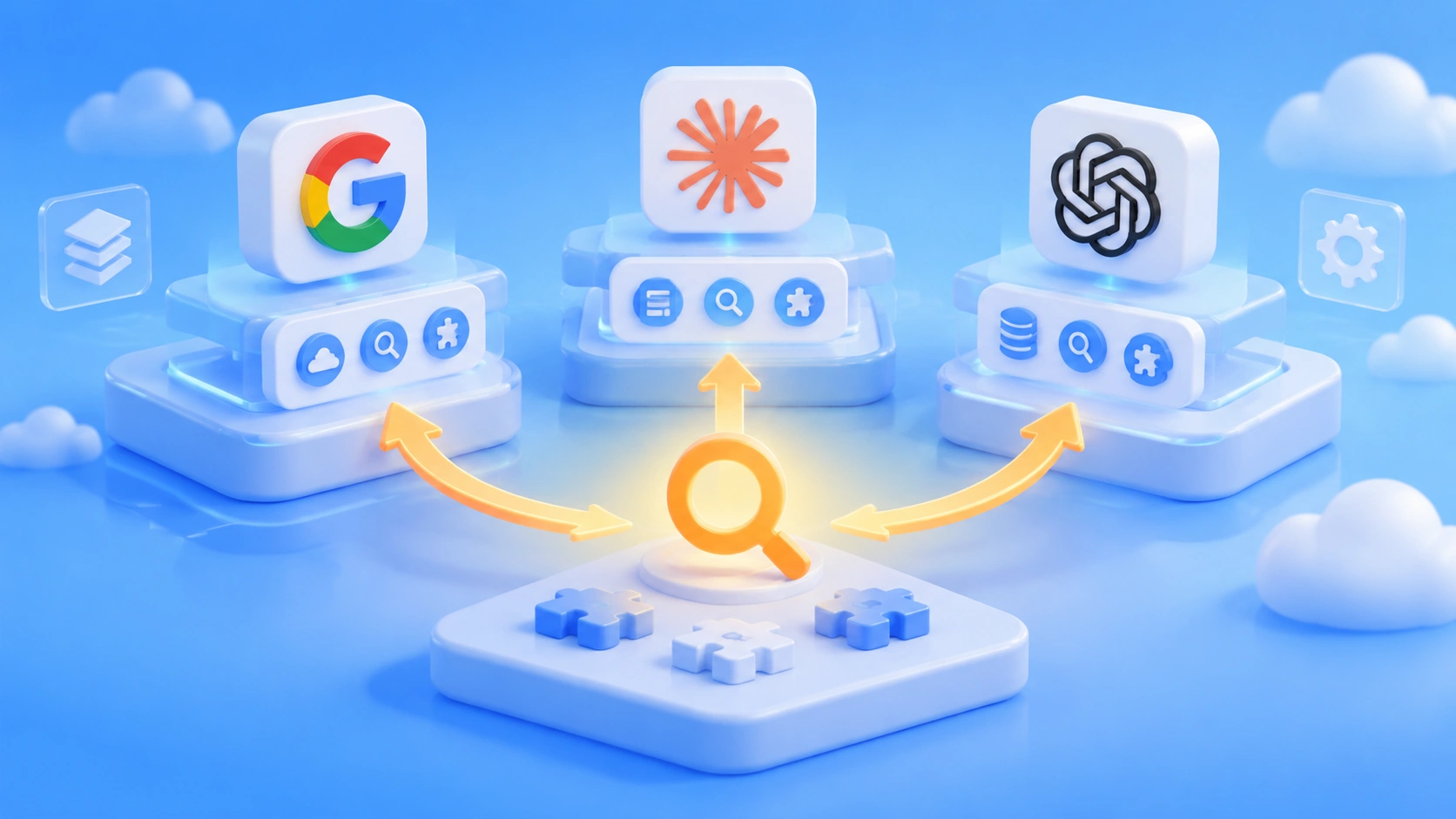
LangGraph still leads when it comes to graph-structure controllability and being fully open source, but you’ll have to piece together IDE integration, browser automation, and the deployment pipeline yourself. Antigravity Orchestrator has the edge on out-of-the-box usability — a single /swarm command handles task decomposition, parallel execution, and consolidation, with native browser control built in. CrewAI’s role-based approach is intuitive, and AutoGen excels at conversation-driven collaboration, though both leave deployment and tooling up to you.
From all this, a simple rule of thumb emerges: if your team is already deeply invested in Gemini and wants multi-agent capabilities right inside the IDE, go with Antigravity; if you need to switch between multiple model providers, or require auditability from the core engine, go with an open-source library.
💡 Recommendation: If you take the open-source library route, it’s best to standardize your model access layer on an OpenAI-compatible interface. Through APIYI apiyi.com, a single API key lets you switch between GPT, Claude, Gemini, and other models in LangGraph or CrewAI — handy for assigning different models to different nodes within the same orchestration graph.
6 Your Path to Getting Started with Antigravity Orchestrator from Scratch
6.1 Recommended Learning Order
Following the “use it first, then write with it, and finally fine-tune it” approach, you can break the onboarding path down into seven steps:
- Concepts: Understand what Antigravity is and why you need it (Sections 1 and 2 of this article).
- Installation: Pick any one of the three methods — Web App, IDE download, or command-line install.
- Your first agent: Write a Hello World agent using the SDK.
- Understanding the Orchestrator: Learn how the Workflow Runtime and the Task API relate to each other.
- Your first Swarm: Actually run
/swarmin the IDE or CLI. - Diving into subagents: Compare how dynamic subagents and static subagents perform.
- Best practices: Model selection, permission management, and cost control.
6.2 Writing Your First Agent with the Antigravity SDK
The minimal agent with the SDK only needs a config object and a single chat call:
from google.antigravity import Agent, LocalAgentConfig

config = LocalAgentConfig(
    system_instructions="You are an expert assistant.",
)
async with Agent(config) as agent:
    response = await agent.chat("Hello!")
    print(await response.text())
If you need streaming output, you can iterate over the response directly. Adding tools to an agent is just as easy — simply pass in ordinary Python functions via tools:
import sys

# Streaming response
async for token in response:
    sys.stdout.write(token)
    sys.stdout.flush()

# Custom tool
def get_weather(city: str) -> str:
    return f"It's sunny in {city}."

config = LocalAgentConfig(tools=[get_weather])
Type annotations in the function signature help the agent understand what each parameter means. In real projects, it’s a good idea to write clear docstrings for your tool functions — that way, when the main agent breaks down a task, it can more easily figure out which tool to hand off to which sub-agent.
6.3 Simulating Swarm Fan-Out and Fan-In with an OpenAI-Compatible API
The Orchestrator’s core engine is closed-source, but the core idea—decompose, parallelize, then merge—can be recreated with any model. The code below simulates a minimal version of /swarm: the main agent handles decomposition and aggregation, while sub-agents execute in parallel. It’s not an implementation of Antigravity—it’s a teaching example to help you understand the five-step process from Section 4.1.
import asyncio
from openai import AsyncOpenAI

client = AsyncOpenAI(
    api_key="YOUR_API_KEY",
    base_url="https://api.apiyi.com/v1"  # APIYI OpenAI-compatible API
)

PLANNER_MODEL = "your-reasoning-model"  # Main agent: a strong reasoning model—check the platform's model list
WORKER_MODEL = "your-fast-model"        # Sub-agent: a fast, low-cost model

async def ask(model: str, system: str, prompt: str) -> str:
    resp = await client.chat.completions.create(
        model=model,
        messages=[{"role": "system", "content": system},
                  {"role": "user", "content": prompt}],
    )
    return resp.choices[0].message.content
View the complete swarm simulation code
import asyncio
from openai import AsyncOpenAI

client = AsyncOpenAI(
    api_key="YOUR_API_KEY",
    base_url="https://api.apiyi.com/v1"  # One key to call multiple models
)

PLANNER_MODEL = "your-reasoning-model"
WORKER_MODEL = "your-fast-model"

async def ask(model: str, system: str, prompt: str) -> str:
    resp = await client.chat.completions.create(
        model=model,
        messages=[{"role": "system", "content": system},
                  {"role": "user", "content": prompt}],
    )
    return resp.choices[0].message.content

async def swarm(task: str, max_workers: int = 3) -> str:
    # Step 2: the main agent decomposes the task (before fan-out)
    plan = await ask(
        PLANNER_MODEL,
        "你是主代理。把任务拆成互相独立、可并行的子任务,每行一个,不要编号。",
        task,
    )
    subtasks = [s.strip("- ").strip() for s in plan.splitlines() if s.strip()]
    subtasks = subtasks[:max_workers]

    # Steps 3-4: create a sub-agent for each subtask and run them in parallel (fan-out)
    results = await asyncio.gather(*[
        ask(WORKER_MODEL, "你是只负责单一子任务的子代理,输出简洁可交付的结果。", s)
        for s in subtasks
    ])

    # Step 5: the main agent merges the results (fan-in)
    merged = "\n\n".join(f"【{s}】\n{r}" for s, r in zip(subtasks, results))
    return await ask(
        PLANNER_MODEL,
        "你是主代理。整合子代理的产出,消除重复与冲突,输出最终方案。",
        f"原始任务:{task}\n\n子代理产出:\n{merged}",
    )

if __name__ == "__main__":
    print(asyncio.run(swarm("为一个浏览器小游戏设计美术、玩法和音效三部分方案")))
This code demonstrates two key points: the main agent and sub-agents use different models, and subtasks execute in parallel via asyncio.gather. Read it side by side with Section 4, and you’ll see what the Orchestrator takes care of for you automatically at Layer 3—state management, failure retries, and artifact merging.
🚀 Quick start: The example above runs as-is—just grab an API key from APIYI at apiyi.com and swap the two model names for ones available on the platform. New users get free trial credits, enough for a few rounds of decompose-and-merge experiments.
7 Antigravity Orchestrator Best Practices and Impact
7.1 Model Selection: Tier by Task Difficulty
Costs in a multi-agent system multiply with the number of subagents, so model tiering is the first principle. Hand the stages that determine overall quality—task decomposition and final synthesis—to strong reasoning models, such as Carbon in Antigravity, and leave format conversions, boilerplate code, and simple queries to fast models, such as Hydrogen. When you’re replicating a similar architecture outside Antigravity, you can borrow this same tiering approach: use APIYI (apiyi.com) to assign different models to different roles within a single codebase, then lock in your configuration once you’ve compared quality against cost.
7.2 Permission Management: Restrict Subagent Tool Access
Dynamic subagents inherit part of the main agent’s context, and if tool permissions aren’t tightened, a single subagent could take actions well beyond its remit. The safer setup: keep capabilities like writing files, executing commands, and controlling the browser inside static custom subagents with clearly defined system instructions and toolsets, and let dynamic subagents stick to read-only or generation-only tasks. Anything that touches production should still go through a human confirmation step.
7.3 Cost Control: Estimate First, Then Scale Up Parallelism
The higher the parallelism of /swarm, the shorter the wait—but the more tokens you’ll burn. Start with small tasks to see how many subtasks the main agent typically spawns and how much each one consumes, then decide whether to unleash it on bigger jobs. For budget-sensitive teams, validate your decomposition strategy in an open-source orchestration library with low-cost models first; APIYI’s pay-as-you-go billing at apiyi.com makes it easy to keep experiment costs under control. Once the workflow proves itself, migrate to Antigravity for the full platform capabilities.
7.4 What the Antigravity Orchestrator Means for Developers
The arrival of Orchestrator signals that multi-agent orchestration is shifting from “engineers hand-writing graph structures” to “users triggering it with a single command.” That lowers the barrier to entry, but it also brings platform lock-in: the open-source Gemini CLI has been discontinued, the core engine is closed-source, and everything is optimized primarily for Gemini. For individual developers and Gemini-centric teams, it’s a clear efficiency win; for teams that need multi-model support, auditability, or private deployment, open-source frameworks plus a unified model access layer remain the more flexible combination.
The final judgment call is simple: take a real task on your plate and try splitting it into three subtasks that don’t depend on each other. If it splits cleanly, /swarm will likely save you a ton of time; if it doesn’t, Teamwork or Workflow mode—or even a single agent—is the better starting point.
References
-
xkcd 353 – Python: The origin of the
import antigravityEaster egg- Link:
xkcd.com/353 - Note: Helps you understand the cultural roots behind the Antigravity name
- Link:
-
Google Antigravity Getting Started Video: The official intro demo
- Link:
youtube.com/watch?v=nTOVIGsqCuY - Note: Perfect for developers trying Antigravity for the first time
- Link:
-
Sundar Pichai’s Tweet: A /swarm capability demo
- Link:
twitter.com/sundarpichai/status/2120198811297694192 - Note: The official demo released when Gemini 4 Carbon went live
- Link:
-
Pelican Campus Quest (Playable Version): A browser game generated by /swarm
- Link:
aistudio.google.com/apps/bundled/pelican-campus-quest - Note: Experience the end product of swarm mode for yourself
- Link:
Author: APIYI Technical Team
Get in Touch: Feel free to reach out to us via the APIYI apiyi.com homepage, or visit the docs.apiyi.com documentation center for more resources