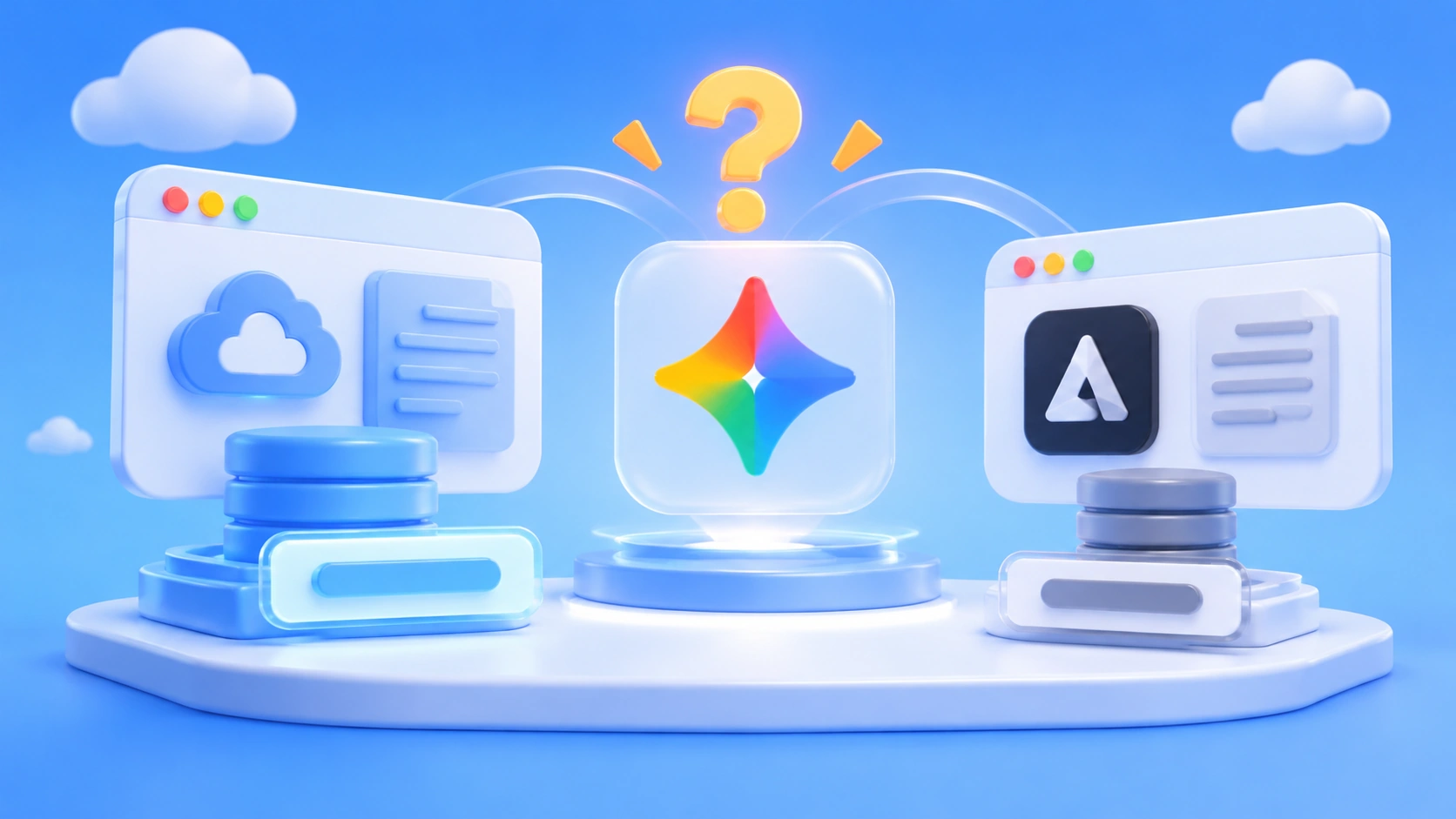
Author’s note: For the same Gemini 4 Neon, the Gemini API announcement and the Antigravity model docs give different context windows. This article separates the two numbers by entry point and lays out the verification order to follow before writing a window number into an Agent plan.
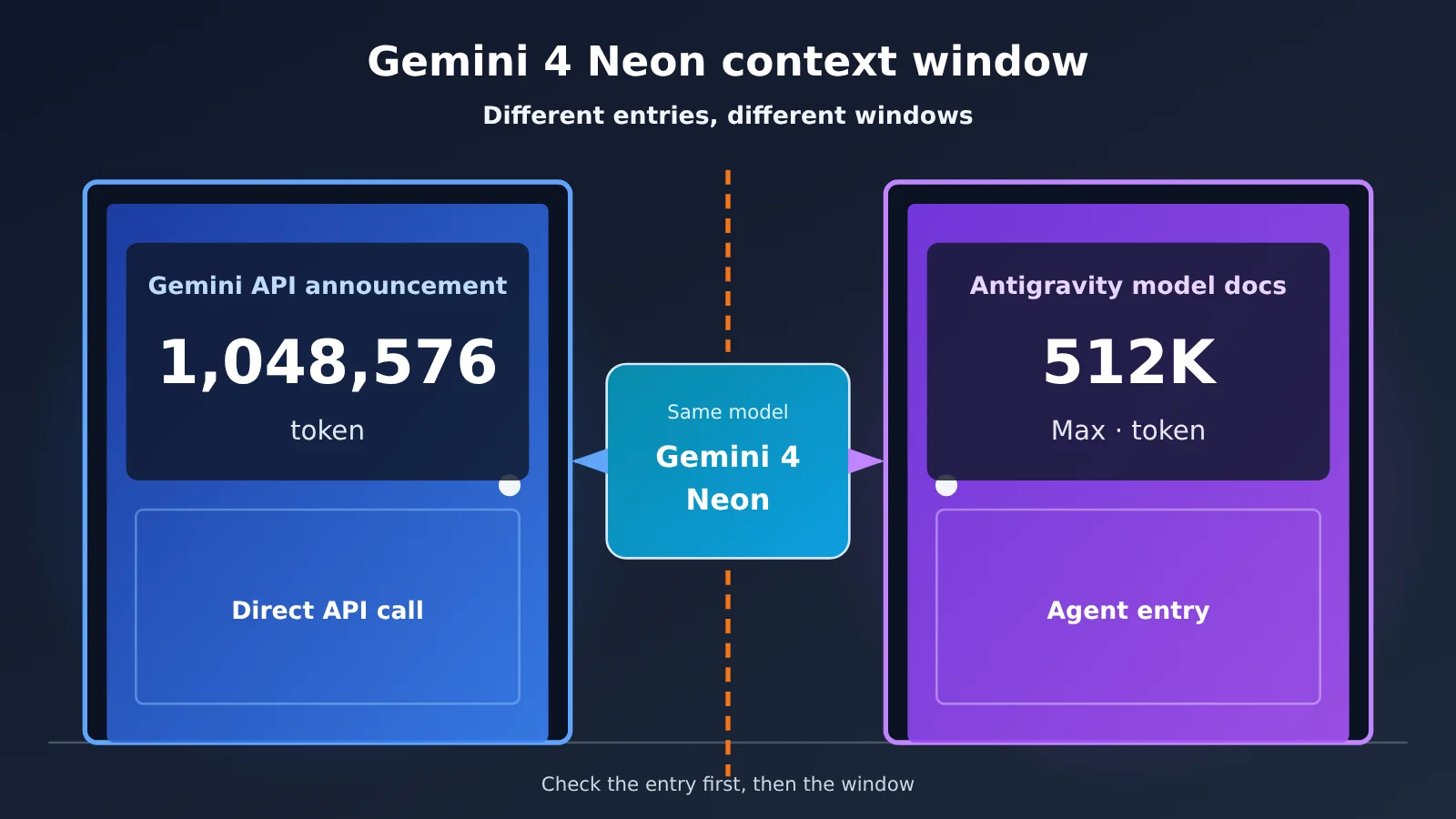
Teams building Agents often copy the context window from a marketing page straight into their plan — something like “Neon supports 1M, so we can stuff the whole codebase in at once.” By the Gemini 4 Neon generation, that approach is easy to get wrong. The Gemini API announcement says 1,048,576 tokens, while the Antigravity model docs say up to 512K tokens — both numbers come from Google, published in the same week, and neither page cross-references the other.
This isn’t a case where one side got it wrong. They describe two different invocation surfaces: one is the API that calls the model directly, the other is the Agent entry point inside Antigravity. Which number belongs in your plan depends on which entry point your requests are actually sent from.
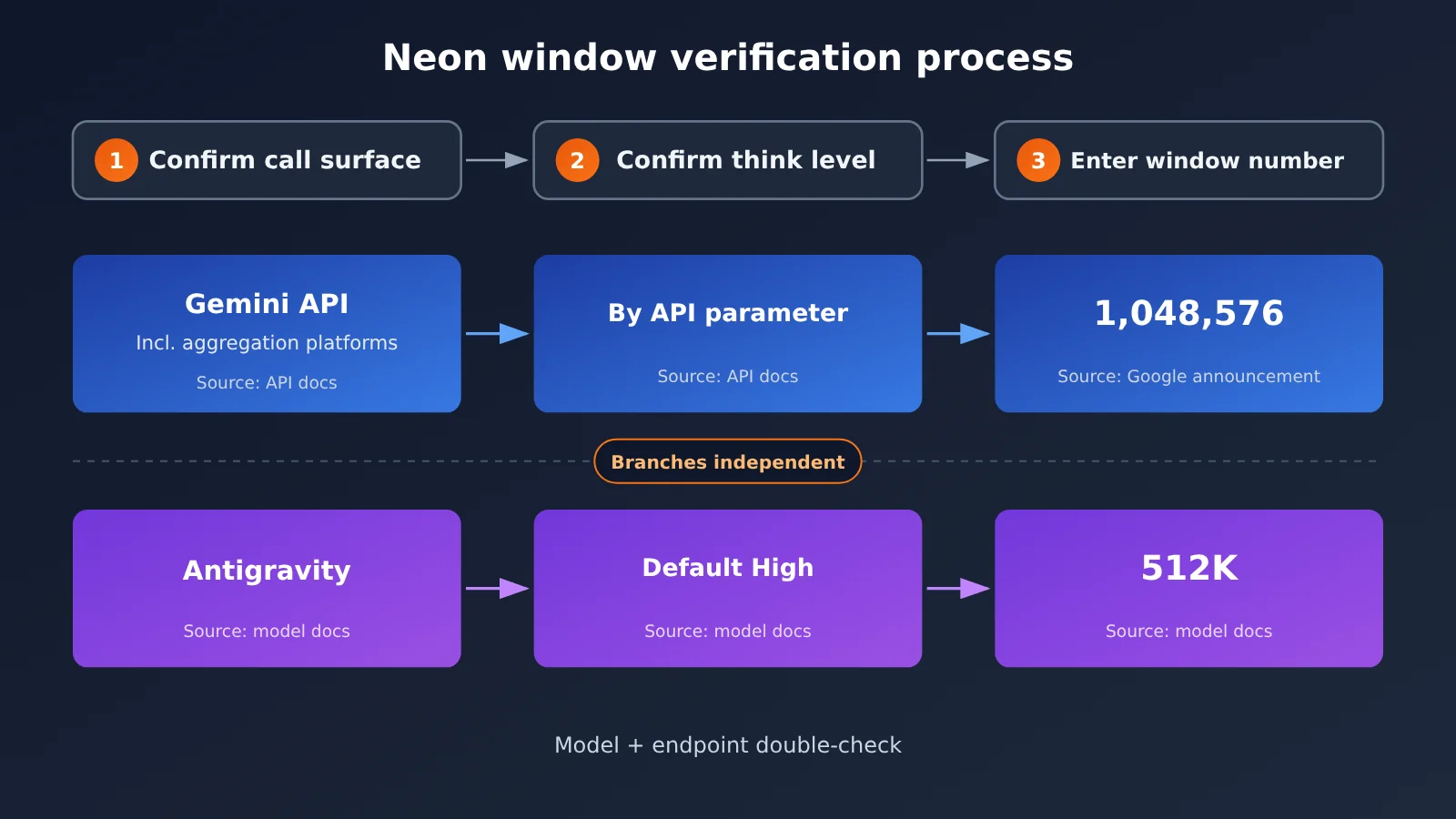
Key takeaway: By the end of this article, you’ll know where each of Gemini 4 Neon’s two window numbers comes from, and you’ll have the verification order down: identify the entry point first, then check the thinking tier, and only then write down the window. Follow that order and you won’t plan around 1M for an entry that only offers 512K.
Gemini 4 Neon Context Window: Key Points
Here’s a table of the facts you can actually confirm from the reference material. Every number in it is quoted straight from the source docs — none of it is inferred or measured.
| Key point | What the document says | What it means for your plan |
|---|---|---|
| Gemini API window | Google’s 2026-11-18 announcement: Neon’s unified context is 1,048,576 tokens |
The planning ceiling when you call the API directly |
| Antigravity window | Antigravity model docs: Gemini 4 Neon context of up to 512K tokens |
The planning ceiling when you run agents inside Antigravity |
| Thinking tier | Antigravity docs list Low, Medium, High (default), Extra | High is the default, so confirm it before you estimate |
| How the two docs relate | Published the same week, with no cross-references between the pages | You can’t derive one number from the other |
| API list price | Input $3, cached input $0.15, output $15 (per million tokens) |
Base your cost estimates on the API entry point |
Why both Gemini 4 Neon numbers are correct
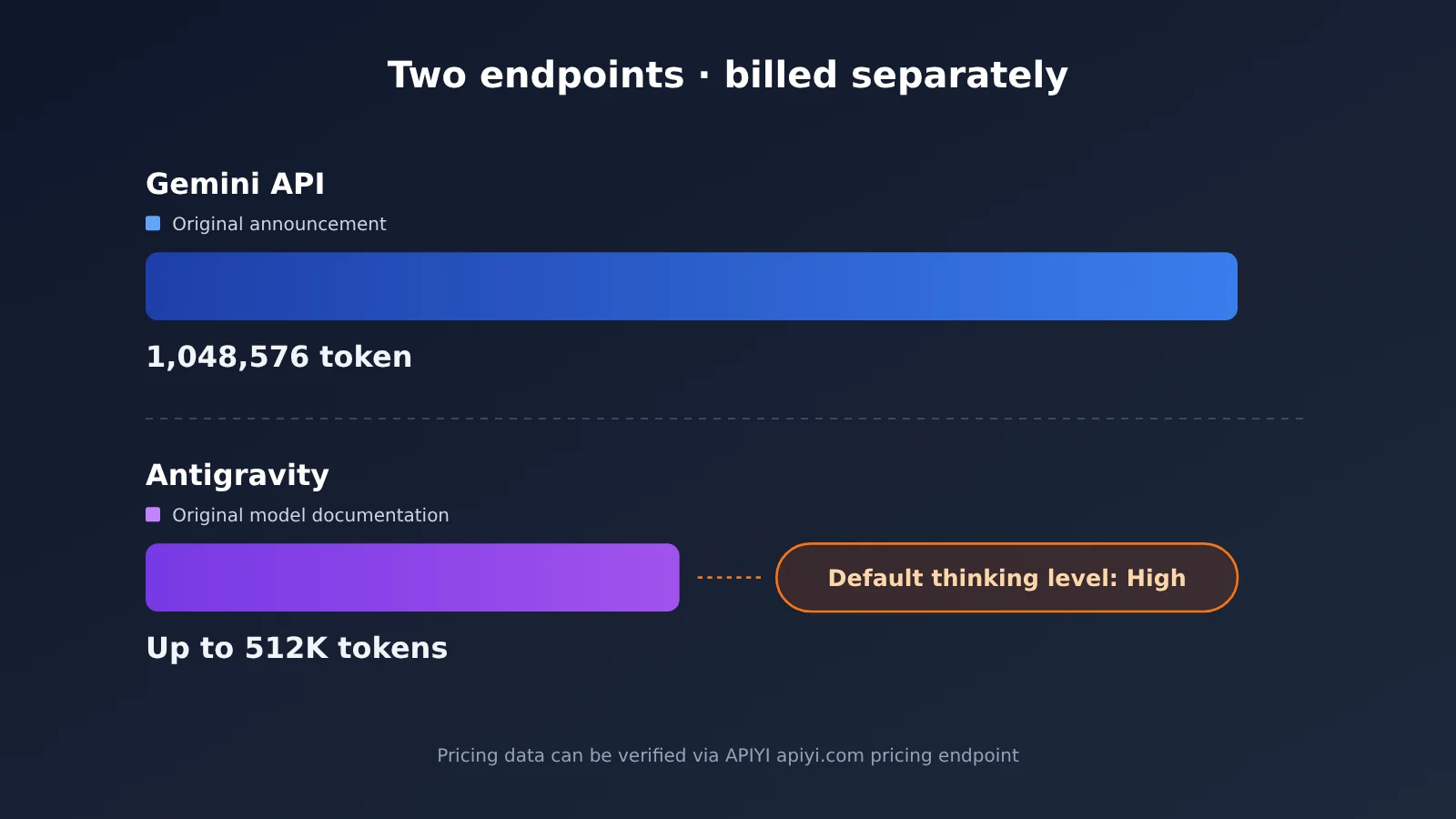
1M and 512K both come from Google’s own documentation — they’re just written on different pages. The Gemini API announcement describes the model’s unified context on the API, and the exact figure it gives is 1,048,576 tokens. The Antigravity model docs describe Neon’s context inside the Antigravity product, and the exact wording there is “up to 512K tokens.” Two pages describing two different surfaces, each correct on its own terms — so there’s no contradiction between them.
An OrcaRouter article from 2026-11-19 called out this discrepancy specifically. It also mentioned that social media user @kimmonismus posted a tool-call log on November 18. That’s a third-party post, not Google’s own statement about the context window, so you can’t cite it as a window spec. When you’re writing a plan, trust only Google’s own documentation pages for the window number — and say which page you’re citing.
Don’t mix Gemini 4 Neon’s window with sibling models
Another easy trap is borrowing a number across models. Gemini 4 Carbon’s model page also lists a context of 1,048,576, but that’s Carbon’s window on the API — you can’t carry it over to Neon inside Antigravity. By the same logic, Neon’s API window doesn’t transfer to Neon in Antigravity either. The number has to line up on both dimensions, model and entry point; if one is missing, the check isn’t finished.
Gemini 4 Neon: Comparing the Two Entry Points
The table below takes the two surfaces apart. The “Planning guidance” column is what we suggest when you write a plan — it’s not a documentation spec.
| Dimension | Gemini API (including OpenAI-compatible aggregation endpoints) | Antigravity |
|---|---|---|
| Window as documented | 1,048,576 tokens (Google announcement) |
up to 512K tokens (model docs) |
| Source | Gemini API / Google 2026-11-18 announcement | antigravity.google/docs/models |
| Thinking tier | Per the parameters in the API docs | Low, Medium, High (default), Extra |
| Billing | Per token, with a cached-input price | Per Antigravity product rules |
| Planning guidance | You can design a single request around the long context, but still leave headroom | Design around 512K; split and compress long tasks |
API entry point analysis: When you call the API directly, the window is bigger, so it’s a good fit for dropping in a big batch of documents, long logs, or an entire block of code for analysis in one go. A big window doesn’t mean you should fill it every time, though — longer input means higher cost and latency. Used as a “read all the long material in one pass” entry point, combined with the cached-input price, the API is better suited to offline batch processing and large post-retrieval analyses.
Antigravity entry point analysis: Antigravity targets agent workflows, and its docs give up to 512K tokens. Agents accumulate history across multiple tool calls, so the usable space runs out faster than with a single request. For teams running long tasks in Antigravity, it’s safer to design chunking, summarization, and context-eviction strategies around 512K — don’t budget against 1M.
Thinking tiers for Gemini 4 Neon in Antigravity
Antigravity’s docs list four thinking tiers, with High as the default. A lot of people miss the default and just budget against the window ceiling. The table below organizes planning guidance by tier — the tier names and default value come from the docs, and the guidance part is general practice.
| Thinking tier | Docs label | Planning guidance |
|---|---|---|
| Low | Optional | Good for short chains and tool calls with strong determinism |
| Medium | Optional | Good for routine coding and multi-step retrieval |
| High | Default | Leave the setting alone and this is what you get — budget against it |
| Extra | Optional | Good for hard problems; set aside more headroom and waiting time |
Thinking tiers affect reasoning cost and response time; how they’re counted against context and billing is per Antigravity’s docs. When you check, first confirm which tier the team actually uses — especially the default High — and then decide how much room each turn can leave for history and retrieved material.
Gemini 4 Neon Quick Start
Step 1: Figure out which surface you’re calling
Answer one question first: where exactly is the request coming from? If you’re sending requests from code through an SDK, you’re on the API surface, and you should plan for a 1,048,576 window. If you’re having an Agent do work inside Antigravity, you’re on the Antigravity surface, and you should plan for a maximum 512K window. If you use both in the same project, write the plan in two separate sections—don’t merge them into a single number.
Step 2: Send a request through the OpenAI-compatible interface
When you go through the API surface, you can call Neon via APIYI’s OpenAI-compatible interface — the model ID is gemini-4-neon. A minimal call only needs three settings:
- Create the client:
client = OpenAI(api_key="YOUR_API_KEY", base_url="https://api.apiyi.com/v1") - Specify the model:
model="gemini-4-neon" - Send the message:
client.chat.completions.create(model="gemini-4-neon", messages=[{"role": "user", "content": "总结这份日志"}])
Once the request returns, read response.usage.prompt_tokens and response.usage.completion_tokens to get the actual consumption for that call. When you’re planning your window, go by this returned value — don’t estimate from character counts.
View the full chunked-call approach
When the long material exceeds the per-call budget you’ve set for yourself, you can split it up using the approach below:
1. Initialize: `client = OpenAI(api_key=”YOUR_API_KEY”, base_url=”https://api.apiyi.com/v1″)`
2. Set the budget: on the API surface you can set `budget = 1048576 * 0.7`; if you also want to reuse the same logic on the Antigravity side, switch to setting it as 70% of 512K
3. Split the material: divide the document into `chunks` by chapter or file, run each chunk once first with `usage.prompt_tokens` to record its real length
4. Summarize each chunk: call `model=”gemini-4-neon”` on each chunk and ask for a summary in a fixed format
5. Merge and reason: stitch all the summaries into new `messages`, then do one more round of summarization or decision-making
6. Log usage: write `prompt_tokens` and `completion_tokens` to the log each round so you can verify costs later
The 70% in the budget is just a rule-of-thumb for leaving headroom — it’s not stipulated in the docs, so you can adjust it per task.
🚀 Quick Start: Before you design your plan, you can register at APIYI apiyi.com and claim free test credits, run a real piece of material through
gemini-4-neon, and get theusagereturn values before deciding on your window budget.
Step 3: Verify Model Names and Pricing
There are two places to check pricing: APIYI’s model master list at https://docs.apiyi.com/models.md, and the pricing API at https://api.apiyi.com/api/pricing. When I checked on 2026-11-20, the master list had last been updated on 2026-11-19 10:59 (UTC+8), and that version didn’t include gemini-4-neon yet; the pricing API (version shell-api-modelmak-v1) already had it. So when you’re checking Neon pricing, go by the pricing API.
In the pricing API, a model_ratio of 1 corresponds to $2 per million input tokens. gemini-4-neon has model_ratio of 1.5, completion_ratio of 5, and cache_ratio of 0.05, which works out to $3 input, $15 output, and $0.15 for cache reads — matching Google’s list price.
| Model | Input ($/million tokens) | Cache read | Output | Notes |
|---|---|---|---|---|
gemini-4-neon |
3 |
0.15 |
15 |
Matches Google’s list price; pricing API is authoritative |
gemini-4-carbon |
2 |
0.1 |
10 |
Corresponds to Google’s introductory price through 2026-11-30 |
gemini-4-hydrogen |
1.5 |
0.075 |
7.5 |
Pricing API |
gemini-4-argon |
2 |
0.1 |
10 |
Model master list |
| Available platforms | APIYI, Google official API | — | — | Endpoint https://api.apiyi.com/v1 |
There’s one timing detail to keep in mind for Carbon: Google’s standard price starting December 1 is $4 input and $20 output, and the introductory price only lasts through 2026-11-30. If your cost budget crosses the month boundary, you’ll need to calculate it in two segments.
💡 Recommendation: For the same task, you can first run
gemini-4-neonandgemini-4-hydrogenside by side and compare the results andusage. APIYI provides a unified OpenAI-compatible interface, so switching models is just a matter of changing themodelparameter.
How to Write Gemini 4 Neon’s Context Budget into a Proposal
Once you’ve confirmed the entry point and thinking tier, you can put the window figure into the proposal. Below are planning approaches for common Agent tasks. The “Recommended Strategy” column in the table is an engineering practice, not a documentation spec.
| Task Type | Entry Point | Planned Limit (as documented) | Recommended Strategy |
|---|---|---|---|
| Whole-repo code analysis | API | 1,048,576 tokens |
Retrieve relevant files first, then send the full block, leaving some headroom |
| Long log troubleshooting | API | 1,048,576 tokens |
Split by time windows; send repeated prefixes through cached input |
| Multi-turn refactoring inside the IDE | Antigravity | Up to 512K tokens |
Summarize history periodically and drop old tool output |
| Long-running multi-tool Agent tasks | Antigravity | Up to 512K tokens |
Split into subtasks and write structured memory at the end of each segment |
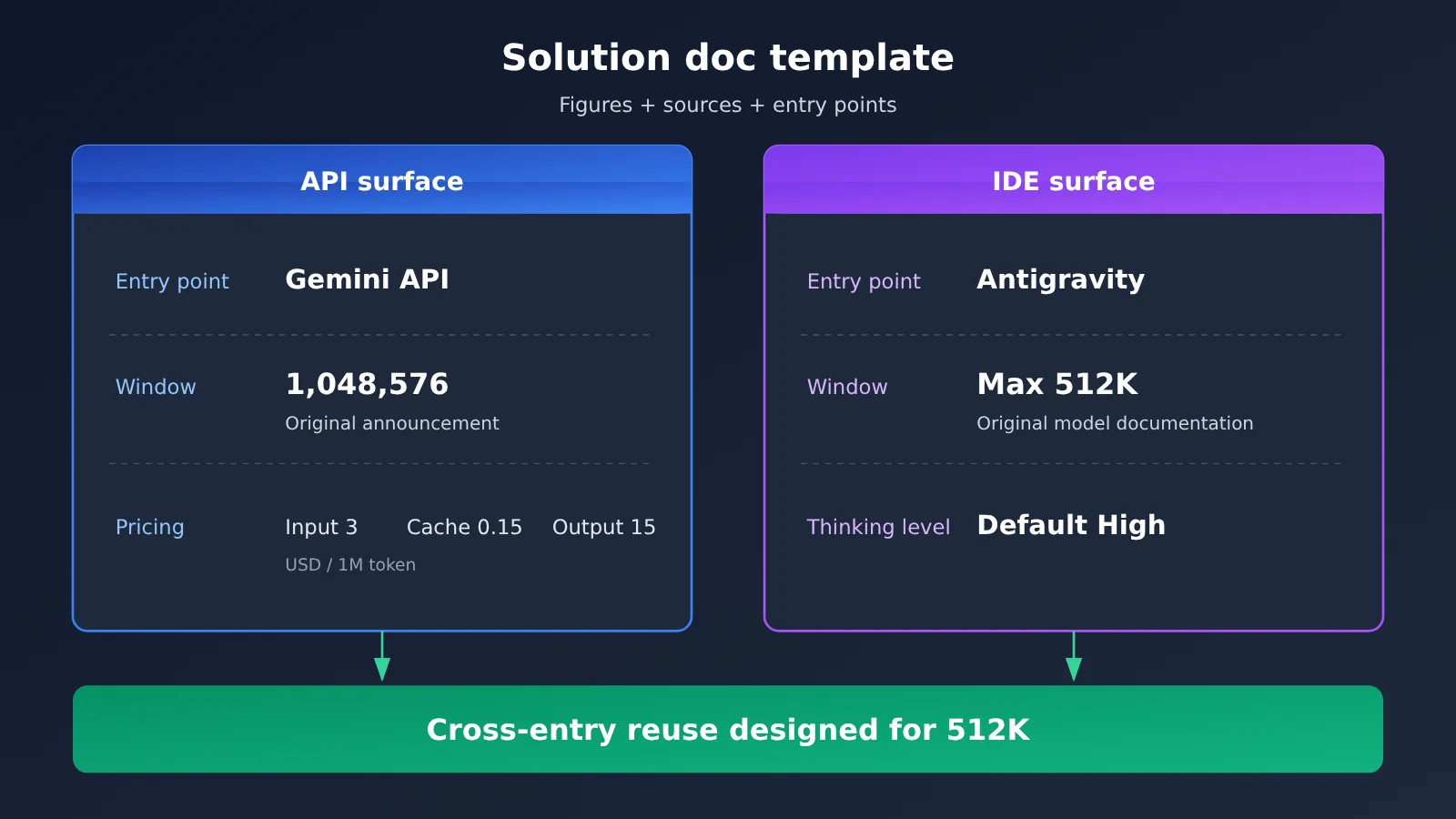
| Reusing the same workflow across entry points | Both entry points | Use 512K as the common cap |
Design around the smaller window so it also runs directly on the API side |
The last row is the easiest to overlook. If the same Agent logic needs to run in Antigravity and also through the API, the safest approach is to design the shared workflow around 512K. That way it runs directly on the API too—it just doesn’t use the full window. If you design around 1M instead, you’ll have to rewrite the chunking logic when you get to Antigravity.
When you write the window figure in the proposal, use the format “number + source + entry point”—for example, “Antigravity model docs: Gemini 4 Neon up to 512K tokens, default thinking tier High”. That makes it obvious during review which surface the number belongs to, and it’s easier to check each item later when the docs are updated.
FAQ
Q1: Just how long is Gemini 4 Neon’s context window?
It depends on the entry point. The Gemini API / Google announcement dated 2026-11-18 states a unified context of `1,048,576` tokens; the Antigravity model docs state a maximum of `512K` tokens. Both are Google’s own wording, and each corresponds to a different call surface.
Q2: Is the API’s 1M in conflict with Antigravity’s 512K?
No. The two documents describe different product surfaces, were published in the same week, and don’t reference each other. The conflict only shows up in your planning: use the API number to scope work inside Antigravity and you’ll run into trouble.
Q3: Can tool-call logs posted online serve as evidence for the window size?
No. An OrcaRouter article from 2026-11-19 notes that the tool-call logs @kimmonismus posted on November 18 are a third-party post, not a statement from Google about the window. Window figures should only be cited from Google’s announcements and documentation pages.
Q4: Carbon is also 1,048,576 — can I apply that to Neon in Antigravity?
No. The `1,048,576` on the Carbon model page is Carbon’s API window. Different model, different entry point — neither dimension lines up, so plan for Neon in Antigravity based on the maximum 512K in its model docs.
Q5: How do I call Gemini 4 Neon quickly through the API?
1. Register at APIYI apiyi.com and get your API key plus free trial credits
2. Set the SDK’s `base_url` to `https://api.apiyi.com/v1`
3. Use the model name `gemini-4-neon`, then read the `usage` field to verify actual consumption
This routes through the API surface, so plan the window around Google’s announced `1,048,576` tokens.
Q6: gemini-4-neon isn’t in the master model table — where do I get pricing?
Use the pricing endpoint. The 2026-11-19 version of the master table hasn’t listed this model yet, but the pricing endpoint already has it. Converted, that’s `$3` input, `$0.15` cache read, and `$15` output — consistent with Google’s listed prices. When you need to verify, just query the pricing endpoint at APIYI apiyi.com.
Q7: Does Antigravity’s default thinking level affect planning?
Yes. The docs state the default level is High, and it runs at that level unless you change the setting. The thinking level affects reasoning overhead and response time, so estimate your budget based on the level you actually use; how it’s counted is governed by the Antigravity docs.
Q8: What limitations should I watch out for with Gemini 4 Neon?
– The window varies by entry point — there’s no single universal number
– Long inputs drive up cost and latency, and a large window doesn’t mean you should fill it every time
– Docs may be updated, so annotate your plans with sources and the date you verified them
Gemini 4 Neon Key Takeaways
- Both figures come straight from official docs: the API announcement says
1,048,576tokens, while the Antigravity docs top out at 512K tokens - Pin down the entry point before writing down a number: whatever surface the request goes out through, cite that doc
- The default thinking level is High: in Antigravity, if you don’t change the setting it’s High, so budget for that
- Third-party posts don’t count as specs: tool-call logs can’t replace Google’s documentation on window size
- Model windows can’t be borrowed across models: you can’t apply Carbon’s API window to Neon on Antigravity
- When reusing across entry points, size for the smaller window: if a pipeline runs on both, design it for 512K
- Verify pricing against the pricing endpoint: call
gemini-4-neonthrough APIYI and calibrate your budget with theusagefield
Summary
The core points of Gemini 4 Neon context planning:
- The entry point determines the window: the API surface uses
1,048,576tokens, the Antigravity surface tops out at 512K tokens—cite each one from its own source - Follow a fixed verification order: confirm the entry point first, then the default thinking level, and only then write the window number into your plan
- Calibrate with real usage: trust the returned
usage, and control costs with chunking, summarization, and cached input
When you’re writing an agent plan, treat “number + source + entry point” as a single package—that’s how you avoid planning a 1M workload against an entry point that only gives you 512K. I’d recommend running a real workload on gemini-4-neon through APIYI (apiyi.com), then finalizing once you have usage data; the platform offers free credits and a unified interface across multiple models.
📚 References
-
Gemini API / Google announcement (2026-11-18): Gemini 4 Neon unified context and API pricing
- Description: the original source for the
1,048,576token window and the pricing for input, cached input, and output
- Description: the original source for the
-
Antigravity model documentation: Gemini 4 Neon context and thinking tiers in Antigravity
- Link:
antigravity.google/docs/models - Description: the source for the maximum 512K tokens and the Low, Medium, High (default), and Extra thinking tiers
- Link:
-
OrcaRouter article (2026-11-19): points out the discrepancy in window numbers between the two documents
- Description: also explains that third-party tool invocation logs cannot be treated as window documentation
-
APIYI model list and pricing API: entry point for verifying model IDs and pricing
- Description: see the two URLs in “Step 3: Verify Model IDs and Pricing” above; for
gemini-4-neon, the pricing API is authoritative
- Description: see the two URLs in “Step 3: Verify Model IDs and Pricing” above; for
Author: APIYI Technical Team
Technical inquiries: Feel free to contact us through the APIYI website homepage. For more resources, visit the docs.apiyi.com documentation center.