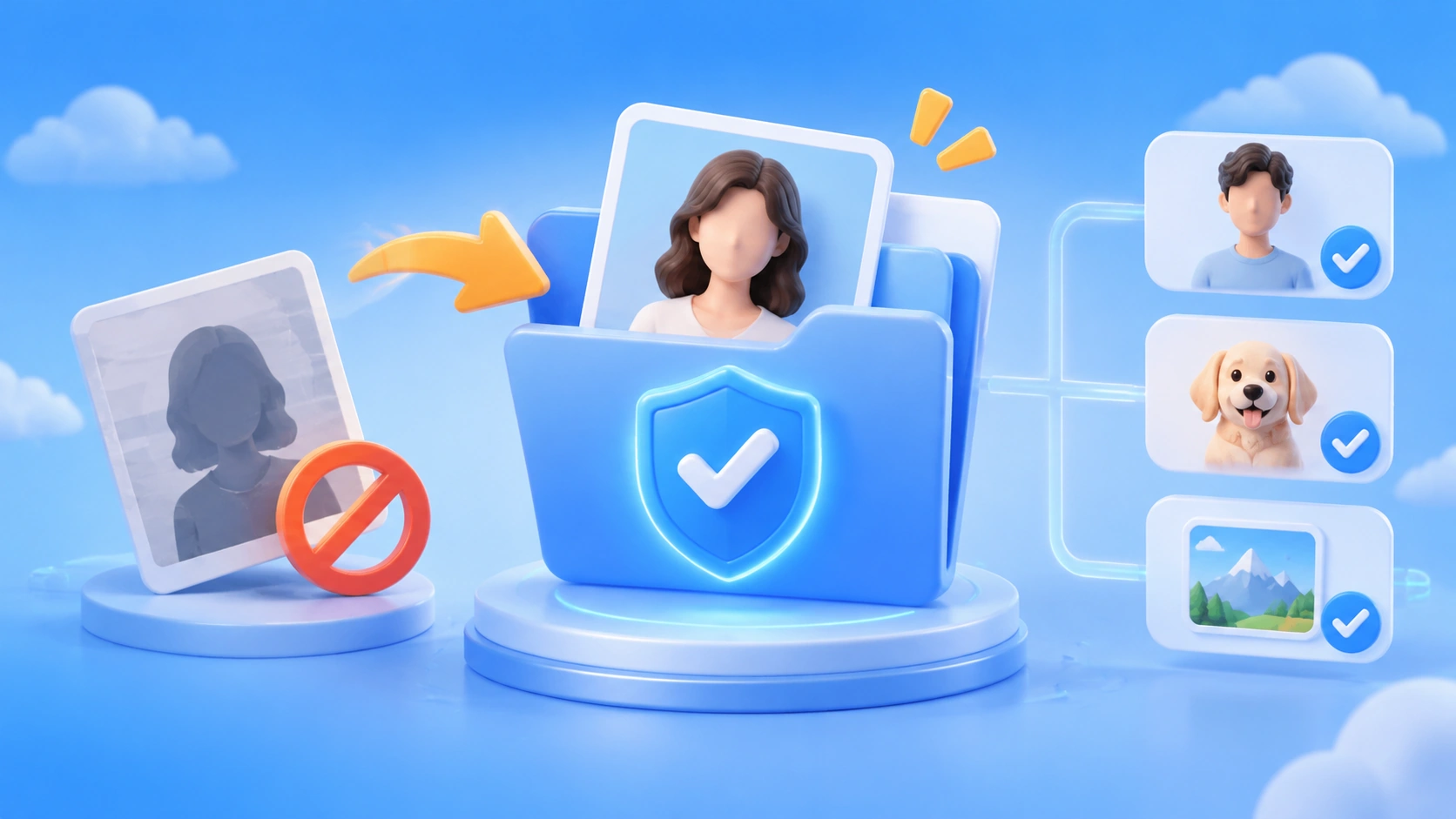
Author’s note: When the Seedance asset library reports copyright restrictions, it’s usually not actually a copyright issue. The real problem is that the provenance for the face is missing. This article explains the three types of portraits you can add to the library—and how to preserve their provenance.
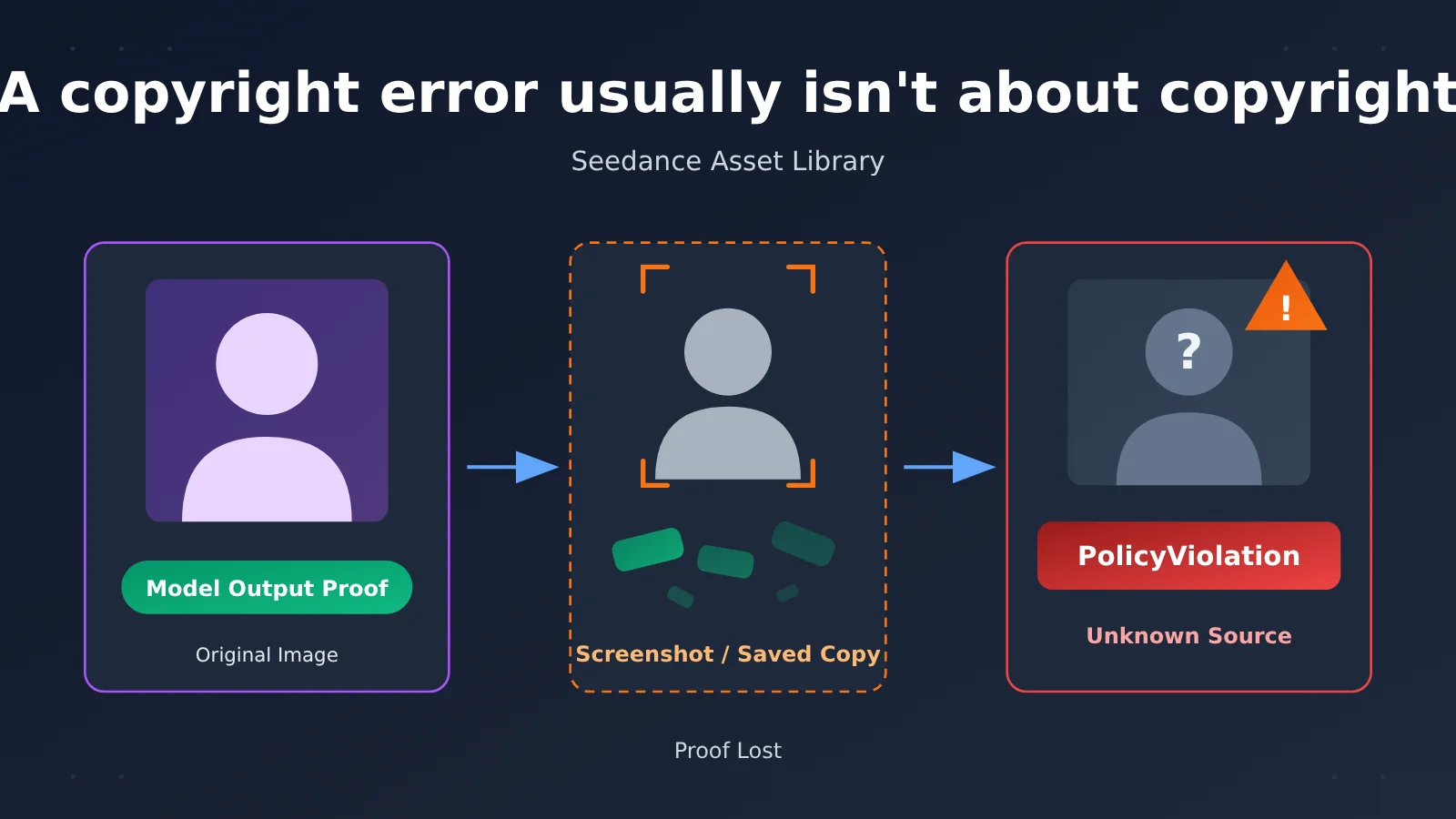
When you upload a portrait to the Seedance asset library, you may get a PolicyViolation error with a message mentioning copyright restrictions. Many users’ first instinct is to check whether the image contains a logo, brand, or celebrity. APIYI’s documentation explains that this error usually has nothing to do with copyright or brands. It means the face lacks traceable provenance.
This isn’t a Seedance video generation tutorial. This article covers only the asset upload step. The asset library doesn’t just check whether there’s a face in the image—it checks who the face belongs to and who authorized its use.
What you’ll learn: By the end, you’ll know which three types of portraits Seedance 2.x accepts. You’ll also understand why screenshots and saving images through WeChat can turn the same AI-generated face into an “unauthorized real person,” and how to resubmit it using the right transfer method.
Key Takeaways on Seedance Copyright Errors
Here’s the bottom line. The table below is based on an APIYI live update from 2026-11-09 18:08 (UTC+8) and is a good place to start troubleshooting.
| Key point | Explanation | What it means for you |
|---|---|---|
| The error message is misleading | It mentions copyright restrictions, but in most cases the issue isn’t copyright or branding | Don’t start by removing logos or changing the background |
| The system checks where the face came from | The asset library determines who a face belongs to and who authorized its use | Focus on proof of origin, not the image content |
| Only 3 sources are accepted | Preset virtual portraits, original model outputs generated by your account within the past 30 days, or real-person verification plus that person’s authorization | AI-generated faces can only use the second route |
| Proof of origin is easy to lose | Screenshots, saving through messaging apps, rehosting, or saving a copy all re-encode the image | The same face may be treated as an unverified real person |
| Passing review doesn’t mean you have authorization | Approval doesn’t mean a third-party trademark is authorized | You’re still responsible for trademark compliance |
How Seedance Copyright Errors Are Determined
The asset library doesn’t simply check whether an image contains a face. If the system can confirm that a face is a preset virtual portrait on the platform or a model output recently generated by your account, its origin is clear. If the system can’t read any origin information, it has to treat the face as potentially belonging to a real person. Without real-person verification and that person’s authorization, the image will be rejected.
The error mentions copyright because, from the system’s perspective, an image of a real person with an unknown origin raises questions about rights ownership. For API callers, it’s more useful to think of this as “missing proof of origin”—that points you in the right direction when troubleshooting.
How Seedance Copyright Errors Relate to Lost Proof of Origin
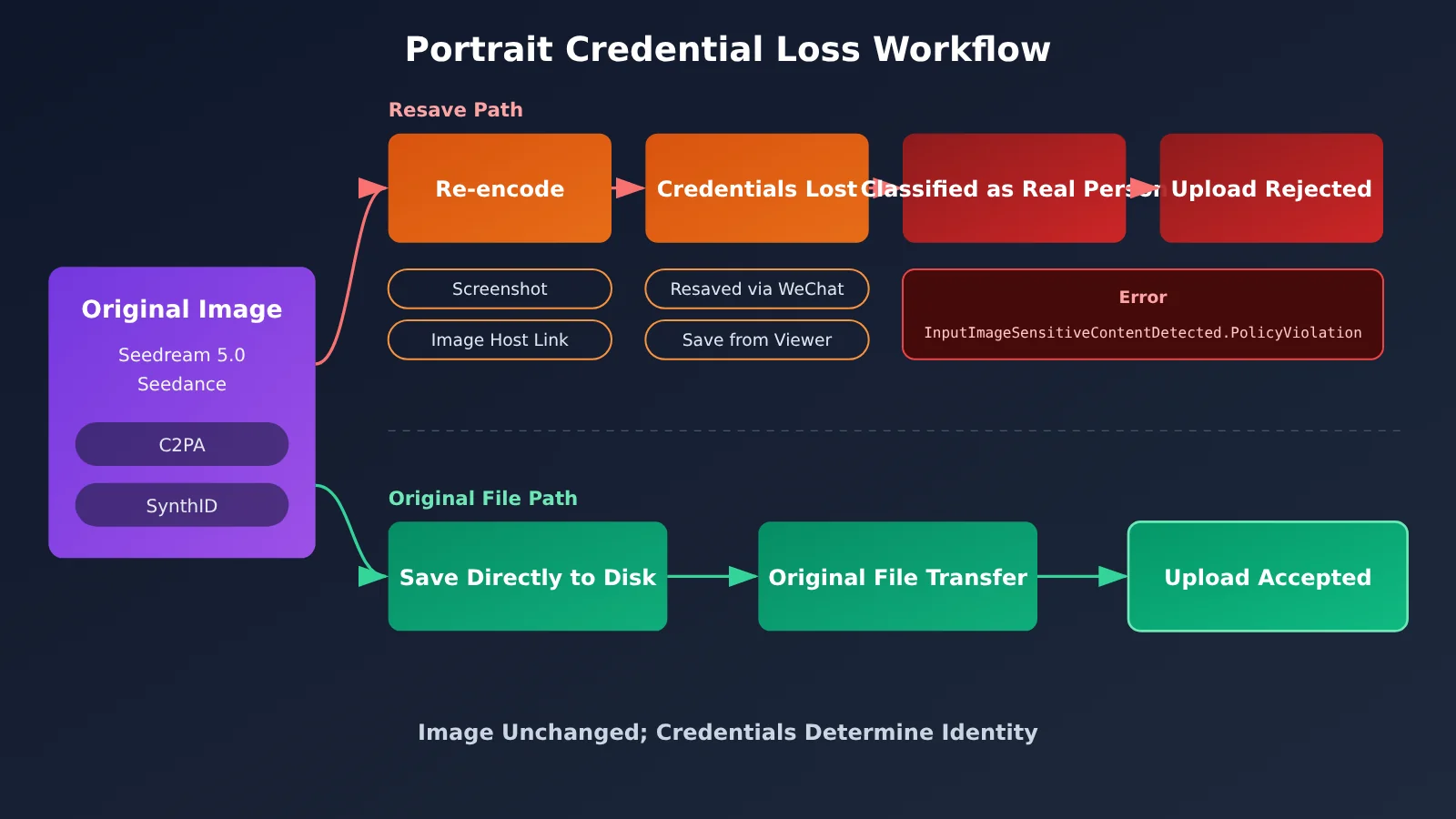
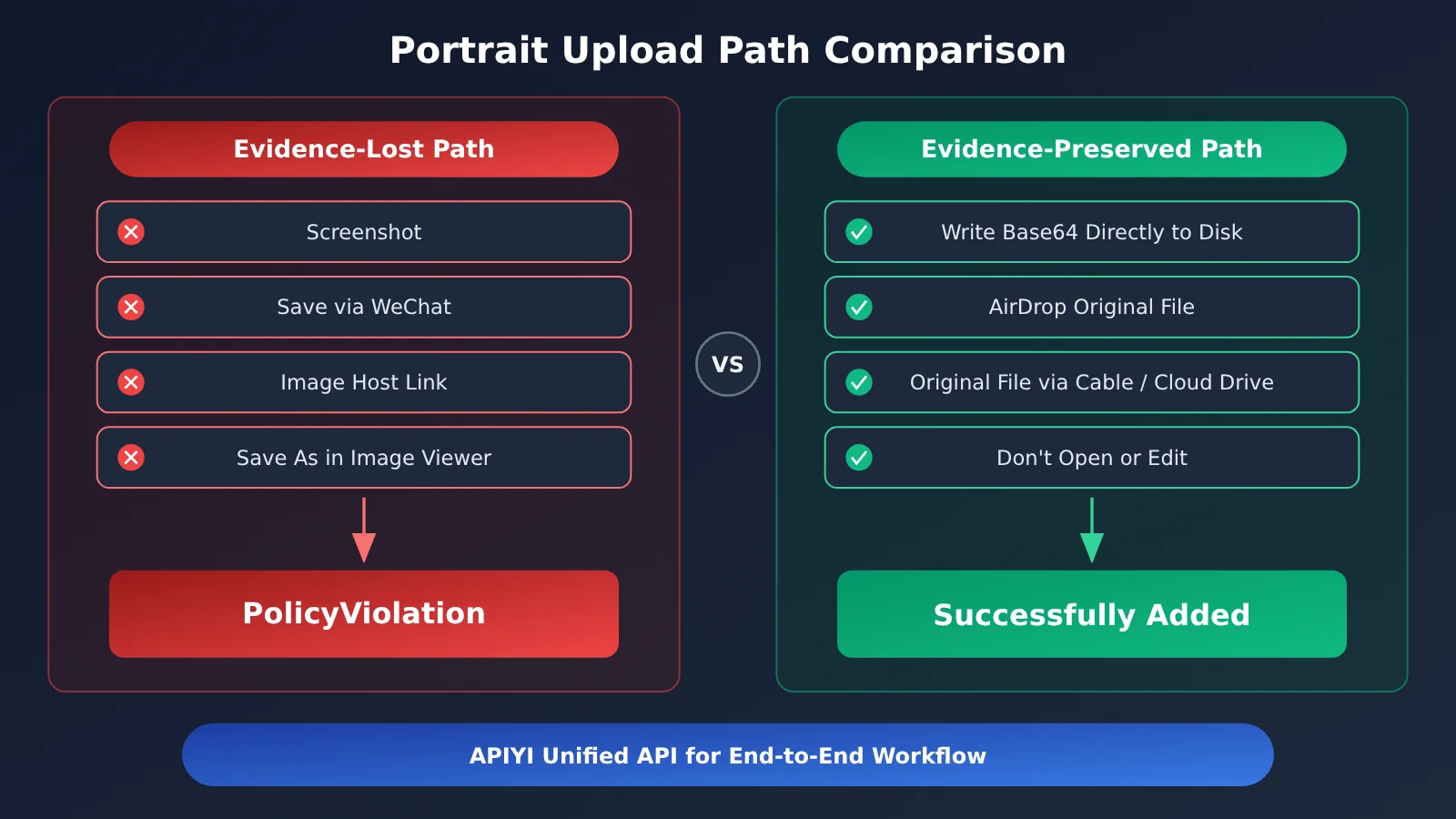
AI-generated images carry proof that they’re model outputs. APIYI’s documentation mentions two types: C2PA metadata and SynthID invisible watermarks. Screenshots, saving images through WeChat, rehosting them through an image host, and saving a copy in an image viewer all re-encode the image and strip away these forms of proof.
Once that proof is gone, the image looks the same, but its identity has changed: what was originally a virtual portrait now looks like a real person of unknown origin to the system, triggering InputImageSensitiveContentDetected.PolicyViolation. Note that WeChat strips metadata even when you select “Original.”
Seedance Copyright Errors and 3 Portrait Entry Points
Seedance 2.x supports portraits through just three entry points. Before uploading, check which category your image falls into, then choose the right path.
| Entry point | Source requirements | Where the proof comes from | Typical use |
|---|---|---|---|
| Platform-provided virtual portraits | Select a virtual portrait provided by the platform | Attribution is provided by the platform | The easiest option when you don’t need a specific appearance |
| Original model output | An original image generated by your account with Seedream 5.0 text-to-image or Seedance within the past 30 days | C2PA metadata + SynthID invisible watermark | Custom AI character designs |
| Real-person portraits | Complete real-person verification and obtain the person’s authorization | Verification and authorization records | On-camera appearances and digital doubles |
The table lists three strict requirements. All of them must be met:
- Your account: Images generated by another account aren’t eligible through this entry point, even if they have complete credentials.
- Within 30 days: Outputs older than this time window no longer qualify.
- Original output: Any re-encoded version is ineligible, even if it looks identical to the naked eye.
There’s one other point that’s easy to confuse. APIYI’s documentation states that the asset library is for non-portrait assets; portraits should go through the virtual portrait library or real-person portrait library. If you’ve been uploading face images to the general asset library, switch to the right library first, then deal with the credentials.
🎯 Technical tip: If you need a custom AI character, generate the portrait with Seedream 5.0 under the same account, then store and upload the original bytes. Using one API key through APIYI at apiyi.com to call both the generation and video endpoints keeps generation, storage, and upload in the same workflow, making it less likely that the credentials will be lost.
Seedance Copyright Error Quick Start: Preserve Provenance in 4 Steps
This section isn’t about generating videos. It focuses on one thing: getting model output into the portrait library without altering it.
Step 1: Get the original bytes from the generation endpoint
When using an OpenAI-compatible SDK, set base_url to https://api.apiyi.com/v1 and the model to seedream-5-0-260128. Refer to the APIYI documentation for the specific image generation parameters. If the response returns the image as base64, decode it with base64.b64decode, then write it directly to a file in binary mode ("wb").
The key word is “directly.” Don’t open the image with an image library and then save it, and don’t convert it to JPEG or resize it. These operations may re-encode the image and strip both its C2PA metadata and SynthID watermark.
Step 2: Transfer the original file
If the machine that generates the image isn’t the same one you use to upload assets, your transfer method determines whether the provenance data survives.
| Transfer method | Re-encodes the image? | Provenance risk | Recommendation |
|---|---|---|---|
| AirDrop | No, transfers the original file | Low | ✅ Recommended |
| USB cable | No | Low | ✅ Recommended |
| Cloud storage upload and download of the original file | No, transfers the original file | Low | ✅ Recommended |
| Screenshot | Yes | High | ❌ Don’t use |
| WeChat save (even with “Original Image” selected) | Strips metadata | High | ❌ Don’t use |
| Image hosting service link conversion | Yes | High | ❌ Don’t use |
| “Save As” in an image viewer | Yes | High | ❌ Don’t use |
Step 3: Don’t open, edit, or convert the file before uploading
Once the file is saved, the safest thing to do is leave it alone. Don’t crop it in an editing app, convert PNG to WebP to save bandwidth, or use an image viewer’s “Save a Copy” feature just to rename it. Renaming is fine; changing the content isn’t.
Step 4: Choose the right library before uploading
Upload portraits to the virtual portrait library or real-person portrait library. Only non-portrait assets belong in the asset library. Make sure you’re using the same account that generated the image, and that you’re still within the 30-day window.
🚀 Get started quickly: New users can register at APIYI apiyi.com to claim free trial credits. Generate a portrait with Seedream 5.0, then follow the four steps above to complete an end-to-end upload and confirm everything works before integrating it into your production workflow.
Seedance Copyright-Related Model IDs
As of 2026-11-10, APIYI’s pricing endpoint lists the following model IDs relevant to this article. For the full list and billing details, refer to the model list on apiyi.com. This article doesn’t include per-unit prices.
| Model ID | Type | Role in this article | Available platform |
|---|---|---|---|
seedream-5-0-260128 |
Seedream 5.0 text-to-image | Generates AI portraits that can be added to a library | APIYI |
doubao-seedance-2-0-260128 |
Seedance 2.0 | Video generation; outputs can be used as a source of portraits | APIYI |
doubao-seedance-2-0-fast-260128 |
Seedance 2.0 Fast | A version that generates videos faster | APIYI |
doubao-seedance-2-0-mini-260615 |
Seedance 2.0 Mini | Lightweight version | APIYI |
doubao-seedance-2-5-260628 |
Seedance 2.5 | Next-generation video model | APIYI |
All these models are available on the same platform, so you can use one API key for both portrait generation and subsequent video requests. For credential management, this reduces the number of steps involved—you won’t need to move images back and forth between multiple tools.
Seedance Copyright Error Troubleshooting Checklist
After receiving a PolicyViolation error, work through the checklist below from top to bottom. This usually helps you pinpoint the issue quickly.
| Check | How to check | What to do |
|---|---|---|
| Wrong library | Was the portrait uploaded to the general asset library? | Use the virtual portrait library or real-person portrait library instead |
| Image source | Is it platform-provided, generated by a model under this account, or a verified real person? | If none of these apply, it can’t be added to the library |
| Account consistency | Are the generation and upload accounts the same? | Upload using the account that generated the image |
| Time window | Was the image generated within the last 30 days? | If not, generate it again |
| Transfer path | Did it pass through a screenshot, WeChat, an image-hosting service, or a save-as step? | Start again with the original file |
| Local processing | Was it cropped, compressed, or converted to another format? | Use the unprocessed original file |
One point to emphasize: this checklist helps determine whether an image can be added to the library, not whether it can be used commercially. Passing review doesn’t mean you have permission to use third-party trademarks. You’ll still need to verify that any brand elements shown in the image are compliant.
Frequently Asked Questions
Q1: What does “copyright restrictions” in Seedance actually mean?
In most cases, it’s not about copyright or brands. The system can’t verify where the face came from. The asset library checks who the face belongs to and who authorized its use. Without proof, a face is treated as an unauthorized real person.
Q2: Why does the original AI-generated image pass, but a screenshot of it doesn’t?
Screenshots re-encode the image, stripping out C2PA metadata and SynthID watermarks. The image looks the same, but the proof that it was generated by a model is gone. The system then treats it as a real person with an unknown origin and returns `InputImageSensitiveContentDetected.PolicyViolation`.
Q3: Why was my image rejected even though I selected “Send as Original” in WeChat?
APIYI’s documentation states that selecting “Send as Original” in WeChat still strips metadata. To transfer files between devices, use AirDrop, a cable, or upload and download the original file through a cloud drive.
Q4: Can I add AI-generated portraits made with other tools to the library?
AI-generated faces can only be added if they’re original outputs generated within the past 30 days on the same account using Seedream 5.0 text-to-image or Seedance. AI portraits from other sources aren’t eligible. You can use one of the platform’s built-in virtual portraits instead.
Q5: How can I generate portraits through an API that are eligible for the library?
We recommend these steps:
1. Sign up at APIYI (apiyi.com) and get an API key and free trial credits.
2. Set the SDK’s `base_url` to the APIYI endpoint and use the `seedream-5-0-260128` model.
3. Once you receive the base64 result, decode it and save it directly to a file, then upload it to the portrait library using the same account.
Using the same key for generation and the Seedance video workflow keeps the process short and makes it less likely that the proof will be lost.
Q6: If an image passes review, is it safe to use commercially?
No. Passing review doesn’t mean you have permission to use third-party trademarks. The review checks the portrait’s origin. You’re still responsible for confirming whether you can use any brands, logos, or trademarks shown in the image.
Q7: What should I do if I want to make a video using a real person’s photo?
Use the real-person portrait process: complete real-person verification, get the person’s authorization, and then upload the image to the real-person portrait library. Don’t upload a real person’s photo to the asset library as ordinary content.
Key Takeaways: Seedance Copyright Errors
- Misleading wording: “Copyright restrictions” usually don’t mean there’s a copyright issue. They often mean there’s no proof of the portrait’s origin.
- Three valid paths: Use a built-in virtual portrait, an original model output generated in your account within the past 30 days, or a real person’s verified identity and authorization.
- Proof is embedded in the file: C2PA metadata and invisible SynthID watermarks can be lost when a file is re-encoded.
- High-risk actions: Taking a screenshot, saving through WeChat (even as an “original”), rehosting via an image host, or using an image viewer’s “Save As” feature.
- Transfer files correctly: Decode base64 and save the bytes directly to disk. Use AirDrop, a cable, or cloud storage to transfer the original file.
- Choose the right library: The asset library is for non-portrait images. Use the virtual portrait library or real-person portrait library for portraits.
- Getting started: Use one APIYI key for both Seedream image generation and Seedance model invocation.
Summary
Here are the key points to remember when Seedance’s asset library reports a copyright error:
- Rethink the error: Treat it as “missing proof of origin,” not “the image infringes copyright.”
- Identify the right path: Check which of the three paths applies to the portrait. AI-generated portraits must use the original model output path.
- Preserve the proof: Use the original bytes from generation through upload. Don’t take screenshots, save copies, or edit the file.
- Know what approval means: Passing review only means the portrait’s origin has been accepted. It doesn’t mean a third-party trademark is authorized.
The next time you see this error, don’t rush to remove a logo or change the background. Trace how the image got from the generation service to you—the issue most likely happened during one of those “quick saves” along the way.
We recommend using the same APIYI key at apiyi.com for Seedream generation and Seedance calls. This shortens the transfer chain and reduces the risk of losing proof along the way.
📚 References
- APIYI Live Update: Seedance Asset Library PolicyViolation Guide: Published 2026-11-09 at 18:08 (UTC+8)
- Link:
docs.apiyi.com/live/2026-11/seedance-asset-policy-violation.md -
Details: The original guide explains the three portrait input methods, why credentials are lost, and how to pass them correctly.
-
APIYI Live Updates: A collection of recent platform updates
- Link:
docs.apiyi.com/live.md - Details: Check here for follow-up updates related to Seedance and Seedream.
Author: APIYI Technical Team
Technical support: If you run into issues uploading assets or invoking models, contact us from the APIYI homepage for integration instructions and troubleshooting tips.