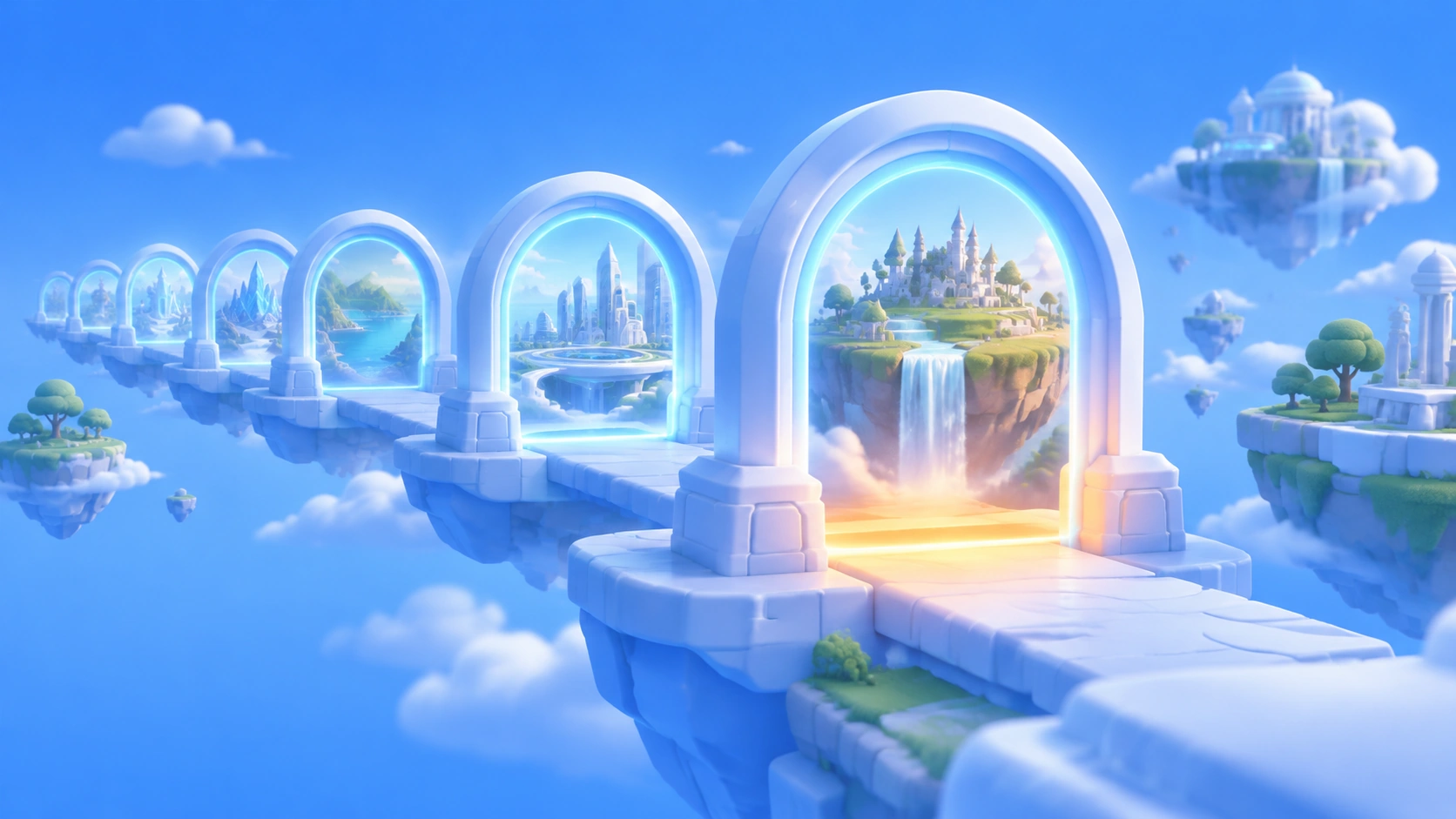
Summary: Portals was initiated by Ethan Mollick. It links 471 3D worlds — written by Claude Fable 5.2 and the Agents it organized — into a chain of portals, and the camera automatically flies through each door. This article first gives you entry points you can open directly, then explains what makes the work impressive, why the doorway can reveal the next stop in advance, and what the two numbers — 471 and roughly 25,000 — each mean.
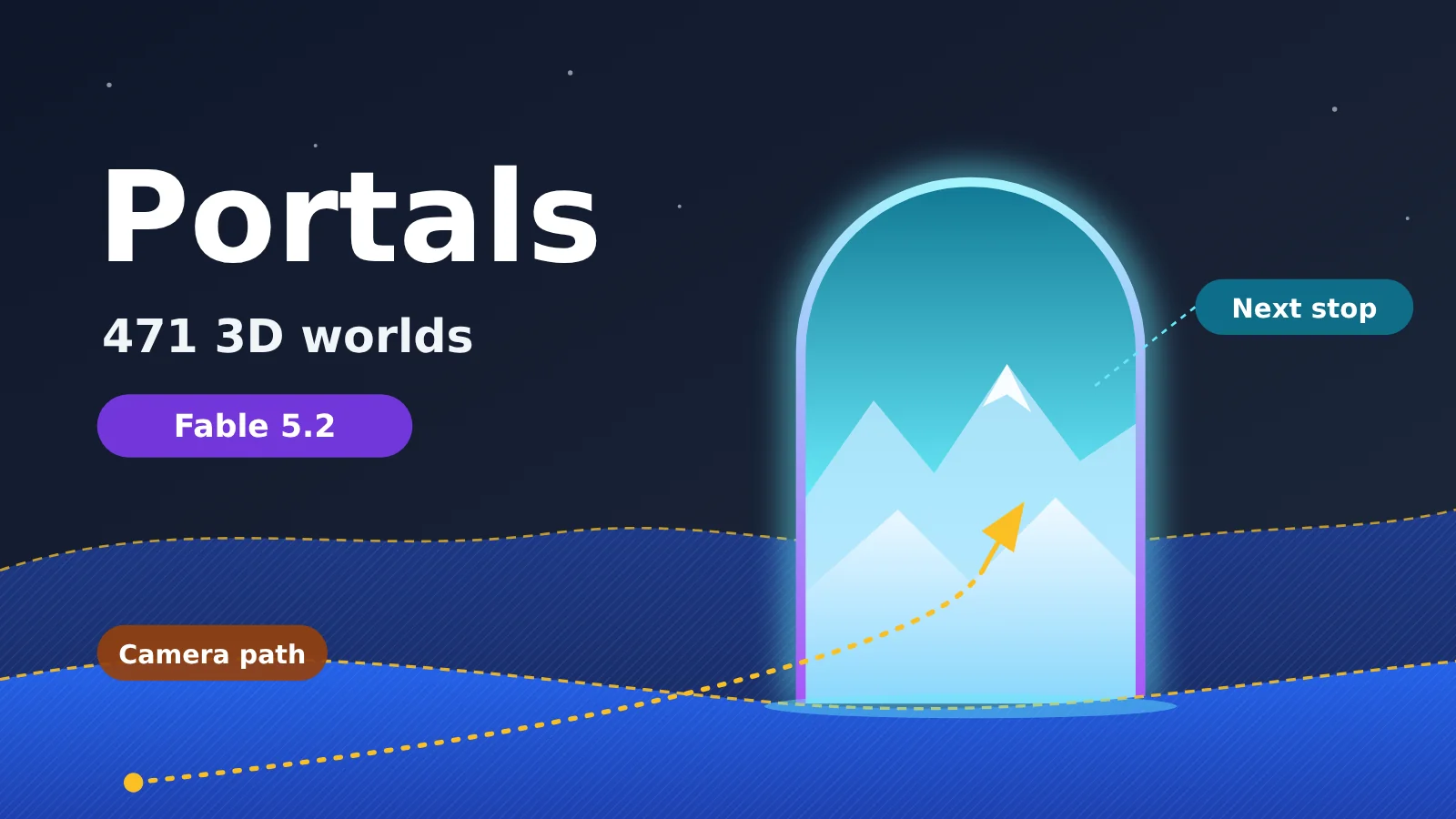
Bottom line first: Portals stuns with “the next world is already inside the door”
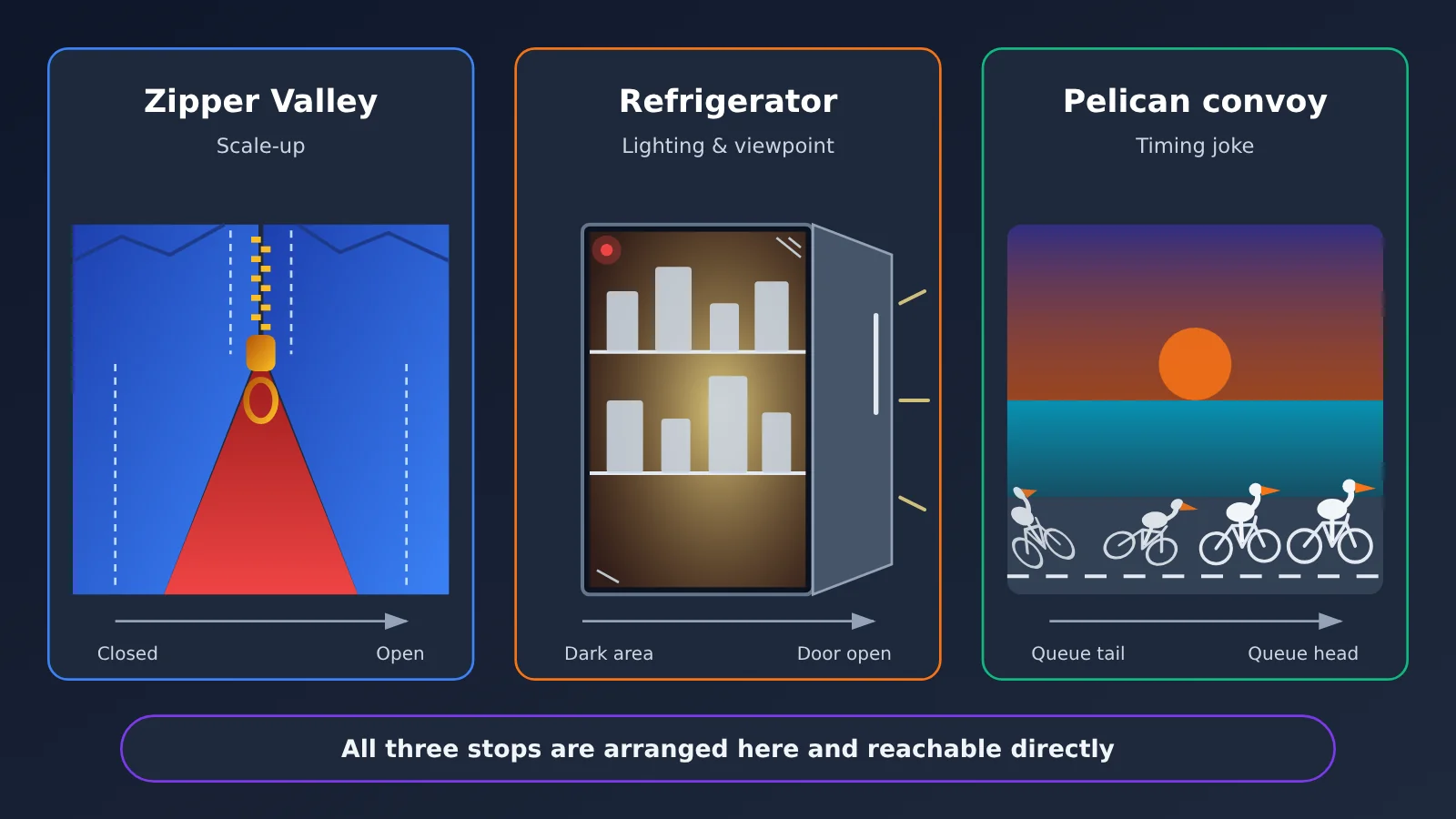
The most impressive moment in Portals happens before the camera passes through the door: the previous scene is still on screen, yet the doorway already shows another terrain in motion. Once the camera enters the new world, you immediately get a clear visual idea. The denim zipper scales an everyday object up into a landscape, the refrigerator rewrites an everyday action with light and perspective, and the pelican convoy turns an AI drawing-test meme into a stretch of the journey.
Two entry points — open and watch, no sign-up or login needed:
The two numbers in the title measure different things, so they need to be read separately. 471 is the number of worlds included in the s8f release snapshot on November 9, 2026. About 25,000 is Claude’s own estimate of how many agent runs the whole project involved — and most of those runs completed just one small task, such as reviewing a single image.
“Portals” Knowledge Map and Reading Index
| No. | Content | Question it answers | Relationship to adjacent sections |
|---|---|---|---|
| 1 | Open the page and take one pass through a portal | How to view it, how to interact | Entry point — readers see the doorway effect for themselves first |
| 2 | Three direct links and one fixed route | What’s so impressive about it | Look at specific scenes, building on section 1 |
| 3 | How the portal preview is implemented | Why there’s a next destination inside the doorway | Explains the phenomena seen in sections 1 and 2 |
| 4 | The making of 471 and 25,000 | Where the numbers come from and what they mean | Moves from the artwork back to Fable 5.2 and multi-Agent collaboration |
I’d suggest reading in the order 1 → 2 → 3 → 4: experience it first, then see how it works, and finally look at the making process. If you only care about the artwork, you can stop after section 2 and head straight to the web page. If technical implementation or Agent collaboration is what interests you, jump to sections 3 and 4 and read whatever you need.
“Portals” Terms To Know
| Term | Plain explanation |
|---|---|
| 3D world | A standalone three-dimensional scene built in the browser, with its own terrain or objects, lighting, and navigation route |
| Camera path | A camera route written into the program in advance; when you open the piece, the camera flies along it automatically |
| Portal | A transition opening between scenes — the camera passes through the doorway and enters the next world |
| Procedural generation | Geometry, materials, or sound produced by running code rather than by dropping in ready-made model files |
| Three.js | A JavaScript library that lets web programs build and display 3D scenes |
| Real-time rendering | While you browse, the browser redraws every frame based on the current scene and camera position |
| Agent | A program role that can call tools, produce content, or check results against a goal; in this project it’s split into roles such as art, code, and review |
| Agent run | A single piece of work performed by an Agent — sometimes as little as reviewing one image |
| Release snapshot | A site version and world list frozen at a point in time; this article uses the s8f snapshot from November 9, 2026 |
1. When You Open the Portals Webpage, Watch One Door Crossing First
1.1 Automatic Flight and Doorway Preview
After you open the project homepage, the page starts flying on its own once it finishes loading — viewers don’t need to steer. On November 23, 2026, we opened the homepage in Edge on Windows and saw the doorway scene along with light colors that shift over time. When we clicked through to the next door, the screenshot already showed another scene with terrain inside the doorway.
So on your first visit, it’s worth holding off on clicking any buttons and letting the camera fly up to a door. The previous world still fills most of the screen while another world is already moving inside the door — that’s the most immediate “wow” moment this piece has to offer.
1.2 Common Portals Controls
Moving the mouse brings up the control bar at the bottom. You can also do the following by clicking the buttons on that bar directly:
| Key | Action | When to use it |
|---|---|---|
| Space | Pause | You want to stop and study a particular frame |
| Right arrow | Speed up the flight to the next door | You want to skim through more worlds quickly |
| I | Open the gallery | Search by name, browse categories, pick a Journeys route |
| G | Switch to a steady camera | You’re sensitive to camera shake |
| O | Open options | Pick Low under Graphics if it stutters |
| S | Toggle sound | Sound is off by default; you need to turn it on manually |
| F | Fullscreen | Get a more immersive viewing experience |
The options also include Pace for adjusting flight speed and Earthly–Strange for how often the stranger scenes appear. In our Edge test, the gallery showed the number of visited scenes out of a total of 471; searching for The Valley Unzips returned the matching entry; after switching to Gentle, Camera displayed Steady (gentle); and Graphics could be set to Low.
1.3 Portals Requirements
All you need to watch is a modern browser that supports 3D rendering on the web. The project repository recommends a reasonably good graphics card; older laptops and phones can try lowering the graphics quality. This check didn’t cover every world, and we didn’t measure frame rates, verify the audio, or test on mobile — performance on different machines depends on the browser and graphics card.
2. Three 3D Worlds That Show What Makes Portals So Striking
The three stops below are the viewing order picked for this article. Each link opens on its own and drops you into the chosen scene, which makes them handy for readers with limited time who just want a quick taste. The design details come from author Mollick’s retrospective and from the publicly available scene source code.
2.1 The Valley Unzips: A Zipper Scales Everyday Objects into Terrain
In The Valley Unzips, the hillsides are stitched together from denim, and a long zipper is opening down the middle of the valley. The design notes in the scene’s source code mention a copper pull, a pull ring as big as a door, indigo fabric, and the red cotton cloth underneath.
As you watch, keep your eye on two relative motions: the pull moves forward along the valley while the fabric hills on either side gradually part to reveal a red layer. Up close, you can see the stitching on the cloth; in the distance, it becomes a mountain ridge silhouette. The same visual idea holds at different distances—and that’s the power of procedural materials.
2.2 Keep Refrigerated: A Fridge Turns an Everyday Action into a Spatial Transformation
Keep Refrigerated takes the perspective of a fruit fly sitting inside a closed refrigerator. Following the order recorded in the world file, the scene first shows the indicator light and frost patterns in the dark, then the door seal cracks open, the light comes on, and the fridge door swings outward.
Once the light comes through, the jars on the shelf turn into front-to-back layers like high-rises from that low vantage point. For this scene, it’s worth waiting patiently until the fridge door opens before judging it—you need to look at the lighting changes and the fly’s low-height perspective together.
2.3 The Pelican Peloton: Writing an AI Test Meme into a Journey
The Pelican Peloton starts at the later stretch of a coastal highway, with the camera overtaking a pack of cycling pelicans along the road. The author notes that the bicycles in the back row are deliberately drawn with messed-up structure, becoming more plausible the further forward you go, until the lead pelican and its bike are nearly correct.
“Pelicans riding bicycles” was originally a single image commonly used to test AI image generation capability. Here the camera’s flight direction turns it into a joke with a sense of sequence. When watching, just compare the tail of the pack with the lead and you’ll get the punchline; it doesn’t represent any model’s test score.
2.4 One Drop of Water: Follow This Fixed Route to Keep Walking Through Doors
If you want to keep walking through doors the whole way, you can pick the route the project ships with: One Drop of Water. It strings landscapes together according to the changing states of water—starting from hail, moving through snow crystals, glaciers, waterfalls, and channels, then flying all the way out to the deep sea.
The source code lists the 13 worlds this route uses, one after another. Unlike the hand-picked order of the previous three stops, this is a fixed journey within the site, making it a good way to watch how materials and scale shift continuously across scenes.
| How to watch | Entry point | What it’s like | Who it’s for |
|---|---|---|---|
| Three-stop direct links | Zipper Valley / Refrigerator / Pelican Convoy | Arranged by this article, one main idea per stop | Limited time, want a quick call on whether it’s worth seeing |
| Fixed route | One Drop of Water | The site’s Journeys, 13 worlds with doors in a row | Want the full feel of continuous door-walking |
| Gallery pick-your-own | Press I to search |
Choose any starting point by name or category | Want to dig deep into 471 worlds |
3. How the Scenery Behind the Portals Doorways Connects to the Next Segment
3.1 The Basic Building Blocks of Each 3D World
According to the project README, each world is written as a standard build function that produces a Three.js scene, a camera path, and a duration — most worlds run about 40 to 50 seconds. The main engine handles moving the camera along the path. Common elements like sky, water, terrain, plants, and buildings can call shared components, while each world’s own code handles its unique shapes — for example, the fabric vertices and geometric seams of Zipper Valley.
3.2 The Three Steps of the Doorway Preview
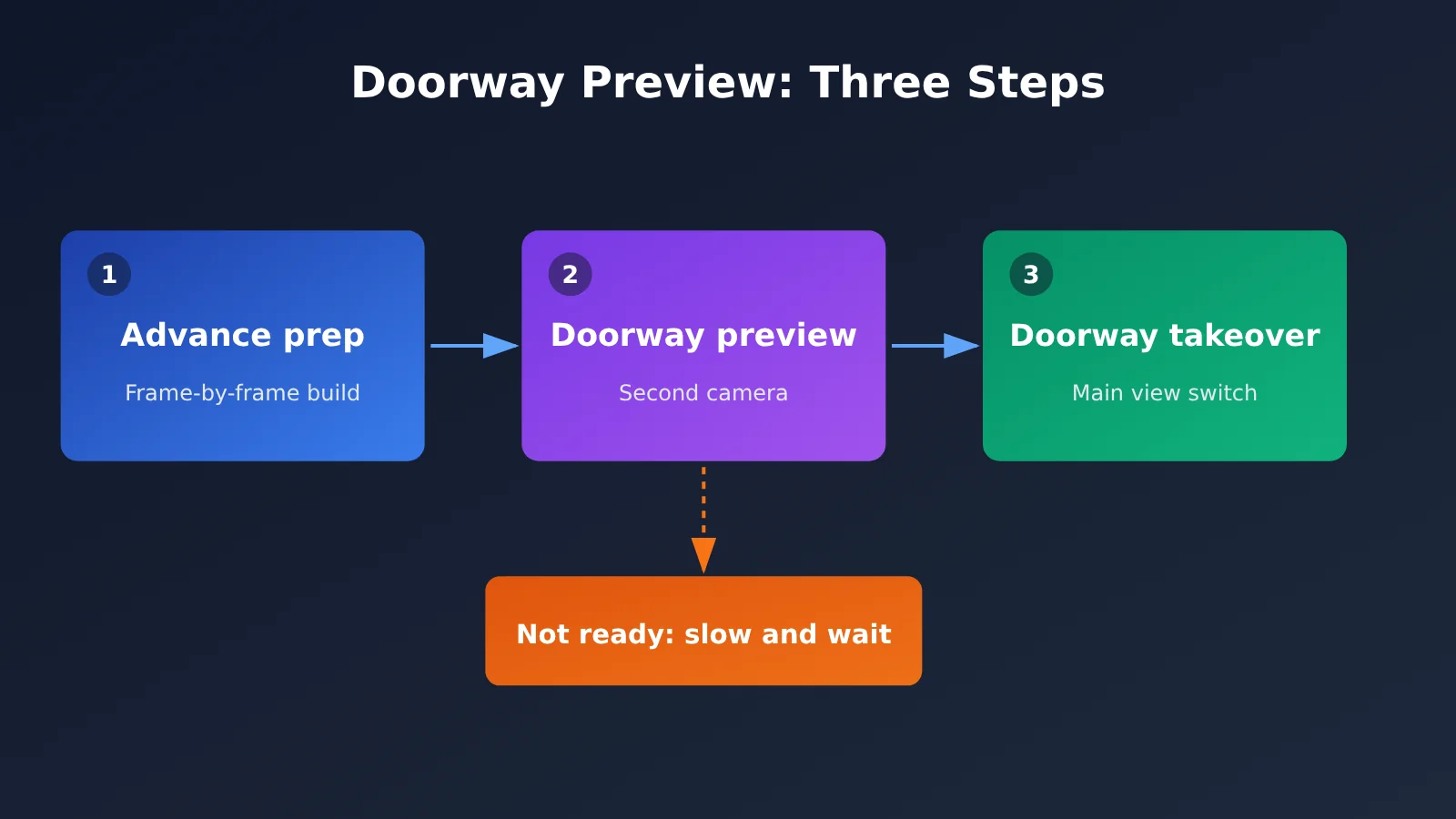
Being able to see the next stop ahead through a doorway comes down to three parts working together:
- Prep ahead of time: each time you pass through a door, the engine starts choosing the next world about a second later, building it in small time slices spread across multiple frames and warming up shaders and textures behind the scenes.
- Doorway preview: outside the door, the main camera draws the current world; inside the doorway, a second camera draws the next world in real time every frame.
- Takeover on crossing: as the camera approaches and passes through the door, the next world takes over the view, and the camera keeps flying without interruption.
If a world takes longer to prepare, the camera slows down as it nears the door and, if necessary, waits in front of it. Because the prep work is spread across the gaps in the previous flight, the scene transition keeps that sense of continuous flight.
3.3 No Model Connection Needed When Viewing
The published output is a static web page. The repo notes there’s no project-built backend when you visit, and no login required; scenes you’ve already seen, favorites, and options are all stored locally in the browser. Each world’s geometry, textures, and sound are built or synthesized by the browser, while gallery thumbnails, the site icon, and share preview images still exist as files.
The project depends on Three.js, some worlds use Three.js’s built-in Utah teapot geometry, and the source includes a few functions that credit their original sources. Fable 5.2 was involved in the development and creation phase; when you open the piece, the visuals are rendered entirely in real time by your own browser.
4. Putting 471 worlds and 25,000 Agent runs back into the creative process
4.1 How Fable 5.2 and multiple Agents divided the work
In October 2026, Mollick kicked off the project with a single paragraph of text: have the camera continuously fly through connected 3D worlds, and proposed that art, coding, and evaluation roles could collaborate. After that, he added requirements for scene themes, galleries, and gentle camera movement, and stepped in when quality and collaboration problems came up. The scene ideas, code writing, and iteration work were handled by Claude’s Agent.
The author used an early access version before Fable 5.2 was officially announced. Anthropic released Claude Fable 5.2 on November 9, 2026, with the official model ID claude-fable-5-2.
4.2 Portals Project Timeline and Numbers
| Time point | Fact | Counting basis |
|---|---|---|
| About 20 hours after launch | 204 worlds went live and became accessible web pages | Recorded in both the author’s retrospective and the README |
| First two days after launch | 328 different worlds created | The author also noticed that several teams had duplicated the animal-rotation composition |
| Day 10 | 1 main Agent + 28 scene teams running in parallel | The 28 refers to collaborating teams, not the number of invocations |
| 2026-11-09 (s8f) | 471 worlds, about 1.4 million lines of JavaScript | README basis; the author’s same-day retrospective says “more than 450” |
| Whole-project cumulative | About 25,000 Agent runs | Estimated by Claude; most runs did only one small task |
The 471 figure has multiple corroborations: the README explicitly lists 471 worlds for the s8f snapshot, the live-site gallery denominator on November 23 is also 471, and you can count 471 distinct world IDs from the public release manifest. The 25,000 figure, by contrast, exists only as an estimate; the project hasn’t published per-run logs, complete token usage, or total engineering cost. The author says that during the early trial period he wasn’t charged by token, so there’s no way to use that number to work backward to how much it would cost to make a comparable piece of work.
4.3 Quality-check rules briefly slowed down production
The author wanted the team to polish the worlds they already had first. The Agent turned that request into a process: take 12 test screenshots, hand them to another group of Agents for blind review, and only promote a new version if it won. As a result, some authoring teams focused their changes on those 12 screenshots, while the main Agent kept adding more rules.
According to the author’s retrospective, by the next morning the rules already had 84 sections. By day 12, that had grown to 204 sections and roughly 87,500 words. With proposal approvals, three AI reviewers, and code review, shipping a single world once took about a day, and output dropped to around ten a day. The author then had another group of Agents review the process from the outside. After keeping some quality control, he estimates output recovered to 30 or more worlds a day.
The repository also records another technical acceptance check: for every newly added or modified world, sample three positions during flight and test-render them, checking for errors and bad pixels. If it fails, it doesn’t ship with the release. After that, the assembled site is run through end to end at 10x speed. The three-point spot check catches failures; the 12 screenshots judge the subjective quality difference between old and new versions. They’re different stages.
4.4 The route in this article is just one sample
In the release list, the review Agent rated worlds on a 1-to-5 scale, with 28, 42, 85, 276, and 40 worlds in each tier respectively. All three stops selected for this article are in tier 4. The README notes that early automated tours tended to favor higher-rated works, and the author also observed repetitive compositions. The quality of the 471 worlds isn’t uniform; the three-stop route in this article represents only a small subset with distinctive styles.
How to Check Out Portals Right Now
If you want to decide in five minutes whether this piece is worth your time, just follow this order: open the homepage and wait for one portal transition, checking whether the next terrain is already visible inside the doorway. Then open The Valley Unzips, The Light Comes On (the refrigerator), and Pelican Peloton in sequence, paying attention to scale, lighting, and timing respectively. If you still want more, walk through One Drop of Water. If things get choppy, press O to set Graphics to Low; if you’re sensitive to motion, press G.
The project code is released under CC BY-NC-SA 4.0, while Three.js and a handful of standalone functions fall under their own separate terms. If you want to reuse screenshots or code from the piece, check the repository’s license and acknowledgments first.
References
- Project homepage: portals-endless-worlds.netlify.app
- Ethan Mollick’s retrospective (2026-11-09): oneusefulthing.org/p/fable-52-and-jagged-agi
- Project repository README and license notes: github.com/emollick/ai-portals
- Anthropic announcement (2026-11-09): anthropic.com/claude-fable-and-mythos-5-2