
Author’s note: Once you get the Kimi K3.1 Pro open weights, first determine whether the license constrains how you use them, then assess the self-deployment bar for 1.56 TB of weights. This article explains how to evaluate both questions by use case.
On November 4, 2026, Moonshot published the full open weights for Kimi K3.1 Pro on Hugging Face. That was the date it promised when it launched the model in its app and API on October 23. The repo moonshotai/Kimi-K3.1-Pro is publicly downloadable, with no application gate. After enterprise teams get the weights, they usually ask two questions first: Will our usage trigger license restrictions? How many resources do we need to prepare for self-deployment?
This isn’t an optimistic reading that “open weights mean free commercial use.” The license has two commercial conditions with monetary and user-count thresholds, and they don’t apply to the same parties. On the self-deployment side, the weight files alone are 1.56 TB, so the bar isn’t low either.
Key takeaway: After reading this, you’ll be able to tell who each of the two license conditions applies to, confirm that internal use isn’t bound by either condition, and make an initial assessment of self-deployment feasibility based on weight size, precision format, and recommended inference frameworks.
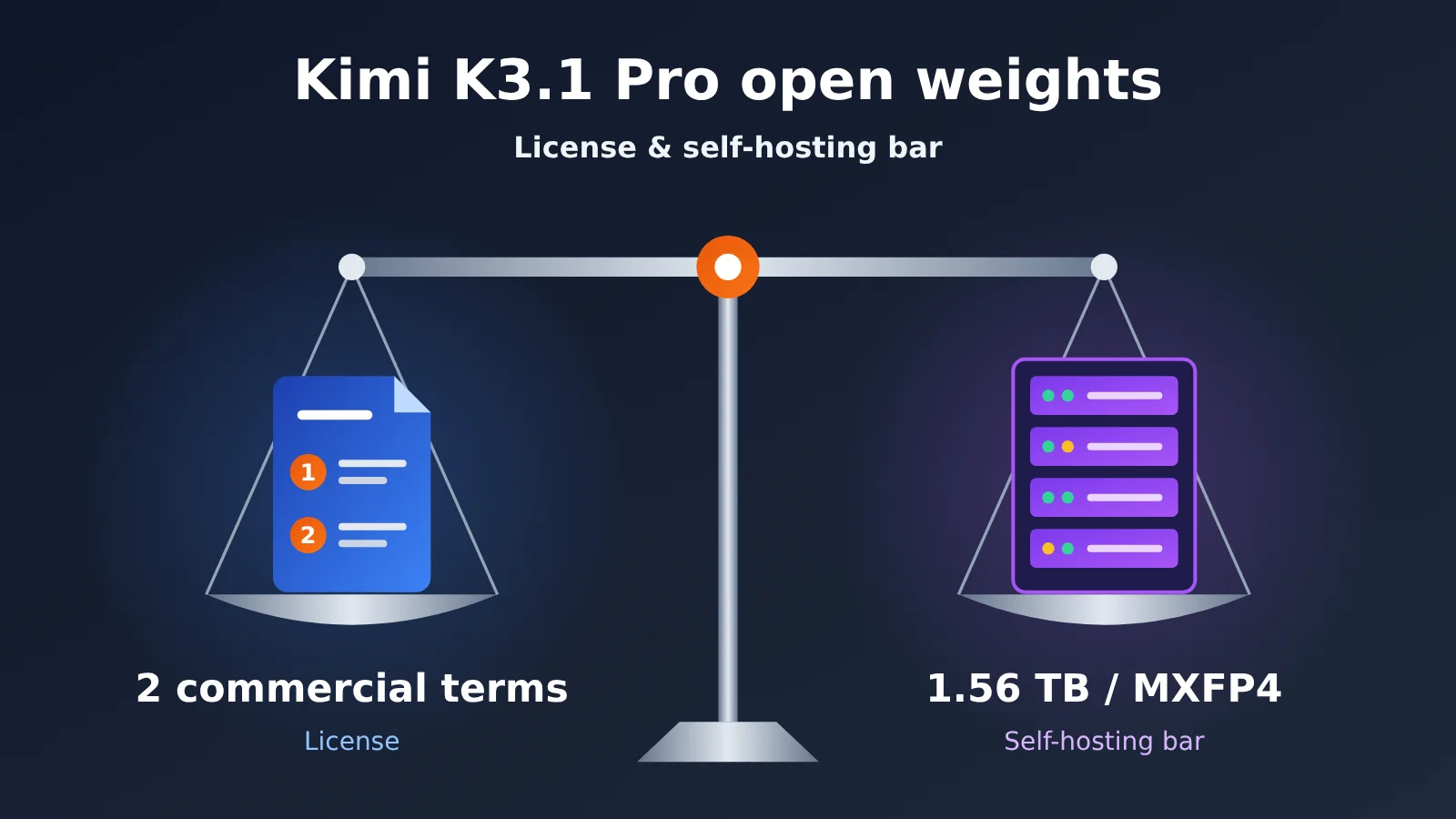
Kimi K3.1 Pro Open Weights: Key Takeaways
Here’s a table summarizing the information from this release that matters most for enterprise decision-making.
| Takeaway | Details | Why it matters for decisions |
|---|---|---|
| Release timing | API launched on October 23; weights published on November 4 | Delivered on the promised dates, 12 days apart |
| License | Word-for-word identical to the Kimi K3 license, with only the name changed | Teams that have already reviewed K3 can reuse their legal conclusions |
| Permissions | Use, modification, fine-tuning, and redistribution are all free | Almost no licensing friction for internal deployment |
| Two commercial conditions | High-revenue companies selling model services externally need a separate agreement; very large-scale products need prominent attribution | Affects only a small number of large external-facing businesses |
| Weight size | 96 safetensors shards, 1.56 TB total | Requires multi-machine, multi-GPU deployment capability |
| Precision format | MXFP4 weights + MXFP8 activations, quantization-aware training | This is the native precision used by the official service |
Kimi K3.1 Pro Release Background in Detail
According to ArtificialWatch’s tally, from July to early November, AI labs made explicit commitments to open-weight dates at release time a total of five times, and all five were honored on time. The gap from API launch to weight release ranged from 0 to 25 days, with a median of 12 days. Moonshot accounted for two of those: Kimi K3 and Kimi K3.1 Pro both delivered weights on day 12 after launch. For teams that need to plan self-deployment in advance, this is a useful cadence signal.
The model itself is post-trained from Kimi K3, with just one architectural change: the original full-attention layers were replaced with Gated DeepSeek Sparse Attention layers to reduce the compute cost of long contexts. There are 93 layers in total, 69 KDA layers and 24 Gated DSA layers. The model has 2.8 trillion total parameters, activates 104 billion per token, has a context length of 1,048,576 tokens, and supports text and image inputs.
Breaking Down the Kimi K3.1 Pro License, Clause by Clause
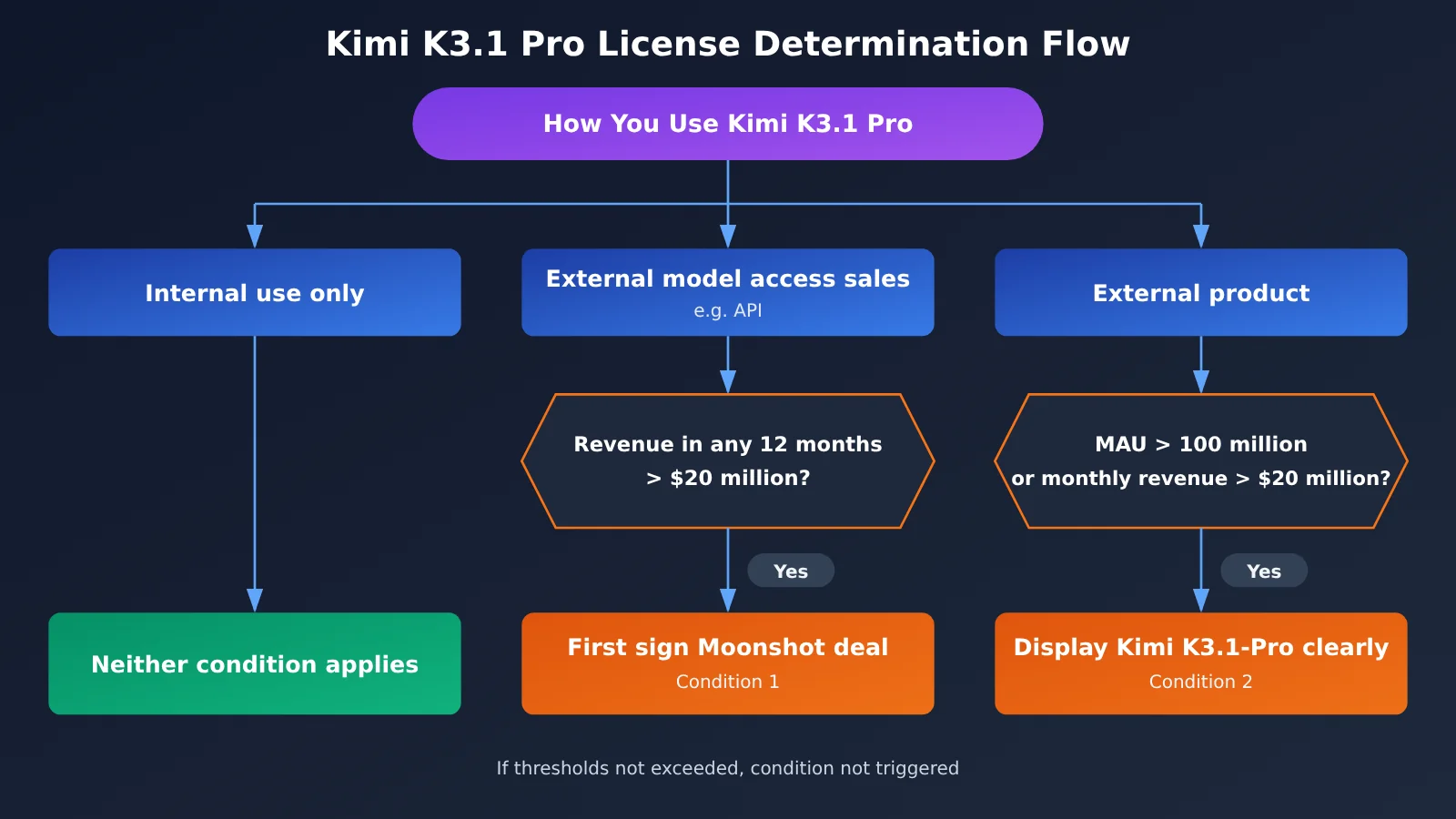
The default rights the license grants are pretty broad: use, modification, fine-tuning, and redistribution are all free. The restrictions come from just two extra conditions — and each one applies to a different party, so you need to look at them separately.
Condition One: Companies That Sell Model Access as a Service
The first condition targets companies that “sell access to the model as a service” — the classic form being an API. If such a company earns more than $20 million in revenue within any 12-month period, it needs to sign a separate agreement with Moonshot before commercial use. Two things to note here: first, “selling model access”; second, “any 12 months,” which is a rolling window, not a calendar year.
The specific terms of that agreement aren’t public — pricing, revenue sharing, and the approval process are all unclear. The original text also leaves room for interpretation on what counts as “revenue”: is it the company’s total revenue, or just revenue from the model service? If your business is anywhere near that threshold, have legal go straight to the LICENSE text and judge for themselves rather than relying on secondhand readings.
Condition Two: Attribution Requirements for Very Large Products
The second condition is about product scale. Products with more than 100 million monthly active users, or more than $20 million in monthly revenue, must prominently display “Kimi K3.1-Pro”. This one only requires attribution — no separate agreement. Note that the revenue threshold here is measured per month, which differs from the “12 months” yardstick in condition one; that’s an easy thing to mix up when you’re filling out a compliance checklist.
Kimi K3.1 Pro License: Scenario Comparison
The judgments below are based on public reporting that paraphrases the license. Before you go to commercial use, rely on the LICENSE text and your legal team’s opinion.
| Use case | Triggers condition one (separate agreement)? | Triggers condition two (prominent attribution)? | Key point |
|---|---|---|---|
| Internal company use (knowledge base, internal assistant, R&D tooling) | No | No | The materials explicitly state that neither condition applies to internal use |
| Fine-tuned internally, used in-house | No | No | Fine-tuning falls within the free rights |
| Offering an API externally, under $20 million in revenue over the last 12 months | No | Depends on product scale | Keep monitoring rolling 12-month revenue |
| Offering an API externally, over $20 million in any 12-month period | Yes | Depends on product scale | Must sign an agreement before commercial use |
| Consumer product with over 100 million MAU or over $20 million in monthly revenue | Depends on whether you sell model access | Yes | Must prominently display the model name in the product |
| Redistributing fine-tuned weights | No | No | Redistribution is free; check the LICENSE for attached obligations |
Assessing the Self-Deployment Barrier for Kimi K3.1 Pro
Just because the license isn’t a hurdle doesn’t mean a team can actually deploy the model. The table below summarizes deployment-related specs from the model card and public reports.
| Spec | Value | Deployment implication |
|---|---|---|
| Weight files | 96 safetensors shards, 1.56 TB total | Same scale as Kimi K3; download and storage need separate planning |
| Total parameters / active parameters | 2.8 trillion / 104 billion per token | MoE architecture; per-token compute is far smaller than total parameter count, but all weights must be loaded |
| Weight and activation precision | MXFP4 weights, MXFP8 activations | Inference frameworks and hardware need to support both formats |
| Context length | 1,048,576 tokens | Long context significantly increases KV Cache usage |
| Attention architecture | 69 layers of KDA + 24 layers of Gated DSA | The new sparse attention layers require framework adaptation |
| Input modality | Text + image | The multimodal preprocessing pipeline also needs deployment |
| Recommended inference frameworks | vLLM, SGLang, TokenSpeed | Prefer the frameworks recommended in the model card |
What MXFP4 Quantization-Aware Training Means for Deployment Precision
This is the easiest point to misread. According to the model card, Kimi K3.1 Pro is trained with MXFP4 weights and MXFP8 activations—that is, quantization-aware training. So the 1.56 TB file isn’t a “shrunken” version compressed after training; it’s the precision Moonshot itself uses when serving the model externally.
That leads to three practical implications:
- Self-deployed precision matches the official service: as long as the framework supports these formats correctly, there’s theoretically no “self-deployed version is worse than the official API” quantization loss.
- Dequantizing to higher precision isn’t recommended: converting weights to formats like BF16 won’t restore extra capability, but it will multiply VRAM requirements.
- Hardware and framework compatibility is key: MXFP4/MXFP8 require support from the inference framework and accelerators. When selecting hardware, confirm that the framework version already supports this model.
A Rough Estimate of Kimi K3.1 Pro’s Hardware Scale
Public materials don’t provide official hardware configuration recommendations or cost data. The following is just an estimate based on file size. Loading the weights alone requires more than 1.56 TB of aggregate VRAM. Add KV Cache, activations, and framework overhead, and actual requirements will be higher. If you want to use the full million-token context, requirements will climb further. This means single-machine, single-GPU setups are basically unworkable; teams need experience deploying multi-GPU or even multi-node tensor parallelism or expert parallelism. For specific GPU types, counts, and costs, refer to the inference framework’s official deployment docs and rely on small-scale stress test results.
Separately, Moonshot also released Kimi K3.1 Pro Highspeed, claimed to be 2 to 3 times faster, but it’s unclear whether it’s a standalone checkpoint, and there’s no corresponding repository on Hugging Face. Teams hoping to reproduce Highspeed’s speed with open weights will need to wait for further clarification from the official team.
Kimi K3.1 Pro Quick-Start Path
Because the weights are large, it’s best to proceed in the order of “validate capabilities first, then decide whether to self-deploy,” so you don’t sink money into hardware too early.
Step 1: Use the API to validate Kimi K3.1 Pro capabilities
Before committing deployment resources at the 1.56 TB level, running your own business samples through the API is the lowest-cost way to validate the model. Here’s how:
- Prepare 50 to 200 real business samples covering typical inputs such as long documents, mixed text and images, and code.
- Call the model through an OpenAI-compatible interface, set the
modelparameter to the Kimi K3.1 Pro model name provided by the platform, and record output quality and latency. - At the same time, run the same batch of samples through 1 to 2 alternative models to build side-by-side comparison data.
🚀 Quick start: APIYI (apiyi.com) offers unified access compatible with both OpenAI and Anthropic API formats. Existing SDKs only need the
base_urland API key replaced. For whether Kimi K3.1 Pro is already available and its model name, refer to the list on the pricing page https://docs.apiyi.com/models; for integration parameters, see the documentation center at docs.apiyi.com.
Step 2: Checklist before self-deploying Kimi K3.1 Pro
Once capability validation passes and you genuinely need self-deployment, go through the checklist below item by item:
- Compliance confirmation: Check whether your use case is internal use or external service against the scenario table above, and have legal review the original LICENSE text.
- Storage and download: Prepare at least 1.56 TB of high-speed storage, and plan for downloading and integrity-checking 96 shards.
- Framework selection: Choose one of vLLM, SGLang, or TokenSpeed, and confirm the current version supports the Gated DSA layers and MXFP4/MXFP8 formats.
- Context planning: Set the maximum context window based on actual business needs. You don’t need to default to a million tokens—that saves KV Cache.
- Load testing and regression: Use the samples you accumulated in step one for comparison tests to confirm self-deployed outputs match API results.
Kimi K3.1 Pro Self-Deployment vs. API Calls
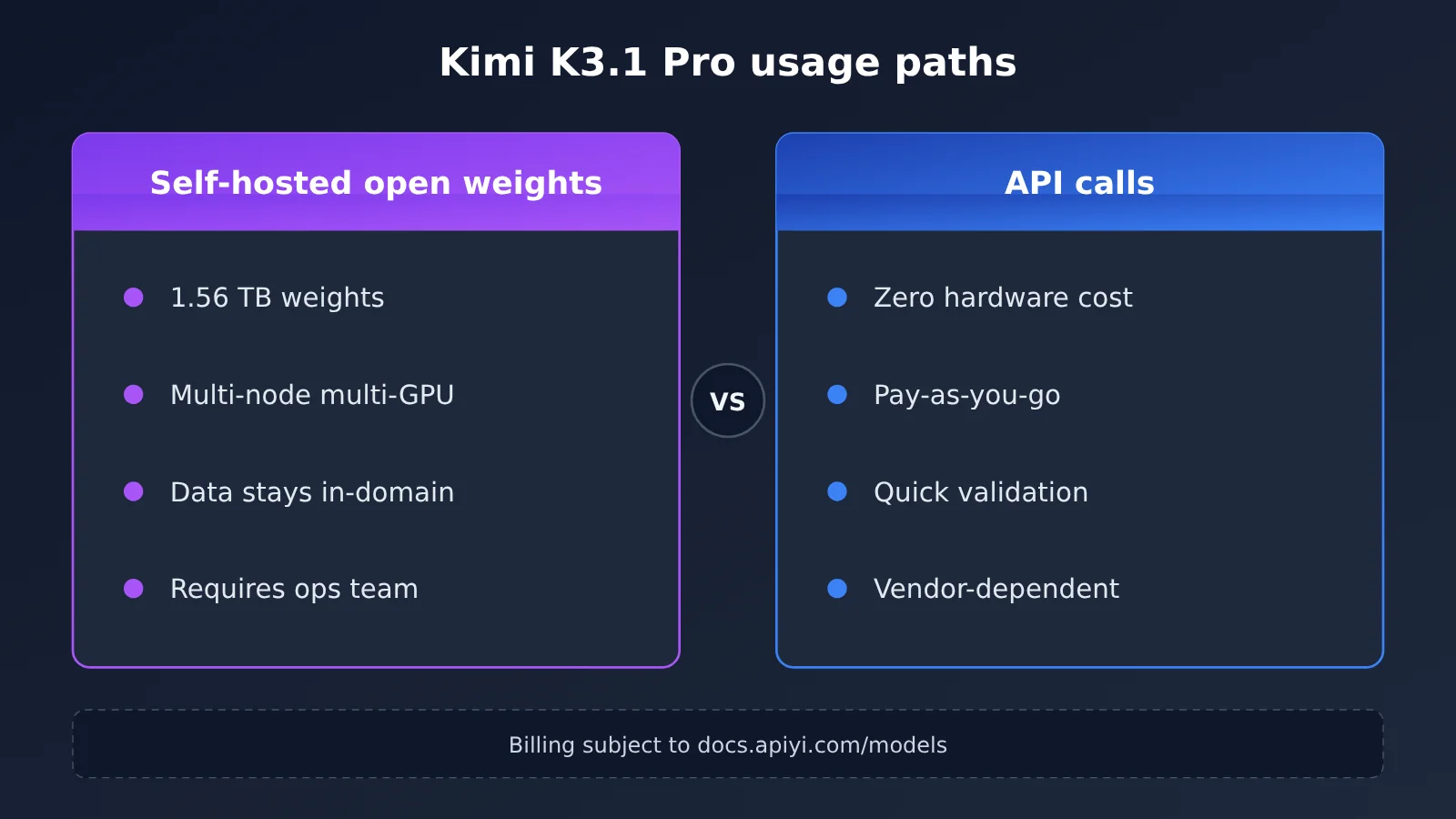
| Dimension | Self-deployed open weights | Calling via API |
|---|---|---|
| Upfront investment | High; requires multi-machine, multi-GPU, and storage | Low; pay based on call volume |
| Data control | Data stays entirely on the internal network | Data must be sent to the service provider |
| License impact | Internal use is not subject to the two conditions | The service provider bears compliance obligations for external services |
| Time to launch | Weeks of deployment and tuning | Can be integrated the same day |
| Ops requirements | Requires dedicated inference operations | Basically no ops |
| Suitable stage | Large-scale, high-compliance scenarios | Capability validation, small-to-medium business |
| Available channels | Hugging Face moonshotai/Kimi-K3.1-Pro |
Moonshot official API; APIYI (apiyi.com; availability subject to the model list) |
💰 Cost note: For input/output unit prices, cache pricing, and other billing details for API calls, refer to the real-time data on the APIYI pricing page https://docs.apiyi.com/models. This article doesn’t provide unverified price figures. For Moonshot official API pricing, refer to Moonshot’s official announcements.
How to Interpret Kimi K3.1 Pro’s Ranking Data
Public reports describe Kimi K3.1 Pro as currently “the highest-ranked open-weight model.” That claim has a specific statistical basis, so when evaluating it, you should treat it as a reference signal, not a conclusion about capability.
| Metric | Value | Methodology |
|---|---|---|
| ArtificialWatch Bench Index | 69.9, ranked 11th out of 44 models | Takes the percentile on every public leaderboard that scores it, then the median; open-source and closed-source models are ranked together |
| Position among open-weight models | 1st | Slightly ahead of DeepSeek V4.1 Flash (68) |
| Coding Index | 45.1, ranked 21st out of 45 models | Coding leaderboards; behind 4 other open models |
Three things are worth noting. First, the median percentile reflects the model’s “relative position” across multiple leaderboards, not its absolute capability on any specific task. Second, the gap between 69.9 and 68 is small and doesn’t prove there’s a meaningful difference between the two in your business. Third, Kimi K3.1 Pro ranks high overall, but its coding index is relatively low, so teams focused mainly on code generation should prioritize targeted benchmarking.
FAQ
Q1: Can Kimi K3.1 Pro’s open weights be used commercially for free?
In most cases, yes. Use, modification, fine-tuning, and redistribution are all free. Only two situations require extra handling: companies that sell model access externally and have earned more than $20 million in any 12-month period need to sign a separate agreement; products with over 100 million monthly active users or over $20 million in monthly revenue need prominent attribution.
Q2: What’s the difference between the Kimi K3.1 Pro license and the Kimi K3 license?
According to ArtificialWatch’s word-for-word comparison of the two documents, the licenses are identical in content—only the name changed. Teams that have already completed a K3 compliance review can reuse their conclusions directly, though it’s still worth having legal do a quick recheck.
Q3: Will internal enterprise deployment of Kimi K3.1 Pro trigger license restrictions?
No. The materials explicitly state that neither commercial condition applies to internal use. Internal knowledge bases, R&D assistants, data analysis, and similar scenarios can use and fine-tune the model directly.
Q4: What hardware does self-deploying Kimi K3.1 Pro require?
Official specific configurations and costs haven’t been published. The weights alone are 1.56 TB, and with KV Cache the requirements are even higher, so you’ll need multi-GPU or even multi-machine clusters, and the inference framework must support MXFP4/MXFP8 formats. We recommend validating business results first through API channels like APIYI apiyi.com before deciding whether to invest in hardware.
Q5: How can I quickly call Kimi K3.1 Pro via API?
You can use Moonshot’s official API or an aggregation platform. APIYI is compatible with both OpenAI and Anthropic interface formats, so existing code needs only minimal changes. See docs.apiyi.com for integration details; whether the model is live and the billing standards are subject to https://docs.apiyi.com/models.
Q6: Can the Kimi K3.1 Pro Highspeed version be self-deployed?
Currently uncertain. Moonshot hasn’t said whether Highspeed is a separate checkpoint, and there’s no corresponding repo on Hugging Face. Right now the only downloadable version is the standard `moonshotai/Kimi-K3.1-Pro`.
Q7: What are the known limitations of Kimi K3.1 Pro?
Mainly four points: the self-deployment hardware threshold is high, with no official configuration recommendations; the content of the “separate agreement” clause isn’t public; the programming index ranks behind the other 4 open models; and the availability of the Highspeed version is unknown. If your business touches these areas, set aside time for evaluation.
Kimi K3.1 Pro Key Takeaways
- Shipped on the promised date: Weights went public on November 4, 12 days after the API launched, and there’s no application gate on the repo.
- Permissive license: Use, modification, fine-tuning, and redistribution are all free — the text is word-for-word identical to the K3 license.
- The two conditions target different parties: One covers high-revenue model providers, the other covers products at massive scale.
- Internal use is unrestricted: Neither commercial condition applies to use inside a company.
- Native MXFP4 precision: Quantization-aware training means self-deployed precision matches the official service.
- The barrier is hardware: 1.56 TB of weights means multiple machines and multiple GPUs, and the official team hasn’t published a configuration recommendation.
- Validate before you deploy: Start by testing your own business samples through APIYI apiyi.com to lower the risk of upfront investment.
Summary
The core points of Kimi K3.1 Pro’s open weights:
- License check: First work out whether your use case is internal, an external API, or a large-scale consumer product, then check it against the two commercial conditions. For most companies, internal use is unaffected.
- Deployment barrier: The 1.56 TB MXFP4 weights are the native precision used by the official service; the hard part is multi-machine, multi-GPU resources and framework compatibility.
- What the ranking means: The Bench Index score of 69.9 aggregates median percentiles across several leaderboards, so treat it as a reference signal only — coding scenarios need their own evaluation.
For most teams, the safer path is to run your business samples through the API first, confirm quality and call volume, and only then decide whether self-hosting resources are worth the investment. We recommend using APIYI apiyi.com to compare multiple models through a single unified interface; pricing is listed at https://docs.apiyi.com/models.
📚 References
- ArtificialWatch — Kimi K3.1 Pro Open Weights Release Report: analysis of weight files, license, and rankings
- Link:
artificialwatch.com/wire/kimi-k3-1-pro-open-weights-out -
Notes: covers shard count, precision format, license terms, and Bench Index data
-
ArtificialWatch — Open Weights Promise Fulfillment Tracker: timeline of each lab’s open weights releases since July
- Link:
artificialwatch.com/wire/open-weights-promises-five-for-five -
Notes: useful for gauging how quickly vendors are opening up their weights
-
Hugging Face — Kimi K3.1 Pro Model Repository: model card, original LICENSE text, and weight files
- Link:
huggingface.co/moonshotai/Kimi-K3.1-Pro - Notes: the LICENSE text here is the authoritative source for license terms
Author: APIYI Technical Team
Technical exchange: Feel free to reach out via the APIYI official website at apiyi.com. For integration docs, see docs.apiyi.com; for models and pricing, see docs.apiyi.com/models