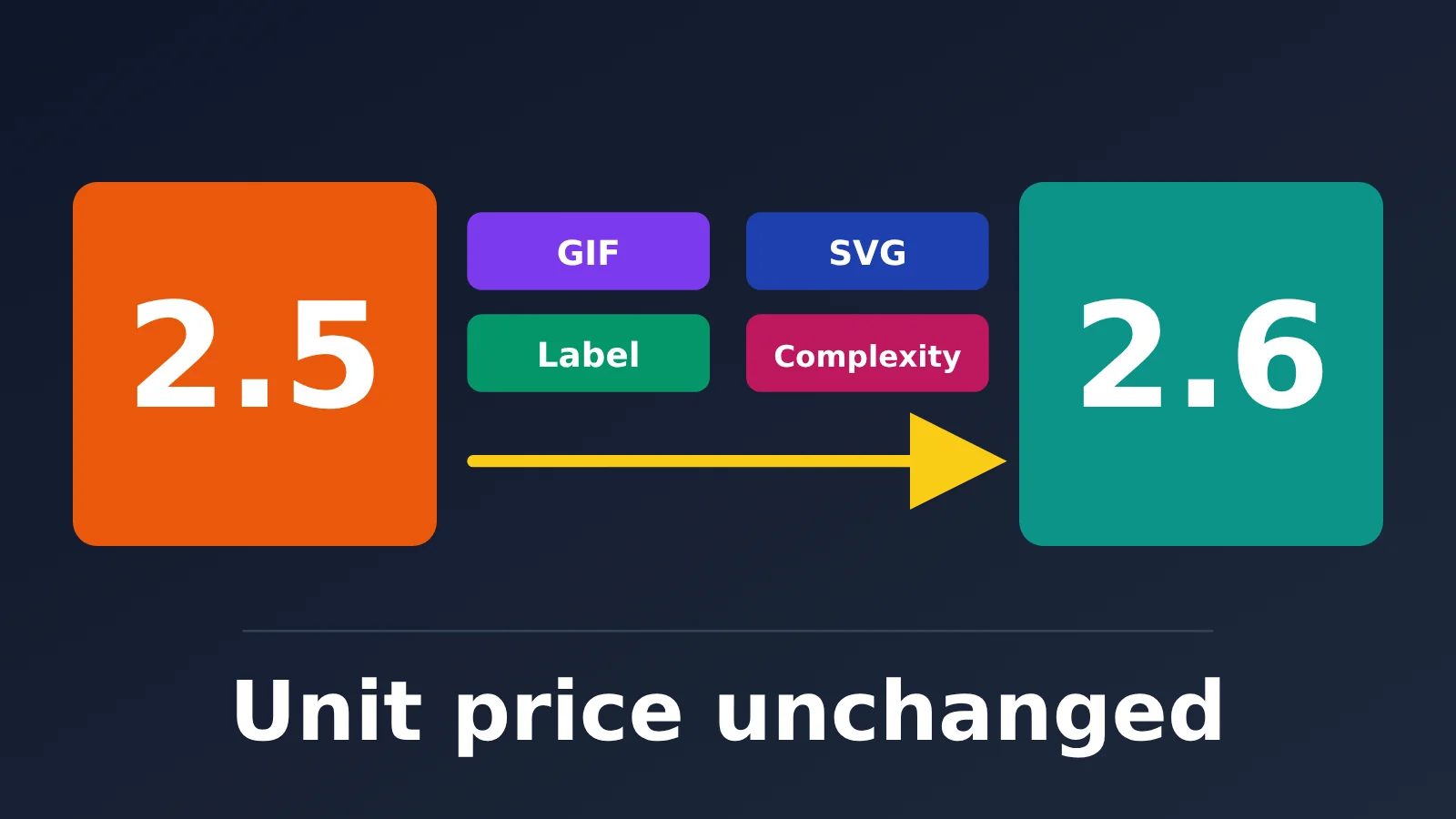
Author’s note: GPT-Image-2.6 has the same per-token pricing as GPT-Image-2.5 and adds GIF, SVG, markup, and complexity features. This article separates official claims, third-party samples, and unknowns to help teams already using 2.5 decide whether to switch now, run both in parallel, or stick with 2.5.
The bottom line: Compared with GPT-Image-2.5, GPT-Image-2.6 is an upgrade in features + speed, not a generational leap in image quality. Of the four new features, GIF, SVG, and complexity are exclusive to 2.6, while markup-based editing was added to both 2.5 and 2.6. For now, the claims that it’s “50% faster” and offers “better editing consistency” come only from the provider. As of 2026-11-05, there are no independently verifiable scores.
Now for the cost: Both generations have identical per-token pricing, but that doesn’t mean the cost per image is the same—or that you can swap one for the other without changes. In 2.6, complexity defaults to high when omitted, which adds latency and may also alter things you didn’t want changed. The real cost of upgrading, then, lies in your own acceptance testing process.
GPT-Image-2.6 vs. GPT-Image-2.5: Timeline and Models
GPT-Image-2.5 launched on 2026-09-08, with the same date as its default snapshot. GPT-Image-2.6 was released alongside ChatGPT Images 2.6 on 2026-11-04, just one day before this article was written. Each generation has only two models, and their model IDs differ only by version number:
- 2.5:
gpt-image-2.5-flare,gpt-image-2.5-sunburst - 2.6:
gpt-image-2.6-flare,gpt-image-2.6-sunburst
The roles of the two models haven’t changed. Flare focuses on speed and everyday image generation, while Sunburst prioritizes detail and editing precision. The official descriptions for 2.6 add two points of emphasis: Flare’s layout capabilities for posters and product images get a specific mention, while Sunburst highlights consistency across multiple rounds of editing at the medium and high quality levels. There’s also an easy-to-miss detail: the 2.5 model pages list Performance as “Highest” and Speed as “Medium,” but both 2.6 model pages say “Not specified” for those fields. No official ratings are provided.
| Comparison | GPT-Image-2.5 | GPT-Image-2.6 |
|---|---|---|
| Launch date | 2026-09-08 | 2026-11-04 |
| Models | flare / sunburst | flare / sunburst |
| Official positioning | Editing precision first | Fine composition and image editing workflows |
| Performance and speed ratings on model pages | Highest / Medium | Not specified |
| Supported endpoints | v1/images/generations, v1/images/edits |
Same |
| Quality levels | low / medium / high / xhigh / max / auto | Same |
| GIF and SVG output | Not supported | Supported (generation endpoint only) |
| complexity parameter | None | low / medium / high, defaults to high |
| Markup-based editing | Supported (added in this update) | Supported |
| Watermark | C2PA | C2PA + SynthID invisible watermark |
| Batch discount | Yes, image output at $15/1M | Not specified on official model pages |
The endpoint limitations are identical for both generations: they work only with the Image API’s generation and editing endpoints. Chat Completions, Responses, Realtime, and Live aren’t supported. The size rules are also the same, with three recommended sizes: 1024×1024, 1536×1024, and 1024×1536. For custom sizes, both dimensions must be multiples of 16, the aspect ratio must be between 1:3 and 3:1, neither side can exceed 3840, and the total pixel count must be between 655,360 and 8,294,400. Sizes above 2560×1440 are experimental.
Four Capabilities Added with GPT-Image-2.6
If you only look at one table, the main differences between 2.6 and 2.5 come down to these four capabilities. Each has its own parameter ranges and endpoint restrictions, so check them before integrating—or your requests could fail.
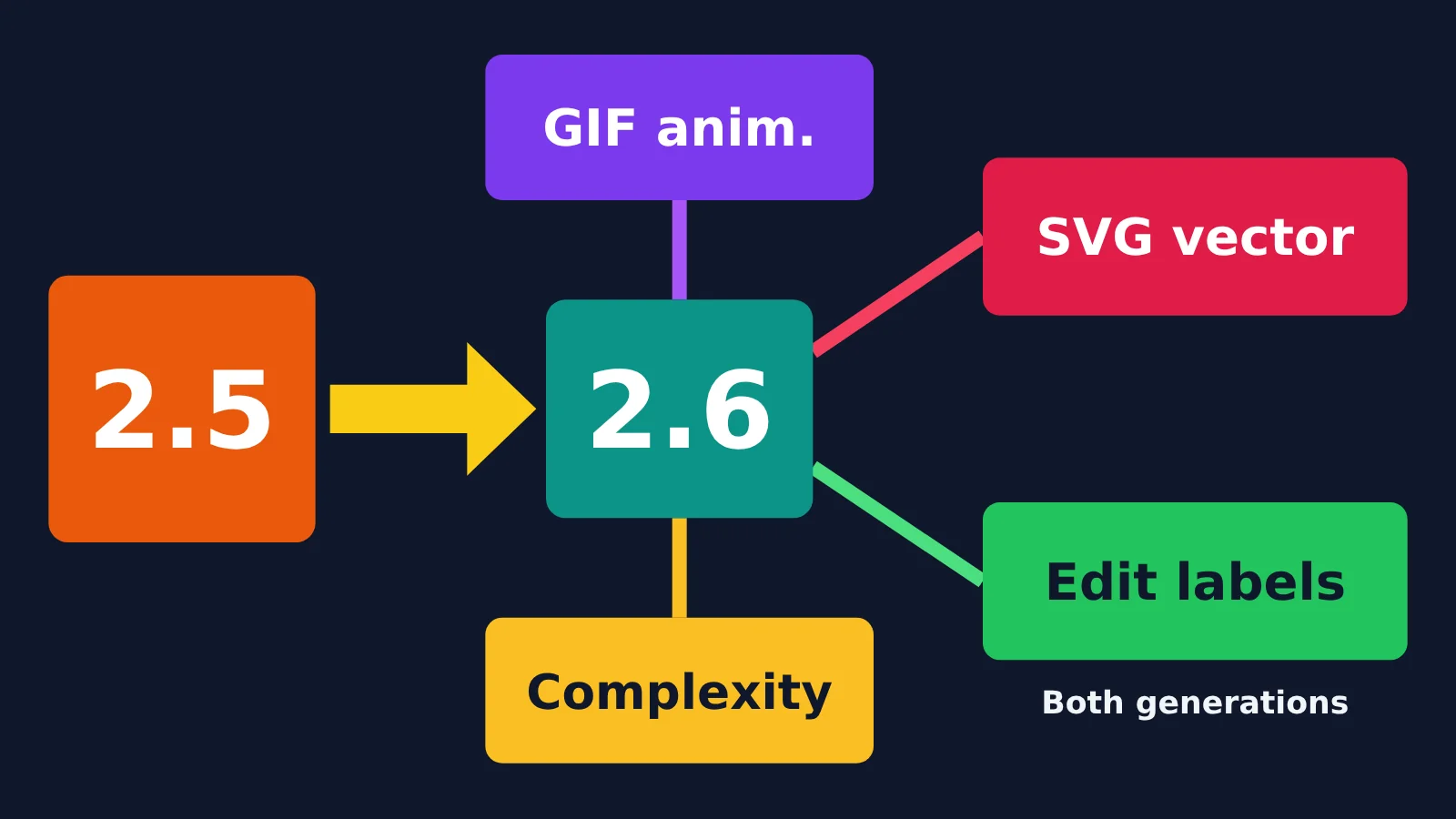
| Capability | Key parameters | Available endpoints | Main limitations | Available in 2.5? |
|---|---|---|---|---|
| GIF output | output_format=gif, frame_count 2–64, frame_duration_ms 20–2000 |
Generation endpoint only | No streaming, partial images, custom compression, or prompt_rewriter | No |
| SVG output | output_format=svg, n must be 1 |
Generation endpoint only | No streaming, partial images, output_compression, or prompt_rewriter | No |
| markup editing | Transparent PNG markup layer | Edit endpoint only | Must match the first input image’s dimensions; cannot be used with mask or prompt_rewriter | Yes |
| complexity | low / medium / high, defaults to high | Generation and editing | Controls planning only, not detail; higher settings increase latency | No |
GIF and SVG Output in GPT-Image-2.6
GIF output uses the following parameters. All ranges come from OpenAI’s image generation guide:
- Set
output_formattogif frame_count: 2 to 64, defaults to 9frame_duration_ms: 20 to 2000, defaults to 200, rounded to the nearest 10 millisecondssize:auto, or dimensions that are both multiples of 16
SVG output is also available only through the generation endpoint. Set output_format to svg; n must equal 1. The result is a static vector with no scripts, external resources, or embedded bitmaps. Billing is based on the reference images plus the tokens in the generated SVG. For teams creating icons, illustrations, and brand assets, this eliminates the bitmap-to-vector conversion step. But the edit endpoint doesn’t support SVG, so you can’t make localized edits to an existing SVG.
GIFs are also available in ChatGPT: you can generate them from a prompt or an uploaded photo. According to The Verge and Android Authority, you can adjust playback speed from 0.5x to 2x and edit individual frames. These are ChatGPT product features, though, so don’t assume frame-by-frame editing is available through the API.
markup and complexity: Two Controls for Your Editing Workflow
Markup editing uses v1/images/edits: pass in a transparent PNG as a markup layer, with the areas you want to change circled or painted over. The markup layer must match the width and height of the first input image. Each can be at most 16,777,216 pixels, and the markup file can’t exceed 50 MB. It applies only to the first input image and can’t be used with mask or prompt_rewriter. Since 2.5 also gained this capability, wanting markup editing alone isn’t a reason to upgrade.
complexity is the parameter migration teams should pay closest attention to. It accepts low, medium, or high, and defaults to high when omitted. It determines only how much the model “plans”; rendering detail and fidelity are still controlled by quality. The documentation says there’s no separate charge for changing complexity, but increasing it adds latency and may introduce changes you don’t want. If you switch a 2.5 request to 2.6 without changing it, you’ll automatically get the highest planning setting.
GPT-Image-2.6 Speed and Quality: What’s Officially Reported and What Hasn’t Been Verified
On speed, OpenAI says 2.6 is 50% faster than before, with Flare generating an image in as little as about 6 seconds at quality=low. But it hasn’t specified the test conditions behind the “50% faster” claim, including image size, quality tier, or whether queue time was included. It hasn’t published a speed breakdown by tier, either. The only third-party speed measurement currently available as a reference is a 2.5 baseline: On 2026-10-25, CellCog tested 24 prompts and measured a median of 28.7 seconds per image for GPT Image 2.5 at the high quality tier. That’s a 2.5 result—it can’t tell us how much faster 2.6 is.
On quality, 2.5 is still the version that can be independently measured. Artificial Analysis data accessed on 2026-11-05 shows that 2.5 scored 1,224 Elo on AA-Image-T2I v2.1 (13,108 samples, ranked first) and 1,199 Elo on AA-Image-Editing v2.1 (18,300 samples). As of the same date, 2.6 hadn’t appeared on either leaderboard. Third-party reviewer OrcaRouter puts it plainly: the model you can measure is the old one.
| Claim | Source | Evidence level | Applicable model | How to use it |
|---|---|---|---|---|
| 50% faster than before | OpenAI | Official claim, no test conditions provided | 2.6 | Treat it as an indication of direction; measure latency yourself |
| Flare takes about 6 seconds at the low tier | OpenAI | Official claim | 2.6 Flare | Use it to estimate performance for real-time use cases |
| Sunburst has stronger consistency across multi-turn edits | OpenAI | Official claim | 2.6 Sunburst | Verify it with your own editing use cases |
| T2I 1,224 Elo / editing 1,199 Elo | Artificial Analysis | Independent third-party test with published sample sizes | 2.5 only | Use as a quality baseline for 2.5 |
| Median of 28.7 seconds per image at the high tier | CellCog, 24 prompts | Independent third-party test with a small sample | 2.5 only | Use as a latency baseline for comparison |
| 2.6 Sunburst ranks first in Image Arena | DesignArena post on X | Claim from a single third-party leaderboard; no verifiable Elo found | 2.6 Sunburst | Use for reference only, not as a basis for decisions |
| Independent Elo and GIF success rate for 2.6 | Not yet available | Unknown | 2.6 | Wait for leaderboard updates or evaluate it yourself |
Safety testing is also worth adding to your acceptance checklist. The 2.6 system card used 3,077 adversarial requests: Sunburst’s rate of unblocked policy-violating outputs fell from 1.92% to 1.72%, while Flare’s rose from 1.49% to 2.14%. OpenAI says the latter change isn’t statistically significant. However, Flare’s “safe generation rate” fell from 78.36% to 75.04%, a statistically significant decline that OpenAI attributes mainly to requests in the Other and sexual categories. OpenAI’s overall conclusion is that 2.6 is on par with 2.5. For businesses with strict compliance requirements, the Flare result deserves a closer look.
GPT-Image-2.6 Price Comparison: Same Rates, Different Cost per Image
According to OpenAI’s official pricing page (checked 2026-11-05), the rates are identical for all four models: 2.5 flare, 2.5 sunburst, 2.6 flare, and 2.6 sunburst:
- Text input: $5/1M tokens, cached text $1.25/1M tokens
- Image input: $8/1M tokens, cached images $2/1M tokens
- Image output: $30/1M tokens
Caption: OpenAI’s official pricing page. Source: developers.openai.com/api/docs/pricing, checked 2026-11-05.
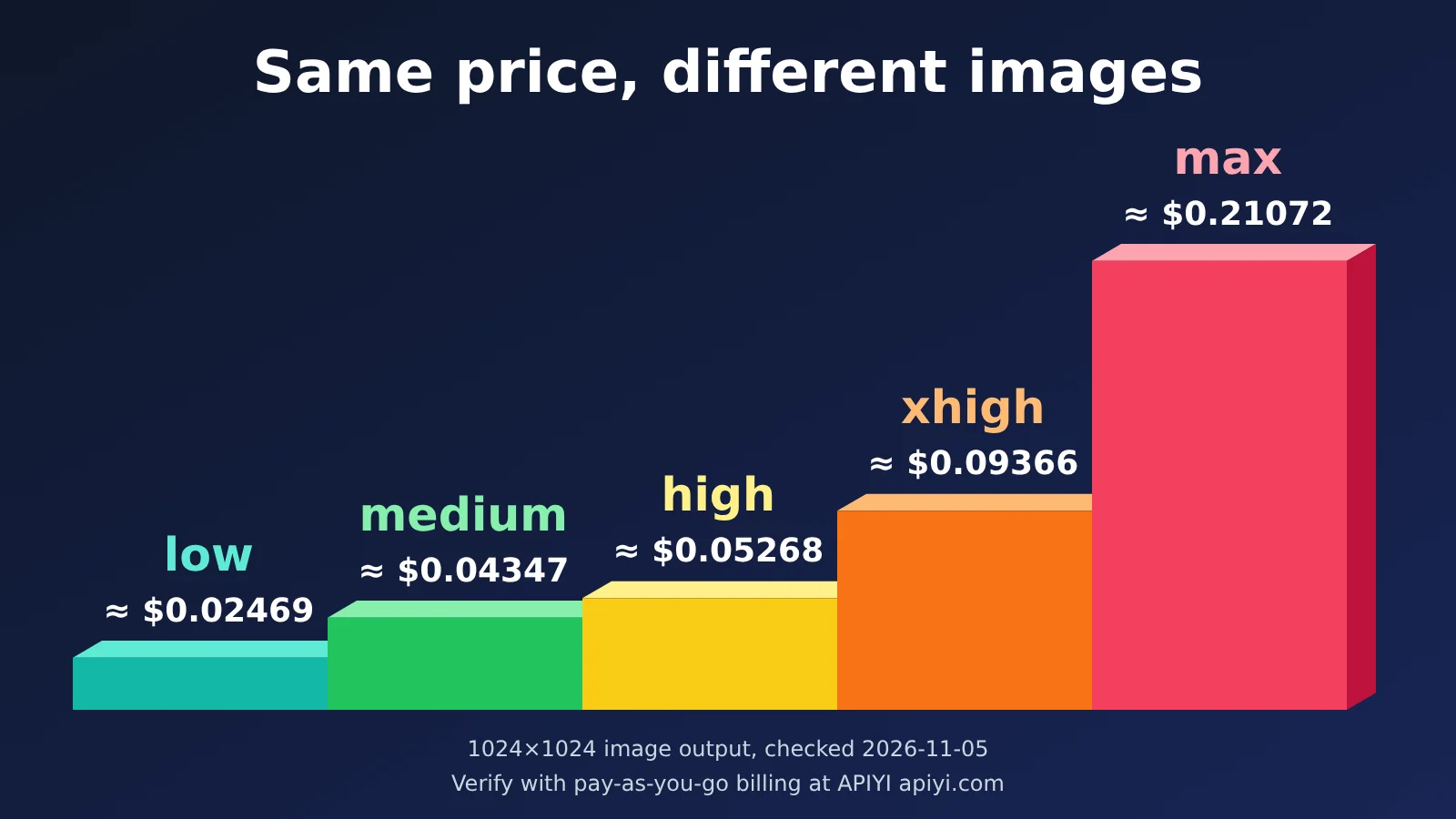
The cost per image depends on the number of output tokens, which in turn depends on the quality tier. The table below shows figures from the official 2.6 calculator at 1024×1024. They cover image output only, excluding input tokens and partial images.
| Quality tier | Output tokens | Image output cost per image (USD) | Per thousand images (USD) | Use case |
|---|---|---|---|---|
| low | 823 | ≈ $0.02469 | ≈ $24.69 | Sketches, bulk previews |
| medium | 1,449 | ≈ $0.04347 | ≈ $43.47 | Everyday product and social media images |
| high | 1,756 | ≈ $0.05268 | ≈ $52.68 | Production-ready campaign images |
| xhigh | 3,122 | ≈ $0.09366 | ≈ $93.66 | Detail-heavy posters |
| max | 7,024 | ≈ $0.21072 | ≈ $210.72 | Key visuals, very small batches |
There are three limitations to keep in mind when using this table:
- Don’t apply it directly to 2.5: The 2.5 model page explicitly says the GPT Image 2 calculator doesn’t estimate token usage for 2.5, so the 2.6 calculator’s figures apply only to 2.6. For reference, AA shows 2.5 Sunburst at approximately $210.7 per thousand images, corresponding to the highest tier.
- Calculate editing inputs separately: OpenAI notes that, starting with gpt-image-2, image inputs are processed at high fidelity. Editing requests with reference images will therefore use significantly more input tokens. Image input costs $8/1M tokens for both generations.
- Batch availability is still unknown: The 2.5 pricing page lists Batch image output at $15/1M, but the 2.6 model page doesn’t repeat this information. OpenAI also hasn’t provided 2.6 output token counts for 1536×1024 or 4K sizes.
On APIYI apiyi.com, both 2.6 models use usage-based pricing consistent with OpenAI’s published rates: input at $5/1M tokens, output at $30/1M tokens, and cache reads at $1.25/1M tokens (checked 2026-11-05). For current models and prices, check the platform’s model list at docs.apiyi.com/models.
GPT-Image-2.6 vs. GPT-Image-2.5: Three Rules for Choosing
Rule 1: If you need new capabilities or are integrating for the first time, use 2.6 now. If you need animated GIFs, SVG icons or illustrations, or want to reduce latency with complexity, 2.5 isn’t an alternative. Teams integrating the OpenAI image API for the first time can also start with 2.6: the unit price is the same, and there’s no existing acceptance process to migrate.
Rule 2: If you already have a 2.5 editing pipeline, run both in parallel first. Teams working on multi-round product image editing, character consistency, or brand posters have already established acceptance criteria for 2.5. For now, 2.6’s claim of “stronger consistency” comes only from OpenAI. Run the same batch of inputs through both versions, once with complexity explicitly set to low and once to high, then decide how much traffic to switch based on pass rates.
Rule 3: If you rely on Batch discounts or have strict compliance requirements, stick with 2.5. Teams generating images offline at scale should wait for official confirmation of 2.6’s Batch policy if their cost model depends on the Batch price of $15/1M. Businesses with strict requirements for safe generation rates that mainly use Flare should also review the significant decline in the Flare result in the system card before deciding.
The easiest way to run an A/B test is to keep both versions on the same platform. APIYI apiyi.com lists both 2.5 and 2.6. Use the same key, set base_url to https://api.apiyi.com/v1, and change only the model ID when switching. For 2.5, there are also per-call options: gpt-image-2.5-all ($0.025/call) and gpt-image-2.5-vip ($0.03/call). These are useful for comparing per-call and usage-based costs.
When migrating, test three use cases first: multi-round editing, posters with text, and product images with transparent or solid-color backgrounds. These map to the shared limitations OpenAI has acknowledged: consistency across iterations can be unstable, text rendering can still be wrong, and elements in layout-sensitive compositions may be misplaced.
| Check | Approach | Pass criteria / risk |
|---|---|---|
Default complexity |
Explicitly pass complexity in all 2.6 requests |
Avoid latency and unnecessary changes caused by the default high setting |
| Multi-round editing consistency | Edit the same base image for 3–5 consecutive rounds with both versions | Subject, colors, and logo don’t drift |
| Posters with text | Test Chinese and English headlines, plus price figures | No incorrect characters or numbers; layout stays in place |
| Product images with transparent or solid-color backgrounds | Compare edges, shadows, and reflections | Clean cutout edges, ready for listing |
| Latency and timeouts | Record P50 / P95 for actual image sizes and quality settings | Set the timeout threshold to at least about 2 minutes |
| New output formats | Use GIF and SVG only with the generation endpoint, with n=1 |
Requests to the editing endpoint will fail; route them separately |
| Cost accounting | Track input and output separately; don’t use the 2.6 calculator to estimate 2.5 costs | Account for editing request input costs separately |
| Compliance and watermarking | Review Flare’s blocking performance and confirm SynthID won’t affect downstream use | Meet your business’s safety thresholds |
💡 Recommendation: If you’re not sure which category fits, start by generating 20 to 50 images for each of the three core use cases in the migration checklist. Use the same key to call both versions in parallel through APIYI apiyi.com, then compare pass rates, latency, and bills. That’ll tell you more about your own business than any leaderboard.
GPT-Image-2.6 vs. GPT-Image-2.5: FAQ and Summary
GPT-Image-2.6 FAQ
Q1: Will 2.5 be discontinued now that 2.6 is available?
As of 2026-11-05, OpenAI hasn’t announced a discontinuation date for 2.5, and its lifecycle plans remain unknown. Both generations are available for now, and APIYI apiyi.com lists both, so there’s no need to rush a migration over concerns about discontinuation.
Q2: Can GIF and SVG be used with the edits endpoint?
No. GIF and SVG can only be used with `v1/images/generations`; the edits endpoint supports neither format. OpenAI also hasn’t published the actual API success rate, file sizes, or processing times for GIFs, so it’s best to run a small-scale evaluation before using them in bulk.
Q3: Do existing 2.5 prompts need to be rewritten?
There’s no need to rewrite them right away, but you should address complexity first. When migrating prompts as-is, complexity defaults to high, which may introduce changes you don’t want. Try explicitly setting it to low or medium, then compare outputs from both generations using the same set of prompts. Adjust only the prompts that produce unwanted differences. You can run this comparison through APIYI apiyi.com using the same key.
Q4: Is the max tier still worth it with 2.6?
At 1024×1024, image output at the max tier costs about $0.21072 per image, roughly four times the high tier. It’s suited to a small number of important visuals, not bulk image generation. Since complexity isn’t charged separately, try the high tier with a higher complexity setting first. If that doesn’t meet your needs, move up to max.
Q5: Is markup-based editing exclusive to 2.6?
No. Both 2.5 and 2.6 support markup, with the same restrictions: the markup layer must be a transparent PNG with the same dimensions as the first input image, and it can’t be used together with mask or prompt_rewriter. You don’t need to upgrade just to use markup-based editing.
GPT-Image-2.6 Key Takeaways
- Nature of the upgrade: More capabilities and speed, not a generational leap in image quality.
- Same pricing: Both generations cost $5/1M input tokens and $30/1M output tokens, checked on 2026-11-05.
- Exclusive to 2.6: GIF, SVG, and complexity; both generations support markup.
- Evidence limits: The 1,224 / 1,199 Elo scores are for 2.5; 2.6 doesn’t yet have independent scores.
- Migration risks: complexity defaults to high; whether 2.6 supports Batch is still unknown.
- How to validate: Start with three use cases: multi-turn editing, posters with text, and product images.
GPT-Image-2.6 vs. GPT-Image-2.5: Summary
The decision in one sentence: Choose 2.6 if you need GIF or SVG, run both versions in parallel if you have a mature editing pipeline, and stick with 2.5 for now if you depend on Batch or have strict compliance requirements. Your next three steps:
- Set complexity explicitly: Include this parameter in every 2.6 request rather than relying on the default of high.
- Test three use cases against your checklist: Multi-turn editing, posters with text, and product images. Record pass rates and P95 latency.
- Track costs separately: Count input and output tokens separately, and don’t use the 2.6 calculator to estimate 2.5 costs.
We recommend using the same key through APIYI at apiyi.com to A/B test both generations. Make your decision using your own samples rather than relying on rankings that aren’t available yet.
References
- OpenAI model page – GPT-Image-2.6 Flare: Details on the 2.6 model
- Link:
developers.openai.com/api/docs/models/gpt-image-2.6-flare - OpenAI model page – GPT-Image-2.5 Sunburst: The 2.5 model’s positioning, Batch, and calculator details
- Link:
developers.openai.com/api/docs/models/gpt-image-2.5-sunburst - OpenAI pricing: Token prices for all four models
- Link:
developers.openai.com/api/docs/pricing - ChatGPT Images 2.6 system card: Safety evaluation data
- Link:
deploymentsafety.openai.com/chatgpt-images-2-6 - APIYI model list: Models and pricing on the platform
- Link:
docs.apiyi.com/models
Author: APIYI Technical Team
Technical discussions: If you run into questions while evaluating a migration, contact us through the APIYI homepage at apiyi.com. For more resources, visit the documentation center at docs.apiyi.com.