Author’s note: DeepSeek Harness has been out for 100 days, and the community plugin ecosystem is already huge. This article groups 13 plugins that come up often into four categories by use, and explains what security checks to do before installing any of them.
Bottom line first: plugins are code written by someone else, and once you install them, they run on your computer. They can read files, use your credentials, and access the network. There have already been cases online of people installing fake plugins and getting their computers remotely controlled. So when choosing a plugin, don’t start with features. Start by confirming the source, then look at the scan results, and back up your configuration.
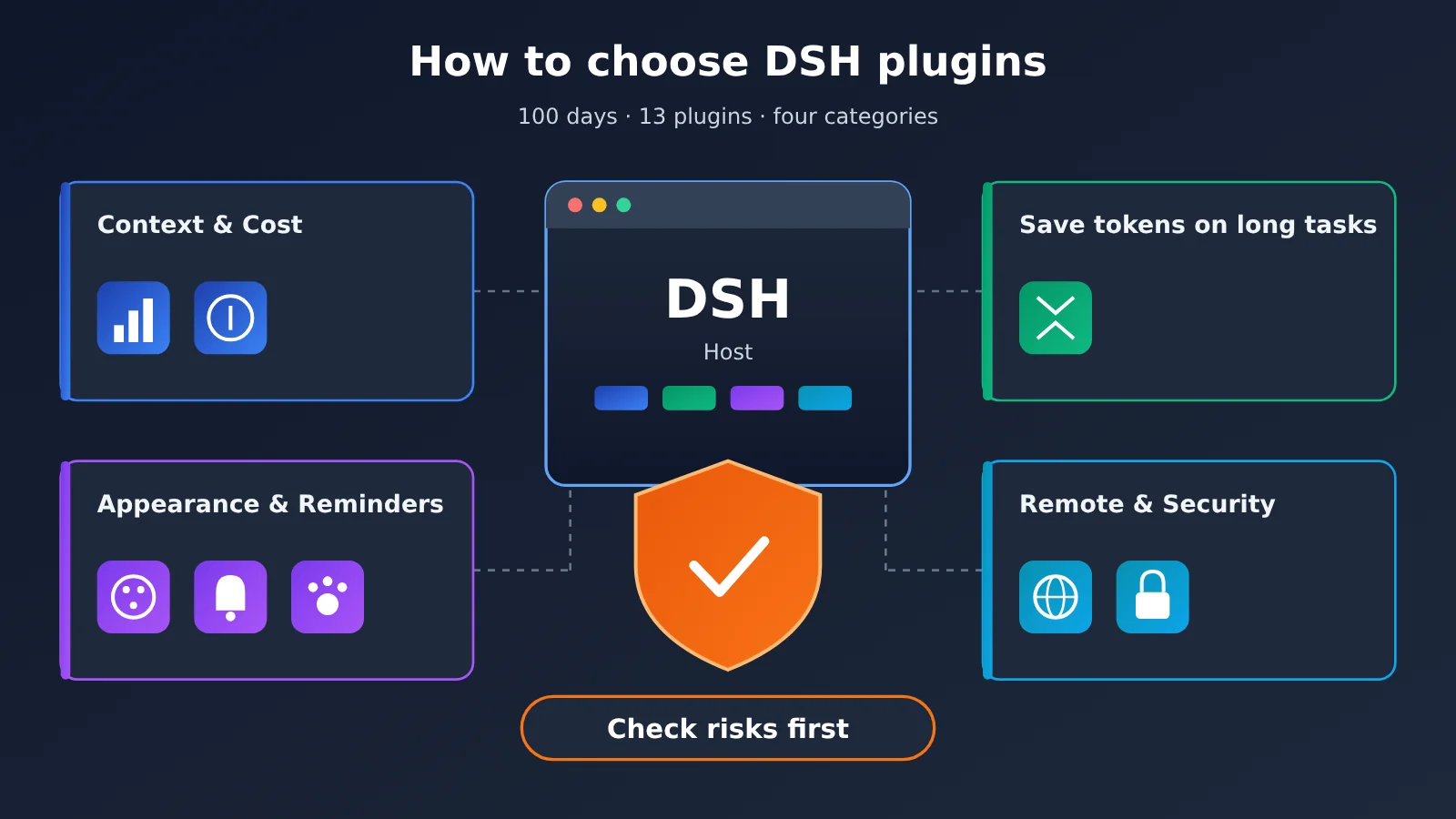
DeepSeek Harness (DSH for short) marked its 100th day since release on 2026-11-20. For many developers, the question is no longer “How do I use it?” but “There are too many plugins—which ones should I install?” This article groups 13 DSH plugins that keep coming up into four categories by use, then gives you a pre-install risk checklist.
This isn’t a “more plugins = more power” recommendation list. Plugins solve specific problems. If you don’t have that problem, you don’t need to install one.
Key takeaway: By the end of this article, you’ll know what to install first, how to choose, what to check before installing, and what each statistic is actually measuring.
DeepSeek Harness: Key Takeaways from 100 Days of Plugin Ecosystem
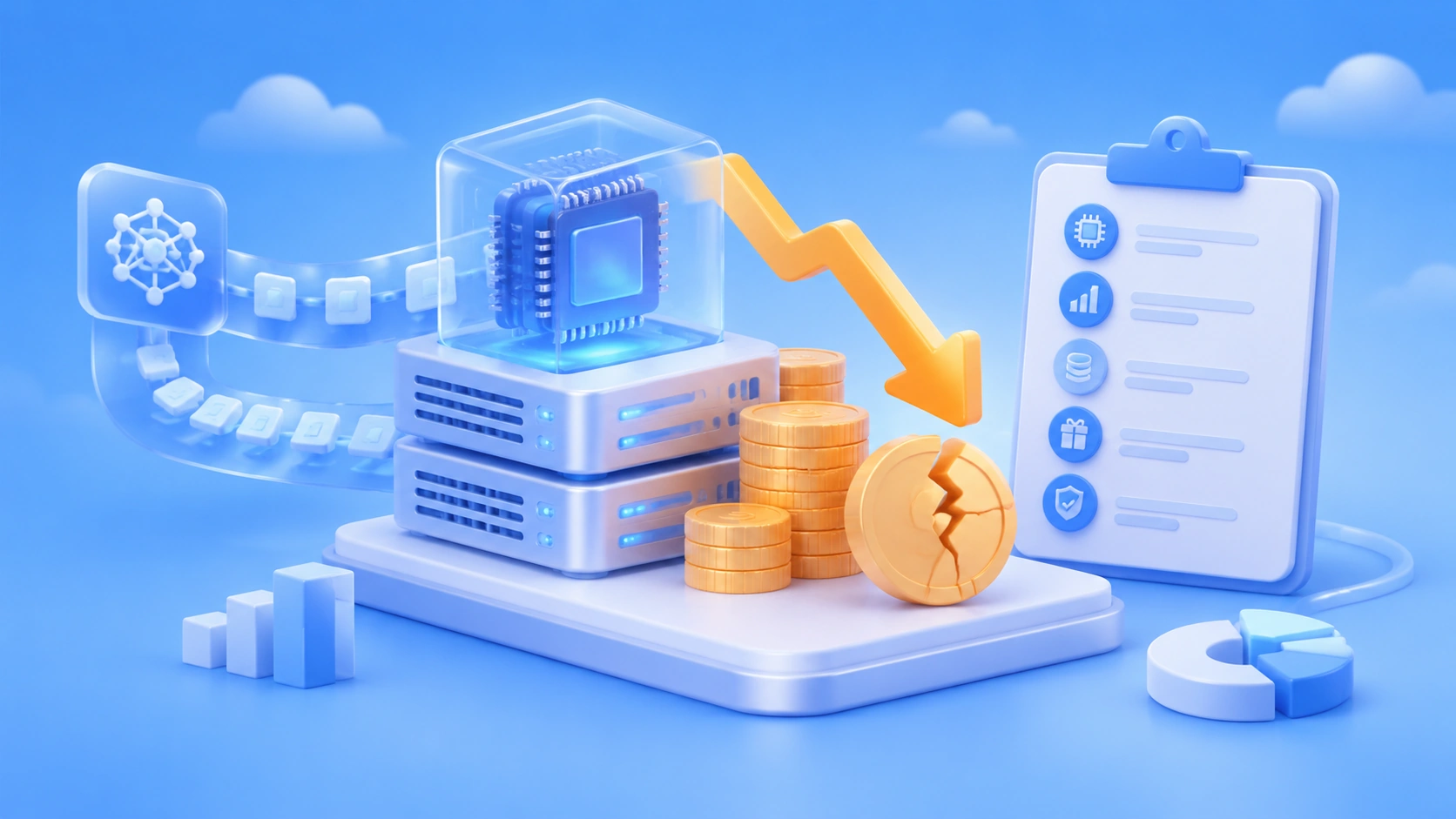
DSH is DeepSeek’s open-source agent harness. It shipped v0.1 on 2026-08-13 and launched a desktop version on 2026-09-29. Its architecture is “everything is a plugin,” built on top of Cordis. The repo README still labels it a developer preview, so breaking changes may come later. You can get a sense of the plugin ecosystem’s scale from the numbers below — but each one is measured differently, so be careful when citing them.
| Metric | Value | Definition and source |
|---|---|---|
| Daily active users | 1.54 million | Self-reported by the official team as of 2026-11-04; counts only users on the official API |
| Daily token consumption | ~92 trillion | Self-reported by the official team, same measurement basis as above |
| Third-party plugins | ~35,000 | Self-reported by the official team as of 2026-11-04 |
| Share of active users who’ve installed or built a plugin | ~60% | Self-reported by the official team; at least one third-party plugin |
| GitHub stars | 284,000 | Figure observed by Kazik (数字生命卡兹克) while writing on 2026-11-20 |
| Plugins listed in the marketplace | Nearly 12,000 | Observed by the same author at the time of writing, from the community list awesome-dsh-plugin |
The Measurement Pitfalls Behind DeepSeek Harness’s Plugin Numbers
The official figures come from a long post published on X on 2026-11-08 titled Growing Together with Our Plugin Community; InfoQ and 36Kr cited the same dataset on 2026-11-07. Daily active users is defined as “users on the official API” — which doesn’t equal all DSH users. The total plugin count is about 35,000, while the marketplace lists fewer than 12,000, meaning plenty of plugins never made it onto the community list.
The star count is even easier to misread. Repo stars are not plugin download numbers. In the plugin list Qiniu Cloud published on 2026-10-14, those numbers referred to repo stars. A plugin with lots of stars only means lots of people are paying attention — it says nothing about install base, and nothing about whether it’s safe. When you’re picking plugins, don’t just sort by stars.
DeepSeek Harness’s 13 plugins, grouped into four categories by purpose
In a long-form post published on day 100, Digital Life Kazik walked through all 13 plugins one by one. By purpose they break down into “an entry point plus four categories”: one plugin marketplace, one official experimental plugin, and four groups of feature plugins.
| Category | Plugin (package name) | What problem it solves | Who it’s for |
|---|---|---|---|
| Entry point | dshmarket (repo dsh-market) |
Search, install, and upgrade plugins right from the UI | Everyone — recommended as your very first install |
| Official experimental | DeepSeek conversation import | Pull your web-version chat history into DSH and keep the conversation going | Users migrating over from the web version |
| Context and cost | dsh-context, dsh-cost-meter |
See how your tokens break down, plus timing and cost details | Anyone watching costs or debugging slow requests |
| Long tasks, fewer tokens | billion-context |
Compress old context into a summary you can restore later | People running long tasks with multiple sub-agents |
| Looks and reminders | dsh-client-ui-skin-maid-atelier, my-cozy-dsh, dsh-pet, dsh-niulai-pet, dsh-startup-screen, dsh-video-skin |
Swap skins, add a desktop pet, a startup animation, task-completion alerts | People who want their tool to feel a little more personal |
| Remote access and security | dsh-pocket, dsh-trust-check |
Access remotely from your phone, scan plugins for sensitive capabilities | Multi-device users, and anyone running a lot of plugins |
How to Set Up the DeepSeek Harness Context and Cost Plugins
dsh-context breaks down the context of a single conversation turn, showing how many tokens the system prompt, message history, and the web pages and files pulled back by tool calls each take up. It also shows the latency distribution, and lets you look at the overall picture by time window. dsh-cost-meter handles the money: you can see the cost of each turn, each step, and each sub-Agent, plus billing stats and quota consumption in the settings panel.
These two plugins are best installed together. Once they’re running side by side, the cost breakdown shows up right on the context page — so you can tell at a glance which step is the most expensive. If you often find yourself thinking “why is this turn so expensive?”, start with these two plugins to pinpoint the cause, then consider compression or switching models.
How the DeepSeek Harness Long-Task Plugin billion-context Performs in Practice
billion-context works by compressing old context into recoverable summaries. The original history stays local; when you need details, you search first and then expand the relevant section. It’s built for tasks that run from tens of minutes to several hours and call a lot of sub-Agents — not for everyday short conversations.
Kazike shared his own test data in the article (author’s self-test, not official). He tested it on a Jensen Huang biography task: one main session plus 10 sub-Agents, 48 compressions in total, producing 116 summary blocks. One sub-Agent sent 353 requests in a single hour; once the context grew to around 100,000 tokens, it was compressed back down to between 40,000 and 80,000. Eight compressions squeezed 350,000 tokens of history into a 13,000-token summary — roughly 3.8% of the original. These numbers show it’s genuinely useful for long tasks, but the results depend on the type of task, so you’ll want to validate it on your own workload.
Check the Risks Before Installing DeepSeek Harness Plugins
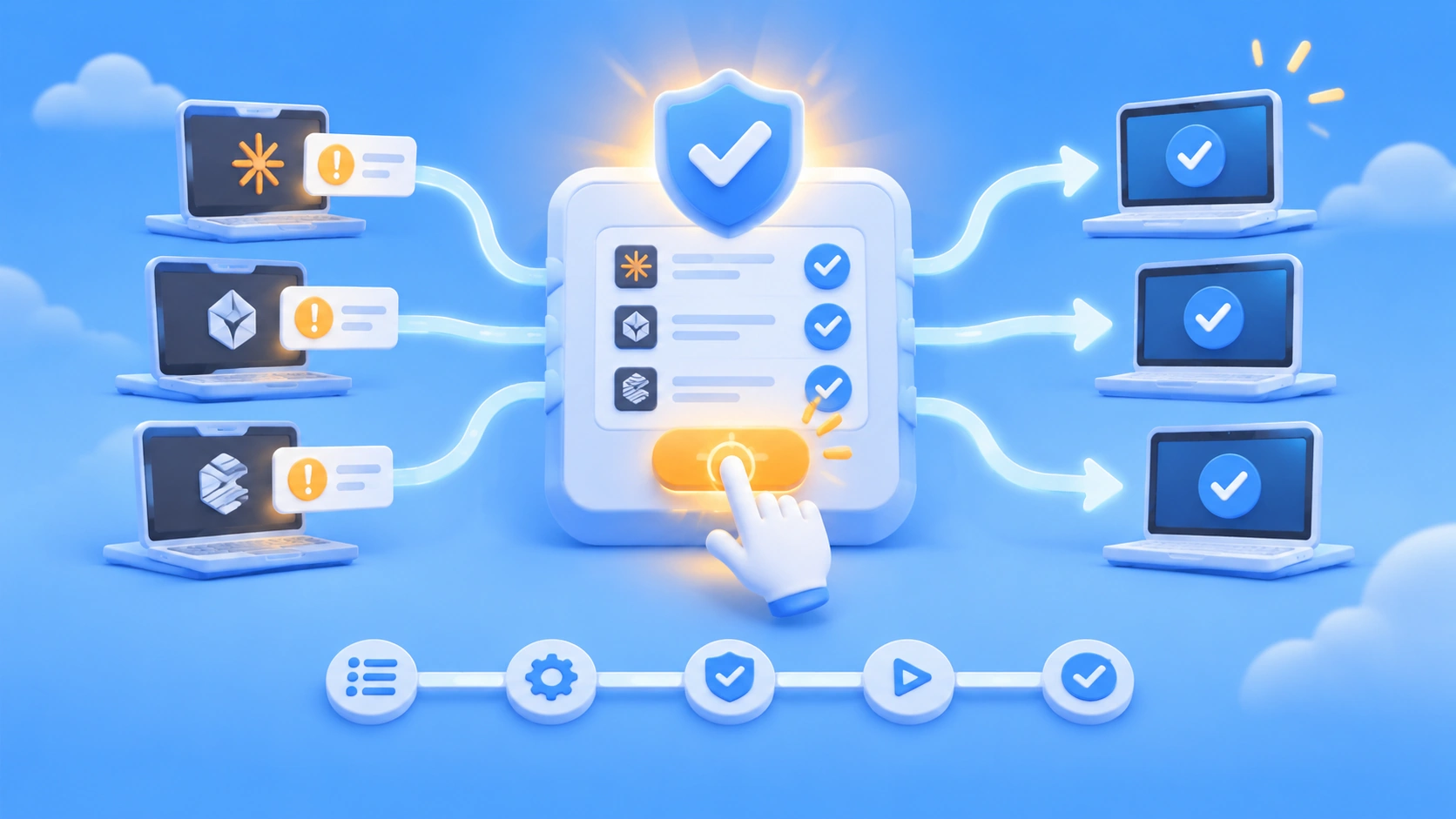
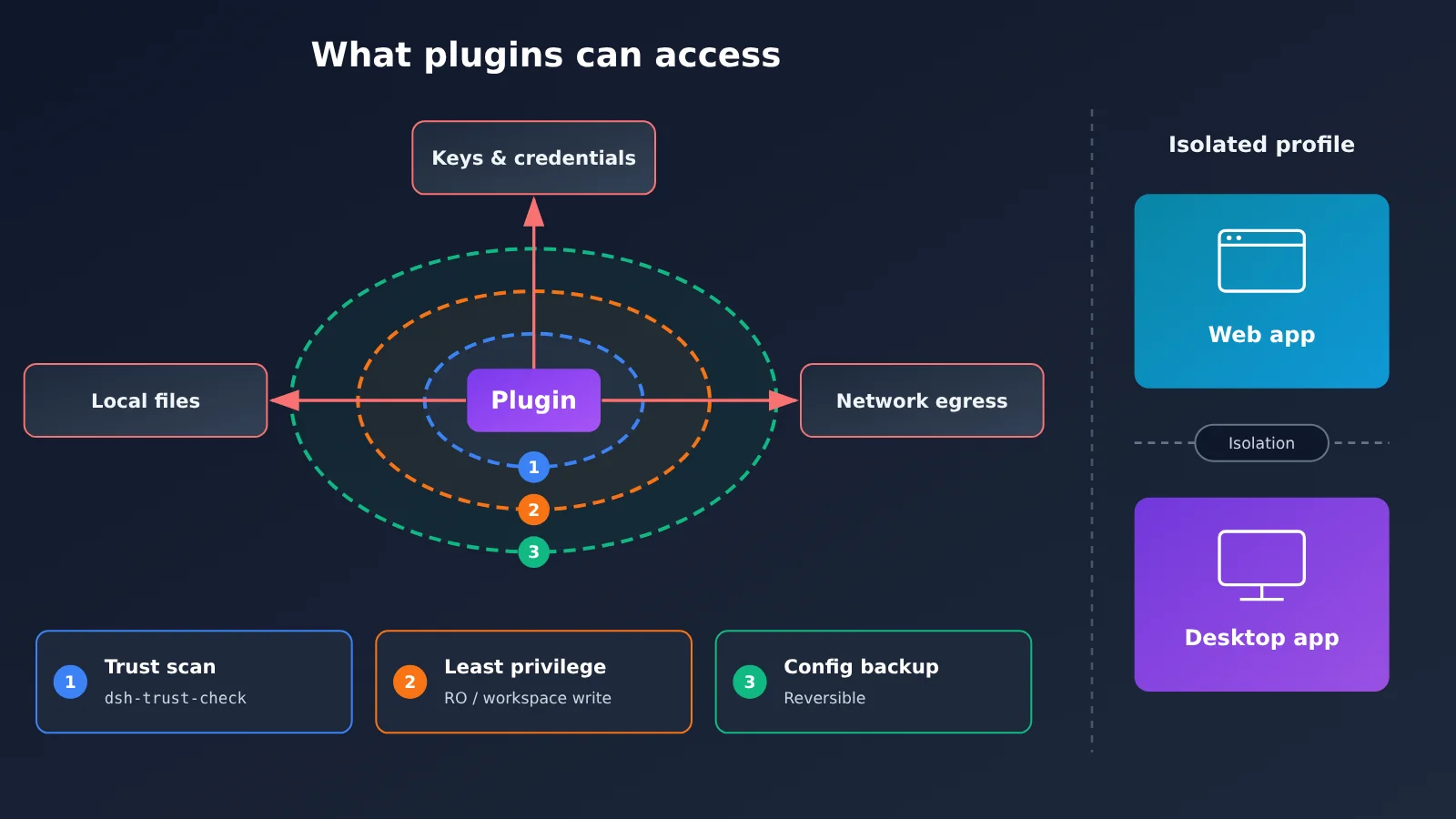
This section matters most. DSH plugins are third-party code — once installed, they run on your machine, and many of them can execute commands. Functionally speaking, a plugin can read files in your workspace, use the access keys and model credentials you’ve configured, and send data out over the network. Legitimate plugins have these capabilities too; malicious ones simply put them to use. Kazike specifically warns in the article that malicious plugins are already circulating online — people have installed fake plugins and had their computers taken over remotely.
There’s another thing many people don’t know: the web client and the desktop client use two separate profiles, so a plugin installed on one side doesn’t automatically sync to the other. That isolates risk, but it also means you have to check both sides individually.
| Check | How to do it | Why it matters |
|---|---|---|
| Source | Only install plugins from trusted sources, and verify the package name and repo URL | Fake plugins often impersonate popular package names |
| Scan | Run dsh-trust-check to see whether it flags sensitive capabilities like access-key access or model invocation |
If the sensitive capabilities don’t match what the plugin claims to do, be suspicious |
| Permissions | Don’t casually grant “full access” — read-only or workspace-write is usually enough | The broader the permissions, the bigger the loss when something goes wrong |
| Backup | Back up your config files before installing a batch of plugins | Lets you roll back directly if something breaks |
| Isolation | Keep web and desktop profiles distinct, and test risky plugins on only one side | Avoids both sides being affected at once |
| Version | Check the plugin’s host version requirement, e.g. DSH-better-sidebar 0.26.0 requires Harness 0.2.0-rc.2 or later (verified in October) |
A version mismatch can cause startup failures or broken features |
Also, don’t confuse plugins with Skills: a Skill governs “how to do it,” while a plugin provides “the tools to do it.” A Skill is mostly a set of method instructions; a plugin is actual executable code, so the risk levels aren’t the same. If a Skill alone can meet a need, there’s no reason to install a plugin for it.
DeepSeek Harness Plugin Quick Start
Here’s the walkthrough in “what you see, what you click” order. Before you start, make sure you’ve finished the backup from the previous section.
Step 1: Install the dshmarket Plugin Marketplace
- Open DSH, go to the Plugins page in the sidebar, and click “Add Plugin” in the top-right corner.
- In the input field, enter the package name
dshmarket. Note that the package name isdshmarket— the repo name isdsh-market— so don’t mix them up. You can also paste a GitHub link or a local path here. - Once it’s installed, enable it and you’ll be in the plugin marketplace. The marketplace lists plugins by category, and you can check descriptions, download counts, and favorites — plus see the versions of installed plugins and which ones have updates available. From then on, you can install, upgrade, and switch themes right from this interface.
Another option is to just let DSH install it for you. That uses up tokens — Kazik said installing one plugin cost him about 2 fen (RMB cents). By comparison, installing the marketplace first and then clicking through the UI is cheaper and more intuitive.
Step 2: Filter by the four categories in the marketplace
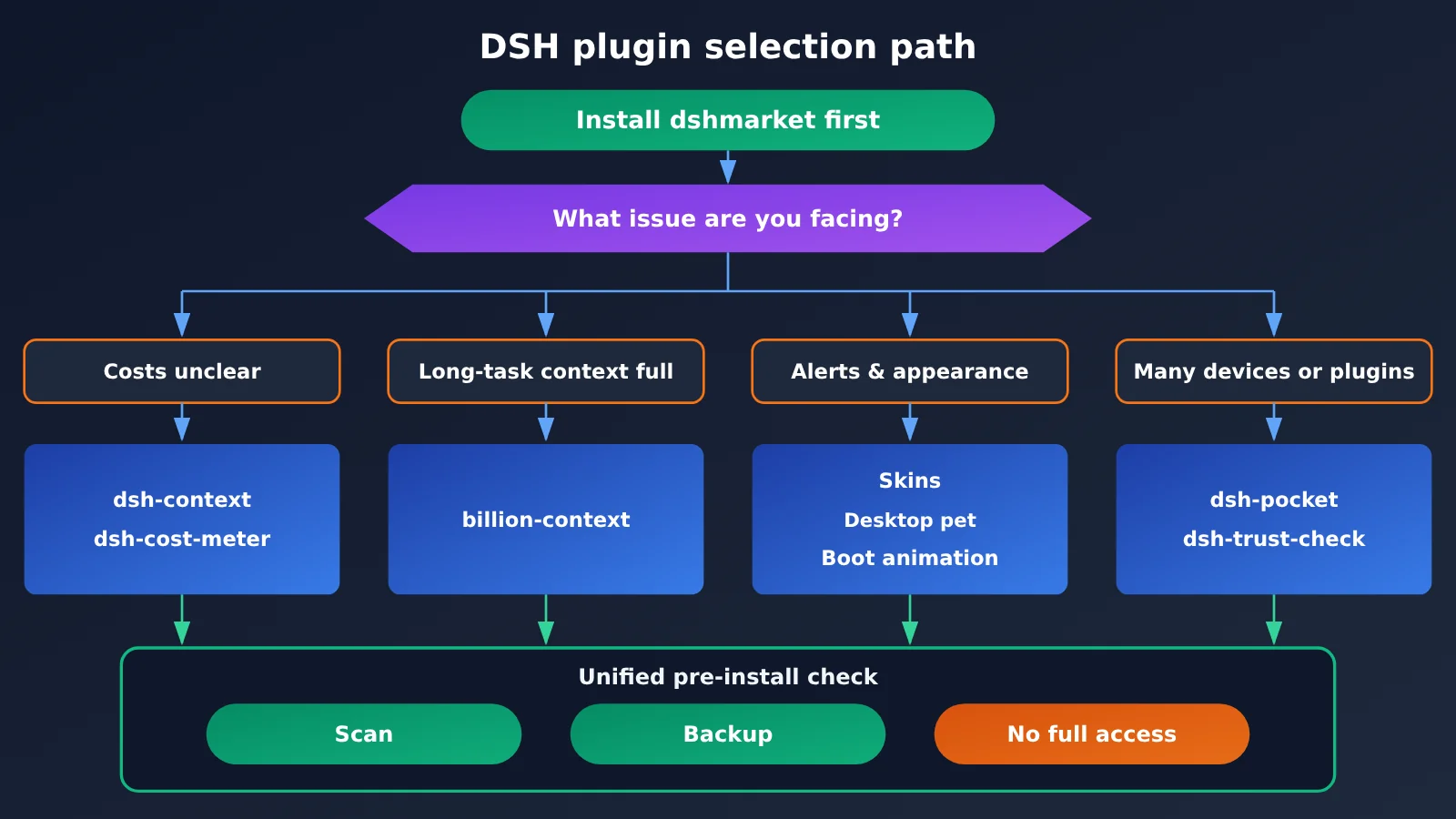
Once you’re in the marketplace, don’t just install plugins from top to bottom by popularity. Instead, match them against the four categories above based on the problems you have. Here’s the order I’d recommend: start with dsh-trust-check as your scanning tool; if you need to keep an eye on costs, install dsh-context and dsh-cost-meter; if you often run long tasks, add billion-context; and save appearance plugins for last—picking one or two is enough. The community list also includes modlens (adds OCR so text-only models can read images), dsh-at-file (reference local files with @), dsh-loop-guard (interrupts idle loops), dsh-agent-teams (multi-agent orchestration), and more. Apply the same principle to these: first confirm you actually have that need, then look at the scan results.
Step 3: Turn on DeepSeek conversation import
- On the DSH sidebar plugin page, click “Experimental plugins” → “More” → “Open” to enable the official conversation import.
- Open DeepSeek on the web, click your avatar → “System Settings” → “Data Management” → “Export all conversations”, and download the exported archive.
- Back in DSH, import the archive into the specified workspace, and you can pick up your previous conversations where you left off.
Step 4: Call DeepSeek Models in Plugin Scripts
Let’s clarify the billing boundary first: DSH’s own conversations are billed to your DeepSeek account. But many plugins run scripts, batch processing, or automation tasks. If those tasks use an API key you configure yourself, you can choose the model and endpoint as needed. With the OpenAI-compatible SDK, set base_url to https://api.apiyi.com/v1, set model to deepseek-v4-flash or deepseek-v4-pro, and set api_key to the API key generated in the APIYI apiyi.com dashboard. The messages format is the same as usual. That way, one API key lets you switch between different models.
Below are the DeepSeek model prices from the APIYI master table as of 2026-11-22 09:58 (UTC+8), in USD per million tokens:
| Model | Input | Output | Cache read | Suitable plugin tasks | Available platform |
|---|---|---|---|---|---|
deepseek-v4-pro |
1.32 | 3.96 | 0.044 | Complex reasoning, code rewriting; endpoint supports chat and messages | APIYI apiyi.com |
deepseek-v4-flash |
0.44 | 1.32 | 0.01408 | Routine batch processing, summarization; endpoint supports chat and messages | APIYI apiyi.com |
deepseek-v4.1-flash |
0.3 | 1.2 | 0.006 | Large batches, cost-sensitive automation | APIYI apiyi.com |
deepseek-v3 |
0.286 | 1.144 | 0.0715 | Compatible with legacy scripts | APIYI apiyi.com |
deepseek-search, deepseek-fetch |
0.0009 USD per call | — | — | Search, web scraping | APIYI apiyi.com |
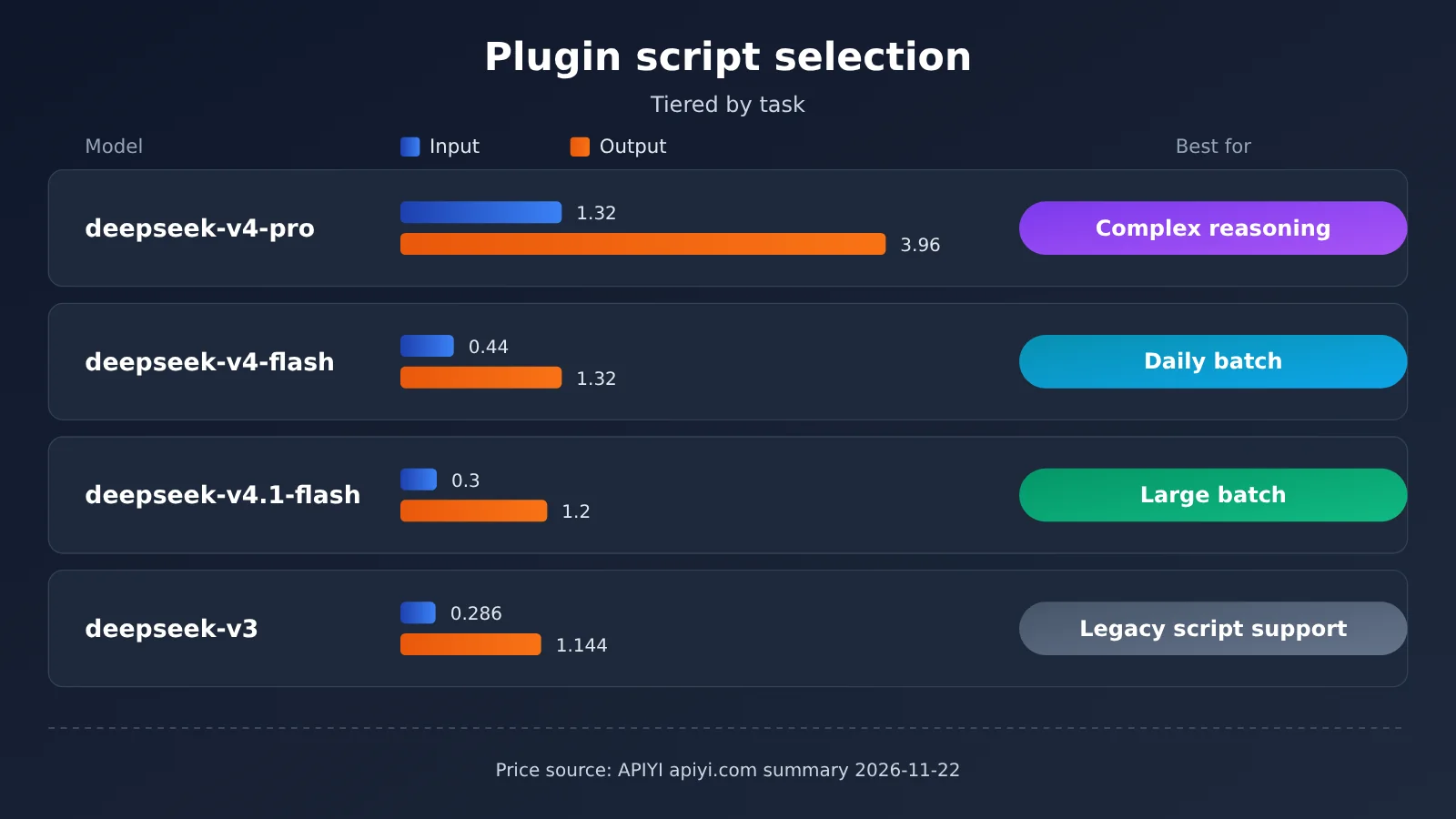
🎯 Model selection advice: You can tier the models for plugin scripts by task. Start with
deepseek-v4-flashto get the workflow running, then switch todeepseek-v4-profor steps where reasoning is tough. On APIYI apiyi.com, just use the same API key to switch models. New users also get free trial credits, which makes it a good fit for comparing results on a small batch first.
Frequently Asked Questions (FAQ)
Q1: What is a DeepSeek Harness plugin, and how is it different from a Skill?
DSH uses an “everything is a plugin” architecture. A plugin is executable code that runs inside the host and extends its tool capabilities. A Skill tells the model *how* to do something, while a plugin provides *the tools to do it*. Plugins can run commands, read files, and access the network, so they carry more risk than Skills.
Q2: Does a plugin with more GitHub stars deserve to be installed?
Not necessarily. Repo stars reflect attention, not plugin download counts. The numbers in Qiniu Cloud’s October list are stars. To decide whether to install one, look at whether it solves your problem and what `dsh-trust-check` reports.
Q3: What timeframe and methodology do the DeepSeek Harness 100-day numbers use?
The 1.54 million daily active users, roughly 92 trillion tokens per day, and about 35,000 third-party plugins are all self-reported by the official team, as of 2026-11-04, and only count users on the official API. The 284,000 stars were observed by Kazik while writing the article on 2026-11-20. Also, DSH is still in developer preview.
Q4: If I install a plugin, will it sync between web and desktop?
No. The two clients use separate profiles, so a plugin installed on one won’t show up on the other. You can also use this to isolate risk: try a new plugin on one client first, and only install it on the other after you’ve confirmed it’s safe.
Q5: How do scripts inside a plugin connect to DeepSeek models?
If the plugin lets you configure its own API key, set `base_url` to `https://api.apiyi.com/v1` and set `model` to something like `deepseek-v4-flash`. After signing up at APIYI (apiyi.com), you can claim free trial credits and validate with a small batch first. DSH’s own conversations are still billed through your DeepSeek account.
Q6: What should I do if I suspect I’ve installed a malicious plugin?
Disconnect from the network first, disable and uninstall the plugin, then roll back using a configuration file you backed up earlier. After that, rotate any access keys the plugin might have touched. When installing plugins in the future, grant only read-only or workspace-write permissions, not “full access”, and check the `dsh-trust-check` scan results before installing.
Q7: What known limitations do DeepSeek Harness plugins have?
The host is still in developer preview, so plugins may break after an upgrade. For example, `DSH-better-sidebar` 0.26.0 requires Harness `0.2.0-rc.2` or later. Letting DSH install plugins itself consumes tokens. Also, compression results from `billion-context` vary by task, so the author’s test data is only a reference.
DeepSeek Harness Plugin Key Takeaways
- Install the marketplace first: enter
dshmarketas the package name; from then on, installs, upgrades, and themes all happen right in the UI - Pick by problem: figure out whether you’re solving cost, long tasks, appearance, or remote access and security, then choose the matching plugin
- Check the numbers: the official figure is self-reported as of 11-04, and the star count is what was observed at the time of writing — neither equals download count
- Plugins are code: they can read files, use credentials, and access the network, and malicious plugin cases already exist online
- Three lines of defense: scan before installing, back up before installing, and grant only read-only or workspace-write permissions
- Two sides are independent: Web and desktop plugins don’t sync, so check each separately
- Script selection: plugin scripts can switch between DeepSeek model variants per task via APIYI apiyi.com
Summary
The key points for choosing DeepSeek Harness plugins over 100 days:
- One entry point: install
dshmarketfirst; session import is entered from “Experimental Plugins → More → Open”. - Categorize by use: for context and cost, install
dsh-contextanddsh-cost-meter; for long tasks, usebillion-context; pick one or two appearance/reminder plugins; for remote access and security, usedsh-pocketanddsh-trust-check. - Risk first: plugins are third-party code, so before installing, check the source, look at scan results, back up your config, and limit permissions.
More plugins isn’t better. Before installing, be clear about what problem it solves; after installing, use dsh-context and dsh-cost-meter to check the actual effect. If a plugin script needs to call a model, you can first use APIYI apiyi.com’s free quota to compare a few DeepSeek models, then decide which tier to use long-term.
📚 References
-
DeepSeek official long-form post: Growing Together with Our Plugin Community
- Link:
x.com/deepseek_ai - Notes: Officially self-reported figures including daily active users, daily tokens, and the number of third-party plugins, with data as of 2026-11-04
- Link:
-
Digital Life Kazik’s long-form post: An introduction to 13 plugins, 100 days after DSH’s release
- Link:
x.com(X Article) - Notes: How to install plugins, the
billion-contextauthor’s own test data, and warnings about malicious plugins
- Link:
-
Community plugin list awesome-dsh-plugin: The source of listings for the
dshmarketplugin marketplace- Link:
github.com(search for awesome-dsh-plugin) - Notes: Find community plugins by category
- Link:
-
APIYI model price table: Unit prices for each DeepSeek model
- Link:
apiyi.com - Notes: Prices are subject to the master table; the figures cited in this article are from 2026-11-22
- Link:
Author: APIYI Technical Team
Technical discussion: Feel free to reach out to us through the APIYI apiyi.com homepage. For more resources, check out the docs.apiyi.com documentation center.