Author's Note: Detailed explanation of Sora 2 e-commerce video generation templates, including 7 presets like unboxing videos, product displays, and luxury ads, to help e-commerce sellers quickly create professional-grade product videos.
High production costs and long turnaround times are common headaches for e-commerce sellers. This article will walk you through the full usage of Sora 2 E-commerce Video Templates, helping you quickly master practical AI video generation skills for e-commerce.
Core Value: By the end of this article, you'll know how to use Sora 2's 7 e-commerce video preset templates to achieve one-click generation from product images to professional video ads.
Sora 2 E-commerce Video Templates: Core Highlights
| Key Point | Description | Value |
|---|---|---|
| 7 Preset Templates | Covers core e-commerce scenes like unboxing, showcase, and ads | One-click matching for different product types |
| Image-to-Video | Upload product photos to generate dynamic videos | No professional shooting equipment needed |
| Multi-platform Adaptation | Supports output in 9:16, 1:1, 16:9, etc. | Publish directly to various e-commerce platforms |
| 25-Second Long Videos | Pro version supports up to 25s video generation | Meets full product demonstration needs |
Deep Dive into Sora 2 E-commerce Video Templates
Sora 2 was officially released in September 2025, marking a quantum leap from its predecessor. The new version removes duration limits, supports synchronized audio generation, and adds features like character cameos and enhanced visual quality. For e-commerce sellers, the most important bit is its ability to turn static product photos into dynamic, cinematic video ads.
In e-commerce scenarios, Sora 2's preset template system is particularly handy. Each preset defines a specific visual style, camera movement, and pacing, but you can still customize details like music and text overlays. This "preset framework + free customization" model allows even sellers with zero video production experience to churn out professional results quickly.
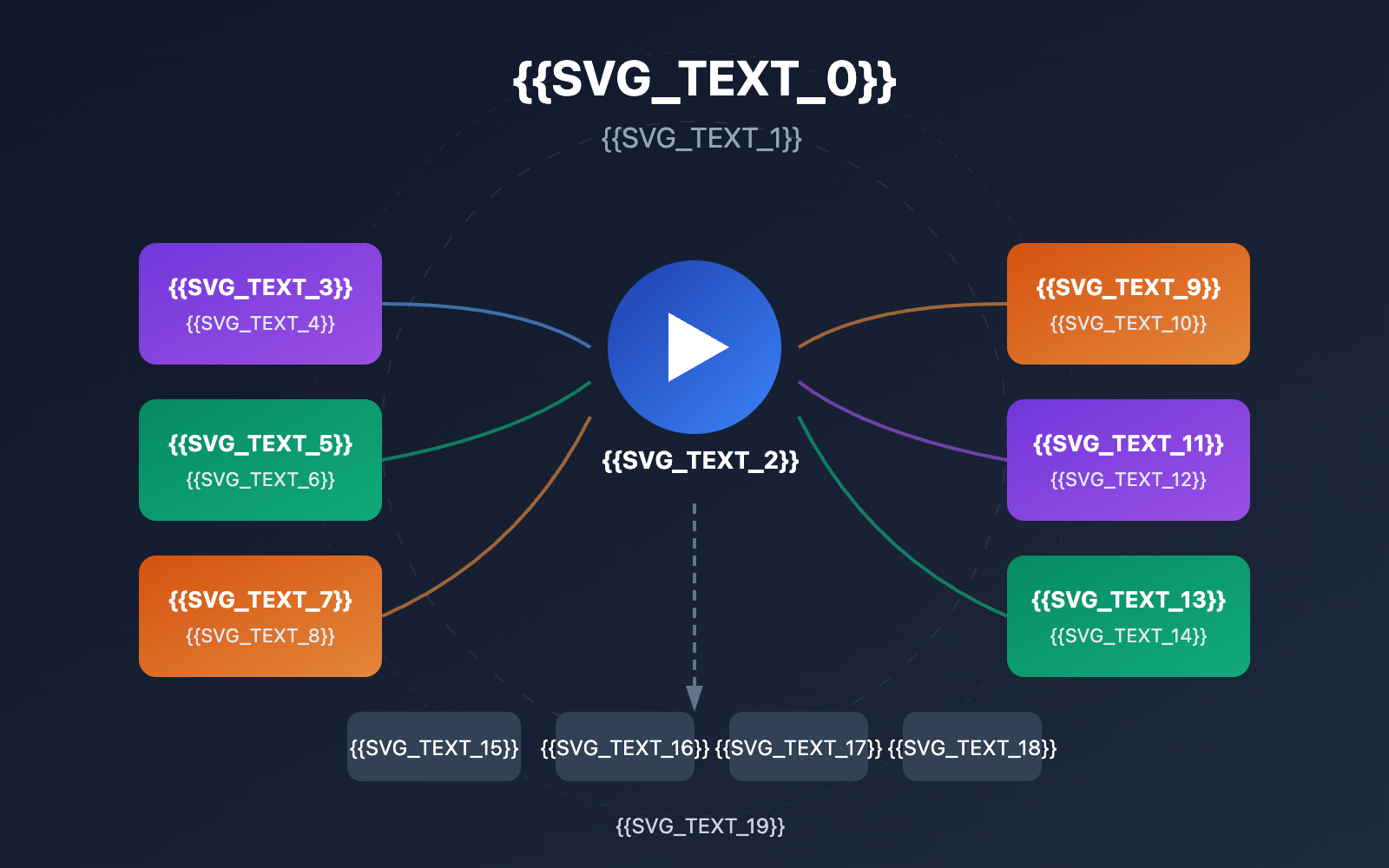
Sora 2 E-commerce Video Templates: 7 Core Presets
Preset 1: Unboxing Video
Unboxing videos are a staple in e-commerce. Sora 2's unboxing preset is specifically optimized for product reveals:
| Feature | Parameter |
|---|---|
| Camera Style | Close-up shots, macro texture capture |
| Best Use Cases | E-commerce live streaming, influencer marketing, product launches |
| Tactile Presentation | Emphasizes product feel and material details |
| Recommended Products | Tech gadgets, cosmetics, luxury packaging |
Example prompt:
A close-up unboxing video of a premium smartwatch.
Hands carefully open the minimalist white box,
revealing the watch with macro shots of the screen
and metal texture. Soft ambient lighting.
Preset 2: First-Person POV
Simulates a handheld camera perspective to create an authentic user experience:
- Immersive Experience: Makes the audience feel like they're using the product themselves.
- Lifestyle Integration: Naturally blends the product into everyday environments.
- Building Trust: Often feels more persuasive than traditional ads.
- Best Use Cases: Wearables, kitchen appliances, sports equipment.
Preset 3: ASMR Aesthetic
Uses both visual and auditory stimuli to highlight a product's sensory appeal:
| Visual Features | Audio Features | Best For |
|---|---|---|
| Soft lighting | Gentle sound effects | Skincare |
| Slow camera movement | Product contact sounds | Food & Beverage |
| Warm color tones | Ambient white noise | Textiles |
| Macro close-ups | ASMR vocals | Jewelry & Accessories |
Preset 4: Luxury Ad
One of Sora 2's most popular presets for e-commerce, designed specifically for high-end products:
- Slow Motion: Showcases product details in every frame.
- Diffused Lighting: Creates a sophisticated light and shadow effect.
- Subtle Camera Movement: Slow pans and zooms to reveal product quality.
- Applicable Categories: Jewelry, perfume, fashion, high-end electronics.
Pro Tip: You can use APIYI (apiyi.com) to call the Sora 2 API in batches, quickly generating luxury-style video ads for your entire high-end inventory.
Preset 5: Japanese Minimalist
Inspired by Japanese minimalist commercials, focusing on composition rather than clutter:
| Design Element | Presentation Style |
|---|---|
| Balanced Composition | Centered product with plenty of white space |
| Clean Camera Work | Minimal unnecessary cuts or transitions |
| Neutral Tones | Primarily white, gray, and beige |
| Best Use Cases | Tech products, wellness brands, designer goods |
Preset 6: Cinematic Calm
Designed for brand films and emotional marketing:
- Storytelling Feel: It's more than just a product showcase; it's a brand story.
- Gradient Lighting: Simulates professional studio lighting setups.
- Dolly-style Movement: Smooth tracking shots for a high-production feel.
- Best Use Cases: Brand manifestos, high-end collection launches, emotional storytelling.
Preset 7: Viral Trends
Optimized for short-video platforms like TikTok and Instagram Reels:
| Platform | Optimization Strategy |
|---|---|
| TikTok | Hooks the viewer in 0.5 seconds with fast-paced editing |
| Warm tones for longer watch times and polished aesthetics | |
| YouTube Shorts | Progressive zooming works better for narrative than hard cuts |
| Xiaohongshu | Lifestyle-oriented scenes with an authentic, relatable feel |
Getting Started with Sora 2 E-commerce Video Templates
Basic Example
Here's the basic workflow for generating an e-commerce video using the Sora 2 API:
import requests

# Configure API parameters
api_key = "YOUR_API_KEY"
base_url = "https://vip.apiyi.com/v1"

# Generate e-commerce product video
response = requests.post(
    f"{base_url}/videos/generations",
    headers={"Authorization": f"Bearer {api_key}"},
    json={
        "model": "sora-2",
        "prompt": "Product showcase video of a leather handbag rotating 360 degrees on a white pedestal, luxury lighting",
        "preset": "luxury_ad",
        "aspect_ratio": "1:1",
        "duration": 10
    }
)
print(response.json())
View full implementation code (including batch generation)
import requests
import time
from typing import Optional, List

def generate_ecommerce_video(
    product_name: str,
    prompt: str,
    preset: str = "luxury_ad",
    aspect_ratio: str = "9:16",
    duration: int = 10,
    api_key: str = "YOUR_API_KEY"
) -> dict:
    """
    Generate e-commerce product video

    Args:
        product_name: Name of the product
        prompt: Video description prompt
        preset: Preset template (unboxing/first_person/asmr/luxury_ad/minimalist/cinematic/viral)
        aspect_ratio: Video ratio (9:16/1:1/16:9)
        duration: Video duration (seconds)
        api_key: API Key

    Returns:
        Generation result
    """
    base_url = "https://vip.apiyi.com/v1"

    response = requests.post(
        f"{base_url}/videos/generations",
        headers={"Authorization": f"Bearer {api_key}"},
        json={
            "model": "sora-2",
            "prompt": prompt,
            "preset": preset,
            "aspect_ratio": aspect_ratio,
            "duration": duration
        }
    )

    result = response.json()
    result["product_name"] = product_name
    return result

def batch_generate_videos(products: List[dict], api_key: str) -> List[dict]:
    """Batch generate videos for multiple products"""
    results = []
    for product in products:
        result = generate_ecommerce_video(
            product_name=product["name"],
            prompt=product["prompt"],
            preset=product.get("preset", "luxury_ad"),
            api_key=api_key
        )
        results.append(result)
        time.sleep(2)  # Avoid rate limits
    return results

# Usage Example
products = [
    {
        "name": "Smartwatch",
        "prompt": "Unboxing video of a smartwatch with close-up on display and band texture",
        "preset": "unboxing"
    },
    {
        "name": "Leather Handbag",
        "prompt": "Luxury handbag rotating slowly with soft lighting highlighting leather texture",
        "preset": "luxury_ad"
    }
]

results = batch_generate_videos(products, "YOUR_API_KEY")
Recommendation: Head over to APIYI (apiyi.com) to get your Sora 2 API credits. The platform supports a unified interface for multiple AI video models, making it easy to compare results across different engines.
Sora 2 E-Commerce Video Template Comparison
| Template Type | Core Advantage | Best Product Type | Recommended Platform |
|---|---|---|---|
| Unboxing Video | Tactile presentation, suspense | Digital, blind boxes, new products | Douyin, Bilibili |
| First-Person | Immersive experience, realism | Wearables, home appliances, sports | Xiaohongshu, Kuaishou |
| ASMR Aesthetics | Sensory stimulation, soothing vibe | Skincare, food, textiles | Douyin, Instagram |
| Luxury Ad | Premium feel, brand tone | Jewelry, perfume, fashion | Tmall, JD.com |
| Japanese Minimalism | Design-led, professional | Tech, health, designer items | Official site, brand account |
| Cinematic | Storytelling, emotional resonance | Brand promos, collection launches | YouTube, official site |
| Viral/Trending | Fast-paced, catchy | FMCG, social media hits | TikTok, Reels |
Comparison Note: You can test and compare these template effects on the APIYI (apiyi.com) platform to choose the preset style that fits your product best.
Sora 2 E-Commerce Video Templates: Practical Tips
Prompt Optimization Tips
The key elements for writing effective e-commerce video prompts:
| Element | Description | Example |
|---|---|---|
| Product Description | Clearly define the product type and appearance | "premium leather wallet" |
| Scene Setting | Describe the environment and background | "on marble countertop" |
| Lighting Atmosphere | Detail light and shadow effects | "soft studio lighting" |
| Camera Movement | Specify how the lens moves | "slow 360-degree rotation" |
| Pacing | Define the rhythm and speed | "cinematic pacing" |
Batch Generation Workflow
By combining Sora 2 with automation tools like n8n, you can achieve:
- Automated Generation for New Arrivals: Video generation is automatically triggered when a new product is added to your inventory.
- Multi-Spec Batch Output: Generate videos for multiple platforms and aspect ratios for the same product simultaneously.
- A/B Testing Materials: Generate different styles for the same product to conduct comparison tests.
- Scheduled Content Refresh: Periodically update your store's video content to keep it fresh for visitors.
FAQ
Q1: What output aspect ratios does the Sora 2 e-commerce video template support?
Sora 2 supports three mainstream output ratios:
- 9:16 Portrait: Perfect for TikTok, Douyin, Instagram Reels, and YouTube Shorts.
- 1:1 Square: Best for TaoBao, JD.com, and Little Red Book (Xiaohongshu) feeds.
- 16:9 Landscape: Great for YouTube, official websites, and product detail pages.
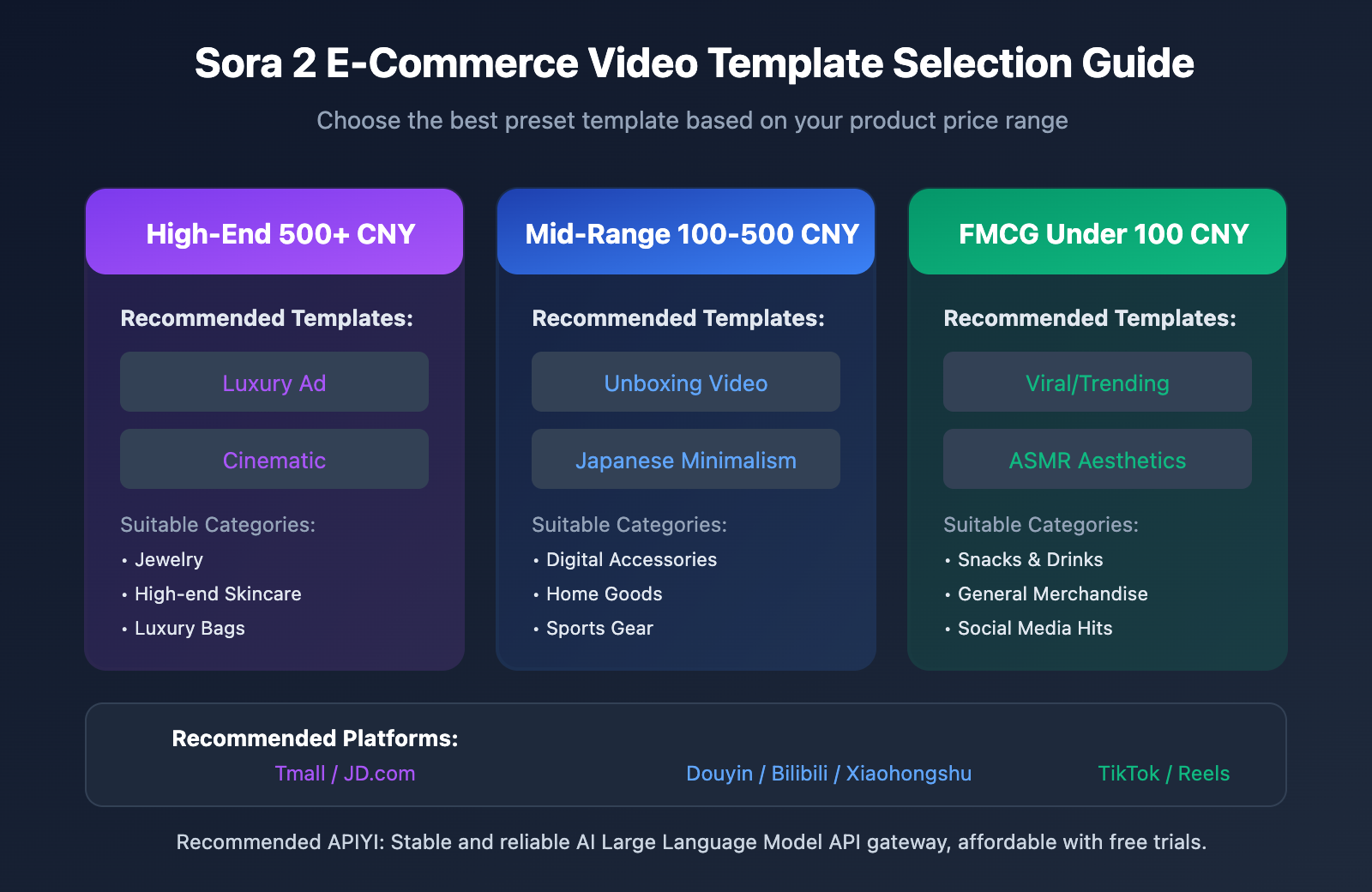
Q2: How do I choose the right preset template for my product?
You should choose based on your product's price point and target audience:
- High-end products (Unit price 500+ RMB): Go with Luxury Ads or Cinematic Texture templates.
- Mid-range products (100-500 RMB): Try Unboxing videos or Japanese Minimalist templates.
- Fast-Moving Consumer Goods (Under 100 RMB): Use Social Media Viral or ASMR Aesthetics templates.
Q3: How can I quickly start testing Sora 2 e-commerce video generation?
We recommend using an API aggregation platform that supports multiple models for your testing:
- Visit APIYI at apiyi.com and register an account.
- Get your API Key and some free credits.
- Use the code examples provided in this article to quickly verify the results.
- Compare different preset templates to find the solution that fits best.
Summary
Here are the core takeaways for Sora 2 e-commerce video templates:
- 7 presets covering all scenarios: From unboxing to luxury ads, these meet the needs of various product types.
- Image-to-Video lowers the barrier: You don't need professional filming equipment; your product photos are enough to generate professional videos.
- Multi-platform adaptation boosts efficiency: Generate multiple aspect ratios at once to cover all mainstream e-commerce and social platforms.
By mastering these preset templates, e-commerce sellers can significantly cut video production costs and quickly produce high-quality product showcases.
We recommend quickly validating your results through APIYI (apiyi.com). The platform offers free credits and a unified interface for multiple models, making it easy to handle batch generation and performance comparison.
📚 References
⚠️ Link Format Note: All external links use the
Resource Name: domain.comformat. This makes them easy to copy while avoiding direct clickable links to maintain SEO integrity.
-
OpenAI Sora Official Documentation: Sora 2 Features and Usage Guide
- Link:
help.openai.com/en/articles/9957612-generating-videos-on-sora - Description: The authoritative official guide to understanding all functional parameters.
- Link:
-
Sora 2 Prompt Engineering Guide: Detailed prompt optimization techniques
- Link:
wavespeed.ai/blog/posts/sora-2-prompting-tips-better-videos-2026/ - Description: Practical prompt tips to help you level up your generation results.
- Link:
-
Higgsfield Sora 2 Presets Documentation: Deep dive into preset templates
- Link:
higgsfield.ai/sora-2-ai-video-presets - Description: Detailed parameters and use cases for various preset templates.
- Link:
Author: Technical Team
Technical Exchange: Feel free to join the discussion in the comments! For more resources, you can visit the APIYI apiyi.com technical community.