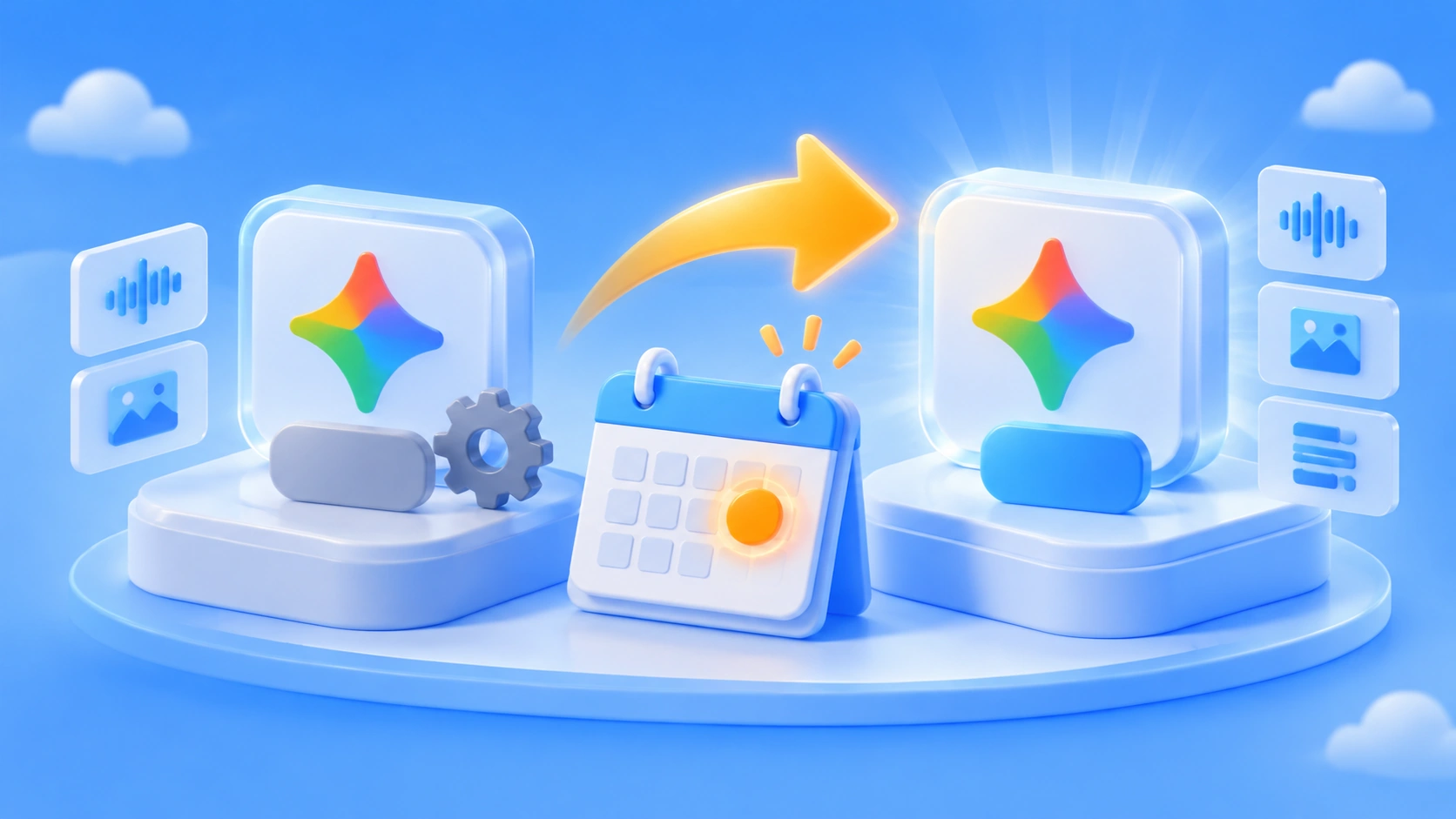
According to our editorial topic pool, existing Gemini Omni 1.1 calls will be automatically switched to Gemini Omni 1.2 on December 3, 2026. You won’t need to change any code, but the responses you get back will change.
One thing to be upfront about: this date currently comes from our internal topic pool, and it hasn’t been confirmed as an officially verified announcement. So every date in this article is labeled with its source tier, and before you touch anything in production, I’d recommend checking it yourself against Google’s model documentation and deprecation notices page.
This isn’t a routine version bump. Version 1.2 moves things forward in single-clip duration, native audio, the number of reference images, and continuation. Because the switch is automatic, these new behaviors will land directly on your existing requests, with no gradual rollout window.
What you’ll get from this article: which requests will behave differently after December 3, which parameter validations will stop working, and how to pin down your model ID before the switch happens.
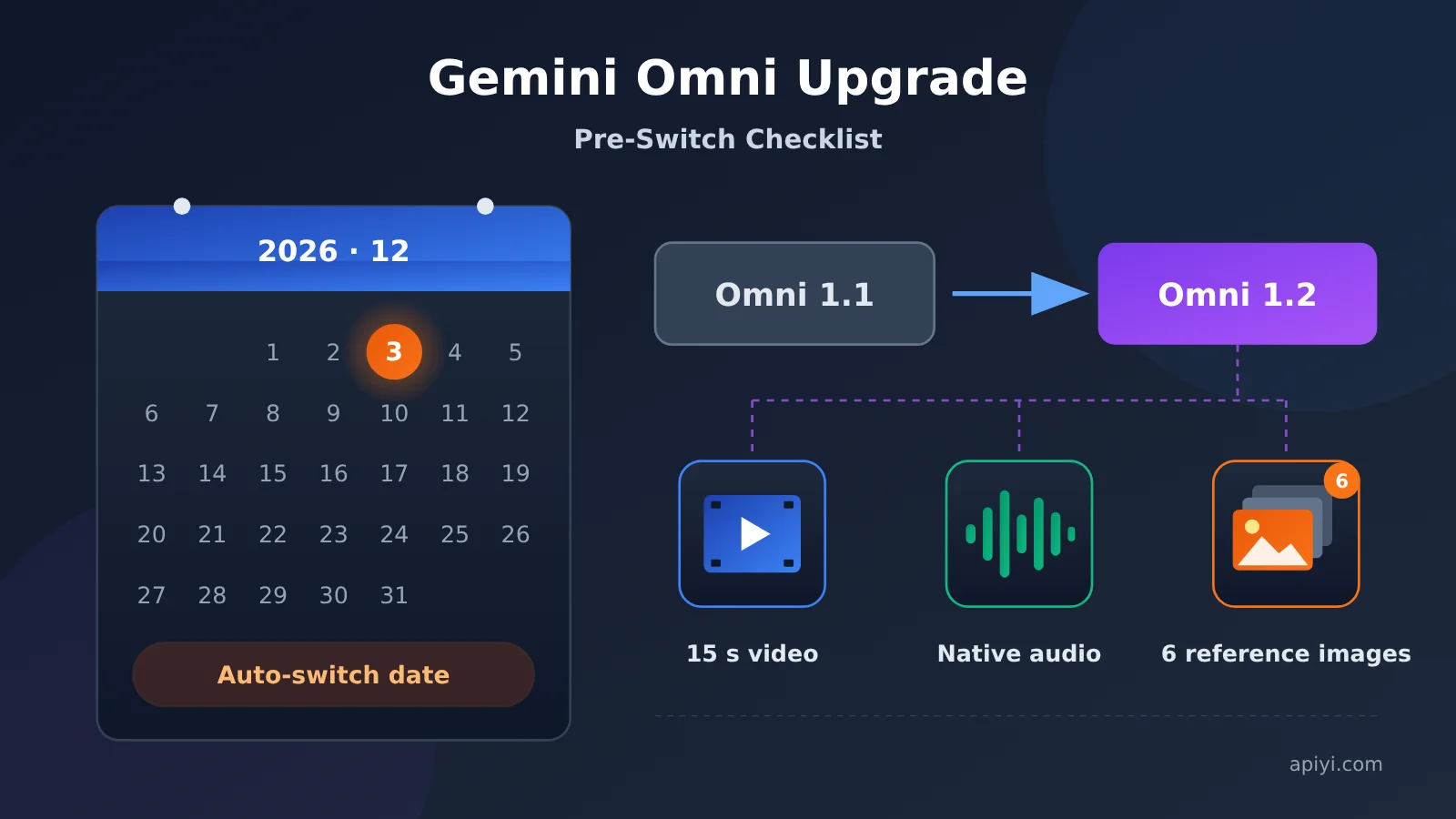
Gemini Omni 1.1 Auto-Switching to 1.2: Key Facts at a Glance
Let’s pull the scattered details into one table. In what follows, the date row comes from our topic pool records, the capability rows come from the topic pool’s description of 1.2, and the availability row comes from a check of the apiyi.com pricing page on November 12, 2026.
| Item | Details | Source Level |
|---|---|---|
| Switch date | December 3, 2026: existing 1.1 calls get redirected to 1.2 automatically | Topic pool record, to be verified against the official announcement |
| Trigger | No manual action needed; you’re moved over as long as you keep using the old model identifier | Topic pool record |
| Single-generation length | 15 seconds | Topic pool record |
| Extension | Can extend an existing clip up to 30 seconds | Topic pool record |
| Audio | Native audio, no more adding it in post | Topic pool record |
| Reference images | Up to 6 | Topic pool record |
| Availability on aggregation platforms | Checked the apiyi.com pricing page on November 12, 2026; no gemini-omni entry found | Verified against the live pricing page |
The last two rows are the ones worth paying attention to. I’d recommend double-checking the date yourself. As for availability, it means you can’t assume this model is ready to order on aggregation platforms yet.
What Each of the 4 Capability Changes Affects
The 15-second single-clip duration directly affects the timing descriptions in your prompts and how densely you pack in shots. If you wrote scripts for short clips and keep using the same descriptions after switching to 1.2, the back half of the video can easily feel mushy, or the pacing can drag.
Native audio is the easiest change to underestimate. Audio used to be a separate step: you’d run voiceover or sound effects on their own and then line them up with the picture. Now the audio comes out together with the video, so it’s worth re-evaluating whether the stitching logic in your post-production pipeline is still needed.
Raising the reference image limit to 6 gives you more ways to control character consistency and scene consistency. But the flip side is that if your code has a hard check on the number of reference images, with a limit of 2 or 3 hardcoded, that check turns into a pointless restriction after the switch.
Extending to 30 seconds changes your invocation rhythm. Before, building a longer video meant stitching clips together externally. Now you can keep extending within the same context. The tradeoff is a longer wait for each task, so you’ll need to raise your timeout settings.
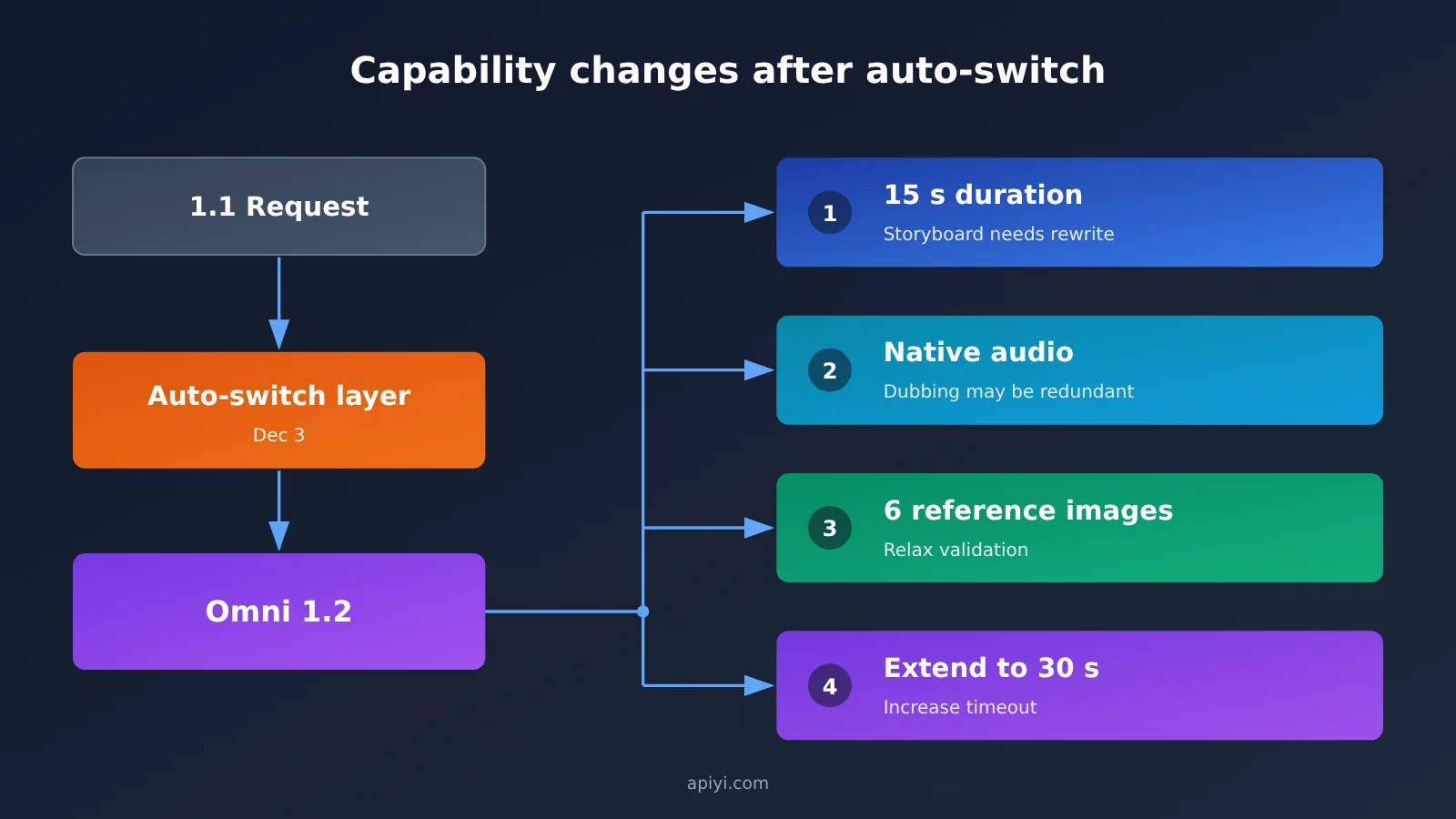
Which Columns to Check for Parameter Differences
This table leaves out the 1.1 values on purpose. The topic pool record only gives data for the 1.2 side, and filling in old values would just be making them up. The fourth column is the part where you actually need to do some hands-on verification.
| Capability | Omni 1.2 Recorded Value | Impact on Existing Requests | What You Need to Confirm |
|---|---|---|---|
| Single-clip duration | 15 seconds | Shot density and prompt descriptions need rewriting | What the old default duration was |
| Extension | Can extend up to 30 seconds | Timeouts and polling intervals need loosening | Whether extension uses the same endpoint |
| Audio | Native audio output | Post-dubbing and mixing workflows may be redundant | Whether the output has separate audio tracks |
| Reference images | Up to 6 | Count validation and how you organize assets will change | Size and format limits per image |
| Model identifier | 1.2 has a new identifier | Hardcoded IDs will no longer match | The exact spelling of the new identifier |
The last row is the most practical one in the whole article. An automatic switchover usually only guarantees that the old identifier still gets routed. It doesn’t guarantee that every hardcoded spot in your code will change along with it.
What Your Requests Should Look Like Before the December 3 Cutover
The spots that need changes usually aren’t in your main call. They’re in the corners that got copy-pasted everywhere. Walk through the list below in order, and it’ll be far easier than firefighting on cutover day.
- Centralize the model identifier: Read it from an environment variable or config center instead of hardcoding it all over your business logic.
- Confirm a single endpoint: If you go through an aggregation platform, keep base_url at
https://api.apiyi.com/v1. At cutover, change only the model identifier and leave the integration layer alone. - Recalculate timeouts and retries: Once extension runs past 30 seconds, scale up your client timeout, task polling interval, and retry backoff accordingly.
- Check your count validations: Go through the hardcoded checks on reference image limits, duration parameters, and the audio toggle, and confirm each one is still valid.
- Verify how the model identifier is written: Go by the official docs for the new identifier, and don’t copy the examples from blog posts.
Before and After
| Where | Common setup before cutover | Recommended setup after cutover |
|---|---|---|
| Model identifier | Literal 1.1 value hardcoded in business code | Managed as a config item, with the default following the official docs |
| Endpoint | Each SDK configured separately | Everything goes through the https://api.apiyi.com/v1 compatible endpoint |
| Timeout | Set based on experience with short clips | Re-estimated against the 30-second extension limit |
| Reference image validation | Hardcoded to 2–3 images | Relaxed to 6 images, with an upper-limit guard kept in place |
| Audio handling | Separate voiceover, then merge | Check whether the output already includes an audio track before deciding whether to add one afterward |
🚀 Quick start: If you want to verify your integration layer with a single API key first, sign up at APIYI (apiyi.com) and grab the free test credits. Use the OpenAI-compatible interface, point base_url at
https://api.apiyi.com/v1, and leave the model identifier as a config item to fill in once the official docs confirm it. That way, cutover day is just a one-line config change.
One more heads-up: APIYI (apiyi.com) currently has no gemini-omni entry on its pricing page. When I checked on November 12, 2026, the video models available were in the Seedance and Wan families. Treat the list on the apiyi.com pricing page as the source of truth, because this article doesn’t make any inferences on its behalf.
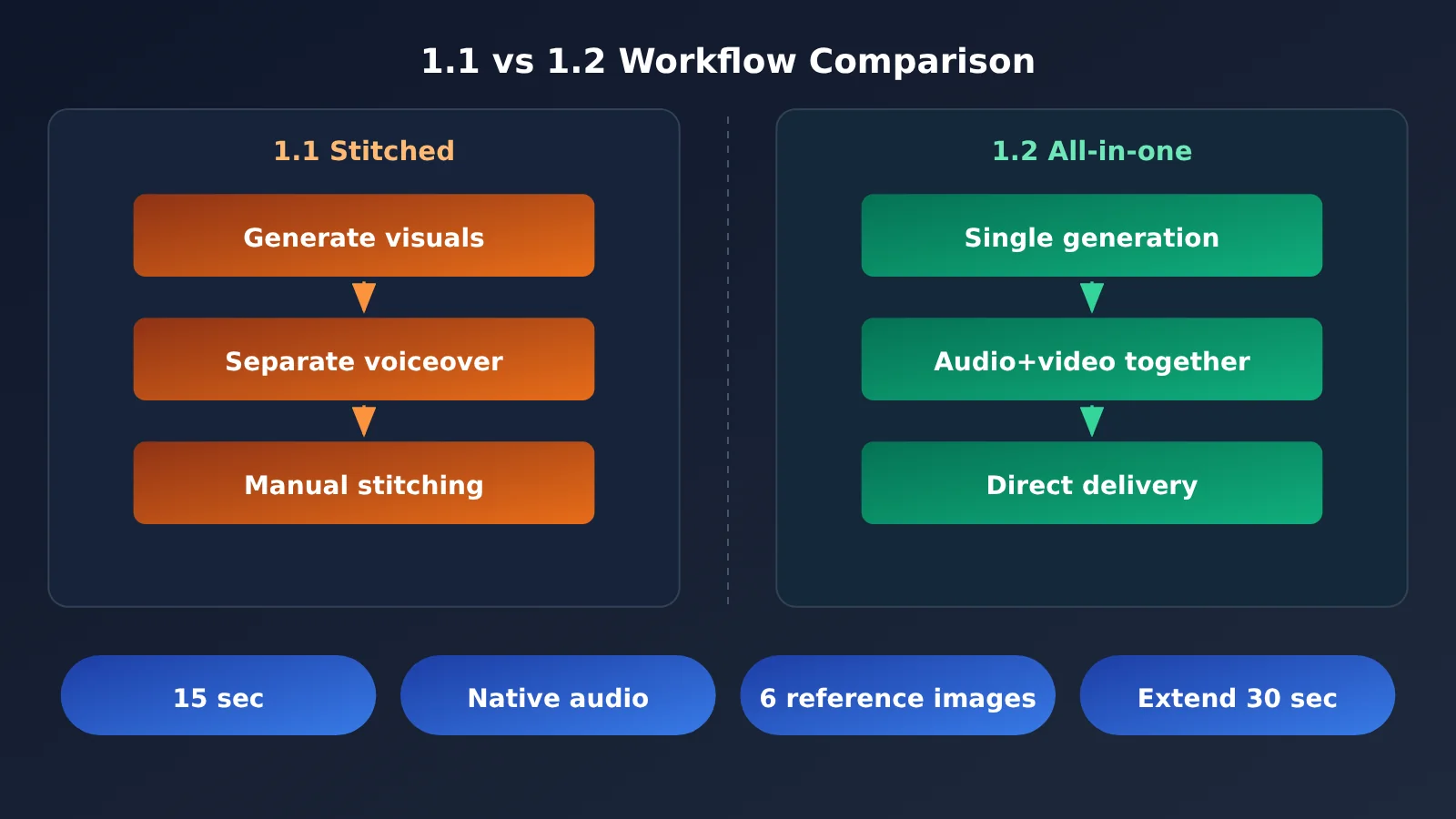
Impact Analysis of the Gemini Omni 1.2 Switch
Impact on Developers
The most immediate effect is that hidden dependencies come to light. When the model version gets bumped automatically, you lose the thin layer of implicit agreement between the input/output shape you assumed and the shape you actually get back. You won’t notice it day to day. But once the duration changes, an audio track shows up, or the reference image limit goes up, your cache key design, result validation assertions, and downstream transcoding parameters can all start failing together.
The second effect is on your prompt assets. Storyboard scripts, shot descriptions, and duration wording usually live scattered across product and engineering docs, and nobody version-controls them. Since the capability boundaries of 1.2 have changed, someone needs to go through all of that content in one pass.
Impact on Product and Content Teams
Once native audio lands, producing a video gets shorter, but reviewing it gets heavier. Audio and visuals used to be reviewed separately. Now they come out together, so a problem on either side means redoing the whole clip. If your content team is used to swapping out audio as an independent asset, that habit may need to change with 1.2.
Extending clips to 30 seconds also changes delivery granularity. Scheduling around 5-second or 10-second slices starts to look overly conservative once extension is possible. But it also means each task costs more when it fails: a failure at the 30-second mark is a very different price to pay than a failed 10-second run.
Impact on Cost Accounting
When longer durations, bundled audio, and up to 6 reference images all arrive at once, the resources consumed by a single task can’t stay the same as before. I’m not giving specific numbers here, because billing depends on the platform you use and the official pricing, and the apiyi.com pricing page doesn’t currently list an Omni entry, so any quote would be a guess.
What we can say for sure is that your accounting method needs to change. Instead of estimating by number of clips, estimate by three variables: seconds, number of reference images, and whether you’re extending. And leave some headroom for retries.
Scenarios and Recommendations
| Use Case | Is the 1.2 Capability Relevant? | Recommended Action |
|---|---|---|
| Batch short-video generation | Both the 15-second limit and native audio matter | Rewrite storyboard templates, validate with a small batch first |
| Content with strict character consistency requirements | The 6 reference images matter | Organize your character asset sets, relax count validation |
| Long-form narrative | Extension to 30 seconds matters | Reset timeouts and polling, validate continuity per segment |
| Visuals-only workflows with audio added later | Native audio matters | First decide whether you need to turn off audio track output |
| Testing with short clips only | Low relevance | Keep things as they are and run one regression after the switch |
Frequently Asked Questions (FAQ)
Q1: What does it mean that Gemini Omni 1.1 is being automatically switched to 1.2?
It means calls that still use 1.1 won’t be kept as a separate version anymore. They’ll be routed to 1.2 for execution. According to our topic pool records, the date is December 3, 2026. Your code should keep working without changes, but the output behavior will follow what 1.2 can do.
Q2: What exactly does 1.2 add over 1.1?
Our topic pool records list four things: 15 seconds per request, native audio, up to 6 reference images, and extension up to 30 seconds. The first three change what a single request outputs, while the fourth changes the rhythm of your calls. They affect you in different ways, so don’t lump them together.
Q3: Can I call Gemini Omni directly on APIYI right now?
You can’t conclude that from the current price list. When I checked the apiyi.com pricing page on November 12, 2026, I couldn’t find any gemini-omni entries. The video models listed at that time were Seedance, Wan, and similar. Whether and when it gets listed is something to confirm on the live list at apiyi.com. This article doesn’t assume an answer.
Q4: Can I treat the December 3 date as final?
I’d advise against it. The date comes from our topic pool records, which are internally compiled, and it wasn’t checked line by line against the official announcement page when this article was written. If your business is sensitive to the switchover time, go back and verify it yourself on Google’s model documentation and deprecation notices page. The official page is the source of truth.
Q5: What should I change first before the switch?
Change how you manage the model identifier before you change the identifier itself. Pull it out of your business code and into a config layer. While you’re at it, standardize base_url to a switchable endpoint like `https://api.apiyi.com/v1`, so on switchover day you only have to change one value. If you’re still evaluating integration options, you can use the free credits on APIYI (apiyi.com) to get your integration layer working first, then wait for the official docs to confirm how the new identifier is written.
Key Takeaways: Gemini Omni 1.1 to 1.2
- Switch date: Our editorial topic pool records it as December 3, 2026. Check it against the official announcement yourself.
- No code changes needed: Old calls are routed automatically, but the output behavior changes with 1.2.
- Four capability changes: 15-second duration, native audio, 6 reference images, and continuation up to 30 seconds.
- Validation breaks first: Hardcoded checks on duration, reference image count, and audio handling need another look.
- Change how you estimate cost: Move from per-request estimates to estimates based on seconds, number of reference images, and whether you continue a clip.
- Check availability live: The apiyi.com pricing page currently has no gemini-omni entry, so treat the model list as the source of truth for video models.
- Unify your integration layer now: Point base_url at
https://api.apiyi.com/v1and keep the model identifier as a config value.
Summary
The automatic switch from Gemini Omni 1.1 to 1.2 is essentially a behavior change with no staged rollout window. Break it down and there are only three things to do:
- Label your date source: December 3, 2026 comes from our topic pool record. Verify it against an official announcement before you start work.
- Turn the capability changes into validation: Go through the 15-second duration, native audio, 6 reference images, and 30-second continuation, and check each one against the assumptions hardcoded in your code.
- Centralize the model identifier: Once it’s in config, switch day means changing one value instead of shipping a release.
If your integration layer isn’t settled yet, you can use the free credits on APIYI (apiyi.com) to get your base_url and config structure working. Then fill in the new identifier once the official docs confirm how it’s written. Pricing and available models are whatever the apiyi.com list shows, and this article makes no price inferences for models that aren’t listed.
References
- Google Gemini API Model Docs: The authoritative source for model identifiers and capability limits
- Link:
ai.google.dev/gemini-api/docs/models -
Notes: Confirm the exact spelling of new model identifiers and their parameter limits. Check this before you switch.
-
Gemini API Deprecations and Versioning: Confirms the official date for the automatic switchover
- Link:
ai.google.dev/gemini-api/docs/deprecations -
Notes: The December 3 date in this article comes from our topic pool records. This page is the final word.
-
APIYI Pricing Page: A live list of available models and billing details
- Link:
api.apiyi.com/api/pricing - Notes: As of November 12, 2026, we found no gemini-omni entry. For video models, go by what’s listed on this page.
Author: APIYI Technical Team
Technical Support: Reach out to us on the APIYI apiyi.com homepage, and find the documentation center at docs.apiyi.com