Author’s note: Using the 1Password leak as a starting point, this breaks down why link tokens are dangerous, then moves on to the four checkpoints for Large Language Model API keys and the five-step response order for the day a leak happens—each practice comes with a way to verify it.
On November 25, 2026, 1Password publicly disclosed a security incident. Its vaults were not affected, but attackers got hold of tokens in some email links. If you have a Large Language Model API key and it’s already showing up in an IDE, a CI variable, or some script, this incident deserves a close look.
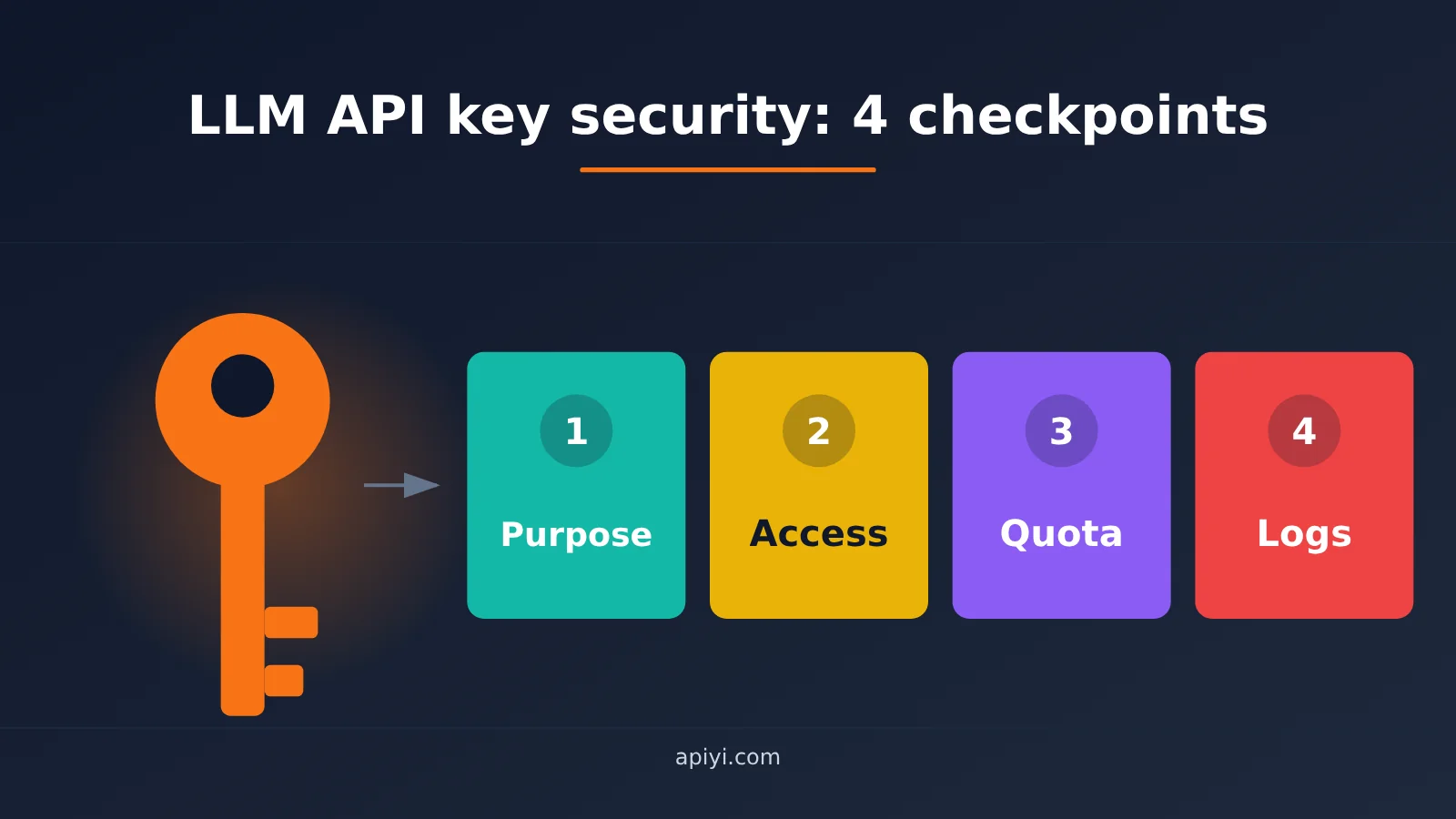
This isn’t the same old “don’t put your key in code” lecture. Large Language Model API key security requires all four things—purpose, permissions, quota, and logs—to be in place at the same time. Miss any one, and a single leak can turn straight into a bill.
Core value: After reading this article, you’ll be able to retell the full chain of this incident, get a reference table for splitting keys by purpose, and configure and verify each of the 4 checkpoints one by one.
The 1Password Breach: Lessons for Large Language Model API Keys
According to 1Password’s official disclosure, the company began investigating on November 19 and found that someone had gained access to an employee’s GitHub Enterprise account. The attacker used that account to read source code from private repositories and to push malicious code to backend services — code that then downloaded administrative data for some customers. The attacker also copied source code and got into CI/CD. The source code contained no customer secrets, but CI/CD held infrastructure keys, and the company has rotated or revoked every internal credential that may have been exposed.
| Stage | What happened | Lesson for LLM API keys |
|---|---|---|
| Entry | An employee’s GitHub Enterprise account was taken over; the attack path still hasn’t been disclosed | Developer accounts are the perimeter defense around your keys |
| Spread | Private repos read, malicious code pushed, CI/CD reached | Treat keys in repos and CI variables as readable by default |
| Exfiltrated data | Non-confidential metadata: names, sign-in emails, account and user IDs, public keys, SRP parameters | Metadata gets weaponized for targeted phishing |
| Link tokens | Tokens from invitation, onboarding, and account recovery emails were captured | A credential that can trigger a workflow is itself a risk |
| Unaffected | Vaults and their contents, the keys protecting the vaults, account recovery keys, the app and extensions | Layered design stopped the damage at the outer layer |
The vaults came through fine — so why are link tokens still dangerous? Because they can kick off account recovery or onboarding flows. 1Password’s protection here is that these tokens can’t be used on their own: you also need an SSO login or a verification code sent to the registered email address. The company says it found no internal evidence of account takeover, and it has changed the verification codes in invitation and recovery emails from 6-digit numbers to 10-character alphanumeric codes. Its advice: no need to change your password or Secret Key — just be suspicious of invitations or recovery emails you didn’t initiate, and either open the app directly or type the URL manually.
Map that onto the LLM world and the problem becomes obvious: API keys have no second factor. Whoever holds the key is you. Attackers work through machines, can burn through a large amount of quota in seconds, and their requests look exactly like your own. So the first line of defense isn’t “hide it well” — it’s “lock it down.”
Core Points for Large Language Model API Key Security
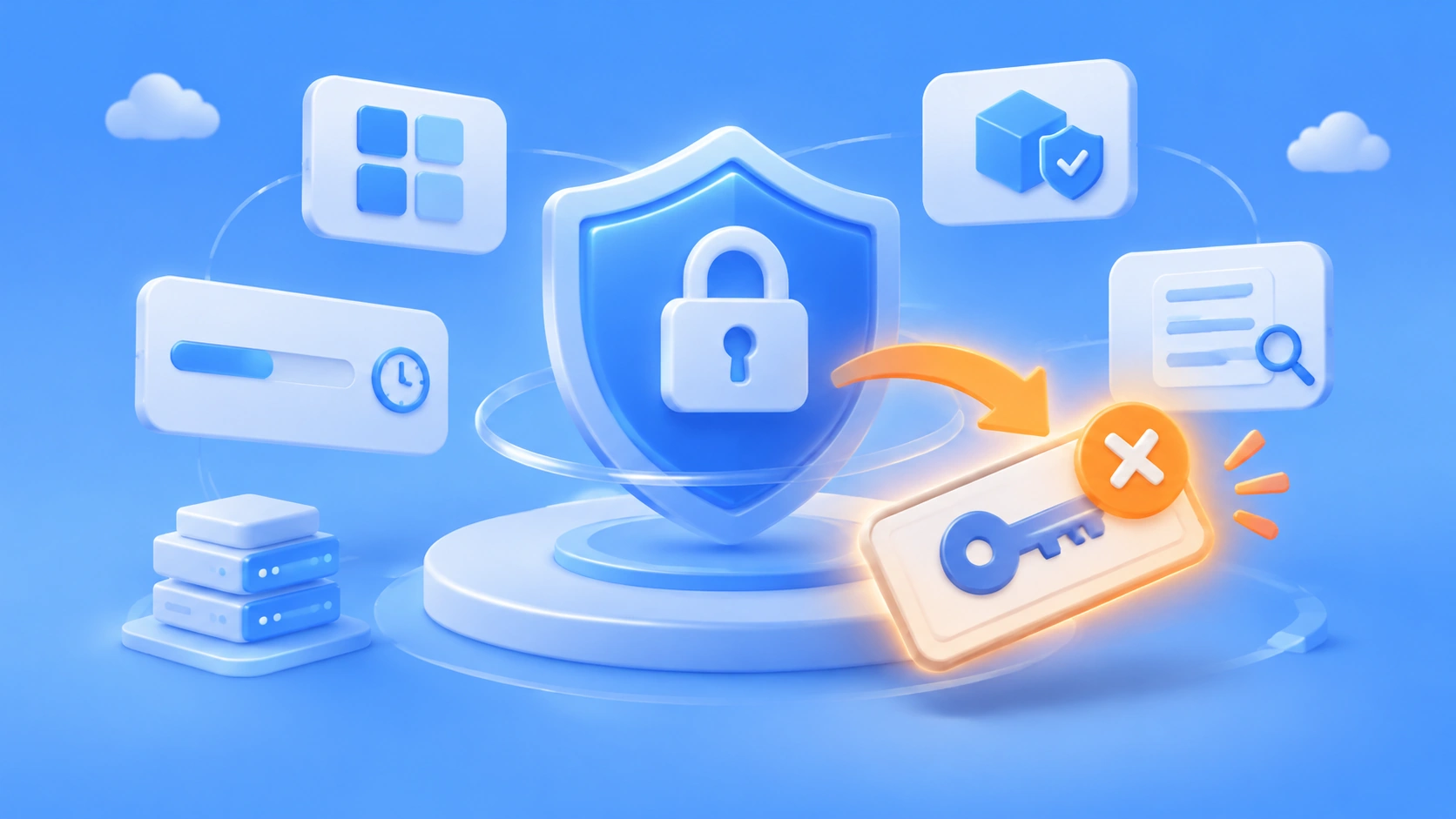
Lock down the key to four configurable checkpoints. The table below shows what each checkpoint does and how to prove it actually works.
| Checkpoint | What to do | How to verify |
|---|---|---|
| Split tokens by purpose | One key per purpose, no mixing | Disable one of them and confirm the other purposes keep running normally |
| Model allowlist | Only expose the models that purpose needs | Use this key to call a model outside the allowlist and confirm it’s rejected |
| Quota and expiry | Set the quota to just enough, set an expiration time | Set the quota extremely small, deliberately make one call, and confirm it’s rejected |
| Logging and one-click disable | View logs for each key independently, disable it immediately | Send a request right after disabling and confirm it fails |
Allocating Large Language Model API Keys by Purpose
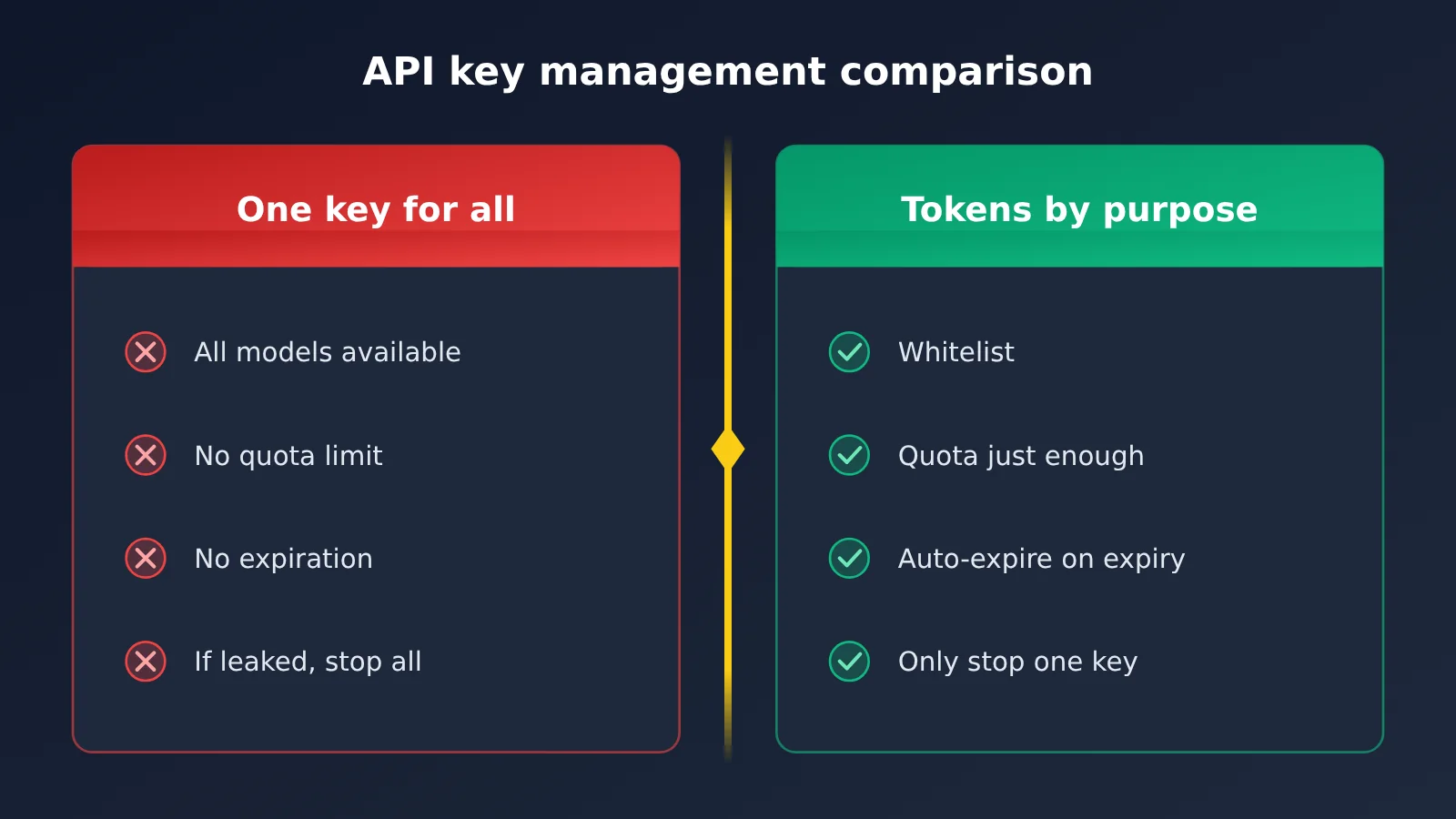
The second line of defense is “keeping things separate.” When something goes wrong, you only kill one key — other services stay unaffected, and billing can be attributed to a specific purpose. In the APIYI apiyi.com console, tokens start with sk-, and each token can have its own dedicated quota, expiration time, available models, and grouping — exactly what you need for splitting by purpose.
| Purpose | Where to store it | Model allowlist | Quota | Validity | Impact if leaked |
|---|---|---|---|---|---|
| Local development | Local environment variables | 1–2 debug models | Very small | Short-term | Only affects personal debugging |
| CI testing | CI secret variables, readable only by test jobs | Models needed for testing | Small | Per iteration cycle | Only affects the test pipeline |
| Production service | Server-side secret management | Models actually used in production | Based on business volume | Rotate regularly | Kill this one, switch to a new token |
| Temporary demo | Demo environment | Single model | Extremely small | Expires when the demo ends | Almost no loss |
How to verify: Disable the “local development” key in the console, then run the CI tests and the production health check again — both should return normally.
Model Allowlist for Large Language Model API Keys
APIYI’s allowlist rules are straightforward: if you don’t set available models when creating a token, that token can call any of the 200+ curated models across the site; once you do set them, it can only call the models you specify. If your service only does text summarization, there’s no reason its key should be able to call every model.
How to verify: Use that token to request a model ID that isn’t in the allowlist. The request should be rejected, and a record should be left in the invocation log.
Quotas and Expiration for Large Language Model API Keys
A single leak means real money, and the quota cap determines how much you stand to lose in the worst case. On apiyi.com, you can edit a token to change its quota, expiration, and group. We recommend setting it to “just enough”—for demo tokens, set an expiration time very close to now.
How to verify: Create a test token and set its quota to cover only one or two invocations. Keep sending requests until you exceed it, and you should receive a rejection response. Then create a short-lived token, wait for it to expire, and try calling with it—it should fail as well.
Logging and One-Click Deactivation for Large Language Model API Keys
Each token’s consumption, remaining quota, and invocation logs can be seen independently in the APIYI apiyi.com backend—that’s the direct payoff of splitting tokens by purpose: anomalous models, odd time windows, and unexpected invocation volumes map to a specific use case at a glance. Disabling a token deactivates it instantly; no need to wait for a code release.
Verification method: Send a request with a given token and confirm it shows up in that token’s own logs, not under other tokens; then disable it and send the request again—it should fail.
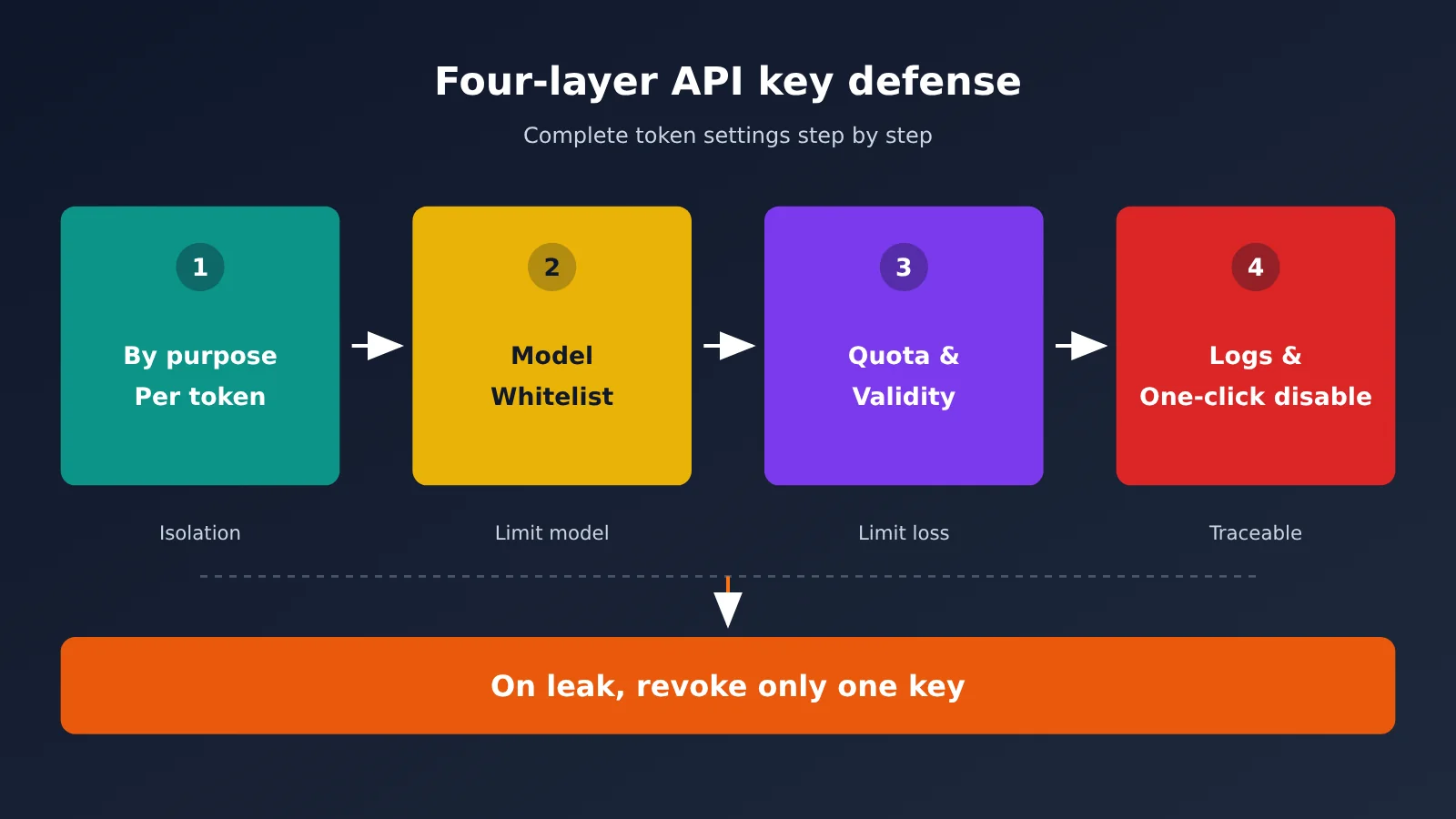
All four layers of defense shown above can be set up item by item in APIYI apiyi.com’s token settings.
Getting Started Quickly with Large Language Model API Key Security
The steps below don’t need fancy tooling—just work through them in order. Code-related names are formatted inline, and every key in the examples is a placeholder.
- Put the key in an environment variable: Set
APIYI_API_KEYon your machine or server, with your own token as the value—the text here only usessk-xxxxas a placeholder. Read it in code viaos.environ["APIYI_API_KEY"]; don’t hardcode it. Verification: Search forsk-in the repo root and there should be zero hits; unset the variable, run the program, and it should fail loudly rather than silently making calls. - Use a single endpoint: For OpenAI-compatible clients, set
base_urltohttps://api.apiyi.com/v1, with a model ID likegpt-4o-mini—check the platform’s model list for what’s actually available. Verification: Send the simplest chat request and confirm it returns and appears in the corresponding token’s logs. - Create tokens by purpose: Split out at least three—dev, CI, and production—each with its own allowlist, quota, and expiration. Verification: Run the allowlist and quota checks above against each one.
- Set up fallback groups: A token supports up to 3 groups—1 default plus 2 fallbacks—and switches automatically when the primary group is unavailable. Verification: On the edit-token page, confirm all three groups are saved, and watch the group info in the logs.
- Tighten CI permissions: Test workflows that only read repo contents should use read-only credentials, and deployments should use a separate identity; when CI and the cloud provider support workload identity, prefer short-lived credentials. Verification: Try a write operation using the test workflow’s identity—it should be rejected.
One thing to note: tokens themselves aren’t rate-limited—rate limits follow the account. Generally anything within 100 RPM is fine, and TPM isn’t assessed. Sharing a token among several people doesn’t affect speed, but from a security and attribution standpoint, it’s still better to split by person and by project.
🚀 Quick start: You can sign up at APIYI apiyi.com and claim free trial quota, create a dedicated test token with a tiny quota, run through every verification above, then copy the same configuration to your production token.
Handling Order for the Day Your Large Language Model API Key Leaks
If a key has already shown up in a public repository, a screenshot, or a chat log, order matters more than speed. The core principle: stop the bleeding first, then investigate, and only then patch the process.
| Step | Action | Why this order | Done when |
|---|---|---|---|
| 1 | Disable that specific token in the console | Code changes need a deploy; disabling is instant | Requests with the old key return errors |
| 2 | Check the invocation logs for that token | Pinpoint the anomalous time windows, models, and call volume | You have a list of the anomalous time windows |
| 3 | Issue a new token, scoped only to its original use, with the quota trimmed to just enough | Restore service while shrinking the exposure surface | Service is restored and the allowlist is in effect |
| 4 | Audit where it’s stored: repo history, CI variables, logs, chats, screenshots | Find the source of the leak | All copies are cleaned up or revoked |
| 5 | Add quota alerts and an expiry date | So next time it doesn’t depend on someone remembering | The new token has an expiry date |
A special warning: treat any key that has ever appeared in a historical commit as already leaked. Even if you deleted that line later, as long as it lives on in Git history, you should walk through the table above again.
FAQ
Q1: Were my passwords exposed in the 1Password breach?
The official disclosure states that the vaults and their contents, the keys protecting the vaults, and the account recovery keys were all unaffected, and the official guidance is that you don’t need to change your password or Secret Key. What you should be wary of is invitation or recovery emails you didn’t initiate yourself.
Q2: What’s the difference between a link token and a Large Language Model API key?
A link token still requires SSO login or an email verification code to use, so it has a second factor protecting it. A Large Language Model API key alone is enough to make calls, with no second factor, so you have to “lock it down” with whitelists, quotas, and expiry dates.
Q3: Has the attack path for this incident been fully determined?
As of November 26, the official statement didn’t say how many people were affected, nor how the GitHub account was compromised. Security research organizations mentioned possible paths such as phishing, stolen sessions or tokens, or workstation malware, but none of these have been confirmed.
Q4: Do individual developers also need to split tokens by purpose?
Yes. Even if you only have two purposes—local debugging and a small tool—keeping them separate means one leak won’t drag down the other, and you can see clearly on the bill where your money is going.
Q5: How do I configure these four checkpoints on APIYI?
When you create a token in the APIYI console at apiyi.com, just fill in the available models, dedicated quota, expiry time, and group—you can edit or disable it at any time afterward. When making calls, set `base_url` to `https://api.apiyi.com/v1` and read the key from an environment variable.
Q6: If I create a lot of tokens, will it affect call rates?
No. Tokens themselves aren’t rate-limited; rate limits are tied to the account, and generally anything under 100 RPM is fine. Splitting tokens only affects management granularity, not performance. You can find the details in the token and grouping documentation at docs.apiyi.com.
Q7: What if I set the model whitelist wrong?
Just edit the token to adjust the available models. After adjusting, send one request each with a model ID from inside and outside the whitelist to confirm that both the allow and the deny behave as expected.
Large Language Model API Key Security: Key Takeaways
- What actually happened: An employee’s GitHub account was compromised, exposing source code, CI/CD, and email-link tokens
- The vault held: The layered design kept the core keys out of harm’s way, and the official guidance is not to change passwords
- The key difference: API keys have no second factor — whoever holds one can invoke
- First line of defense: Lock keys down with allowlists, quotas, and expiry dates
- Second line of defense: One token per purpose, so a breach only takes down one
- On the day of a leak: Disable first, then dig through logs, then rotate the token and trace the source
Large Language Model API Key Security: Final Checklist
| Check | Done | How to verify |
|---|---|---|
| Keys live only in environment variables or a secrets manager | ☐ | Search the repo for sk- and get zero hits |
| At least three separate tokens for dev, CI, and production | ☐ | Revoke one; the others keep working |
| Every token has a model allowlist | ☐ | Calling a model outside the allowlist is rejected |
| Every token has a tight quota and an expiry date | ☐ | A tiny quota gets rejected once exceeded |
| Logs can be viewed per token, with one-click disable | ☐ | Requests fail after disabling |
| Group fallback is configured | ☐ | The edit page shows three groups |
| CI tests and deployment use different identities | ☐ | The test identity is blocked from write operations |
| Keys in historical commits are invalidated | ☐ | Old keys fail on request |
The 1Password incident shows that what really limits the damage is layering: the outer layer got breached, but the core stayed safe. Large Language Model API keys should be designed the same way — get purpose, permissions, quota, and logging right all at once, rather than relying on “just keep it hidden.” We recommend creating a test token through APIYI apiyi.com, working through the checklist item by item, and then rolling it out to production.
📚 References
-
1Password Official Incident Announcement: How the incident unfolded and the official recommendations
- Link:
1password.com/blog/update-on-nov-2026-security-incident - Description: First-hand information on what was and wasn’t affected
- Link:
-
Apidog Engineering Practice Article: API security as seen through this incident
- Link:
apidog.com/blog/1password-breach-api-security-lessons/ - Description: Practical guidance on verification codes, token testing, and CI least privilege
- Link:
-
APIYI Token and Group Documentation: Token quotas, validity periods, and group descriptions
- Link:
docs.apiyi.com/faq/token-and-groups.md - Description: The basis for the token configuration items covered in this article
- Link:
-
APIYI Model Whitelist Documentation: Rules for restricting which models are available
- Link:
docs.apiyi.com/faq/token-model-whitelist.md - Description: The whitelist’s default behavior and how to configure it
- Link:
Author: APIYI Technical Team
Technical discussion: Feel free to reach us through the APIYI website homepage. For more token configuration resources, visit the docs.apiyi.com documentation center.